Image

Shaun Jooste

Updated 2 months ago

Classic Strategy in a Lightweight Package

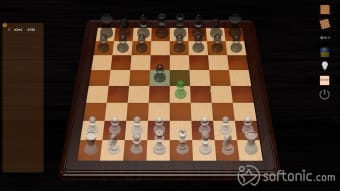
Free Chess, developed by Jorge Pardo Serrano (Pardolabs), delivers the timeless game of chess in a simple, easy-to-use program for Windows. It focuses on accessible play rather than visual flair, offering a smooth experience for beginners learning the basics and experienced players refining their tactics. Its compact size and quick installation make it an appealing option for anyone seeking a classic chess match without setup hassles.

Straightforward Gameplay and Familiar Options

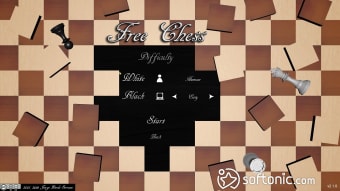
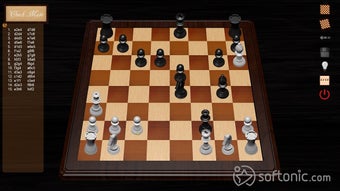
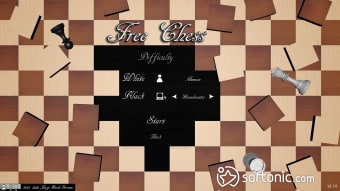
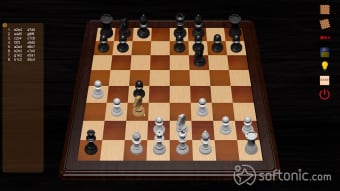
The program faithfully reproduces standard chess rules, letting users compete against the computer or a local opponent on the same device. The built-in AI offers ten difficulty levels, ranging from casual play to demanding challenges, allowing steady skill progression. Players can switch between 2D and 3D views, toggle sound, undo moves, or request hints for support. A visible move log aids self-review, and a single save slot allows pausing and resuming an active match.

Clean, Distraction-Free Design

True to its minimalist approach, Free Chess runs entirely ad-free, keeping attention on the board and strategy. The interface is utilitarian and responsive, though visually dated compared to modern chess engines. Its small footprint ensures it runs smoothly even on older systems. While customization remains limited to a few board and piece styles, the clean layout ensures easy navigation and quick play sessions.

Accessible Yet Basic

Free Chess offers a satisfying core experience but omits features like online multiplayer or tutorial guidance, which might appeal to learners seeking structured lessons. Its simple graphics and single-game save limit also constrain depth. However, for users wanting a reliable offline chess program focused on pure gameplay, it successfully balances clarity, challenge, and efficiency.


Image

Shaun Jooste

With extensive experience in gaming and creative writing, he has authored novels and contributed articles and reviews on the latest titles. His career spans both publishing and content creation, combining knowledge of storytelling with hands-on analysis of games and digital media.

  • Pros

    • Ad-free, lightweight installation
    • Ten AI difficulty levels plus local multiplayer
    • Undo, hint, and move-log functions
    • Switchable 2D / 3D board views
  • Cons

    • No online multiplayer or tutorials
    • Limited customization and one save slot
    • Outdated interface and basic sound effects
Image
 0/6

App specs

Program available in other languages


User reviews about Free Chess

3.5

19 reviews

Add review

Main reviews for you

  • Image

    Anonymous user

    It is amazing. Highly recommend it for anyone looking forward to learn it or even a pro! Personally i'm a newbie and it is amazing!

  • Image

    Anonymous user

    Lots of bugs if you minimize the game dummy pieces come to board out of nowhere

  • Image

    Anonymous user

    I love to play chess! but i never won't recommend it for any one.

  • Image

    Anonymous user

    Yes, I recommend to download and played to many friends. Excellent

  • Image

    Anonymous user

    It is so so so good. It is so fun i play people in chess in all ways wins i beat my brother mom and sister.

  • Image

    Anonymous user

    Good. good. i must play and then tell you about thisthat is very good Pros: chess masterdamino Cons: i dont know

More

You may also like

Alternatives to Free Chess

Explore Apps

Latest articles

Laws concerning the use of this software vary from country to country. We do not encourage or condone the use of this program if it is in violation of these laws. Softonic may receive a referral fee if you click or buy any of the products featured here.