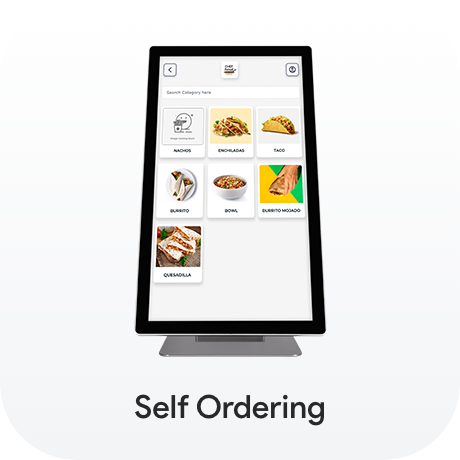
Restaurant POS
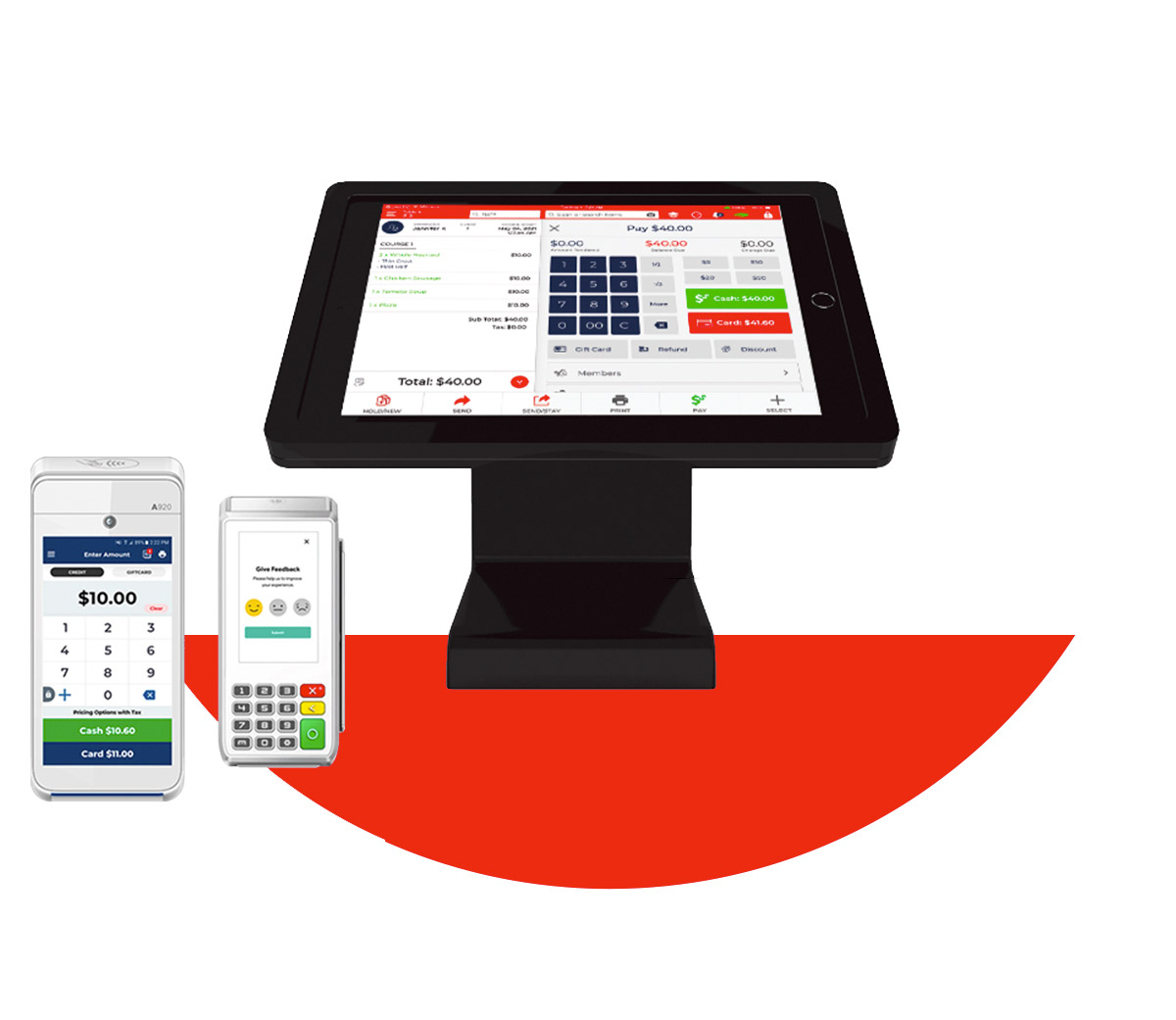
Our Quantic Restaurant POS Software is a flexible solution that streamlines order, staff, inventory management, and billing for smooth restaurant operations. It also allows integration with various payment processors. Transform your restaurant experience and get a free demo.
Proudly Serving

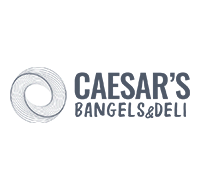




Smart Restaurant POS
Manage Everything in One Place with Ease!


- Point-of-sale
- Custom menu build
- Table layouts
- Labor management
- Multi-location management
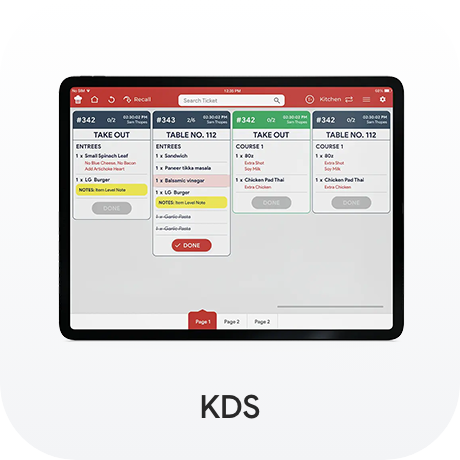
Kitchen printer & KDS
Get an end-to-end, customized arrangement with all the features you need to expand, grow revenue, and improve your user experience.
Restaurants Love Quantic POS System

24/7 Support *
Stronger Performance
Low Cost
Email & Receipt
Digital Gift Card
Discount Management
Cash & Credit Option
Customer Management
High Security
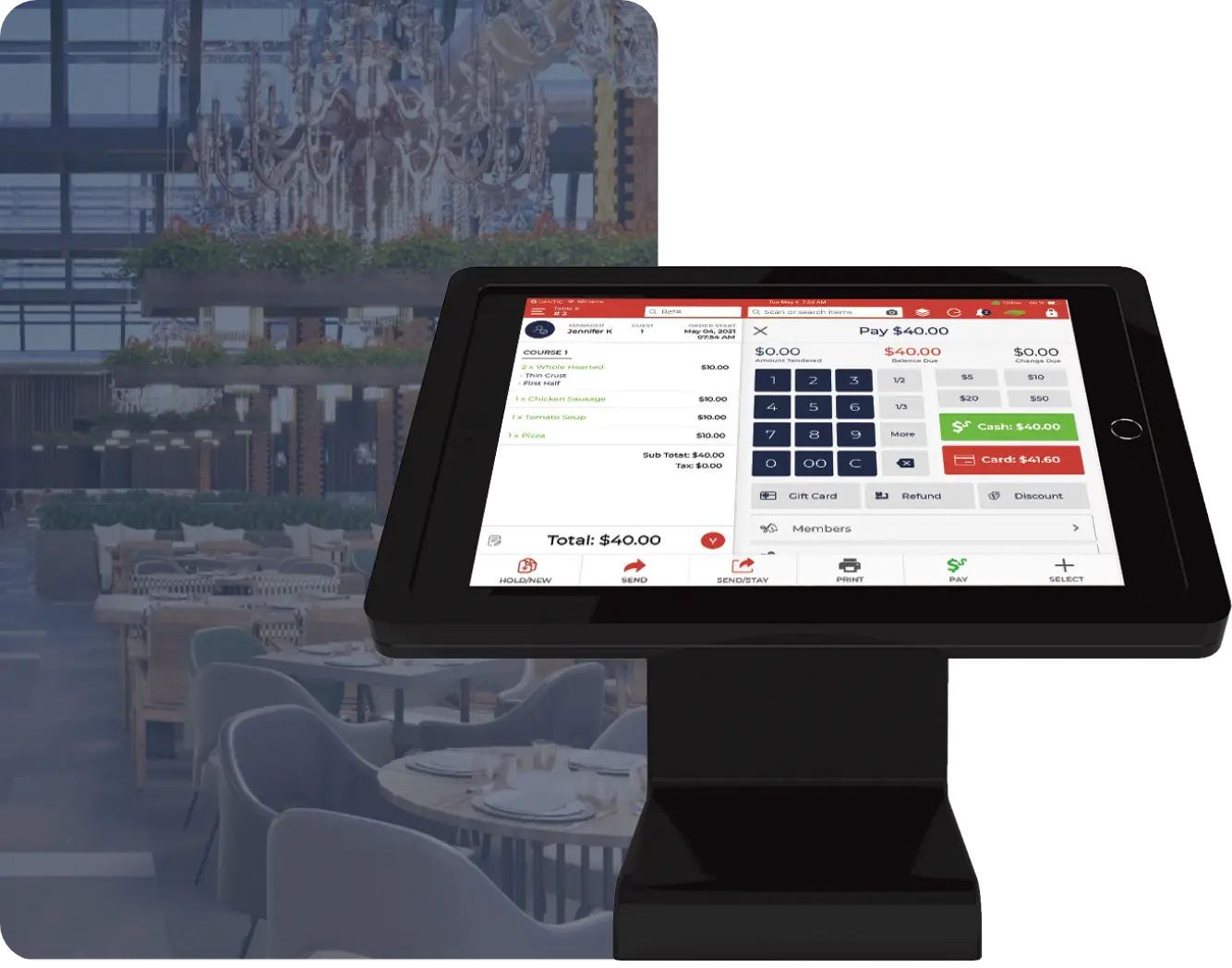
Full Service Restaurant POS
Quick Service Restaurant POS

Fastest service with Quantic QSR for quick & efficient management
A quick-service restaurant’s core function is to offer excellent assistance at a high speed.
All-in-One POS System for Restaurants
Full Service Restaurant
Quick Service Restaurant
Bar Service
The bar management system from Bar POS provides customized solutions to improve efficiency at your brewery or bar. Maintain inventory control, tab management, and fast payment processing to keep your bar operating smoothly during busy times.
Cafe
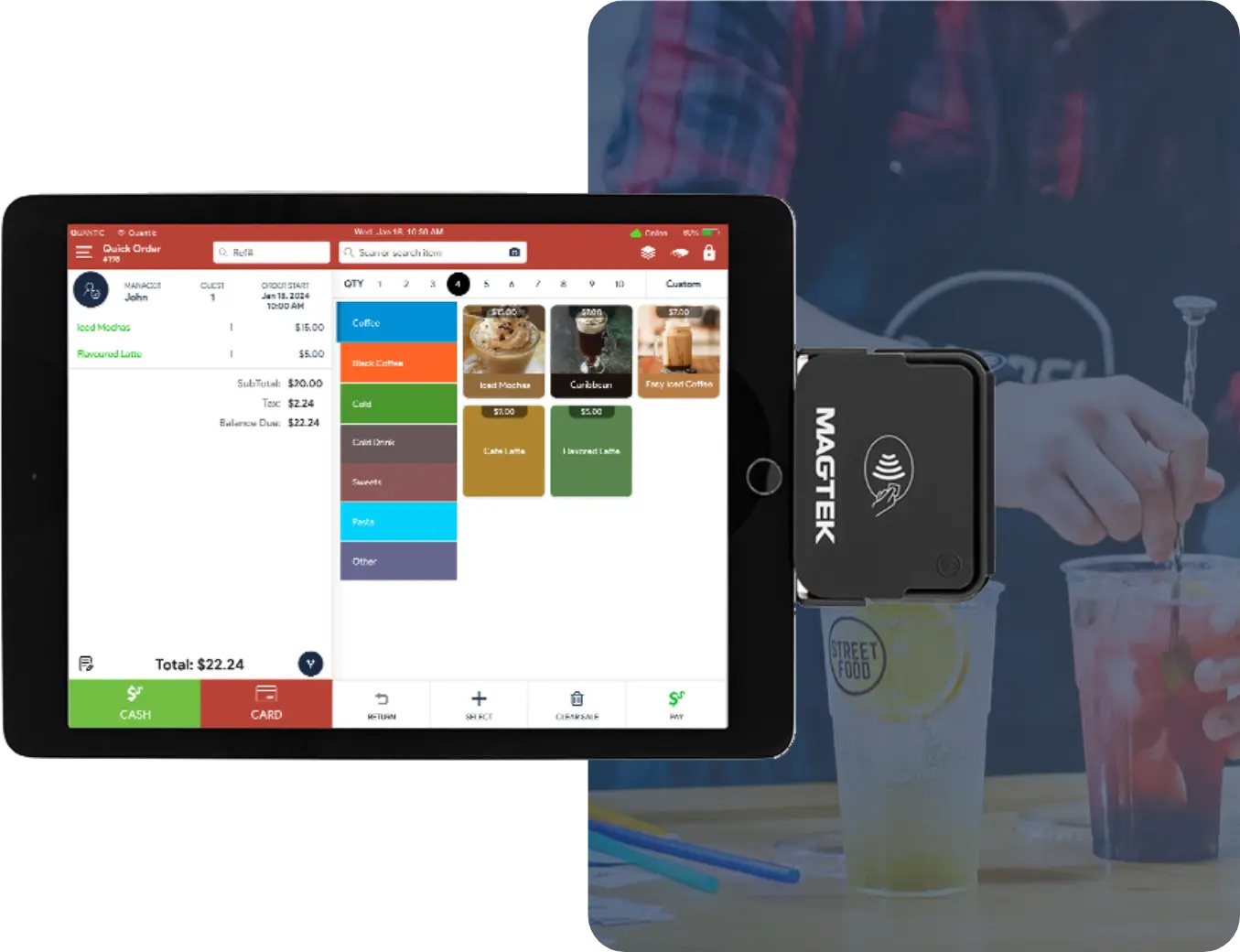
Managing Restaurants and cafes of all sizes is made simple with Quantic Cafe POS Software, which streamlines online ordering, delivery, and takeout. Our system helps you monitor customer preferences and seamlessly integrates with well-known delivery platforms.
Deli
For a smooth workflow, our Deli POS expedites the transition between cashier and managerial responsibilities. To streamline your everyday operations, manage inventory, handle custom orders, and create reports with ease.
Bagel Shop
The Bagel POS helps you manage your store effectively by combining modern features with ease of use. Our system helps you grow and retain customers with features like loyalty program integration and fast order entry.
Real-Time Reporting
Increase revenue and profitability
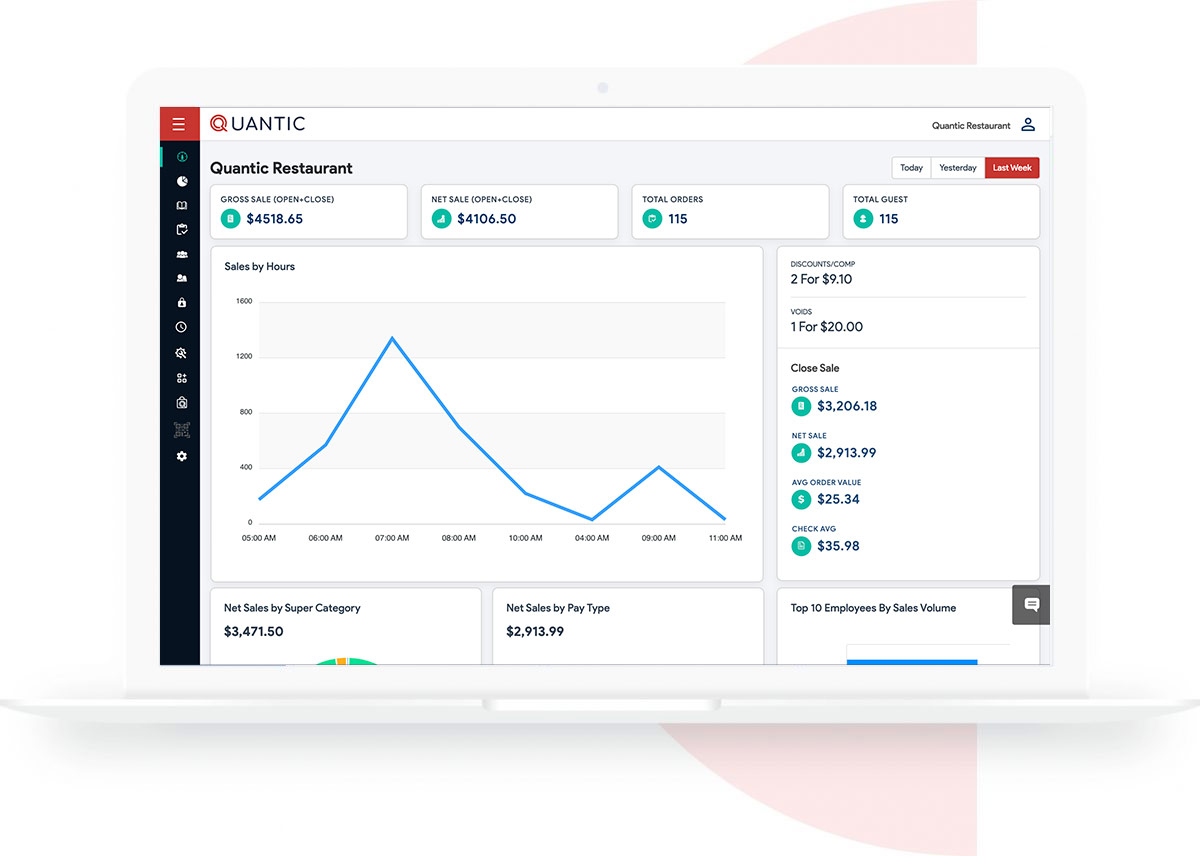
- Analytic app and Web Dashboard
- Real-time reporting
- Multiple franchise report all in one place
- Multiple Aggregators in a single dashboard

Real-Time Reporting Increase Revenue and Profitability
- Analytic app and Web Dashboard
- Real-time reporting
- Multiple franchise report all in one place
- Multiple Aggregators in a single dashboard
Frequently Asked Questions
Restaurant POS:
Order Management & Table Management
Table Mapping & Assignment
Easily visualize and manage your dining floor with an intuitive table layout. Staff can assign and reassign tables, monitor table status, and optimize seat rotation to improve guest flow and minimize wait times.
Order Tracking by Table
Track every order associated with a specific table or party. Handle complex scenarios such as multiple checks, ongoing edits, or add-ons with complete transparency and accuracy.
Course Management
Organize orders into courses – appetizers, entrées, desserts, and more. This ensures precise timing for sending dishes to the kitchen and enhances the overall dining experience.
Split Bills & Merge Bills
Give customers the flexibility to settle their bills their way—split by item, evenly among guests, or merge multiple checks into one. All from their seats, reducing manual effort for servers.
Kitchen Display System (KDS) Integration
Seamlessly route orders to the kitchen in real time. The KDS prioritizes tickets, reduces errors, and maintains an efficient workflow between front-of-house and back-of-house teams.
Server Efficiency Tracking
Monitor server activities, including open tables, assigned sections, active orders, and turnaround performance. Boost operational efficiency with real-time insights that help balance workload and improve service speed.
Menu Customization & Modifiers
Dynamic Menu Editing
Update menu items, pricing, or availability directly from the POS. Perfect for daily specials, seasonal items, or last-minute changes—all without downtime.
Custom Modifiers & Add-ons
Create customizable modifiers such as “gluten-free,” “extra cheese,” “no onion,” and more. Ensure guests receive exactly what they ordered with structured, easy-to-select options.
Combo & Set Menus
Build combo meals, prix fixe menus, or bundles with automated pricing rules. Great for upselling and simplifying ordering during peak hours.
Item Availability Control
Mark items as out of stock across the POS and online ordering channels. Prevents customers from ordering unavailable dishes and keeps the kitchen in sync.
Allergen & Dietary Flags
Add icons or labels for allergens (nuts, dairy, etc.) and dietary preferences (vegan, gluten-free, keto). Helps guests make informed choices and enhances food safety.
Retail POS:
Barcode/RFID Integration
Speed up checkout with support for barcode scanning, QR codes, and RFID tags. Ideal for high-volume retail environments where fast customer throughput is essential.
Bulk Product Import
Add or update thousands of SKUs instantly using CSV uploads or API integrations. Saves time and ensures large catalogs stay accurate and up to date.
Fast Checkout Mode
Scan, select, and pay within seconds. The system handles product variations—such as color, size, style, or brand—ensuring a smooth buying experience.
Receipt Customization
Enhance brand identity with customizable receipts featuring logos, promotional messages, personalized offers, and QR codes for digital engagement.
Inventory Management & Stock Tracking
Real-Time Inventory Sync
Monitor stock levels across multiple store or restaurant locations instantly. Avoid stockouts, update availability automatically, and maintain centralized control.
Low Stock Alerts
Receive instant alerts when items reach predefined low-stock levels. Helps managers reorder in time and maintain uninterrupted sales.
Purchase Order Management
Simplify stock replenishment with automated purchase orders informed by historical sales data and supplier relationships. Reduces manual tracking and prevents overstocking.
Sales Trend Analytics
Gain insights into best-selling and slow-moving items through comprehensive analytics. Optimize stock, plan promotions, and make data-driven purchasing decisions.
Key Functions:
1. Order Management
Simplifies the order-taking process for servers and cashiers. Staff can quickly enter, modify, and track customer orders with accuracy. Whether dine-in, takeaway, or delivery, all orders are organized in one system for smooth coordination with the kitchen and service team.
2. Payment Processing
Supports all major payment methods, including digital wallets, cards, and cash. The system ensures fast, secure, and error-free transactions while allowing split payments, refunds, tips, and more, improving the overall checkout experience.
3. Inventory Control
Monitors ingredient and stock levels in real time to help prevent shortages or overstocking. The POS automatically updates inventory as sales occur and can send alerts when items reach low-stock thresholds, enabling proactive purchase management.
4. Reporting & Analytics
Generates comprehensive reports on sales, staff performance, menu trends, peak hours, and more. These actionable insights help restaurant owners make informed decisions, optimize operations, and boost profitability.
5. Customer Management
Keeps track of customer data, order history, preferences, and loyalty details. This enables personalized service, targeted promotions, and improved customer retention, ultimately contributing to a superior dining experience.
When selecting a POS, consider the features that best support the specific needs of your restaurant. Look for these essential features:
1. Easy-to-Use Interface
- User-Friendly Design: Staff members should be able to use the interface with ease and intuition, especially in high-pressure situations. A straightforward, well-designed layout reduces mistakes and expedites new hire training.
- Customization: From changing the order screens to customising options for various service types (e.g., dine-in, takeaway), you should be able to adapt the interface to your restaurant’s workflow.
2. Order and Table Management
- Table Management: To ensure seamless service, a good point-of-sale system enables you to assign servers to specific tables, manage tables effectively, and monitor the order status of each table.
- Order Tracking: It should efficiently manage the starter, main, and dessert courses and give real-time updates on the status of orders in the kitchen.
- Split Billing and Multiple Checks: makes it simple for customers to divide the bill, which is a frequent request at restaurants, particularly for big gatherings or shared meals.
3. Online Ordering and Delivery Integration
- Integration with Third-Party Delivery Platforms: Orders from delivery apps (such as DoorDash) should be able to be synced into your POS by the system, eliminating the need for human entry and minimizing mistakes.
- Customizable Online Menu: Your online menu should be simple to maintain and update, and it should always match your physical menu and stock levels.
4. Inventory Control
- Real-Time Inventory Tracking: keeps track of supplies and ingredients in real time, allowing you to always know what’s available and when to place new orders. By doing this, waste can be avoided and your kitchen can run efficiently.
- Automatic Alerts: When stock levels are getting low, a good point-of-sale system should notify you so you can take proactive measures to reorder items before you run out.
5. Employee Scheduling and Payroll Support
- Employee Time Tracking: Reduce timekeeping errors by using the POS system to conveniently track employee hours and attendance.
- Payroll Integration: Payroll software can be integrated into specific point-of-sale (POS) systems, making the process easier and ensuring employees are paid appropriately for their labour and tips.
6. Real-Time Sales Reporting
- Comprehensive Reporting: Real-time data regarding sales, busy times, best-selling menu items, and consumer trends must be available to you. This information enhances operational planning and aids in decision-making.
- Customizable Reports: More thorough analysis is made possible by the ability to create reports based on particular periods, menu items, employee performance, or sales categories.
Yes, you can use our POS with built-in delivery and takeaway features, or integrate it with third-party delivery platforms. This enables more effective tracking of off-premise sales, reduces errors, and streamlines operations.
The size of your business and the features you require will determine how much a restaurant pos system costs.
Pricing for restaurants of all sizes is intended to be flexible and reasonably priced with Quantic POS. In general, you can anticipate:
Software: Contact our team to learn more about essential features and scalable plans designed to meet the restaurant’s needs.
Hardware: For tablets, kitchen display systems (KDS), receipt printers, and terminals, please contact our team. For a more economical option, many Quantic POS packages include hardware bundles.
Alternative payment/lease model: Through a partner (Pennmark Financial), they offer an all-inclusive lease plan (hardware+software+support) for:
-
US $299/month for a 12‐month term
-
US $199/month for a 24‐month term
-
US $99/month for a 36‐month term
Additionally, Quantic POS offers several customizable features that let you pay only for what you need, making it an affordable option for both small and large restaurant chains.
Yes, our POS software is made to be safe and PCI (Payment Card Industry) compliant, ensuring the protection of your customers’ secure payment data.
To prevent possible breaches and adhere to industry standards, it is essential to select a point-of-sale provider that places a high priority on data security.
In recent years, the development of user-friendly interfaces and the availability of numerous support resources have made it simpler to train employees on new POS systems.
The majority of modern point-of-sale systems are made to be as simple as possible, but the complexity and support options of the system can also affect how easy it is to learn. What to look for is as follows:
1. Intuitive Interfaces and Ease of Use
- Simple, User-Friendly Design: Staff members can easily navigate order entry, payment processing, and customer interactions with the help of many modern point-of-sale (POS) systems’ clear and simple interfaces. Visually appealing screens facilitate a smoother learning curve, simple steps for routine tasks, and clear buttons.
- Streamlined Workflows: To simplify staff members’ understanding of how tasks such as taking orders, adding items, splitting bills, or processing payments are carried out from start to finish, the point-of-sale system should be tailored to the restaurant’s operational flow.
2. Training Modules and Resources
- Onboarding Support from Providers: To get your team up to speed, a lot of point-of-sale (POS) providers offer onboarding packages that include comprehensive training sessions. This could involve remote or in-person instruction from the vendor’s support staff.
- Video Tutorials and Guides: The majority of point-of-sale systems come with interactive help guides, video tutorials, and frequently asked questions built into the software. Employees can learn at their own pace and refer back to these whenever they have questions, which can be quite helpful.
3. Customer Support and Assistance
- 24/7 Customer Support: Reputable POS businesses usually provide customer service by phone, chat, or email at all times. The staff can get help immediately if they run into problems during training or when using the system.
- Ongoing Support and Updates: Apart from initial training, quality point-of-sale systems provide ongoing assistance in the form of knowledge bases, troubleshooting manuals, and software updates to assist staff in adjusting to any modifications or new features.
4. Easy to Learn for Different Staff Roles
- Role-Specific Training: Role-based customisation ought to be possible with the system. For instance, servers will be more concerned with order entry and table management, while cashiers will need to concentrate on processing payments. The process is made more efficient by this training segmentation, which ensures that employees only learn what they need to do their particular job.
- Training for Managers: More thorough training is frequently needed for managers and owners to handle staff management, inventory tracking, and reporting. To teach managers these sophisticated features, many systems provide specialised modules.
For any restaurant to run smoothly, a trustworthy point-of-sale system is essential.
It is a complete tool that enhances many facets of your business, not just payment processing.
The following are the primary reasons why a POS system is essential:
1. Reduce Errors and Improve Accuracy
- Order Accuracy: A POS system lowers human error by automating the order entry process, ensuring that the kitchen receives customer orders precisely. This reduces the possibility of errors such as missing or incorrect dishes.
- Faster Transactions: By expediting the checkout process, point-of-sale (POS) systems lower the possibility of billing or payment handling errors, like charging the incorrect amount.
2. Speed Up Service
- Faster Order Processing: Chefs can begin cooking right away without waiting for a manual order slip thanks to a point-of-sale system, which processes orders rapidly and sends them straight to the kitchen.
- Efficient Service: By spending more time interacting with customers and less time entering orders or processing payments, servers can increase customer satisfaction and service speed.
3. Provide Detailed Sales Insights
- Real-Time Analytics: Every transaction is tracked by a point-of-sale system, which also generates comprehensive sales reports that let you know which items are selling well, when customers are most likely to eat there, and general revenue trends. Making better decisions is made possible by this data.
- Inventory Tracking: The POS system gives you information about which ingredients are most frequently used, automates reorder procedures, and keeps an eye on stock levels in real-time to help avoid shortages or overstocking.
4. Enhance Customer Experience
- Faster Checkouts and Payment Options: A quicker and easier checkout process is ensured by the quick and easy payment options available to customers, including cash, credit cards, mobile wallets, and contactless payment.
- Loyalty Programs and Rewards Integration: Customer satisfaction can be increased by tracking customer preferences, offering promotions, and rewarding repeat business through the integration of numerous POS systems with customer loyalty programs.
Schedule a Meeting with Our Expert Sales Consultants to Learn More
Join Our Mailing List
subscribe us to receive email updates on new products announcement, product enhancement and more.
Set up a meeting with our qualified sales consultants to find out more
484-630-0449
Join our Mailing List
subscribe us to receive email updates on new products announcement, product enhancement and more.