🚀 An elegant terminal-style portfolio component for developers



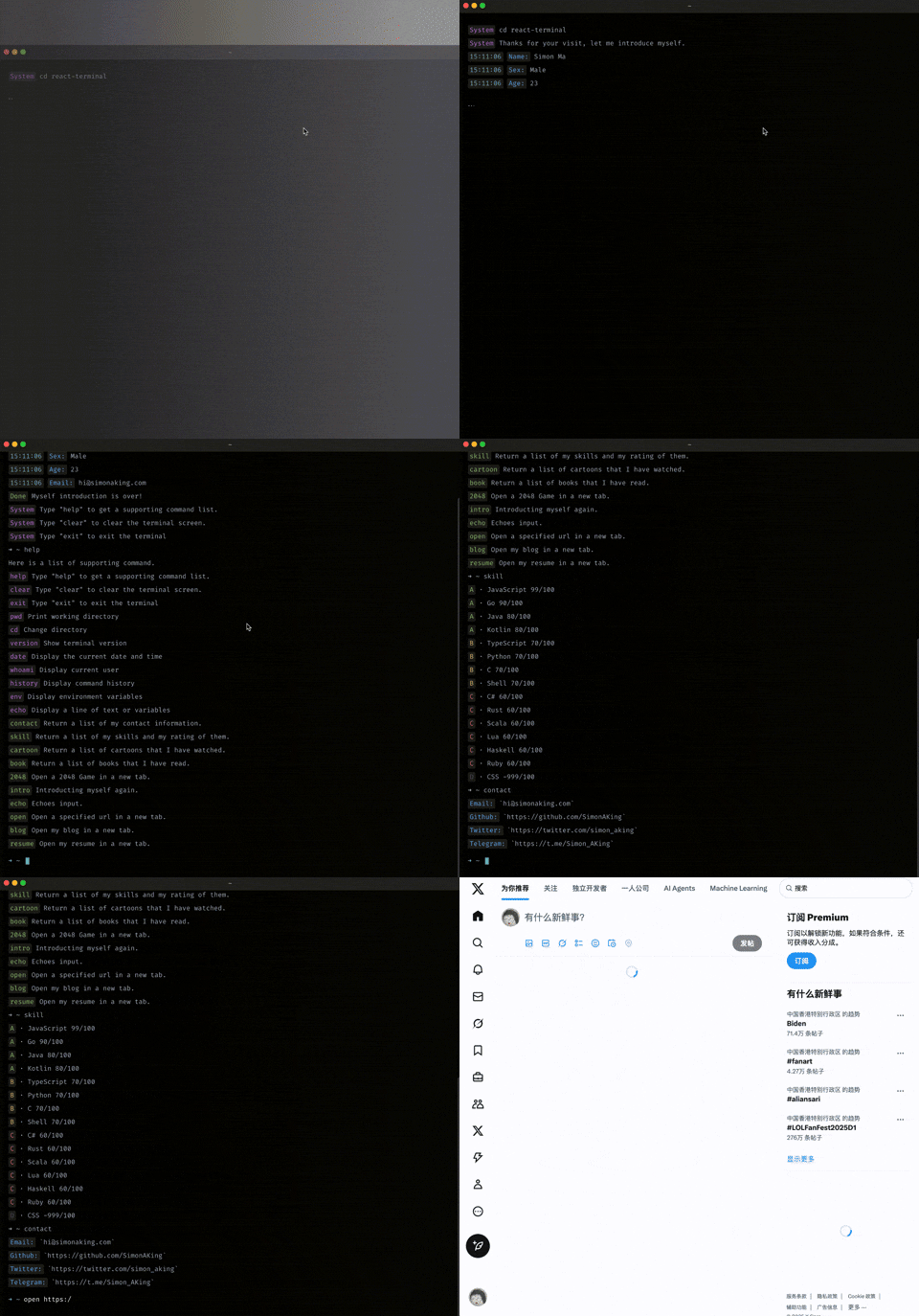
TermFolio is a terminal-style portfolio component designed specifically for developers, inspired by the vue-terminal project.
If you're looking for a unique way to showcase your personal information, project experience, or technical skills, TermFolio is your perfect choice. It beautifully combines the geek aesthetics of a terminal with personal presentation, creating a distinctive interactive experience.
Key Features of TermFolio:
- Built-in System Commands:
ls,cd,pwd,echo, etc., allowing visitors to browse your information like using a real terminal - Smart Command Completion: Supports
tabauto-completion - Command History: Navigate through previous commands using arrow keys
- Highly Customizable: Customize command styles and display content
- Flexible Extension: Create any custom display commands through JS
Recommended Use Cases:
- Personal Homepage: Create a unique personal introduction page
- Online Resume: Present your professional experience through an interactive terminal
- Project Showcase: Display your portfolio projects via command-line interface
npm i termfolioOR
yarn add termfolioThis package also depends on react so make sure you've already installed it.
import Terminal from 'termfolio'

// refer to: https://github.com/SimonAKing/termfolio/blob/master/demo/src/commands
import dynamicList from 'command/dynamic'
import staticList from 'command/static'

const cmd = {
  dynamicList,
  staticList
}

const config = {
  prompt: '➜  ~ ',
  version: '1.0.0',
  initialDirectory: 'workspace',
  bootCmd: 'intro'
}

function App() {
   return <Terminal cmd={cmd} config={config} />
}{
cmd: PropTypes.shape({
dynamicList: PropTypes.object,
staticList: PropTypes.object
}).isRequired,
config: PropTypes.shape({
initialDirectory: PropTypes.string,
prompt: PropTypes.string,
version: PropTypes.string,
bootCmd: PropTypes.string
}),
className: PropTypes.string,
}Command is an object, used to define message showed in terminal:
interface ICommand {
    time?: string; // time to show time before command body
	type?: string; // label to show a label before command body
	label?: string; // type to set command's type, will set a class to command's label part, there is 7 builtin types: error, success, info, warning, system, black, time
    content?: string; // the main text showed in terminal.
    [propName: string]: any;
}
type command = ICommand | stringThe class name of the root node, you can customize the style.
Defaults to termfolio
-
prompt
The text to show before the prompt.
Defaults to
➜ ~. -
initialDirectory
Directory opened by default in the terminal.
Defaults to
src. -
version
The version number of the terminal, you can execute the
versioncommand to view.Defaults to
1.0.0. -
bootCmd
The name of the command to be executed when the terminal is initialized.
Defaults to
intro.
-
dynamicList
The list of interactive commands.
{
  commandName: {
  	description: '...',
    run(print, input) {
      // print: a function that allow you to print command to the terminal
      // input: Command parameters currently entered
      // eg: echo HelloWorld, input The value passed in is 'HelloWorld'
      return new Promise((resolve,reject) => {
        // do something
      })
    }
  }
}
Example: Define an
opencommand to open the entered URL.export default { open: { description: 'Open a specified url in a new tab.', run(print, input) { return new Promise((resolve,reject) => { if (!input) { return reject({ type: 'error', label: 'Error', content: 'a url is required!' }) } if (!input.startsWith('http')) { return reject({ type: 'error', label: 'Error', content: 'Please add `http` prefix!' }) } print({ type: 'success', label: 'Success', content: 'Opening' }) window.open(input, '_blank') resolve({ type: 'success', label: 'Done', content: 'Page Opened!' }) }) } } }
-
staticList
The list of commands that only show data
{
  commandName: {
  	description: '...',
    list: [ <command> ]
  }
}
Example: Define a
skillscommand to display the skills you master.skill: { description: 'Return a list of my skills and my rating of them.', list: [ { type: 'success', label: 'A', content: '· JavaScript 99/100' }, { type: 'success', label: 'A', content: '· Go 90/100' }, { type: 'success', label: 'A', content: '· Java 80/100' }, { type: 'success', label: 'A', content: '· Kotlin 80/100' } ]}
clear | cls- clears the screenhelp | ls- list all the commandsexit | back- exit the current sessionpwd- print name of current directorycd- change the current directoryversion- print the version of current app
-
When jumping to the page -
Jumping page... -
When the command is not found
command => `Command '${command}' not found`
-
The prompt of the help command -
Here is a list of supporting command. -
When the command is wrong -
'Something went wrong!'
- Add the button click function in the upper left corner of the terminal.
- Add more system commands.
- Make terminal themes customizable.
- Add multi-line input feature.
- Add plug-in system support.
This project was generated with nwb.
git clone https://github.com/SimonAKing/termfolio
cd termfolio
yarn install
yarn start
Feel free to open issues or PRs for any problem you may encounter, typos that you see or aspects that are confusing.
Contributions are welcome, open an issue or email me if you have something you want to work on.
