

Deskripsi
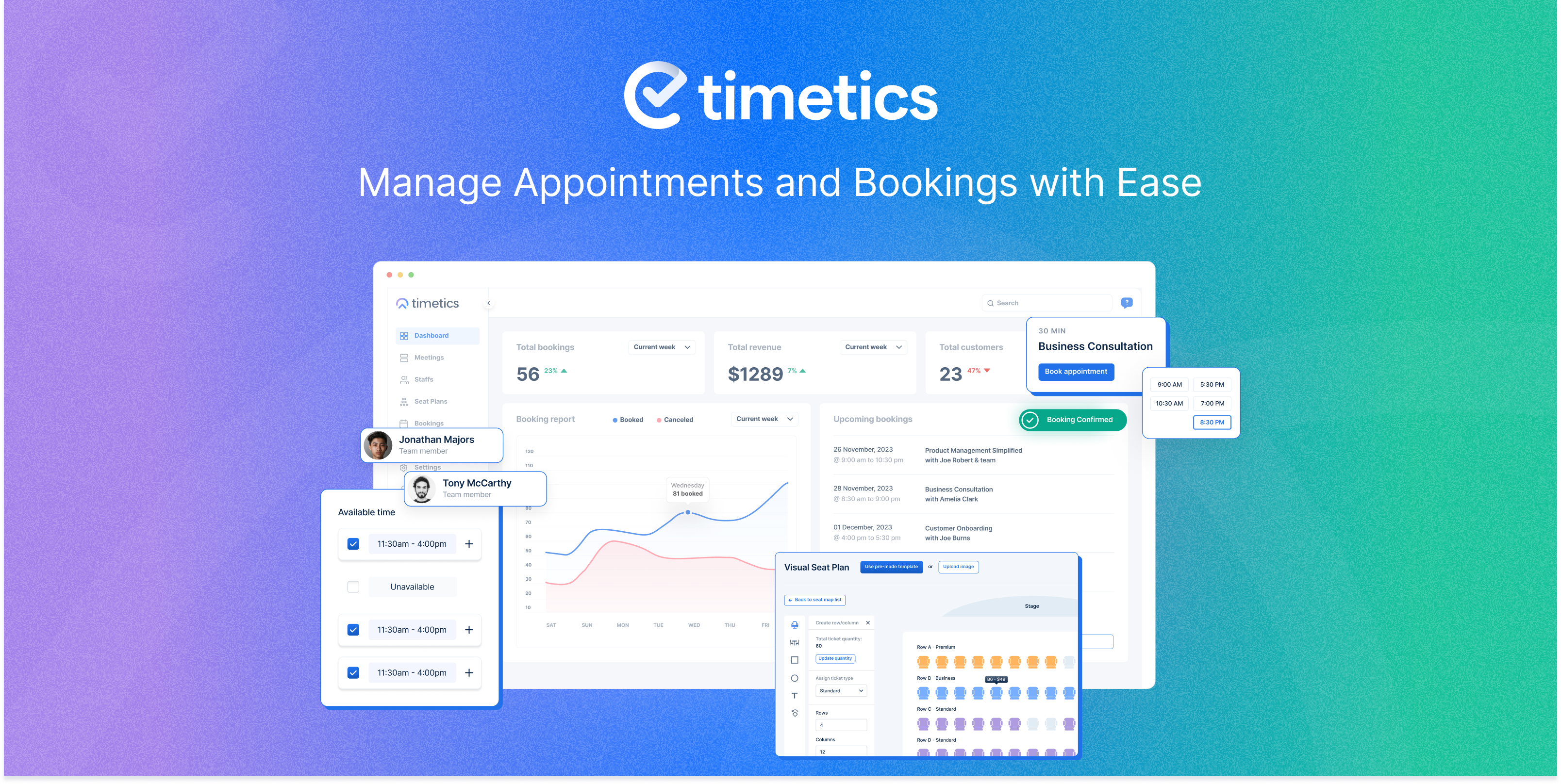
Introducing WPTimetics – the all-in-one appointment booking, meeting scheduler, and calendar booking plugin for WordPress 🚀. Whether you’re a tutor, consultant, hiring manager, educator, business owner, or event organizer, Timetics makes it easy to book appointments, manage time slots, schedule meetings, and accept online bookings.
By using it you can handle appointment calendar, time slot booking, reservations, manage staff availability, automate notifications, and let your clients book appointments effortlessly — all from a powerful and intuitive WordPress dashboard.
🗓️ With WPTimetics, you create:
– Unlimited appointments and appointment calendar
– Customizable booking forms – all in a clean, mobile-responsive calendar view
– Recurring bookings
– User, Host, and Team Management
➕ Connect your workflow with 13+ powerful integrations including Google Calendar sync, Outlook Calendar, Zoom, Google Meet, WooCommerce payments & checkout, Zapier, Pabbly, and more.
📊 Boost productivity with automated email & SMS reminders, WhatsApp notifications, detailed reporting & analytics, and multiple payment options (Stripe, PayPal, local methods).
No matter if you’re scheduling classes, workshops, consultations, or team bookings, WPTimetics ensures a smooth booking experience for you and your clients – no double-bookings, no missed reminders.
More helpful links here to get started👇
Live Demo | Documentation | Roadmaps | Tutorials | Learn More
Need help setting up your Appointment Booking calendar Website? 👉 Let Us Know.
Who Can Benefit from WPTimetics?
Many of our users say that WPTimetics is the best appointment booking plugin for WordPress because of all these powerful features. They benefit from using its meeting scheduler process, appointment calendar management, time slot booking, and online reservation capabilities.
Whether you’re offering time slot booking, in-person, or one-to-many meetings, WPTimetics makes it easy to streamline your workflow like others.
Here are just a few of the industries and use cases WPTimetics is perfect for:
-
Day-to-Day Meetings & Appointments– Easily arrange team meetings, interviews, client calls, live chats, or internal company sessions. No double-bookings, no missed reminders.
-
Education & Training– Schedule mentorship sessions, course consultations, tutoring, workshops, and career counseling. Perfect for schools, universities, private tutors, and online educators who need to manage multiple classes and avoid scheduling conflicts.
-
Recruiting & HR– Recruiters and HR teams can automate interview scheduling, let candidates choose available time slots, and receive instant booking confirmations – eliminating endless back-and-forth emails.
-
Customer Support & Client Services– Organize support calls, virtual help sessions, and follow-up appointments to ensure your customers get assistance promptly.
-
Sales & Marketing Teams– Let prospects book consultations, product demos, discovery calls, or strategy sessions directly from your website. Integrates seamlessly with CRM tools for tracking leads.
-
Consultants & Coaches– From business consultants to life coaches, offer clients an easy way to book one-on-one or group sessions. Customize availability, set buffer times, and send automated reminders.
-
Teachers & Mentors– Manage class schedules, private lessons, and tutoring sessions so students can book convenient time slots without email chains.
-
Musicians & Creative Professionals– Allow clients and collaborators to book studio sessions, music lessons, or creative consultations. Manage availability, payments, and rescheduling with ease.
-
Self Sessions & Fitness Guide– Provide a convenient and hassle-free way for fitness-conscious clients to book appointments.
-
Event Organizers & Venues– Perfect for workshops, conferences, classes, and special events. Create custom booking forms, seat selection, and tiered ticket pricing for your attendees.
📌 Note: WPTimetics isn’t limited to these industries – it’s a flexible booking system for any professional or business that needs online appointment scheduling, client self-service booking, and calendar management. From single freelancers to multi-staff teams, WPTimetics helps you create the smoothest booking experience possible.
**WPTimetics Free Features That Save Your Time & Money**
The free version of WPTimetics is a complete appointment booking plugin for WordPress designed to help you manage your online meetings, seminars, consultations, and client bookings without paying a cent. And when you’re ready for advanced automation, AI-powered scheduling, and premium integrations, upgrading to WPTimetics PRO is seamless.
Unlimited Appointment Booking Option
Say goodbye to restrictions – you can create unlimited appointments, schedule unlimited meetings, and add unlimited team members without worrying about extra fees. Whether you’re running a small business or managing a busy team, WPTimetics scales with your needs.s.
- Unlimited Meetings – Host one-on-one sessions, classes, or group events as often as you want.
- Unlimited Bookings – Accept as many bookings as your business can handle, with no caps.
- Unlimited Team Members – Add all your staff members and give each their own booking profile.
- Google Meet Integration – When a client books an appointment through WPTimetics, a Google Meet link is automatically created and included in the confirmation email and reminders.
📍 You can: Avoid manually creating and sharing meeting links. Keep all your meetings organized in your connected Google Calendar. Provide clients with a one-click join link that works on desktop, mobile, and tablets.
📍 Ideal for teachers, sales teams, customer support, and consultants who want a fast, secure way to hold online meetings without additional software setup.
Appointment Booking Management
Without clear availability rules, double-bookings and scheduling conflicts often happen. WPTimetics lets you set your time slot booking availability, display live booking slots, and ensure no one books you at the wrong time.
- Availability Management – Define exact working hours, break times, and days off. Share these as live booking slots so clients can only choose what’s truly available.
- Booking Status Display – Keep track of whether a booking is pending, confirmed, or canceled — essential for avoiding missed appointments.
- One-to-One Meetings – Ideal for consultations, interviews, or private sessions. Set the duration, buffer times, and location to fit your workflow.
- Add Guest Option – Clients can bring colleagues, family members, or friends to the same appointment without having to book separately.
- Date & Time Format Support – Offer both 12-hour and 24-hour formats so your schedule makes sense to clients in every region.
User & Team Management
In a multi-staff setup, it helps to see who is free and when. Your appointment calendar stays clear, and your booking system runs without confusion.
You can assign appointments to the right team member, send automatic alerts for every new booking, and let clients manage their own online bookings through the dashboard. This keeps your scheduling smooth and reduces the chance of missed time slots or double reservations.
- Team Management – View each team member’s calendar, assign them to bookings, and update their availability.
- Email Notifications – Send instant alerts to staff when a booking is made or changed.
- Customer Notifications – Reduce no-shows by sending clients automatic confirmations and reminders.
- Timezone Auto Detection – Display booking times in your client’s local timezone automatically, so no one shows up an hour early or late.
- Set Country Code for Phone Number – Ensure accurate phone records, especially for international clients.
- User Dashboard – Let clients log in to reschedule, cancel, or check their booking history without contacting you directly.
Beginner-Friendly Managing Processes
A complicated appointment booking setup slows people down. WPTimetics keeps things simple so anyone can start taking online bookings right away. You can embed your booking calendar, add time slot booking options, and guide users through a clean flow that makes scheduling easy.
- User Onboarding Wizard – Helps you set up your booking system step by step, even if it’s your first time creating an appointment scheduler.
- Shortcodes – Add your booking form anywhere on your site. Place it in a page, post, or sidebar to give users quick access to your appointment calendar.
- Meeting List Shortcode – Shows your available services or meeting types in one list so clients can pick a slot that fits their schedule. This keeps your calendar booking process smooth and clear for everyone.
Calendar Sync for Accurate Scheduling
Without proper syncing, it’s easy to miss appointments or create double bookings. WPTimetics keeps your booking calendar and your personal calendar aligned, so your schedule always stays up to date. Every online booking and time slot booking made through Timetics appears instantly in your connected calendar.
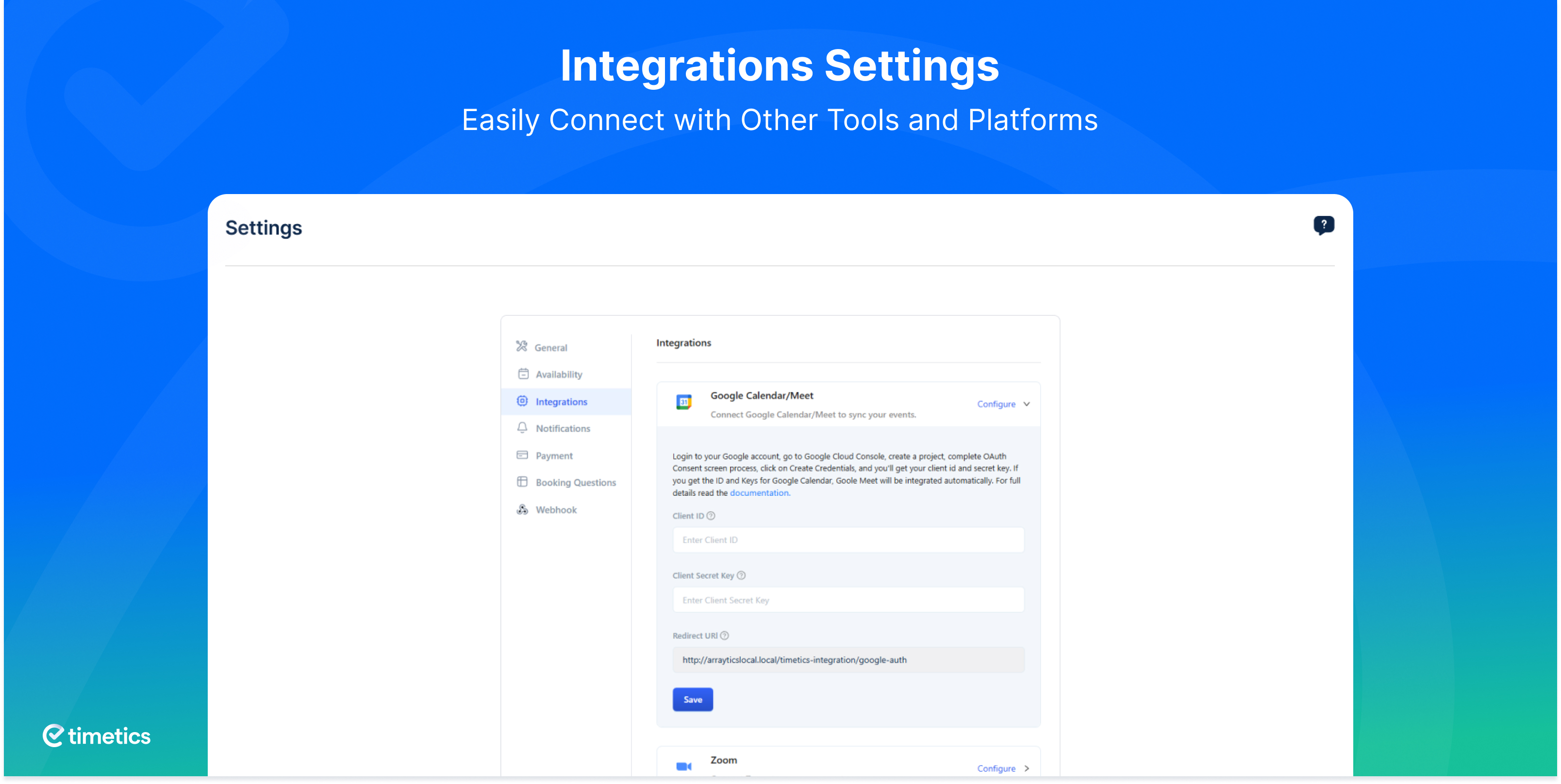
- Google Calendar Sync – Two-way sync keeps your website’s appointment scheduler and Google Calendar updated at the same time. Any change you or your clients make reflects everywhere, helping you avoid scheduling issues and missed reservations.
Event and Seminar Scheduling
You may not only take calls. You might run events, seminars, or workshops too. In that case, you need a simple way to handle reservations, set up time slots, and keep your booking calendar clear.
WPTimetics lets you set up events with Event integration. Just set the schedule, add the details, and your attendees can book their spots through the same smooth online booking system you already use.
Payment Gateways
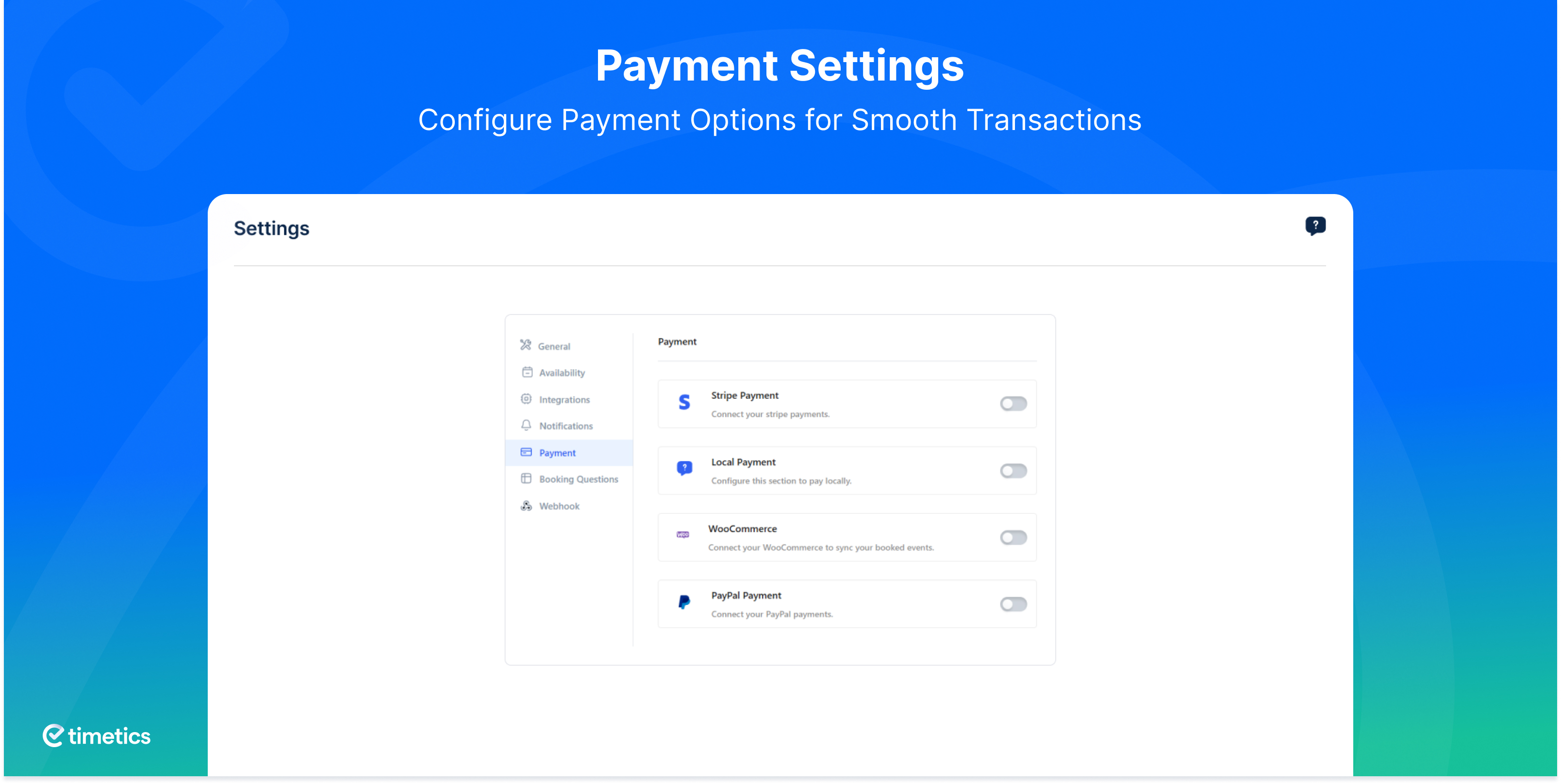
When clients can pay during the booking process, they feel more confident and you secure the appointment right away. WPTimetics gives you simple ways to accept payments and keep your booking system clear and organized.
- Stripe Integration – Accept card payments right from your booking calendar so clients can confirm their appointment on the spot.
- Local Payment Methods – Let customers choose offline or in-person payment if that fits your service flow.
- WooCommerce Support – Use WooCommerce to unlock more gateways and improve your order and reservation management.
Basic Analytics & Reports
Without data, it’s hard to improve your business operations. See how many bookings you’ve received, monitor revenue, and spot trends to make better scheduling and marketing decisions.
- Sales Analytics Dashboard – See how many bookings you’ve made, total revenue earned, and trends over time.
**WPTimetics PRO: More Powerful with AI Capability**
WPTimetics PRO gives you everything in the Free version — all the unlimited bookings, scheduling tools, payments, and integrations — plus a set of premium, business-grade features that help you automate processes, deliver better client experiences, and maximize your time.
Whether you’re managing a multi-staff team, a busy online service or recurring events, WPTimetics PRO ensures your booking system can keep up with demand.
Here’s what you unlock with WPTimetics PRO:
Advanced Scheduling Features
In many industries, clients need to book regular sessions or reschedule without friction. WPTimetics PRO automates recurring appointments and makes rescheduling simple, keeping your calendar full and clients happy.
- Recurring Appointments – Let clients book weekly, monthly, or custom recurring slots without having to repeat the process each time. Perfect for fitness classes, coaching sessions, therapy appointments, or subscription-based services.
- Appointment Rescheduling – Clients can change their booking date or time themselves, and the system automatically sends updated confirmations and reminders.
🤖 AI-Powered Appointment Booking & Scheduling
Choosing the best time slot for both you and your client can be tricky, especially if you have a packed calendar. WPTimetics PRO analyzes booking patterns and client history to suggest the most suitable time slots — increasing booking conversions and reducing wasted time.
Expanded Calendar Integrations
Many businesses rely on multiple calendars to manage their day. WPTimetics PRO keeps all your schedules in sync, no matter where you update them.
- Google Calendar (Advanced Sync) – Full two-way synchronization so changes in either calendar appear instantly.
- iCal Integration – Add your bookings directly to Apple Calendar for easy mobile access.
- Outlook Calendar Sync – Ideal for corporate users who run their schedule through Microsoft Outlook.
Advanced Visual Event & Meeting Features
For in-person events, seating arrangements and ticket tiers can make a big difference in the customer experience. WPTimetics pro lets you visually map out event layouts, assign seats, and offer multiple ticket types.
- Visual Seating Arrangement – Clients choose their seats from an interactive seat map before booking.
- Multi-Tiered Tickets – Offer pricing tiers like VIP, Gold, and Standard, each with unique benefits.
- One-to-Many Meeting Type – Run webinars, workshops, or group coaching sessions with multiple attendees per host.
- One-to-Many with Seat Plan – Combine group events with seat selection for maximum organization and efficiency.
Enhanced Customization & Flexibility
Different businesses have different needs, and cookie-cutter forms can limit client engagement. WPTimetics allows you to fully tailor your booking forms, calendar views, and availability settings.
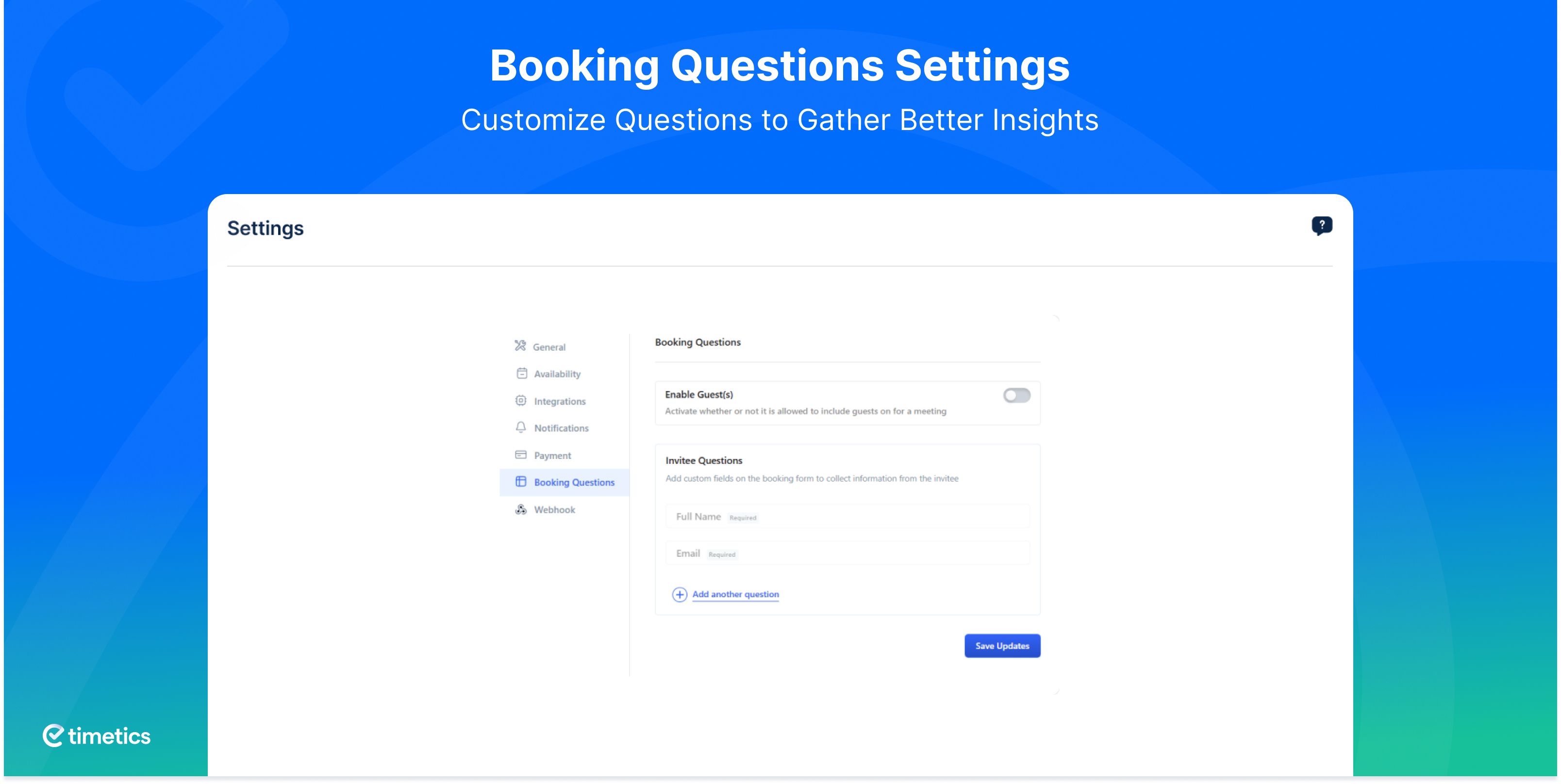
- Customizable Booking Forms – Add custom fields to capture specific information (e.g., dietary preferences for events, project details for consultations).
- Additional Notes – Let clients share special requests or instructions when booking.
- Availability Preferences – Override normal hours for holidays, staff leave, or special events.
- Admin Calendar View – See all your bookings in a visual calendar layout for quick planning.
Host & Data Management
Multi-host events and large datasets can be hard to manage without the right tools. WPTimetics lets you assign multiple hosts to a booking and easily export or import data.
- Select Multiple Hosts – Add multiple staff members to the same meeting or event.
- Export & Import Data – Move your booking data in CSV or Excel format for backups, reports, or migrations.
Premium Integrations
Your workflow will be more efficient if your booking system integrates with your existing tools. The most advanced video conferencing tools, email marketing tools, and CRMs easily connect with the WPTimetics Pro version.
- Zoom Integration – As soon as a booking is confirmed, a unique Zoom link is generated and sent to both you and the client automatically. Clients receive the link instantly in their booking confirmation and reminders, reducing no-shows.
- FluentCRM – Create automated follow-up sequences for new and returning clients.
- Pabbly Integration – Build automated workflows that connect your booking system to other apps.
- Zapier Integration – Link WPTimetics to thousands of apps to automate repetitive tasks.
- WhatsApp Notifications – Send booking confirmations and reminders through WhatsApp.
- Twilio SMS Reminders – Deliver instant text reminders to clients’ phones.
Extra Payment Options
Different clients prefer different ways to pay, and limiting them can cost you. WPTimetics PRO supports PayPal in addition to all Free payment options, giving customers a trusted, familiar way to pay online.
- PayPal Integration – Instantly accept PayPal payments from anywhere in the world.
- Stripe Integration – Accept secure credit/debit card payments directly.
- Local Payment Methods – Make it possible for customers to pay offline.
- WooCommerce Support – With WooCommerce, you can integrate more payment gateways and manage orders in more detail.
📚 Support and Documentation
- Simply visit our Documentation
- For any questions, ask them away on WPTimetics Forum.
- Help us improve, input your valuable suggestions WPTimetics Roadmap.
So, why wait? 📅 Schedule like a Champion with WPTimetics 🚀
Did you like the WPTimetics Appointments Booking Plugin?
🙌 Join our All-Time Active Facebook Group
🎥 Learn actionable tutorials on WPTimetics YouTube Channel
🤝 Give us your useful rating on WordPress.org
🔥 Now, What’s Next for You?
If you’re impressed with WPTimetics: Appointments Scheduling Plugin for WordPress, please check out our other awesome WordPress plugins:
📅 Eventin: Free All-in-one event calendar plugin for …
Tangkapan Layar
screenshot-1 
screenshot-2 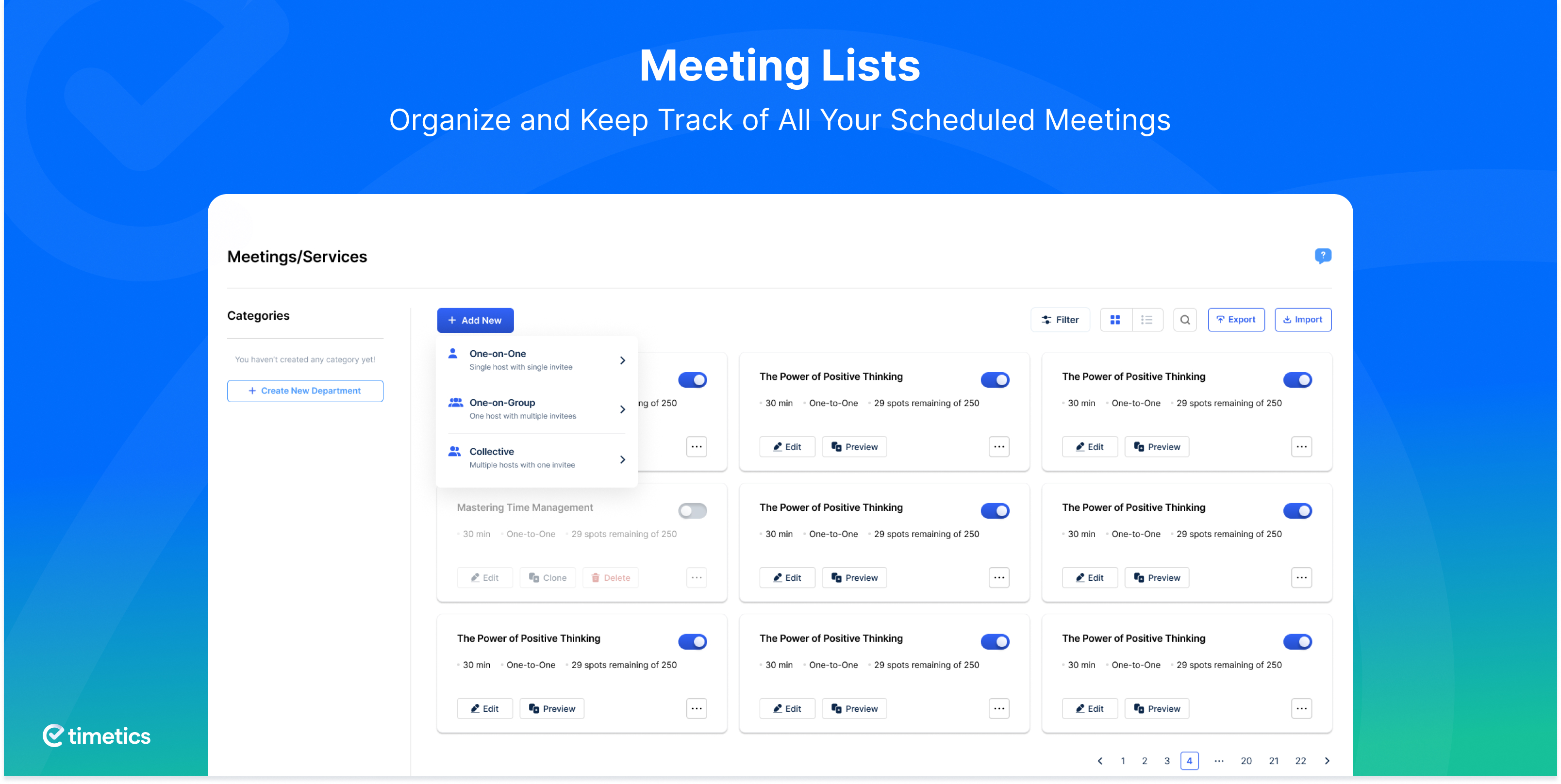
screenshot-3 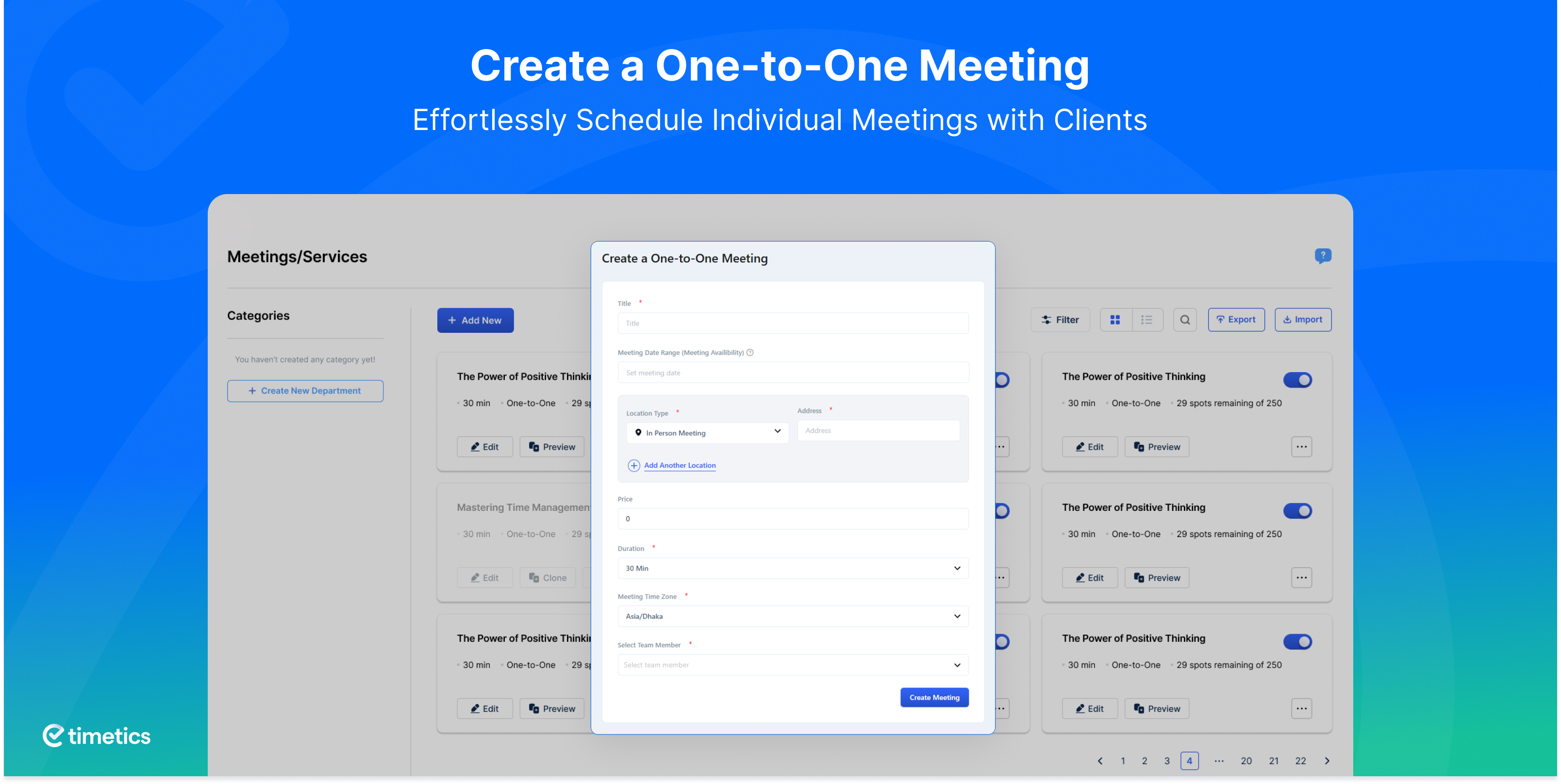
screenshot-4 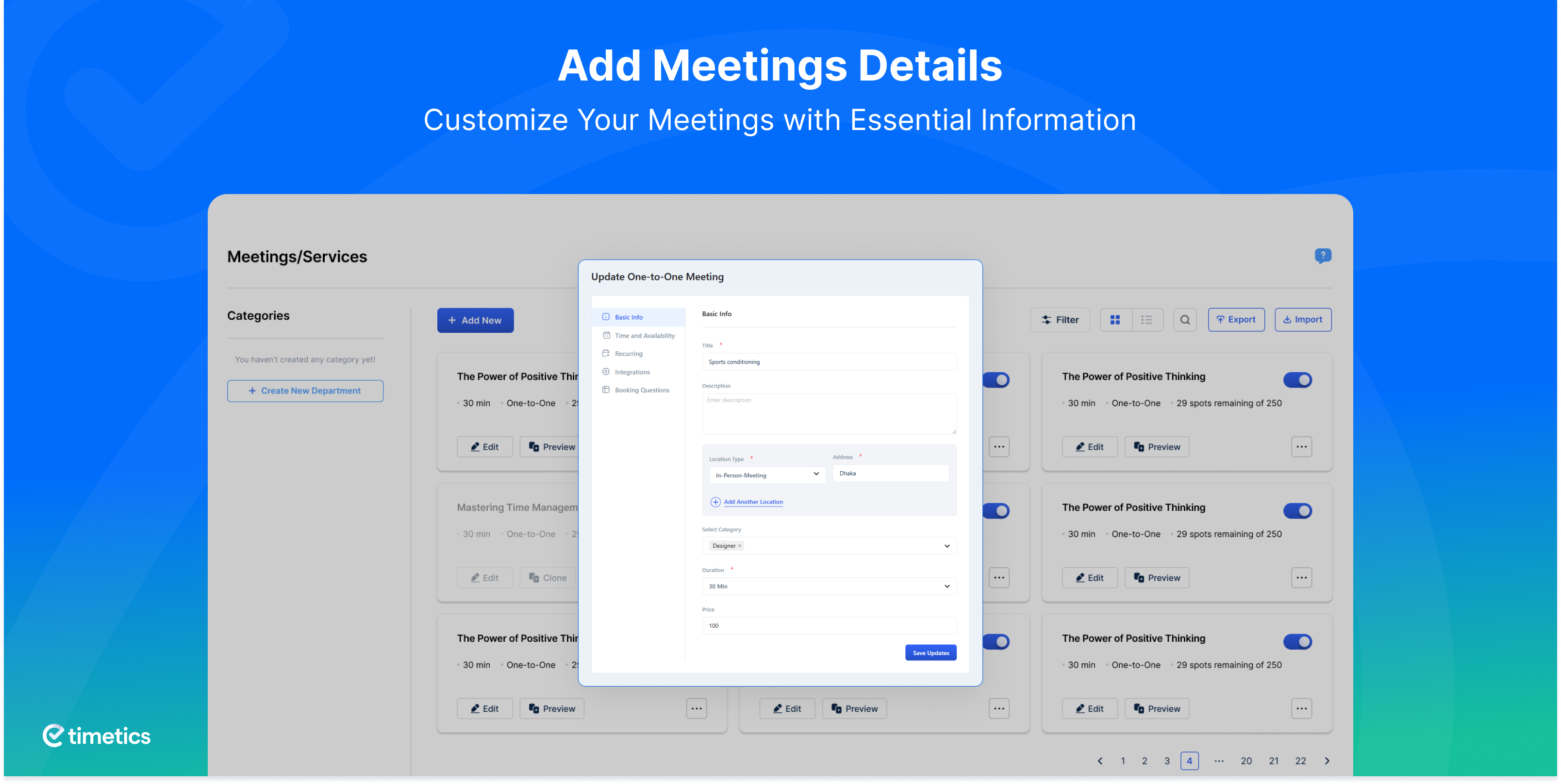
screenshot-5 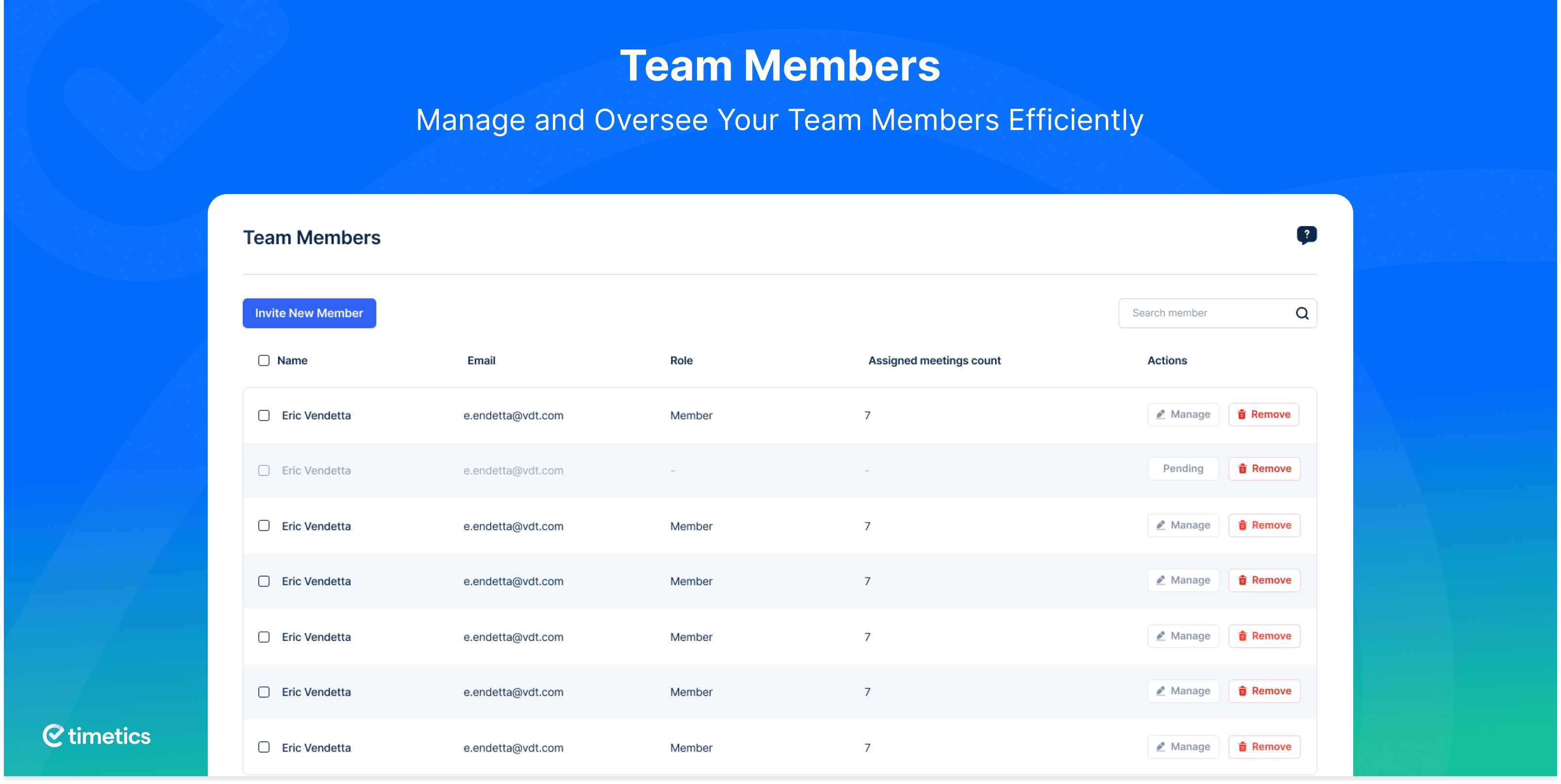
screenshot-6 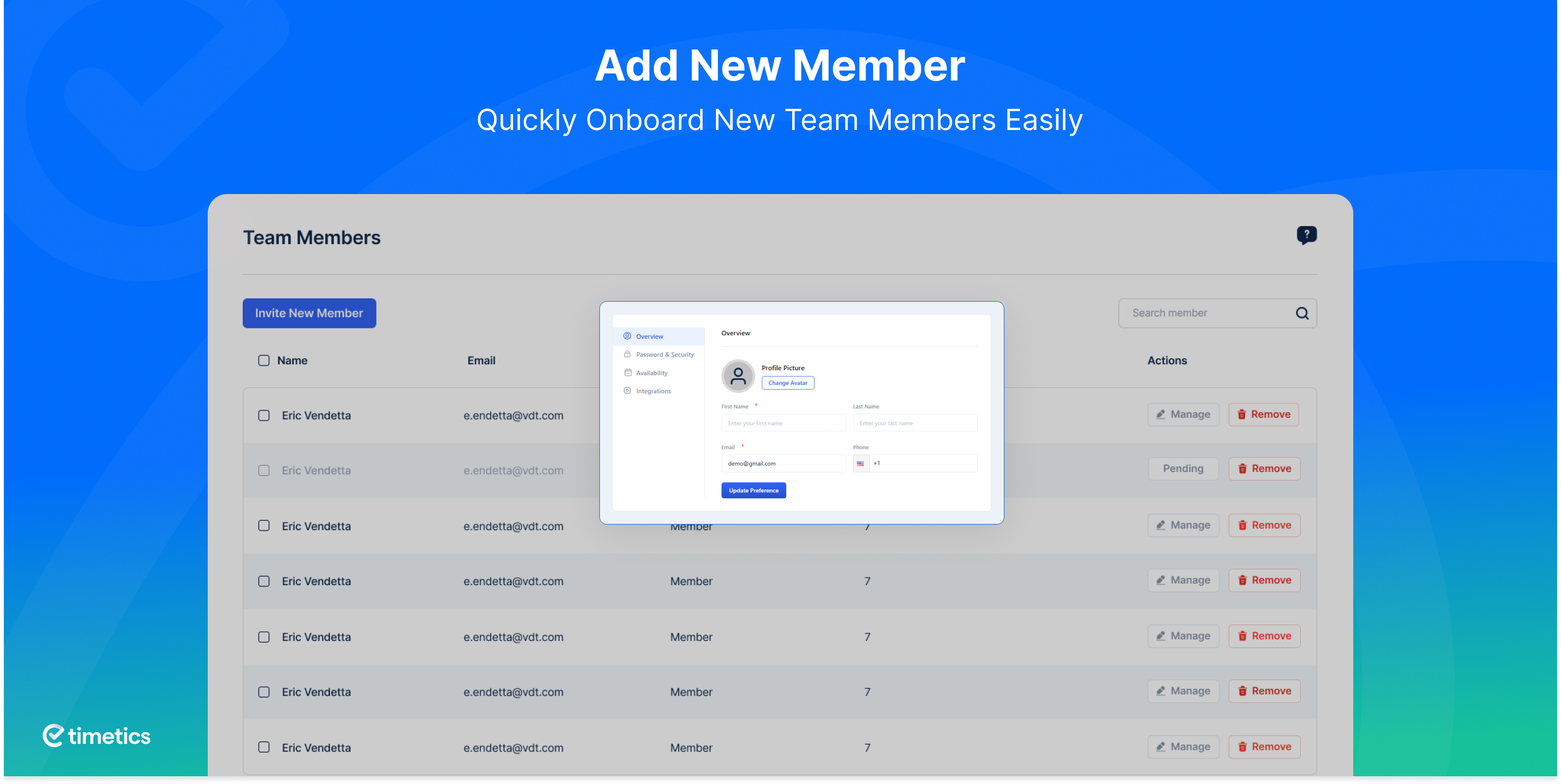
screenshot-7 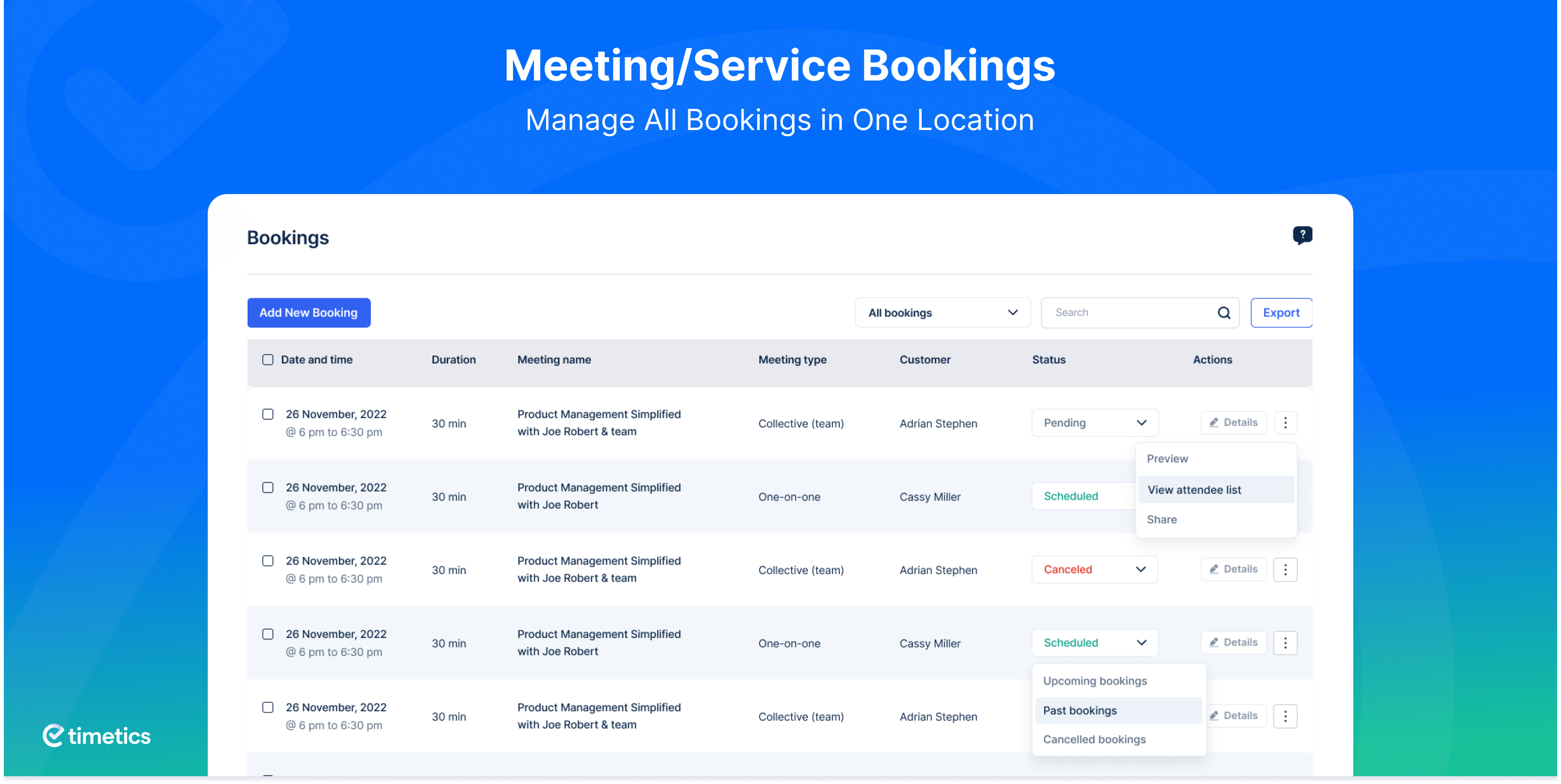
screenshot-8 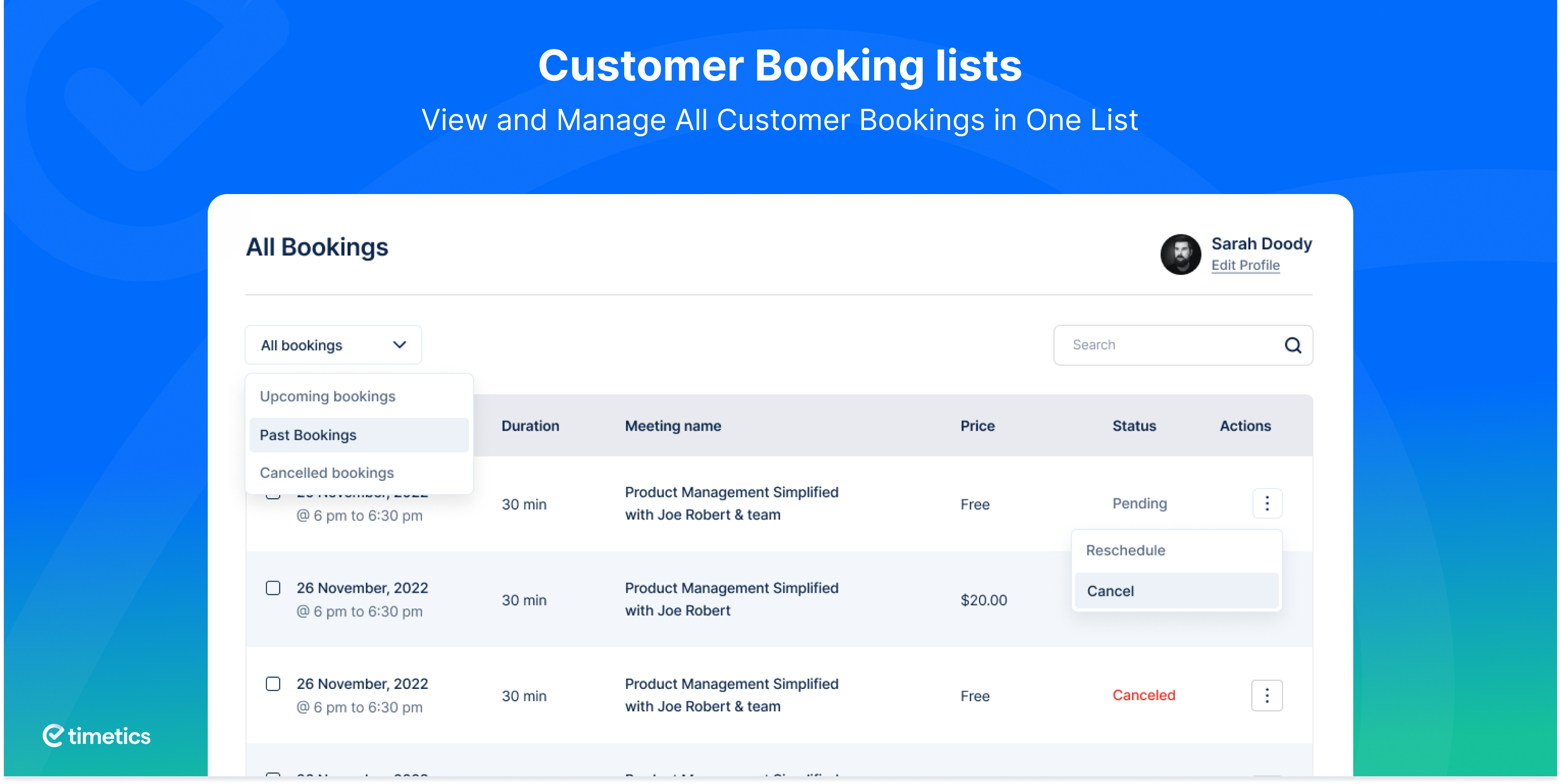
screenshot-9 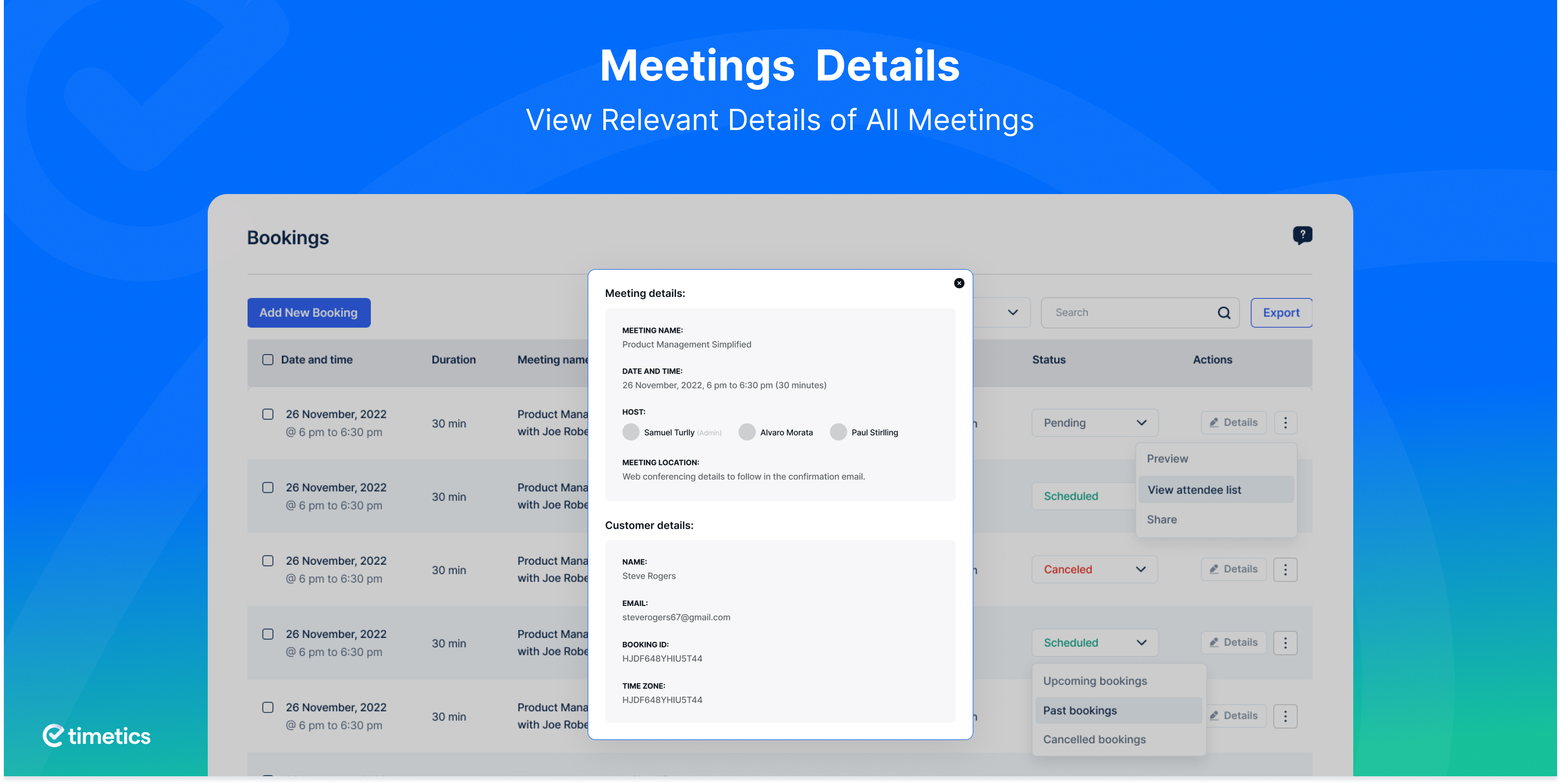
screenshot-10 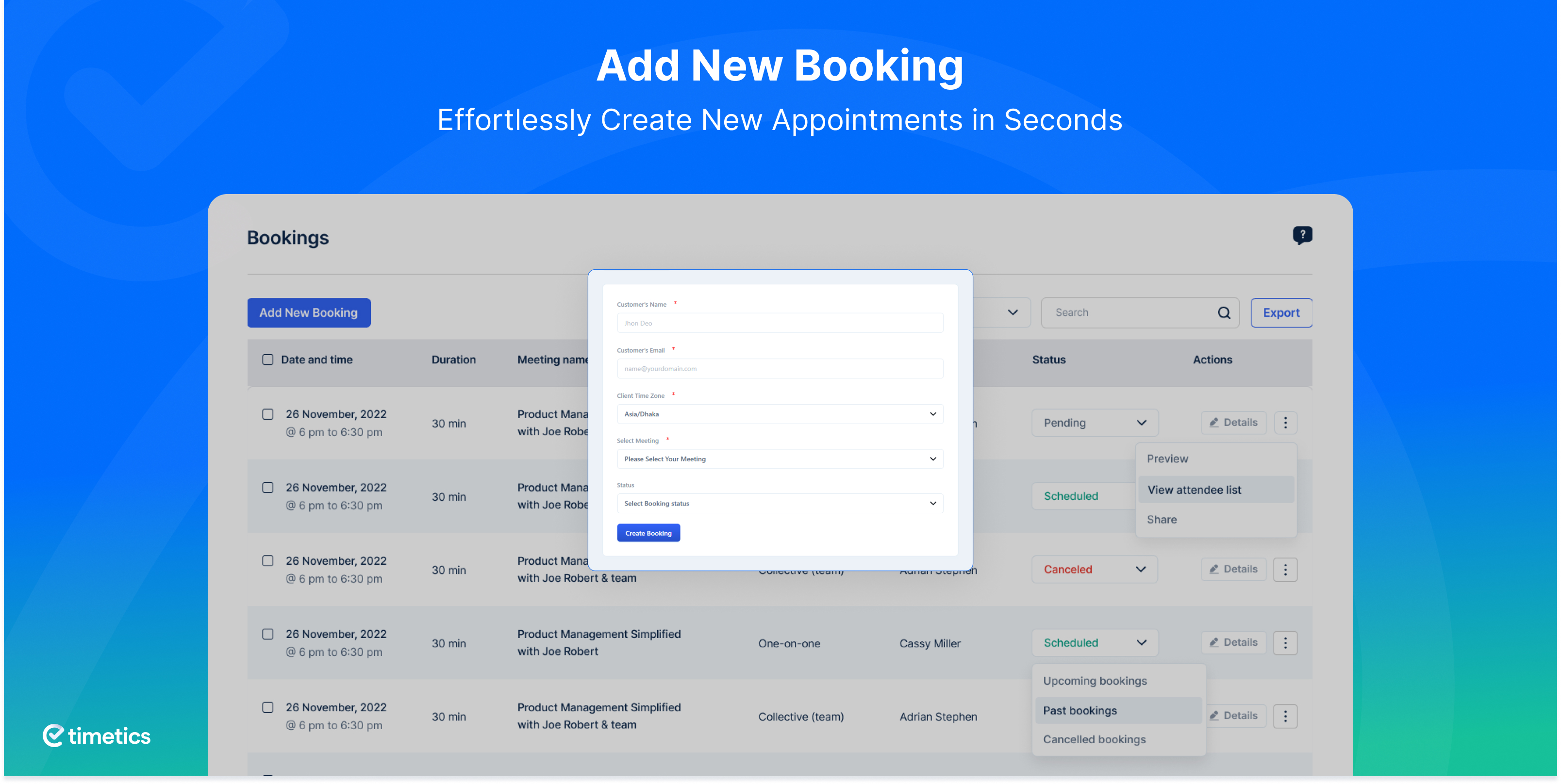
screenshot-11 
screenshot-12 
screenshot-13 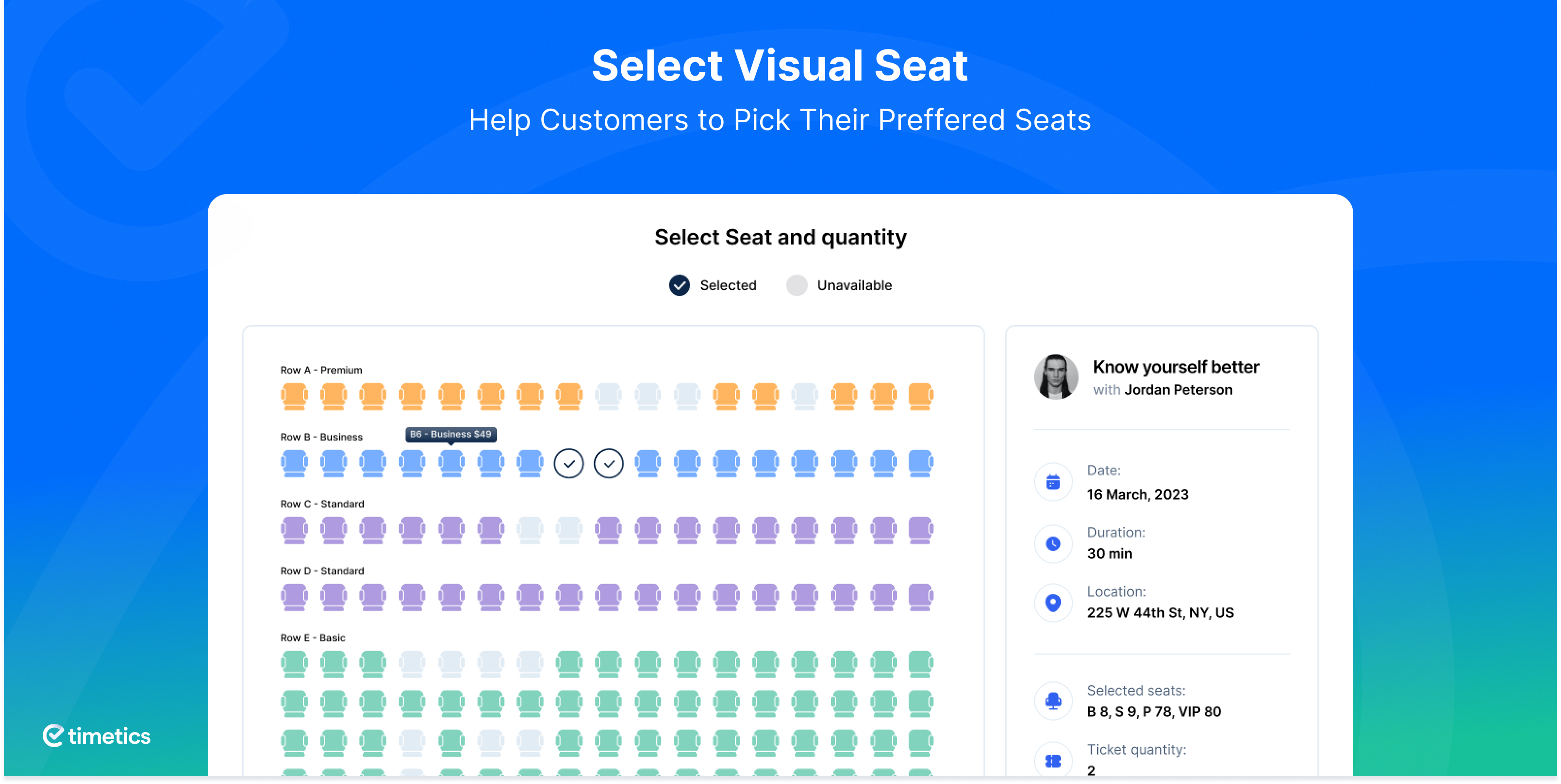
screenshot-14 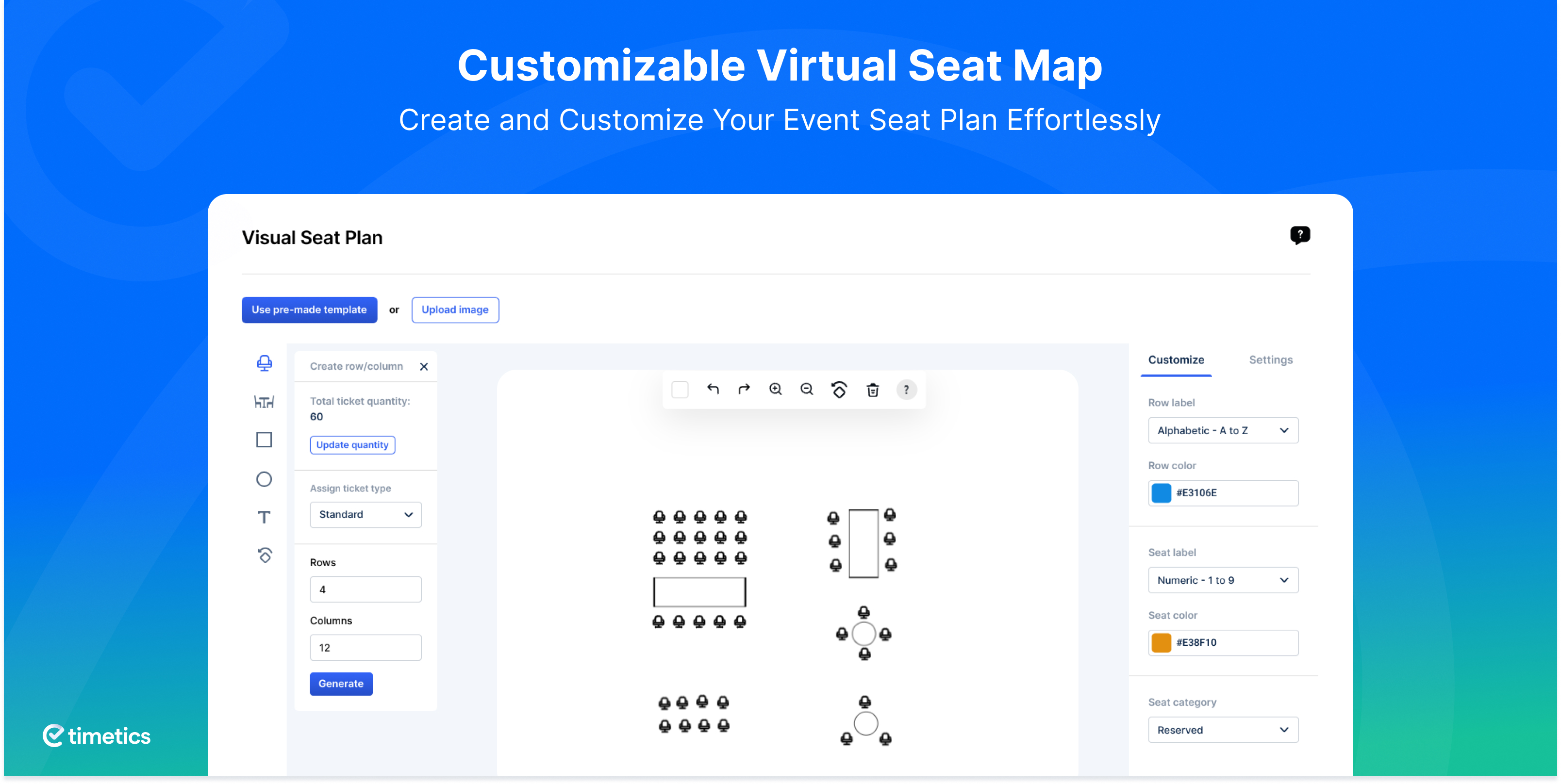
screenshot-15 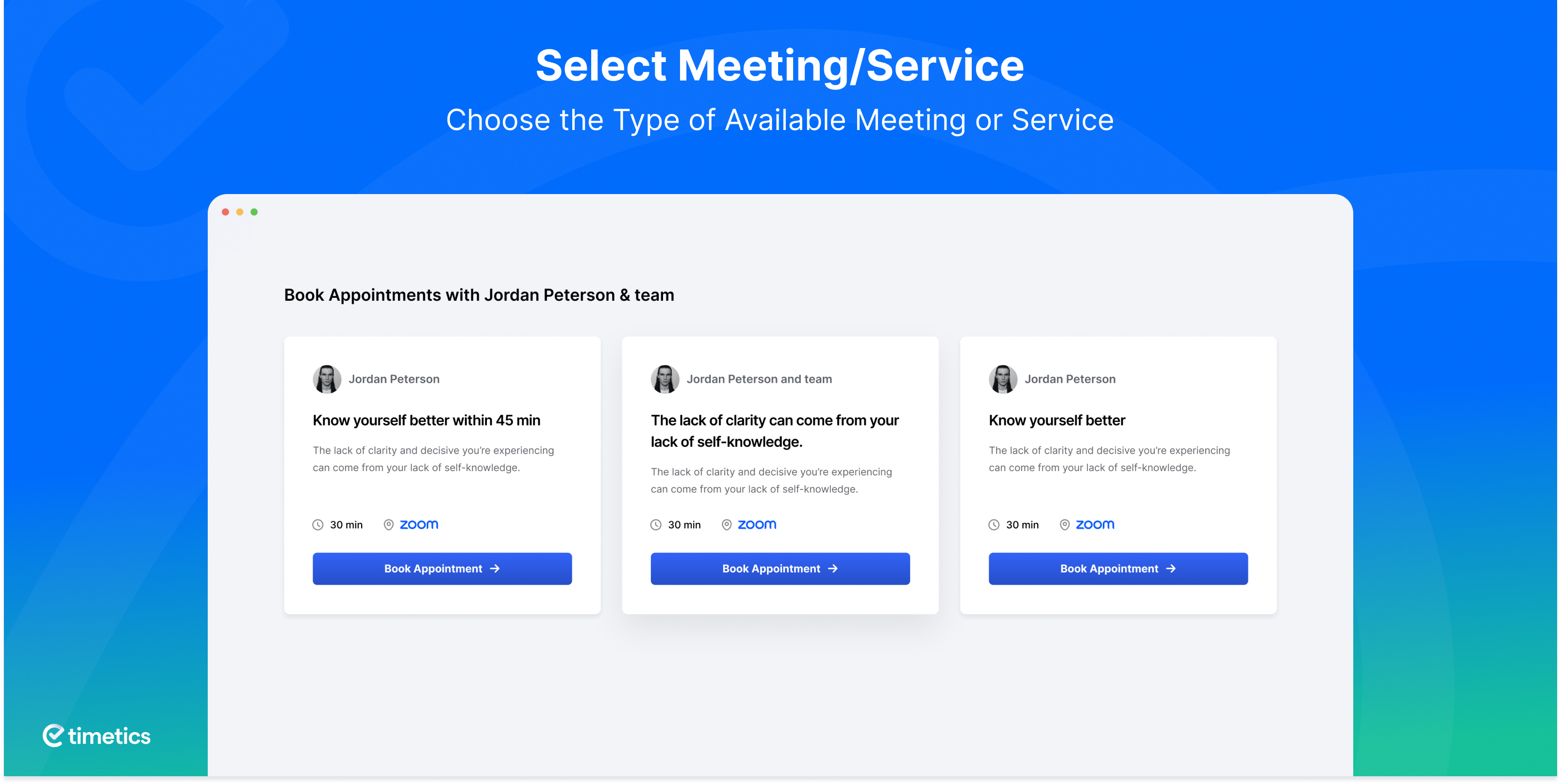
screenshot-16 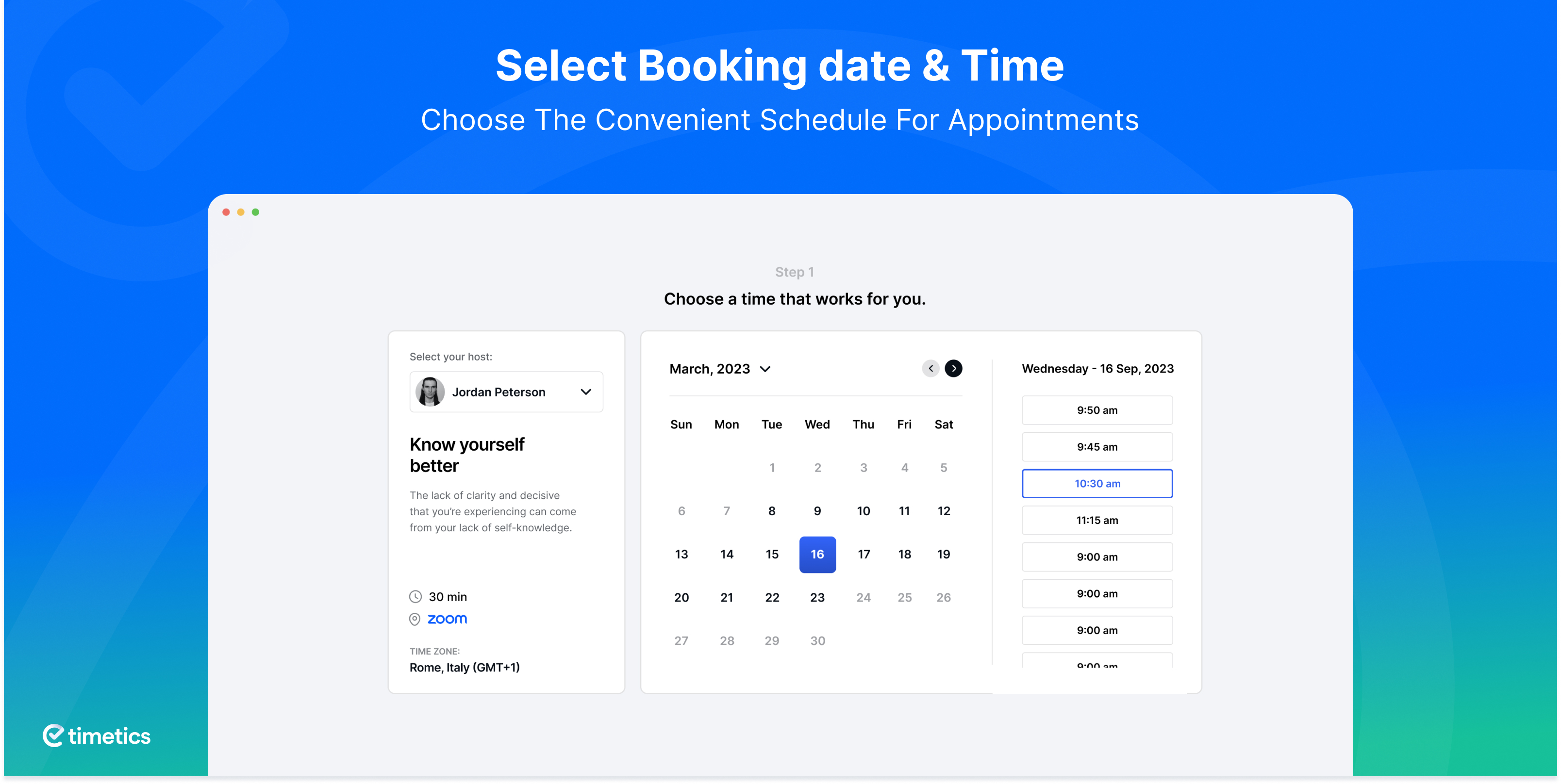
screenshot-17 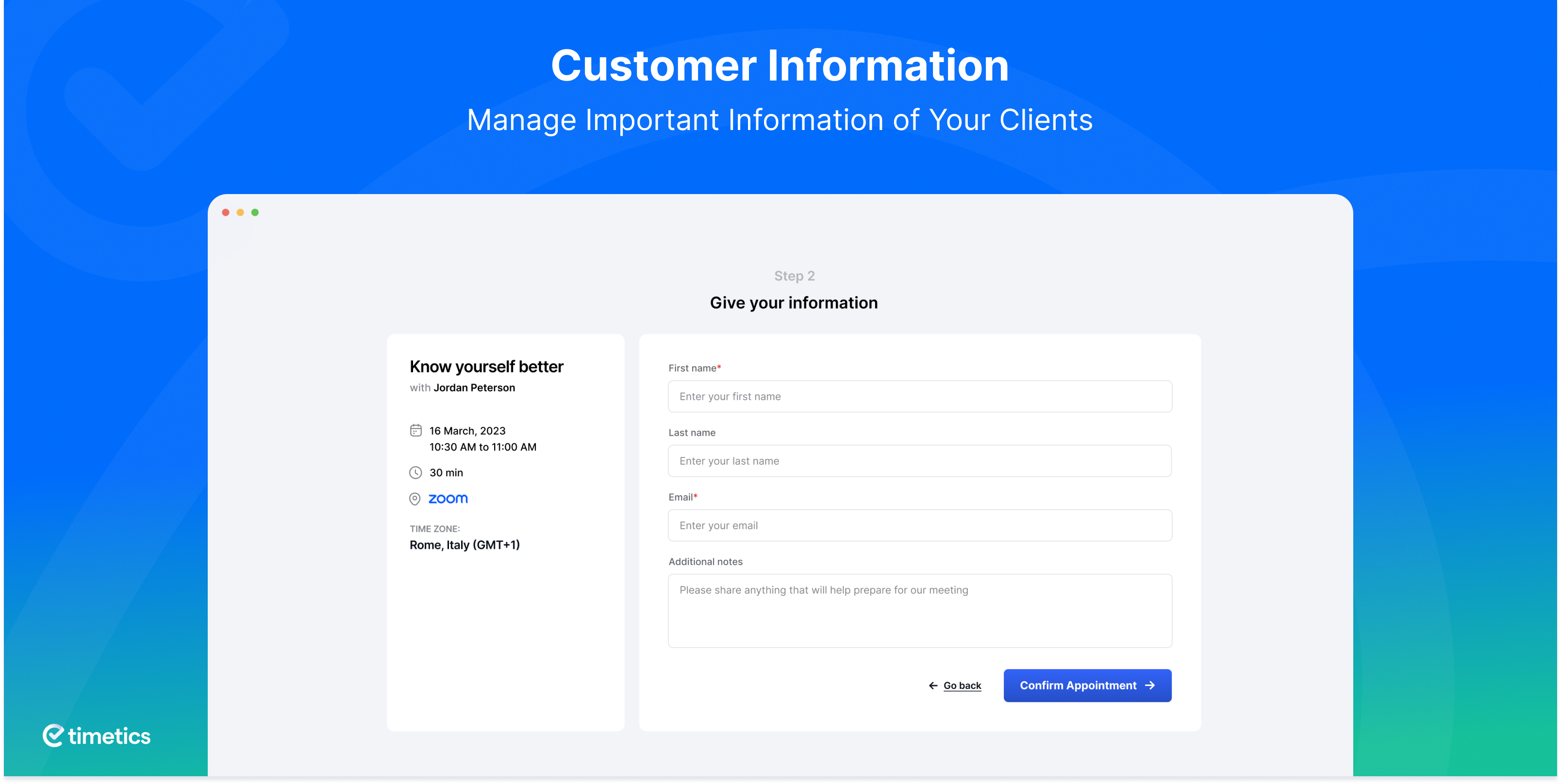
screenshot-18 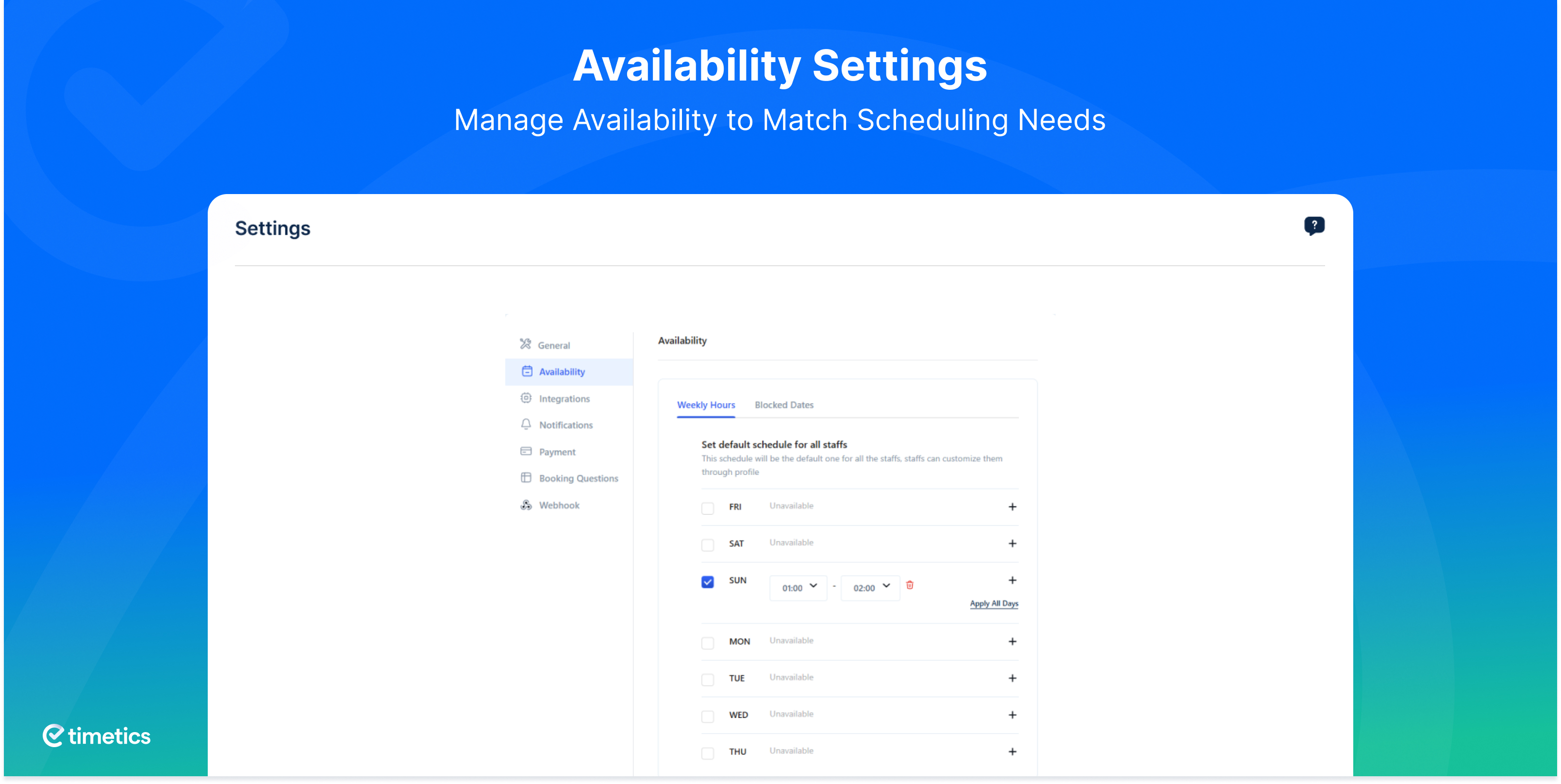


Instalasi
Minimum Requirements
- WordPress version 5.2 or higher (Tested up to 6.8)
*PHP version 7.3 or higher
Automatic installation
The automatic installation is the easiest option, as WordPress handles the file transfers for you, so you don’t need to leave your web browser at all during the installation process.
- Log in to Your WordPress Dashboard: Access your WordPress admin panel.
- Navigate to Plugins: On the left sidebar, click on Plugins, then select Add New.
- In the search bar at the top right, type WP Timetics to find the plugin.
- Install the Plugin: Once you locate WP Timetics in the search results, click the Install Now button next to it. WordPress will automatically download and install the plugin.
- After installation, click on the Activate button that appears. This will enable the plugin on your site.
Manual installation
To manually install, download our product from the WordPress directory and upload it to your web server using FTP or CPanel.
- Download the plugin and unzip it
- Using an FTP program or CPanel upload the unzipped plugin folder to your WordPress installation’s wp-content/plugins/ directory.
- Activate the plugin from the Plugins menu (Dashboard > Plugins > Installed Plugins) within the WordPress admin.
Upgrading
The automatic updates for this plugin function smoothly. However, if you make any customizations to the plugin, be sure to create a backup before updating. In some cases, you may be faced with permalink issues after an update.
If this happens, simply navigate to WordPress > Settings > Permalinks and click the Save Changes button to refresh your permalink settings.
Tanya Jawab
-
How many appointments and bookings can I add with WPTimetics?
-
You can add unlimited appointments, bookings, meetings, and team members. Your booking system has no limits.
-
What is the main benefit of using the WPTimetics appointment booking system?
-
It helps you manage scheduling, handle online bookings, and keep your appointment calendar clear. This saves time and supports many fields like education, recruitment, sales, marketing, and support.
-
Does WPTimetics support recurring meetings?
-
Yes. You can set recurring bookings, repeat appointments, and send automatic reminders.
-
Can I add a Customize venue seating map?
-
Yes. WPTimetics lets you create and adjust a seating layout. You can add seat types like VIP or Platinum and use it for event reservations.
-
What is the benefit of CRM integration for appointment scheduling?
-
Your appointments sync with your CRM, helping you track clients, manage follow-ups, and keep your booking calendar aligned with your workflow.
-
Can I connect or transfer data with WPTimetics?
-
Yes. With Pabbly and Zapier, you can link your appointment scheduler to other tools and automate tasks.
-
Does WPTimetics have PayPal payment gateway?
-
Yes. You can accept payments through PayPal. WooCommerce, Stripe, and local payment options are also supported for flexible online booking payments.
-
Is it possible to sent SMS reminder with the WPTimetics appointment booking plugin?
-
WPTimetics has twilio integrated by which you can sent direct SMS as well as WhatsApp message reminders in seconds.
-
Do I need to have coding skills to use WPTimetics Plugin?
-
There is no need to learn any coding skills to operate WPTimetics Appointment Booking Plugin in WordPress
-
How do I suggest a feature for future versions of WPTimetics?
-
Please share your valuable Feedback/Suggestion/Feature Request here
Ulasan


Kontributor & Pengembang
“Appointment Booking Calendar – WP Timetics Booking Plugin” adalah perangkat lunak open source. Berikut ini mereka yang sudah berkontribusi pada plugin ini.
Kontributor

Terjemahkan “Appointment Booking Calendar – WP Timetics Booking Plugin” dalam bahasa Anda.
Tertarik mengembangkan?
Lihat kode, periksa repositori SVN , atau mendaftar ke log pengembangan melalui RSS.
Log Perubahan
1.0.48 (December 15, 2025)
Tweak : Code adjustments to maintain compatibility
1.0.47 (December 09, 2025)
Tweak : Refined customer role permissions to improve security boundaries
Tweak : Improved UI flow for faster access to key actions
Tweak : WordPress 6.9 compatibility
1.0.46 (November 24, 2025)
Fix : Resolved Patchstack-reported Broken Authentication vulnerability
1.0.45 (November 09, 2025)
Fix : Patchstack-reported Broken Access Control vulnerability.
Fix : Appointment details not displaying on the WooCommerce checkout page.
Fix : Appointments being approved even when WooCommerce payment fails.
1.0.44 ( October 16, 2025 )
Fix: Anonymous email booking update vulnerability fix
1.0.43 ( October 12, 2025)
Tweak : User experience improvement.
1.0.42 ( September 28, 2025 )
Tweak : Security improvement for booking.
1.0.41 ( September 1, 2025 )
Tweak : Disclosure for security issue fixed
1.0.40 ( August 25, 2025 )
Tweak : Dashboard UI update
1.0.39 ( August 01, 2025 )
Tweak : User experience improved
1.0.38 (July 30, 2025 )
New: Buffer time feature
Tweak: Minor user experience improvements
Fix: Minor issues related to Google 2-way sync
Fix: “Add to Google Calendar” button not working
Fix: Appointment unauthorized access and modification of data vulnerability fixed
1.0.37 ( July 17, 2025 )
New: Seamless two-way sync with Google Calendar
New: Two-way integration with Outlook Calendar
1.0.36 ( June 02, 2025 )
Tweak : Improved admin UI for better usability.
Fix : Enhanced 404 error page handling.
1.0.35 ( May 21, 2025 )
Tweak : Improved admin dashboard notification experience
Fix : Meeting duration update issue fixed
1.0.34 ( May 14, 2025 )
Tweak : Refined user interface for improved visual consistency and user experience
1.0.33 ( May 5, 2025 )
Fix : Google auth redirect issue
Tweak : Zoom connect issue
1.0.32 ( April 16, 2025 )
Fix : PHP 7.4 compatibility added
Tweak : WordPress 6.8 compatibility
1.0.31 ( March 25, 2025 )
Fix : Timeslot validation vulnarable issue
1.0.30 ( March 13, 2025 )
Fix : Shortcode copy clip board couldn’t work
Fix : Set booked seat color and other’s booked seat different color
Fix : Dashboard filter couldn’t work
Fix : Couldn’t create customer when booking from frontend
Fix : Team member couldn’t update assigned appointment
Fix : A staff can view another staff bookings
Fix : Admin unable to edit or delete staff meetings
1.0.29 ( February 26, 2025 )
Fix: Calculate order total from meeting price.
1.0.28 ( December 11, 2024 )
Fix: Resolved text domain compatibility issue with the latest WordPress.
Fix: Addressed issue where a customer could delete another customer.
Fix: Resolved Flatpicker JS conflict with WPCafe.
Fix: Fixed additional text display issue in booking questions.
Fix: Resolved required field issue in booking questions.
Tweak: WordPress 6.7 Compatibility.
1.0.27 ( November 12, 2024 )
Fix: Fixed an issue where the booking time slot did not match when using the WordPress language setting.
1.0.26 ( Oct 16, 2024 )
Fix: security performance improved
Fix: Timezone issue
Tweak: Update price value string to float
1.0.25 ( August 20, 2024 )
Fix: Frontend translation issue and updated pot file
1.0.24 ( August 07, 2024 )
Fix: Compatible issue with eventin.
Fix: Booking end point validation update.
1.0.23 ( July 17, 2024 )
Tweak: Antd js lib updated.
Tweak: Security performance improvement.
Tweak: Compatible with WordPress 6.6.
Fix: Multiple Team members selection issue fixed
1.0.22 ( June 12, 2024 )
Fix: Email Subject name sender issue fixed.
Fix: Fix the meeting creation conflict with pro version.
Fix: Resolved booking issue from frontend.
Tweak: Email configuration issue fix for customer’s and administrator.
Tweak: Security performance improvement.
1.0.21 ( May 7, 2024 )
Fix: Resolved date translation issue and corrected the selected day change problem.
Fix: Fixed the issue with loading Stripe JS on the frontend booking page.
Fix: Resolved the problem with line breaks in the email body configuration editor.
Fix: Resolved attach image issue in the email body configuration editor
Fix: WooCommerce payment issue fix for bookings with multiple seats.
Tweak: API enhancement of Attendee
Tweak: Migration of Attendee Postmeta saving to WP users
1.0.20 ( March 10, 2024 )
New: The ‘apply to all days’ option has been added to the meeting availability.
Tweaked: Optimized Min/Max seat selection functionality and updated tooltip text for the next button.
Tweaked: Replaced old logo with a new one in the setup wizard
1.0.19 ( February 18, 2024 )
Tweak: Updated text from “Staff Member / Host” to “Team Member / Organizer”
Tweak: Changed “Book Appointment” to “Book Now” on Meeting list
Fix: Super admin is now retained in staff lists during bulk deletion
Fix: Issue causing no data on booking list after accessing edit drawer
Fix: Sync problem between Calendar and Booking List view
Fix: Overflow issue with staff working time
1.0.18 ( February 01, 2024 )
Tweak: Filter by booking date on the bookings list view
Tweak: Calendar data and filter params sync
Tweak: No Slot available message added on Frontend
Tweak: Stripe payment client-side validation added
Fix: Meeting category messages not showing issue fixed
Fix: Meeting filter related issues fixed
Fix: Meeting “Duplicate” suffix on edit issue fixed
Fix: On Calendar view initial load, no bookings showing issue fixed
Fix: Booking cancellation field not showing issue fixed
Fix: Booking time synchronization with google calendar issues fixed
Fix: Fronted booking list view API fetching issue fixed
Fix: Staff Re-invite button loading issue fixed
Fix: Staff email not edited issue fixed
Fix: Protected route issue fixed
Fix: Custom time setting field state clear issue fixed
Fix: Notification email not sending properly issues fixed
1.0.17 ( January 22, 2024 )
Tweak: Meeting and Profile tab design update
Tweak: Frontend booking confirmation and payment flow update
Tweak: Meeting and Bookings empty data state design update.
Tweak: “Select Staff” added in the category-wise meeting list view on frontend
Tweak: Frontend booking time slot generation time reduced
Tweak: Added loading state on notification switch
Fix: Meeting list pagination and responsive issue fixed
Fix: Increase / Decrease of numerical values on page scroll issue fixed
Fix: Admin and frontend booking meeting end time issue fixed
Fix: Settings default availability and staff availability setup issue issue fixed
Fix: Meeting data range select issue fixed
Fix: Staff selecting issue resolved in the category-wise meeting list view on frontend
1.0.16 ( January 03, 2024 )
Tweak: Calendar and booking list view optimized.
Tweak: Calendar day view style updated.
Tweak: Currency symbol added on frontend and dashboard.
Tweak: Frontend category meeting list view loader added on selecting meeting.
Fix: Admin booking invalid meeting end time issues fixed.
1.0.15 ( December 24, 2023 )
New: Category template variation added.
New: Calendar day preview added.
Tweak: Merged calendar view and bookings list view into one page.
Tweak: Replaced side menu bookings with the calendar and changed menu position.
Tweak: Meeting duration field added on meeting creation.
Tweak: Settings page UI update.
Fix: Primary and secondary color code setup issues fixed
Fix: Resolved onboarding time and availability issues.
Fix: User dashboard rescheduling issue fixed.
Fix: Calendar booking details popover placement issue fixed.
1.0.14 ( December 06, 2023 )
Tweak: Payment does not enable show notice frontend
Tweak: Frontend sidebar price icon update
Fix: Meeting minimum notice time issue
Fix: Searching meeting issue fix on create/edit category modal.
Fix: Onboarding time availability issue
Fix: New staff add failed redirecting issue
Fix: Totals bookings count issue on the overview page
Fix: Category edit issue meeting list page
Fix: Customer bookings count issue on the customer page
Fix: Booking search issue
1.0.13 ( November 02, 2023 )
New : Error page added.
New : Re-Invitation mail button added on the staff list.
Tweak : Scroll bar add-on frontend time slot list.
Tweak : Component loading spinner improvement.
Tweak : UX improvement for host schedules while create or edit a meeting.
Fix : Setting page availability weekly hours issue fixing.
Fix : Meeting list page icon color issue fixing.
Fix : Staff removed the error issue fixing.
Fix : Booking from admin panel was buggy .
Fix : Accurate host data was not showing while editing a meeting.
Fix : Booking couldn’t delete if meeting deleted
Fix : Current passord cound’t match
Fix : Booking default status couldn’t work
1.0.12 ( October 22, 2023 )
Fix : Couldn’t authenticate google meet properly, it throws error when token expire
Fix : Couldn’t create same google meet meeting link for one to many meetings
Fix : Timeslot doesn’t show correctly, for different timezone
Fix : Booking number showing wrong information if timezone different
Fix : Staff member last name is required
Fix : Couldn’t set default content for notification email
Fix : Select google meet for meeting and not connect to google meet it didn’t show error message
Fix : Staff default status should be active if user is admin
Fix : Staff image couldn’t save properly
Fix : Persmission validation for meeting and booking
Fix : Staff password showing on staff api response
Fix : Staff delete not working for multisite
Fix : Google meet disconnect option not working
Fix : Default content should not same for staff and customer
Fix : Staffs select tooltip remove on meeting update
Fix : Bookings search field disabled
Fix : Availability and block days settings
Tweak : Set google meet connect option on settings for admin
Tweak : Cancel and reschedule link on booking email
Tweak : Support automatic payment method to stripe
Tweak : Added template type for email
Tweak : Update login url for staff
1.0.11 ( September 13, 2023 )
Fix : Deleting a customer also deleted from the user panel
Fix : Disconnecting zoom authentication could not work
Fix : Invitation sending before placing order on woocommerce
Fix : After “cancelled” the appointment is not put back into the system as an available slot
Fix : Currency could not save properly
Fix : Category functionality couldn’t work properly
Tweak : Network call optimization from frontend
Tweak : Design update on booking pannel
Tweak : Payment option update on booking
New : Meeting preview button added on meeting update page
1.0.10 ( August 30, 2023 )
New : Generate demo data for meeting, booking, staff and customer.
Tweak : Location-type phone call added attendee or organizer phone number option.
Tweak : Show phone number field on booking if enable attendee phone number.
Fix : Timeslot for diffrent timezone is not working properly
= 1.0.9 ( August 09, 2023 )=
Fix : Compatible with WordPress 6.3
= 1.0.8 ( August 02, 2023 )=
New : User onboarding
New : Country code added in phone number field
Tweak : Bug fix for meeting creation in the event of no date range is provided.
Tweak : customer’s phone number is shown on the booking details modal
Fix : Payment Setting tab API call issue fixed
Fix : Frontend translation issue
= 1.0.7 ( July 08, 2023 )=
New : Customer Dashboard
Tweak : Details report about meetings, bookings and customer
New : Auto timezone detect for customer
= 1.0.6 ( June 13, 2023 )=
New : Show meeting for booking in single page application
New : Reschedule Appointment
Tweak : Calendar Localization
Tweak : Accordion, tab, icon, shortcode page design updated
Fix : Couldn’t send email booking notification to customer
Fix : Timet slot couldn’t available if booking cancel
Fix : One to many meeting and meeting with Seatmap from admin couldn’t book properly
= 1.0.5 ( May 28, 2023 )=
New : WooCommerce Integration
Tweak: Field rearrange in the meeting creation
Fix : Available booking slot is not working properly on current date
Fix : Couldn’t redirect to admin dashboard after skiping staff integration
= 1.0.4 ( May 13, 2023 )=
- Tweak: Added new hook for calendar settings on frontend
- Tweak: ptimize icon component
- Fix : Time Format issue fixed
= 1.0.3 ( April 12, 2023 )=
Tweak: Admin UI improvement
Fix: Date issue fix in frontend
= 1.0.2 ( April 3, 2023 )=
Added: Added filter on booking entry
Added: Added Phone number field in frontend
Added: Added filter for meeting data
Fix : Booking Confirmation mail sending issue
Fix : Total earnings showing wrong value
Fix : Coudn’t send google meet link when booking create
Fix : Email template jonning link updated
Tweak: Location type
Tweak: Updated meeting price
Tweak: Updated post property
Tweak: Added filter on meeting timeslot
Tweak: Added meeting type for filtering
Tweak: Refactoring post model
= 1.0.1 ( February 13, 2023 )=
Added: date and time format support
Added: Meeting list shortcode added
Added: Added additional notes on booking
Added: Booking status show in booking list.
Tweak: Added location on booking
Tweak: Added location type on booking
Tweak: Added default booking status from admin settings
Tweak: Added default currency on admin settings
Tweak: Added start of week on localize for frontend
Tweak: Shortcodes page design improvement
Tweak: Create meeting location improvement.
Tweak: All table responsive improvement.
Tweak: Front-end booking part responsive improvement.
Fix : Deprecated error on google calendar for php8
Fix : Input field focus issue fixed.
Fix : Stripe payment error handle to front-end.
= 1.0.0 ( January 30, 2023 )=
- initial release
