

説明
WordPress サイトを新しいホスト / サーバー / ドメインに簡単に転送
- Move single-site installation to another single-site server.
- WordPress シングルサイトを既存のマルチサイトサブサイトに移動します。
- Migrate the subsite to another multisite subsite.
- マルチサイトのサブサイトをシングルサイトに移行します。
- WordPress 管理画面で移行します。
- シングルサイトまたはマルチサイト内の WordPress のパッケージのバックアップと復元。
- WordPress サブサイトをバックアップします (マルチサイト内)。
- You can back up the WordPress database within admin before testing something and restoring it with one click.
- クロスプラットフォーム互換 (Nginx / Apache / Litespeed / Microsoft IIS / Localhost)。
- Clone a single site and restore it to any server.
- マルチサイトでサブサイトのクローンを作成し、それをシングルサイトまたはマルチサイトとして復元します。
- 従来のマルチサイトをサポートします。
- デバッグパッケージ。
- 非 UTF8 のシングルサイトまたはマルチサイトデータベースのバックアップをサポートします。
PRO の機能
- Scheduled backups: Automatic backup support for multisite and single-site.
- Save time during migration with the direct site-to-site package transfer.
- Move the backup location outside the WordPress public directory for better security.
- WordPress マルチサイトのメインサイトを移行またはバックアップします。
- データのプライバシーを最大限に高めるために、バックアップ内の WordPress データベースを暗号化します。
- Encrypt the WordPress media directory inside the backup for better security.
- バックアップ / パッケージ内のプラグインとテーマファイルを暗号化して保護します。
- Dropbox からバックアップパッケージをエクスポートして復元します。
- Google ドライブとの間でパッケージを保存および復元する。
- Exclude plugins from the backup (or network-activated plugins if multisite).
- パッケージサイズを削減するには、アップロードディレクトリファイルをバックアップから除外します。
- Improved migrated site performance by excluding unused database tables created by inactive plugins.
- 特定のブログ ID を使用して新しいマルチサイトサブサイトを作成します。
- Disable network maintenance in multisite so only the affected subsite is in maintenance mode.
- 移行パラメータを構成して、バックアップ / 移行パッケージを最適化および調整します。
- これには、お客様自身の選択と都合に応じた完全な復元オプションをすべて含みます。
- Full access to the settings screen to manage all basic and plugin advanced configurations.
- 非 UTF8 データベース文字セットを標準 UTF8 データベース文字セット (utf8mb4) に移行します。
- UTF8 データベース文字セット (utf8mb4) を非 UTF8 データベース文字セットに移行します (エッジケースシナリオ)。
文書
スクリーンショット
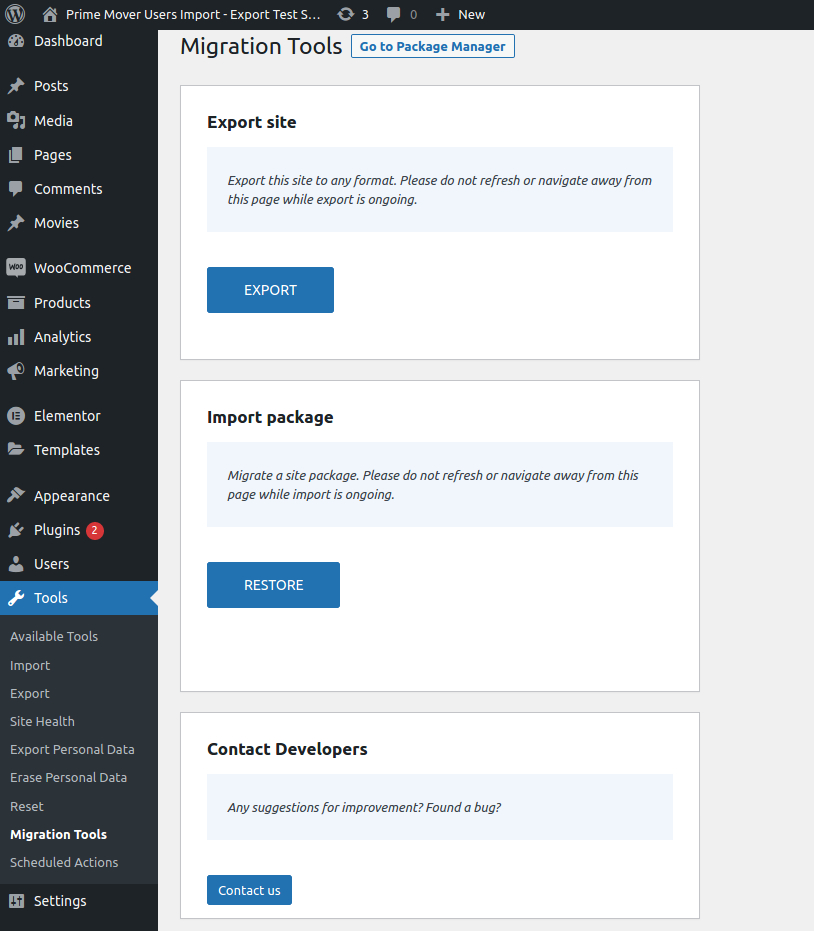
シングルサイト移行ツール 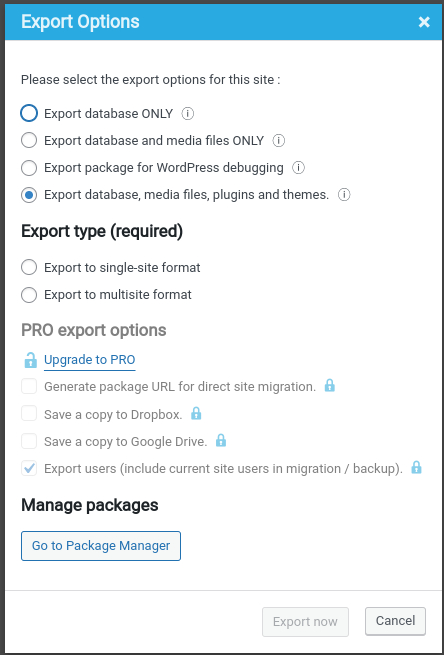
オプションダイアログをエクスポート 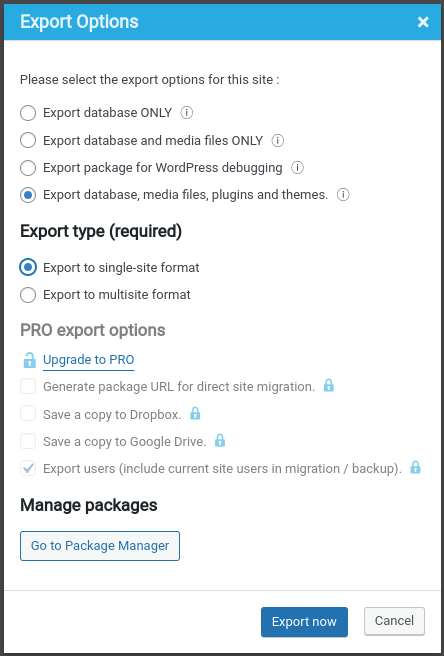
シングルサイト形式の例をエクスポート 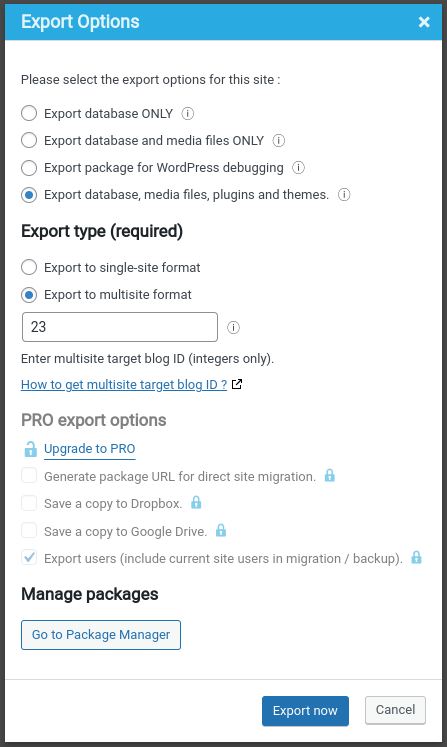
マルチサイトサブサイトと23のブログ ID 例をエクスポート 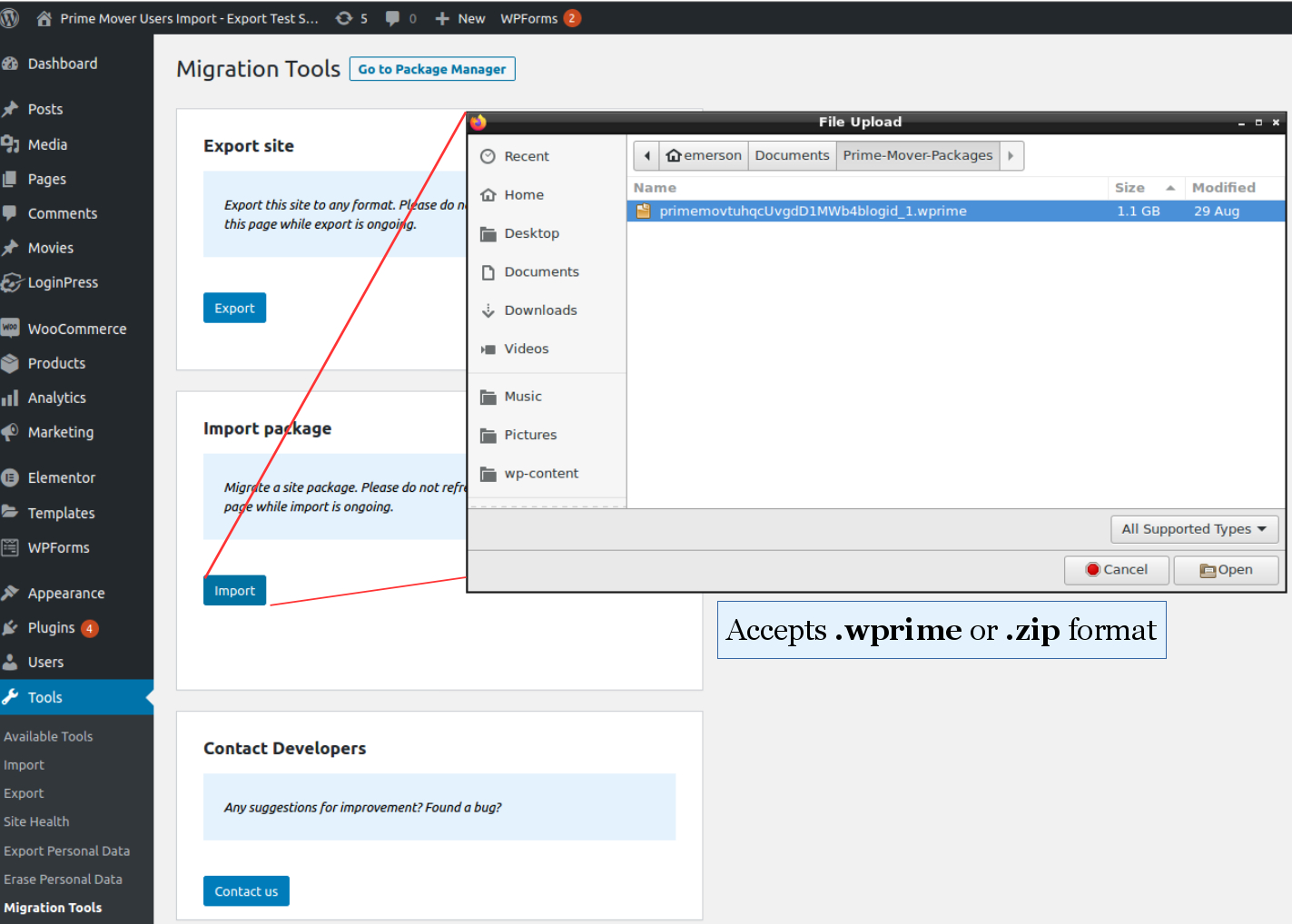
ブラウザアップロードによるパッケージの復元 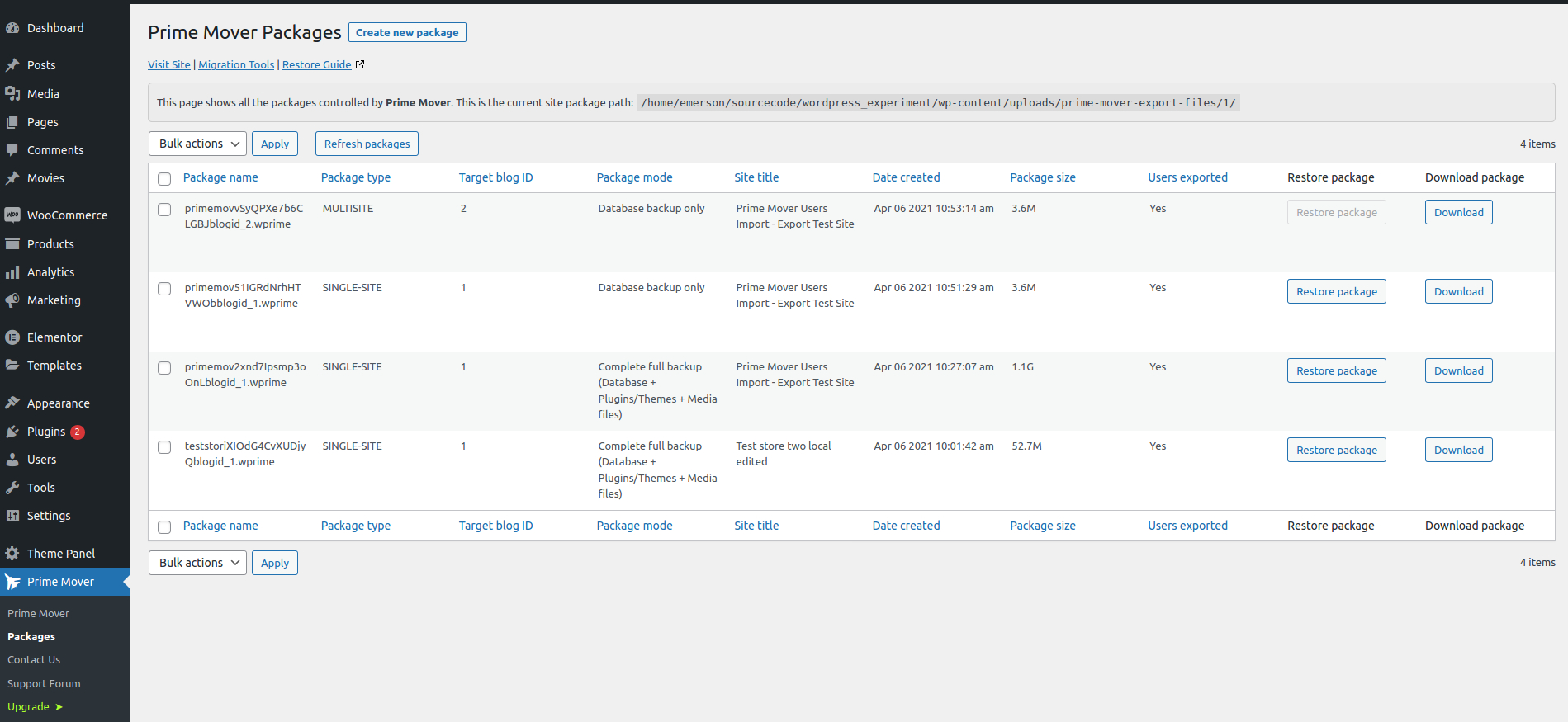
シングルサイトのパッケージマネージャー 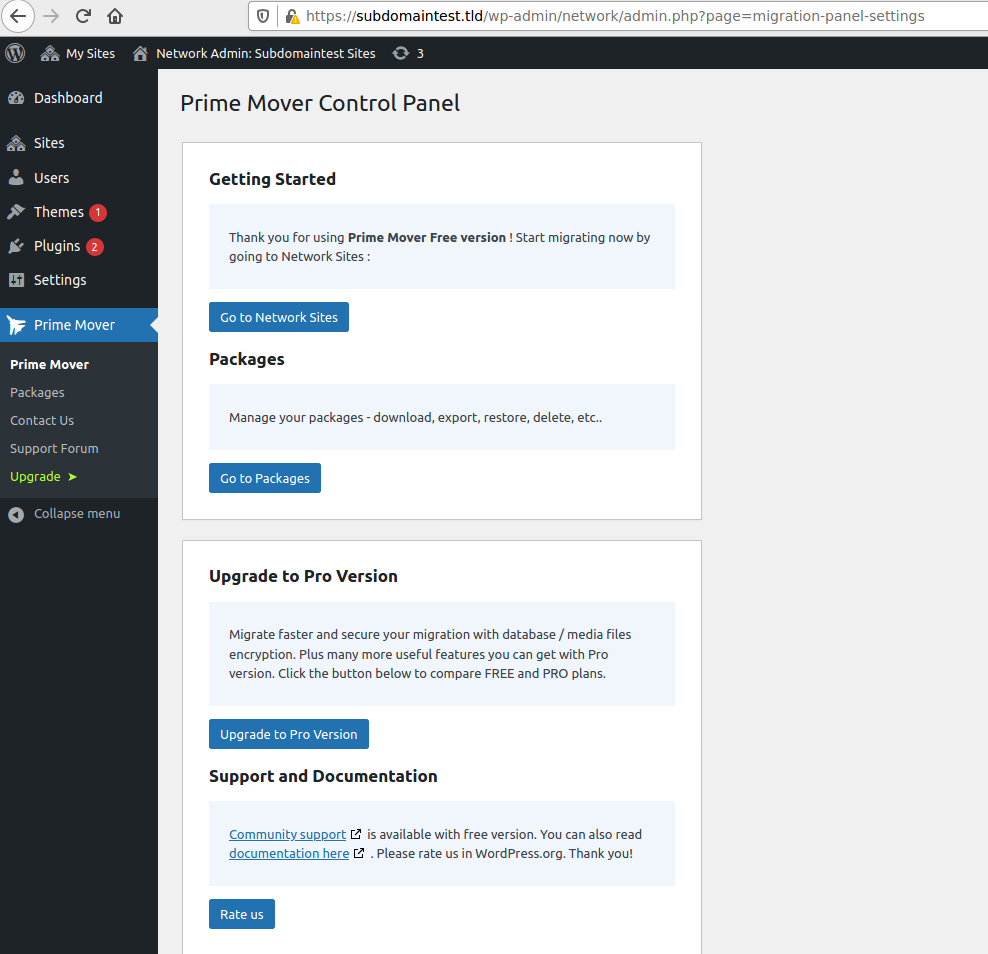
Prime Mover ネットワークコントロールパネル 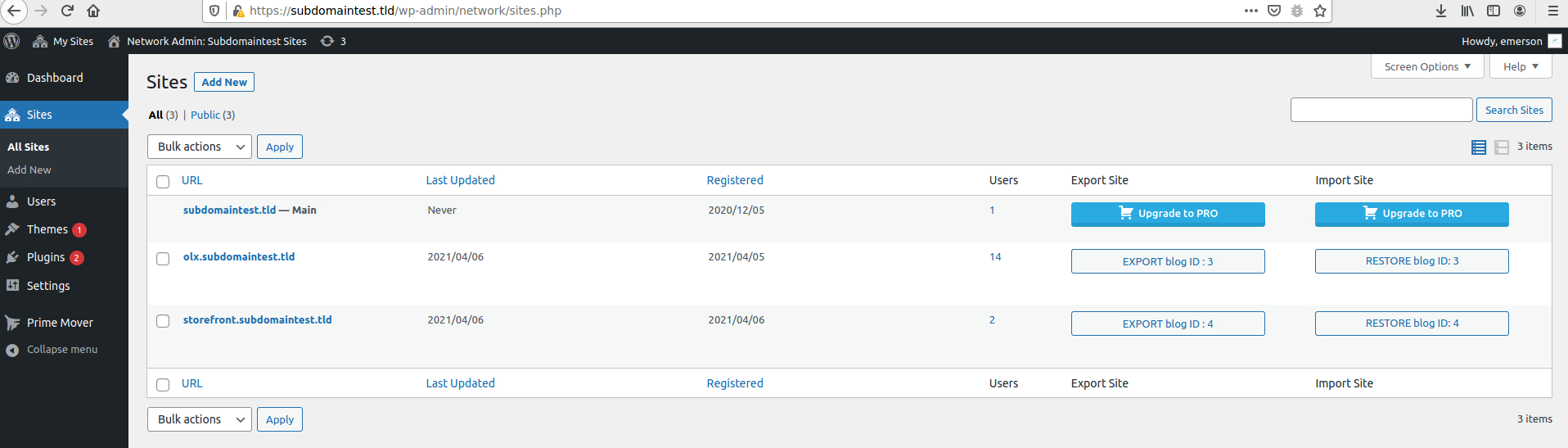
Export and restore packages from Network Sites 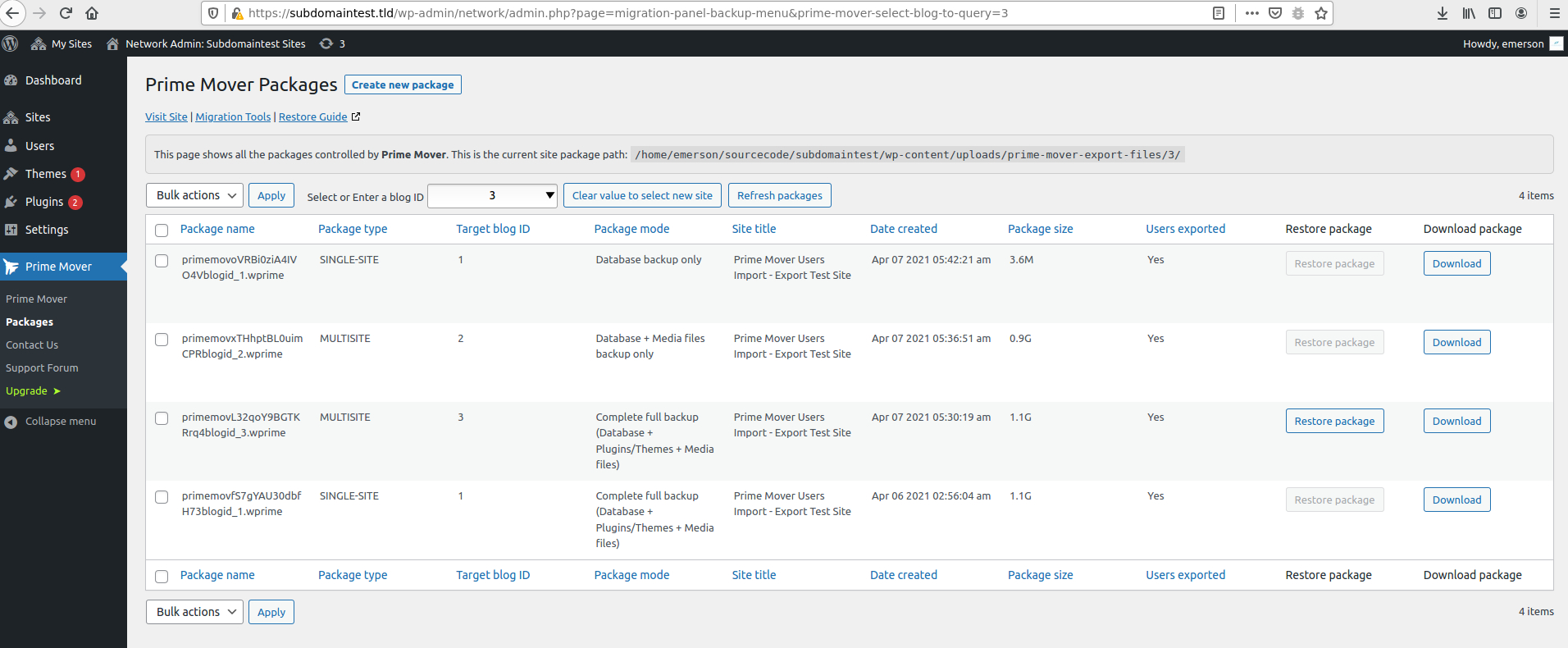
マルチサイトネットワークパッケージマネージャー


インストール
/wp-content/plugins/ディレクトリにアップロードします- WordPress の「プラグイン」メニューからプラグインを有効化します。
- Optionally, opt-in to security and feature update notifications, including non-sensitive diagnostic tracking, with freemius.com. If you skip this, that’s okay! Prime Mover will still work just fine.
- Prime Mover コントロールパネルが表示されるはずです。「移行ツールに移動」をクリックしてサイトの移行を開始します。
FAQ
-
Prime Mover が他の既存の移行およびバックアッププラグインと比べてユニークな点は何ですか ?
-
- The free version has no restrictions on package size, number of websites, or migration mode (single-site or multisite will work). (Note: Exporting/Restoring a multisite main site is a PRO feature)
- The free version supports WordPress multisite migration on any number of subsites, except that exporting/restoring the multisite main site is a PRO feature.
- It can back up WordPress multisite sub-sites or migrate multisite.
- WordPress インストールを削除したり、データベースを作成 / 削除したり、その他の技術的な作業を行う必要はありません。 時間を大幅に節約できます。
- This is not hosting-dependent. Prime Mover is designed to work with any hosting company you choose.
- The free version has full multisite migration functionality, usually missing in most migration plugins’ free versions.
- Full versatility—migrate from your local host dev site or from a live site to another live site.
- The entire migration will be done inside the WordPress admin. Anyone with administrator access can do it. Hiring a freelancer to do the job is unnecessary and will save you money.
- You won’t have to mess with complicated migration settings; the free version has built-in settings. You can choose only a few options to export and migrate—that’s it.
- 管理ページを使用して、パッケージの保存、ダウンロード、削除、移行を行うことができます。
- No need to worry about PHP configuration and server settings. Compatible with most default PHP server settings, even in limited shared hosting.
- Prime Mover works with modern PHP versions 5.6 to 8.4+ (Google Drive feature requires at least PHP 7.4).
- The code follows PHP-fig coding standards (standard PHP coding guidelines).
- 無料版は、非 UTF8 サイトのバックアップと復元をサポートしています。 ただし、非 UTF8 データベース文字セットを UTF8 (utf8mb4) データベース文字セットに移行したり、その逆を行うには PRO バージョンが必要です。
- After migration, you don’t need to worry about setting up users or changing passwords. It does not overwrite existing site users.
For more common questions, please read the plugin FAQ listed on the developer site.
評価

2025年12月17日
1 reply
Just migrated a new website from local to server, absolutely flawless – and intuitive, no need to spend hours going over documentation or having to create an account. What a timesaver! Thank you!

2025年12月2日
1 reply
The plugin is easy to use and works seamlessly and the support is really awesome. Would recommend this to everyone over any backup and migration plugins.

2025年11月26日
1 reply
It’s just awesome ! 😍
I only had a small issue when downloading my export package from a multisite subsite. Nothing happened, I just saw the message “analysing files”.
After several minutes, an error message appeared and directed me to a page to resolve the problem.
There, I found a solution suggesting that I upload my file directly via FTP to a specific directory.
I then clicked the import button again and wow — one minute later, my subsite had become a standalone installation.
Thanks, thanks, thanks — and bravo!
If I had just one small recommendation, it would be to include a short sentence under Import Package like:
“In case of any issue, upload your import file directly to the folder …”
But this is really just a minor comment — everything is absolutely perfect.

2025年10月22日
1 reply
Really works great! Simple to use, efficient, and does exactly what it promises. Highly recommended!

2025年9月13日
1 reply
The migration of my WP site from one hosting server to another one was completed in three steps and in less than 30 minutes. This plugin in fantastic! Highly recommended.

2025年9月5日
1 reply
There was some database encoding error with MigrateGuru but this plugin helped me to migrate without that problem.
貢献者と開発者
Prime Mover – Migrate WordPress Website & Backups はオープンソースソフトウェアです。以下の人々がこのプラグインに貢献しています。
貢献者

変更履歴
2.1.1
- Fixed: Incompatibility issues with third-party salt implementation.
- Fixed: Runtime error when activating plugins during import.
- Fixed: Insufficient memory errors during the search and replace process.
- Fixed: Improved restore performance by reducing the search-and-replace batch size.
- Fixed: Database export timeouts on servers with minimal resources.
- Fixed: Updated the Freemius SDK to version 2.13.0.
- Fixed: Updated the Freemius pricing page library to the latest version 1.3.0.
- Compatibility: Tested with WordPress 6.9 release.
2.1.0
- Fixed: Deprecated notices in the PHP 8.4 latest version.
- Fixed: Outdated libraries to work in PHP 8.4.
- Fixed: Updated all third-party libraries to work from PHP 5.6 to PHP 8.4.
- Fixed: Updated the Freemius SDK to version 2.12.2.
2.0.9
- Fixed: Added support for page builders using base64 encoded data.
- Fixed: Compatibility issues with the preview domains setup.
Changelog.txt 内の以前の変更ログを参照してください。
