
설명
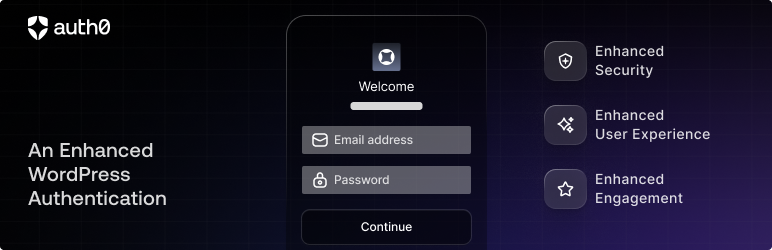
This plugin replaces standard WordPress login forms with one powered by Auth0 that enables:
- Universal authentication
- Over 30 social login providers
- Enterprise connections (ADFS, Active Directory / LDAP, SAML, Office 365, Google Apps and more)
- Connect your own database
- Passwordless connections (using email or SMS)
- Ultra secure
- Multifactor authentication
- Password policies
- Email validation
- Mitigate brute force attacks
Technical Notes
IMPORTANT: By using this plugin you are delegating the site authentication and profile handling to Auth0. That means that you won’t be using the WordPress database to authenticate users and the default WordPress login forms will be replaced.
Please see our How It Works page for more information on how Auth0 authenticates and manages your users.
Migrating Existing Users
Auth0 allows multiple authentication providers. You can have social providers like Facebook, Twitter, Google+, and more, a database of users and passwords (just like WordPress but hosted in Auth0), or you can use an Enterprise directory like Active Directory, LDAP, Office365, Google Apps, or SAML. All those authentication providers might give you an email and a flag indicating whether the email was verified or not. We use that email (only if it is verified) to associate a previous existing user with the one coming from Auth0.
If the email was not verified and there is an account with that email in WordPress, the user will be presented with a page saying that the email was not verified and a link to “Re-send the verification email.” For either scenario, you can choose whether it is mandatory that the user has a verified email or not in the plugin settings.
Please note: In order for a user to log in using Auth0, they will need to sign up via the Auth0 login form (or have an account created for them in Auth0). Once signup is complete, their Auth0 user will be automatically associated with their WordPress user.
Widget
You can enable Auth0 as a WordPress widget in order to show it in a sidebar. The widget inherits the main plugin settings but can be overridden with its own settings in the widget form. Note: this form will not display for logged-in users.
Shortcode
Also, you can use the Auth0 widget as a shortcode in your editor. Just add the following to use the global settings:
[auth0]
Like widgets, shortcode login forms will use the settings of the plugin. It can be customized by adding the following attributes:
icon_url– A direct URL to an image used at the top of the login formform_title– Text to appear at the top of the login formgravatar– Display the user’s Gravatar; set to1for yesredirect_to– A direct URL to use after successful logindict– Valid JSON to override form text (see options here)extra_conf– Valid JSON to override Lock configuration (see options here)show_as_modal– Display a button that triggers the login form in a modal; set to1for yesmodal_trigger_name– Button text to display when using a modal
예:
[auth0 show_as_modal="1" modal_trigger_name="Login button: This text is configurable!"]
Note: this form will not display for logged-in users.
설치
This plugin requires a free or paid Auth0 account.
- Sign up here.
- Follow the installation instructions here.
FAQ
-
Can I customize the Auth0 login form?
-
The Auth0 login form is called Lock and it’s open source on GitHub. You can style the form like any of your site components by enqueuing a stylesheet in your theme. Use the
login_enqueue_scriptshook to style the form on wp-login.php,wp_enqueue_scriptsto style widgets and shortcodes, or both to affect the form in all locations. -
Can I access the user profile information?
-
The Auth0 plugin transparently handles login information for your WordPress site and the plugins you use, so that it looks like any other login. User profile data changes in WordPress are not currently sent to Auth0 but changes to the Auth0 user account are stored in WordPress user meta (under the key
auth0_objprefixed with$wpdb->prefix). -
When I install this plugin, will existing users still be able to log in?
-
Yes, either by allowing the WordPress login form to be displayed or through migrating existing users. See the Technical Notes section above.
-
What authentication providers do you support?
-
Please see our complete list of supported social and enterprise authentication providers.
-
How can I use Lock configuration options that are not provided on the settings page?
-
Use the “Extra Settings” field on the plugin settings’ Advanced tab to add a JSON object with all additional configurations. For more information on what else can be configured, see the documentation.
-
Is this plugin compatible with WooCommerce?
-
Yes, this plugin will override the default WooCommerce login forms with the Auth0 login form.
-
My question is not covered here … what do I do?
-
All is not lost!
- If you’re setting up the plugin for the first time or having issues with users logging in, please review our troubleshooting and configuration documentation.
- If you found a bug in the plugin code, please submit an issue or create a pull request on GitHub.
- If you have questions about how to use Auth0 or the plugin, please post on our community site or create a support forum request here.
- You can see additional documentation and answers on our support site. Customers on a paid Auth0 plan can submit a trouble ticket for a fast response.
후기


