

설명
Boost Your Website’s Security with Login/Signup Security, Two-Factor Email Authentication, Login/Logout Redirects, Social Logins, Detailed Audit Logs, and More. FluentAuth is the lightest and blazing fast security plugin for WordPress.
주요 기능
- 로그인용 2단계 인증
- 이메일을 통한 매직 로그인
- 소셜 로그인 / 회원가입
- 로그인 시도 제한
- 동적 로그인 리디렉션
- 상세 감사 로그
- 핵심 보안 강화
- 보안 이메일 알림
- 초고속 솔루션
- Restrict /wp-admin for low level user roles
버전 2.0의 새로운 기능
🚀 로그인에 대한 이중 인증
관리자 / 편집자와 같은 고급 사용자 역할을 위한 이메일을 통한 이중 로그인으로 관리자 패널에 안전하게 액세스하세요. 비밀번호가 유출되더라도 추가 인증 단계를 통해 올바른 사람만이 로그인할 수 있습니다.
🚀 이메일을 통한 매직 로그인
고객 및 구독자와 같은 최종 사용자를 위한 로그인 프로세스를 간소화하세요. 비밀번호 재설정이나 비밀번호를 잊어버려 사용자가 사이트를 떠나는 일이 더 이상 없습니다. 개선된 흐름과 기능을 통해 사용자는 사용자명 또는 이메일 주소를 입력하고 이메일로 전송된 안전한 일회용 링크를 클릭하여 사이트에 로그인할 수 있습니다.
🚀 소셜 로그인 / 회원가입
사용자가 GitHub, 페이스북 또는 Google 계정으로 귀하의 사이트에 로그인할 수 있도록 허용합니다. 이 기능은 가볍고 활성화하기 쉽습니다.
🚀 로그인 시도 제한
과도한 로그인 시도를 차단하여 사이트를 무차별 대입 공격으로부터 보호하세요. 저희의 간단하지만 강력한 도구는 사이트 보안과 성능을 향상시키며, 사용자 정의 가능한 잠금 시간을 제공합니다.
🚀 동적 로그인 리다이렉트
사용자가 로그인하거나 로그아웃한 후 특정 페이지로 쉽게 리다이렉트할 수 있습니다. 드래그 앤 드롭 빌더를 사용하여 다양한 유형의 비즈니스에 맞게 로그인 및 로그아웃 흐름을 사용자 정의할 수 있습니다.
🚀 상세 감사 로그
강력한 감사 로그를 통해 사용자가 언제 사이트에 로그인했는지, 어떤 방법(일반 로그인 폼, 매직 URL, 소셜 미디어)을 통해 로그인했는지 정확히 추적하세요.
🚀 핵심 보안 강화
XML-RPC는 WordPress 공격의 일반적인 대상이지만, 대부분의 사이트에서는 실제로 필요하지 않습니다. 이 플러그인은 XML-RPC, 원격 애플리케이션 로그인 비활성화 및 REST API에 대한 wp-사용자 목록 보호를 통해 보안을 강화할 수 있도록 합니다.
🚀 보안 이메일 알림
비즈니스 소유자로서 관리자, 편집자, 글쓴이와 같은 고급 사용자가 사이트에 로그인할 때나, 권한이 없는 누군가가 로그인하려고 할 때 이를 아는 것이 중요합니다. 저희 플러그인은 이러한 이벤트에 대해 알림을 보내는 이메일 알림 기능을 포함하고 있습니다.
🚀 초고속 솔루션
우리는 이 플러그인을 최신 기술인 WordPress REST-API, VueJS V3, Vue-Router, Element-Plus를 사용하여 UI를 구축하면서 매우 빠르고 간단하지만 강력하게 만들었습니다. 또한, 기본 WordPress 데이터베이스 테이블에 영향을 주지 않도록 감사 로그를 저장하기 위해 사용자 지정 데이터베이스 테이블을 사용합니다.
🚀 낮은 수준의 사용자 역할에 대해 /wp-admin 접근 제한
구독자나 다른 낮은 수준의 사용자 역할에 대해 /wp-admin 접근을 제한하고 싶다면, 이를 쉽게 활성화하고 /wp-admin 접근을 제한하고자 하는 사용자 역할을 선택할 수 있습니다.
🚀 워드프레스 가입 이메일 사용자 정의
워드프레스 기본 가입 이메일을 사용자만의 브랜딩과 콘텐츠로 사용자 정의하세요. 이 기능을 통해 사용자에게 더 개인화된 경험을 제공하여 사이트와의 참여를 높일 수 있습니다.
🚀 사용자 정의 로그인/가입 쇼트코드
쇼트코드를 사용하여 사용자 정의 로그인 및 가입 양식을 만드세요. 이 기능을 통해 로그인 및 가입 양식을 페이지나 게시물에 쉽게 통합하여 매끄러운 사용자 경험을 제공합니다.
🚀 관리자 이메일 알림 비활성화 – 사용자 가입 시
새 사용자가 가입할 때 전송되는 기본 WordPress 관리자 이메일 알림을 비활성화합니다. 이 기능은 이메일 알림을 보다 효과적으로 관리하여 받은 편지함의 혼잡을 줄이는 데 도움이 됩니다.
🚀 워드프레스 코어 파일 변경 사항 스캔
FluentAuth는 워드프레스 코어 파일의 변경 사항을 스캔하여 무단 수정 여부를 식별하는 기능을 포함하고 있습니다. 이는 워드프레스 설치의 무결성을 유지하고 사이트의 보안을 보장하는 데 매우 중요합니다.
왜 FluentAuth인가요?
To improve the security and user experience of a WordPress website, the default authentication system may need to be enhanced with additional plugins. One common issue that WordPress site owners face is their site getting hacked. This is often due to hackers using brute-force attacks to guess passwords and gain access to the admin panel, leading to site takeover. Additionally, the use of common passwords on multiple sites can put all of them at risk if one password is compromised.
Using multiple security plugins can be detrimental to the performance of a WordPress website. These plugins, which are often bloated, intercept every WordPress request and run it through a large number of unnecessary rules, resulting in increased server resource usage and slower site performance. To avoid this issue, consider using a comprehensive security solution that offers multiple features in one package, instead of relying on multiple individual plugins. This will help save server resources and improve the overall performance of your website.
To Solve these issues, we decided to build FluentAuth and made it free.
Replace Multiple Plugins with FluentAuth
FluentAuth has been designed to provide light-weight security solution while adding better UX and performance of your site. If you use FluentAuth then you don’t need the following plugins
For Login Limit and ban brute force attacks
- Limit Login Attempts Reloaded
- WPS Limit Login
For Login & Logout Redirections
- LoginWP (Formerly Peter’s Login Redirect)
- Sky Login Redirect
- WP Login and Logout Redirect
For Login & Logout Redirections
- LoginWP (Formerly Peter’s Login Redirect)
- Sky Login Redirect
- WP Login and Logout Redirect
For Hide Admin Bar and Access Restriction
- Hide Admin Bar
- Hide Admin Bar Based on User Roles
- Auto Hide Admin Bar
- Hide Admin Bar from Non-Admins
사용자 가이드
- FluentAuth 시작하기
- 로그인 / 로그아웃 리디렉션
- FluentAuth에서 회원가입/로그인 숏코드
- GitHub로 로그인 설정하기
- Configure Login with Google
같은 팀의 다른 플러그인
- FluentCart A New Era of eCommerce – Faster, Lighter, and Simpler
- FluentCRM – 이메일 마케팅, 뉴스레터, 이메일 자동화 및 CRM 플러그인
- Fluent Forms – 가장 빠른 워드프레스 폼 빌더 플러그인
- Ninja Tables – 워드프레스 최고의 데이터테이블 플러그인
- Ninja Charts – 워드프레스 최고의 차트 플러그인
- WPPayForm – 워드프레스용 Stripe 결제 플러그인
- Fluent Forms용 Mautic 연동
- Fluent Forms PDF – Fluent Forms용 PDF 엔트리
- FluentSMTP – 워드프레스 메일 SMTP, SES, SendGrid, MailGun 플러그인
기여하기
이 프로젝트에 기여하거나 버그를 신고하고 싶으시다면 언제든 환영합니다. Github의 저장소를 확인해 주세요.
스크린샷

보고 대시보드 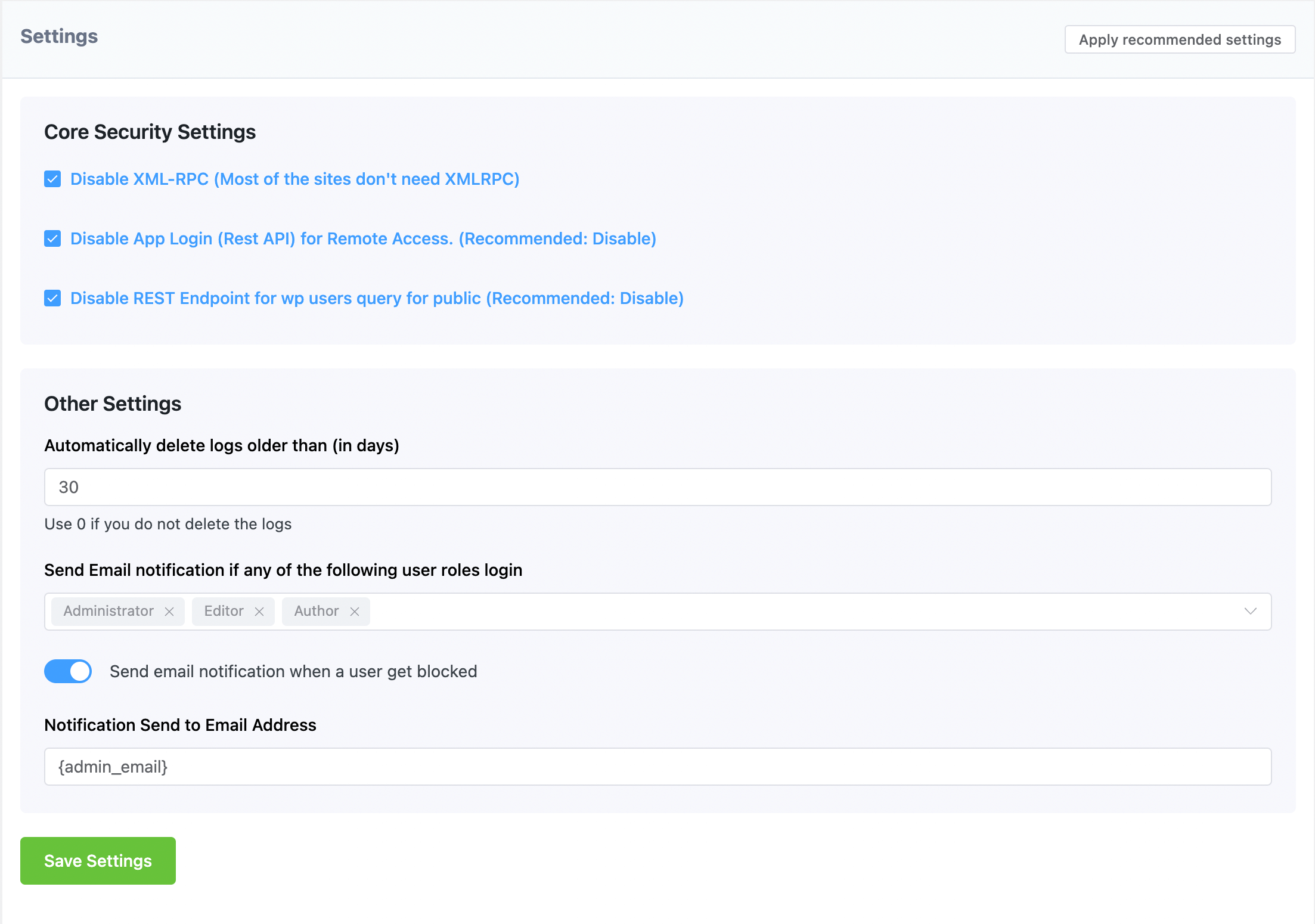
로그인 보안 설정 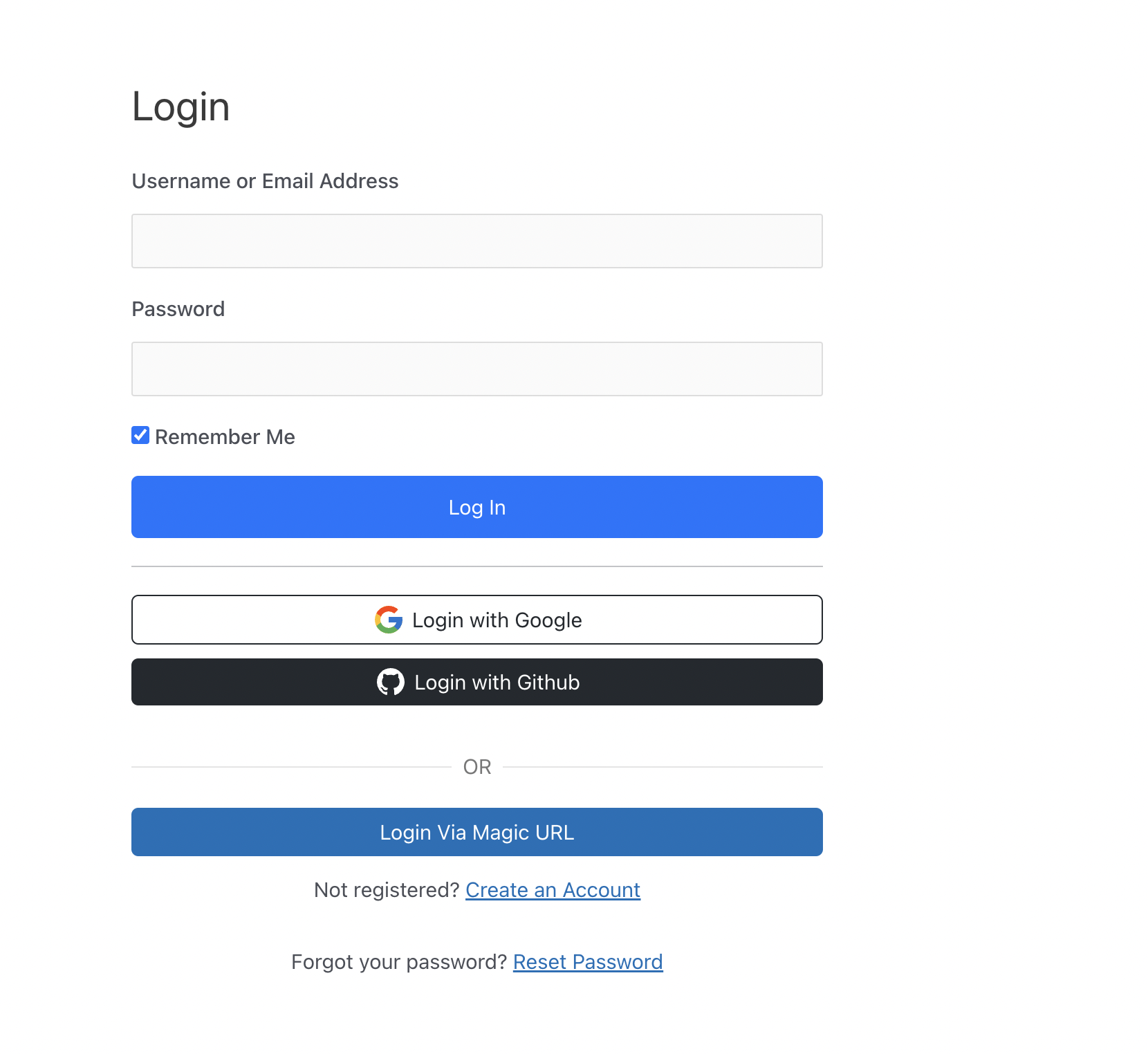
소셜 로그인 프론트엔드 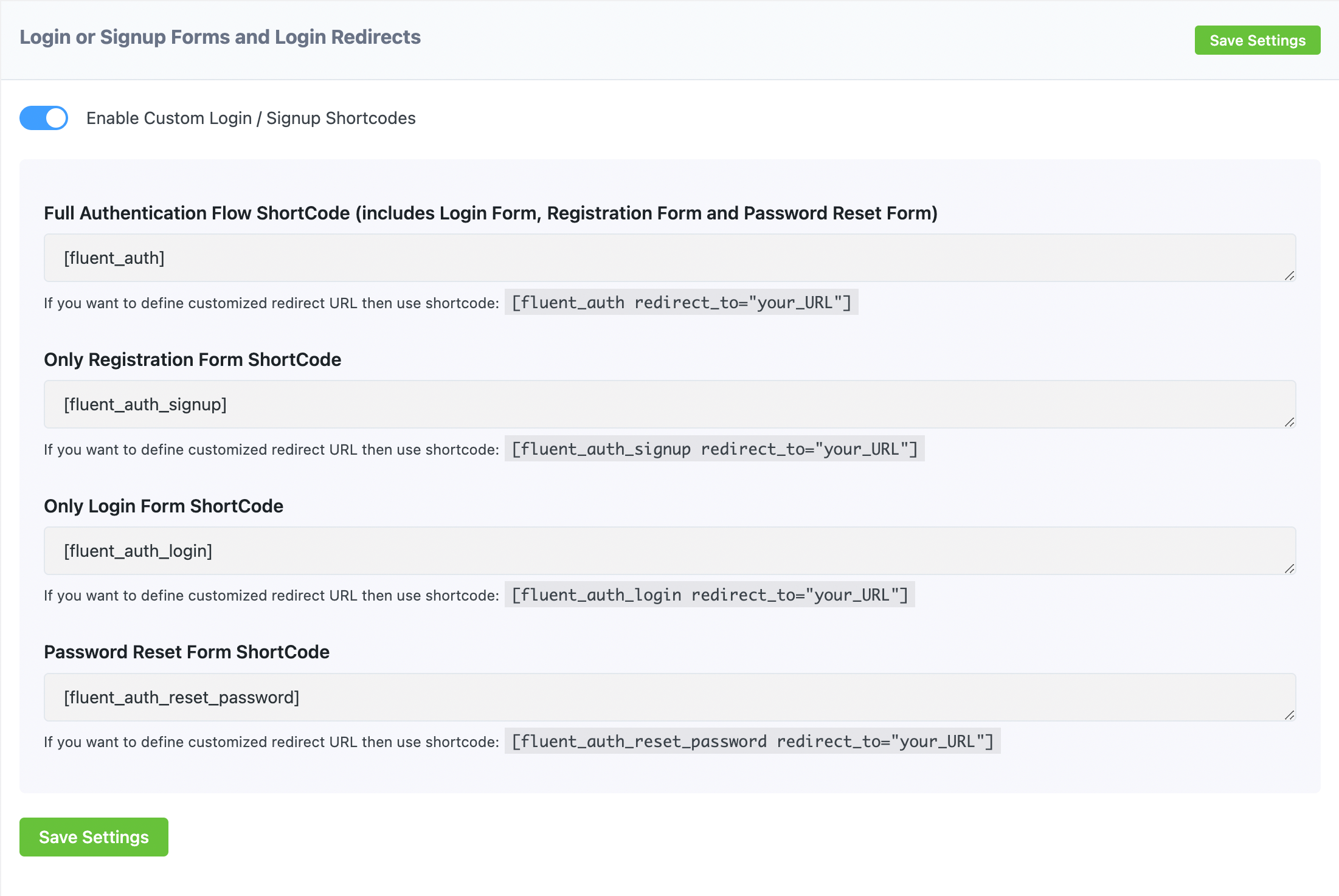
맞춤 로그인/회원가입 숏코드 
동적 로그인 리디렉션 
상세 감사 로그 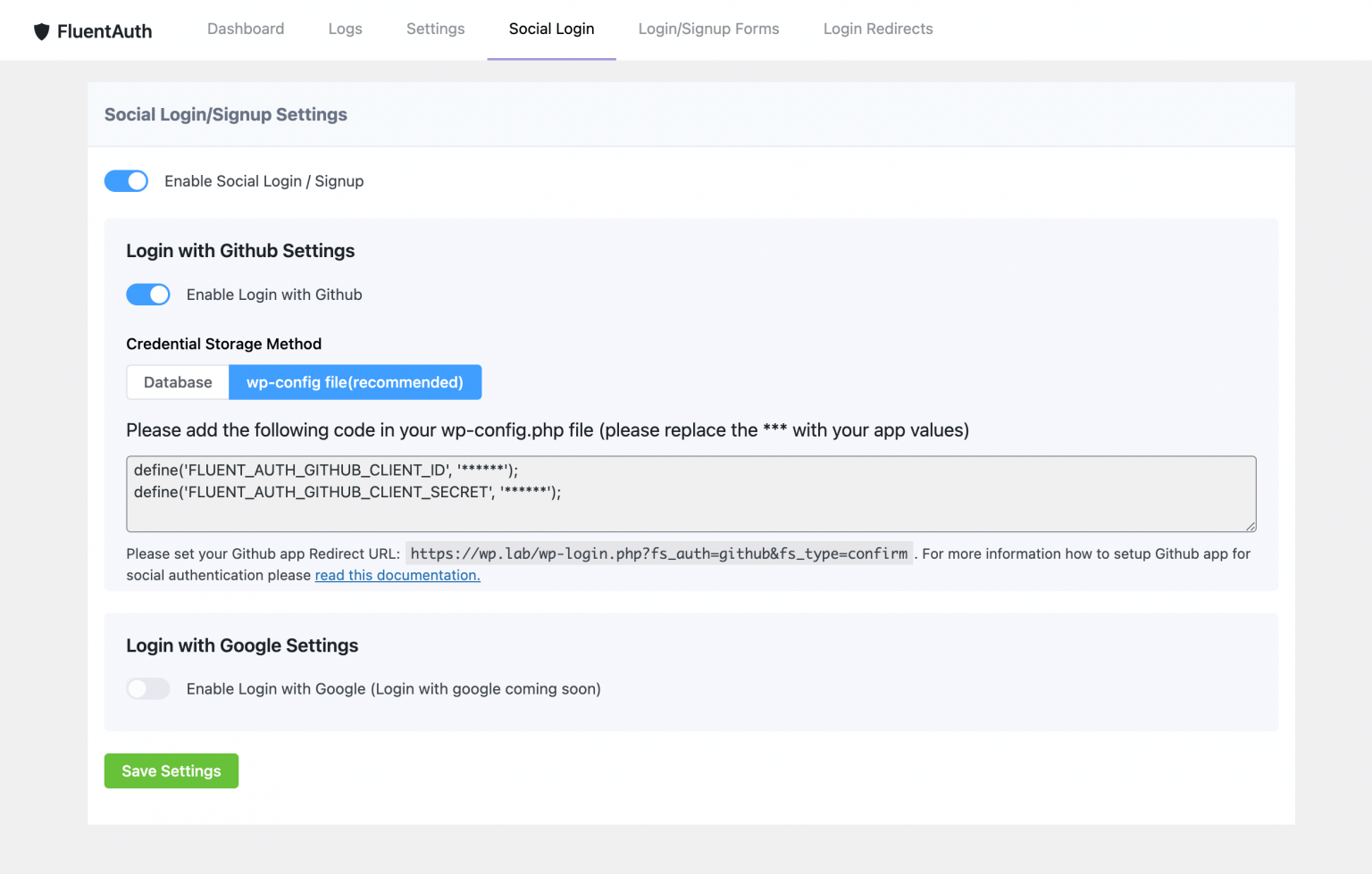
소셜 로그인 설정 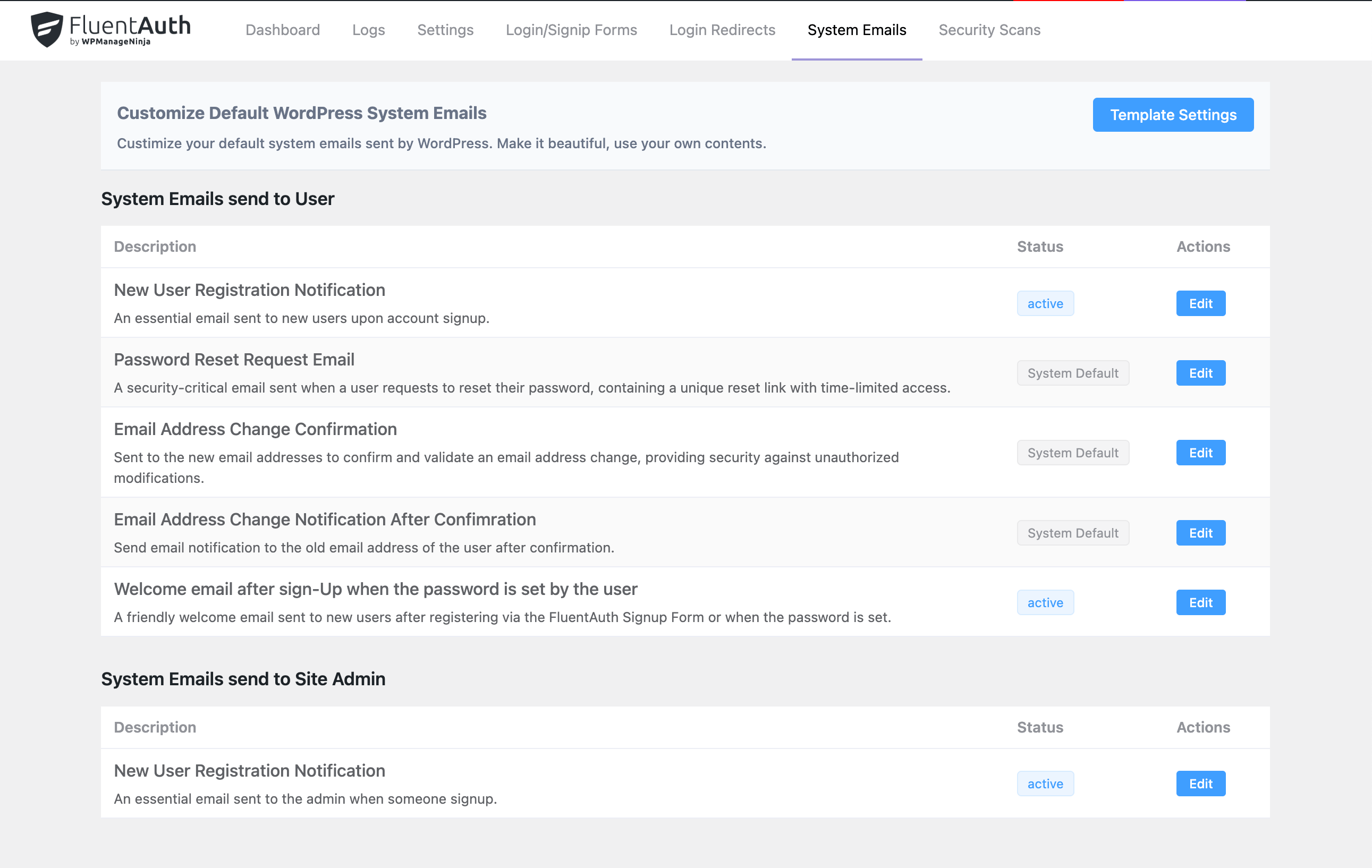
System Emails Customization 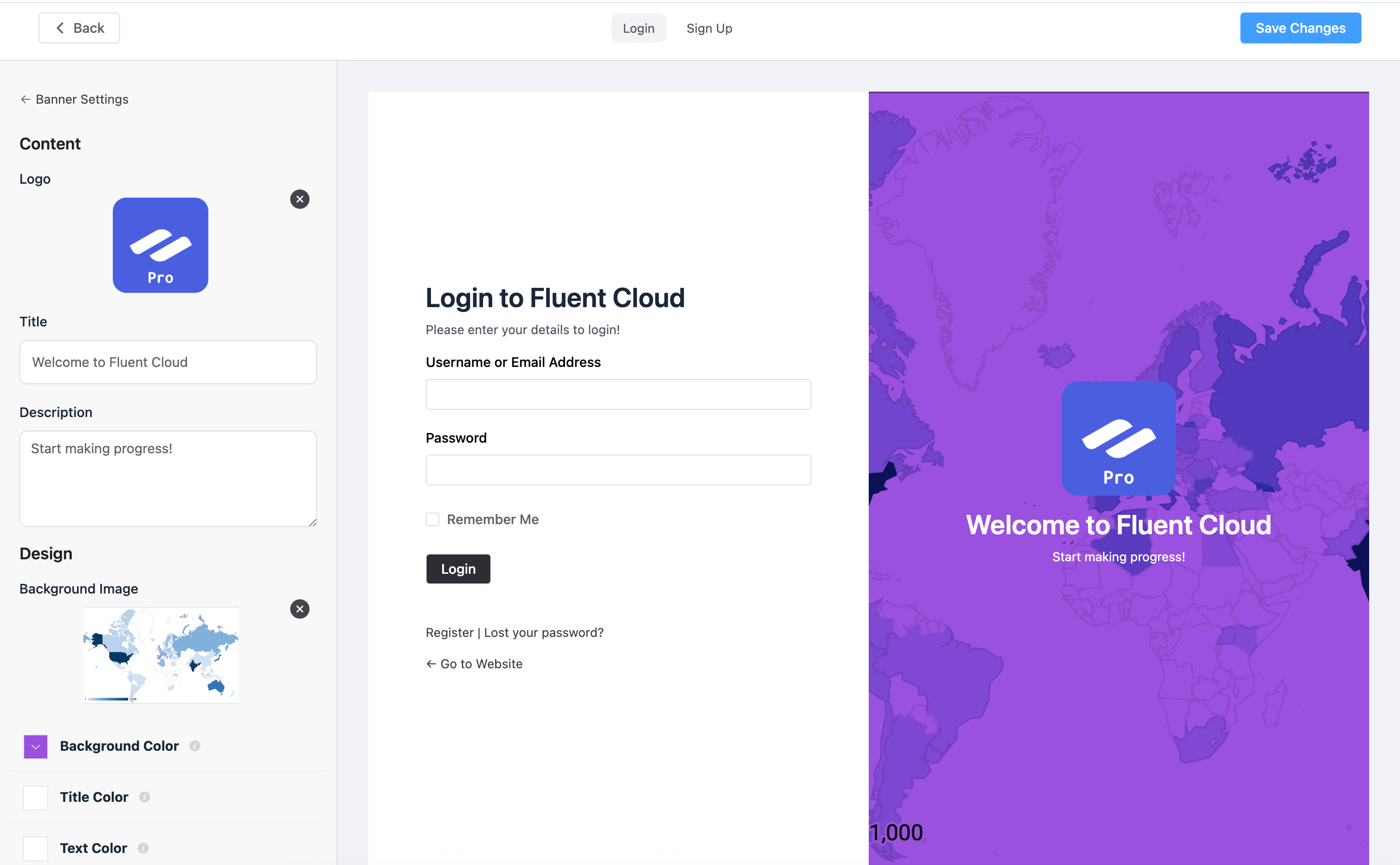
Login/Signup Page Customizer 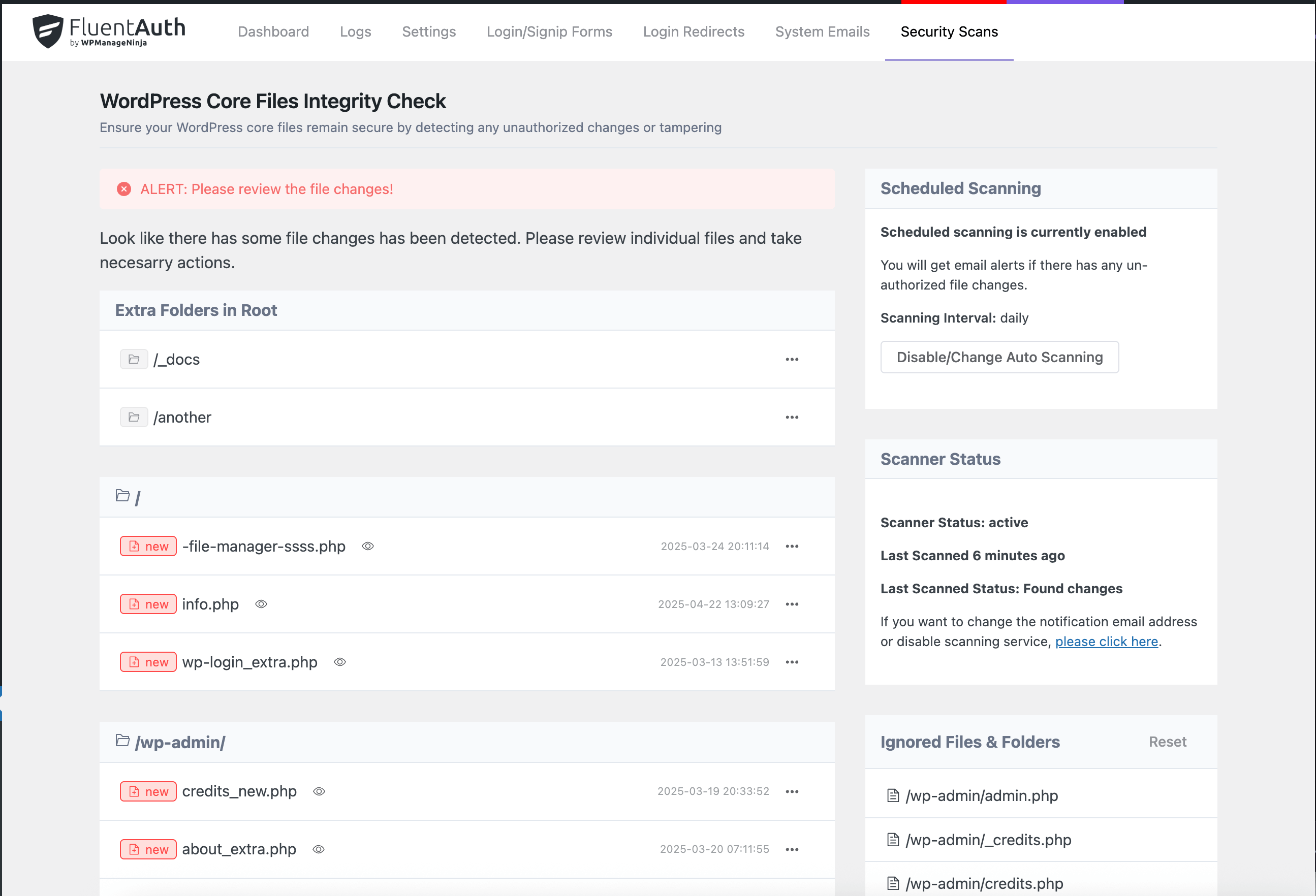
WordPress Core Files Integrity Check


설치
This section describes how to install the plugin and get it working.
- 워드프레스 플러그인에서 FluentAuth를 검색한 후 설치 및 활성화를 클릭하세요.
OR
- Upload the plugin files to the
/wp-content/plugins/fluent-authdirectory, or install the plugin through the WordPress plugins screen directly. - Activate the plugin through the \’Plugins\’ screen in WordPress
- Use the
FluentAuth->Settingsscreen to configure the plugin
FAQ
-
Is it a GDPR-Compliant?
-
All the data will be saved and managed into WordPress. it’s 100% GDPR-Compliant.
-
Will it is a performance issue for WordPress?
-
Absolutely not! From the very first, We were careful about this. It stores all the logs data in custom database tables, so it will not affect your WordPress database. We built the application with VueJS. Also, The Admin UI is super fast as It’s a SPA and communicates over ajax.
후기


기여자 & 개발자
“FluentAuth – The Ultimate Authorization & Security Plugin for WordPress”(은)는 오픈 소스 소프트웨어입니다. 다음의 사람들이 이 플러그인에 기여하였습니다.
기여자


변경이력
2.1.1 – Date: Dec 03, 2025
- Introducing One-Tap Login via Google Social Auth Connection
- Improved Translation & Localization
- Security: Improved Data Security and Sanitization and compitable with latest WordPress security standards
- Bug Fixes and Performance Improvements
2.0.3 – Date: Jun 11, 2025
- Typo and Smartcode fixed on Custom Emails
- WP_Error Notice fixed
2.0.2 – Date: Jun 11, 2025
- 수정됨: 로그인 리다이렉트 문제
- 관리자 메뉴의 오타 수정
- 스타일링 문제 수정
2.0.0 – Date: Jun 09, 2025
- 로그인/회원가입 페이지 커스터마이저 도입
- 페이스북으로 로그인 추가
- 시스템 이메일 커스터마이징 추가
- 워드프레스 코어 파일 무결성 검사 도입
- 설정 가능: 이메일을 통한 원클릭 로그인을 기본 로그인 방법으로 사용
- UI 및 UX 개선
- 글로벌 회원가입이 비활성화된 경우 소셜 미디어 연결 시 회원가입 비활성화
1.1.0 – Date: Dec 16, 2014
- 서드파티 개발자를 위한 훅 추가
- 인증 플로우 개선
1.0.8 – Date: Dec 02, 2024
- 회원가입 및 등록을 위한 추가 훅 추가
- UI 및 UX가 개선되었습니다.
- 번역 문제 수정
1.0.7 – Date: Jul 26, 2024
- 사용자 등록 플로우에 이메일 인증 추가
- PHP 8.x 호환성 문제 수정
- 매직 링크 숏코드에서 JS 오류 수정
1.0.6 – Date: Jan 28, 2024
- PHP 8.x와의 호환성 문제 수정
- 내부 라이브러리 업그레이드
- 구글로 로그인 개선
- UI 및 UX가 개선되었습니다.
1.0.5 – Date: May 04, 2023
- Google 소셜 인증으로 로그인 또는 회원가입 기능이 추가되었습니다.
- 매직 로그인 URL 토큰이 보안 강화를 위해 해시 처리되었습니다.
1.0.4 – Date: Feb 04, 2023
- 일간/주간/월간 이메일 리포팅 기능이 추가되었습니다.
- 로그인 폼을 커스텀으로 제작하여 로그인 URL이 노출되지 않도록 했습니다.
- 이중 인증 기능이 개선되었습니다.
1.0.2 – Date: Dec 17, 2022
- 대시보드의 UI 문제가 수정되었습니다.
- GitHub 로그인 기능이 개선되었습니다.
- 선택된 사용자 역할에 대해 소셜 로그인 시에도 이중 인증을 수행합니다.
- 개발자를 위한 더 많은 후크가 추가되었습니다.
1.0.2 – Date: Dec 16, 2022
- UI 및 UX가 개선되었습니다.
- 저레벨 사용자 역할에 대해 /wp-admin 접근 차단 및 관리자 바 숨김 기능이 추가되었습니다.
- LearnDash 및 기타 wp-users REST-API와의 충돌 문제가 수정되었습니다.
- 로그인 검증을 위한 IP 주소 처리가 개선되었습니다.
1.0.0 – Date: Dec 12, 2022
- 최초 릴리즈
