
Description
Website | Documentations | Tutorials | Live Demo | Get PRO | Join Community
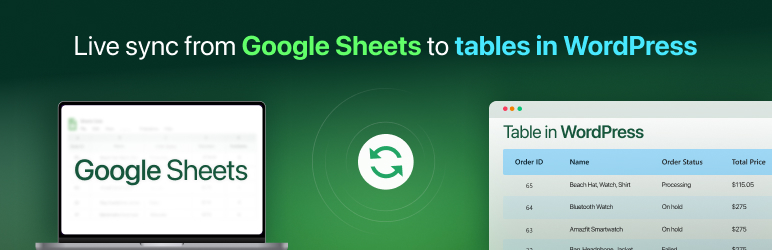
FlexTable – Spreadsheet to WP Table Sync ets you create responsive tables that stay updated based on changes made in your connected sheet. After linking a sheet, any edits made there will reflect automatically on your site. The plugin includes shortcode and page-builder support so you can place tables on any page or post and keep them synchronized. It also supports sorting, pagination, search, AI analysis and options for displaying images, links, and other data formats.
Recommended by WordPress experts! 🤩
Let’s grow, connect, and thrive together!
- 🤝 Join Our Facebook Community
- 🌐 Follow Us on X (Twitter)
- 🎥 Subscribe on YouTube
- 👍 Like Our Facebook Page
To show your spreadsheet data in a WP table, connect your sheet to FlexTable and embed it on your site.
👁️ View Demo | 🚀 Get PRO | 🤝 Join Our Community
LEARN MORE
- How to Add a New Table in FlexTable
- How to Use Shortcode to Display Table in FlexTable
- How to Create Tables with Gutenberg Block in FlexTable
😍 FlexTable Free Features
- Sync Data with Google Sheets: Keep your WordPress tables synced with connected Google Sheets spreadsheets. You can update your table from anywhere through the connected sheet without ever needing to enter your website dashboard. Sync up to 100 rows for FREE.
- Gutenberg Table Block & Elementor Table Widget: The built-in Gutenberg block and Elementor widget will make sure you can create responsive tables with any of your preferred page builders.
- Responsive Tables: Tables made with this plugin are responsive for any device. The plugin allows collapsing on mobile and tablet screens. There are also options to choose between three responsive styles (Default, Collapsible, and Scrollable) and adjust height.
- Shortcode Supported: Place your data-table easily with the shortcode feature. A shortcode will be created with the table created. You can place the code anywhere you want on your page or posts.
- Link Support: With advanced link support you can import URLs/links from Google Sheets. All the URLs/links will be shown as links instead of text. You can change the link behavior by redirecting your users when they click on those links.
- Image Support: Load images from any URL that contains an image. Just add the image URL to your sheet and it will load that image on your website.
- Merge Cells: If your spreadsheet has merged cells, you can enable this feature to improve the appearance and clarity.
- Cache Table for Faster Loading: Enabling this option can improve your table loading speed.
- Prevent frequent cache updates for faster table loading: Optimized caching helps your tables load faster and reduces unnecessary API requests.
- Choose the maximum day to store the cache: With Cache Duration, you decide the duration of Google Sheets checking for updates. Just set it to 1 day, 7 days, 30 days etc, whatever fits your update routine. It helps your tables load quicker and reduces unnecessary API requests
- 2 Table Themes: Easily customize the appearance by choosing one of the provided themes (Simple and Simple on Dark).
- Duplicate Tables: Easily generate duplicates without manually recreating them from scratch. Save time and maintain consistency across multiple tables.
- Table Description: Communicate with your site visitors with clear descriptions that describe the purpose of your tables. Easily convey important information through the description.
- Cell Formatting Style: Choose between expanded and wrapped table styles.
- Rows to Show Per Page: Choose the number of rows you want to display per page.
- Table Title: Enable this feature to show the title in the h3 tag in your website front-end. Rename your tables as you want.
- Show Info Block: Show Showing X to Y of Z entries block below the table. With this feature, you will get an idea of the data sequence of your table at a glance. The plugin also has an On/Off button on the backend for this feature.
- Allow Sorting: It allows data sorting on your table in the exact order you need. You can turn off the feature if you want your data not sorted.
- Search Bar: Quickly locate data using the built-in search bar for better usability.
- Pagination Support: Access in-built table pagination support. Order your data in a simple manner of sequential pages that are contextually connected.
- Asynchronous Loading: Enable this feature to load the table in the front end after loading all content with a pre-loader.
- Set Maximum Response Timeout for Table Loading: Take control of performance with a global setting to define how long (in seconds) the plugin should wait for a response from the Google server.
- Multisite Support: With spreadsheet to Table Multisite support, share sync features across your multisite network.
👁️ View Demo | 🚀 Get PRO | 🤝 Join Our Community
⚡ Experience the Full Potential with FlexTable Pro
- Unlimited Table Creation: Create data-tables without limits.
- Unlimited Row Sync: Fetch as many rows as you want to show.
- Import Styles from Google Sheets: Import cell background color & cell font color, font size, font widget, font family & all other styles from connected sheet.
- Custom CSS: Write your own custom CSS to design the table or the page itself. Your custom-written CSS will be applied to the front end of the website.
- Export Table: Exporting via CSV, Excel, PDF, JSON, Print, and Copy is easy on this plugin.
- Tab Management: Manage all the tables in 1 place as a tab. This feature enables you to effectively manage your data from multiple sheets.
- Vertical Scroll/Sticky Header: This feature allows you to scroll vertically. Activating this feature will allow the table to behave as a sticky header.
- 6 Premium Table Themes: Switch your table’s look and feel. Each of the themes is created to provide a modern and responsive experience.
- Customize Table Theme: Personalize header, body, and border colors.
- Table Theme Builder: Create your own themes to display tables. With an in-built table builder, customize every section of your table. Once you create a theme, it’s yours. You can use the theme for later on as well.
- Premium Table Pagination: Choose from five themes for pagination—Default, Modern, Minimal, Tailwind, or Outlined. You can customize the active pagination color and position the pagination at the middle or bottom right.
- Horizontal Dragging: Once you enable this feature your users will be able to drag the table horizontally.
- Hide Column: Hide your Sheet’s column on desktop screen OR mobile screens.
- Hide Row: Hide your Sheet’s rows based on your custom row selection.
- Hide Cell: Hide your Sheet’s cell data based on your custom cell selection.
- Optimized Loading: By enabling this feature, the scripts will load only on the relevant pages/posts in your website where the table is added.
- Table Sorting Control: Easily set a default sort order for tables when the page loads. You can also hide the sorting controls from the table for a cleaner and more streamlined display.
- Freeze Header & Column: You can now freeze any column(s) from the left or right side, based on your preference. Additionally, you can also freeze the header with a customizable height to enhance your viewing experience while scrolling.
- Always-on support: We have a dedicated and hardworking team. Get support for any issues with Flex Table.
👁️ View Demo | 🚀 Get PRO | 🤝 Join Our Community
✨ AI Powered FlexTable
Transform static tables into intelligent, conversational experiences that understand and respond to your users’ needs. It delivers two powerful capabilities to enhance data accessibility:
- Instant AI Summary – One-click comprehensive overviews of your entire dataset
- Interactive AI Table Assistant – Conversational Q&A for deep data exploration
⚡ Instant AI Summary
With just one click, your visitors receive a clear and concise AI-generated summary of your entire table. People naturally prefer quick, ready-made answers over complex data tables. This intelligent data summary feature helps them understand your information faster than ever.
How it works
There are two quick ways to showcase the AI table summary for your users.
-
Generate on Click: Visitors will see a button to summarize the table. When they click, AI will create the summary live using your prompt. Suitable for tables with frequently changing data.
-
Instant Summary: You can generate and save the summary in advance. Visitors will see it immediately. Suitable for tables with mostly static data.
🤖 Interactive AI Table Assistant
Beyond automatic summaries, empower your visitors with conversational AI capabilities. Users can ask specific questions about your table data and receive instant AI-powered answers tailored to their needs.
How Ask AI Works:
Users can type questions like:
- “What’s the average value in this column?”
- “Show me entries from last month.”
- “Which row has the highest sales?”
The AI analyzes your table in real-time and delivers personalized data analysis instantly.
This intelligent table interaction transforms static data into an engaging, conversational data experience.
💼 FlexTable in Academic and Administrative Management
Use the Search Only Display feature to create a focused search interface for your tables. It provides a search field that helps users locate specific entries such as student details, employee information, or institutional data. You can enable column-specific searches and control which fields appear on the front end.
This feature is useful for building tools like student report cards, class grading systems, or course schedules. It also supports broader record-management workflows where clear and accessible data presentation is required.
Examples of how it can be used:
- Let users search records by ID, grade level, or class section.
- Allow filtering of teacher profiles by department or subject.
- Enable front-end lookups for class schedules by time or instructor.
- Provide a searchable staff directory with role or department filters.
- Display exam results filtered by student name or course.
👁️ View Demo | 🚀 Get PRO | 🤝 Join Our Community
🔥 More Awesome Plugins
If you like FlexTable, then consider checking out our other awesome projects:
-
🌓 WP Dark Mode:
Use WP Dark Mode plugin to create a stunning dark version for your WordPress website. WP Dark Mode works automatically without going into any complicated settings. -
🔄 FlexStock – Manage WooCommerce Inventory from Google Sheets:
FlexStock – Stock Sync with Google Sheet for WooCommerce | Auto-sync WooCommerce products from Google Sheets. Flex Stock is an easy, powerful, and simple inventory management system to handle your WooCommerce products. -
🛒 FlexOrder – Manage Order with Google Sheets:
Try FlexOrder – Bulk Order Sync with Google Sheet for WooCommerce | Manage WooCommerce orders from Google Sheets. WooCommerce order sync, e-commerce order management, and sales order management with Google Sheets. Try Flex Order now! -
💬 FormyChat – Send Form Leads to Chat App:
Try FormyChat | Connect Form to Chat Apps with Contact Form 7, WPForms, Gravity Form | Welcome Popup & Multi-agent Live Chat -
🎁 EchoRewards – Boost Sales with a Smart Referral System:
Try EchoRewards | With Echo Reward, you can refer a friend for WooCommerce to launch your customer referral program. Echo Rewards Referral Plugin is a WooCommerce referral plugin to boost your sales. Generate coupons, reward customers, and launch the ideal refer-a-friend program for your store.
Privacy Policy
Flex Table uses Appsero SDK to collect some telemetry data upon user’s confirmation. This helps us to troubleshoot problems faster & make product improvements.
Appsero SDK does not gather any data by default. The SDK only starts gathering basic telemetry data when a user allows it via the admin notice. We collect the data to ensure a great user experience for all our users.
Integrating Appsero SDK DOES NOT IMMEDIATELY start gathering data, without confirmation from users in any case.
Learn more about how Appsero collects and uses this data.
Additionally, read the WPPOOL privacy policy.
Screenshots


Blocks
This plugin provides 1 block.
- FlexTable
Installation
- Navigate to WordPress Dashboard > Plugins > Add New and search for “FlexTable”. Install and activate the plugin.
- From the Plugin dashboard, link your publicly available Google spreadsheet and create a table. Customize the table styles as you wish.
- Copy the table shortcode and paste it on any page or post. That’s it!
You can also follow this tutorial:
FAQ
-
How to install and activate the plugin?
-
Watch this video to learn how to install and activate the plugin in simple steps
-
How do I add a new table using the plugin?
-
Watch the video to learn how to add a new table very easily with the plugin
-
How many rows can I sync with the Free version?
-
The free version allows sync of up to 100 rows from Google Sheets.
-
How many tables can I create?
-
The Free version allows you to create up to 10 tables.
-
How should I use the Shortcode feature to display my spreadsheet data?
-
Watch this video to learn how to use the Shortcode to display your spreadsheet data in WP table
-
Does this plugin support the popular page builders?
-
Yes, the plugin supports popular WP page builders – Elementor widget in Pro version and Gutenberg block in both Pro and Free version
-
How to hide “Showing X of X entries” in pagination?
-
Go to the Display tab of the table settings block and disable the “Show Info block” setting.
-
Does Flex Table have any impact on page loading?
-
No. Flex Table is a very robust and fast plugin. It won’t impact your page loading. But sometimes it may take some time to load the page if the Asynchronous Loading feature is not On & the Google Sheet data is too big.
-
“Plugin not working with a caching i.e Autoptimize plugin.” How to solve it?
-
This issue appears if you are excluding our plugin’s JS files from loading. Please uncheck the “Aggregate JS-files” option of Autoptimize to solve this issue.
-
Where can I find the tutorials about using the plugin?
-
Please visit our Youtube playlist where we put all the videos of how you can use the features of the plugin. Also, let us know if there is anything we can help you with.
-
Is this plugin compatible with all modern browsers?
-
Yes, We have tested this plugin in all modern browsers (Safari, Chrome, Firefox, Edge etc) works without any issue.
-
Do I need to know any programming language for using this plugin?
-
No. FlexTable is a very user-friendly and simple plugin. Just download and use it accordingly.
Reviews


Contributors & Developers
“FlexTable – Data Table Sync with Google Sheets” is open source software. The following people have contributed to this plugin.
Contributors


Translate “FlexTable – Data Table Sync with Google Sheets” into your language.
Interested in development?
Browse the code, check out the SVN repository, or subscribe to the development log by RSS.
Changelog
3.20.1 – 30 Dec 2025
- New: Added hover effects to all table presets with customizable hover background and text colors.
3.20.0 – 24 Nov 2025
- New: Introduced “Ask AI from Table Data” feature that allows users to retrieve table data using natural language questions. No manual searching required!
- Improvement: Enhanced the “Instant Summary” mode with smoother UX and improved UI flow
- Fix: Resolved an issue where single-value search results were not displaying
- Fix: Fixed incomplete pagination display in search results
- Fix: Fixed translation issues with the pagination Next / Previous buttons
3.19.2 – 04 Dec 2025
- Improvement: Improved codebase to ensure enhanced protection and overall stability.
- Improvement: Added full compatibility support for WordPress 6.9
3.19.1 – 30 Nov 2025
- Fix: Resolved error that occurred when adding the shortcode.
3.19.0 – 24 Nov 2025
- New: Added AI Summary feature with two modes Generate on Click and Instant Summary
- Improvement: Fixed Moment.js library compatibility issues
- Improvement: Enhanced overall UX for smoother interactions
- Fix: Addressed line break inconsistencies
- Fix: Corrected data missing issues in the wp table
3.18.3 – 24 Oct 2025
- Fix: Fixed issues to ensure smoother update functionality
For older changelog entries, please see the additional changelog.txt file delivered with the plugin.
