
Description
Pattern Wrangler makes managing WordPress block patterns easy, and is designed for both hybrid classic/block themes, block themes, and is compatible with most page builders through its shortcode support. Pattern Wrangler allows you to curate the pattern experience for your clients, controlling down to the pattern what the client sees in the block editor.
Here are the major features:
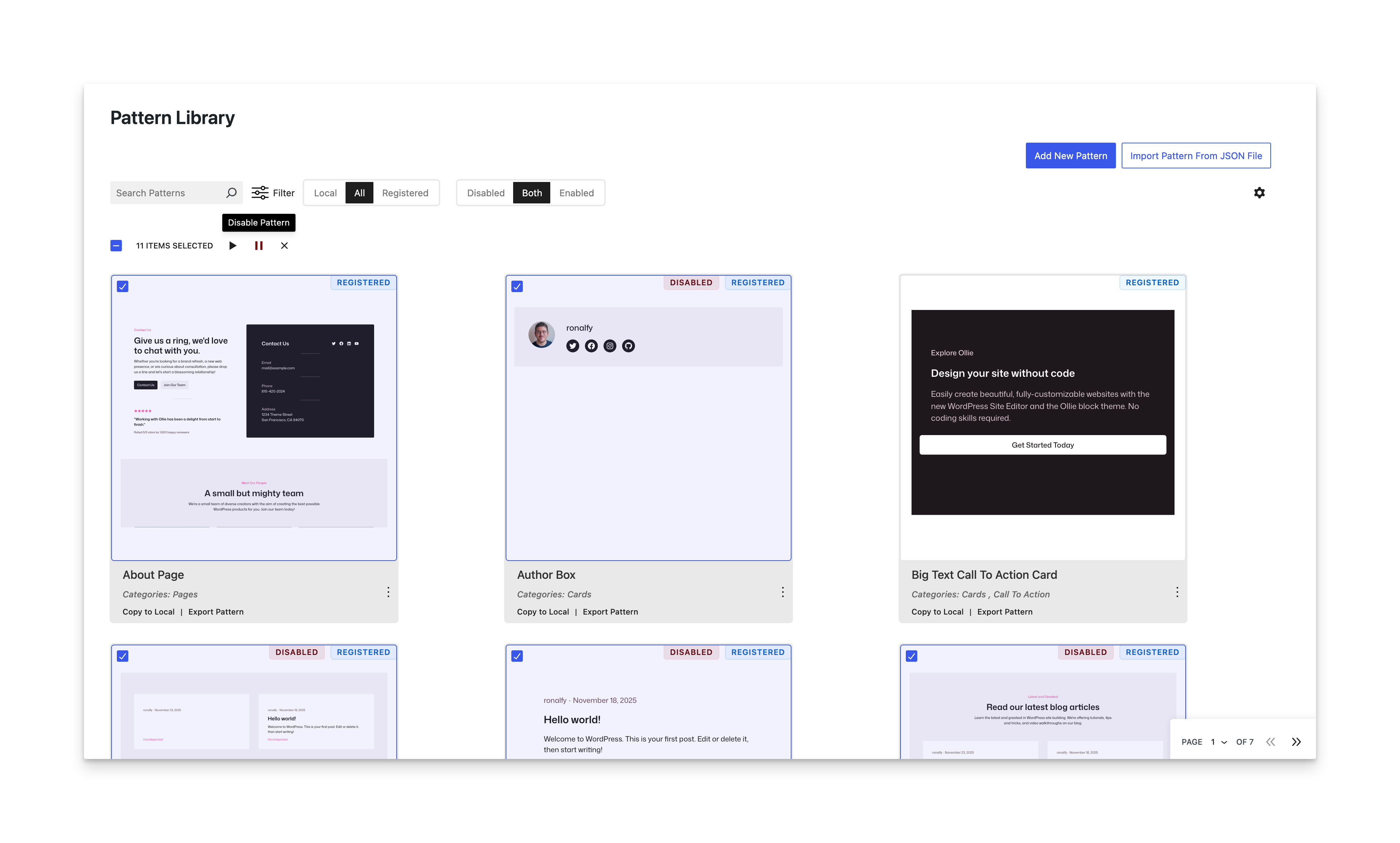
- New Patterns Screen – A new Patterns screen now shows at a glance all of the patterns available for your site. You can sort through both local and registered patterns, and selectively disable or enable whatever patterns you’d like your client to see. A real-time preview is available by clicking on the pattern.
- Hide All Patterns – Completely hide patterns from the block editor in one click. This also hides the Patterns menu item.
- Selective Hiding – Hide core, remote, theme, or plugin patterns while keeping your custom patterns visible. You can also hide synced and unsynced patterns together or separately. If you need to hide WooCommerce patterns, you can do so by hiding all plugin patterns, or using the Patterns View to disable the patterns individually.
- Category Management – Disable, map, and rename registered categories from themes and plugins for better organization. This will help you keep local and registered patterns organized together. For example, you’d like to create a “Call to Action” category for a local pattern, but a registered category already exists, do you have a duplicate in the patterns view. In this case, map the registered category to the local one and remove the duplicate.
- Output Patterns Anywhere – Use a shortcode or PHP function to display local patterns in page builders, widgets, your theme, or in other blocks. This works well in Multisite and allows you to use synced patterns across the network.
- Pattern Preview – Preview a pattern on the frontend with shortcuts in the block editor.
- Cross-Site Pattern Copying – Transfer patterns, including the remote images, between WordPress sites effortlessly. This is useful if you’re copying a pattern from one site to another or copying a pattern from a production site to a development site.
Available features on the Patterns screen include:
- Sort between Local and Registered patterns.
- Filter between categories and pattern source.
- Click a pattern to view a real-time preview in a lightbox.
- Copy registered patterns to a local copy.
- Export all patterns to JSON.
- Copy a pattern to the clipboard.
- Disable each pattern individually.
- Quickly edit local patterns.
- Add new patterns or import patterns from JSON.
Pattern Wrangler integrates seamlessly with block-based and classic themes offering a hybrid setup with unmatched flexibility. Spin up your own demo to see Pattern Wrangler in action.
Quick Links
All Features and Documentation | Sponsor Us | Pattern Wrangler Home
Source code is available on GitHub. Code contributions and sponsorships appreciated.
Requirements and Compatibility
Requires WordPress 6.8 or higher. 6.9 is recommended.
Fully compatible with most themes, including block themes. Ideal for hybrid setups and page builders. If you need to use a block in a page builder or classic editor, you can create a new pattern, configure the block, and use the built-in shortcode. If you need to use the pattern in a template, you can use the built-in PHP function, which is available for all local patterns.
This plugin has been tested almost exclusively with the Ollie theme, which is a phenomenal block theme. All the 202x themes have also been tested, as well as Blocksy, Astra, and GeneratePress.
If you have any issues with the previews, please be patient in your support requests, and also specific as to which themes or plugins may be involved.
❤️ Please help spread the word about this plugin through your kind review.
Screenshots
Enhanced Patterns View Screen. 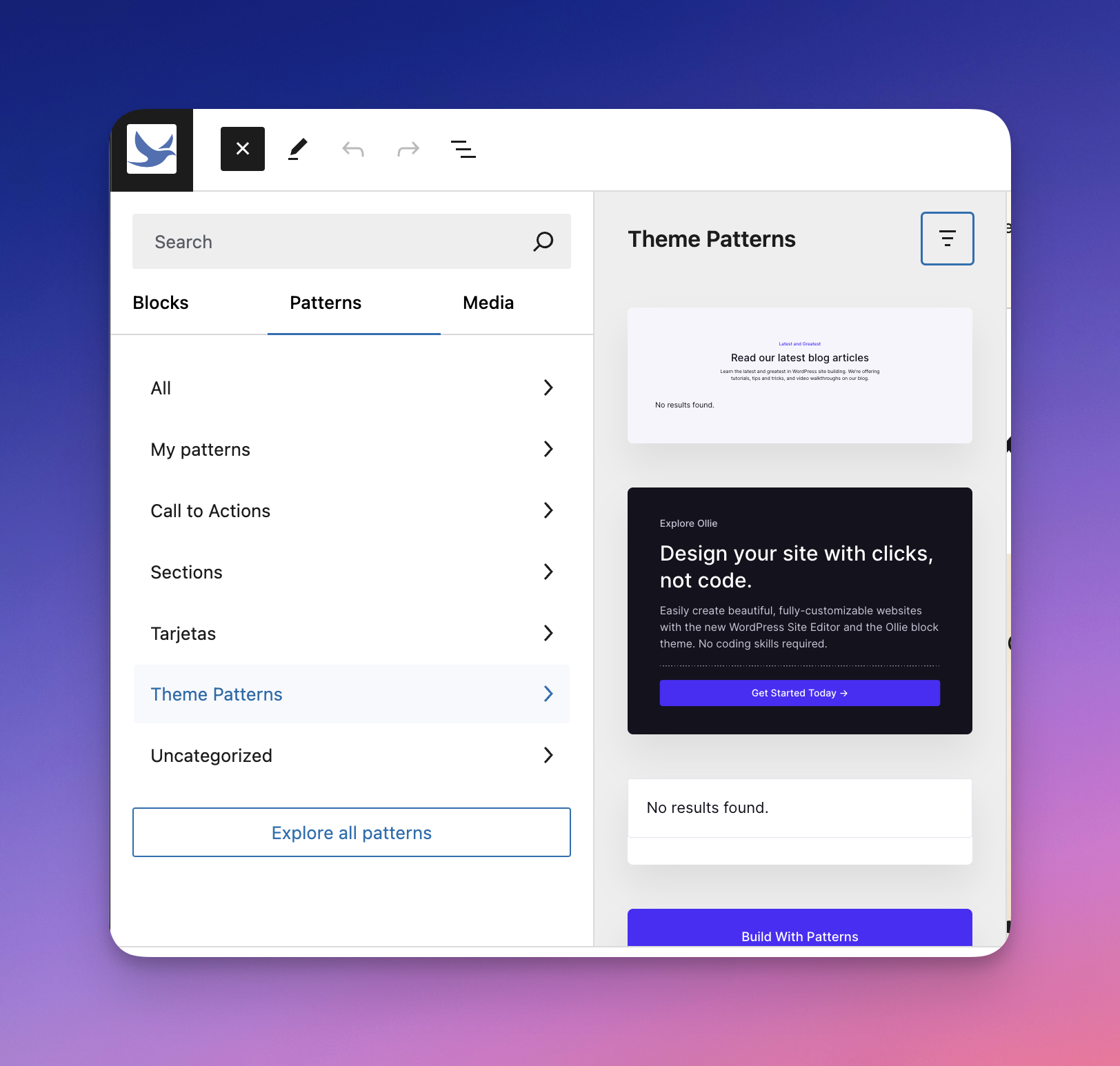
An example of an organized Patterns screen. 
Map registered categories to terms, or rename for better organization or translations. 
Enable the Customizer UI, and load Additional CSS in the block editor. 
Hide all patterns, or hide them from core, remote, themes, or plugins. 


ബ്ലോക്കുകൾ
ഈ പ്ലഗിൻ 1 ബ്ലോക്ക് നൽകുന്നു.
- Pattern Inserter Paste in a pattern and it will be inserted for you.
Installation
- Upload the plugin files to the
/wp-content/plugins/pattern-wranglerdirectory, or install the plugin through the WordPress plugins screen directly. - Activate the plugin through the ‘Plugins’ screen in WordPress.
- Use the plugin through the block editor by adding new patterns or importing existing ones.
FAQ
-
What is Pattern Wrangler used for?
-
Pattern Wrangler is often used to curate the client experience when adding patterns via the block editor or full-site editor. It can be used to enable/disable various pattern types, as well as allow you to individually enable or disable a specific pattern, whether registered or local.
By doing this, you can trim a pattern library that is in the hundreds down to a more manageable number that are actively being used.
Others have used this plugin to disable the pattern library completely. Patterns can slow down the block editor. With Multisite support, you can even disable patterns network-wide.
-
How can I view the old wp_block post type screen?
-
You can still visit it by adding
override=1:https://yourdomain.com/wp-admin/edit.php?post_type=wp_block&override=1 -
Can I disable the new Patterns View screen?
-
Yes. In the Pattern Wrangler settings, toggle the Enhanced Patterns View to off, save, and refresh. The original WordPress patterns screen will display.
-
Can I import Patterns from any WordPress site?
-
Yes! If you have the pattern’s code, Pattern Wrangler can import it and localize any associated images.
-
Can I use Patterns in page builders like Elementor?
-
Yes! You can use the
[wp_block slug="pattern-slug"]shortcode to output block patterns anywhere in your theme or other blocks. The Pattern must be a local pattern (i.e., synced or unsynced pattern). -
Does this work with Block Themes?
-
Yes, Pattern Wrangler sits outside of the Full-site Editor in the Patterns menu item. This Patterns screen allows you to configure both local and registered patterns together, curating what is shown inside FSE.
-
Does this plugin work on WordPress.(com)?
-
No, this plugin works best with self-hosted installs (normal installs).
This plugin uses newer APIs (DataViews) that WordPress.com doesn’t allow a custom version of, and the one that ships with Core isn’t at the latest version, so the plugin can’t get rid of the dependency.
-
The preview for a pattern isn’t working or is formatted wrong.
-
I’ve done my best for previews in 2.0, and I know the finished result isn’t perfect. The preview feature took several months of solo-developer time, and I’ve put my best foot forward. I know there will be preview bugs, but with patience, I’m sure we can fix the quirks together.
If you can, please be detailed in any support requests as to which plugin or theme might be causing the pattern issue. I don’t advise pasting pattern code on .org, so the best way to reach me is via my support form, which you can find in the Pattern Wrangler admin settings.
That being said, some patterns are unsalvageable, and should just be disabled or deleted if not being used.
Reviews


Contributors & Developers
“Pattern Wrangler – Manage Block Patterns and Reusable Blocks” is open source software. The following people have contributed to this plugin.
Contributors
“Pattern Wrangler – Manage Block Patterns and Reusable Blocks” has been translated into 1 locale. Thank you to the translators for their contributions.
Translate “Pattern Wrangler – Manage Block Patterns and Reusable Blocks” into your language.
Interested in development?
Browse the code, check out the SVN repository, or subscribe to the development log by RSS.
Changelog
2.1.1
- Released 2025-12-22
- Hot fix: Disabling/enabling patterns would error out on some installs.
2.1.0
- Released 2025-12-22
- Bug fix: Disabling the enhanced patterns view could lead to a white screen because of a mis-placed PHP exit module.
- Bug fix: Removing JS debug error notices.
- Bug fix: There was a trailing slash added to admin-ajax.php causing previews to 404 on some installs, particularly Local.
2.0.5
- Released 2025-12-20
- Bug fix: Multisite installs wouldn’t show a proper override for hiding patterns.
- New feature: Can disable the customizer if needed on single and Multisite installs.
2.0.2
- Released 2025-11-30
- Wording update: Changed copy local patterns to “Copy to New Pattern.” Changed Copy Pattern to “Copy Pattern to Clipboard”.
- Bug fix: Changing default view to “All|Enabled” as some were asking why I was still showing disabled/paused patterns.
- Bug fix: Remove filters if there aren’t any to filter by.
- Bug fix: Preview was rendering as an admin request, preventing some block plugins from rendering.
- Bug fix: Preview was setting post data, causing some block plugins to output wrong styles.
- Bug fix: Fixing undefined variable in REST call.
2.0.0
- Released 2025-11-29
- New Patterns View screen, showing local and registered patterns together. This new screen allows you to selectively disable or enable individual patterns, as well as perform a variety of shortcuts to aid in the pattern curation experience. The ability to filter through categories and pattern sources (such as WooCommerce) allows for quick searching, particularly if you have dozens if not hundreds of patterns. A real-time preview is available for each pattern, and shortcuts such as copying a registered pattern to a local one are available.
- New feature: Multisite support. This plugin must be network-activated on a network. With this, you can quickly disable patterns network-wide with just a few clicks if needed. The network settings also allow you to set what you’d like a site admin to be in control of, such as being able to hide or show theme patterns.
- Bug fix: The preview button for local patterns is working again. I’ve used a more permanent approach this time.
1.2.0
- Released 2024-12-18
- New Feature: Show or hide all unsynced (non-reusable) patterns.
- New Feature: Show or hide all synced (reusable) patterns.
- New Feature: Disable both unsynced and synced patterns to completely disable all local patterns.
- Bug fix: Preview button in the block editor has been fixed for WP 6.7.
- Note: The next major version of Pattern Wrangler (i.e., 1.3.0) will only be compatible with WP 6.7 or higher. The 1.2.x series will involve minor improvements and bug fixes.
1.1.2
- Released 2024-08-16
- Loading script translations is now working.
1.1.1
- Released 2024-08-16
- Fixing admin script enqueueing for other language support.
1.1.0
- Released 2024-05-22
- Updated Pattern Importer icon.
- Added hooks to load custom headers/footers for the preview.
1.0.10
- Released 2024-04-18
- Added miscelleanous option to make Patterns exportable via the WP exporter.
- Fixed categories not showing when resetting options.
1.0.9
- Released 2024-04-14
- Removed old dead code.
- Fixing settings and docs links.
- Initial WordPress.org release!
1.0.7
- Released 2024-04-12
- Fixing sanitization issues.
- Added Fancybox to Patterns screen. See @fancyapps/ui for more information.
- Fixed issue with mapped patterns would not show up if a category was empty.
1.0.3
- Released 2024-04-09
- Refactored categories so only registed categories can be mapped to terms.
1.0.1
- Added variable height preview image to Patterns screen.
- Added Pattern Categories to Patterns menu item.
- Removing unneeded code.
1.0.0
- Initial release.
