

Description
Bulk Delete allows you to delete posts, pages, attachments, users and meta fields in bulk based on different conditions and filters.
Features
The following conditions and filters are supported.
Deleting posts
This Plugin supports the following bulk delete options for deleting posts;
- Delete posts by category
- Delete posts by tag
- Delete posts by custom taxonomy
- Delete posts by custom post type
- Delete posts by comment count
- Delete posts by URL
- Delete posts by custom field (Available in PRO)
- Delete posts by title (Available in PRO)
- Delete posts by duplicate title (Available in PRO)
- Delete all draft posts
- Delete all pending posts
- Delete all private posts
- Delete all scheduled posts
- Delete all posts from trash (Available in PRO)
All the above options support the following filters;
- Post date greater than X days
- Post date less than X days
- Only public posts
- Only private posts
- Restrict to first N posts
- Delete permanently or just move to trash
- Schedule deletion of posts automatically (Available in PRO)
Deleting posts by content
- Delete posts by content (Available in PRO)
- Delete duplicate posts by title (Available in [PRO]](https://bulkwp.com/))
- Delete posts based on whether it contains attachment or not (Available in PRO)
Deleting posts by user
Deleting pages
- Delete all published pages
- Delete all draft pages
- Delete all pending pages
- Delete all private pages
- Delete all scheduled pages
- Delete all pages from trash (Available in PRO)
Like posts, all the above options support the following filters as well;
- Post date greater than X days
- Post date less than X days
- Only public pages
- Only private pages
- Restrict to first N pages
- Delete permanently or just move to trash
- Schedule deletion of pages automatically (Available in PRO)
Deleting post revisions
- Delete all post revisions
Deleting users
- Delete users based on user role
- Delete users based on user meta fields
- Delete users who have not logged in in the last X days
- Delete users based on their registered date
Deleting Meta Fields
- Delete Post meta fields
- Delete Comment meta fields
- Delete User meta fields
Deleting Attachments
- Delete Attachments (Available in PRO)
Deleting content from other plugins
- Delete Jetpack Contact Form Messages
Sokongan
Translation
The Plugin currently has translations for the following languages.
- Dutch (Thanks Rene)
- Brazilian Portuguese (Thanks Marcelo of Criacao de Sites em Ribeirao Preto)
- German (Thanks Jenny Beelens)
- Turkish Portuguese (Thanks Bahadir Yildiz)
- Spanish (Thanks Brian Flores)
- Italian (Thanks Paolo Gabrielli)
- Bulgarian (Thanks Nikolay Nikolov)
- Russian (Thanks Maxim Pesteev)
- Lithuanian (Thanks Vincent G)
- Hindi (Thanks Love Chandel)
- Serbian (Thanks Diana)
- Gujarati (Thanks Puneet)
Screenshots

The above screenshot shows how you can delete posts by post status. You can choose to delete published posts, draft posts, pending posts, scheduled posts, private posts or sticky posts.
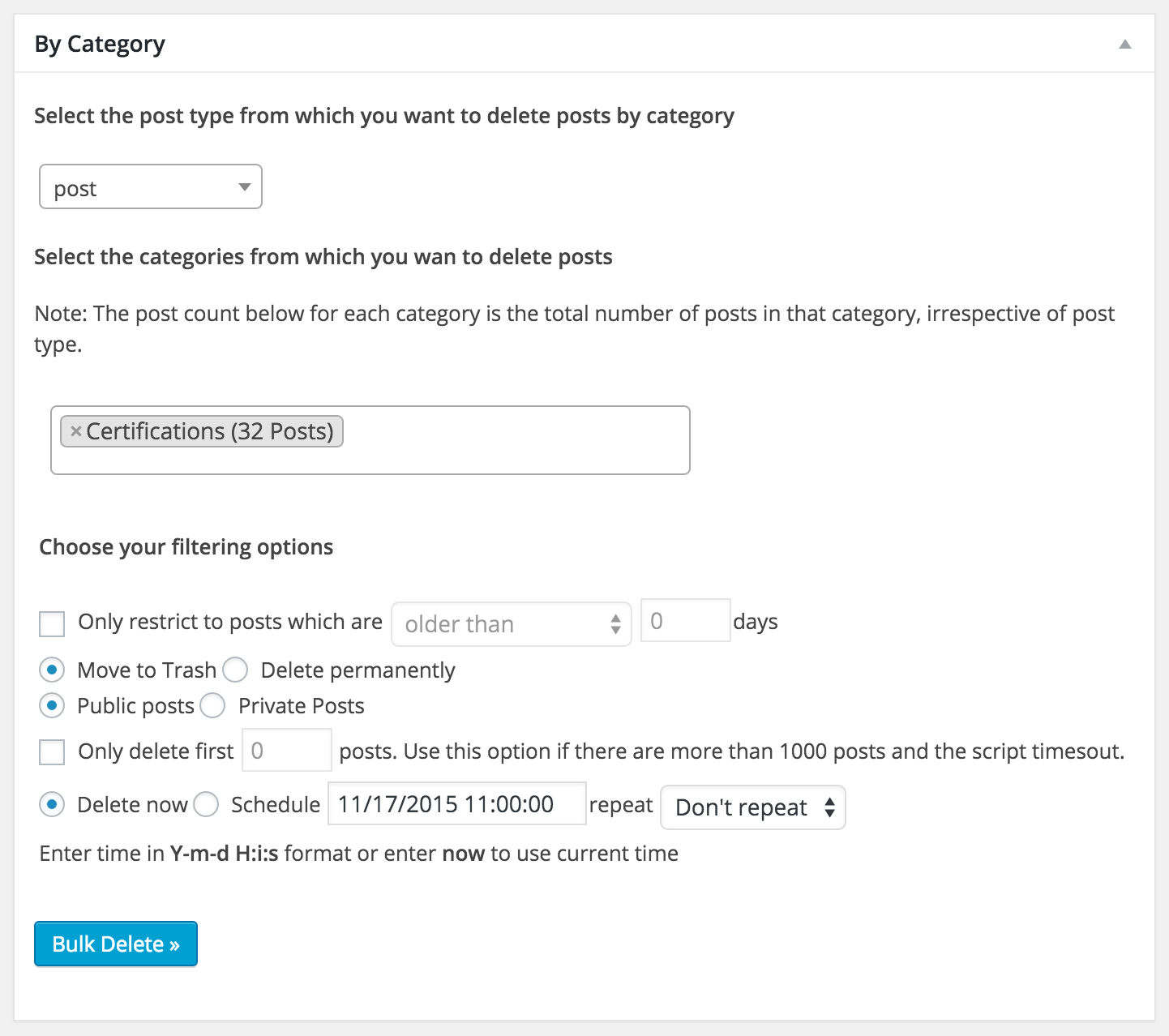
The above screenshot shows how you can delete posts by category. You can choose the post type from which you want to delete the posts.

The above screenshot shows how you can delete posts by tag.
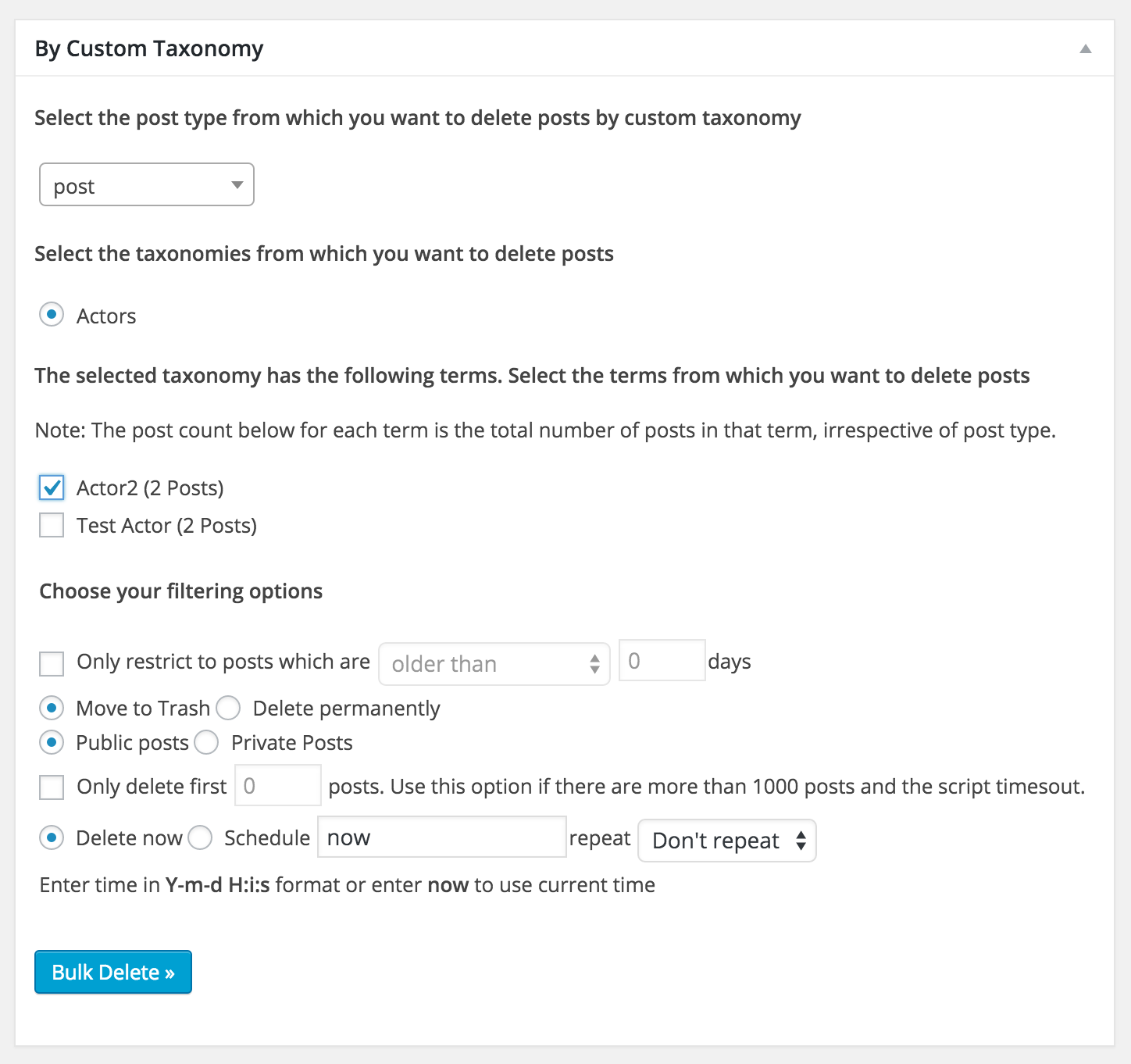
The above screenshot shows how you can delete posts by custom taxonomy. You can choose the post type, taxonomy name and the terms from which you want to delete the posts.

The above screenshot shows how you can delete posts by custom post type.
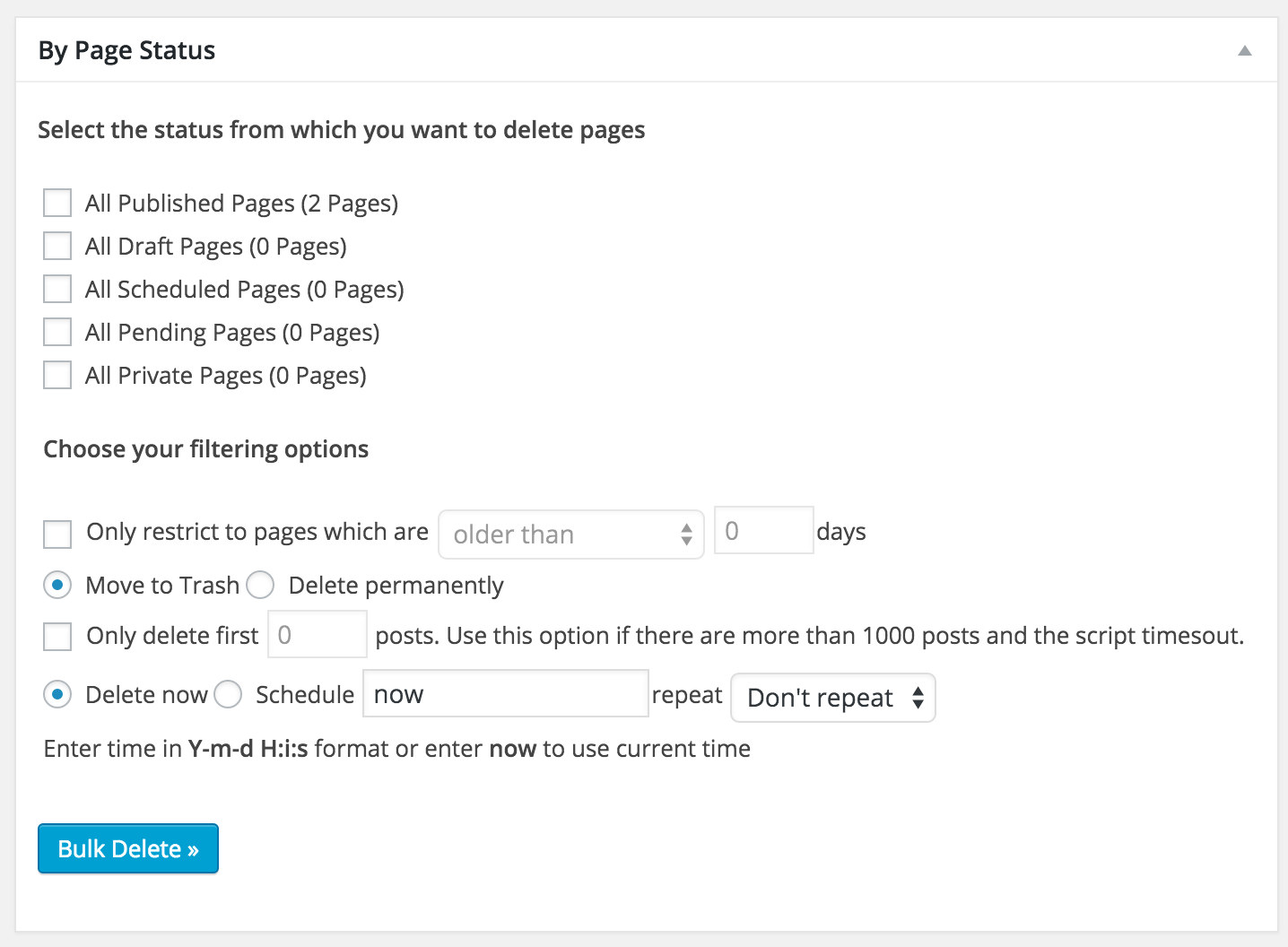
The above screenshot shows how you can delete pages by status. You can choose between published pages, draft pages, pending pages, scheduled pages and private pages.

The above screenshot shows how you can delete users by user role. You can also filter by user’s registered date or login date.

The above screenshot shows how you can delete users by user meta You can also filter by user’s registered date or login date.
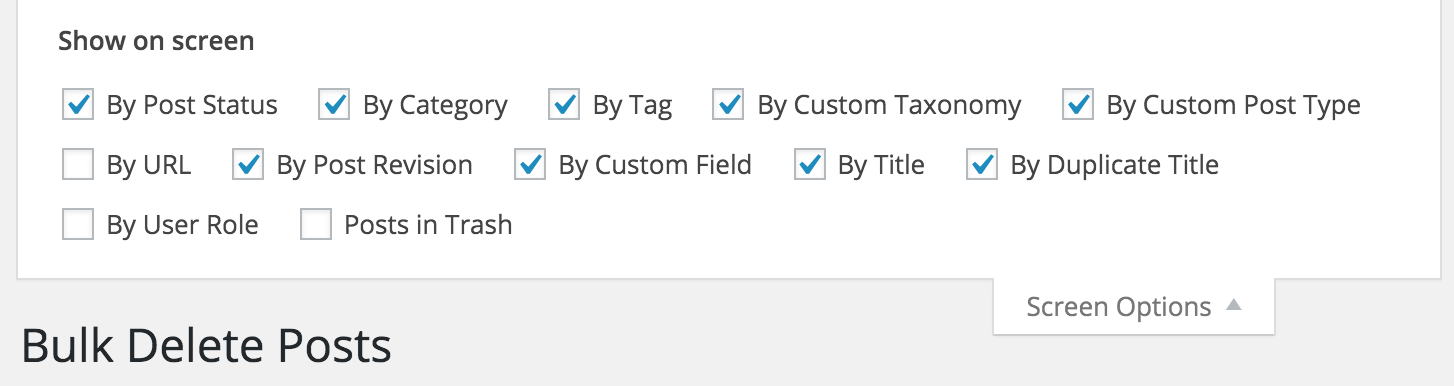
The above screenshot shows how you can enable/disable different sections in the delete posts page of the Plugin. Similarly you can enable different sections in the other pages of the plugin like delete posts, delete pages, delete users, delete meta fields and delete misc.

The above screenshot shows how you can enable/disable different sections in the delete users page of the Plugin.

The above screenshot shows how you can enable/disable different sections in the delete meta fields page of the Plugin.
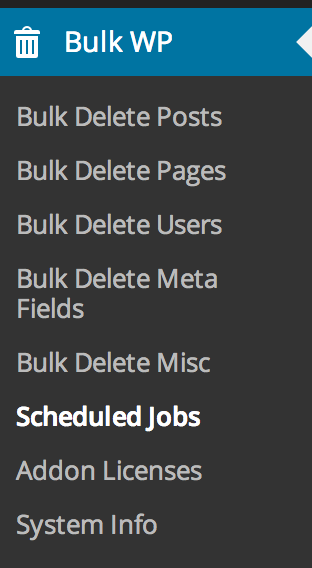
The above screenshot shows the different pages that are available in the plugin.

The above screenshot shows how you can schedule auto delete of posts. Note that this feature is available only when you buy PRO.


Installation
The simplest way to install the plugin is to use the built-in automatic plugin installer. Go to plugins -> Add New and then enter the name of the plugin to automatically install it.
If for some reason the above method doesn’t work then you can download the plugin as a zip file, extract it and then use your favorite FTP client and then upload the contents of the zip file to the wp-content/plugins/ directory of your WordPress installation and then activate the Plugin from Plugins page.
FAQ
-
After installing the Plugin, I just see a blank page.
-
This can happen if you have huge number of posts and your server is very underpowered. Check your PHP error log to see if there are any errors and correct them. The most common problems are script timeout or running out of memory. Change your PHP.ini file and increase the script timeout and/or amount of memory used by PHP process.
In particular try to change the following settings
max_execution_time = 600– Maximum execution time of each script, in secondsmax_input_time = 30– Maximum amount of time each script may spend parsing request datamemory_limit = 256M– Maximum amount of memory a script may consume
You can also try to disable different sections of the Plugin, if you have huge number of posts.
-
How do I disable different sections of the Plugin
-
You can enable or disable different sections of the Plugin by choosing the required modules in the screen option. You can open screen options by clicking the link in the top right corner of the Plugin page.
-
Is it possible to restore the posts that I have deleted through the Plugin?
-
If you choose the option “Move to trash” then you can find them from trash. But if you choose “Delete permanently”, then it is not possible to retrieve the posts. So be very careful.
-
Is it possible that some Plugin are not compatible with Bulk Delete?
-
Yes. If a Plugin rewrites the query vars by using
add_filter( 'pre_get_posts' )then it may be incompatible with this Plugin.If you find any Plugin with which Bulk Delete doesn’t work, then let me know and I will try to see if I can add support through some hack.
-
Is it possible to schedule deletion of posts?
-
The ability to schedule deletion of posts is available in PRO.
-
I have a question about the pro version, how should I contact you?
-
You can contact us by posting about it in our support forum.
Reviews


Contributors & Developers
“Bulk Delete” adalah perisian sumber terbuka. Orang-orang berikut telah menyumbang kepada pemalam ini.
Penyumbang
“Bulk Delete” telah diterjemahkan ke dalam 2 penempatan. Terima kasih kepada para penterjemah untuk terjemahan mereka.
Translate “Bulk Delete” into your language.
Berminat dalam pembangunan?
Layari kod, periksa repositori SVN, atau langgani log pembangunan dengan RSS.
Changelog
2025-12-23 – v6.11
- major rewrite and cleanup
2025-09-06
- WebFactory took over development
- full rewrite will follow soon
2019-04-11 – v6.0.2
Enhancements
- Show Bulk Delete menu to only administrators.
- Make Delete Comment Meta scheduler more reliable.
- Tweak the message that is shown when a cron job is manually run.
2019-04-09 – v6.0.1
New Features
- Added the ability to choose post status in addition to post type while deleting meta fields.
Enhancements
- Enhanced warning and error messages.
- Enhanced the taxonomy dropdown by grouping built-in and custom taxonomies.
- Enhanced UI for scheduling deletion.
2019-02-22 – v6.0.0 (10th Anniversary release)
New Features
- Added the ability to delete taxonomy terms based on name.
- Added the ability to delete taxonomy terms based on post count.
- Added the ability to delete posts based on comment count.
- Added the ability to delete users who don’t belong to any role (no role).
- Added the ability to reassign posts of a user who is going to be deleted to another user before deletion.
- Added the ability to unstick sticky posts.
- Added support for custom post status.
- Added the ability to delete comment meta based on both meta key and value.
- Complete rewrite of the way deletion is handled to improve performance.
Enhancements
- Load all 3rd party library js and css locally and not from CDN. The plugin can work fully in offline mode.
- Introduced a filter to exclude certain posts or users from getting deleted.
- Display schedule label instead of slug in scheduled jobs list table.
- Lot of UI/UX improvements.
- Fully compatible with from PHP 5.3 to 7.3.
- Fully compatible with Gutenberg.
2018-01-29 – v5.6.1
-
New Features
- Added the ability to delete users based on partial user meta values.
-
Enhancements
- Fixed a typo in filter text.
2017-12-28 – v5.6.0
-
New Features
- Added the ability to delete posts based on custom post status.
- Added the ability to filter delete users based on post count.
- Added the ability to filter the deletion of Jetpack contact messages using various filters.
-
Enhancements
- Now works in PHP version from 5.2 to 7.2
Old Releases
We have made more than 50 releases in the last 10 years. You can read the changelog of all the old releases at https://bulkwp.com/bulk-delete-changelog/
