EN
EN RU
RU CN
CNImages have become a cornerstone of modern digital content—from blog illustrations and product galleries to machine learning datasets and academic research. And when it comes to finding visual data, Google Images is still one of the most comprehensive sources available.
But manually saving images one by one? That’s time-consuming, inefficient, and practically impossible at scale. That’s where web scraping comes in. With the right Python tools and a smart setup, you can build a Google image scraper to automate the entire process—saving hours of work while gathering exactly the data you need.
In this guide, we’ll show you how to scrape Google Images using Python step by step. We’ll walk through everything from setting up your environment and handling dynamic page content to integrating proxies like NetNut for seamless, large-scale scraping without hitting IP blocks.
Is It Legal to Scrape Google Images?
Before diving into the technical side of things, it’s crucial to understand the legal boundaries of image scraping.
Google’s Terms of Service
Google’s terms generally prohibit automated access to its services, including Google Images. While scraping metadata (like image URLs) might not raise immediate red flags, downloading and reusing images without permission could lead to copyright issues—especially if those images are protected by their original creators.
Metadata vs. Content
It’s important to distinguish between scraping:
- Image metadata (e.g., URLs, titles, source domains) — relatively low-risk.
- Image files themselves — potentially risky if reused without permission.
When Is It Okay?
- Personal or academic use with no redistribution is typically safer.
- Public domain or Creative Commons images can often be reused with attribution.
- Using scraped images in commercial projects? You’ll want to double-check usage rights or look into reverse image lookup tools for licensing info.
Bottom line: scraping isn’t inherently illegal, but how you use the scraped data matters. Stay informed, and when in doubt—ask or avoid.
How Google Image Search Works
Scraping Google Images isn’t as straightforward as pulling data from a static webpage. The results are dynamically loaded as you scroll, meaning the images only appear after a browser event triggers more content to load.
Dynamic Loading
Google uses JavaScript-based infinite scroll, meaning that only a limited number of images appear at first. As users scroll down, new results load dynamically into the page. This makes it impossible to scrape all results using basic HTML requests alone.
Complex DOM Structure
Image metadata, source URLs, and thumbnails are buried deep within dynamically generated <div> structures. To access them, your scraper needs to interact with a fully rendered version of the page—just like a real browser would.
Why This Matters
To handle these technical hurdles, you’ll need a headless browser automation tool like Selenium or Playwright. These tools render the page in the background, scroll down to load more images, and allow you to extract the data once it’s all visible.
And if you’re planning to scrape large volumes or run repeated queries, you’ll want to route your requests through rotating residential proxies (like NetNut’s) to avoid hitting Google’s rate limits or triggering CAPTCHAs.
Tools You’ll Need
Before writing your first line of code, let’s get your toolkit in order. Scraping Google Images efficiently requires a combination of Python libraries, browser automation, parsing tools, and proxies to handle access limits.
Essential Tools
- Python 3.x – The backbone of your scraping project.
- Selenium or Playwright – For browser automation and rendering dynamic content.
- Selenium is more familiar to many developers.
- Playwright offers faster performance and better support for newer browser features.
- BeautifulSoup – Great for parsing HTML after rendering.
- Requests (optional) – If you’re only downloading images once you have URLs.
Proxy Provider
- NetNut Residential Proxies – Ideal for high-volume scraping. Their rotating IP network helps you avoid bans, CAPTCHAs, and throttling by making your traffic look like it’s coming from real users across various locations.
Optional Extras
- Pillow or OpenCV – For image validation or post-processing.
- Pandas – If you want to store and analyze image metadata.
Step-by-Step: Scraping Google Images With Python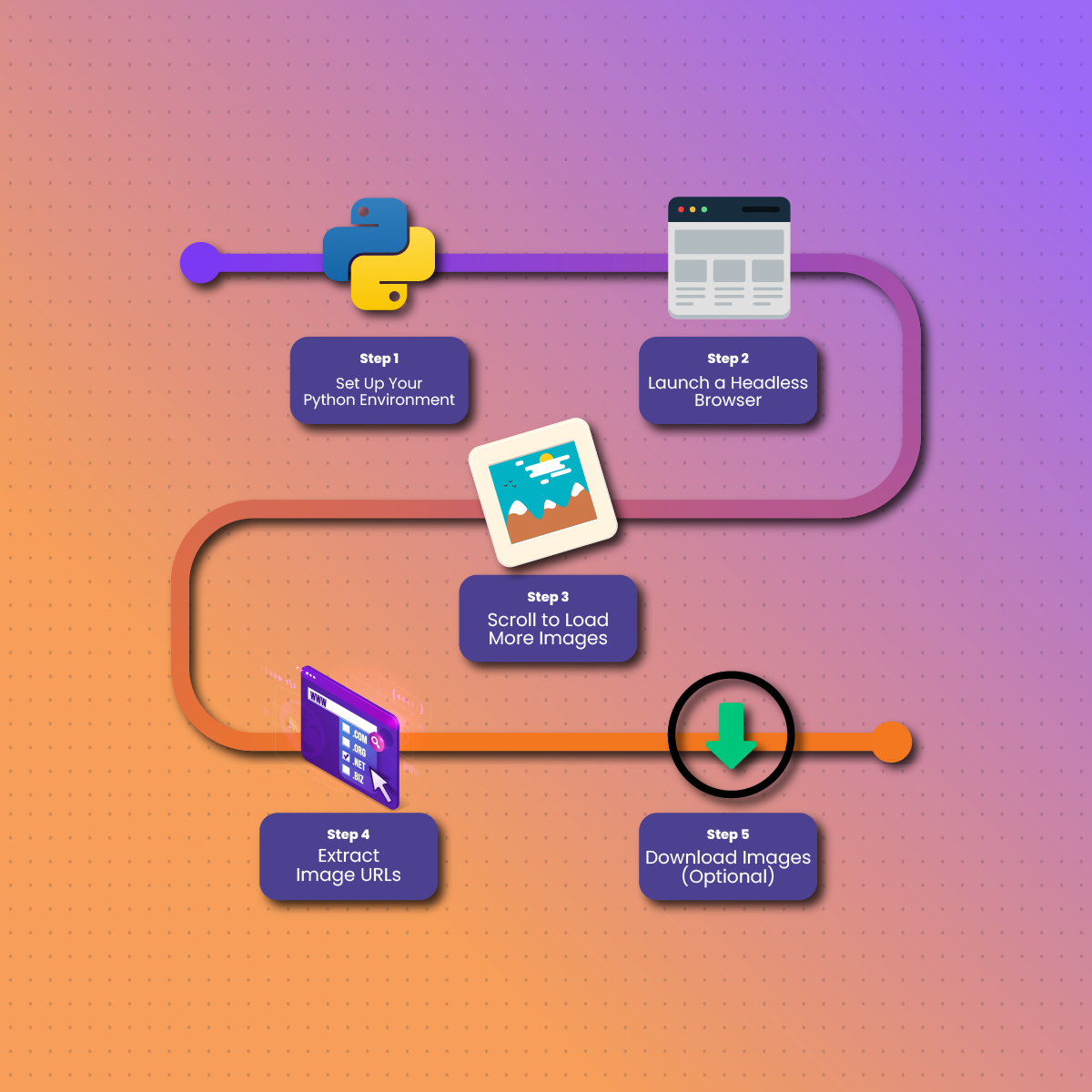
Let’s walk through the full process of building your Google image scraper using Python.
Step 1: Set Up Your Python Environment
Start a new Python script and import your libraries. Choose either Selenium or Playwright based on your preference.
Step 2: Launch a Headless Browser
Use a headless browser to open Google Images and enter a search query
Step 3: Scroll to Load More Images
Automatically scroll the page to load more images.
Step 4: Extract Image URLs
Use BeautifulSoup or Selenium to extract src or data-src attributes from <img> tags.
Step 5: Download Images (Optional)
With URLs in hand, use requests to download the images, saving them locally with meaningful filenames.
Proxy Integration: Why It Matters
If you’re scraping at scale, there’s a high chance Google will detect and restrict your access. Proxies solve this problem by masking your real IP address and rotating through multiple IPs.
Why Use Proxies Like NetNut?
- Avoid IP Bans: Each request looks like it comes from a different user.
- Bypass CAPTCHAs: Proxies reduce the chances of hitting security challenges.
- Geo-Targeting: Want region-specific image results? NetNut allows precise location targeting with real ISP-level proxies.
How to Add Proxies to Your Scraper
By incorporating a proxy network, your Google Image scraper becomes more stable, scalable, and capable of running continuously without interruption.
Handling Common Challenges
Scraping Google Images can be surprisingly unpredictable. Between changing page structures and security features, it’s not uncommon to run into roadblocks. Here’s how to handle some of the most frequent challenges:
1. CAPTCHA Triggers
Google will throw CAPTCHAs if it suspects automated access. These are hard to solve programmatically. Your best defenses:
- Use rotating residential proxies like NetNut to simulate organic browsing behavior.
- Slow down your scraping with sleep() delays between scrolls and clicks.
- Rotate user agents to mimic different browsers and devices.
2. Broken or Redirected Image URLs
Some image URLs you scrape may be thumbnails or redirect to another server. To fetch the actual image:
- Look for data-src or data-iurl attributes (not just src).
- When available, click on the thumbnail using automation and extract the image from the side preview panel.
3. Changing HTML Structure
Google frequently updates its layout, which can break your scraper overnight.
- Use robust selectors (like XPath) that depend on structure, not class names.
- Regularly inspect the live page’s source to keep your scraping logic updated.
4. Infinite Scroll Freezes
Sometimes the scroll function doesn’t trigger new results. Try:
- Adding random delays between scrolls.
- Using JavaScript click triggers on “Show more results” buttons if they appear.
Responsible Image Use and Attribution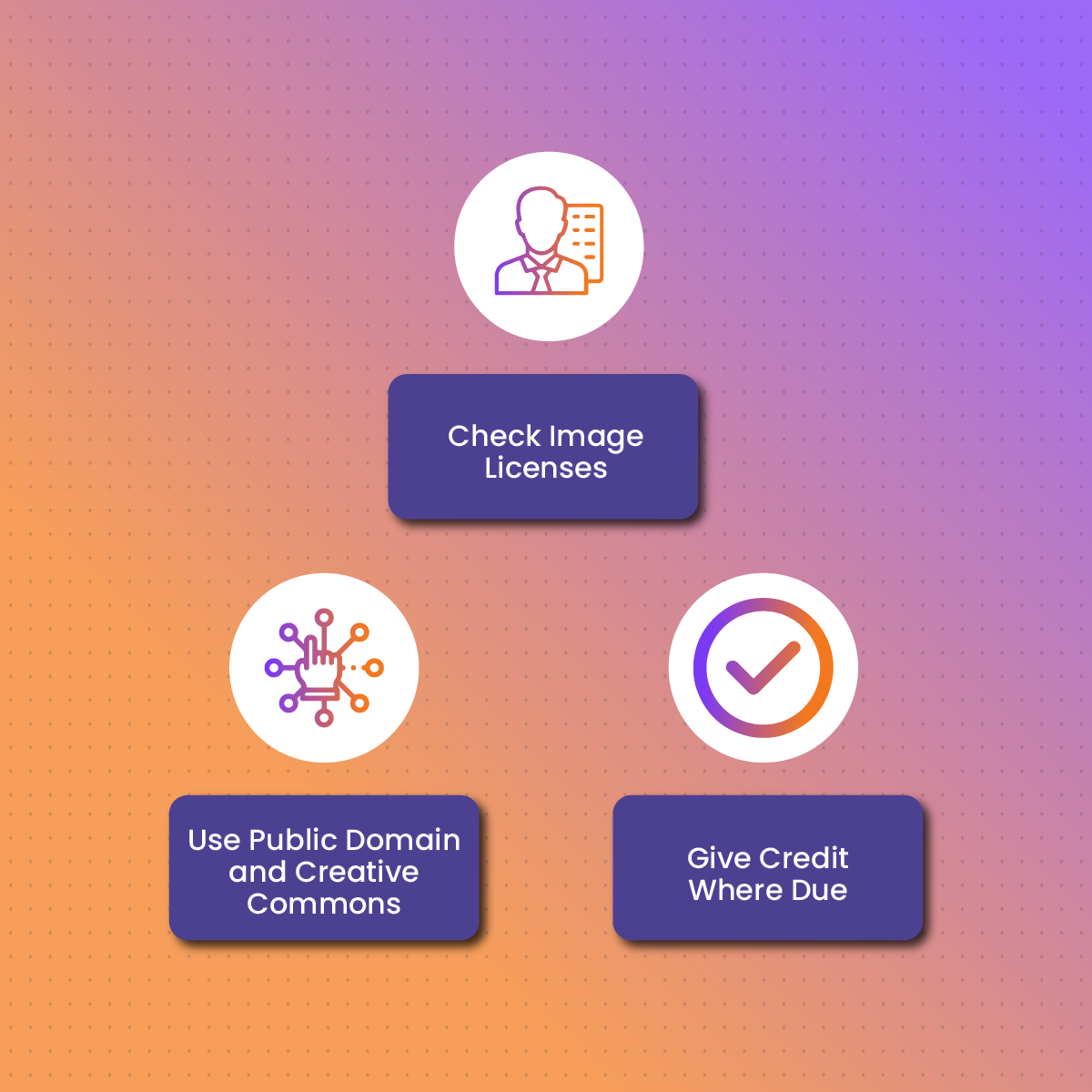
With great scraping power comes great responsibility. Just because you can download images doesn’t mean you’re free to use them however you want.
1. Check Image Licenses
Many images indexed by Google are copyrighted. Use tools like:
- Google’s “Usage Rights” filter in Image Search
- Reverse image search (e.g., TinEye) to find the original source and license
2. Use Public Domain and Creative Commons
Look for images explicitly licensed for reuse, modification, or commercial use. Great sources include:
- Wikimedia Commons
- Flickr Creative Commons
- Unsplash or Pexels (via their own APIs)
3. Give Credit Where Due
If you plan to use scraped images in publications or public projects, always credit the original creator where applicable. When in doubt—link back or avoid.
Final Thoughts On Scraping Google Images
Scraping Google Images with Python opens up countless possibilities—from building machine learning datasets and enhancing content strategies to automating visual research across topics. But while the technical process can be streamlined with tools like Selenium, Playwright, and BeautifulSoup, the real challenge lies in maintaining access and navigating Google’s anti-bot defenses.
That’s where smart scraping strategies come in—like using randomized user agents, scrolling intervals, and most importantly, rotating residential proxies from providers like NetNut. These techniques help your scraper blend in with human traffic and stay under the radar, ensuring more consistent results without the frustration of constant blocks.
Just remember: with scraping comes responsibility. Respect content creators, avoid violating copyright, and always prioritize ethical data usage.
FAQs
Can I legally use the images I scrape from Google?
Not without checking licensing rights. Google indexes content from across the web, and many of those images are copyrighted. Always verify image licenses before using them in commercial or public projects.
How do I avoid getting blocked when scraping images?
Use residential proxies (like those from NetNut), rotate IPs, introduce delays between actions, and vary user-agent headers. These strategies reduce the risk of triggering Google’s bot detection systems.
Is Playwright or Selenium better for scraping Google Images?
Both work well, but Playwright offers better speed and support for newer JavaScript features. If you’re scraping pages with heavy dynamic content, Playwright is often more efficient.
Can I scrape high-resolution versions of Google Images?
Yes, but it requires clicking into each image result to extract the full-resolution URL. This adds complexity to your script but can be automated using tools like Playwright or Selenium.