
Beschrijving
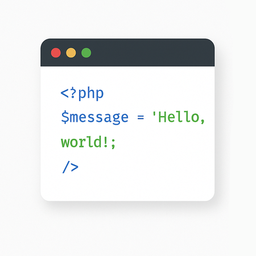
The “Light Code Block” plugin is a simple and lightweight solution for inserting and displaying code snippets in posts and pages.
It works by adding a custom “LC” button to the TinyMCE (Classic) editor or a code block in the Gutenberg editor.
The inserted code will be shown on the front end in a clean, readable format.
Usage
- Install and activate the plugin.
- Go to the post or page edit screen.
- In the TinyMCE (Classic) editor, click the “LC” button in the toolbar.
- In the popup window that opens, paste or write your code, and click OK.
- Save or update your post.
The code will be saved inside a special block and displayed on the front end within a <pre> tag with the class mce-simple-code-block (i.e., <pre class="mce-simple-code-block">...</pre>).
To insert code using the Gutenberg editor, you first need to add a Classic (TinyMCE) block, and then use it to insert your code.
Schermafbeeldingen

The “LC” button in the Classic editor toolbar. 
Popup window for inserting/editing code (Classic version). 
Popup window for inserting/editing code (Gutenberg version). 
Example of a rendered code block on the front end.


Installatie
- Install the “Light Code Block” plugin through the standard WordPress plugin installer.
- Or unzip and upload the “light-code-block” folder to the
/wp-content/plugins/directory. - Activate the plugin through the ‘Plugins’ menu in WordPress.
Beoordelingen
Er zijn geen beoordelingen voor deze plugin.
Bijdragers & ontwikkelaars
“Light Code Block” is open source software. De volgende personen hebben bijgedragen aan deze plugin.
Bijdragers
“Light Code Block” is vertaald in 1 locale. Dank voor de vertalers voor hun bijdragen.
Vertaal “Light Code Block” in je eigen taal.
Interesse in ontwikkeling?
Bekijk de code, haal de SVN repository op, of abonneer je op het ontwikkellog via RSS.
Changelog
1.0.1
- For backward compatibility, the class “mce-simple-block-code” has been added.
1.0.0
- Init release.
