
Beschrijving
Ontdek AVG/GDPR conform analytics met WP Statistics , de eerste keuze voor WordPress gebruikers die op zoek zijn naar een alternatief voor Google Analytics. Geen externe accounts, onbeperkt bezoekers volgen en volledig eigenaarschap van gegevens – alles direct opgeslagen in je WordPress database.
Checkout Demo | View Screenshots
AVG/GDPR conform (gegevens privacy)
WP Statistics voldoet standaard aan AVG/GDPR, CCPA, PECR en cookies.
- We gebruiken geen cookies
- We slaan standaard geen persoonlijk identificeerbare informatie (PII) op
- 100% eigendom van gegevens. Gegevens worden volledig aangemaakt en opgeslagen op je server
- Verbeter IP hashing met willekeurig dagelijks Salt mechanisme
- Functies om gegevens voor AVG/GDPR te exporteren en te verwijderen
- Respect voor gebruikersprivacy met Do Not Track (DNT)
- Privacy Audit Tool voor naleving van privacywetten
Your site won’t need to have a cookie popup since WP Statistics uses cookie-less tracking.
Je kunt meer informatie vinden in “Wat we verzamelen“.
Topfuncties
- Volledige integratie met je WordPress en je inhoudsstructuur en je hebt alle rapporten in je WP dashboard
- Inhoud en categorieanalyse: volg prestaties op basis van de inhoud en categorieën van je site.
- Eenvoudig analyse dashboard
- Super eenvoudig te installeren. Geen codering of technische kennis nodig
- Geavanceerde instellingen voor gegevens privacy die aanpasbaar zijn om aan je behoeften te voldoen, in overeenstemming met diverse gegevens beschermingswetten
- Volg URL parameters, inclusief UTM’s, voor campagne analyse
- With configurable settings, manage large amounts of data on high-traffic websites
- Bewaken van live online gebruikersverkeer in real-time
- Volledig aangepaste overzicht dashboardpagina
- Toont je populairste berichten en pagina’s
- Referrals Tracking: Track and analyze referrals with five reports: Referred Visitors, Referrers, Search Engines, Social Media, and Source Categories. The new Source Categories report includes support for Organic Search, Paid Search, Organic Social, Paid Social, and more.
- Geeft je belangrijkste verwijzingsbronnen weer, zoals zoekmachines
- Auteur analyse: meet de prestaties van auteurs.
- Geografische rapporten: locatiegebaseerde analyses, inclusief landen, steden, Europese landen, Amerikaanse staten en regio’s binnen je land.
- Apparaat analyse: gedetailleerde apparaatspecifieke analyse, inclusief browsers, besturingssystemen, apparaat categorieën en apparaatmodellen.
- Omzeil adblockers: laad dynamisch het tracering script met een unieke naam en adres om adblockers te omzeilen.
- Integreer met WP Consent API: zorgt voor compatibiliteit met toestemming plugins zoals Complianz en Cookiebot.
- E-mailrapporten met aanpasbare inhoud
- Pas rolgebaseerde toegang aan om analyses te bekijken en instellingen te wijzigen.
- Geavanceerde filtering & uitzonderingen: Op basis van gebruikersrollen, IP’s, landen, URL’s en meer.
- Premium Add-on: Data Plus
- Custom Post Type Tracking: DataPlus breidt de tracking van WP Statistics uit om alle aangepaste posttypen op te nemen, naast berichten en pagina’s.
- Custom Taxonomy Analytics: Naast het monitoren van standaardtaxonomieën zoals categorieën en tags, volgt DataPlus ook aangepaste taxonomieën.
- Link Tracker: Ontdek op welke uitgaande links je publiek klikt, waardoor je inzicht krijgt in hun voorkeuren en gedrag.
- Download Tracker: Houd bij wat er wordt gedownload, wie het downloadt en wanneer.
- Individuele auteursprestaties: gedetailleerde statistieken over de prestaties van individuele auteurs.
- Gedetailleerde analyse per land: Diepgaande analyse per land om geografische rapportage te verbeteren.
- En meer!
- Premium Add-on: Marketing
- Campaign Analytics: Track UTM-tagged links and see which campaigns drive the most visitors.
- Google Search Console Integration: Monitor impressions, clicks, and queries.
- Custom Event Tracking: Create goals based on clicks, pageviews, or events and monitor conversions.
- Built-in UTM Link Builder: Generate and validate campaign URLs inside your dashboard.
Get the most out of your website analytics by using WP Statistics Premium Add-ons
Upgrade your analytics toolkit with our range of premium add-ons, including Data Plus, Advanced Reporting, Real-time statistieken, Mini Chart, Marketing, and more. Making informed decisions is easier with these powerful tools.
Special Offer: Save up to 60% on all premium features when you purchase WP Statistics Premium.
Rapporteer bugs
Having trouble with a bug? Please create an issue on GitHub. Kindly note that GitHub is exclusively for bug reports; other inquiries will be closed.
For security vulnerabilities, please report them through the Patchstack Vulnerability Disclosure Program. The Patchstack team will validate, triage, and handle any security issues.
Schermafbeeldingen
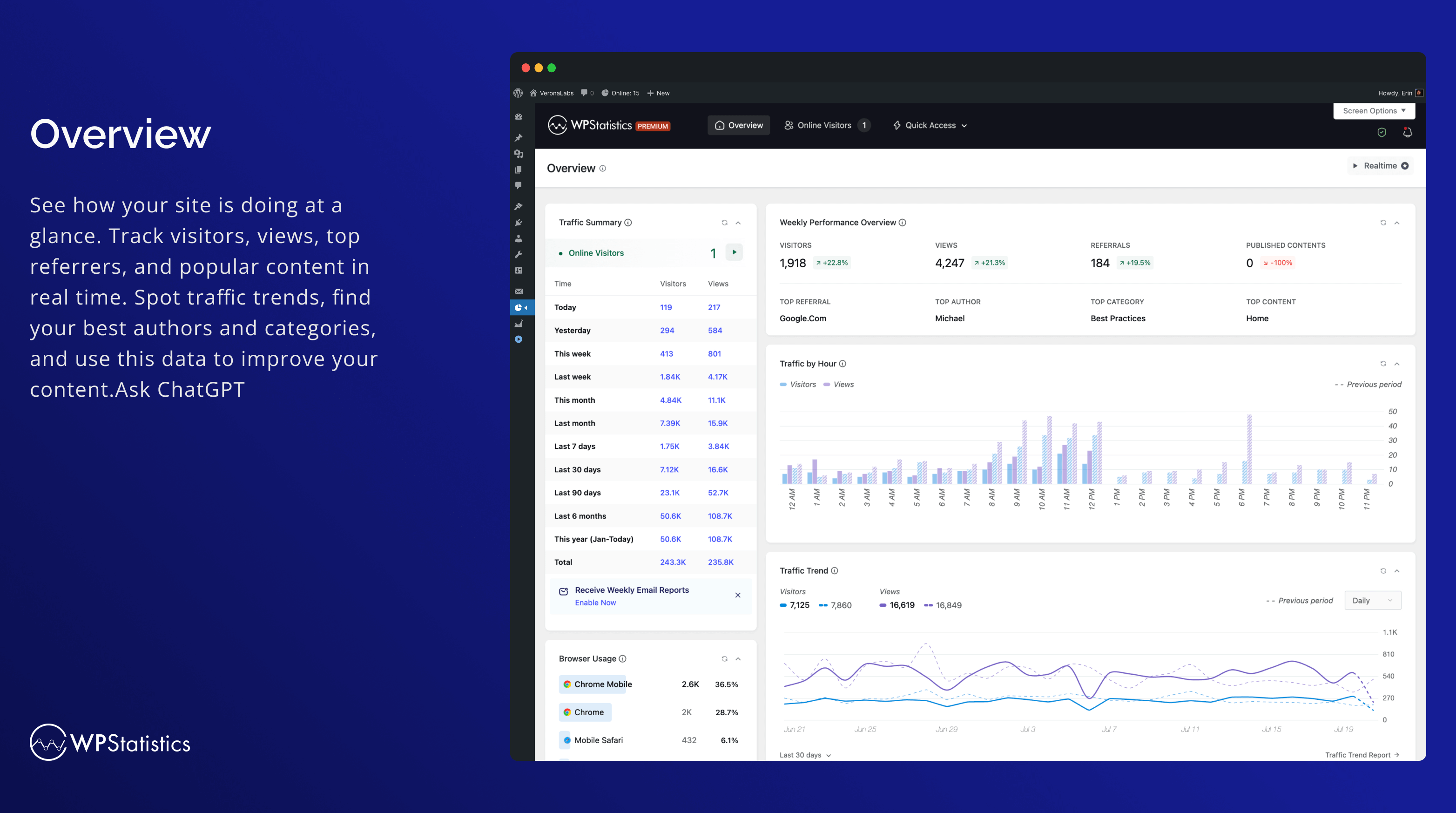
Overzicht 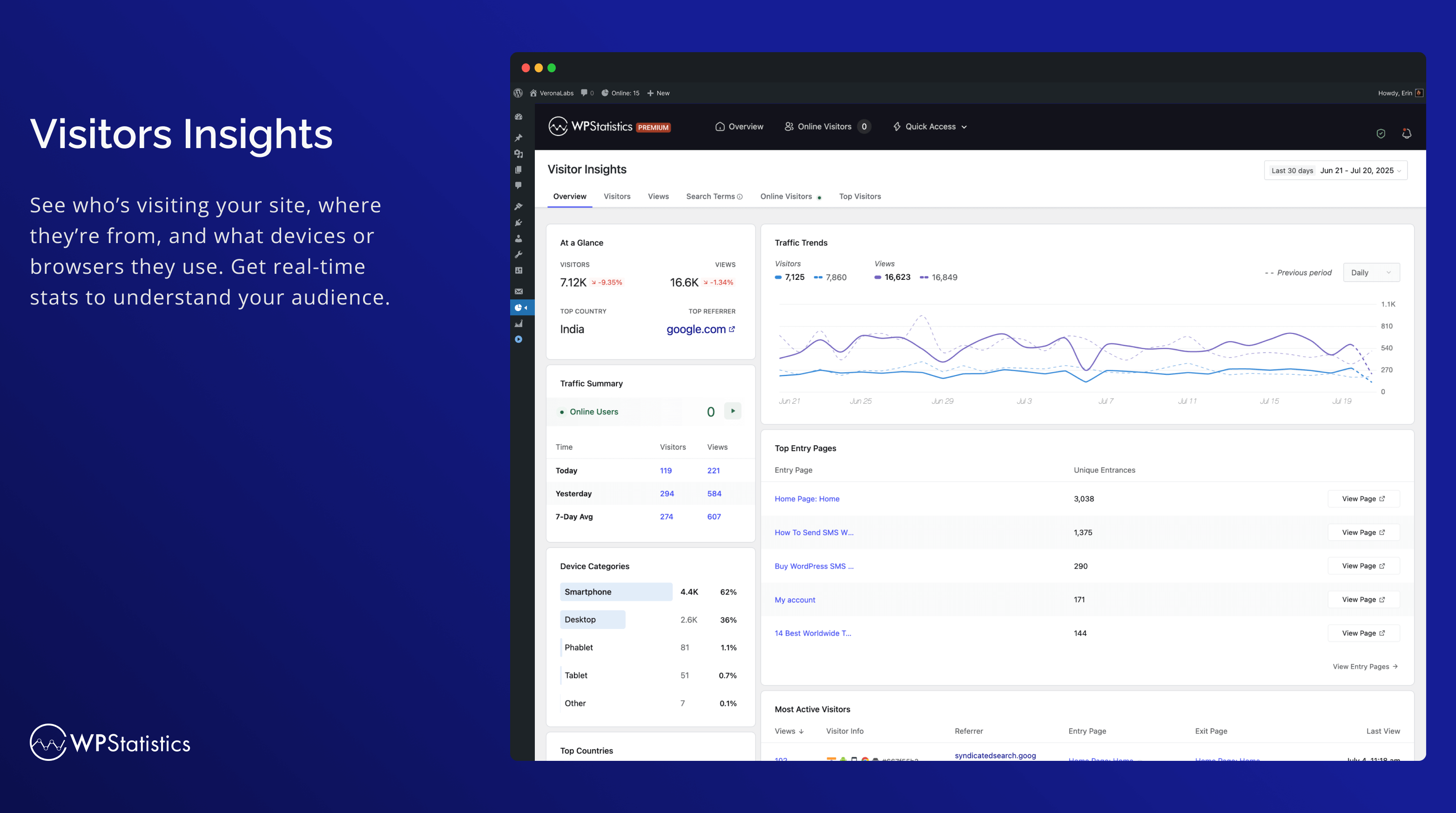
Bezoekersinzichten 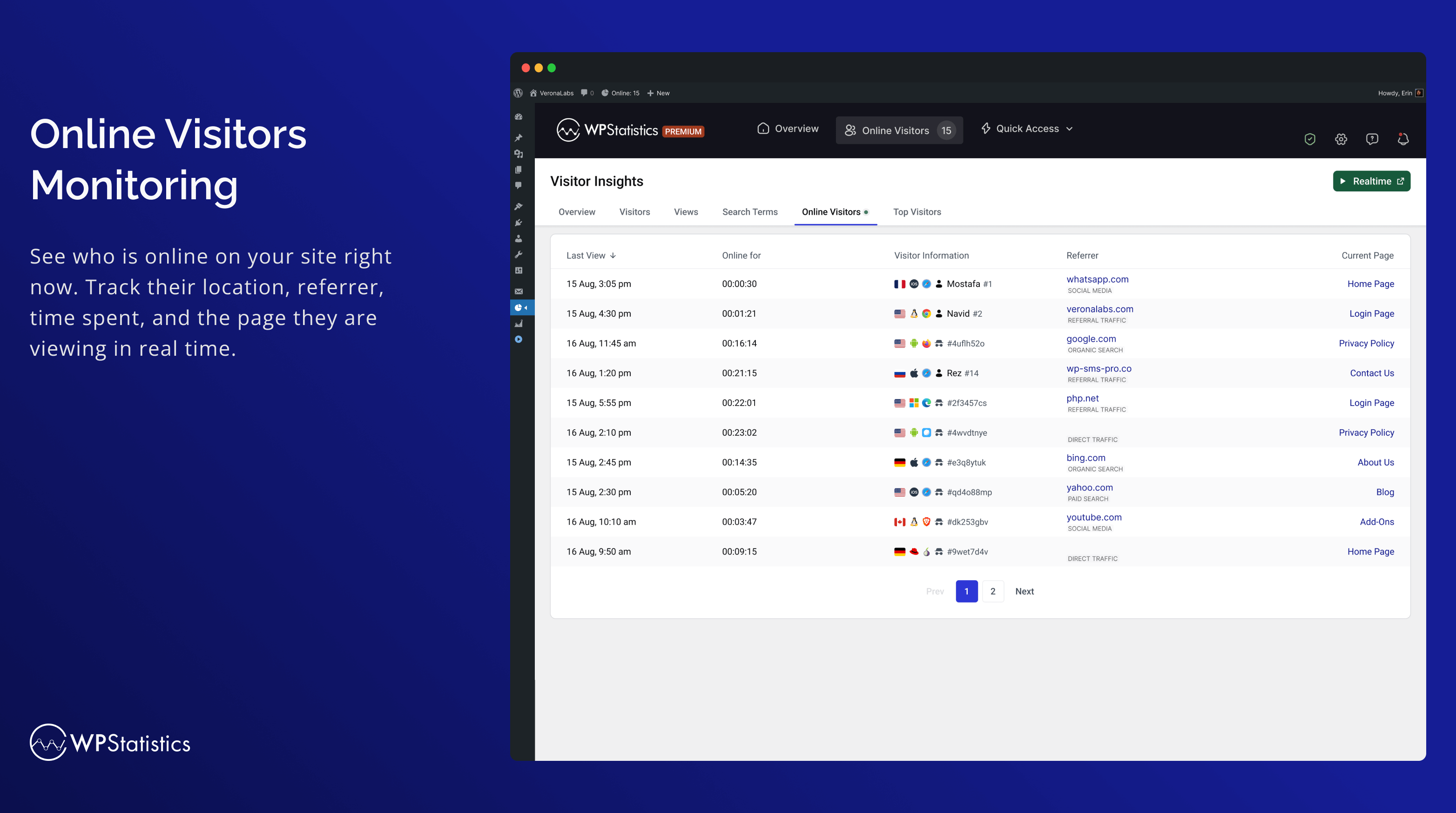
Online bezoekersmonitoring 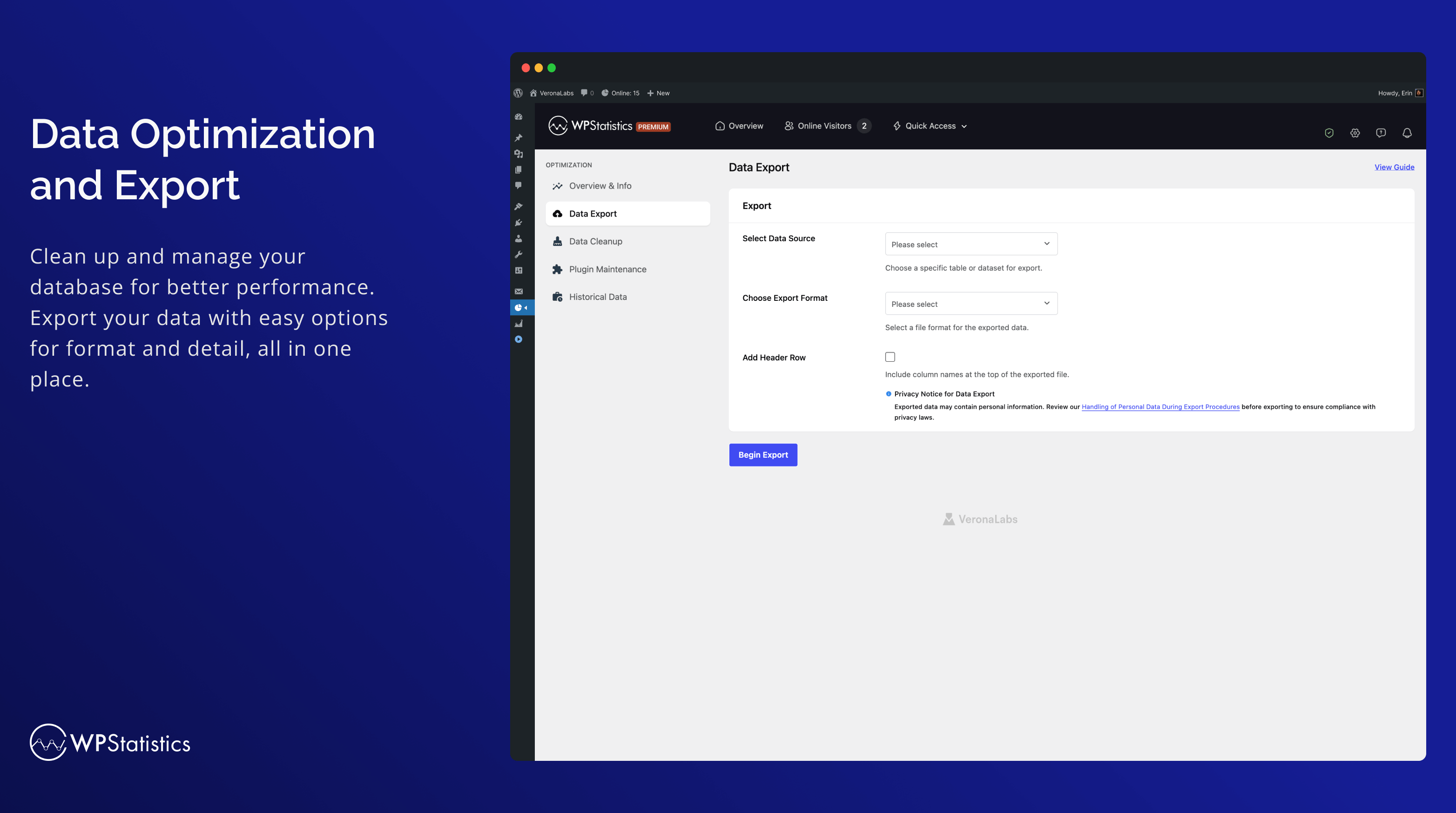
Optimalisatie 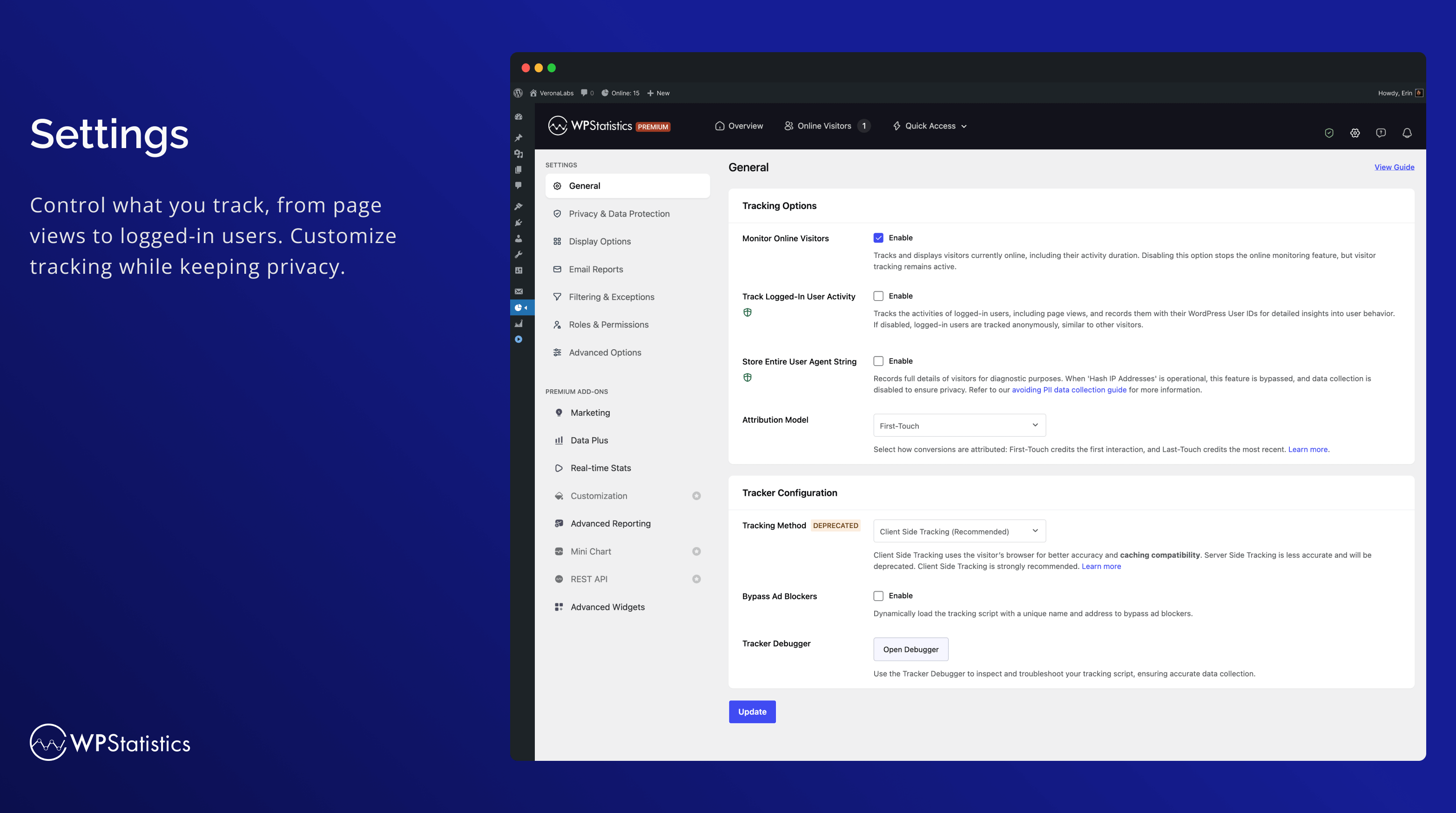
Instellingen 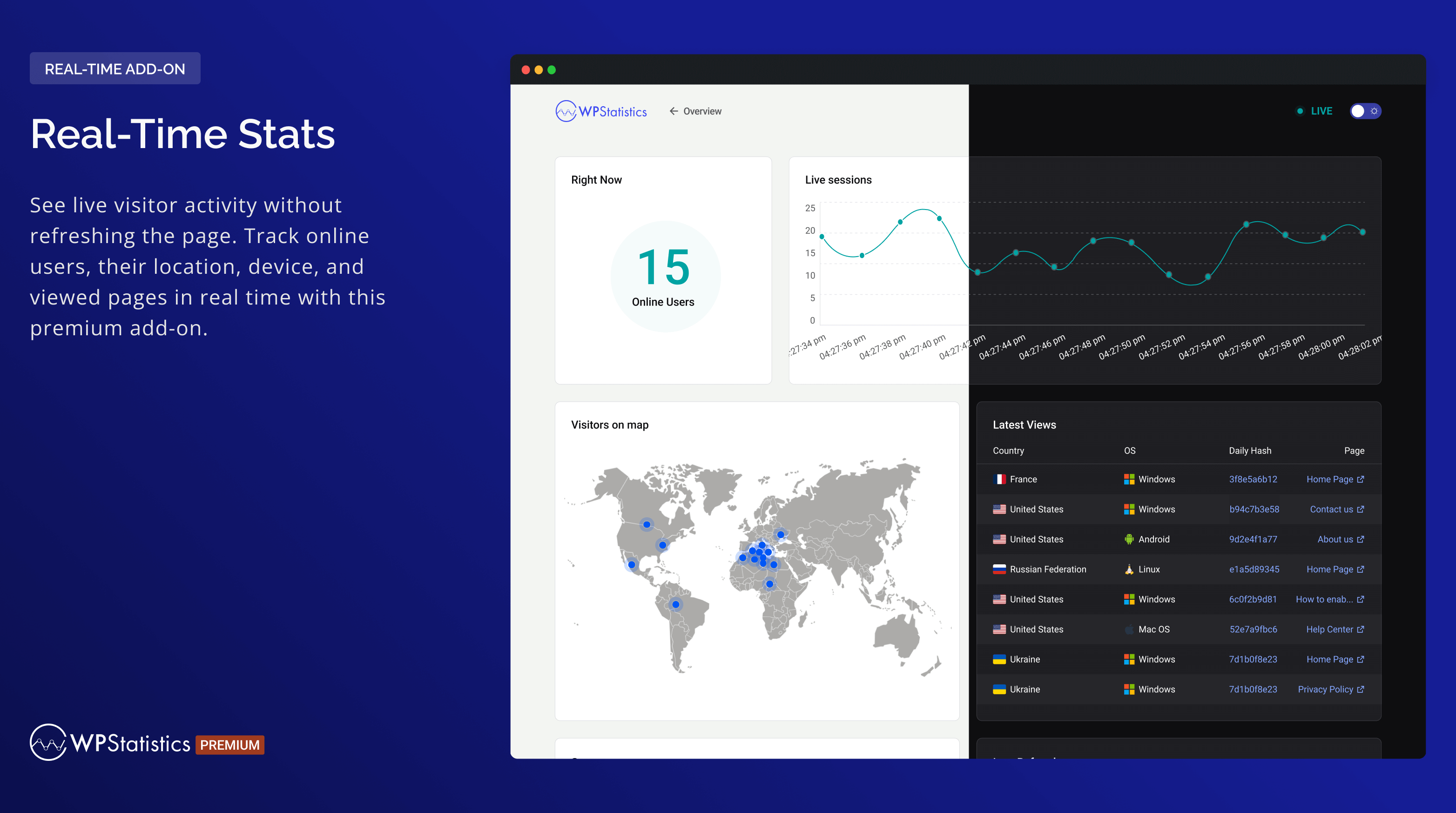
Real-time statistieken 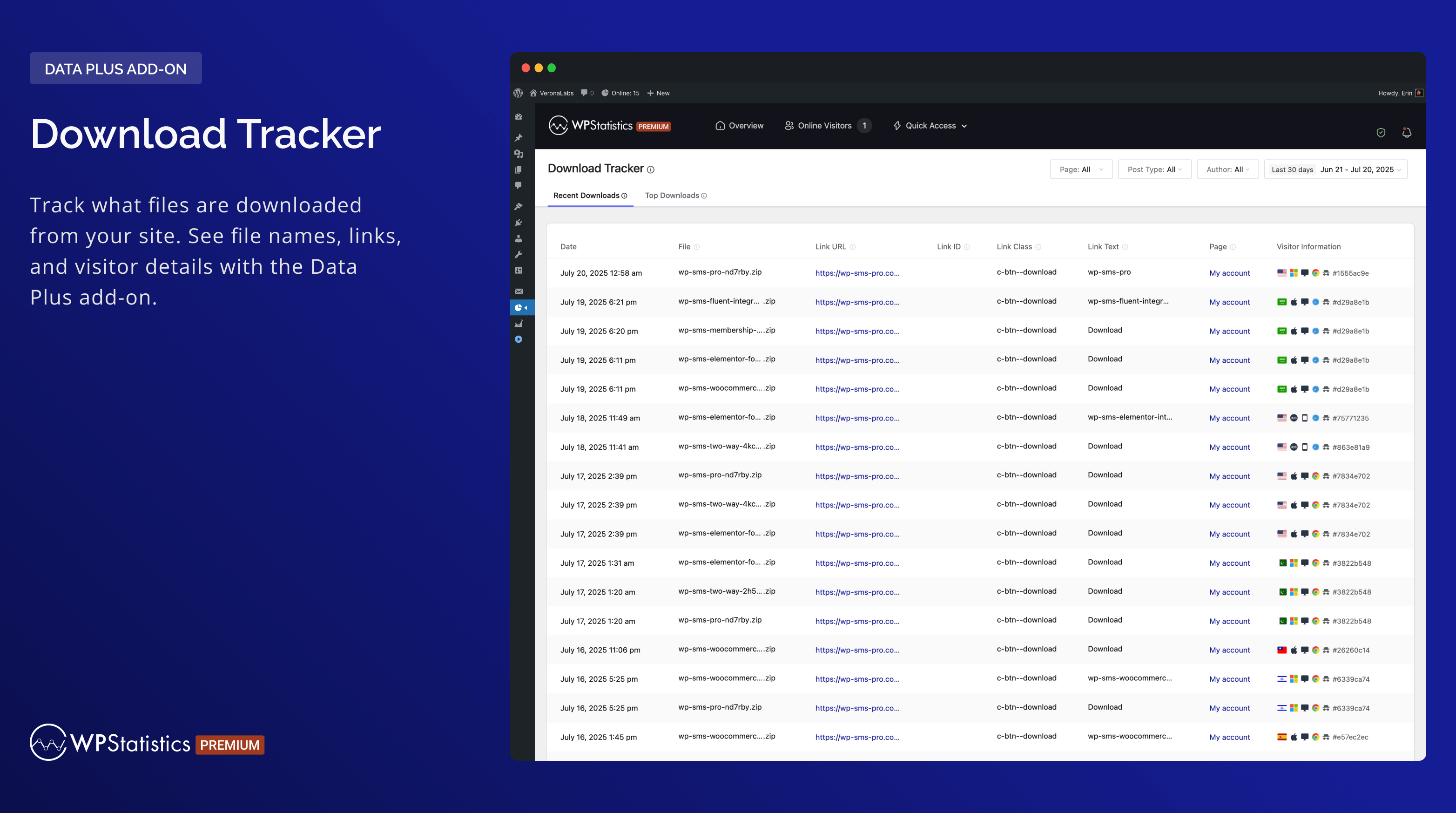
Download tracker 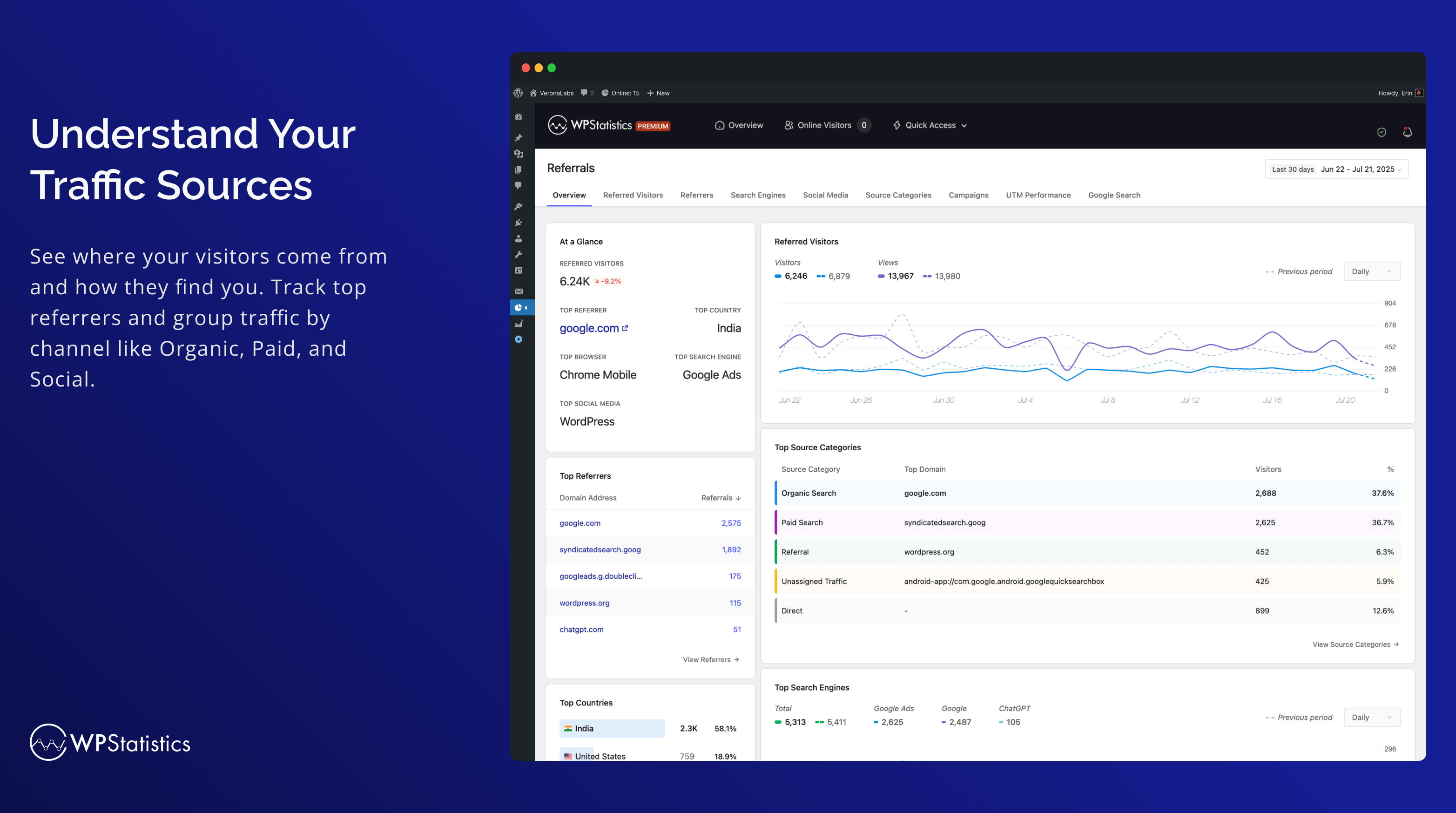
Understand Your Traffic Sources 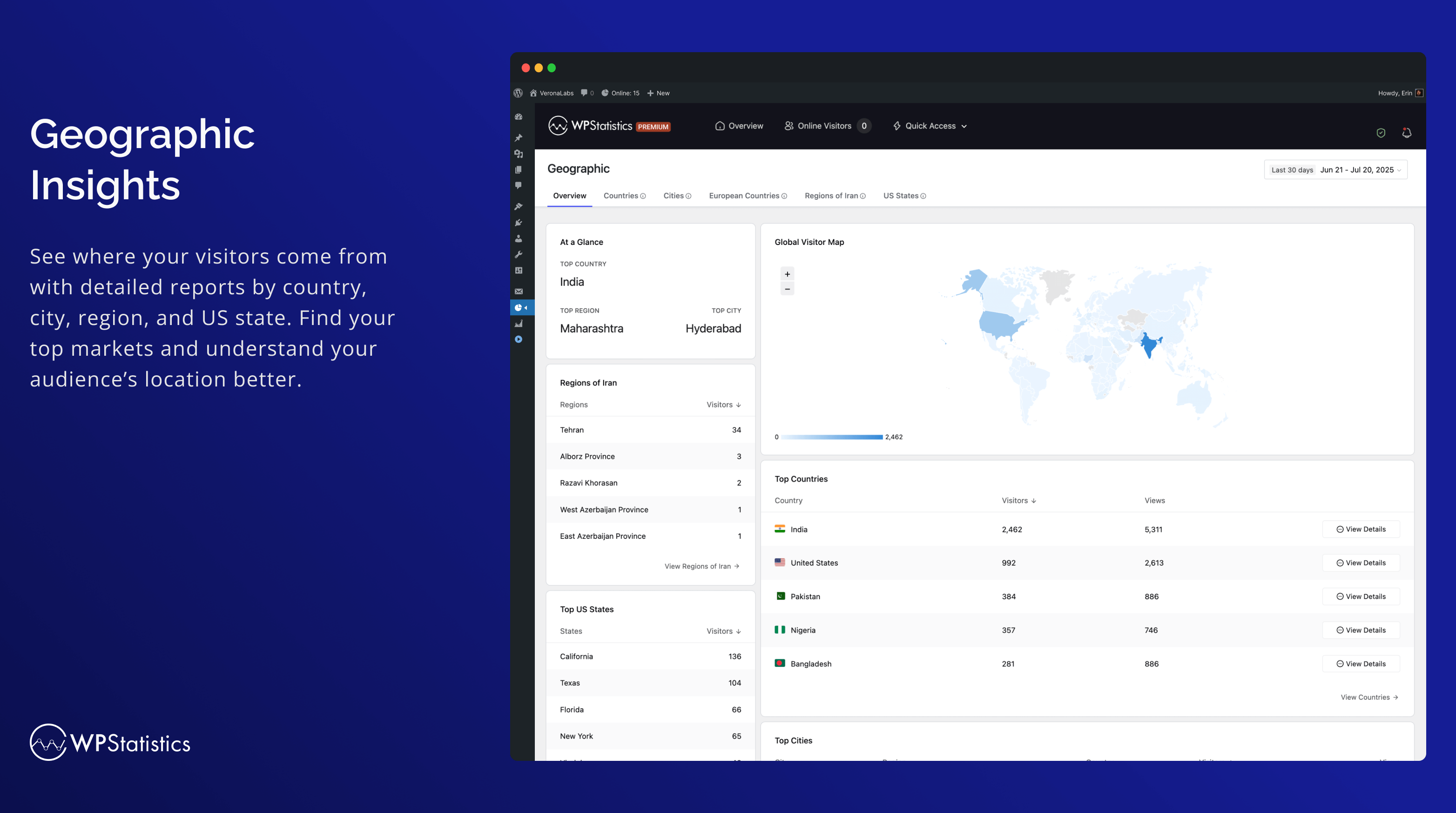
Geografisch 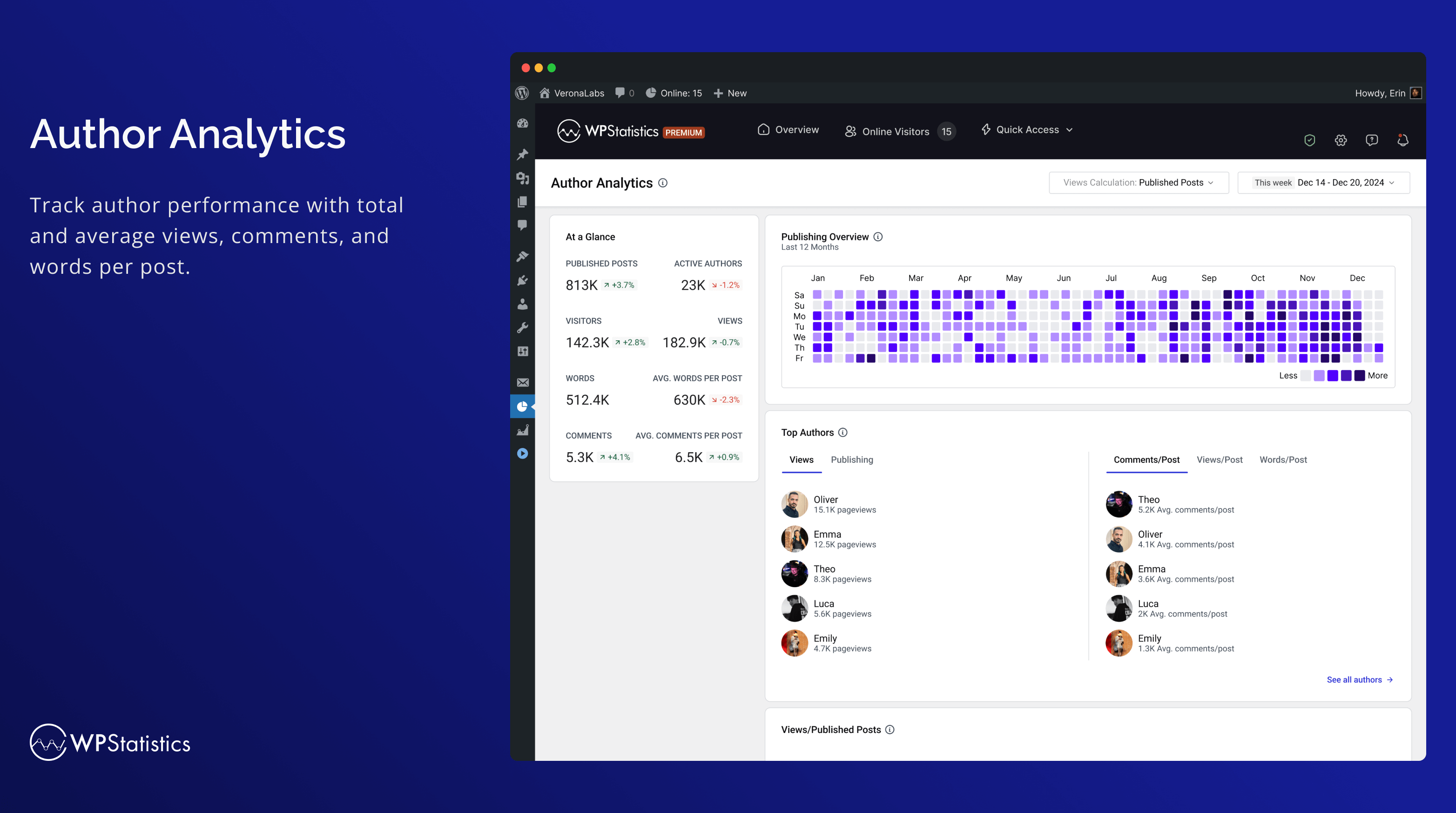
Auteur analyse 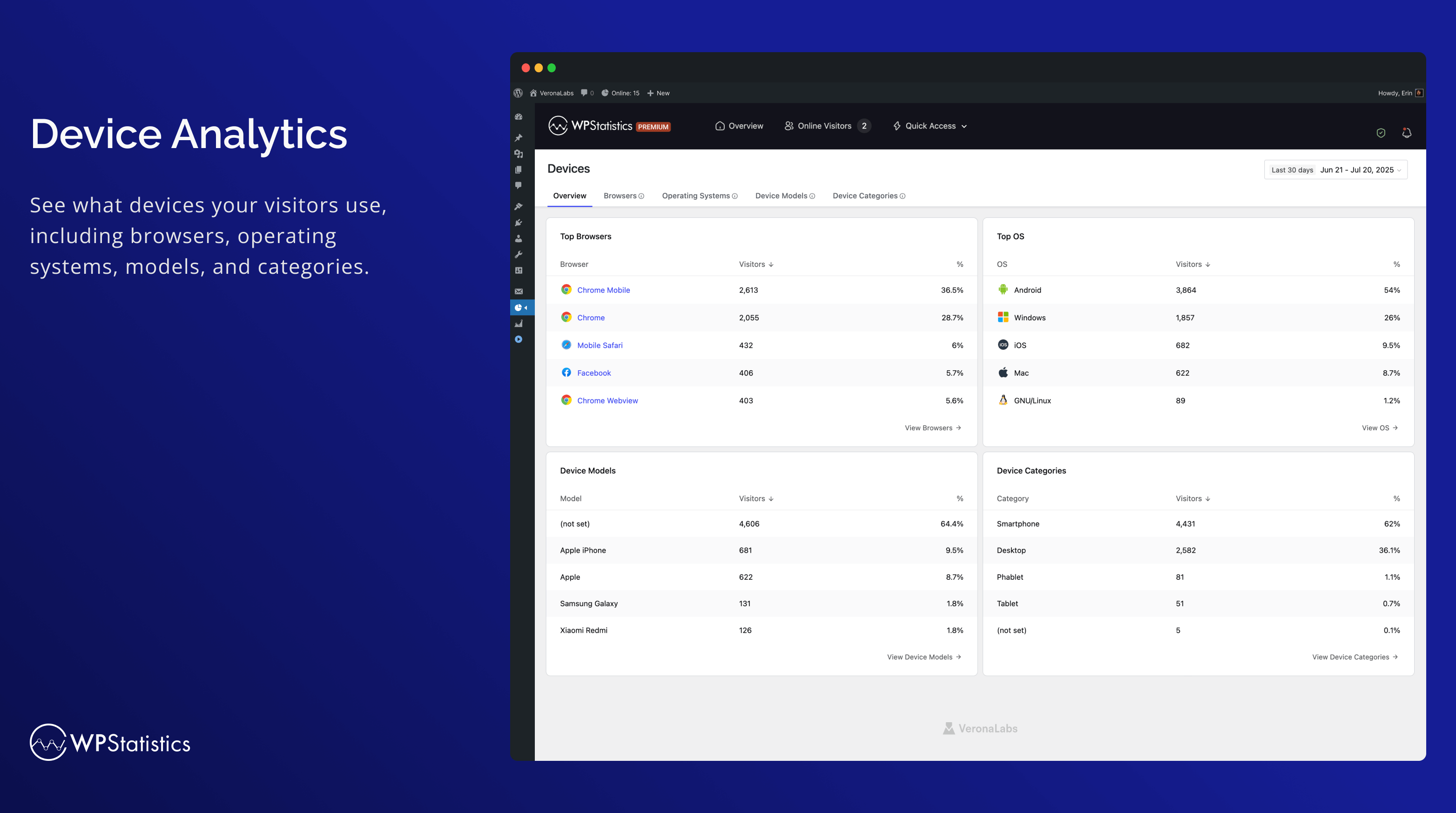
Apparaten 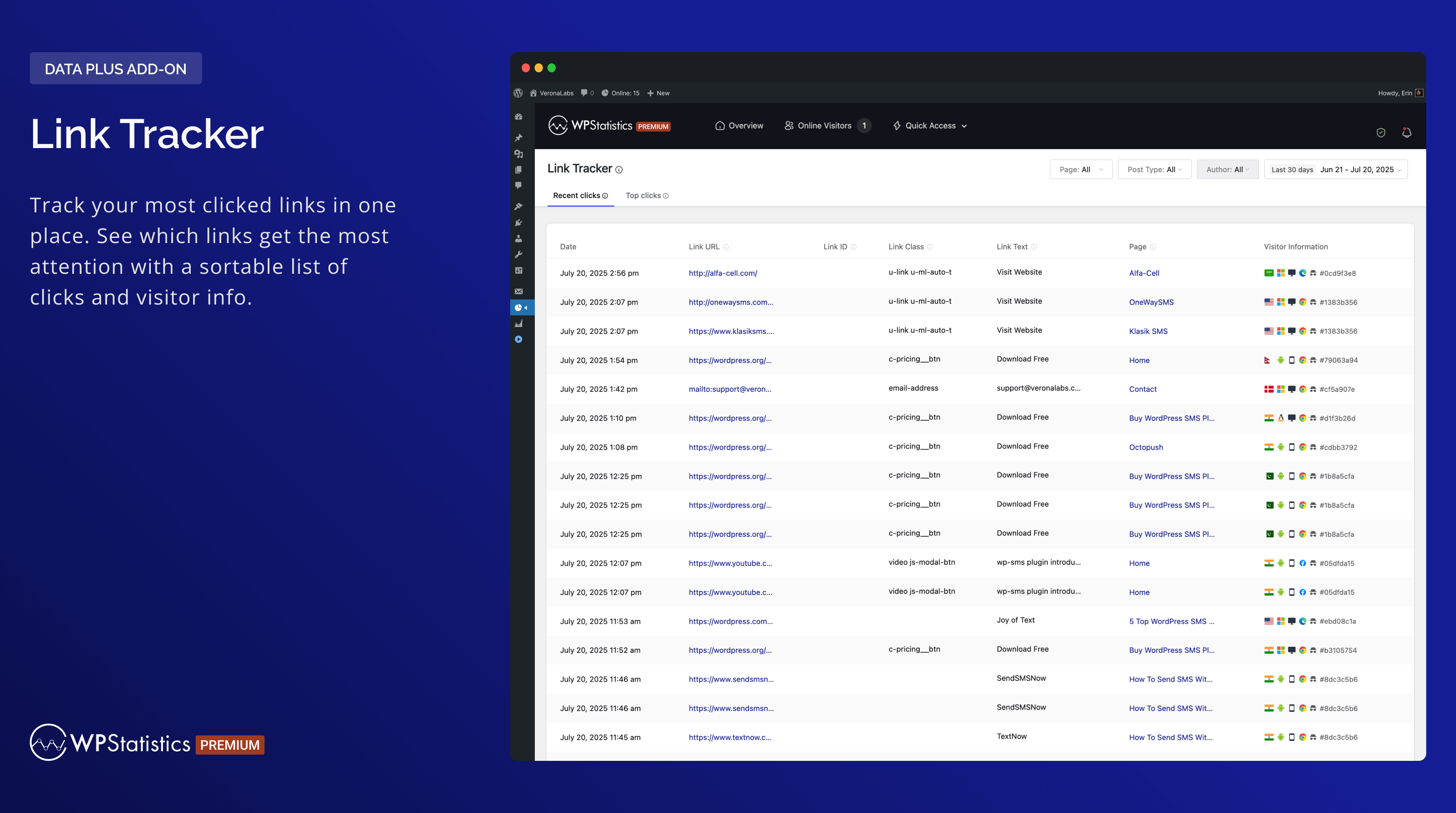
Link tracker 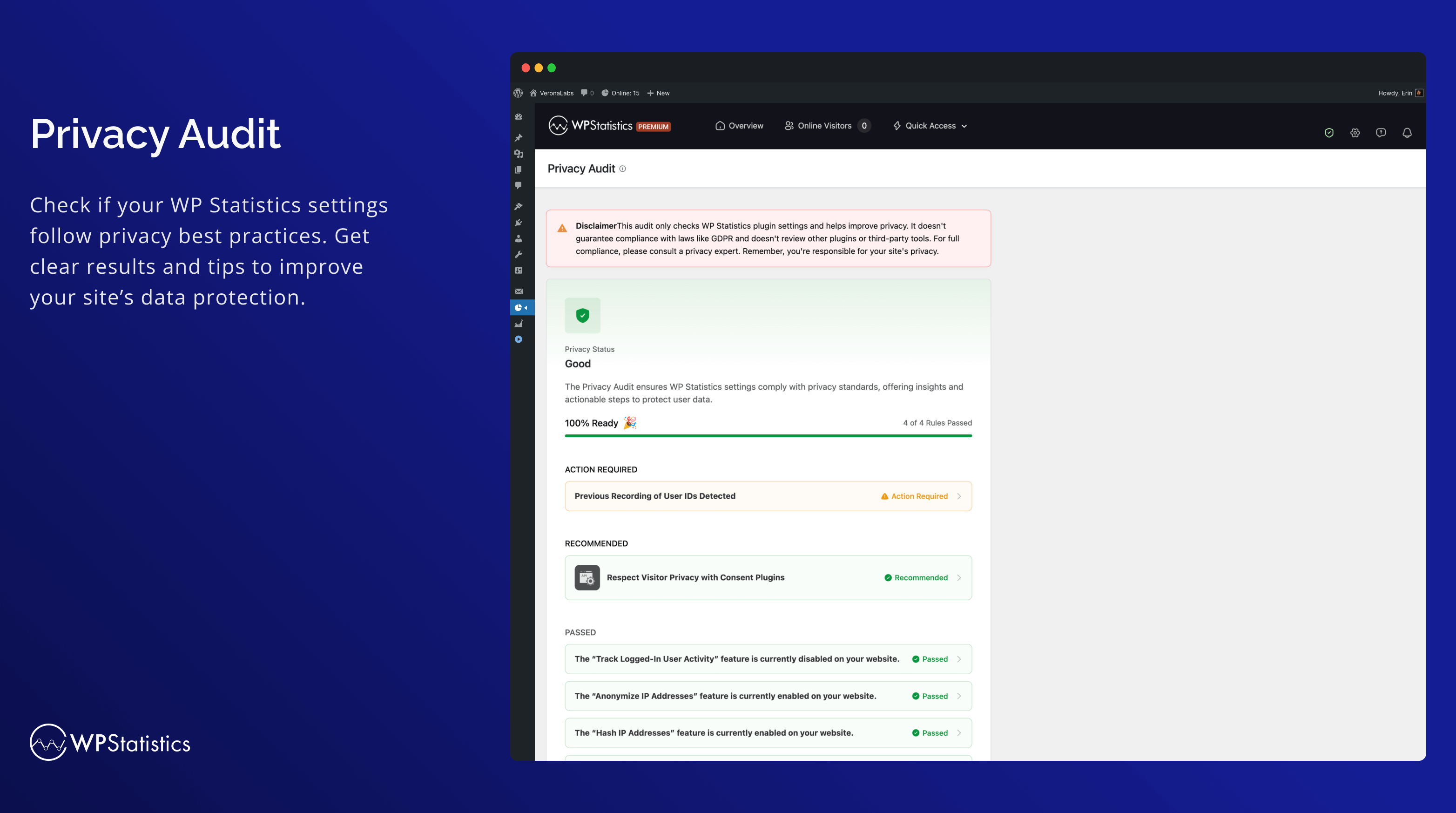
Privacy audit 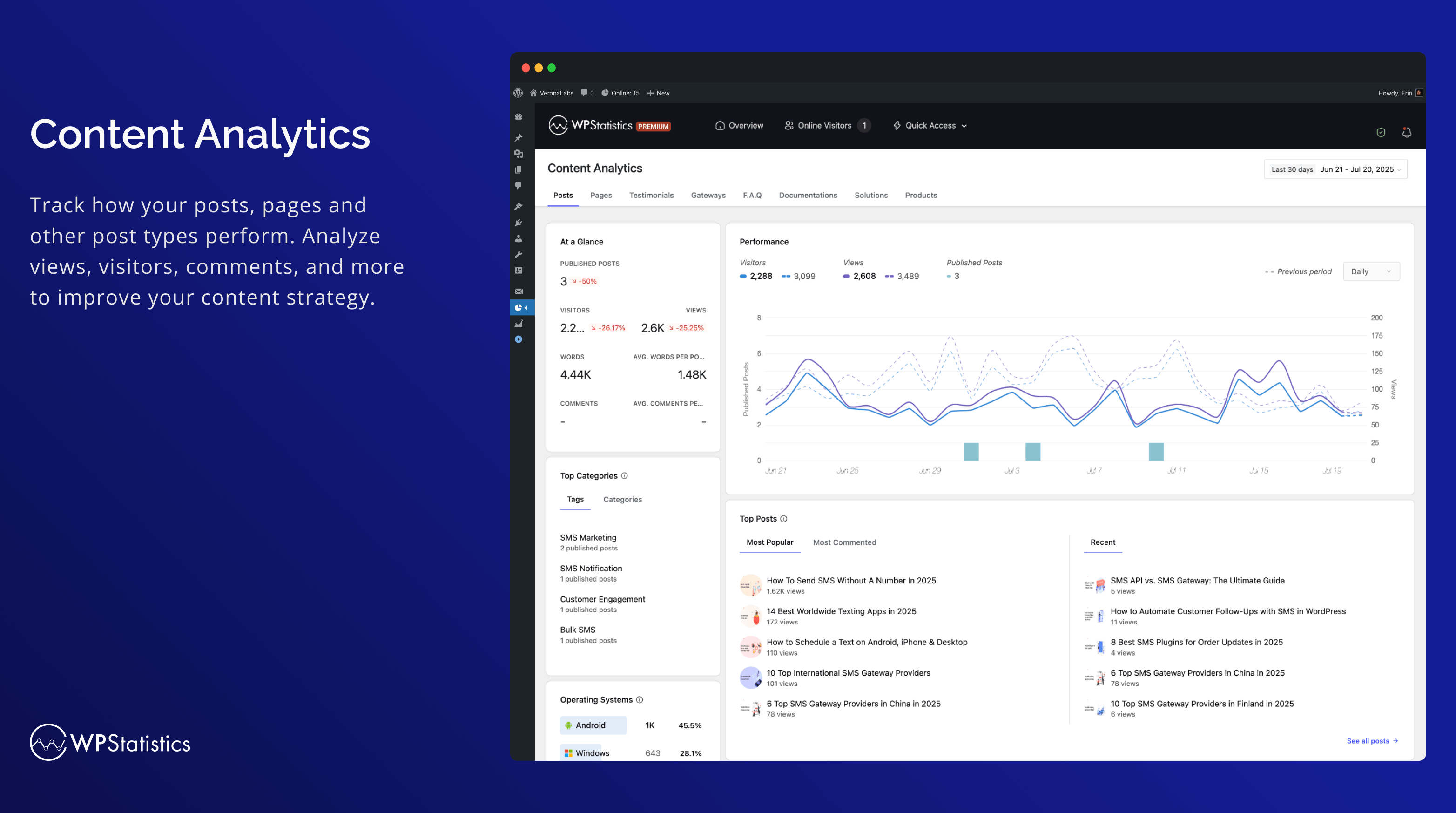
Inhoudsanalyse dashboard 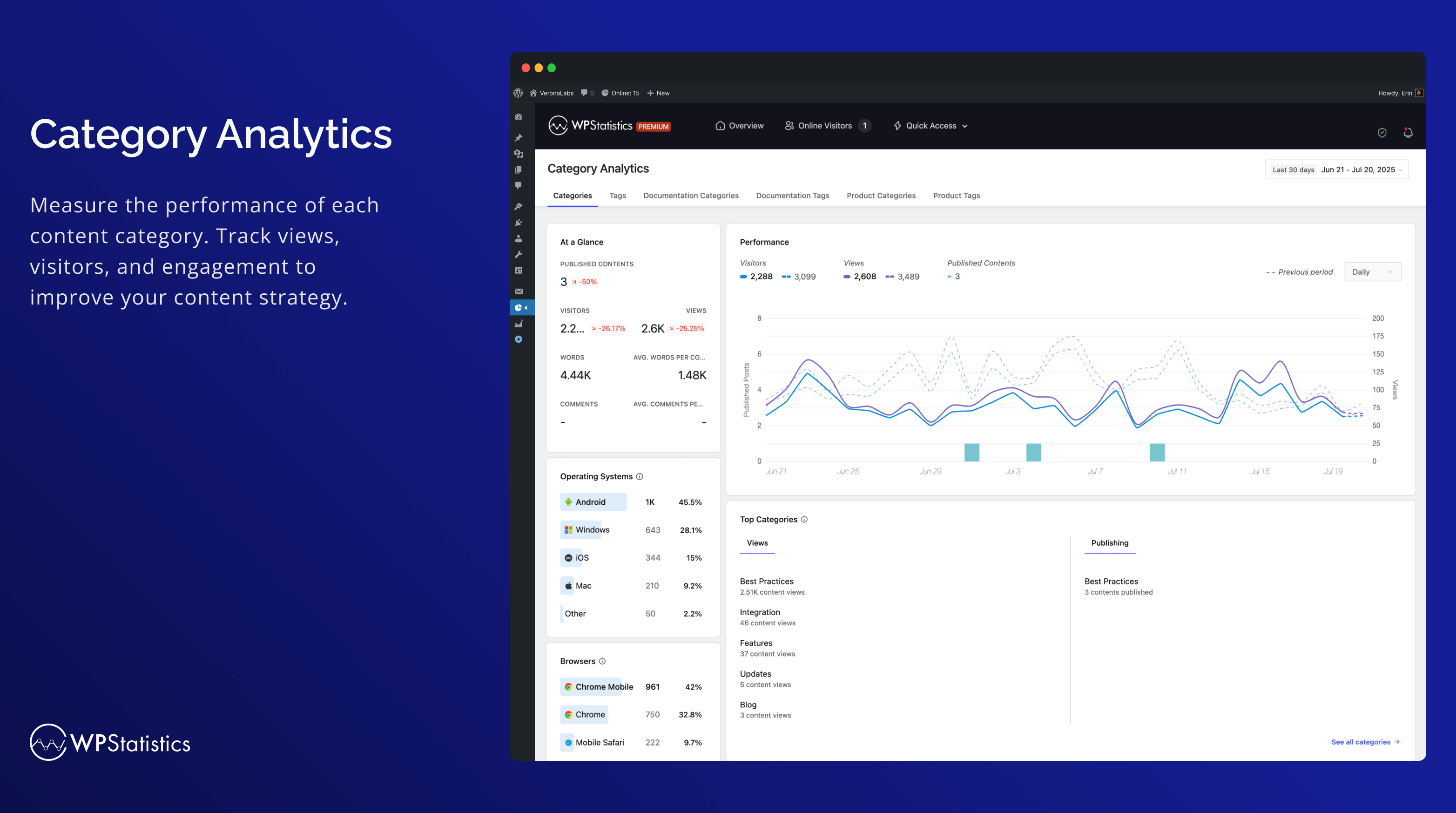
Categorieanalyse 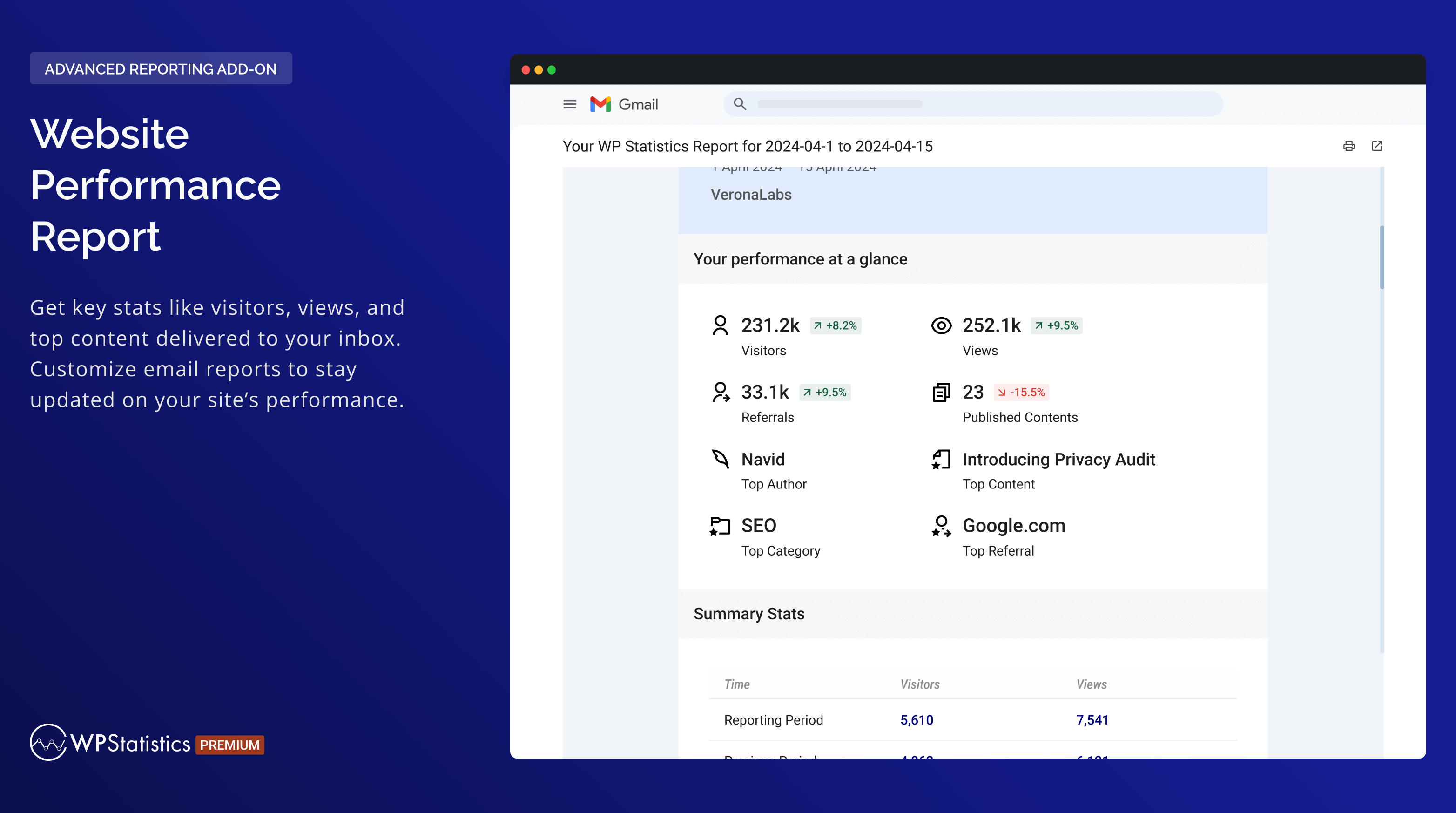
Website Performance Report 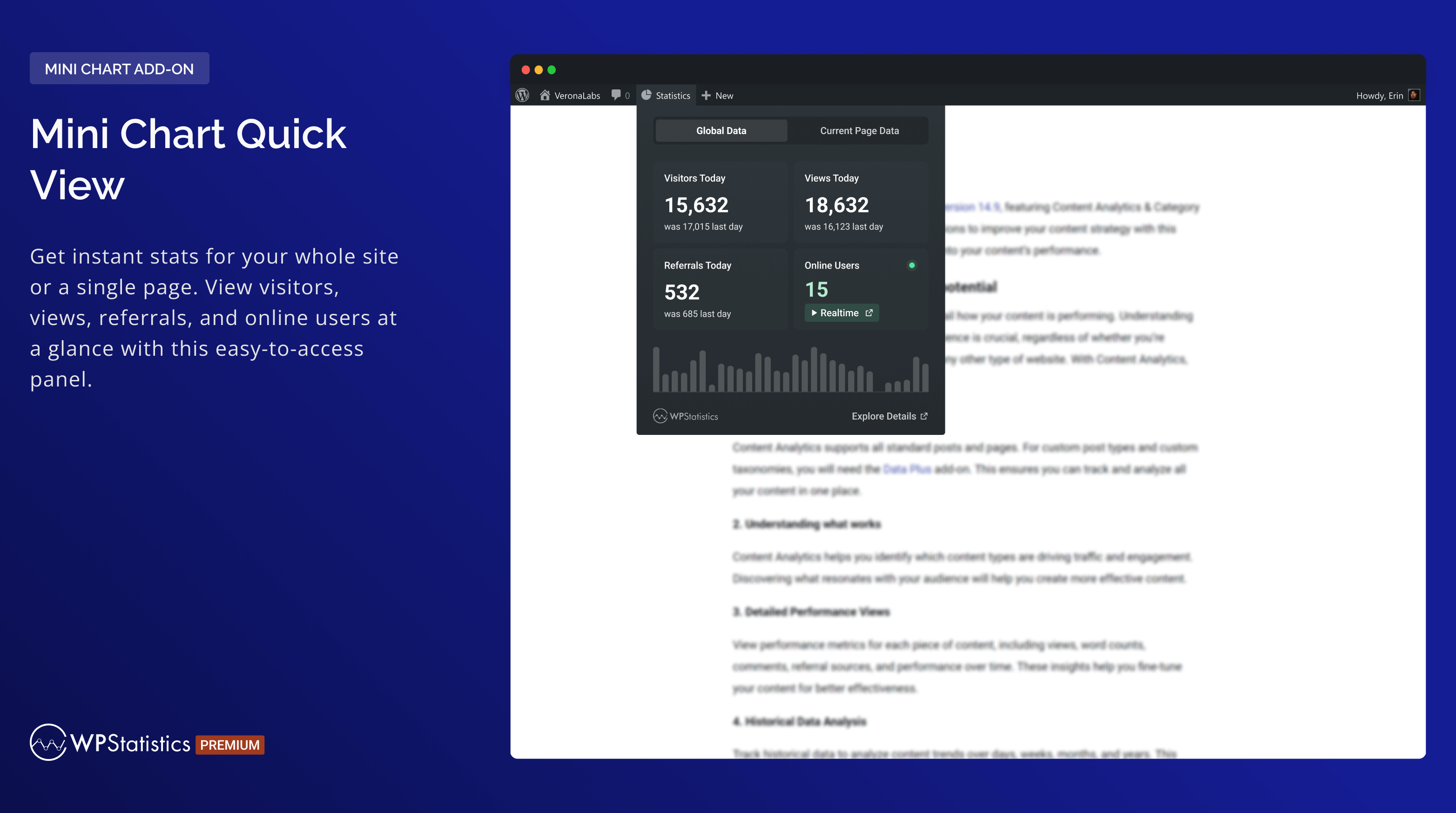
Mini grafiek snelle weergave 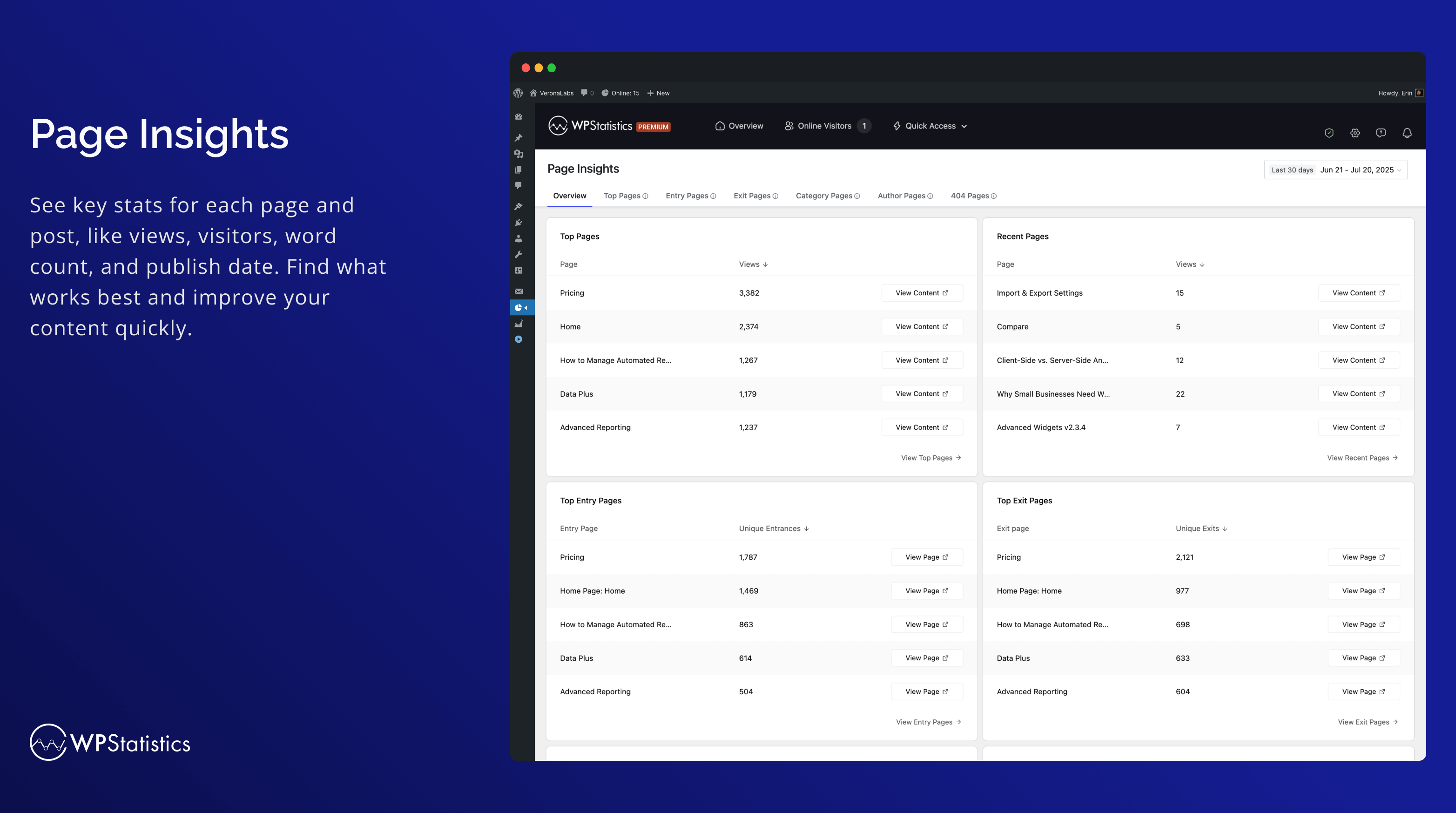
Pagina inzichten 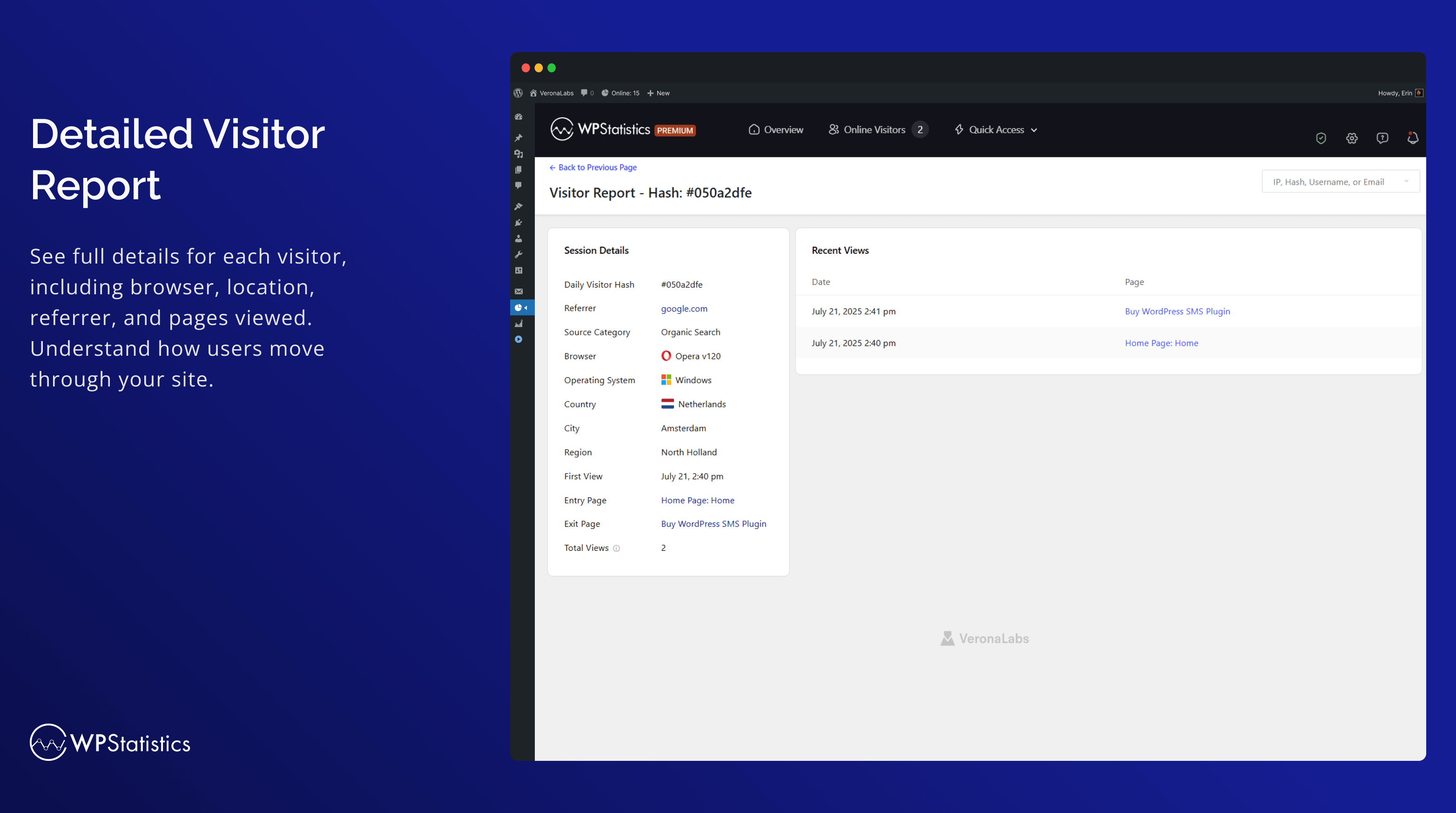
Gedetailleerd bezoekersrapport 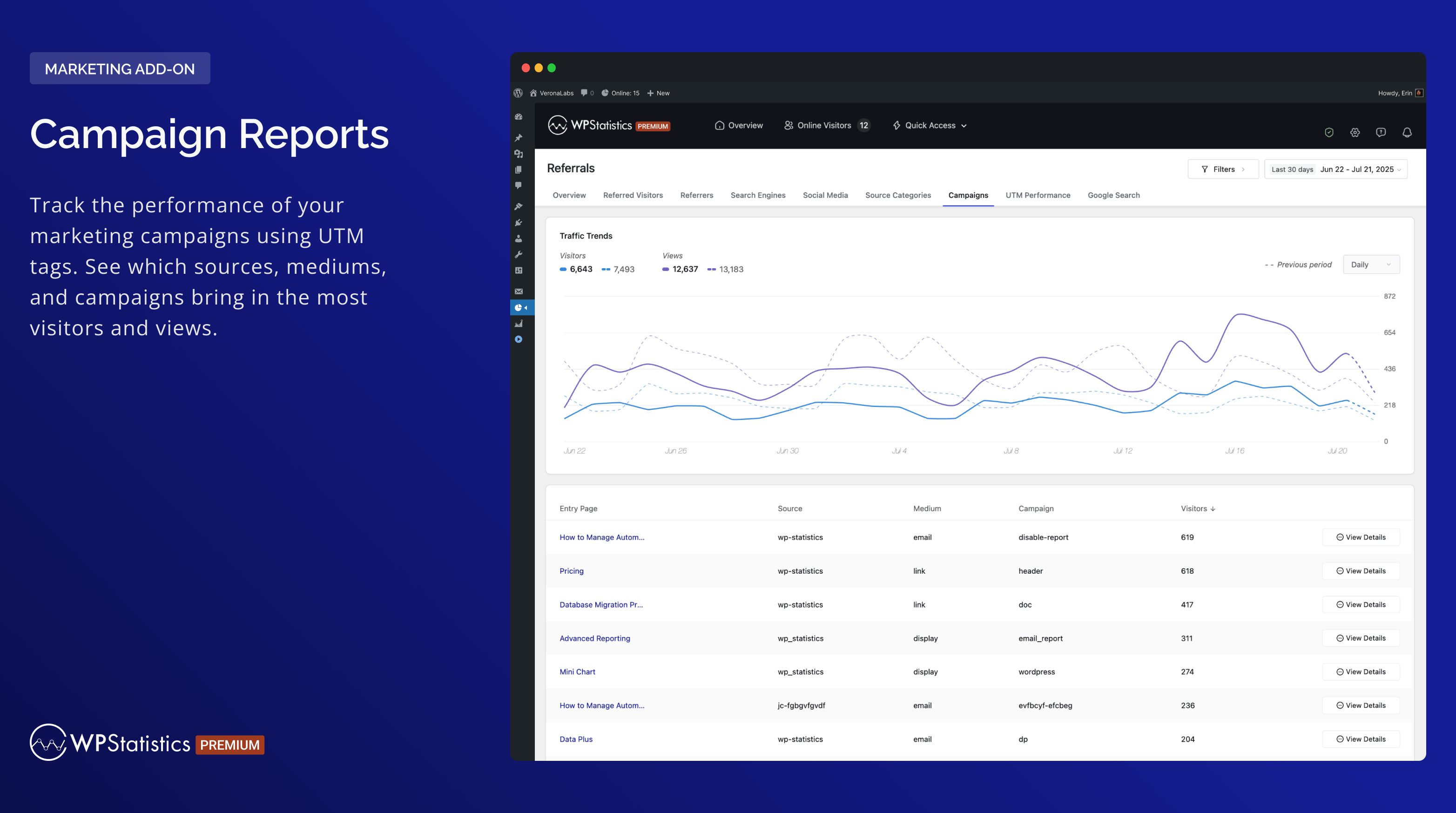
Campaign Reports 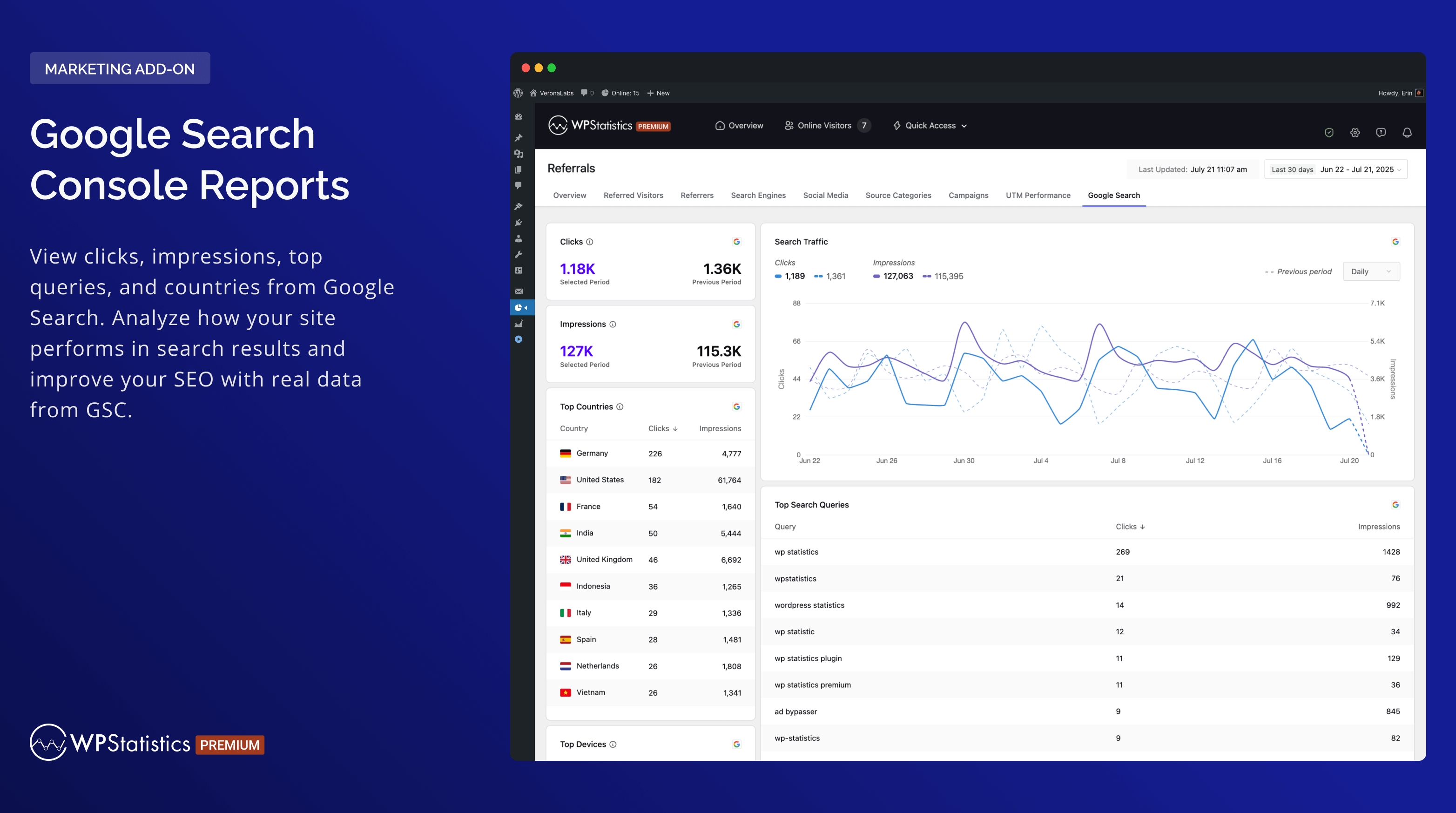
Google Search Console Reports 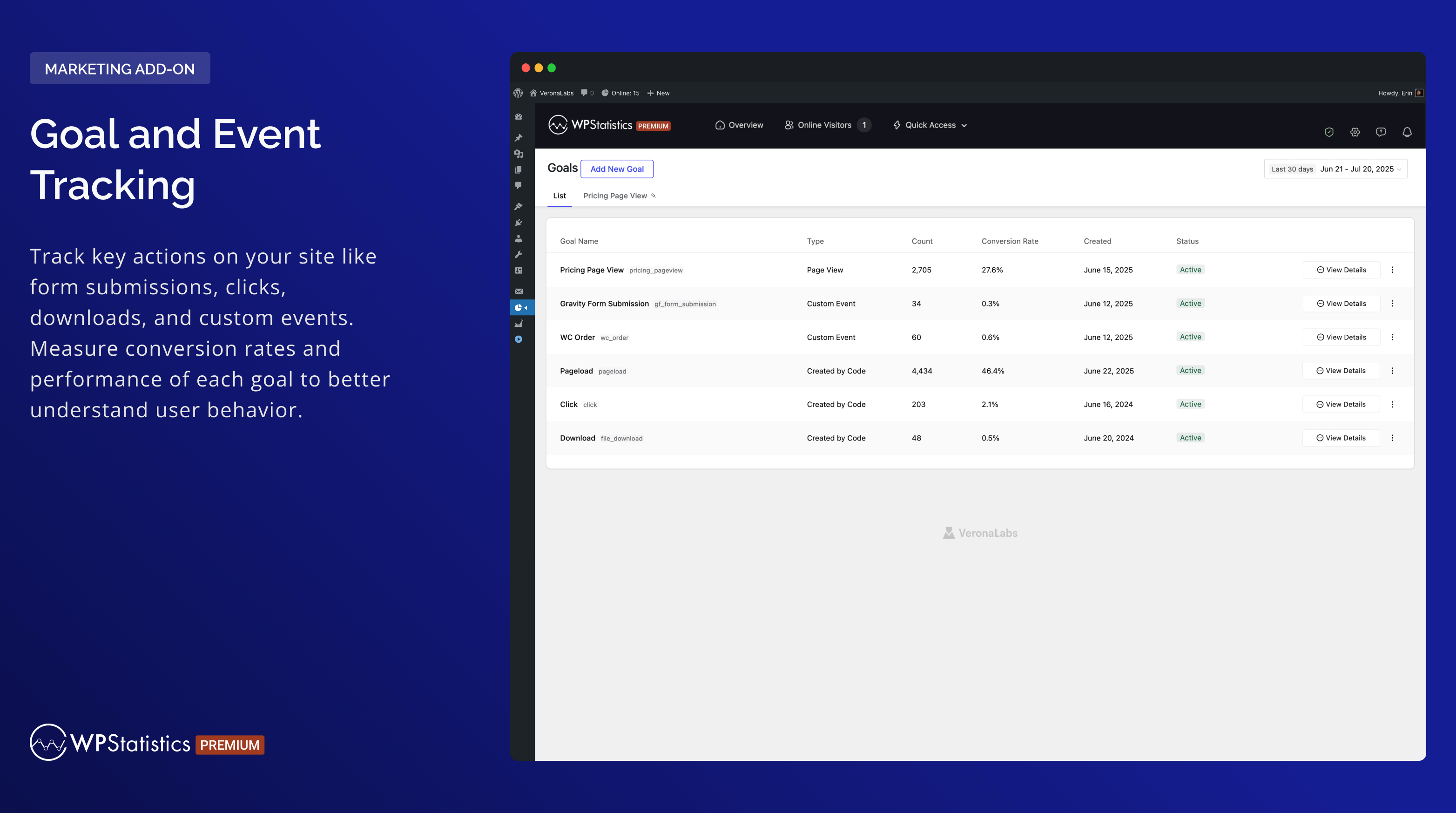
Goal and Event Tracking


Installatie
- Upload
wp-statisticsnaar de/wp-content/plugins/folder. - De plugin activeren via het ‘Plugin’ menu in WordPress.
- Zorg ervoor dat de datum en tijd correct zijn ingesteld in WordPress.
- Ga naar de instellingen pagina van de plugin en configureer zoals vereist (let op, dit omvat ook het downloaden van de GeoIP database voor de eerste keer).
FAQ
-
Wie zou WP Statistics moeten gebruiken?
-
WP Statistics is designed for website owners, bloggers, marketers, and analysts who wish to track and understand the traffic on their WordPress site. It’s user-friendly and powerful for professionals but also accessible for beginners.
-
Is technische kennis vereist om WP Statistics te gebruiken?
-
Nee, WP Statistics richt zich op eenvoud. Je hebt geen programmeervaardigheden nodig om het te gebruiken. Je kunt de plugin direct vanuit je WordPress dashboard installeren en gebruiken.
-
Zal WP Statistics de prestaties van mijn site beïnvloeden?
-
Your site’s loading times will remain quick with WP Statistics. With our “Optimization” settings page, you can fine-tune how data is handled for high-traffic sites, providing you with the tools to optimize performance.
-
Is het AVG/GDPR conform?
-
Ja, WP Statistics is standaard AVG/GDPR conform. Je kunt meer informatie vinden in “Wat we verzamelen“.
-
Zijn er individuele paginastatistieken beschikbaar?
-
Every post, page, and custom post type is tracked in detail.
-
Is het compatibel met caching en CDN?
-
WP Statistics is volledig compatibel met alle caching plugins en CDNs.
-
Worden ingelogde gebruikers gevolgd?
-
Standaard niet, maar je kunt het volgen van ingelogde gebruikers inschakelen op de instellingenpagina.
-
Kan ik WP Statistics en Google Analytics tegelijkertijd gebruiken?
-
Ja, je kunt ze beide tegelijkertijd zonder problemen uitvoeren.
-
Worden bot bezoeken geteld?
-
We filteren bot bezoeken met behulp van best practices. In vergelijking met Google Analytics zijn je weergaven en bezoekers zeer vergelijkbaar. Het artikel “Verbetering van gegevensnauwkeurigheid” kan je helpen bots nog verder te elimineren.
-
Kan ik gegevens exporteren?
-
Gegevens kunnen worden geëxporteerd naar XML, CSV of TSV bestanden voor back-up of rapportagedoeleinden.
-
Is er ondersteuning voor Multi-Site?
-
WP Statistics ondersteunt WordPress Multi-Site/Netwerk installaties. In het netwerkbeheer kun je gecombineerde of afzonderlijke analyses bekijken voor elke subsite.
Beoordelingen


Bijdragers & ontwikkelaars
“WP Statistics – Simple, privacy-friendly Google Analytics alternative” is open source software. De volgende personen hebben bijgedragen aan deze plugin.
Bijdragers


“WP Statistics – Simple, privacy-friendly Google Analytics alternative” is vertaald in 29 localen. Dank voor de vertalers voor hun bijdragen.
Vertaal “WP Statistics – Simple, privacy-friendly Google Analytics alternative” in je eigen taal.
Interesse in ontwikkeling?
Bekijk de code, haal de SVN repository op, of abonneer je op het ontwikkellog via RSS.
Changelog
14.16 – 2025-12-01
- New: Added an Export button to all report pages.
- New: Added a new
Summary Totalstable to store daily aggregated data. - Enhancement: Tested up to v6.9
- Enhancement: Updated PHP requirement to v7.4 and WordPress requires to v6.6
- Enhancement: Redesigned Summary widgets across all report pages.
- Enhancement: Optimized database queries and improved overall performance.
- Enhancement: Improved online tracking system and removed heartbeat online requests for better performance and reduced server load.
- Deprecation: Removed the
Matomo Referrer Spam Blacklistoptions from the settings.
14.15.6 – 2025-11-09
- New: Introduced a refactored background-process migration system and removed legacy AJAX migrations.
- New: Updated the Single Visitor page and added an “Other Visits” section.
- Enhancement: Converted the Visitor Columns migrator into a background process, added a progress notice, and introduced a “Data Migrations” section on the Optimization page.
- Enhancement: Linked 404 report items directly to the Single Resource page.
- Fix: Fixed unknown location link issue in Visitor Information.
- Fix: Resolved chart display issues with non-Gregorian dates.
- Fix: Fixed external link detection for accurate outbound tracking.
- Fix: Corrected the label displayed for selected filters on the Link Tracker page.
14.15.5 – 2025-09-21
- Enhancement: Added date range validation on report pages.
- Enhancement: Improved compare style and number formatting in “At a Glance” widgets.
- Enhancement: Updated chart component to show a message when no data is available.
- Enhancement: Limited queue and AJAX migrations (and their notices) to the “Minimum Role to Manage Settings.”
- Enhancement: Refactored the migration codebase for better structure, readability, and maintainability.
- Enhancement: Added a “Recheck Schema” button on the optimization page to recheck database health via AJAX.
- Fix: Fixed console warnings on Chromium-based browsers on the settings page.
- Fix: Fixed incorrect “Queue Migration” completion notice after plugin updates.
- Fix: Resolved activation issues on fresh installs.
- Dev: Removed the
wp_statistics_data_export_base_queryandwp_statistics_data_export_queryfilters.
14.15.4 – 2025-09-02
- Enhancement: Refactored the update process and database schema updates to run on the frontend.
- Enhancement: Optimized the database manager to avoid duplicate queries.
- Enhancement: Improved Visitor Info display logic.
- Enhancement: Refactored install/uninstall code into separate classes for activation, load, and uninstall.
- Enhancement: Optimized schema health checks to run daily on the dashboard and after activation or updates.
- Enhancement: Improved responsiveness by converting “Optimize Page” actions in the Plugin Maintenance tab into asynchronous AJAX requests.
- Fix: Prevented
wp_statistics_tracker_js_errorsoption bloat by limiting stored errors and truncating error messages. - Fix: Fixed sorting issue in the
Top Pageswidget on the Page Insights report. - Fix: Fixed Region widget issue when a country is not detected on the Geographic page.
- Fix: Prevented false “Queue Migration” notices after updates.
- Fix: Corrected the Filter Modal Reset button redirect.
- Fix: Fixed Visitor Journey not recording repeat visits to the same page.
14.15.3 – 2025-08-18
- Fix: Fixed a warning by validating geographic location codes are strings or integers before use.
- Fix: Correct redirect URL after clicking ‘Start Migration’.
- Fix: Fixed Author Analytics filter issue.
- Enhancement: Added LiteSpeed Cache detection for improved cache-related warning notifications.
- Enhancement: Randomized the execution time of the GeoIP update event to reduce simultaneous load on jsdelivr.
- Enhancement: Improve performance of visitor migration.
14.15.2 – 2025-08-10
- New: Added compatibility with the
Borlabs Cookieplugin. - New: License keys can now be set via
wp-config.phpusing constants likeWP_STATISTICS_LICENSEand are automatically validated on init. - Enhancement: Visitor data now stores only the major browser version to improve performance and reduce query load.
- Enhancement: Refactored advanced reporting to reduce redundant queries and improve performance.
- Enhancement: Replaced the legacy Robot List with the Device-Detector
isBotcheck and renamed the bot detection field. - Fix: Fixed filter issues on the Visitors and Referred Visitors pages.
- Fix: Adjusted access control for specific plugin actions.
- Fix: Fixed display issues on the single-visitor page when
user_idis missing. - Fix: Updated the Top Countries widget to calculate percentages based on all visitors.
14.15.1 – 2025-07-29
- Enhancement: Numbers in Overview widgets are now abbreviated (e.g., 10k), with full values shown on hover.
- Enhancement: Made integration JS files dependencies of
tracker.jsto avoid cache-related issues. - Enhancement: Display a notice when a caching plugin is active.
- Fix: Fixed an issue with transient cache duration settings.
- Fix: Corrected color display for period-over-period comparison metrics.
14.15 – 2025-07-22
- New: Added an
Overzichtreport for Visitor Insight. - New: Added an
Overzichtreport for Page Insights. - New: Added a
Device Overviewreport. - Enhancement: Improved migration performance by running schema updates synchronously and removing background processes.
- Enhancement: Improved the
Viewsreport under Visitor Insight. - Enhancement: Unset the
Consent Integrationsetting when integration is deactivated. - Enhancement: Added country name to flag tooltip in Visitor Info.
- Enhancement: Added unread notification badge to the Help Center menu.
- Enhancement: Merged notification and campaign cron jobs into a single daily schedule.
- Enhancement: Dashboard now shows only the “Traffic Overview” widget by default for a cleaner start.
- Enhancement: Optimized
getTrafficOverviewDatafor fewer queries and faster widget loading. - Enhancement: Skipped GeoIP database download in local environments to speed up setup.
- Enhancement: Removed unused
commentsjoin from Page Insights query to improve performance. - Enhancement: Improved “Back” button functionality across pages to return to the previous view accurately.
- Enhancement: Improved warning message for missing consent-management plugin.
- Fix: Fixed report URL issues for custom post types.
- Fix: Resolved zero page view issues for non-‘category’ taxonomy filters.
- Fix: Fixed incorrect tracking of WooCommerce My Account sub-pages.
- Fix: Prevented
number_format()warning when value is null in PHP 8.4.5.
Bezoek voor meer informatie over de grote update onze release bericht of volg @wp_statistics op Twitter
