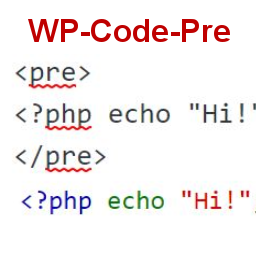
Skildring
This simple plugin was created because of security concerns related to using PHP preg_replace directly. With transition to PHP7, it’s advised to use preg_replace_callback instead.
This plugin uses built-in supported feature of PHP-«highlight_string». This plugin filters post content inside custom html block for
and helps display html and other source code.
To display source code in your posts, surround source code with pre tags. Plugin will filter for pre tags and add inline styles that may be modified using your wordpress theme’s css stylesheet.
For WordPress versions 5.0 and above, HTML pre tags can be used within html block or, classic block. Use the three dot menu to convert to html when there is a invalid content error while post editing.
Skjermbilete

Code preview on blog post or page 
Typing code in text tab of WordPress Admin area when writing Post. 
Convert block to html while editing to make modifications to existing source code display


Installasjon
- Download the plugin
- Upload the wp-code-pre.zip folder to your site’s wp-content/plugins directory
- Activate the plugin in the WordPress Admin Panel
- Surround source code with
<pre> </pre>tags, when writing in blog posts using Gutenberg with classic block and «Edit as HTML» or, html block
Vanlege spm.
Why there aren’t any options to modify in admin?
This plugin simply filters for pre tags.
Omtalar
There are no reviews for this plugin.
Bidragsytarar og utviklarar
“WP Code Pre” is open source software. The following people have contributed to this plugin.
Contributors
Omset “WP Code Pre” til ditt eige språk.
Interested in development?
Les kjeldekoden, sjekk SVN-lageret eller abonner på utviklingsloggen med RSS.
Endringslogg
1.0
- First version of the plugin.
1.0.1
- Updated readme to reflect updates to version 5.0
