
Opis
Discover GDPR-compliant analytics with WP Statistics, the top choice for WordPress users seeking an alternative to Google Analytics. No external accounts, unlimited visitor tracking, and full data ownership—all stored directly in your WordPress database.
Checkout Demo | View Screenshots
GDPR Compliant (Data Privacy)
WP Statistics is GDPR, CCPA, PECR, and cookie compliance by default.
- We do not use cookies
- We do not store personally identifiable information (PII) by default
- 100% data ownership. Data is entirely created and stored on your server
- Enhance IP Hashing with Random Daily Salt Mechanism
- Features to export and delete data for GDPR
- Respect for User Privacy with Do Not Track (DNT)
- Privacy Audit Tool for compliance with privacy laws
Your site won’t need to have a cookie popup since WP Statistics uses cookie-less tracking.
You can find more information in „What we collect„.
Top Features
- Fully integrate with your WordPress and your content structure and you have the all reports all in your WP dashboard
- Analityka treści i kategorii: śledź wydajność na podstawie treści i kategorii swojej witryny.
- Simple analytics dashboard
- Super easy to install. No coding or technical knowledge needed
- Advanced data privacy settings that are customizable to fit your needs, in compliance with diverse data protection laws
- Track URL parameters, including UTMs, for campaign analysis
- With configurable settings, manage large amounts of data on high-traffic websites
- Monitor live online user traffic in real-time
- Fully customized overview dashboard page
- Shows your most popular posts and pages
- Śledzenie poleceń: Śledź i analizuj polecenia za pomocą pięciu raportów: Odwiedzający poleceni, Polecający, Wyszukiwarki, Media społecznościowe i Kategorie źródeł. Nowy raport Kategorie źródeł obejmuje obsługę wyszukiwania organicznego, wyszukiwania płatnego, organicznych mediów społecznościowych, płatnych mediów społecznościowych i innych.
- Lists your top referral sources such as search engines
- Analityka autorów: Mierzy wydajność autorów.
- Raporty geograficzne: Analizy oparte na lokalizacji, obejmujące kraje, miasta, kraje europejskie, stany USA i regiony w twoim kraju.
- Raport dotyczący urządzeń: szczegółowa analiza poszczególnych urządzeń, obejmująca przeglądarki, systemy operacyjne, kategorie urządzeń i modele urządzeń.
- Omijanie blokad reklam: Dynamicznie wczytuj skrypt śledzący z unikatową nazwą i adresem, aby ominąć blokady reklam.
- Integracja z WP Consent API: zapewnia zgodność z wtyczkami do wyrażania zgody, takimi jak Complianz i Cookiebot.
- Email reports with customizable content
- Customize role-based access to view analytics and modify settings.
- Advanced Filtering & Exceptions: By user roles, IPs, countries, URLs, and more.
- Premium Add-on: Data Plus
- Custom Post Type Tracking: DataPlus extends WP Statistics’ tracking to include all custom post types in addition to Posts and Pages.
- Custom Taxonomy Analytics: In addition to monitoring default taxonomies like Categories and Tags, DataPlus also tracks custom taxonomies.
- Link Tracker: Find out which outbound links your audience clicks on, giving you insights into their preferences and behaviors.
- Download Tracker: Keep track of what’s being downloaded, who’s downloading it, and when.
- Wyniki poszczególnych autorów: Szczegółowe wskaźniki dotyczące wyników poszczególnych autorów.
- Szczegółowa analiza dla każdego kraju: Dogłębna analiza dla każdego kraju w celu ulepszenia raportowania geograficznego.
- And more!
- Premium Add-on: Marketing
- Campaign Analytics: Track UTM-tagged links and see which campaigns drive the most visitors.
- Google Search Console Integration: Monitor impressions, clicks, and queries.
- Custom Event Tracking: Create goals based on clicks, pageviews, or events and monitor conversions.
- Built-in UTM Link Builder: Generate and validate campaign URLs inside your dashboard.
Get the most out of your website analytics by using WP Statistics Premium Add-ons
Upgrade your analytics toolkit with our range of premium add-ons, including Data Plus, Advanced Reporting, Real-Time Stats, Mini Chart, Marketing, and more. Making informed decisions is easier with these powerful tools.
Oferta specjalna: zaoszczędź do 60% na wszystkich funkcjach premium, kupując WP Statistics Premium.
Report Bugs
Having trouble with a bug? Please create an issue on GitHub. Kindly note that GitHub is exclusively for bug reports; other inquiries will be closed.
For security vulnerabilities, please report them through the Patchstack Vulnerability Disclosure Program. The Patchstack team will validate, triage, and handle any security issues.
Zrzuty ekranu
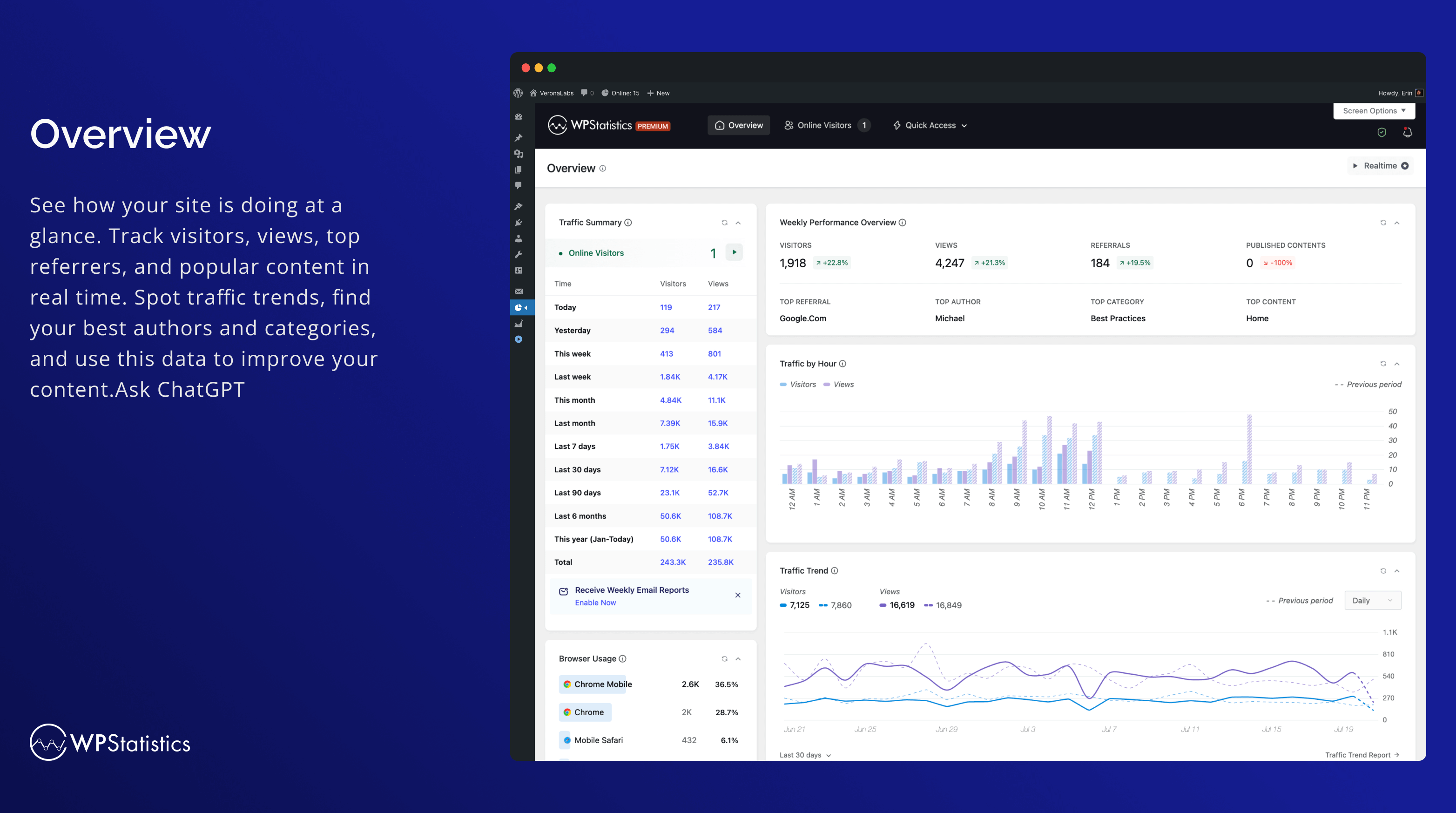
Przegląd 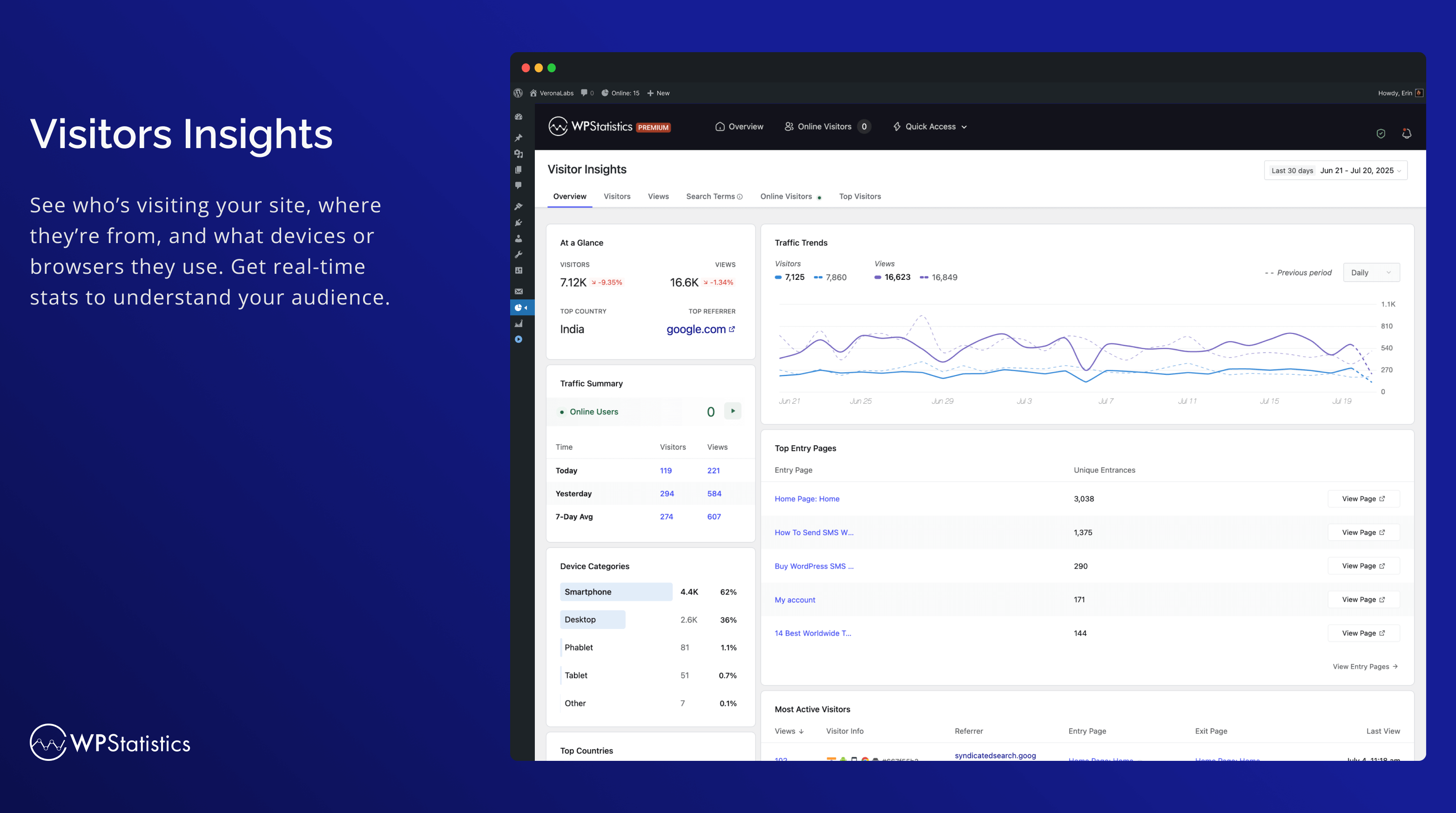
Wgląd odwiedzających 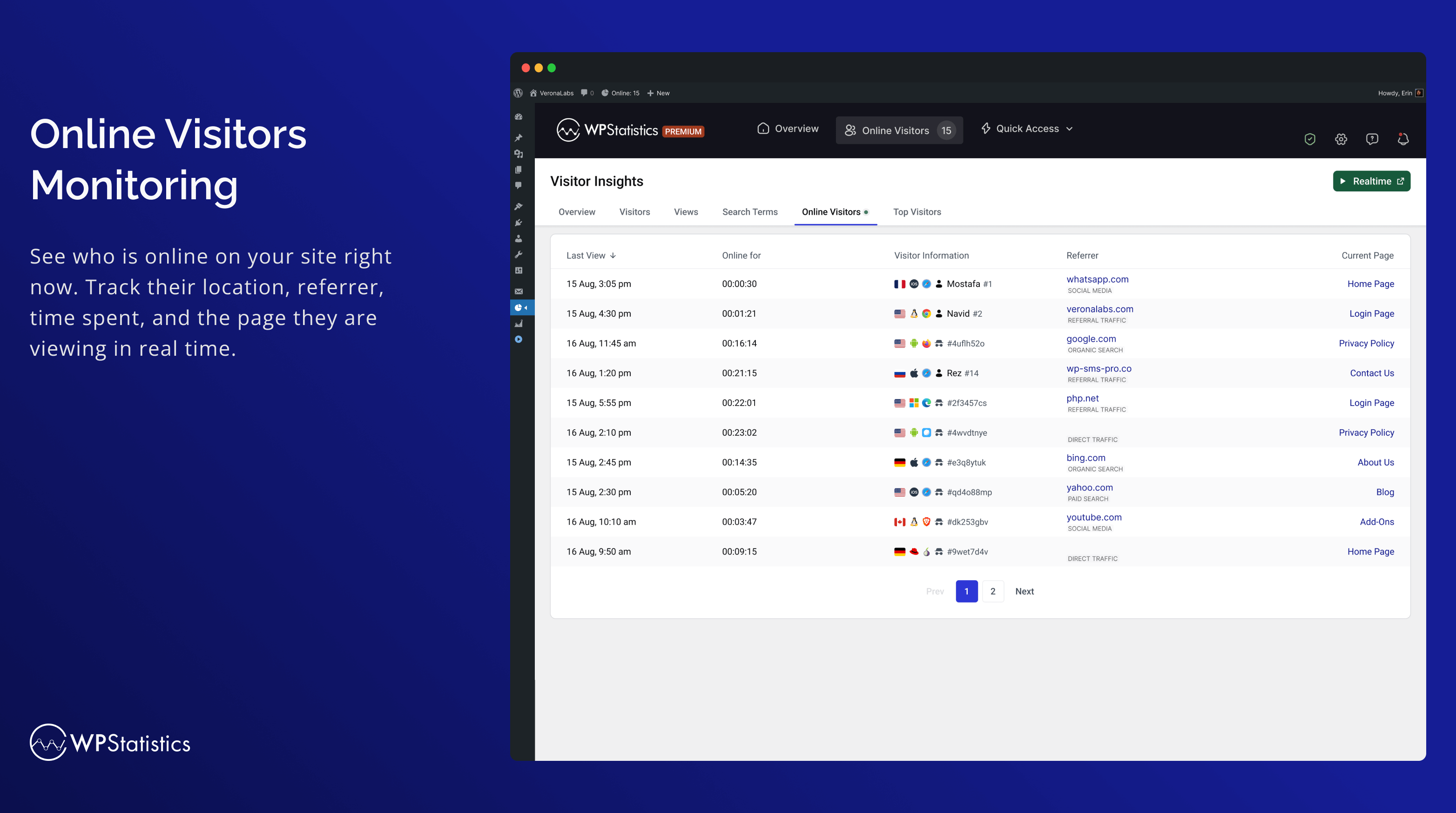
Monitorowanie odwiedzających online 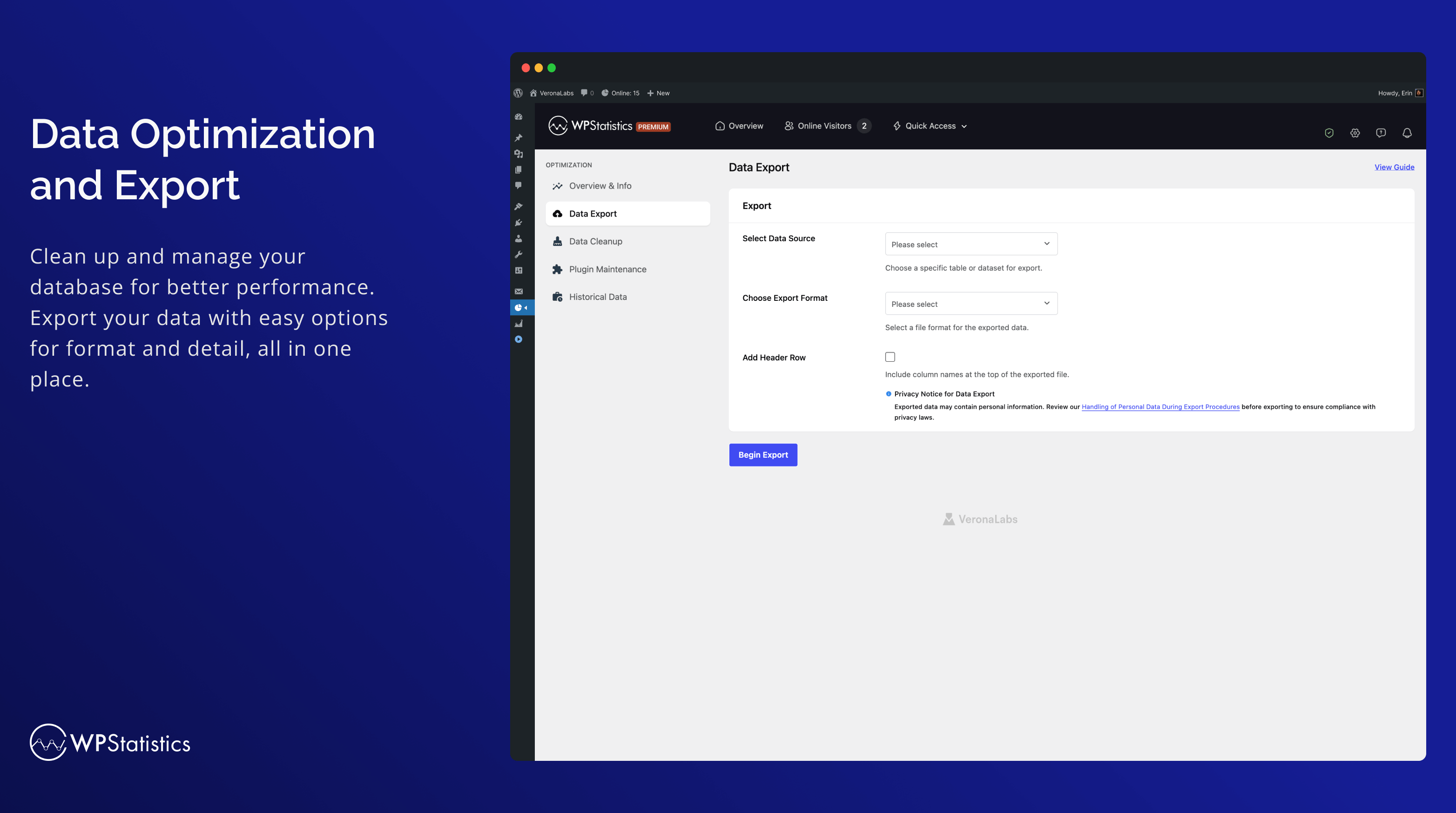
Optimization 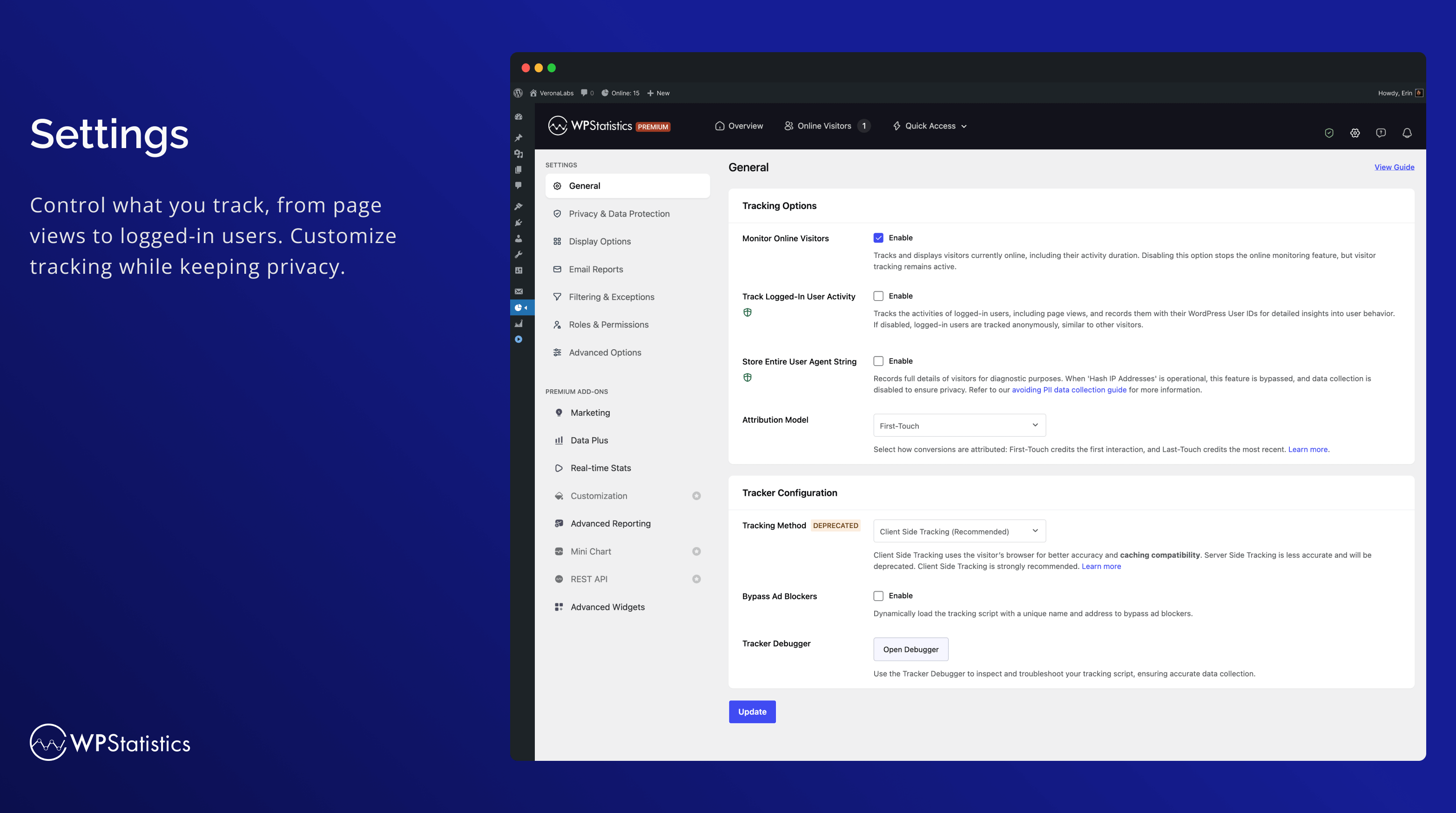
Settings 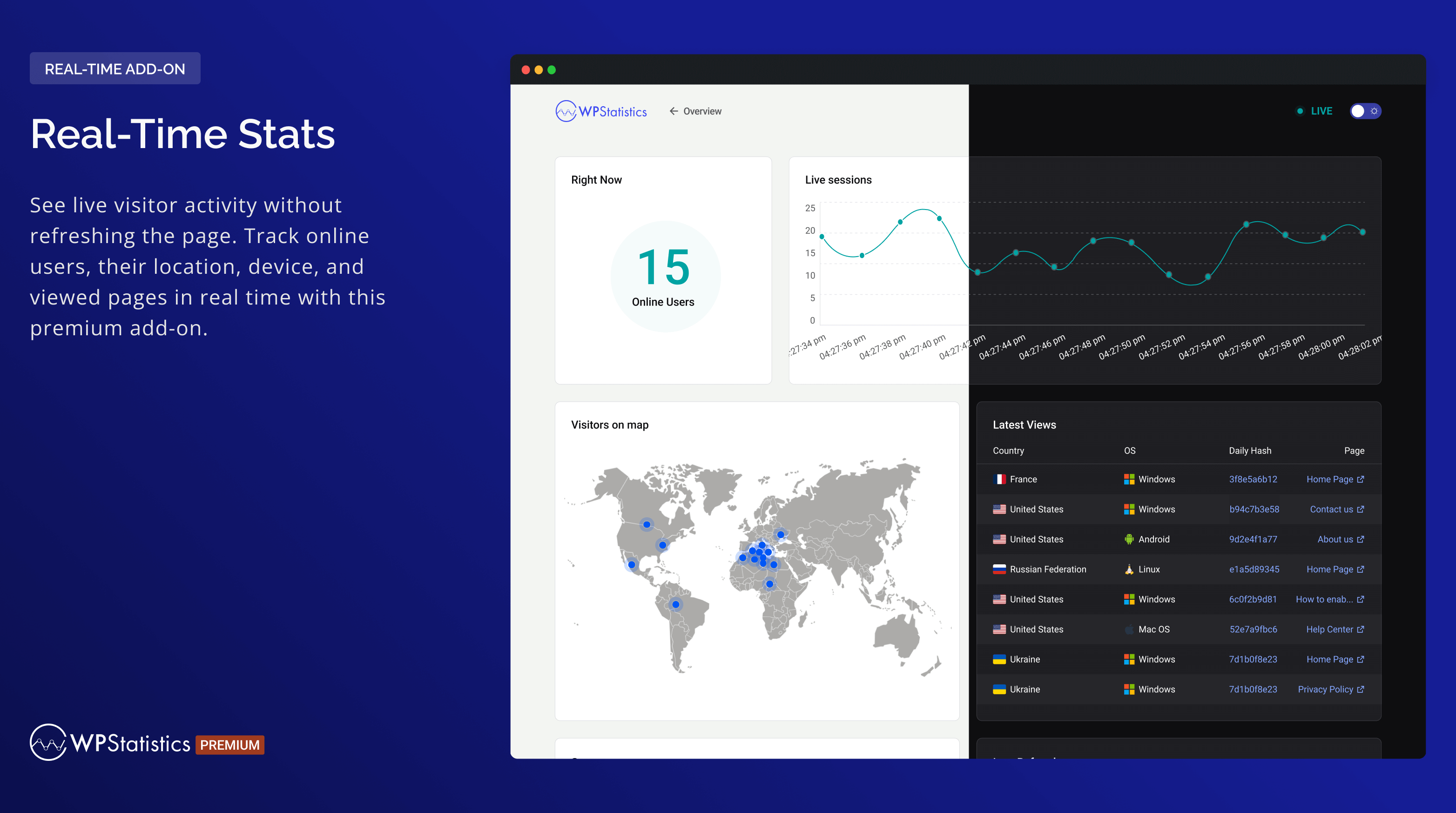
Real-Time Stats 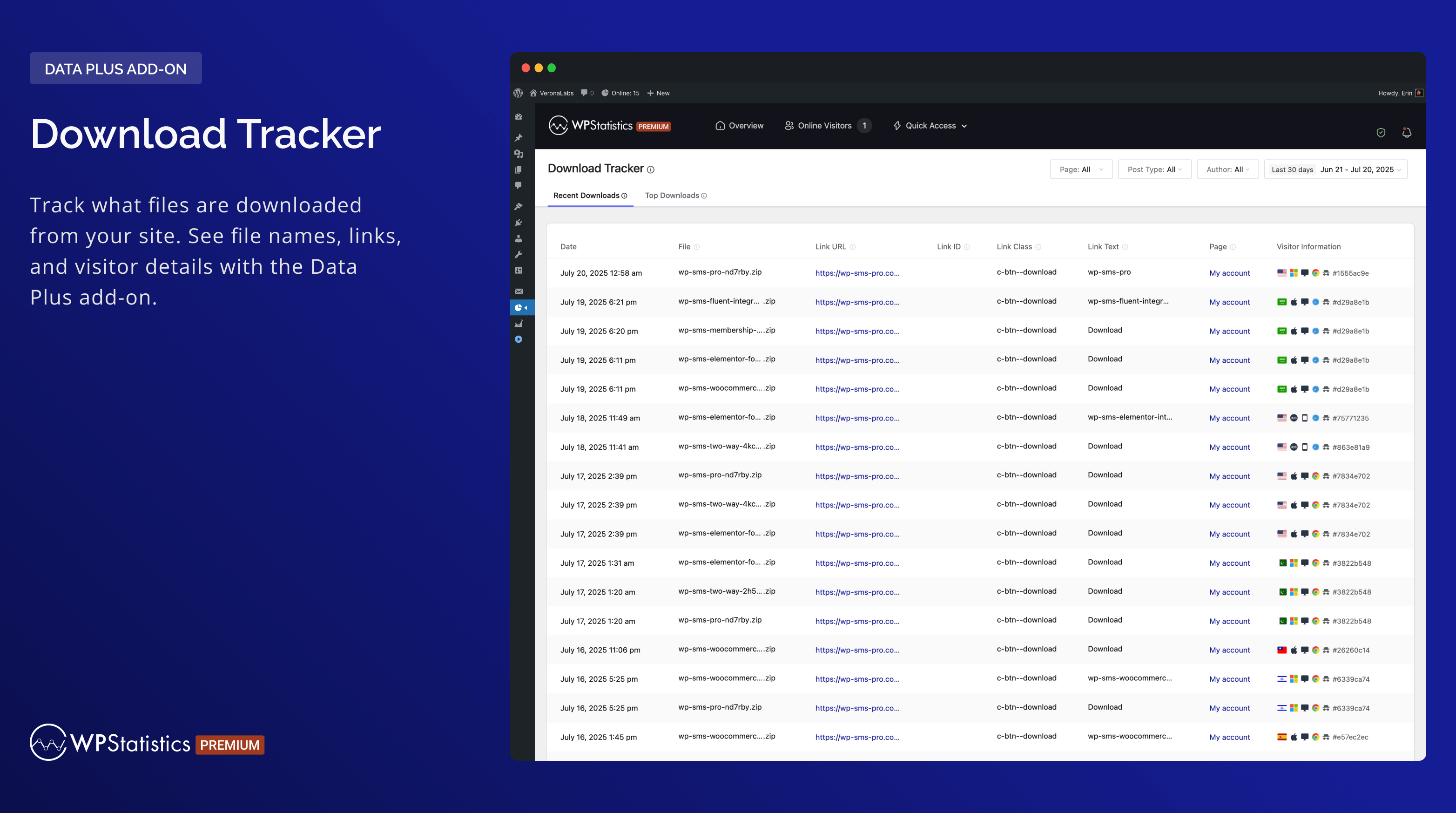
Download Tracker 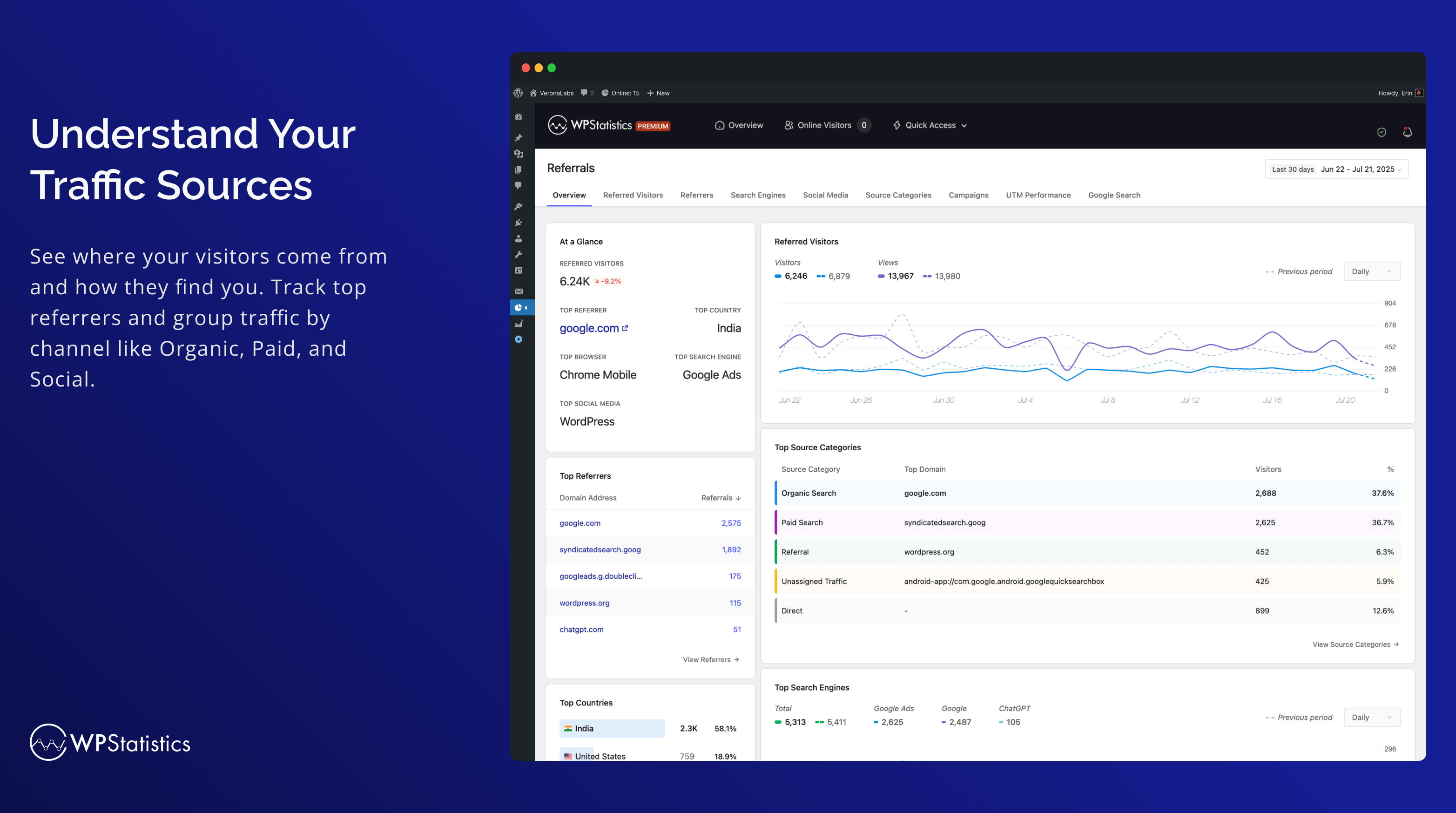
Zrozum swoje źródła ruchu 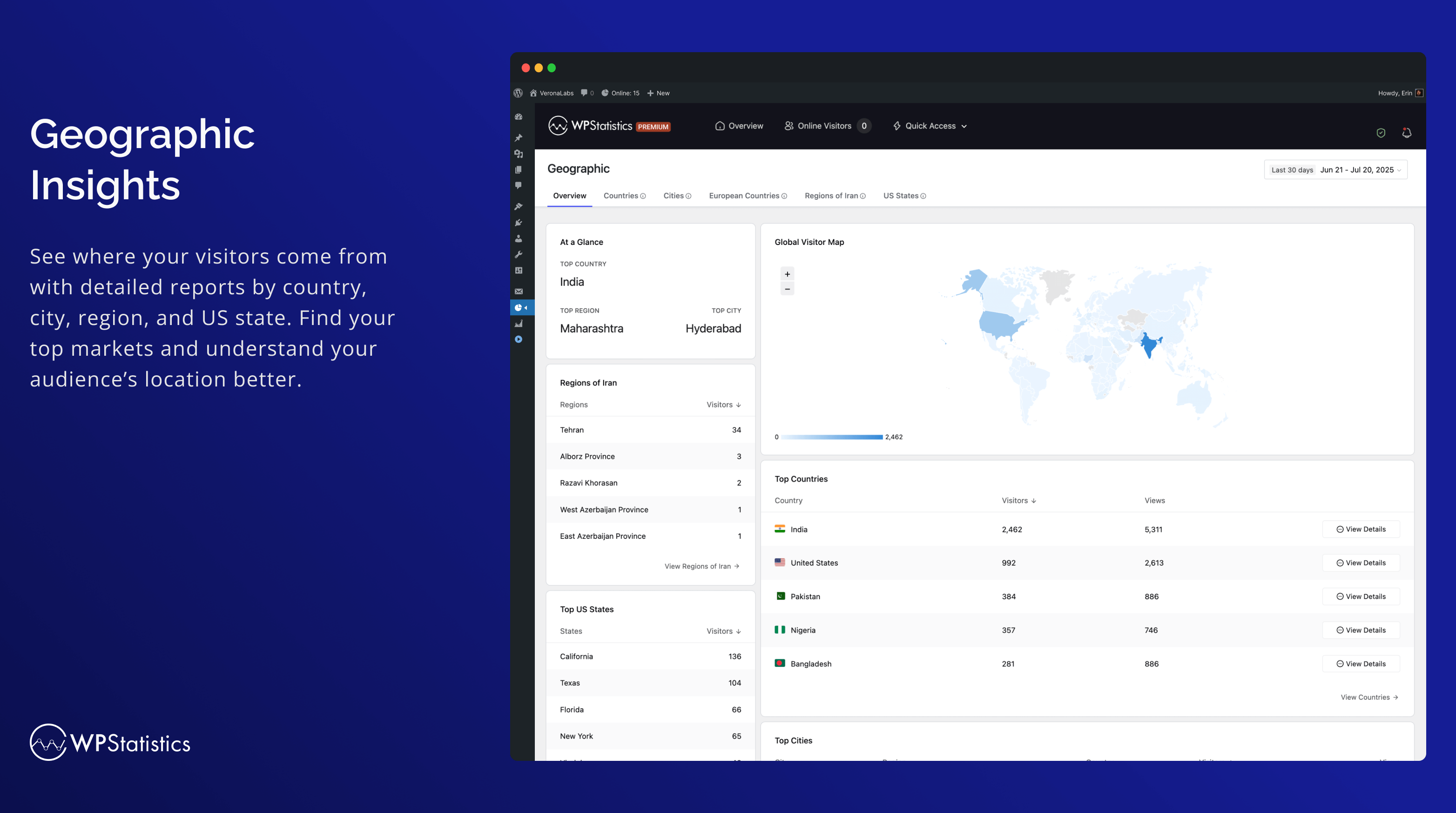
Geograficzne 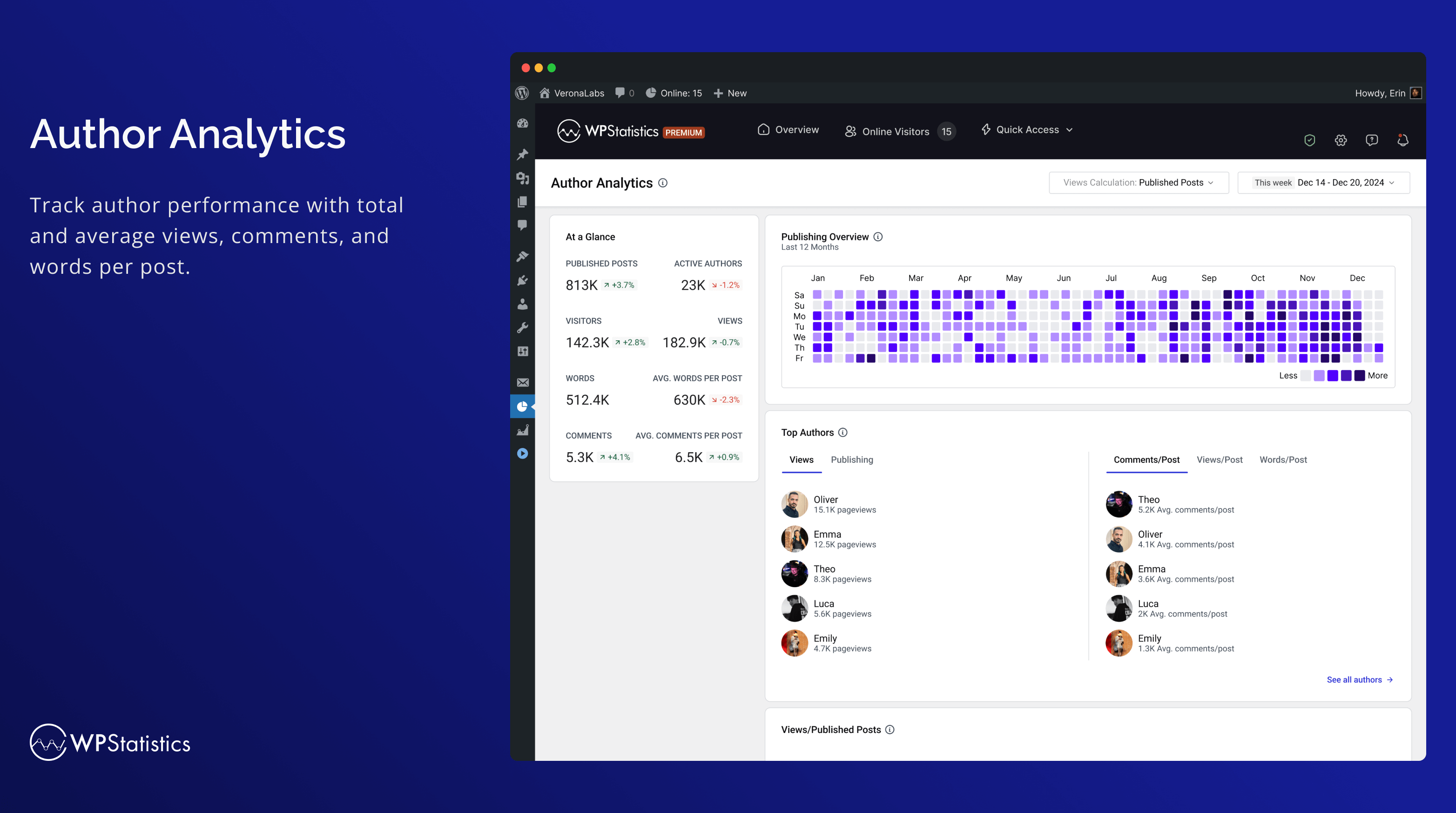
Author Analytics 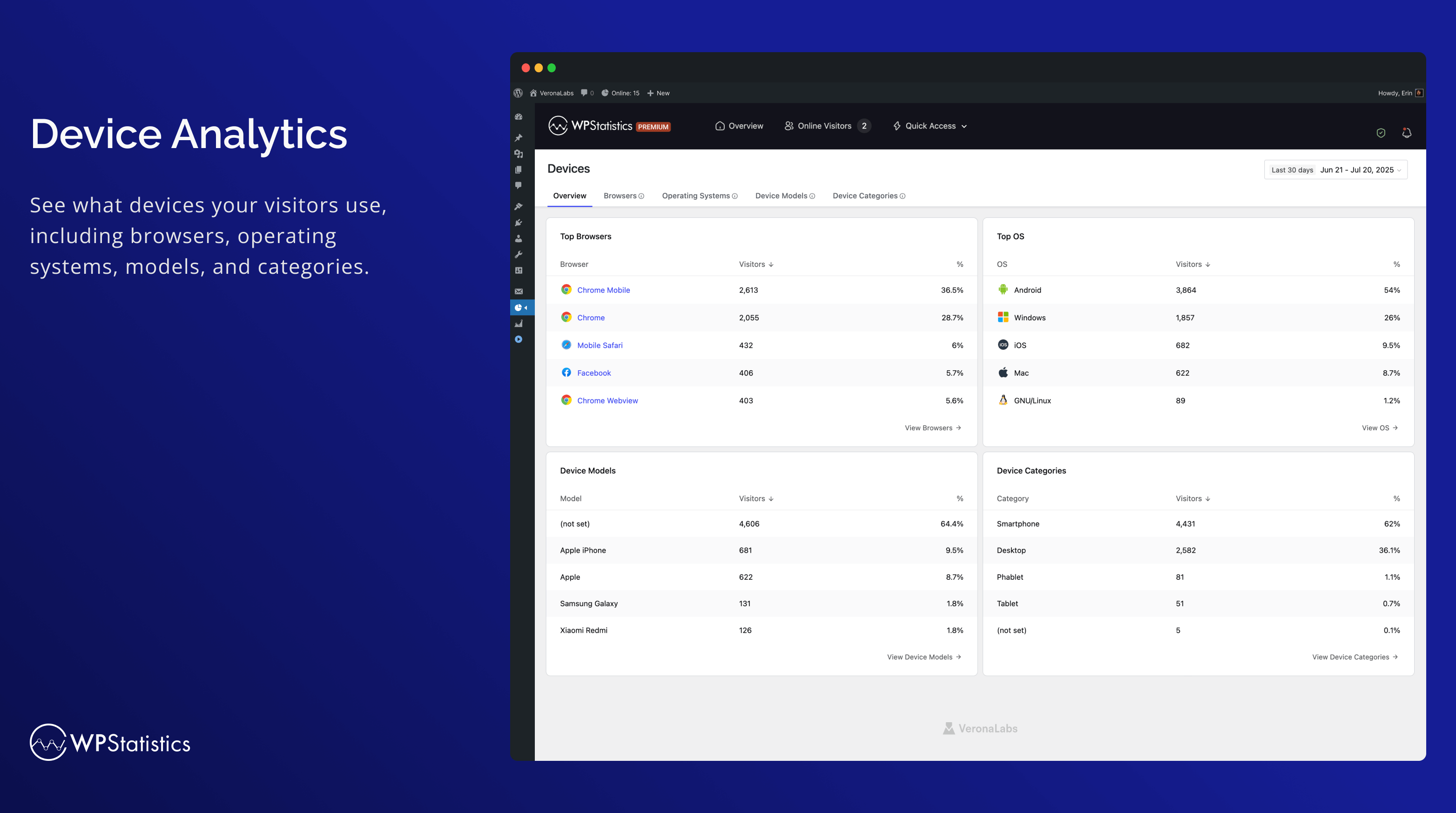
Urządzenia 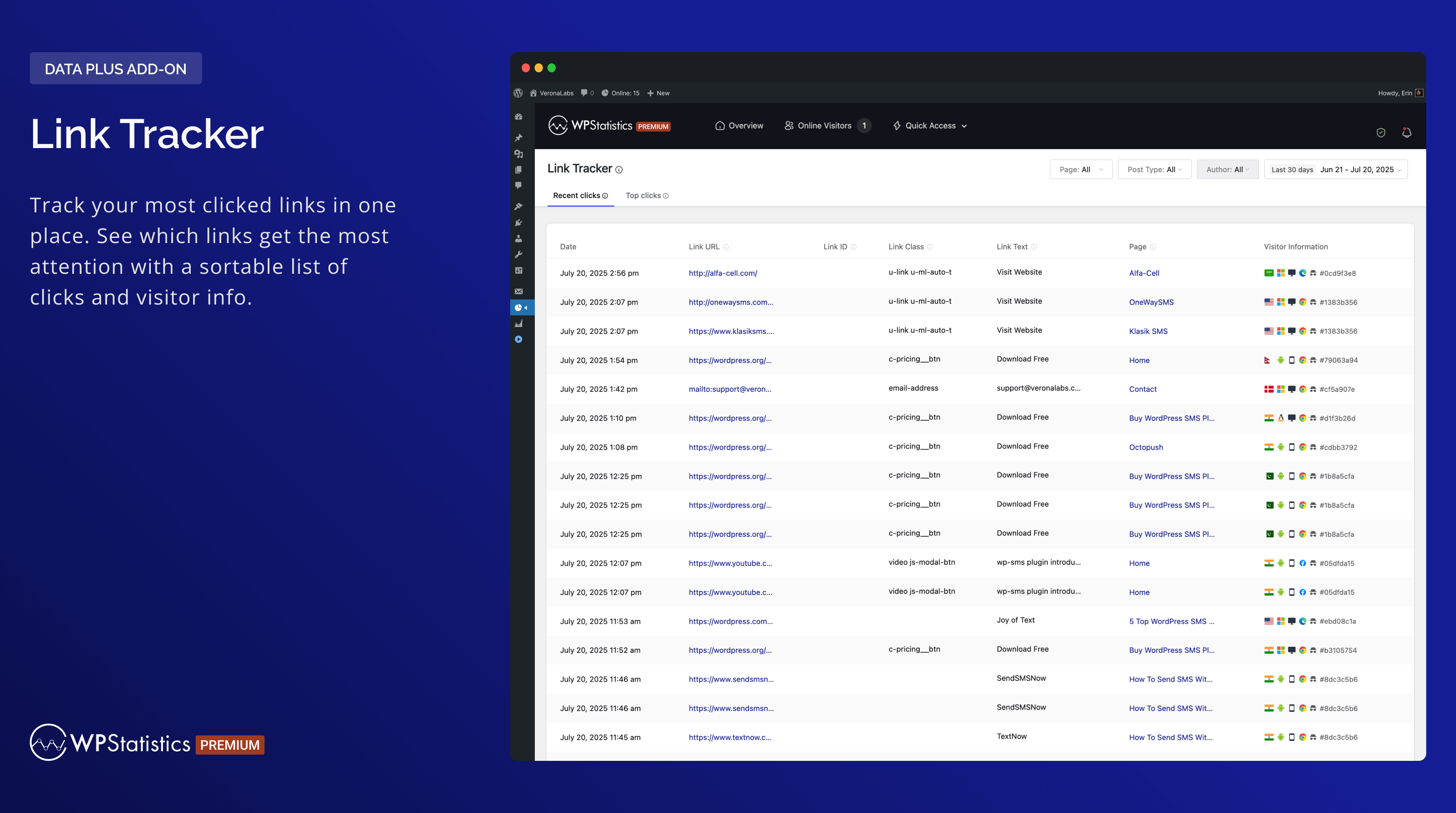
Link Tracker 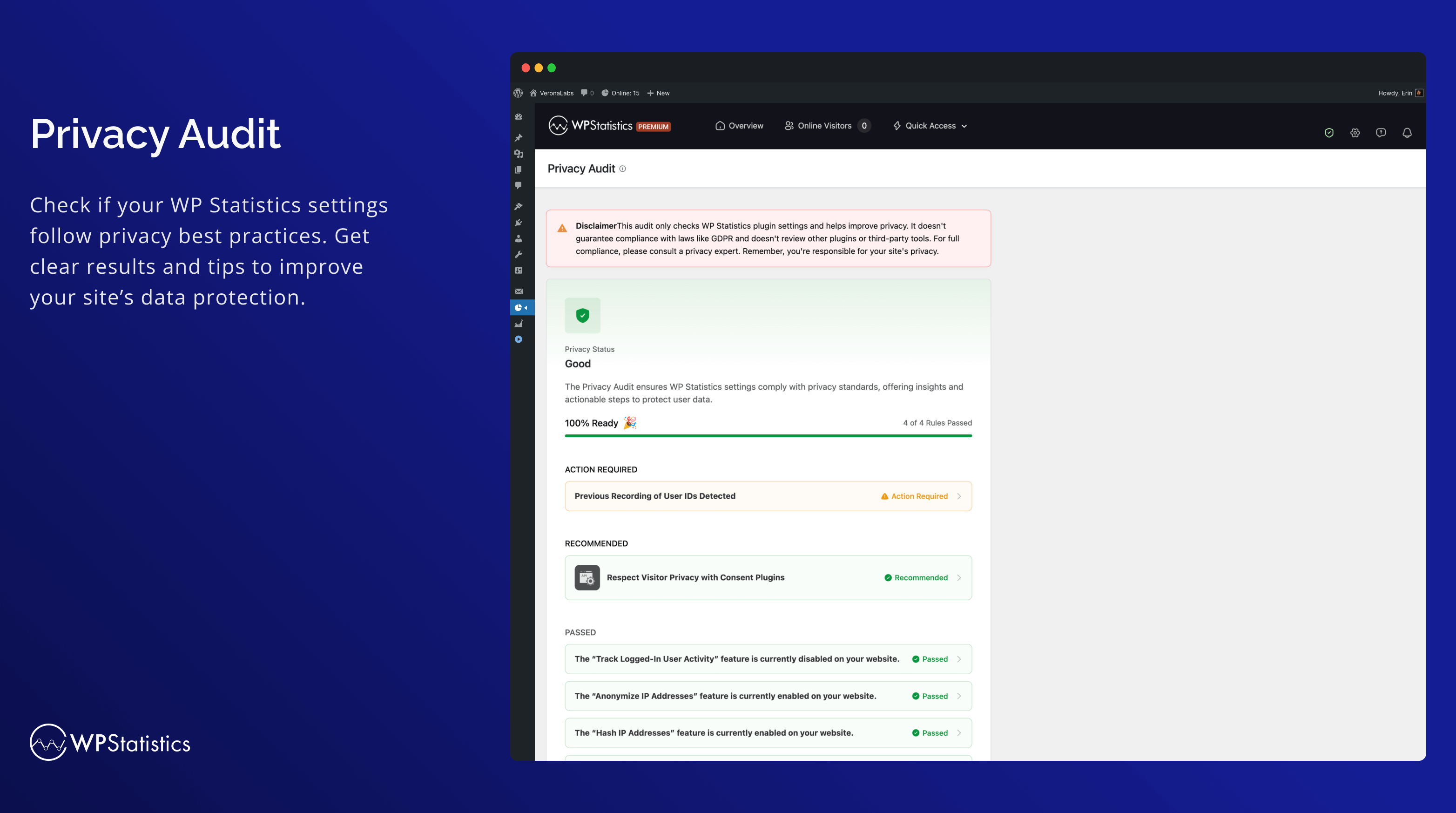
Privacy Audit 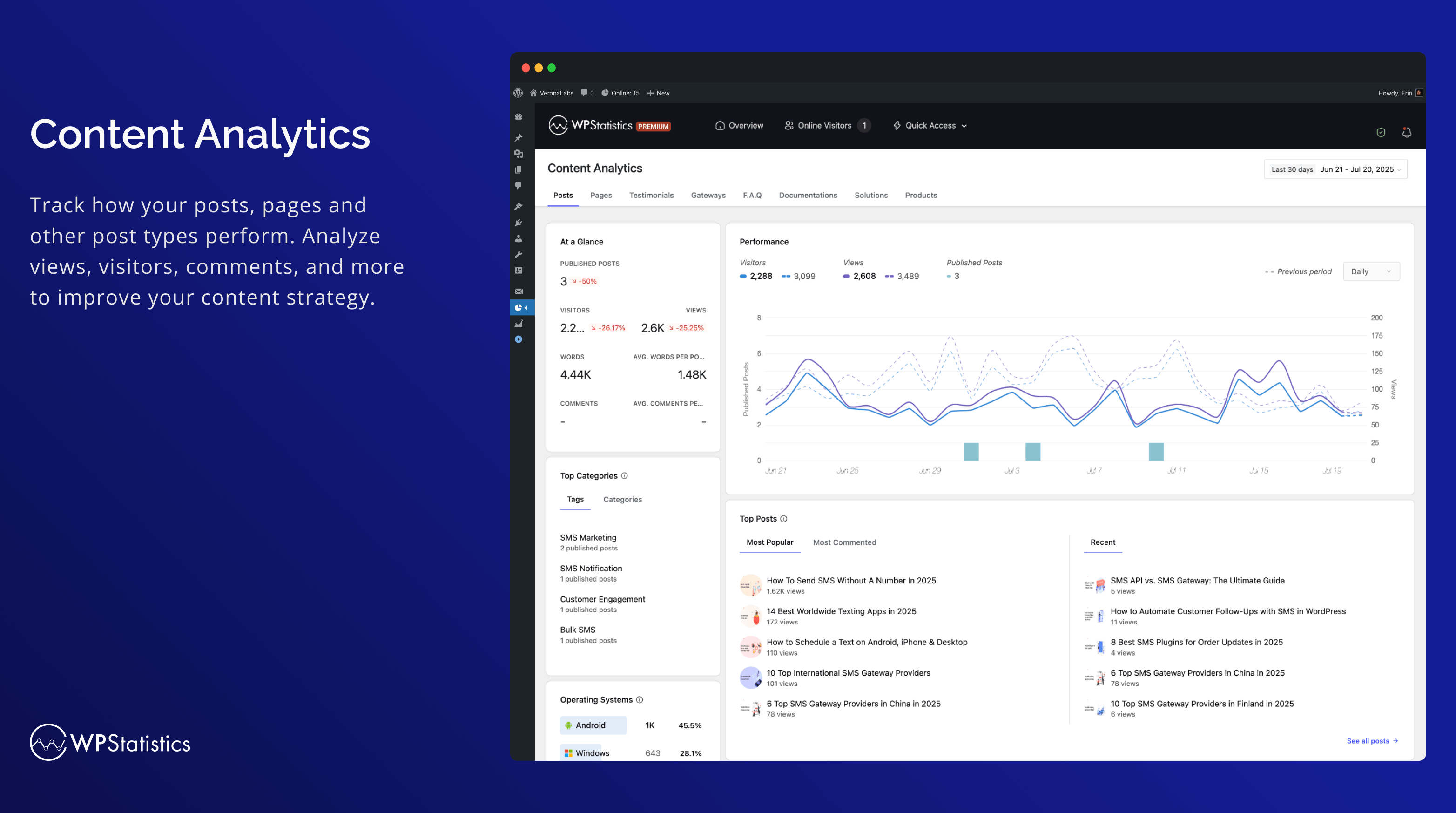
Kokpit analizy treści 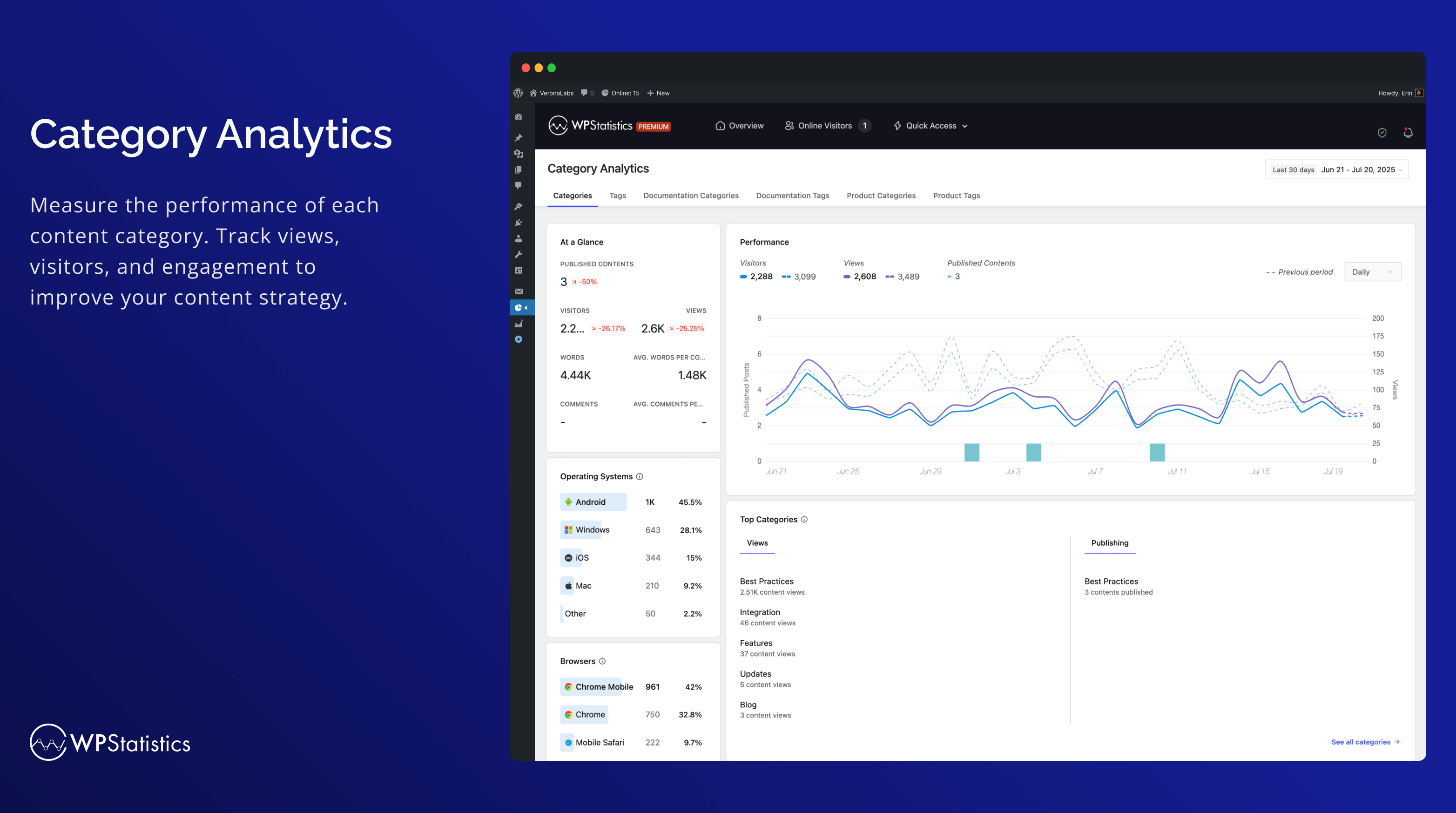
Analityka kategorii 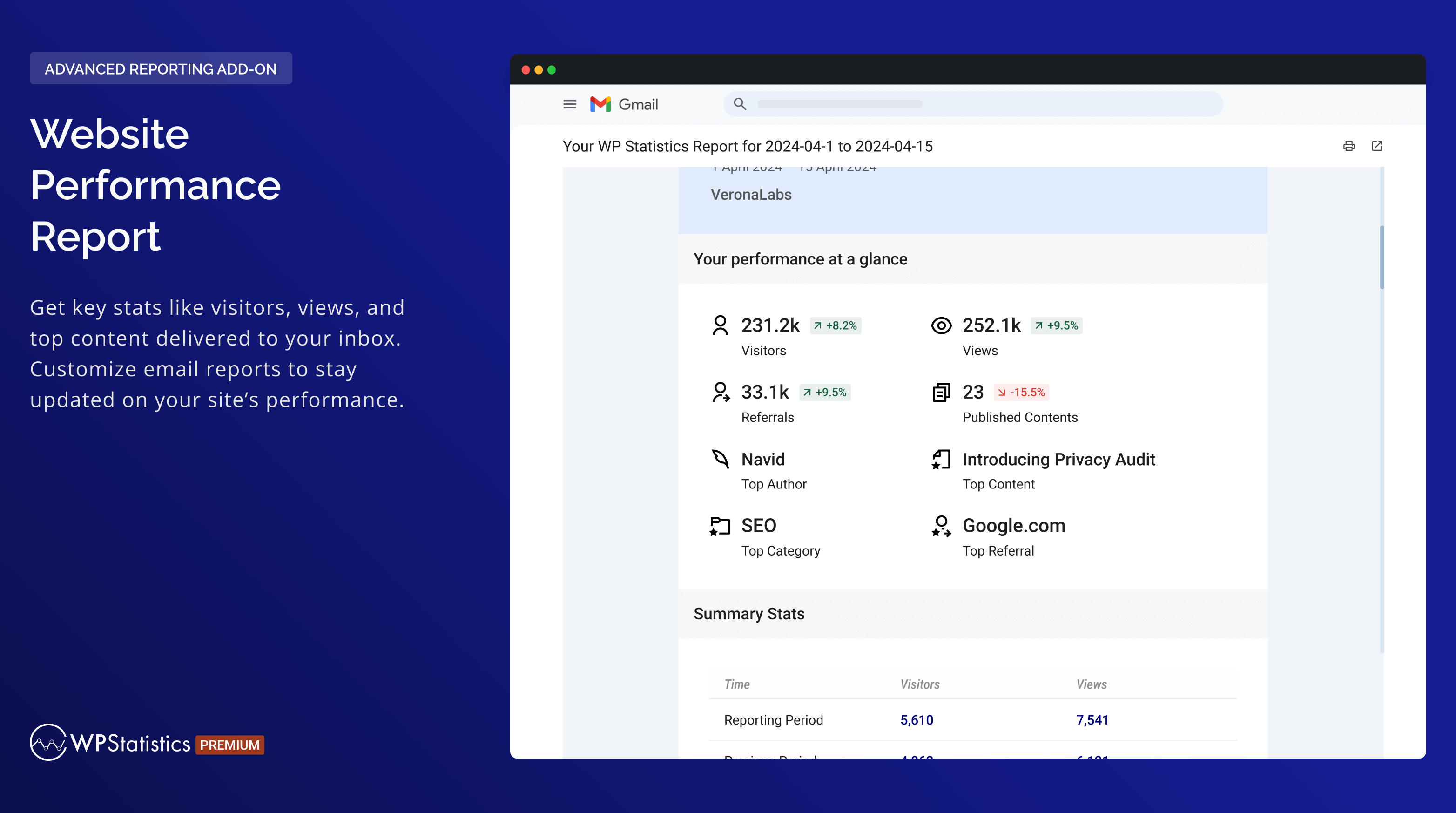
Raport wydajności witryny 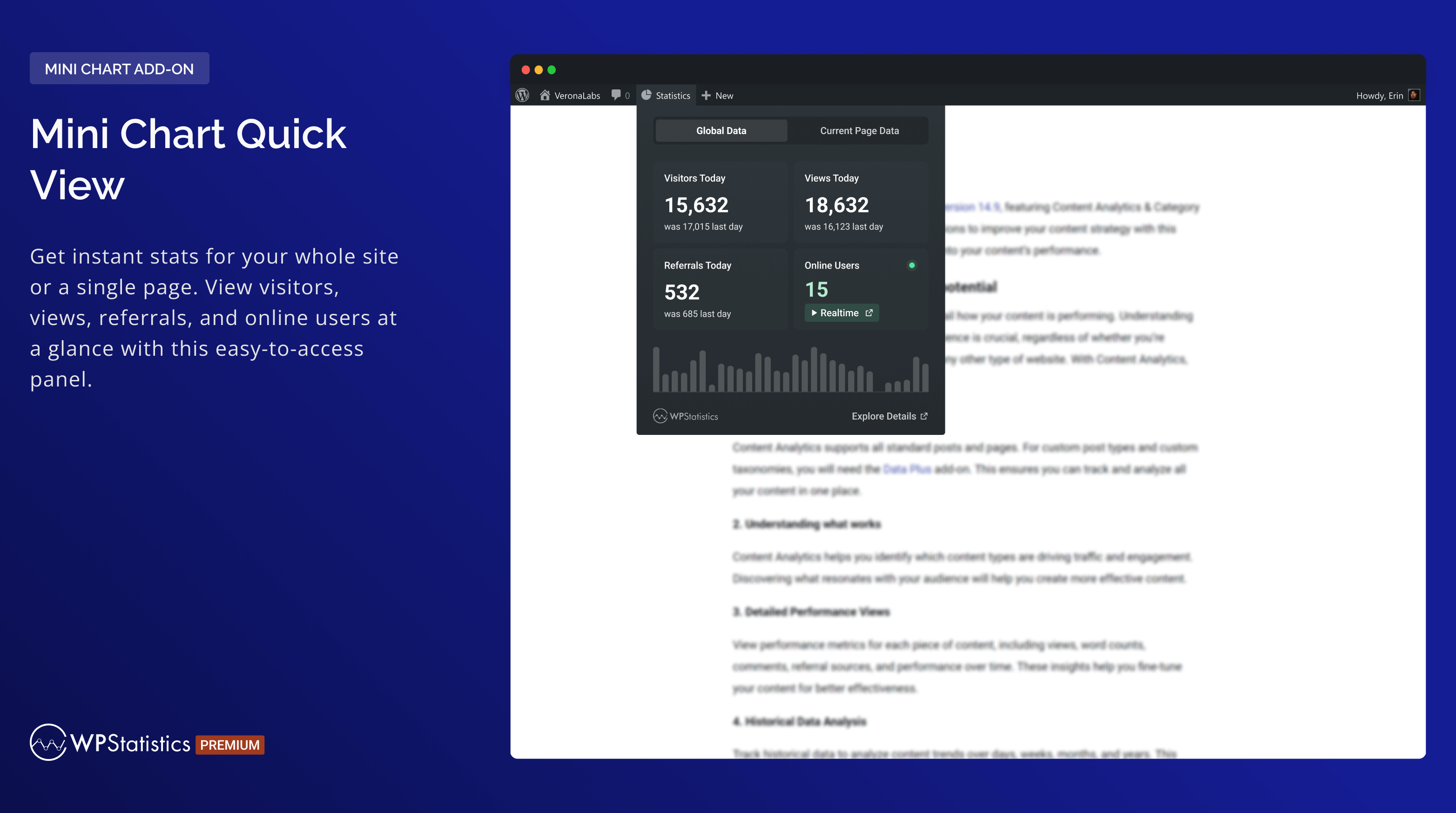
Szybki podgląd mini wykresu 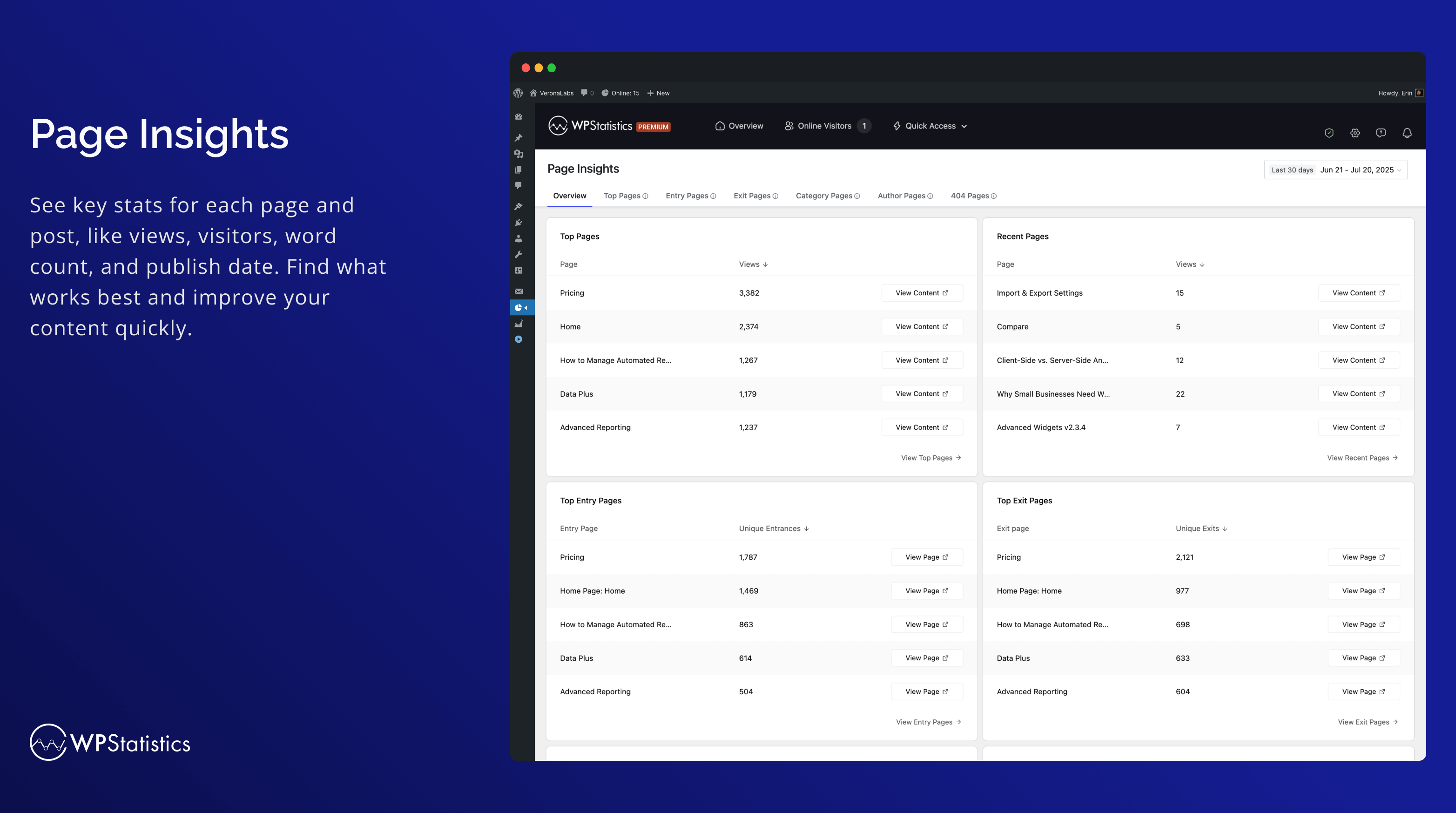
Spostrzeżenia dotyczące strony 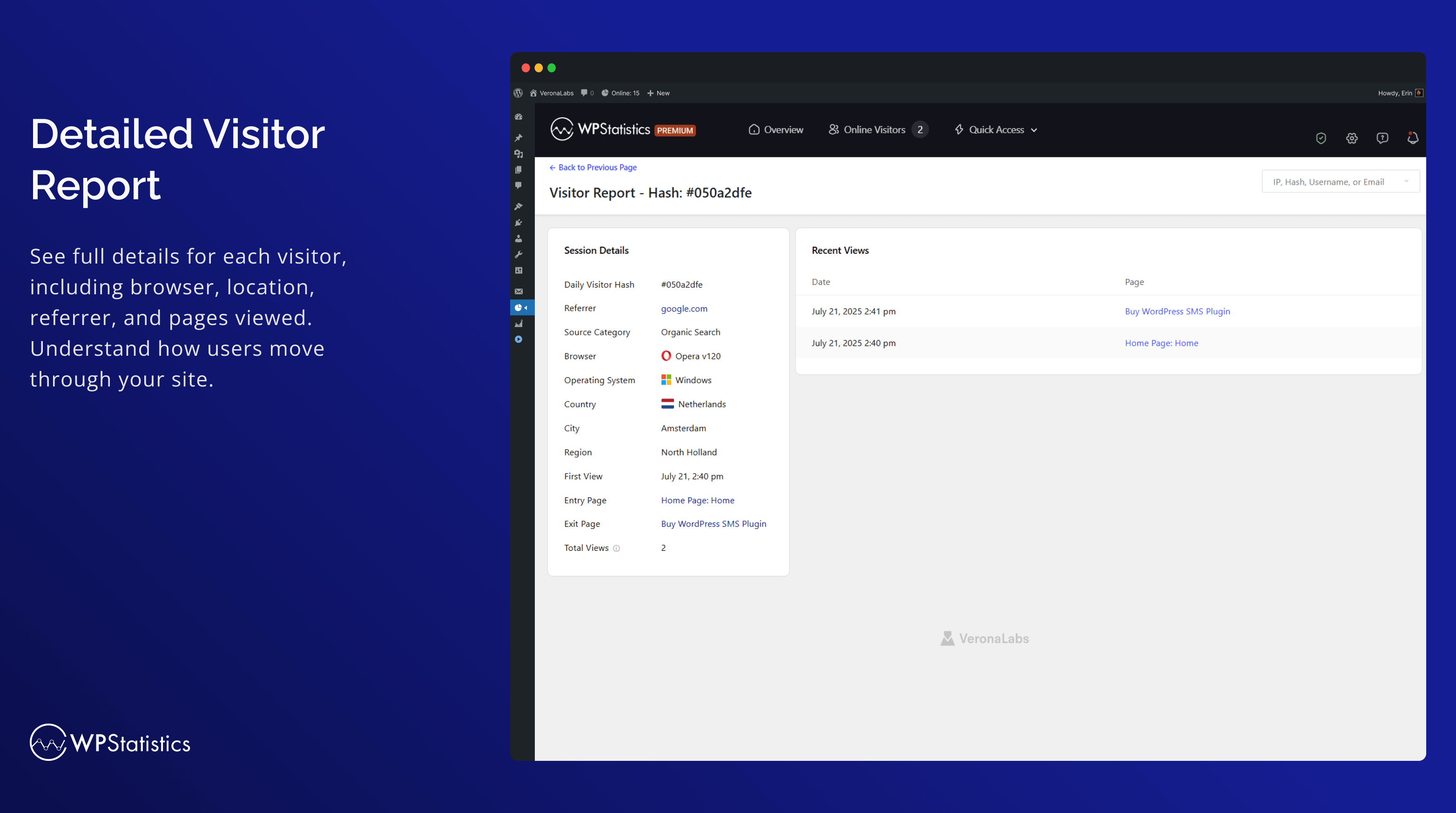
Szczegółowy raport dla odwiedzających 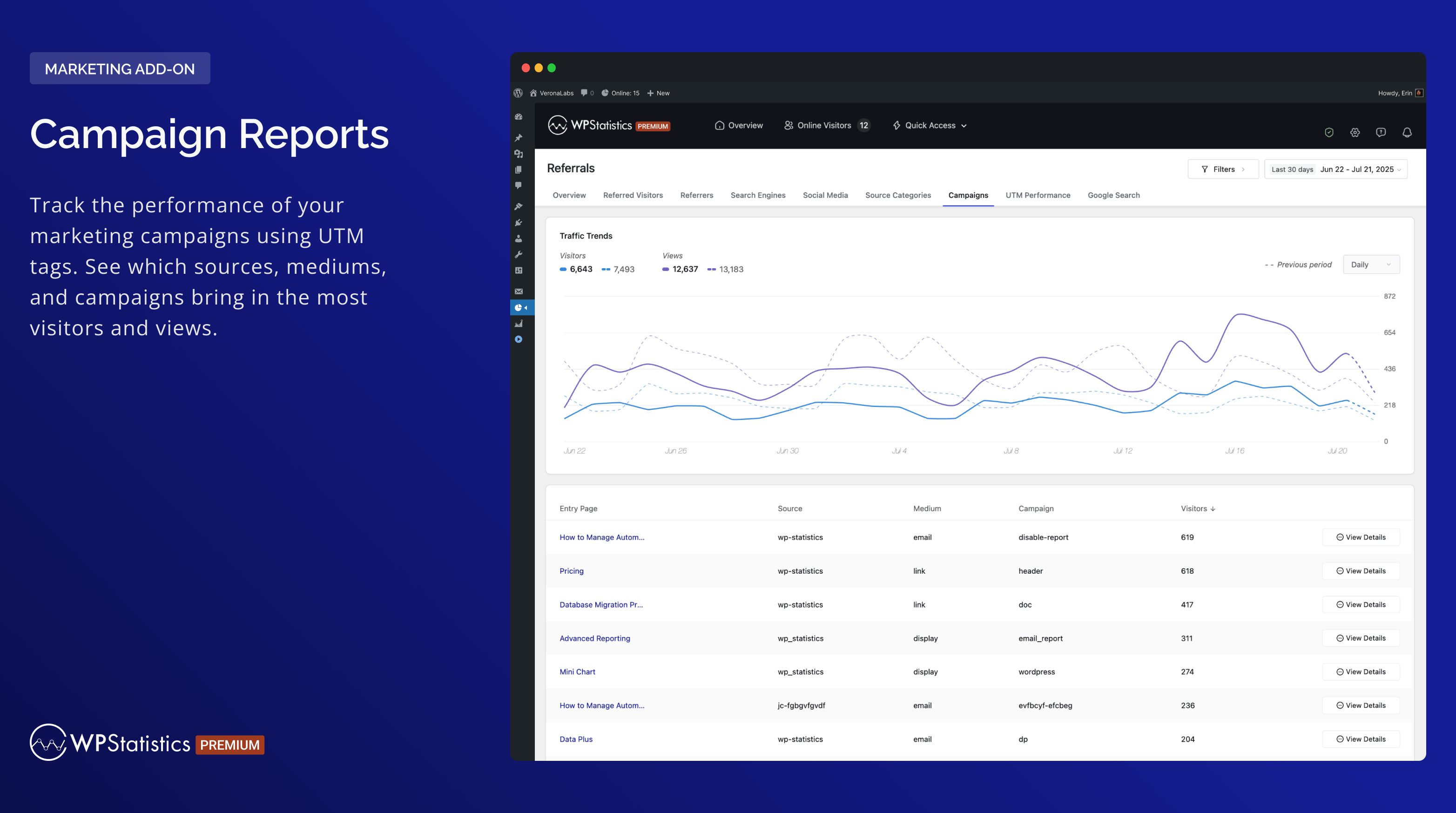
Campaign Reports 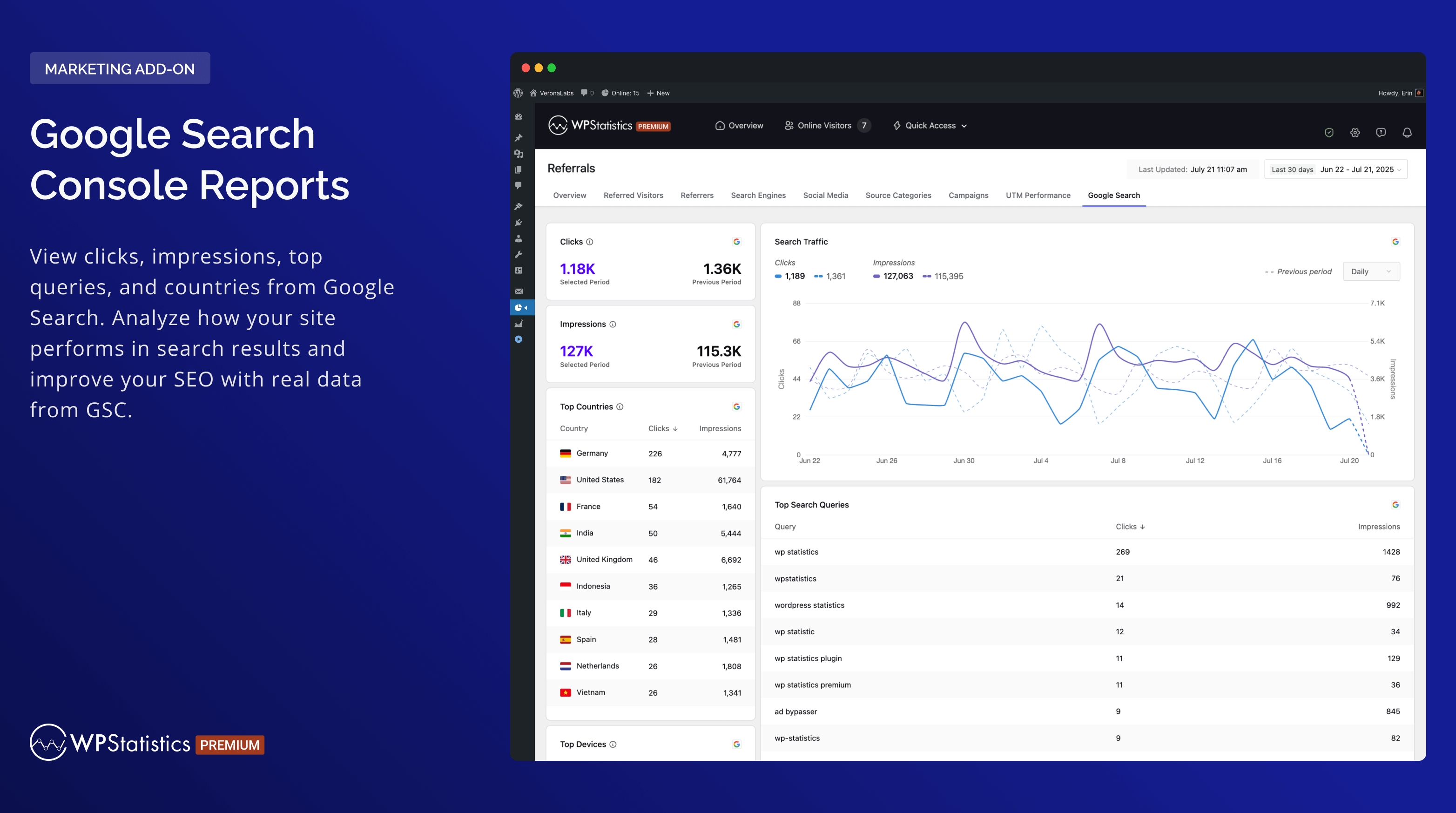
Google Search Console Reports 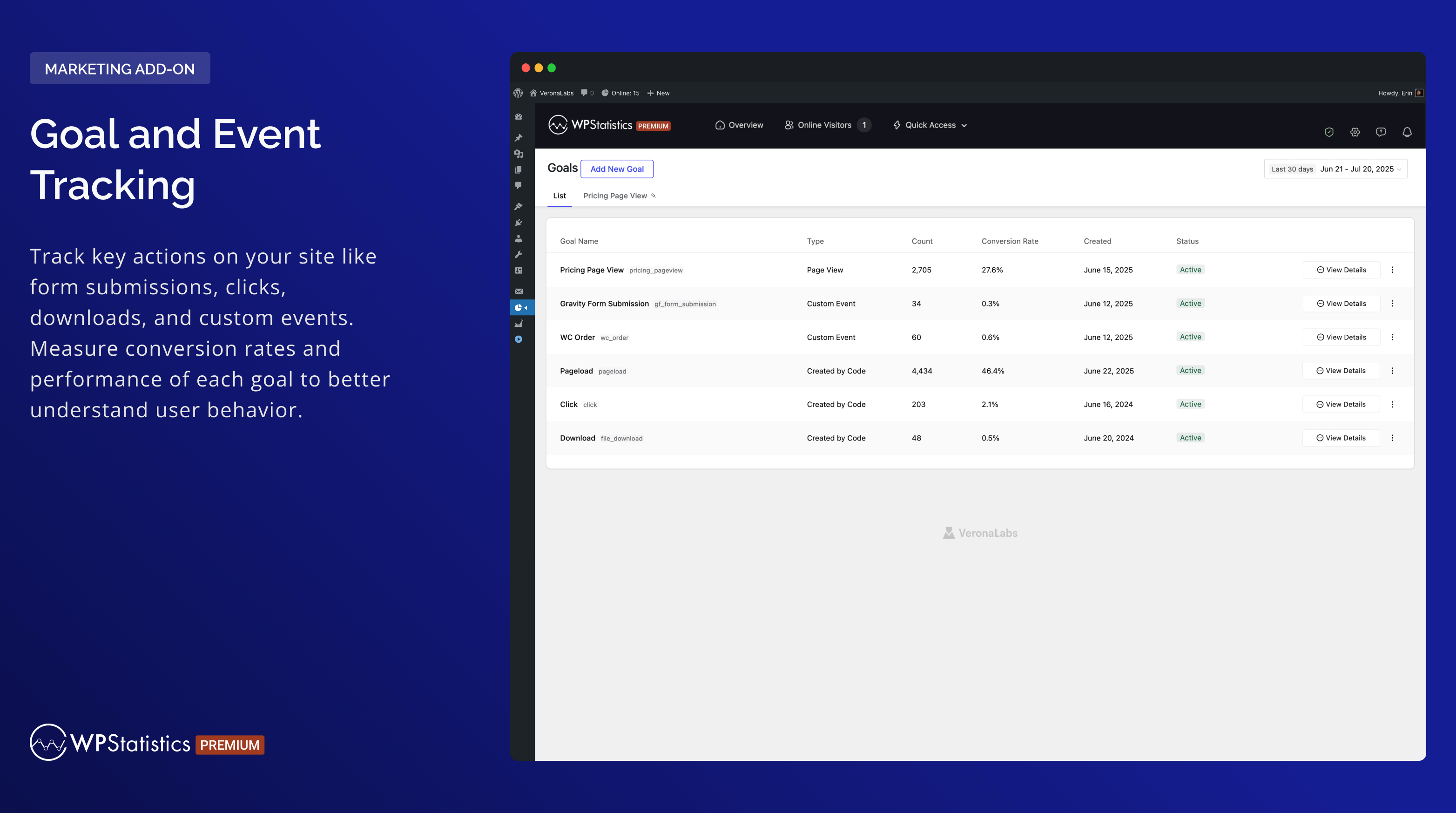
Goal and Event Tracking


Instalacja
- Prześlij
wp-statisticsdo katalogu/wp-content/plugins/. - Włącz wtyczkę wybierając w menu administratora WordPressa pozycję „Wtyczki”.
- Upewnij się, że data i godzina są poprawnie ustawione w WordPressie.
- Przejdź do strony ustawień wtyczki i skonfiguruj zgodnie z wymaganiami (pamiętaj, że obejmuje to również pobranie bazy danych GeoIP po raz pierwszy).
Najczęściej zadawane pytania
-
Who should use WP Statistics?
-
WP Statistics jest przeznaczony dla właścicieli stron internetowych, blogerów, marketerów i analityków, którzy chcą śledzić i rozumieć ruch na swojej stronie WordPress. Jest przyjazny dla użytkownika i wydajny dla profesjonalistów, ale także dostępny dla początkujących.
-
Czy do obsługi WP Statistics wymagana jest wiedza techniczna?
-
Nie, WP Statistics koncentruje się na prostocie. Nie potrzebujesz żadnych umiejętności kodowania, aby z niego korzystać. Możesz zainstalować i używać wtyczki bezpośrednio z kokpitu WordPress.
-
Czy WP Statistics wpłynie na wydajność mojej witryny?
-
Czas ładowania twojej witryny pozostanie szybki dzięki WP Statistics. Na naszej stronie ustawień „Optymalizacja” możesz dostroić sposób obsługi danych dla witryn o dużym ruchu, zapewniając narzędzia do optymalizacji wydajności.
-
Czy jest zgodny z RODO?
-
Tak, WP Statistics jest domyślnie zgodne z GDPR. Więcej informacji można znaleźć w sekcji „Co zbieramy”.
-
Czy dostępne są analizy poszczególnych stron?
-
Każdy wpis, strona i własny typ wpisu jest szczegółowo śledzony.
-
Czy jest kompatybilny z buforowaniem i CDN?
-
WP Statistics jest w pełni kompatybilny ze wszystkimi wtyczkami do buforowania i sieciami CDN.
-
Czy zalogowani użytkownicy są śledzeni?
-
Domyślnie nie. Możesz jednak włączyć śledzenie zalogowanych użytkowników na stronie ustawień.
-
Czy mogę jednocześnie korzystać z WP Statistics i Google Analytics?
-
Tak, możesz uruchomić oba jednocześnie bez żadnych problemów.
-
Czy wizyty botów są liczone?
-
Filtrujemy wizyty botów, korzystając z najlepszych praktyk. W porównaniu do Google Analytics twoje widoki i odwiedzający są bardzo podobni. Artykuł „Enhancing Data Accuracy” może pomóc Ci jeszcze bardziej wyeliminować boty.
-
Czy mogę eksportować dane?
-
Dane można eksportować do plików XML, CSV lub TSV w celu tworzenia kopii zapasowych lub w celach raportowania.
-
Czy istnieje obsługa wielu witryn?
-
WP Statistics obsługuje instalacje WordPress Multi-Site/Network. W panelu administratora sieci możesz przeglądać połączone lub oddzielne analizy dla każdej podstrony.
Recenzje


Kontrybutorzy i deweloperzy
„WP Statistics – Simple, privacy-friendly Google Analytics alternative” jest oprogramowaniem open source. Poniższe osoby miały wkład w rozwój wtyczki.
Zaangażowani


Wtyczka „WP Statistics – Simple, privacy-friendly Google Analytics alternative” została przetłumaczona na 29 języków. Podziękuj tłumaczom za ich wkład.
Interesuje cię rozwój wtyczki?
Przeglądaj kod, sprawdź repozytorium SVN lub czytaj dziennik rozwoju przez RSS.
Rejestr zmian
14.16 – 2025-12-01
- New: Added an Export button to all report pages.
- New: Added a new
Summary Totalstable to store daily aggregated data. - Enhancement: Tested up to v6.9
- Enhancement: Updated PHP requirement to v7.4 and WordPress requires to v6.6
- Enhancement: Redesigned Summary widgets across all report pages.
- Enhancement: Optimized database queries and improved overall performance.
- Enhancement: Improved online tracking system and removed heartbeat online requests for better performance and reduced server load.
- Deprecation: Removed the
Matomo Referrer Spam Blacklistoptions from the settings.
14.15.6 – 2025-11-09
- New: Introduced a refactored background-process migration system and removed legacy AJAX migrations.
- New: Updated the Single Visitor page and added an „Other Visits” section.
- Enhancement: Converted the Visitor Columns migrator into a background process, added a progress notice, and introduced a „Data Migrations” section on the Optimization page.
- Enhancement: Linked 404 report items directly to the Single Resource page.
- Fix: Fixed unknown location link issue in Visitor Information.
- Fix: Resolved chart display issues with non-Gregorian dates.
- Fix: Fixed external link detection for accurate outbound tracking.
- Fix: Corrected the label displayed for selected filters on the Link Tracker page.
14.15.5 – 2025-09-21
- Enhancement: Added date range validation on report pages.
- Enhancement: Improved compare style and number formatting in „At a Glance” widgets.
- Enhancement: Updated chart component to show a message when no data is available.
- Enhancement: Limited queue and AJAX migrations (and their notices) to the „Minimum Role to Manage Settings.”
- Enhancement: Refactored the migration codebase for better structure, readability, and maintainability.
- Enhancement: Added a „Recheck Schema” button on the optimization page to recheck database health via AJAX.
- Fix: Fixed console warnings on Chromium-based browsers on the settings page.
- Fix: Fixed incorrect „Queue Migration” completion notice after plugin updates.
- Fix: Resolved activation issues on fresh installs.
- Dev: Removed the
wp_statistics_data_export_base_queryandwp_statistics_data_export_queryfilters.
14.15.4 – 2025-09-02
- Enhancement: Refactored the update process and database schema updates to run on the frontend.
- Enhancement: Optimized the database manager to avoid duplicate queries.
- Enhancement: Improved Visitor Info display logic.
- Enhancement: Refactored install/uninstall code into separate classes for activation, load, and uninstall.
- Enhancement: Optimized schema health checks to run daily on the dashboard and after activation or updates.
- Enhancement: Improved responsiveness by converting „Optimize Page” actions in the Plugin Maintenance tab into asynchronous AJAX requests.
- Fix: Prevented
wp_statistics_tracker_js_errorsoption bloat by limiting stored errors and truncating error messages. - Fix: Fixed sorting issue in the
Top Pageswidget on the Page Insights report. - Fix: Fixed Region widget issue when a country is not detected on the Geographic page.
- Fix: Prevented false „Queue Migration” notices after updates.
- Fix: Corrected the Filter Modal Reset button redirect.
- Fix: Fixed Visitor Journey not recording repeat visits to the same page.
14.15.3 – 2025-08-18
- Fix: Fixed a warning by validating geographic location codes are strings or integers before use.
- Fix: Correct redirect URL after clicking 'Start Migration’.
- Fix: Fixed Author Analytics filter issue.
- Enhancement: Added LiteSpeed Cache detection for improved cache-related warning notifications.
- Enhancement: Randomized the execution time of the GeoIP update event to reduce simultaneous load on jsdelivr.
- Enhancement: Improve performance of visitor migration.
14.15.2 – 2025-08-10
- New: Added compatibility with the
Borlabs Cookieplugin. - New: License keys can now be set via
wp-config.phpusing constants likeWP_STATISTICS_LICENSEand are automatically validated on init. - Enhancement: Visitor data now stores only the major browser version to improve performance and reduce query load.
- Enhancement: Refactored advanced reporting to reduce redundant queries and improve performance.
- Enhancement: Replaced the legacy Robot List with the Device-Detector
isBotcheck and renamed the bot detection field. - Fix: Fixed filter issues on the Visitors and Referred Visitors pages.
- Fix: Adjusted access control for specific plugin actions.
- Fix: Fixed display issues on the single-visitor page when
user_idis missing. - Fix: Updated the Top Countries widget to calculate percentages based on all visitors.
14.15.1 – 2025-07-29
- Enhancement: Numbers in Overview widgets are now abbreviated (e.g., 10k), with full values shown on hover.
- Enhancement: Made integration JS files dependencies of
tracker.jsto avoid cache-related issues. - Enhancement: Display a notice when a caching plugin is active.
- Fix: Fixed an issue with transient cache duration settings.
- Fix: Corrected color display for period-over-period comparison metrics.
14.15 – 2025-07-22
- New: Added an
Przeglądreport for Visitor Insight. - New: Added an
Przeglądreport for Page Insights. - New: Added a
Device Overviewreport. - Enhancement: Improved migration performance by running schema updates synchronously and removing background processes.
- Enhancement: Improved the
Viewsreport under Visitor Insight. - Enhancement: Unset the
Consent Integrationsetting when integration is deactivated. - Enhancement: Added country name to flag tooltip in Visitor Info.
- Enhancement: Added unread notification badge to the Help Center menu.
- Enhancement: Merged notification and campaign cron jobs into a single daily schedule.
- Enhancement: Dashboard now shows only the „Traffic Overview” widget by default for a cleaner start.
- Enhancement: Optimized
getTrafficOverviewDatafor fewer queries and faster widget loading. - Enhancement: Skipped GeoIP database download in local environments to speed up setup.
- Enhancement: Removed unused
commentsjoin from Page Insights query to improve performance. - Enhancement: Improved „Back” button functionality across pages to return to the previous view accurately.
- Enhancement: Improved warning message for missing consent-management plugin.
- Fix: Fixed report URL issues for custom post types.
- Fix: Resolved zero page view issues for non-’category’ taxonomy filters.
- Fix: Fixed incorrect tracking of WooCommerce My Account sub-pages.
- Fix: Prevented
number_format()warning when value is null in PHP 8.4.5.
For more information about the major update, please visit our release post or follow @wp_statistics on Twitter
