Fast and easy-to-use remote desktop
RemotePC is a productivity application developed by iDrive Inc. As the name suggests, this software secures remote access to your computers. It offers lots of features and easy scale-ability that businesses and individuals will appreciate.
Like popular remote PCs, such as TeamViewer and AnyDesk, you can access files and programs on your host computer no matter where you are. More, you can share files between host and client computers and even print documents to your nearest printer. It is also worth noting that RemotePC includes a voice chat, which is a more convenient way of collaborating than on-screen chat.
Features and performance
Depending on the size of your company, setting up all your computers and user accounts may take ages. However, the app offers some clever features that will streamline the process. For one, you can enter comma-delimited email addresses to invite multiple users. You can even create user groups with permission. Note, however, that each RemotePC user will have to reinstall the software when you switch to a higher plan.
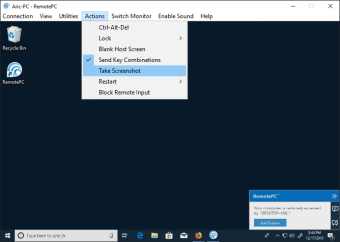
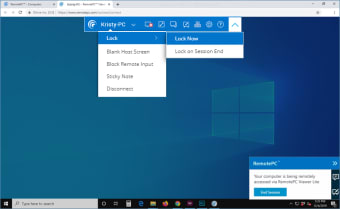
The interface is modern and easy to use, and you will have no trouble navigating to find what you are looking for. You can access all the tools from the Utilities menu at the top. As mentioned, RemotePC allows you to access all files and programs from your host PC. You can also access file systems with drag-and-drop file sharing between host and client computers.
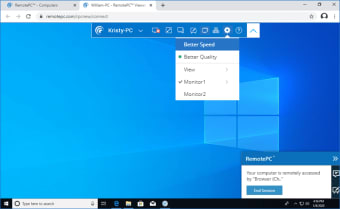
RemotePC did a great job of scaling the screen with clear text and sharp images. The latency is nearly flawless, with almost no lag whenever you move the mouse or highlight a text. However, changes made on the host PC will have a slight delay. Security-wise, the app uses TLS v 1.2/AES-256 encryption for both remote computers. Access to each computer is also protected by a personal key.
Final thoughts
All in all, RemotePC is a great option if you are looking for reliable remote PC software for your company. The app has an impressive performance, so you are sure of a smooth experience. Installation and setup are also simple—although it takes time—even for multiple devices. It could use more convenient collaboration tools, such as audio or video conferencing. Nevertheless, the features it has work magnificently.