Fast and reliable USB installer builder
Rufus is a lightweight utility designed for creating bootable USB drives from ISO files, widely recognized for its reliability in preparing installation media for operating systems. It is essential for users who need quick and efficient tools to install or repair Windows or Linux systems, making it a popular choice among both casual users and IT professionals.
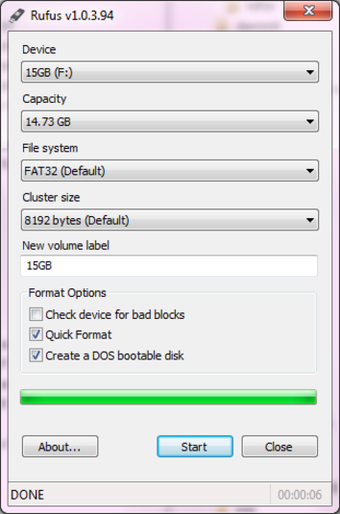
The software remains free and portable, eliminating installation hurdles while providing essential features like automatic drive detection and multiple filesystem support. Rufus allows for easy setup of BIOS or UEFI bootable drives, giving users confidence in handling system installations safely and efficiently.
Advantages offered by modern bootable USB utilities
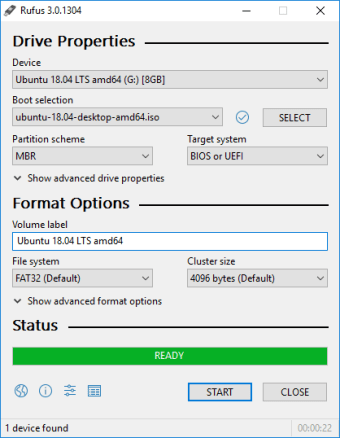
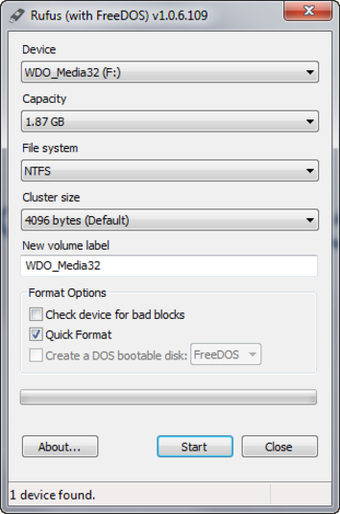
Rufus offers versatile features for writing ISO files to USB drives, including support for FAT32, NTFS, exFAT, UDF, or ReFS. Users can create bootable media for Windows, Linux distributions, or DOS environments, accommodating BIOS and UEFI systems. This flexibility ensures broad compatibility and practical use for different installation scenarios. For comparison, alternatives like balenaEtcher and Ventoy exist, but this software’s speed and reliability make it stand out for frequent use.
Its usability is straightforward, supported by a portable design and simple interface that help users work with ease. Performance is often faster than similar tools, enabling efficient creation of installation media. Optional checksum verification reduces risks from corrupted files. However, users must configure the file system and partition scheme carefully, as incorrect choices can lead to boot failures or unusable drives in a range of situations.
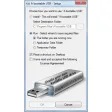
The software delivers a smooth user experience by automatically detecting the connected drive, allowing configuration of partition schemes and target systems with ease. It remains free to use and open-source, supporting many devices without installation. While alternatives offer similar capabilities, this tool excels in reliability, portability, and speed, making it a dependable choice for users managing operating system installations across a variety of everyday and professional scenarios.
Essential tool for creating bootable drives
Rufus combines speed, versatility, and reliability for crafting bootable USB drives efficiently. Its support for multiple filesystems, BIOS/UEFI compatibility, portable operation, and free usage make it an indispensable tool for anyone preparing or repairing operating systems. The software’s simple yet powerful features ensure that installations are smooth and dependable, solidifying it as a must-have utility for both personal and professional system management tasks.