
Here, you can view applicant submissions, including session titles and descriptions. You can also update their status, review their information, download it submitted form, and sync confirmed applicants to your event.

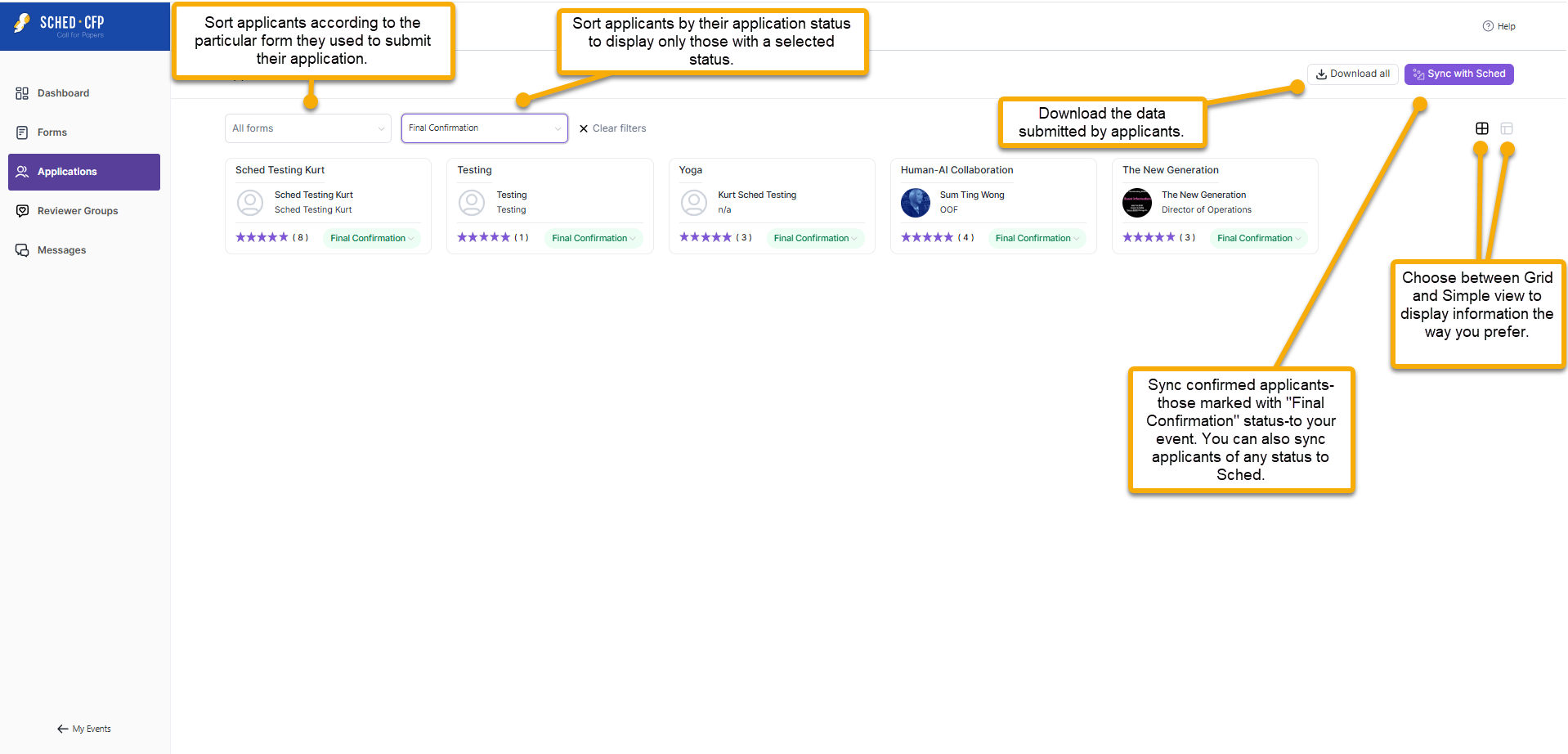
- All Forms: Filter applicants based on the specific form they used to submit their application.
- All Statuses: Filter applicants by their application status to view only those with a specific status.
- Download All: Download the information submitted by applicants. This is commonly used by reviewers to assess the applicants’ details.
- Sync with Sched: You can sync applicants with any status—such as those marked “Final Confirmation”—to your event by filtering for that status and clicking Sync with Sched.
- Grid and Simple View: Switch between Grid and Simple view based on your preference for displaying information.


