Bridge Scratch with physical devices
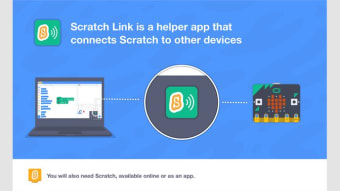
Scratch Link is a helper application that enables Scratch projects to communicate with external hardware devices through a computer’s web browser. It runs quietly in the background, creating a secure connection between Scratch on the web and supported Bluetooth or USB-enabled devices for interactive, hands-on programming activities, used widely in classrooms and workshops.
Scratch Link is mainly used with Scratch’s web-based editor to support real-world interactions, such as controlling motors, lights, or receiving sensor input. By operating locally on the computer, it allows projects to access hardware features safely while avoiding direct browser permissions that could introduce potential security risks.
Reliable, easy, and classroom-friendly connectivity
Scratch Link supports connectivity with several popular educational devices, including LEGO Education hubs, micro:bit, and other compatible controllers. It handles Bluetooth and USB communication, translating hardware inputs into signals Scratch can understand. The software runs quietly in the system tray and automatically activates when a supported Scratch project requests a connection, ensuring stable performance during lessons, demonstrations, and hands-on classroom activities for students and educators.
The program is designed for ease of use, especially in classroom and learning environments where simplicity is important. It does not require complex setup or configuration, making it accessible for beginners and younger users. However, it depends entirely on Scratch’s web editor and supported devices, which means it offers limited standalone functionality beyond those specific educational use cases and cannot operate independently.
Alternatives include device-specific applications such as LEGO Education software or micro:bit’s own web tools, which offer more direct control over their hardware. Some third-party Scratch mods also provide hardware integration, but these options may lack the same security controls, stability, or official support found in this program for classroom and educational use, especially in managed school environments with larger classrooms and standardized learning technology setups.
Simple hardware connectivity
Scratch Link serves a focused purpose by enabling safe and reliable communication between Scratch projects and physical devices. While it does not offer advanced customization or independent features, it performs its role consistently and without unnecessary complexity. For students, educators, and hobbyists working with Scratch-compatible hardware, it remains a practical, straightforward, and dependable solution for interactive learning and hands-on programming activities.















.png)