


What Is an Email Header?
An email header is the technical information at the top of every email that contains routing and delivery details.
While you only see basic fields like “From,” “To,” and “Subject” in your inbox, the full email header includes much more information. It contains data about the sender’s server, authentication results, spam filtering scores, and the path the email took to reach you.
What Information Is in an Email Header?
Email headers contain dozens of fields with technical information. Some fields are visible in your email client, while others are hidden in the background. Here are the most important ones:
- From: The sender’s email address. This is what recipients see as the sender.
- To: The recipient’s email address.
- Subject: The subject line of the email.
- Reply-To: An optional field that tells email clients where to send replies. This may differ from the From address.
- Date: When the email was sent.
- Return-Path: Where bounce messages should be sent.
- Message-ID: A unique identifier for the email message.
- Received: Shows the path the email took, including all servers it passed through. There’s usually one “Received” line for each server.
- X-Spam-Score: A spam filtering score assigned by the receiving server.
- List-Unsubscribe: An optional header that provides unsubscribe instructions to email clients.
- Content-Type: Specifies whether the email is plain text or HTML.
These are just the standard fields. Email headers can contain many more specialized fields depending on the email client, server, and configuration.
How Do Email Headers Work?
Email headers work like an address label and tracking information combined. When you send an email through SendLayer, the system creates a header with all the necessary information for delivery.
Here’s what happens:
First, your email application or SendLayer’s API creates the basic visible headers (From, To, Subject). Then the sending server adds technical headers including authentication signatures, routing information, and timestamps.
As the email travels from server to server on its way to the recipient, each server adds its own “Received” header line. This creates a trail showing exactly how the email reached its destination.
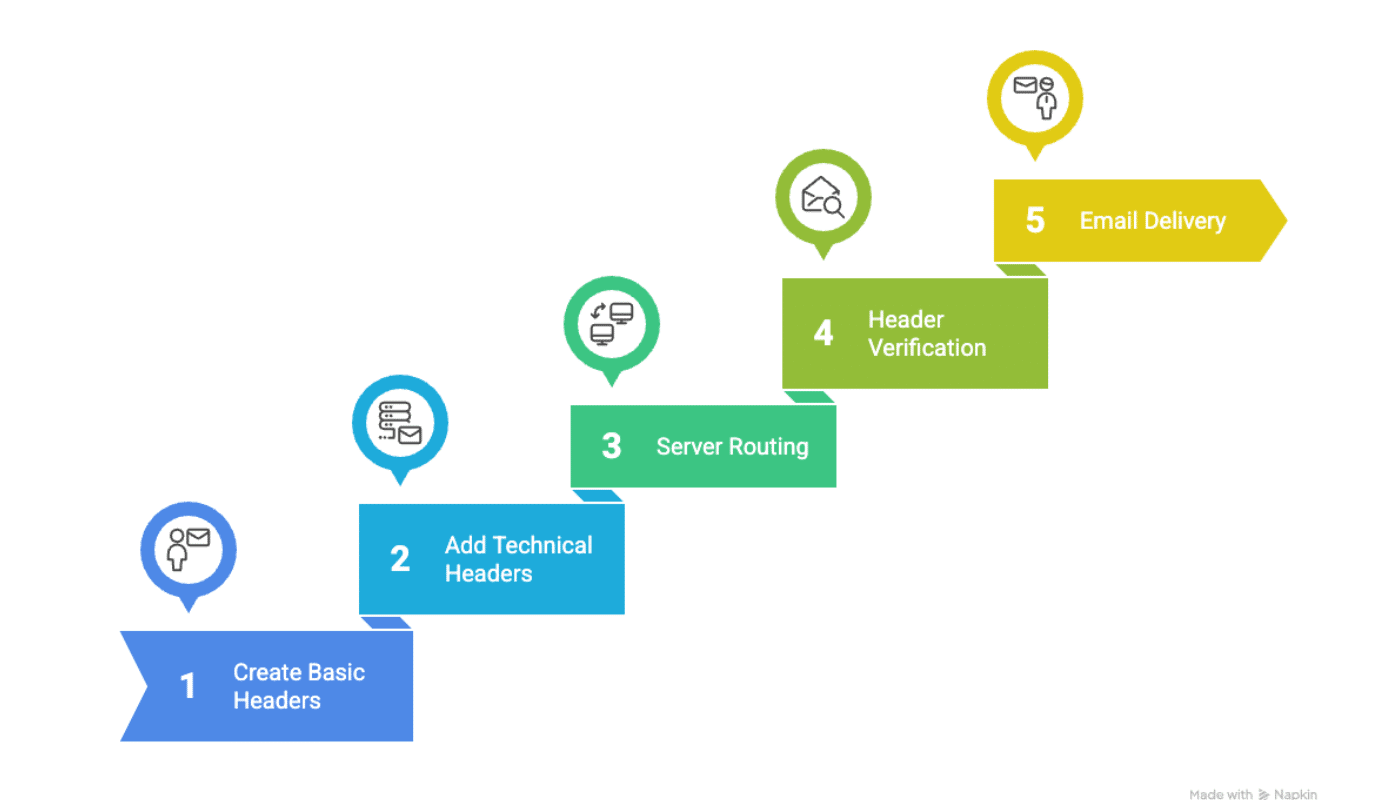
When the email arrives at the recipient’s mail server, that server examines the headers to verify the sender is legitimate. It checks authentication records, looks for spam indicators, and verifies consistency.
If the headers check out, the email is delivered. If something looks wrong, the email may be rejected or sent to spam.
When you use SendLayer, we automatically handle all the technical header details to ensure your emails have the best chance of reaching the inbox. Our system adds proper authentication headers, formats everything correctly, and includes all required fields.
That’s it! Now you know what email headers are.
Want to learn more about how email delivery works? Check out these resources:
