Image

Dinkar Kamat

Updated last month

A free and simple communication app

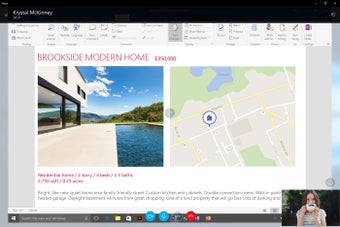
Skype is a free chat and instant messaging app that has been a household name in the online communication market for years, providing voice and video calls, messaging, and file sharing to its users. Developed by Skype, it’s available on a PC. 

Top Recommended Alternative

Despite facing tough competition from Zoom, Microsoft Teams, and WhatsApp, Skype remains relevant due to its cross-platform compatibility and integration with Microsoft services. With features like live subtitles, screen sharing, and Skype-to-phone calls, it appeals to both casual and business users. It also offers an easy-to-navigate interface that caters to any type of user. 

A long-standing social and communication app 

Skype continues to offer a range of features that have made it a solid communication tool for years. The app provides free HD video and voice calls, making it ideal for personal and professional use. Also, screen sharing is seamless in the app, allowing users to collaborate effectively. Additionally, the live subtitle feature enhances accessibility for users who may have hearing impairments or need translations. 

One of the app’s standout features is its ability to call mobile and landline numbers at competitive rates. This is particularly useful for businesses and individuals making international calls, either for personal purposes or for work. The app’s integration with Microsoft products, such as Microsoft Outlook and Microsoft OneDrive, enhances productivity, making it a convenient tool for those already within the Microsoft ecosystem. 

However, this communication app does have its drawbacks as well. As you use the app, its performance can sometimes be inconsistent, with occasional connection issues and delays. While the interface has improved over the years, it can still feel cluttered compared to simpler alternatives like Zoom or Google Meet. Nevertheless, it’s a good alternative to other chat and instant messaging apps. 

A solid chat and video app 

Skype remains a viable option for online communication, especially for users needing Microsoft integration and affordable international calling. While it may not be the top choice for all users, its feature set and cross-platform availability keep it relevant throughout the years. If you’re looking for a well-established communication tool with a solid feature set, this communication app is still worth considering. 

Image

Dinkar Kamat

Dinkar has more than 10 years of experience in content creation, including technical articles, travel writing, and product strategy. His expertise spans SEO, digital marketing, and structured editorial work. He focuses on producing content that is both accurate and accessible for diverse audiences.

  • Pros

    • Has a range of features
    • Can call mobile and landline numbers
    • Integration with the Microsoft ecosystem
  • Cons

    • Occasional connection issues and delays
    • Cluttered interface compared to its competitor apps
Image
 0/5

App specs

Also available in other platforms

Program available in other languages


User reviews about Skype

3.8

107 reviews

Add review

Main reviews for you

  • Image

    Anonymous user

    Still the good app to keep connected with my family!

  • Image

    Anonymous user

    Absolutely!I used it before to catch up with work colleagues, friends and family and it was excellent.

  • Image

    Anonymous user

    Best is skype for using vedio calling so i recomnded to all

  • Image

    Anonymous user

    Good app its very help full for NRI people thank you very much

  • Image

    Anonymous user

    GOOD FOR SOCIAL NETWORKING AND VIDEO CONFERENCING. We can use it for e learning and teaching process and also at home based on line business.

  • Image

    Anonymous user

    Yes its very help ful to connect with friends and others people thanks you softonic to provide this software...

More

You may also like

Alternatives to Skype

Explore Apps

Related Articles

Latest articles

Laws concerning the use of this software vary from country to country. We do not encourage or condone the use of this program if it is in violation of these laws.
Softonic

Is Skype safe?

100/100

Score result: Clean

This file passed a comprehensive security scan using VirusTotal technology. It is safe to download.

  • Virus free
  • Spyware free
  • Malware free
  • Verified by Security Partners

    VirusTotal logo

Scan Info

Last scan
Monday, July 21, 2025
Scan provider
VirusTotal · Full report

File Integrity

File
Skype_Installer.exe
SHA256
bdcf461c7785bf8e37245d9d847861a5947b3a14949ee3752b420f1a61679f88
SHA1
4170358a7e67a56455225876f086e36416c5d6c5

Softonic security commitment

Skype has been thoroughly scanned by our advanced security systems and verified by industry-leading partners. This file comes from the official developer and has passed all our security checks, showing no signs of viruses, malware, or spyware. For more information, visit our Security and Trust Center