Lightweight and easy media player

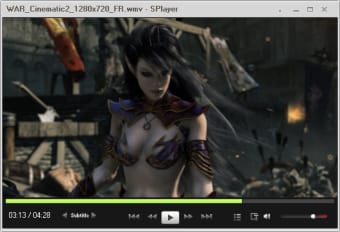
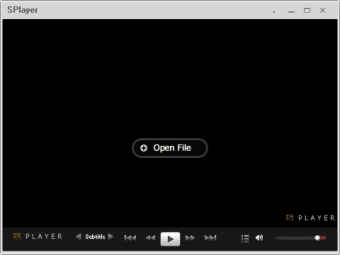
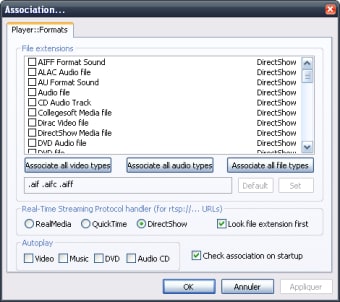
SPlayer is a lightweight video and audio multimedia player that prioritizes simplicity and low resource usage. This free program allows users to enjoy music and movies, supporting various formats, including DVD and streaming media. Its minimalist interface ensures that the focus remains on the content being played without any complicated steps.

A streamlined program for your needs

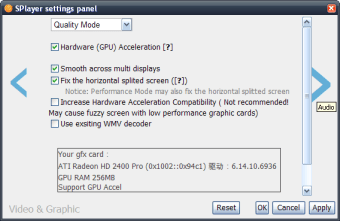
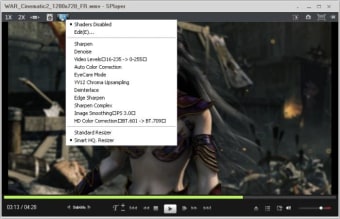
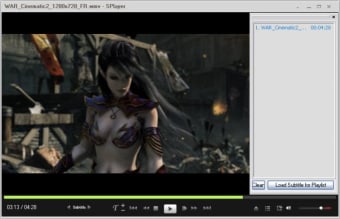
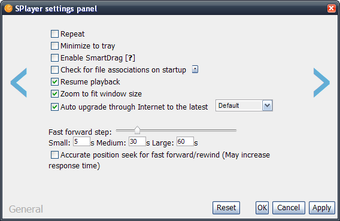
SPlayer is a lightweight media player packed with powerful features without the unnecessary bloat. It includes an audio and video equalizer for adjusting playback, full subtitle support, and a built-in screenshot tool for capturing frames. You can also choose from minimal, compact, and standard interface options to personalize your experience.

Some users, however, may feel that the program's minimalist design is too basic, leading to a less feature-rich experience than its competitors. While it prioritizes efficiency, this simplicity may come at the expense of advanced configuration options and comprehensive library management features that larger, more complex programs similar to this offer.

Easy to use and enjoy

SPlayer is an excellent choice for users who prioritize efficiency, speed, and simplicity in a media player. Its ability to support a wide range of formats while remaining incredibly light on system resources is a significant advantage. If you value a clutter-free experience and powerful basic features, it’s worth trying out.


  • Pros

    • Very low on system resources
    • Support for many audio and video formats
    • Supports subtitles
    • Includes equalizer and screenshot tool
  • Cons

    • The interface may be too simple
    • Less feature-rich than competitors
Image
 0/8

App specs

  • License

    Free

  • Version

    4.9.4
  • Latest update

  • Platform

    Windows

  • OS

    Windows XP

  • Language

    English

    Available languages

    • German
    • English
    • French
    • Russian
    • Chinese
  • Downloads

    800.7K

    Last month's downloads

    • 1.1K
  • Size

    65.84 MB

  • Developer

Program available in other languages


Icon of program: SPlayer

SPlayer for PC


User reviews about SPlayer

4.1

12 reviews

Add review

Main reviews for you

  • Image

    Anonymous user

    Why not update ?. And now with my 7.1 speakers, surround sound sounded real. on appeal GOM player + codec, MPC HC + codec pack but not just buzzing sound to 7.1 surround speakers. but unfortunately this player still has not been updated to the new version.

  • Image

    Anonymous user

    Best 5.1 sound video player. best of the best 5.1 sound.. i really like it.. 5.1 sound is stronger and clearer than with VLC, GOM, KMP, which I use .. Cons: no comant

  • Image

    Anonymous user

    My default player. Another important but not the most important quality video images and video sound very satisfying .. 'I see fast furious 7 in the intro video when jason satam out of the hospital and into the car and there clear sounds of car doors closed. and in another player from free to paid software I could not clearly hear the sound of the car door. but in SPlayer there sounded clear and steady .. 'For picture and sound quality for me all the players left behind from SPlayer ..

  • Image

    Anonymous user

    Best detail sound video player. continue to strengthen detail sound .. sound SPlayer best of the best.

  • Image

    Anonymous user

    I hope for more update from this developer . i have been using this all the time and its very neat!its also very fast and ads free

  • Image

    Anonymous user

    The very best media player there is, handles all formats! . It IS the best media player! Believe me, I had trouble with MP4 HD playback, having tried many media players with the sound and picture in that the picture can be jerky and the sound staggered. Players like GOM (which is good but can't handle MP4 HD playback), VLC Player, KM Player, UM Player, even JetVideo, etc, just cannot do the job. But SPlayer works perfectly, and even had adjustments for the brightness and contrasts that works, which the rest don't have this feature. The snapshot works beautifully too. I very strongly recommend this player. I would give it 10/10. Simply wonderful!

More

You may also like

Alternatives to SPlayer

Explore Apps

Latest articles

Laws concerning the use of this software vary from country to country. We do not encourage or condone the use of this program if it is in violation of these laws.
Softonic

Is SPlayer safe?

100/100

Score result: Clean

This file passed a comprehensive security scan using VirusTotal technology. It is safe to download.

  • Virus free
  • Spyware free
  • Malware free
  • Verified by Security Partners

    VirusTotal logo

Scan Info

Last scan
Thursday, May 23, 2024
Scan provider
VirusTotal · Full report

File Integrity

File
SPlayer_V4.9.4.exe
SHA256
cd76ab2d5e1570d200db1f71bfbc9fc50c79cb68167fc5b89316d0ca93e2d267
SHA1
5698dc058aba881104f6c81d0821c1687dafd161

Softonic security commitment

SPlayer has been thoroughly scanned by our advanced security systems and verified by industry-leading partners. This file comes from the official developer and has passed all our security checks, showing no signs of viruses, malware, or spyware. For more information, visit our Security and Trust Center