Personal
For personalEverything you need to get going fast.
- Lifetime Usage
- Access To This Plugin(Single Plugin)
- Unlimited Website
- 1 Year Updates
- 1 Year Support
- One to One Premium Support
- 14-days Money Back Guarantee*
One Time Payment

Let your customers save their favorite products and quickly check prices, availability, and other details.
A Wishlist plugin typically adds functionality to an e-commerce or content-based website that allows users to save and track items or content they are interested in. It Keeps items saved even after users leave the site and return later (especially when logged in).
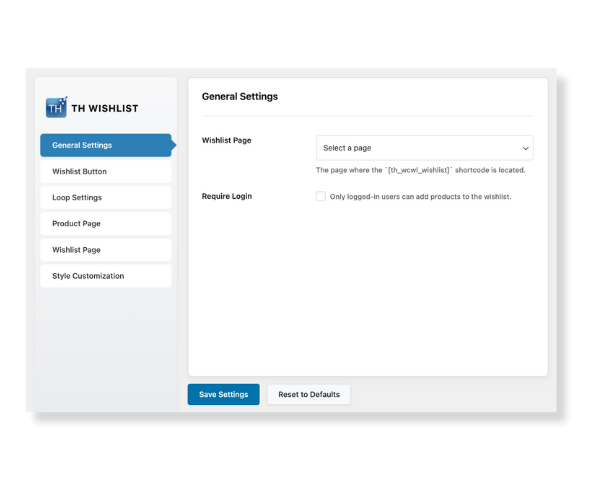
Choose your default Wishlist page and control whether users must be logged in to use the Wishlist.
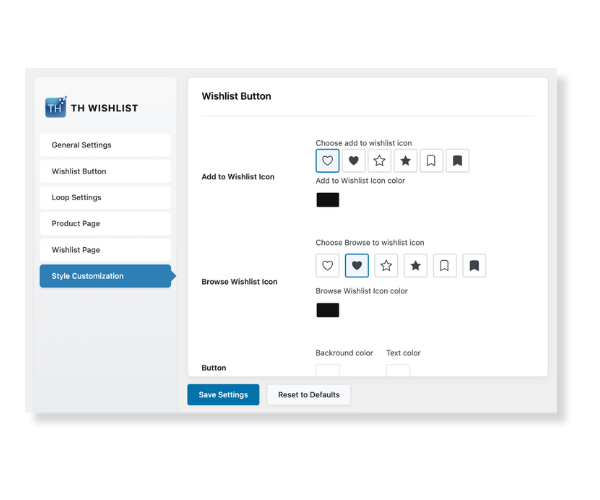
Customize the style and text of the “Add to Wishlist” and “Browse Wishlist” buttons, with the option to use your theme’s default styling.
“Add to Wishlist” button in product listing loops and define its placement within those loops.
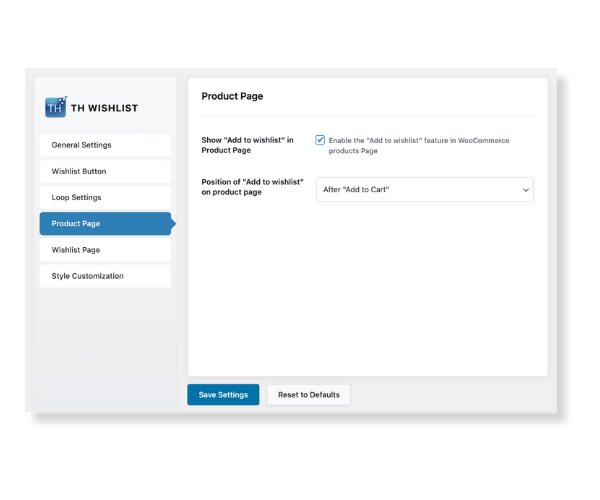
Show the “Add to Wishlist” button directly on product pages and adjust its position to fit your layout.
Configure post-add actions like redirecting to the cart, display social sharing options, and manage the layout of the Wishlist table with drag-and-drop column reordering.
Personalize the visual appearance of your Wishlist elements to match your site’s design.
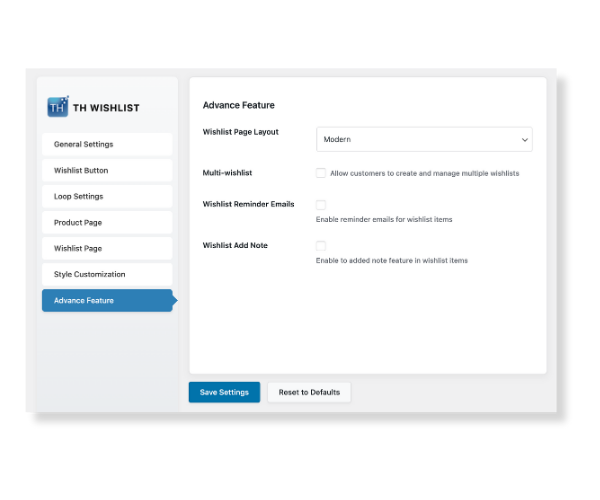
Get more customisations on the premium version of the plugin with useful features.
Pick a plan that grows with you. Cancel anytime.
Everything you need to get going fast.
Lifetime updates and priority support.
Full Access to all 20+ Themes & 6+ Plugins
ThemeHunk Wishlist offers extensive styling and layout options right from the settings — button styles, text labels, positions, and table columns — all without touching a line of code.
Easily reorder columns like product name, price, stock status, and actions in the Wishlist table with a simple drag-and-drop interface, giving you full control over the layout.
You can choose to allow guests to use the wishlist or require login, making it flexible for both casual visitors and returning customers.
Designed to blend perfectly with most WordPress and WooCommerce themes, the plugin respects your design, layout, and style preferences right out of the box.
Enable social share buttons on the wishlist page so users can share their saved items with friends via Facebook, Twitter, Email, and more — great for visibility and engagement.
Place the “Add to Wishlist” button exactly where you want it — in product loops, on product pages, before/after price, or even near the Add to Cart button — for optimal user experience.
We’ve compiled a list of common questions for you to easily browse and find answers.
If you still haven’t found an answer to your question you can contact us here.
Yes! The ThemeHunk Wishlist plugin is 100% free and includes a wide range of features like customizable buttons, social sharing, guest support, and wishlist table management — all without needing to upgrade to a premium version. It’s a powerful solution for WooCommerce stores at no cost.
Yes. ThemeHunk Wishlist is built to be compatible with most WordPress and WooCommerce themes, and it adapts seamlessly to your site’s design.
Yes! The ThemeHunk Wishlist plugin is 100% free and includes a wide range of features like customizable buttons, social sharing, guest support, and wishlist table management — all without needing to upgrade to a premium version. It’s a powerful solution for WooCommerce stores at no cost.
Yes. You can choose from predefined positions (e.g., after price, after add-to-cart) or use a shortcode to place the button anywhere manually.
Yes. You have full control over whether or not to display social sharing options on the Wishlist page via a simple toggle in the settings.
Give your site a polished, premium look with an easy-to-use wishlist feature.
2025 © ThemeHunk By JusTech Creations. All rights reserved.