

外掛說明
About
With this lightweight plugin you can display a set of links from the Link Manager.
The Link Manager is part of WordPress but disabled by default. This plugin will activate it again.
Main features of the plugin:
- Free and lightweight
- Support for Block Editor and Classic Editor
- Display your link list with block, shortcode or widget
- Customize your link list with attributes
- Documentation at WP plugin page
- Active support from developer at WP forum
With this plugin you can also create a blogroll or link portal in the same way as a link list.
How to use
After installation go to menu item “Links” and create some categories and links. Links must be assigned to a category.
Go to the editor and add the VS Link Manager block or the shortcode [links] to a page. This will display your link list.
Or go to Appearance > Widgets and use the VS Link Manager widget.
Default settings categories:
- 4 columns when using block or shortode
- 1 column when using widget
- 2 columns in small screens
- Order by name
- Ascending order (A-Z)
- Empty categories are hidden
Default settings links:
- Order by name
- Ascending order (A-Z)
- All links are displayed
Customize your link list with attributes.
Attributes
You can customize your link list by adding attributes to the block, shortcode or widget.
- Add custom CSS class to link list:
class="your-class-name" - Change the number of columns:
columns="3" - Disable the columns:
columns="0" - Include certain categories:
include="1,3,5" - Exclude certain categories:
exclude="8,10,12" - Display empty categories too:
hide_empty="0" - Display category description:
category_description="true" - Change the number of links per category:
links_per_category="5" - Reverse the order of links:
order="DESC" - Display links by ID:
orderby="ID" - Display links in random order:
orderby="rand" - Hide link title:
link_title="false" - Hide link description:
link_description="false" - Change feed label:
feed_label="your label" - Change the “no categories are found” text:
no_categories_text="your text"
Example: [links include="1,3,5" category_description="true" links_per_category="5"]
When using the block or the widget, don’t add the main shortcode tag or the brackets.
Example: include="1,3,5" category_description="true" links_per_category="5"
With the columns attribute you can set the number of columns between 1 and 4.
In small screens max 2 colums.
You can disable the columns in favour of your own styling.
The columns attribute will be ignored when using the block or widget. Because you can set the columns via the block or widget settings.
With the “hide link title” attribute you can hide the link title if the link has an image assigned to it. This way you can display the link image only, instead of both.
Widget
This plugin activates the Links widget again. Because this widget is part of WordPress, plugin has no control over it.
You can use the VS Link Manager widget instead.
Have a question?
Please take a look at the FAQ section.
Translation
Translations are not included, but the plugin supports WordPress language packs.
More translations are very welcome!
The translation folder inside this plugin is redundant, but kept for reference.
Credits
Without help and support from the WordPress community I was not able to develop this plugin, so thank you!
螢幕擷圖
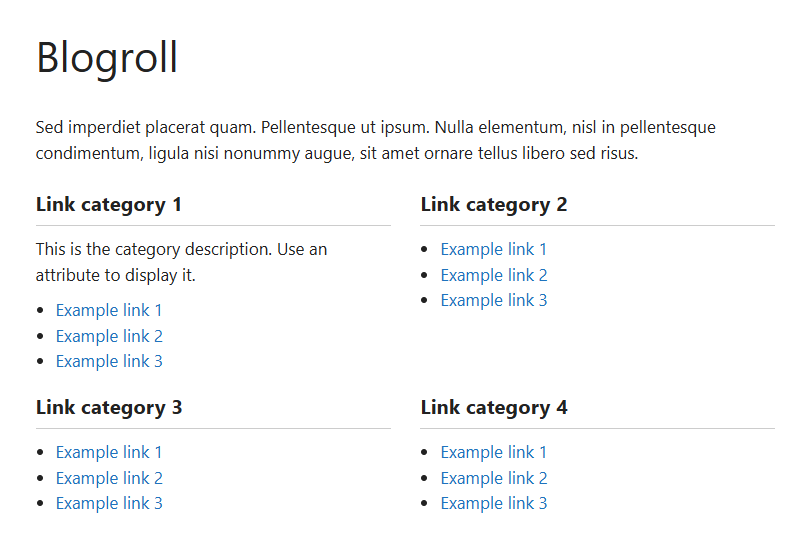
Link list 
Page with block (dashboard) 
Widget (dashboard) 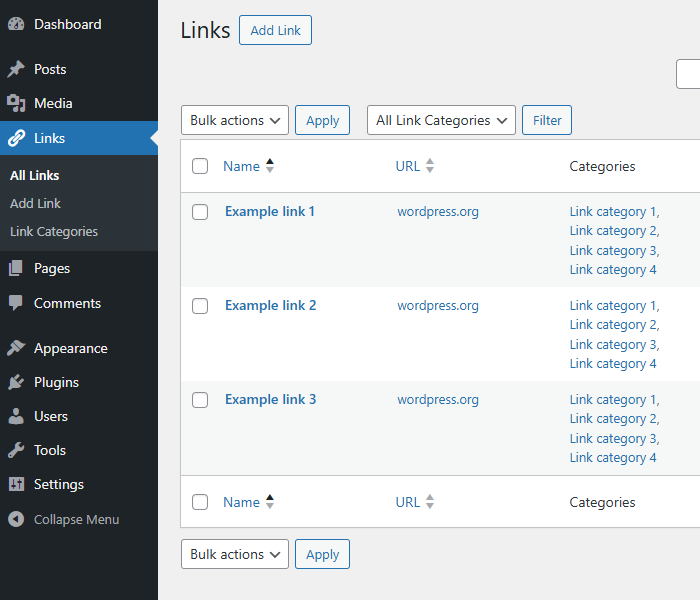
Links page (dashboard)


適用於區塊編輯器
這個外掛提供 1 個可供 Gutenberg/區塊編輯器使用的區塊。
- VS Link Manager
常見問題集
-
How do I set plugin language?
-
The plugin will use the website language, set in Settings > General.
If translations are not available in the selected language, English will be used.
-
Where is the settings page?
-
Plugin has no settings page. Use the block, shortcode or widget with attributes to make it work.
-
Why does the link list look different between themes?
-
The plugin uses minimal styling and therefore also depends on the styling of your theme.
-
How can I change the layout or colors?
-
You can set the number of columns between 1 and 4 or disable the columns. This can be done via the block or widget settings or via an attribute.
If you disable the columns CSS class “vslm-custom” is added to the link list. This class can be used for your custom styling.
You can use page Additional CSS of the Customizer for your custom styling.
-
Can I order links by date?
-
No, this is not possible.
But with the orderby and order attribute you can order links by ID and in descending order. This way newly added links will be displayed first.
-
Where to find the category ID?
-
Every category URL contains an unique ID. You will find this ID when hovering the category title in your dashboard or when editing the category.
It’s the number that comes after:
tag_ID= -
Where to find the link ID?
-
Every link URL contains an unique ID. You will find this ID when hovering the link title in your dashboard or when editing the link.
It’s the number that comes after:
link_ID= -
Why is there no semantic versioning?
-
The version number won’t give you info about the type of update (major, minor, patch). You should check the changelog to see whether or not the update is a major or minor one.
-
How can I make a donation?
-
You like my plugin and want to make a donation? There’s a PayPal donate link at my website. Thank you!
-
Other questions or comments?
-
Please open a topic in the WordPress.org support forum for this plugin.
使用者評論


參與者及開發者

變更記錄
Version 3.6
- Changed several attribute names
- This means you might have to update your attributes
- Attribute hide_link_title becomes link_title
- Attribute hide_link_description becomes link_description
Version 3.5
- Full rewrite of the block
- It now supports the Block API version 3
- Bumped the “Requires at least” version to 6.3
Version 3.4
- Fixed errors flagged by PCP
- Output escaping for widget
- Minor changes in code
Version 3.3
- Minor changes in code
Version 3.2
- Removed wrong header from main plugin file
Version 3.1
- Minor changes in code
Version 3.0
- Code improvements
- Bumped the “requires PHP” version to 7.4
- Bumped the “Requires at least” version to 6.0
Version 2.9
- New: support for RSS address
- The feed link will be displayed next to the link itself
- Minor changes in code
Version 2.8
- Block editor: non-clickable links in link list
Version 2.7
- Added file uninstall (to remove widget settings from database)
For all versions please check file changelog.
