
Опис
The Custom Login Page Customizer is an excellent solution for your WordPress website if you want to customize the login page to match your website’s branding. By customizing the login page, you can provide your users with a better experience, improve the security of your website, and make your website look more professional and trustworthy.
With Custom Login Page Customizer, you can change the login page’s background, colors, and fonts and add custom logos or images. Moreover, login Customizer allows you to create a login page that matches your website’s design, making it more visually appealing and professional-looking.
Why Use Login Customizer?
The Login Customizer plugin is an excellent solution for WordPress website owners who want to customize the login page to match their website’s branding. Here are some of the benefits of using Login Customizer:
-
Customization options: The plugin offers a wide range of customization options that allow you to change the login page’s appearance to match your website’s branding. You can customize the logo, background image, color scheme, font size, and more.
-
User experience: By customizing the login page, you can give your users a better experience. A branded login page makes your website look more professional and trustworthy, which can help increase user engagement and loyalty.
Features of Login Customizer
The Login Customizer plugin has many features that allow you to customize the login page to match your website’s branding. Here are some of the key features:
-
User-Friendly Interface: LoginCustomizer has a user-friendly interface that makes it easy for both beginner and advanced developers. You don’t need coding or technical knowledge to customize your login page and form.
-
Easy Customization: Custom Login Page Customizer allows you to customize every aspect of your login page, including the logo, background color, text color, font size, button style, and many more. You can also add custom CSS code to enhance the customization further.
-
Live Preview: With the live preview feature, you can see your changes to your login page and form in real time. It lets you make quick and easy adjustments until you achieve the desired look and feel.
-
Responsive Design: The plugin is fully responsive, which means your custom login page and form will look great on all devices, including desktops, laptops, tablets, and smartphones.
-
Multisite Support: Custom Login Page Customizer is compatible with WordPress multisite. You can customize the login page and form for all sites in your network from a single location.
-
Custom Logo: You can upload your logo to the login page and adjust its size and position.
-
Background Image: You can add a background image to the login page, a static image, or a slideshow.
-
Color Scheme: You can choose from various color schemes or create your custom color scheme.
-
Font Size: You can adjust the font size for the login form, links, and other elements on the login page.
-
Custom CSS: You can add your own CSS to customize the login page further.
Скріншоти
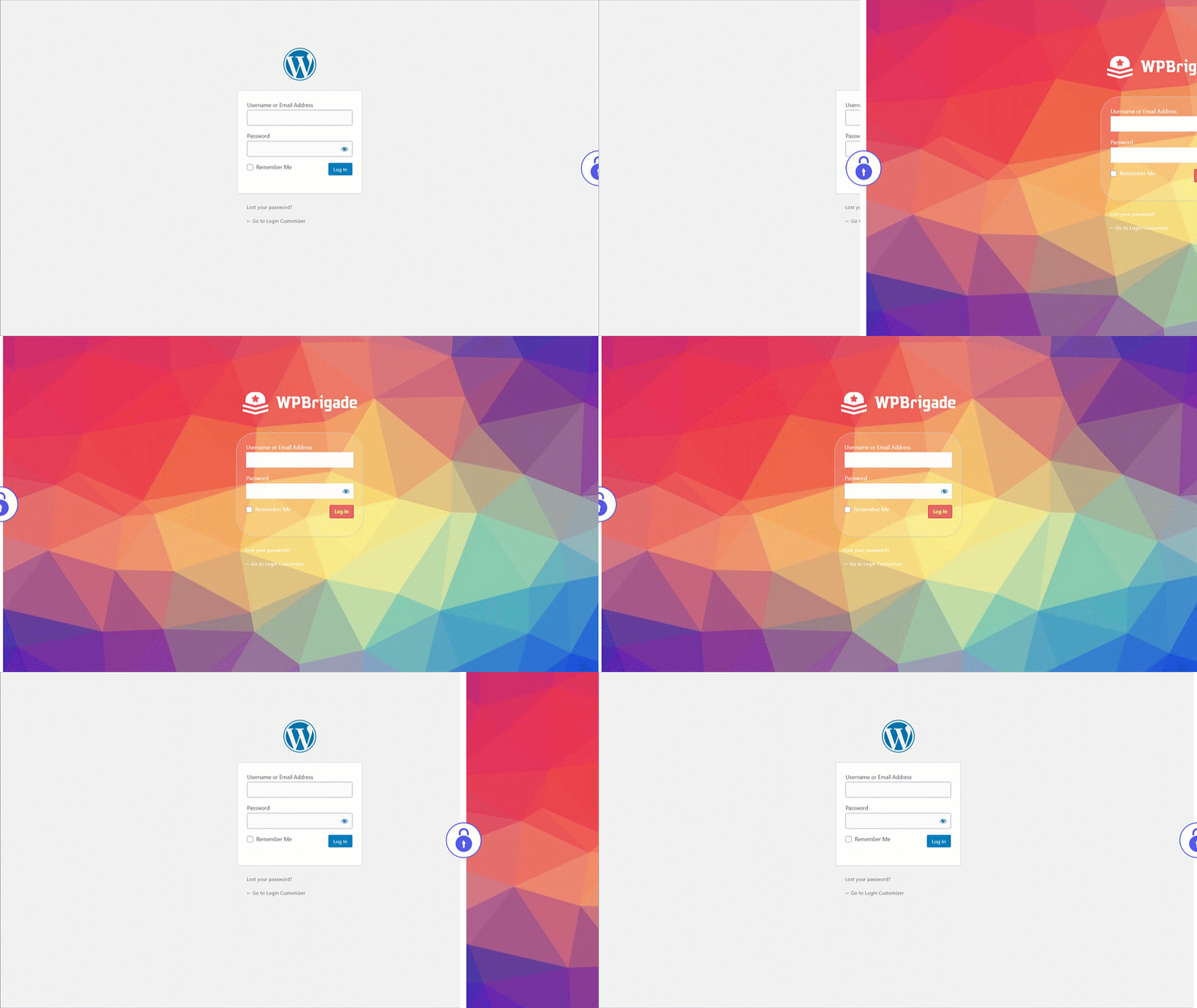
Custom Login – Before and After customized login page demo after setting up Login Customizer 
Custom Login – Select Login Page Templates from settings 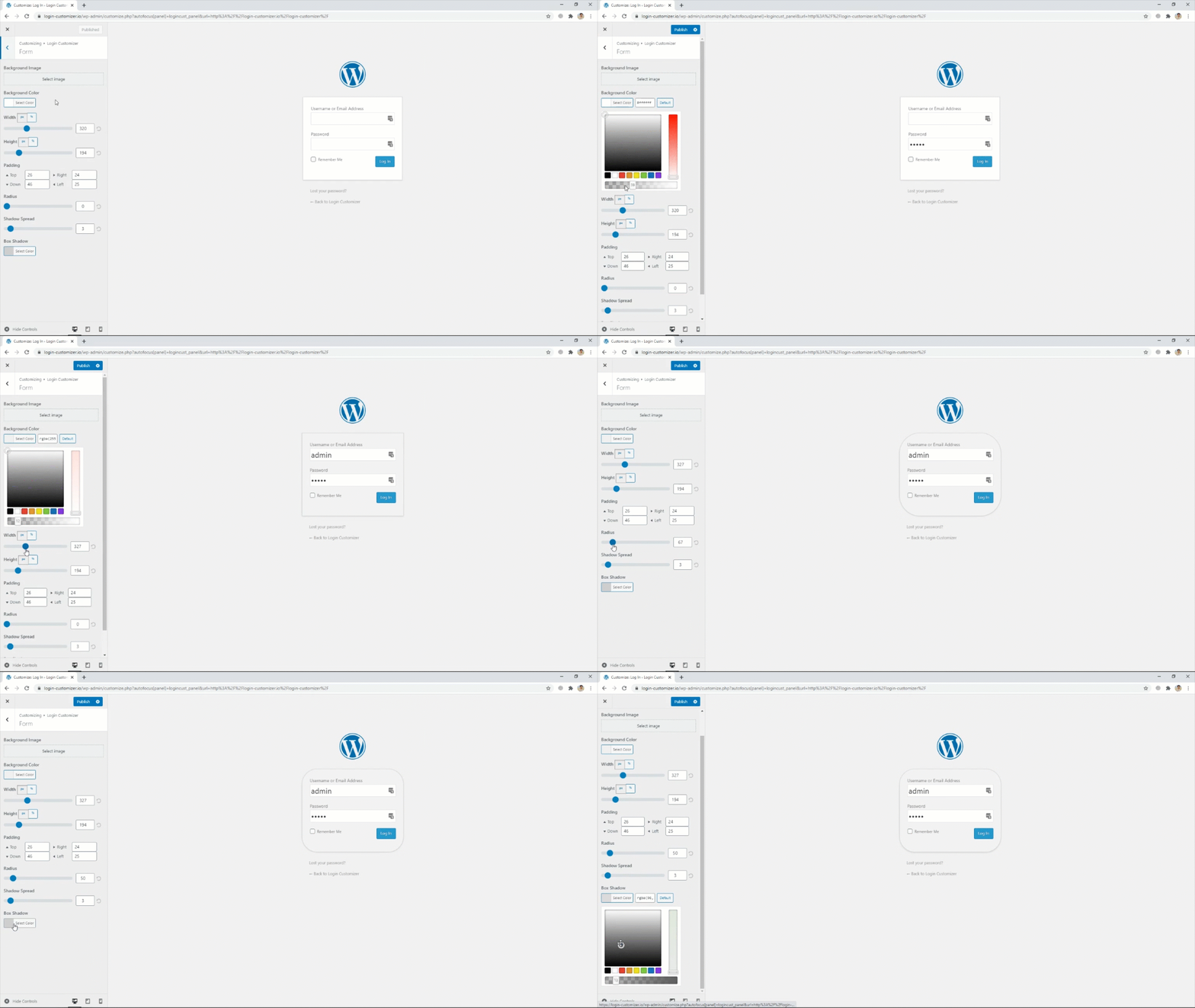
Custom Login – Login Form settings 
Custom Login – Select login page background images 
Custom Login – Add logo of your own choice from settings


Встановлення
- Завантажте плагін в каталог «wp-content / plugins» або завантажити та встановити автоматично через панель адміністратора.
- Активуйте плагін на сторінці “Плагіни” в панелі управління WordPress.
Часті питання
-
What is Login Customizer?
-
Login Customizer is a WordPress plugin that allows you to customize your WordPress website’s default login page.
-
How do I install Login Customizer?
-
You can install the Login Customizer plugin directly from the WordPress plugin repository, or You can search for the plugin in the WordPress dashboard and download it from the plugin repository website.
-
What customization options are available with Login Customizer?
-
With Login Customizer, you can customize your website’s login page in various ways, such as changing the logo, background image, color scheme, and font size. You can also add custom CSS.
-
Is Login Customizer compatible with all WordPress themes?
-
Yes, Login Customizer is compatible with all WordPress themes. It works with the default WordPress login page and replaces it with your customized login page.
-
Can I preview my changes before making them live?
-
Yes, Login Customizer lets you preview your changes in real time before saving them. This feature ensures you are happy with the changes before making them live on your website.
-
Does Login Customizer slow down my website?
-
No, Login Customizer is a lightweight plugin that does not significantly affect your website’s performance or speed.
-
Can I revert to the default login page if I don’t like the changes I made?
-
Yes, you can revert to the default login page anytime by disabling or uninstalling the Login Customizer plugin.
-
Is Login Customizer free?
-
Yes, Login Customizer is a free plugin you can download and use on your WordPress website without cost.
-
Як зробити пожертвування або внести свій вклад?
-
Please visit this link for more info.
Відгуки


Учасники та розробники
“Custom Login Page Customizer” — проект з відкритим вихідним кодом. В розвиток плагіну внесли свій вклад наступні учасники:
Учасники

“Custom Login Page Customizer” було перекладено на 8 локалізацій. Дякуємо перекладачам за їх роботу.
Перекладіть “Custom Login Page Customizer” на вашу мову.
Цікавитесь розробкою?
Перегляньте код, перегляньте сховище SVN або підпишіться на журнал розробки за допомогою RSS.
Журнал змін
2.5.3 – 2025-08-06
- Enhancement: Excluded the
Login Customizerpage from theRank Math SEOplugin’s sitemap. - Compatibility: Compatible with WordPress 6.8
2.5.2 – 2025-04-19
- Bugfix: Redirect issue on the plugin settings page open 1st time installation.
- Bugfix: Set min height of the login form.
- Compatibility: Compatible with WordPress 6.8
2.5.1 – 2025-02-20
- Enhancement: Updated the Freemius latest SDK v2.11.0.
- Compatibility: Compatible with WordPress 6.7
2.5.0 – 2025-01-03
- Bugfix: PHP Warning for translation hook.
- Compatibility: Compatible with WordPress 6.7
2.4.1 – 2024-11-18
- Bugfix: Apply Customized style on the Password Reset page.
- Compatibility: Compatible with WordPress 6.7
2.4.0 – 2024-07-08
- Bugfix: Remove the depreciated warning from login customizer.
- Enhancement: Updated the Freemius latest SDK v2.7.2
- Compatibility: Compatible with WordPress 6.6
2.3.2 – 2023-12-21
- Enhancement: Excluded the
Login Customizerpage from sitemap. - Compatibility: Compatible with WordPress 6.4
2.3.1 – 2023-11-07
- Enhancement: Updated the Freemius latest SDK v2.6.0.
- Compatibility: Compatible with WordPress 6.4
2.3.0 – 2023-10-25
- Bugfix: Reset Password button styling issues on login page.
- Enhancement: Update the rage control layout in login customizer.
- Compatibility: Compatible with WordPress 6.3
2.2.3 – 2023-07-20
- Enhancement: Updated the Freemius latest SDK v2.5.10.
- Compatibility: Compatible with WordPress 6.2
2.2.2 – 2023-07-10
- Enhancement: Updated the Freemius SDK v2.5.9.
2.2.1 – 2023-03-24
- Enhancement: Updated the Freemius SDK v2.5.5.
- Enhancement: Update the .pot file.
- Compatibility: Compatible with WordPress 6.2
2.2.0 – 2023-01-26
- New Feature: Introduced Help Page with System Info.
- Compatibility: Compatible with WordPress 6.1
2.1.9 – 2022-05-19
- BugFix: Uninstall plugin settings from database for Multi-sites.
- Compatibility: Compatible with WordPress 6.0
2.1.8 – 2022-03-08
- Security Fix: Updated the Freemius SDK v2.4.3.
2.1.7 – 2022-02-18
- New Feature: Introducing Language Switcher (On / Off) setting.
- Compatibility: Compatible with WordPress 5.9.
2.1.6 – 2021-09-07
- Bugfix: Fixed PHP error for default Logo Height.
- Bugfix: Login Customizer Page deletion issue.
- Enhancement: Create Uninstall.php for removing plugin options from DB & Login Customizer Page on uninstalling the plugin.
2.1.5 – 2021-07-23
- Enhancement: Optimized Code.
- Compatibility: Compatible with WordPress 5.8.
2.1.4 – 2021-06-16
- New Feature: Introducing a new control for change wp-login.php page title.
- Enhancement: Optimized Code & fix PHP 8.0 Error.
2.1.3 – 2021-04-17
- Enhancement: Compatible with 2FA Two Factor Authentication plugin.
- Compatibility: Compatible with WordPress 5.7.
- Compatibility: Compatible with PHP 8.0.
2.1.2 – 2021-02-20
- New Feature: Introducing new control for customizing privacy policy link on login page.
2.1.1 – 2021-01-27
- New Feature: Introducing new Login Customizer settings page.
- New Feature: Introducing “Remember Me” option already checked on login form.
- New Feature: Introducing “Custom Register Password Fields” which creates custom password field so you don’t have to reset the password for the first time through a link in order to login (settings will be shown only if you enable register users for your site).
- New Feature: Introducing “Login Order”, Enable users to login using their username or email address or both.
- New Feature: Introducing “Log Data Page” with System Info for troubleshooting.
- Enhancement: Code optimization and plugin speed improvements.
- Enhancement: Introducing Login Customizer dashicon.
- Compatibility: Compatible with WordPress 5.6.
2.1.0 – 2021-01-12
- Bugfix: Fixed live preview issues.
- Bugfix: Fixed WordPress function deprecation error.
- Bugfix: Fixed customizer settings irregularities.
- Enhancement: Optimized Code.
- Compatibility: Compatible with WordPress 5.6.
2.0.0 – 2018-08-06
- Added Template Feature
- Added Instant Refresh for Controls
- Fixed issue with Security plugins and Multisite
2.0 – 2018-03-09
- Fixed issues with security plugins
- Added Instant Refresh
- Improved UX
- Added more controls
1.2.1 – 2018-01-05
- Покращена сумісність з останньою версією WordPress.
- Синхронізувати ThemeIsle SDK.
1.2.0 – 2017-10-16
- Додано “Протестований до wp 4.8”.
- Удосконалення віджета панелі управління, відкат.
Нове у версії 1.0.8
- Видалені повідомлення
Нове у версії 1.0.7
- Поліпшено налаштування кастомізації
- Вилучені згадки аддонів безпеки в безкоштовній версії
