
Streamline Your Network Management with WinBox
WinBox, developed by MikroTik, is a free Windows-based utility for managing RouterOS devices. Designed for network administrators and system integrators, it offers a clear graphical interface that simplifies complex network tasks. Although it runs natively on Windows, WinBox also operates on macOS and Linux through Wine. Its intuitive layout makes it accessible to both newcomers and seasoned professionals who need fast, direct access to their MikroTik routers.
Ease of Use for All Skill Levels
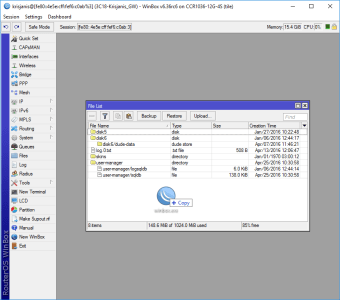
WinBox features a user-friendly GUI that demystifies many aspects of RouterOS configuration. Its organized layout and drag-and-drop functionality streamline file transfers and simplify navigation between tools. Serving as a graphical alternative to many command-line tasks, it reduces the learning curve for beginners while retaining the flexibility experts need. WinBox supports connections via IP or MAC address, allowing administrators to manage devices locally or remotely with ease.
Comprehensive Network Control at Your Fingertips
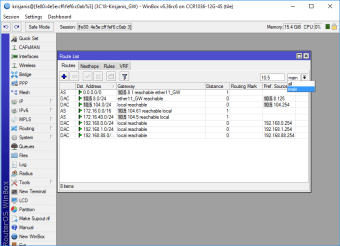
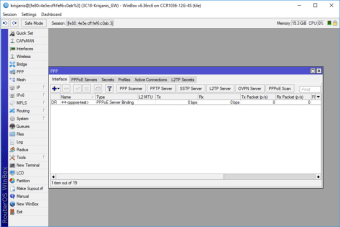
With a broad set of management tools, WinBox enables users to configure nearly every RouterOS function. Administrators can set up firewalls, VLANs, and VPNs, adjust routing tables, manage wireless interfaces, and monitor real-time traffic and performance charts. Its responsive interface supports quick configuration changes without rebooting routers, allowing proactive management and troubleshooting across complex networks.
Secure and Reliable Management
Security in WinBox relies on encrypted communication and user authentication for safe device access. Each session is protected by encryption (AES-based) and secure credential handling, minimizing exposure to unauthorized access. However, as with all network tools, keeping both WinBox and RouterOS updated is vital to avoid vulnerabilities discovered in older versions. The lightweight client design ensures stable performance even during extensive configurations, though very large setups can slow responsiveness slightly.
A Valuable Tool with Room for Improvement
WinBox remains an essential part of the MikroTik ecosystem. Its intuitive interface, real-time monitoring, and comprehensive toolkit make it indispensable for professionals managing complex networks. While beginners may find advanced features challenging, MikroTik’s documentation and active community provide helpful support. Despite minor limitations in interface customization and learning curve, WinBox continues to deliver reliable, fast access to RouterOS devices worldwide.