Create image morphing and warping effects

If you've always wanted to create one of those attractive morphing effects with your pictures, this is your opportunity.

Top Recommended Alternative

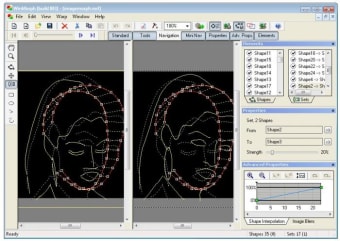
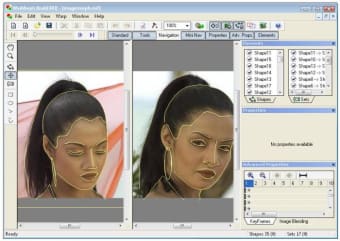
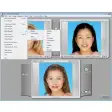
Simply download WinMorph and use your own digital photos to create morphing or warping effects in just a few steps. Even though the program is not as intuitive as other similar tools – it doesn't the traditional dot system, but a shape one instead – it's still a fairly easy way to create eye-catching animations with almost no effort.

Warping effects enable you to change the expression on a face or modify the shape of any given object on a picture, while morphing effects involve a smooth transition from one photo to another. In case you need any help, the program includes some basic tutorials to get you started.

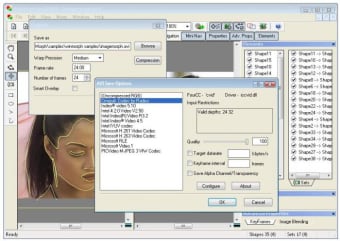
WinMorph can export your creations to a wide variety of formats, including AVI, MPEG and even SWF (Flash). On the downside, as we mentioned before, the program doesn't achieve a very high degree of usability – especially on its interface.

With WinMorph – and a little patience from your side – you'll be able to create awesome warping or morphing effects and export them to several different formats.


  • Pros

    • Enables you to create both warping and morphing effect
    • Support for many formats
  • Cons

    • Confusing interface
    • Not as intuitive as other similar tools
Image
 0/3

App specs

  • License

    Free

  • Version

    3.01

  • Latest update

  • Platform

    Windows

  • OS

    Windows 95

  • Language

    English

  • Downloads

    38K

    Last month's downloads

    • 35
  • Size

    4.47 MB

  • Developer

Program available in other languages


User reviews about WinMorph

3.5

1 reviews

Add review

Main reviews for you

  • Image

    Anonymous user

    Stops Working and Is Slow. Program is easy to use but suddenly stops working and runs really slow. I have a fast computer and I have no viruses on it... Winmorph seems to be the problem so I have to stop using it. Pros: Easy to useSimple layout Cons: Extremely slow when trying to view your creationStops working and I have to reboot it constantly

More

You may also like

Alternatives to WinMorph

Explore Apps

Latest articles

Laws concerning the use of this software vary from country to country. We do not encourage or condone the use of this program if it is in violation of these laws.

Softonic

Is WinMorph safe?

100/100

Score result: Clean

This file passed a comprehensive security scan using VirusTotal technology. It is safe to download.

  • Virus free
  • Spyware free
  • Malware free
  • Verified by Security Partners

    VirusTotal logo

Scan Info

Last scan
Tuesday, April 23, 2024
Scan provider
VirusTotal · Full report

File Integrity

File
winmorph.zip
SHA256
bf450053729b5b982c397c00049d9184828622ba12ddf2b3a7b0811f540fafc2
SHA1
cb88f553f81f5253aca0cf19e7fd2598b42dd65b

Softonic security commitment

WinMorph has been thoroughly scanned by our advanced security systems and verified by industry-leading partners. This file comes from the official developer and has passed all our security checks, showing no signs of viruses, malware, or spyware. For more information, visit our Security and Trust Center