
Description
Portfolio Block makes it easy to create a clean, modern portfolio directly inside the WordPress block editor. It includes multiple layouts, category filters, responsive controls, and full design flexibility. Ideal for freelancers, designers, photographers, agencies, or anyone who wants to showcase projects in a professional way.
You can build a portfolio using the Gutenberg block or generate a shortcode and display it anywhere on your site, including pages, posts, widgets, footers, or page builders.
Portfolio Block | Documentation | Pricing | Support | Demo
Key Features – Free Version
- Multiple Layouts – Grid, Masonry, and Card Hover layouts for flexible portfolio design.
- Unlimited Categories – Organize projects with as many categories as you need and allow users to filter by category.
- Portfolio Items – Add images, titles, descriptions, and external or internal links. Assign multiple categories per item.
- Item Management – Duplicate, delete, or reorder items with simple controls.
- Responsive Controls – Adjust columns, spacing, and layout settings for desktop, tablet, and mobile.
- Styling Options – Customize colors, borders, shadows, spacing, and overlay settings to match your theme.
- View All Button – Add a customizable button linking to your full portfolio archive or a separate page.
- Shortcode Support – Use your portfolio anywhere with the shortcode format: [pfb id=”123″].
Portfolio Block Pro – Unlock Advanced Features
Pro Features Include
- Advanced Layouts – Split Screen, Slider, Minimal List, and Stacked Cards for more dynamic presentation styles.
- Typography Controls – Adjust fonts, sizes, colors, weight, and alignment for titles, categories, and descriptions.
- Hover and Animation Effects – Premium hover transitions and animations for a more interactive experience.
- Slider Options – Autoplay, loop, pause on hover, navigation controls, and speed settings for slider-based portfolios.
- Advanced Styling – More control over buttons, badges, icons, overlays, and spacing.
- Priority Support – Faster support and ongoing updates with the Pro upgrade.
How to Use Portfolio Block – Step-by-Step Guide
Getting started with Portfolio Block is quick and easy!
Step-by-Step Instructions
- Install and activate Portfolio Block.
- Open the Block Editor and click the + icon.
- Search for Portfolio (by bPlugins).
- Add your portfolio items and customize your layout.
- Publish your page.
Shortcode Usage
- Go to Portfolio Block Add New Portfolio in the dashboard.
- Create your portfolio using the block editor.
- Publish it.
- Copy the shortcode that appears after publishing.
- Paste it anywhere on your site where you want the portfolio to appear.
Feedback
Have a suggestion or question?
Email us: [email protected]
Screenshots

Admin Dashboard 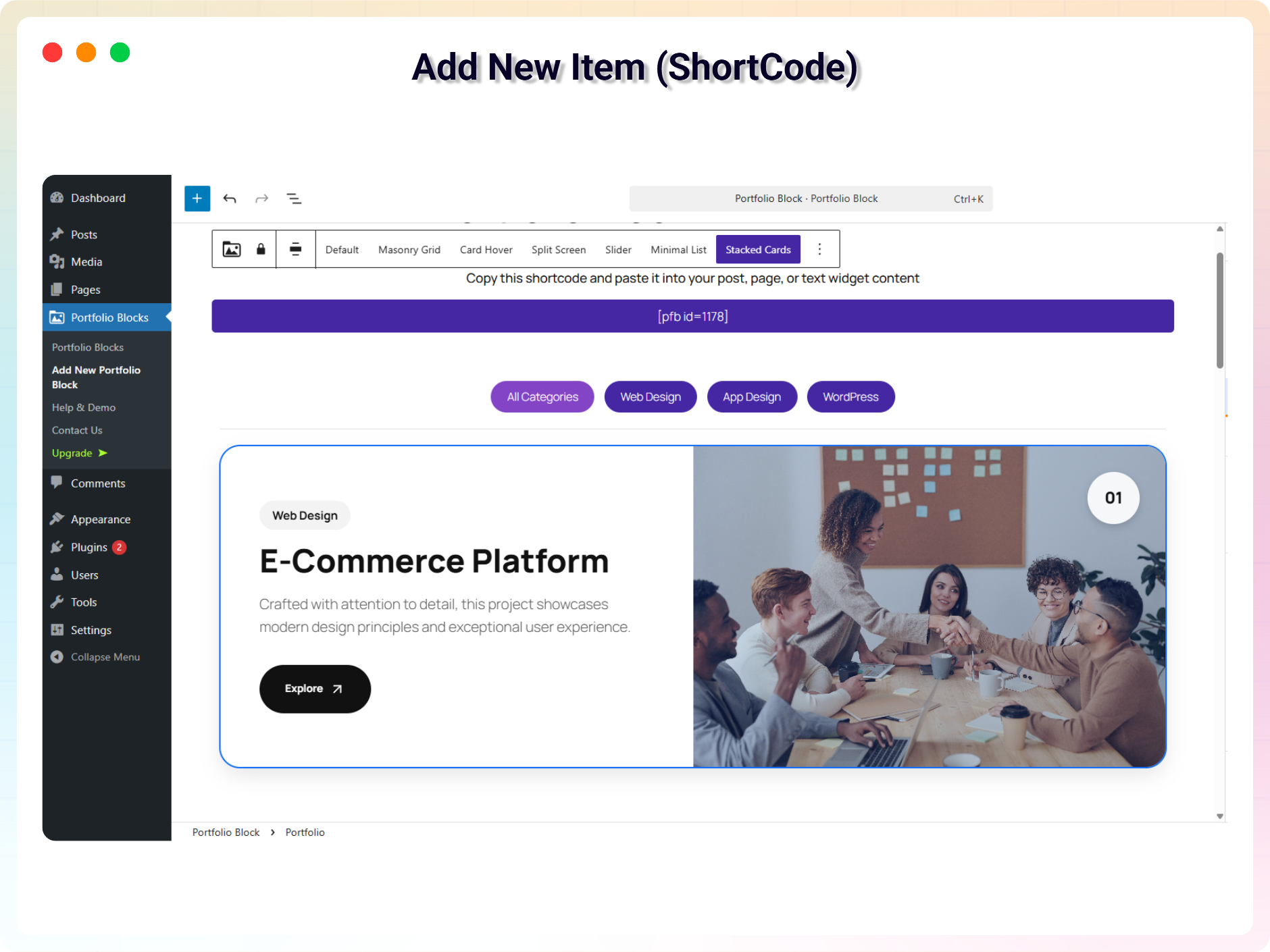
Add New Item (ShortCode) 
Preview with Litebox 
Masonry Grid Layout 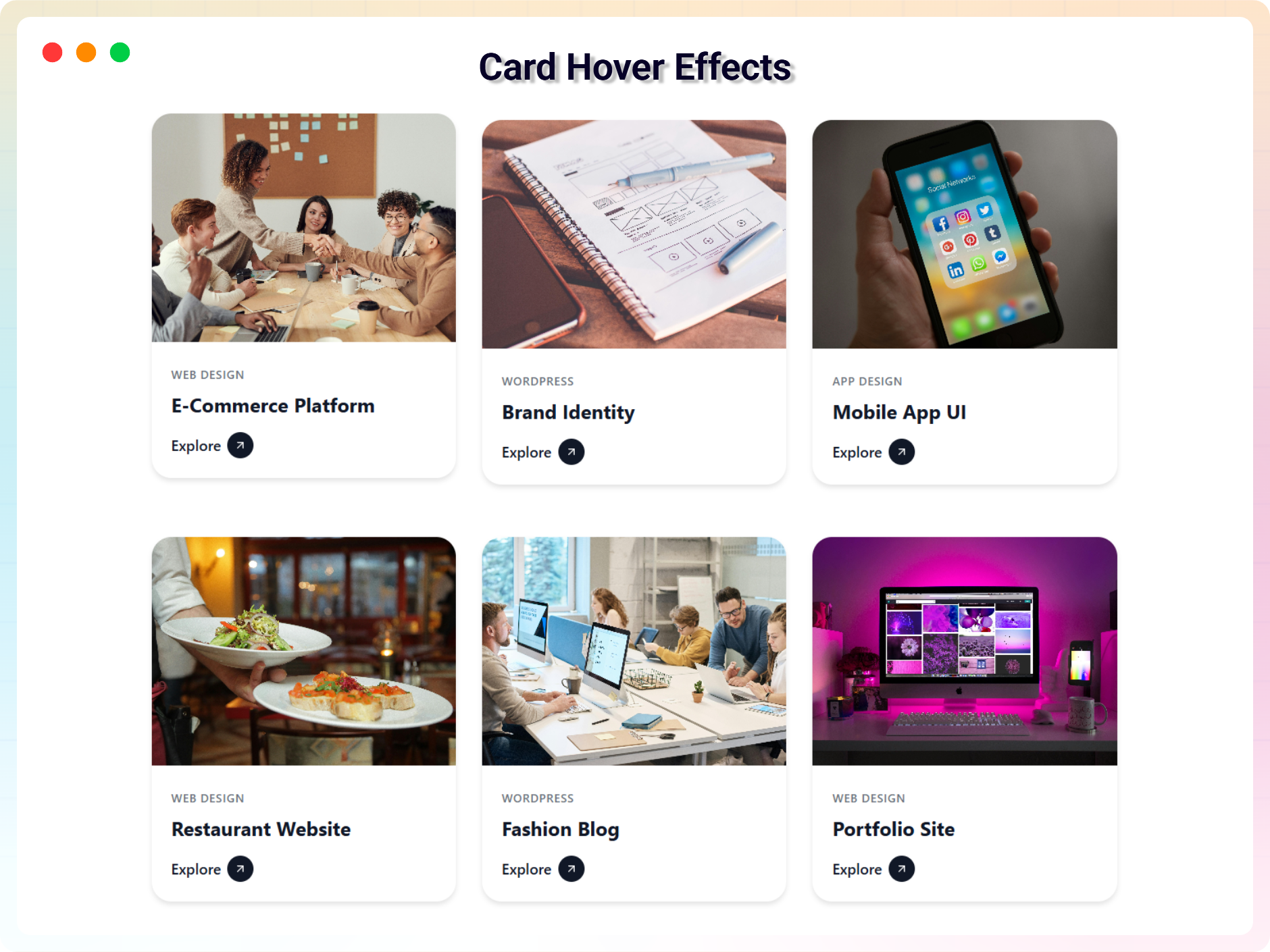
Card Hover Effects 
Split Screen Navigation 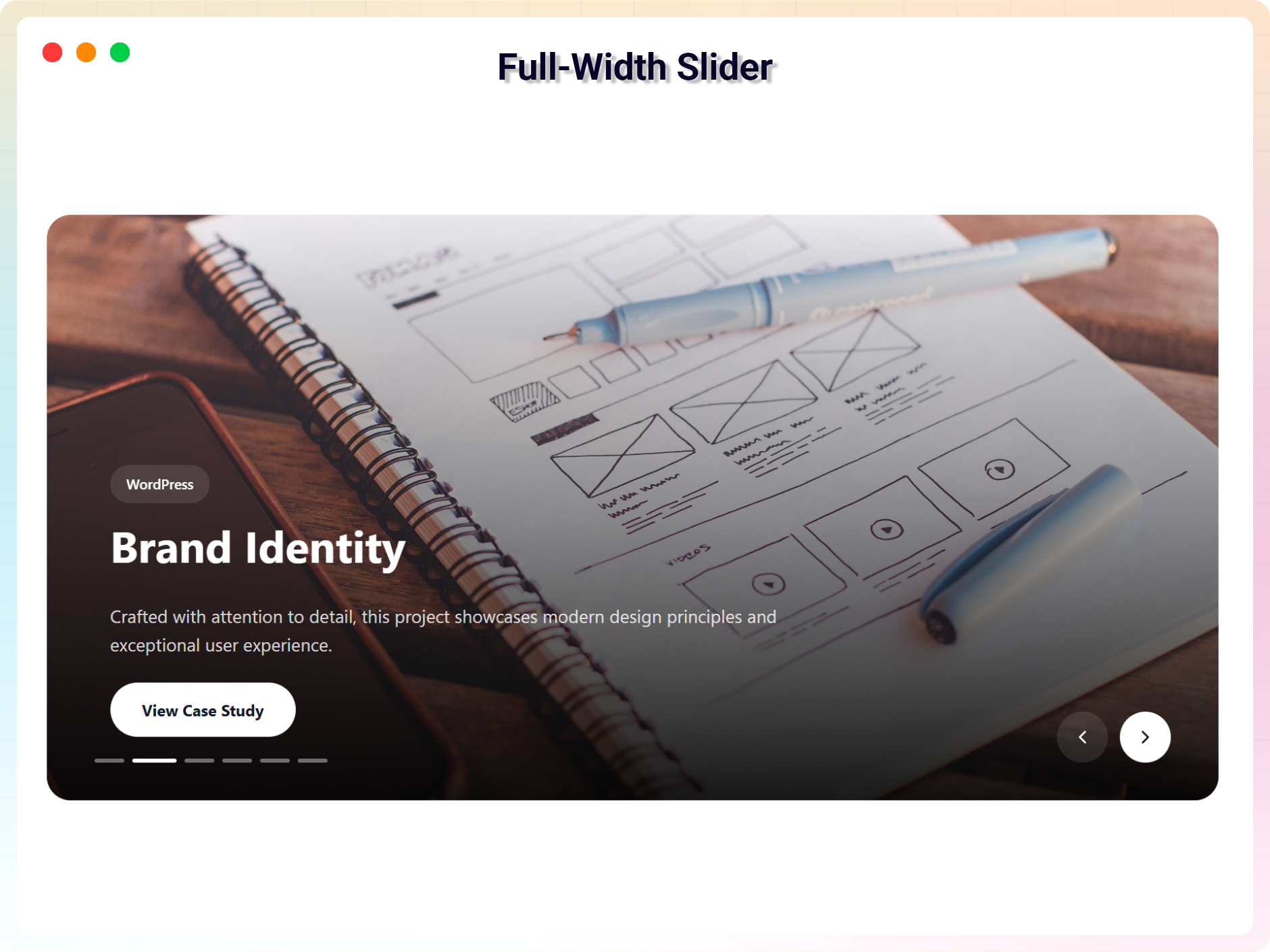
Full-Width Slider 
Minimal List Layout 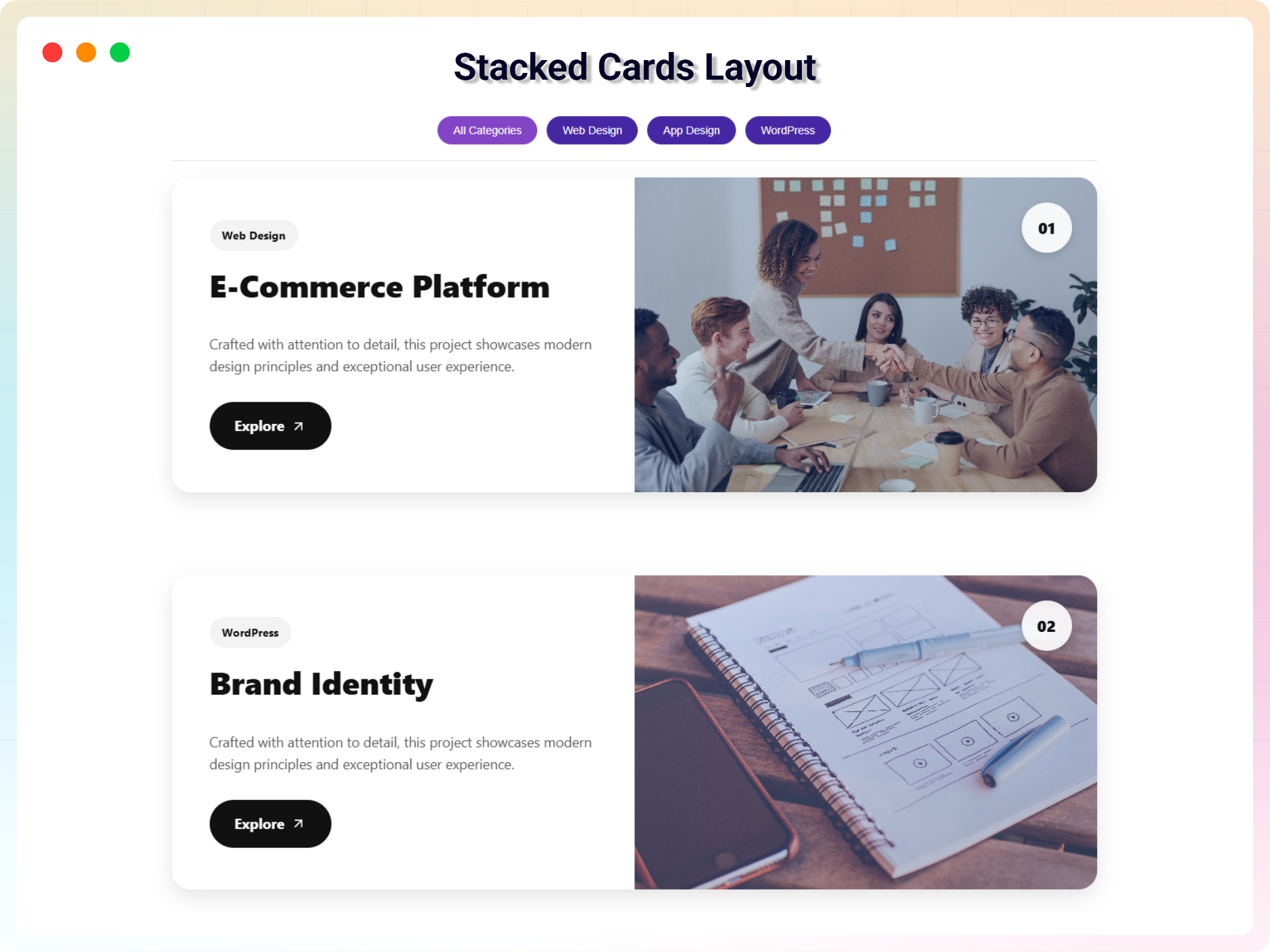
Stacked Cards Layout 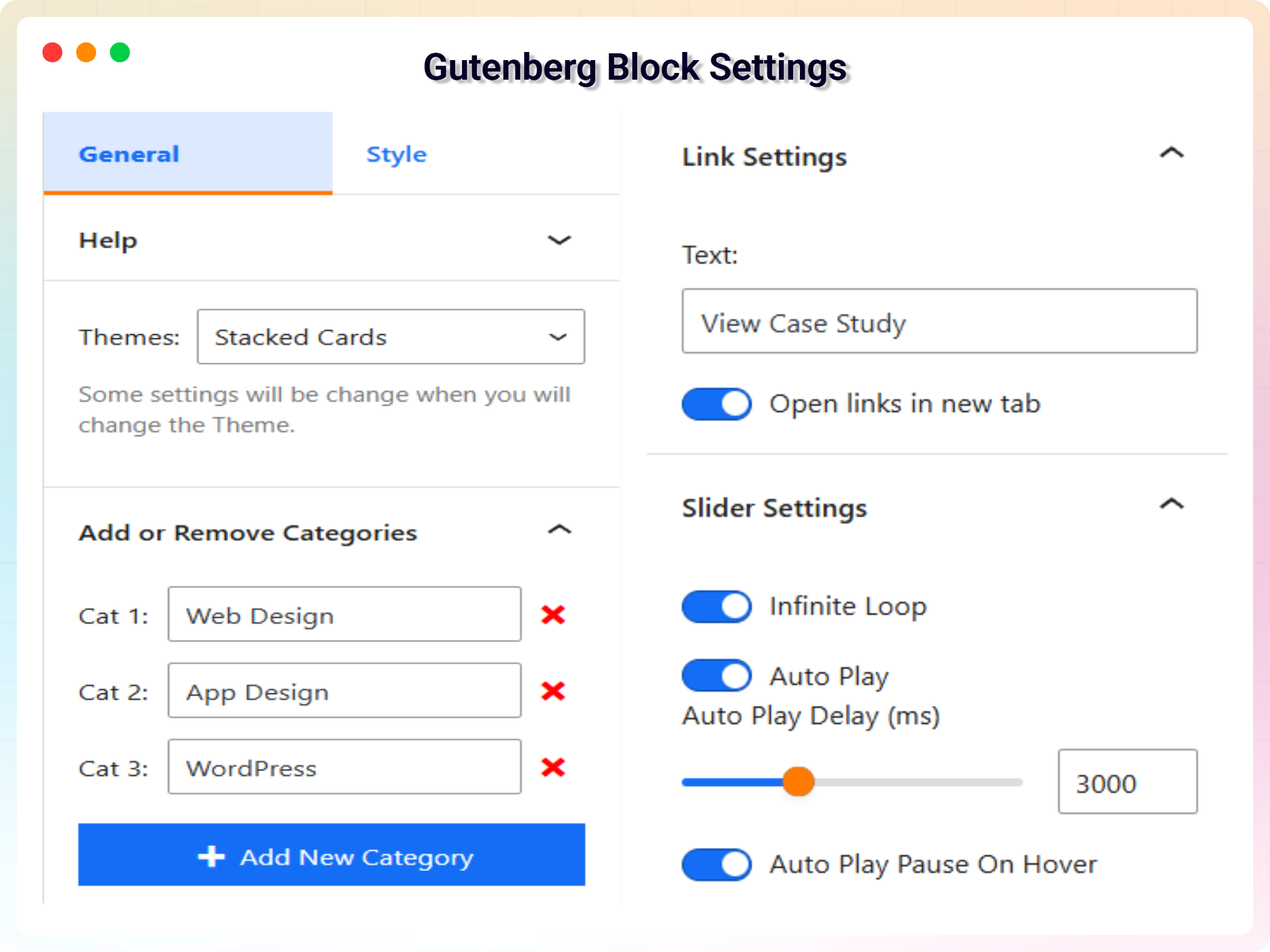
Gutenberg Block Settings 1 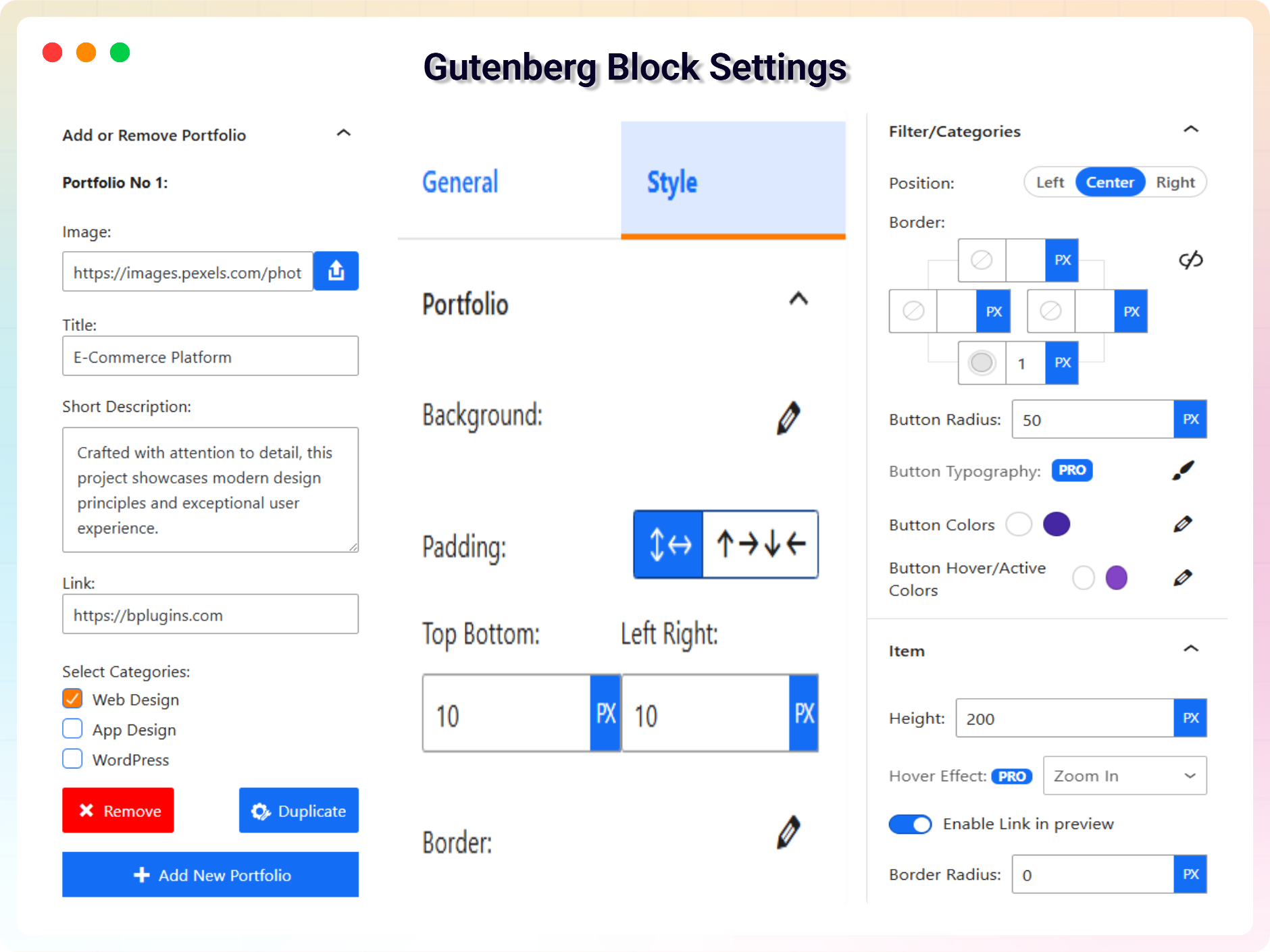
Gutenberg Block Settings 2 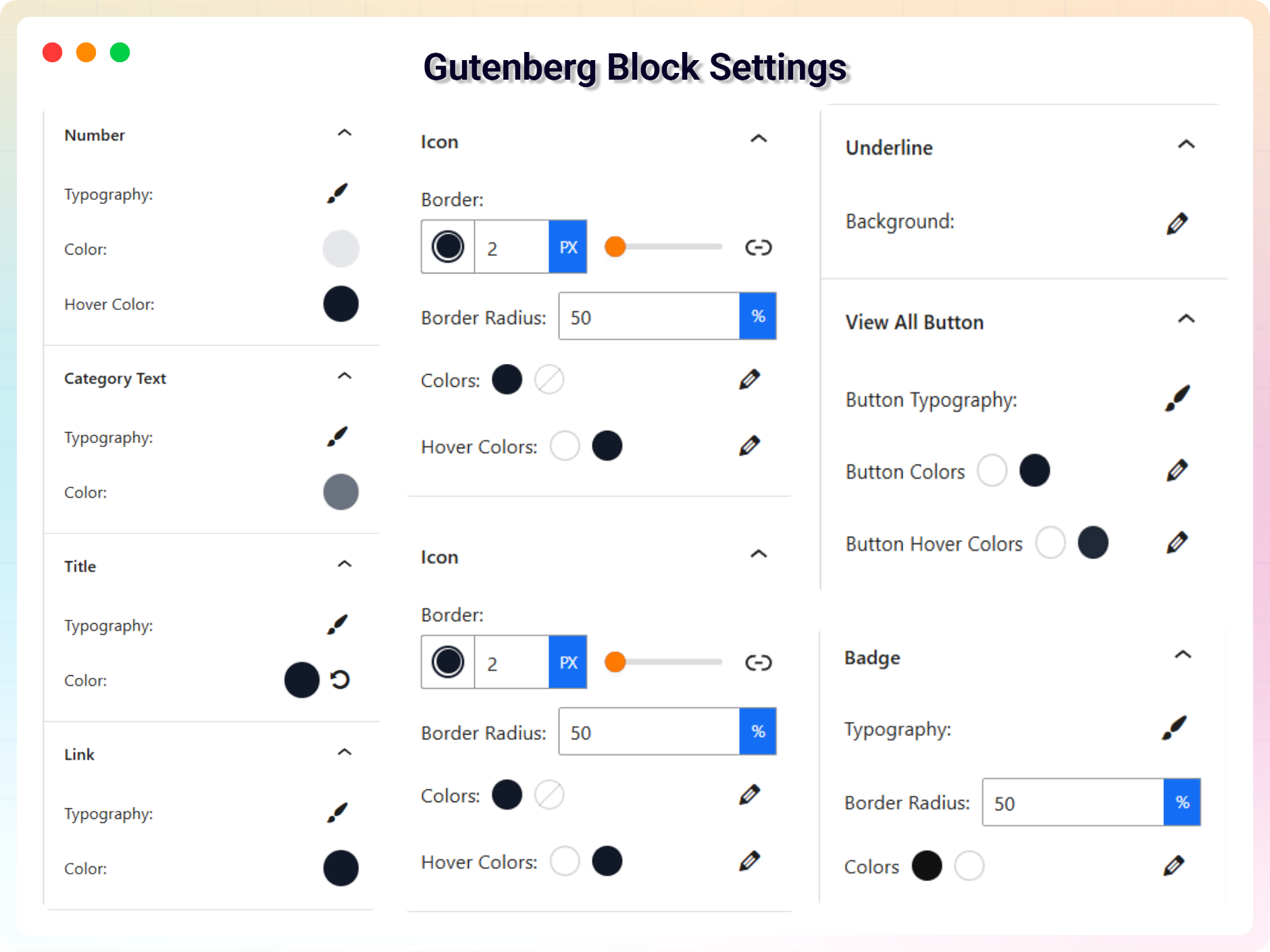
Gutenberg Block Settings 3


Blocks
This plugin provides 1 block.
- Portfolio Display interactive portfolio / project on the web.
Installation
From the Block Editor (Gutenberg)
- Open any page or post in the WordPress Block Editor.
- Click the “+” Add Block icon.
- Search for Portfolio Block.
- Look for the block labeled “Portfolio (by bPlugins)” and insert it.
- Customize the block settings from the right sidebar and publish your page.
From WordPress Plugin Directory
- Go to Plugins Add New in your WordPress dashboard.
- Search for Portfolio Block.
- Find the plugin developed by bPlugins.
- Click Install Now, then click Activate.
- Open a page and start adding your portfolio.
Upload via Plugin Installer
- Download the portfolio-block.zip file.
- Go to Plugins Add New Upload Plugin.
- Select the
portfolio-block.zipfile and click Install Now. - After installation, click Activate.
Manual Installation
- Download the plugin ZIP file and extract it.
- Upload the extracted folder to
/wp-content/plugins/using FTP or File Manager. - Go to Plugins in your WordPress dashboard.
- Find Portfolio Block and click Activate.
FAQ
-
Is it free?
-
Yes, the core plugin is free.
-
How do I get the shortcode?
-
After publishing a portfolio under Portfolio Block and you will see a ShortCode column.
-
Can I use it with page builders?
-
Yes, all builders that support shortcodes.
-
Does it work with all themes?
-
Yes, fully compatible with modern WordPress themes.
-
Can I customize layouts and styles?
-
Yes, all settings are editable in the block editor sidebar.
-
Can I reuse the block?
-
Yes, you can use it as many times as you want.
-
Where can I get support?
-
https://wordpress.org/support/plugin/portfolio-block/
-
Where do I report security bugs found in this plugin?
-
Please report security bugs found in the source code of the Portfolio Block plugin through the Patchstack Vulnerability Disclosure Program. The Patchstack team will assist you with verification, CVE assignment, and notify the developers of this plugin.
Reviews

Contributors & Developers
“Portfolio Block – The Ultimate Project & Portfolio Builder” is open source software. The following people have contributed to this plugin.
Contributors


Translate “Portfolio Block – The Ultimate Project & Portfolio Builder” into your language.
Interested in development?
Browse the code, check out the SVN repository, or subscribe to the development log by RSS.
Changelog
2.0.3 – 24 Dec 25
- Bug fixes and performance improvements
2.0.2 – 18 Dec 25
- Bug fix: corrected broken links.
2.0.1 – 13 Dec 25
- UI improvements and bug fixes.
2.0.0 – 22 Nov 25
- Added six new themes for improved design and customization.
1.0.4 – 16 Apr 25
- Bug fixes and performance improvements
1.0.3
- Library updates
1.0.2
- Added external link icon
1.0.1
- Added translation support
1.0.0
- Initial release
