
Description
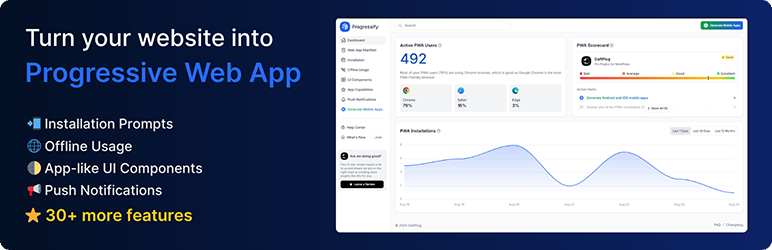
Progressify is an all-in-one plugin empowers your website with Progressive Web App (PWA) features, to make it faster, smoother, and feel like a real app. Let users install your site on their home screens and increase engagement, repeat visits, and sales.
🚀 Turn your site into Progressive Web App
- Add to Home Screen – Let users install your site on their home screens in seconds, giving it a true app-like experience.
- Installation Prompts – Prompt users to install with banners, popups, overlays, buttons, or QR codes.
- App-like UI Components – Seamlessly integrate features such as loaders, pull-to-refresh, dark mode, navigation tabs, and more.
- Push Notifications – Send push notifications manually or automatically to users’ devices to drive them back to your site.
- Offline Usage – Keep your site available and accessible for users, even without an internet connection.
- Advanced Web Capabilities – Easily enable advanced Web API features such as periodic background sync, content indexing, and more.
- Usage Tracking & Analytics – Gain complete analytics on your web app, including how many users install and use it, which devices they’re using, and more.
- Easy Configuration – Easily configure and customize every aspect of your PWA features directly from the user-friendly settings.
- Generate Mobile Apps (Pro) – Optionally create real-time Android and iOS apps that mirror your website and publish them to app stores.
🗝️ Countless More Features
Progressify offers a wide range of state-of-the-art features and seamlessly integrates them into your website, delivering a smooth, app-like user experience:
- Display Settings: Display and startup behavior
- Offline Settings: Offline cache and capabilities
- Navigation Tab Bar: Bottom navigation tab bar
- Dark Mode: Dark theme mode toggle
- Pull Down Refresh: Pull-down to refresh gesture
- Skeleton Loader: Page skeleton loading animation
- Smooth Page Transitions: No-reload page changes
- Toast Messages: Popup toast notifications
- Share Button: Device native share button
- Background Sync: Fetch data in background
- Vibrations: Haptic feedback on tap
- Screen Wake Lock: Prevent screen dimming and locking
- Idle Detection: Detect inactivity and prompt updates
- Shake Refresh: Shake to refresh gesture
- Autosave Forms: Persist values to prevent data loss
- Countless more features and options…
🎉 PWA Success Stories
PWA is actively implemented by big companies and they see amazing improvements regarding the performance and conversions
- +150% User Traffic: Trivago saw a 150% rise in engagement from home screen users, leading to a 97% increase in hotel offer click-outs.
- +76% Total Conversions: AliExpress upgraded to a PWA and saw a 76% boost in conversions and a 30% rise in monthly active Android users.
- +44% Ad Revenue: Pinterest new PWA boosted user-generated ad revenue by 44% and core engagement by 60%.
- +90% Storage Efficient: Tinder native application was a whopping 30MB, but after transitioning to a PWA, they reduced the file size to just 2.8MB.
⚡ Smart Features, No Hassle
- No Coding Required: The plugin offers ready-made, fully configurable features, enabling advanced web APIs without any technical expertise.
- Live Updates: Updates with fixes, new features and improvements are automatically pushed to your WordPress website.
- High Quality: The plugin is built with a modular design, ensuring fast, reliable performance without frequent bugs and failures.
- Support: Get support in the support forum from friendly professionals ready to answer your questions.
🌐 Fully Translatable
Progressify supports multiple languages, typography options, and RTL layouts. It’s fully translatable via POT files using tools like Poedit and Loco Translate and is compatible with WPML, Polylang, TranslatePress, Weglot, and more.
🔌 Compatible with All Themes & Plugins
Progressify works out-of-the-box with any WordPress setup, theme, or plugin. Whether you’re running a blog, e-commerce store, forum, portfolio, membership site, or news portal, it integrates seamlessly without requiring extra configuration.
External services
This plugin connects to external services to provide specific functionality. Below is a complete list of the services, what they do, when they are used, and what data may be transmitted.
-
Workbox CDN (storage.googleapis.com)
- Purpose: Loads Google’s Workbox service worker library so the offline cache and routing strategies can function.
- What is sent and when: The browser downloads a static JavaScript file (workbox-sw.js) when the service worker is installed/updated. No user data is sent by this plugin as part of that request.
- Provider: Google. Terms: https://policies.google.com/terms — Privacy: https://policies.google.com/privacy — Workbox: https://developer.chrome.com/docs/workbox/
-
WordPress.com MShots (s0.wp.com)
- Purpose: Generates a screenshot (thumbnail) of your site’s start page used by the plugin for the offline fallback page background and for certain preview/icon generation cases.
- What is sent and when: The browser requests a static image from https://s0.wp.com/mshots/v1/ with your site URL included in the query string plus viewport parameters. As with any HTTP request, the visitor’s IP address and user agent are sent by the browser to the CDN. No additional user-specific data is sent by this plugin.
- Provider: Automattic (WordPress.com). Terms: https://wordpress.com/tos — Privacy: https://automattic.com/privacy
-
GeoJS (get.geojs.io)
- Purpose: Resolves a visitor’s IP address to a country name/code for anonymous PWA analytics (Dashboard) and push subscriber metadata.
- What is sent and when: The visitor’s IP address is looked up server‑side on first PWA open and when a user subscribes to push notifications. The response is used to store country information only.
- Provider: GeoJS. Website/Docs: https://www.geojs.io/ — Privacy: https://www.geojs.io/privacy/
-
OneSignal SDK Worker (cdn.onesignal.com)
- Purpose: If the OneSignal plugin is active, the service worker imports OneSignal’s web push SDK worker to enable that plugin’s push features.
- What is sent and when: Requests the OneSignal SDK worker file. Any subsequent data flows are governed by the OneSignal plugin/account configuration.
- Provider: OneSignal. Terms: https://onesignal.com/terms-of-service — Privacy: https://onesignal.com/privacy
-
Webpushr Service Worker (cdn.webpushr.com)
- Purpose: If the Webpushr plugin is active, the service worker imports Webpushr’s worker to enable that plugin’s push features.
- What is sent and when: Requests the Webpushr worker file. Any subsequent data flows are governed by the Webpushr plugin/account configuration.
- Provider: Webpushr. Terms: https://www.webpushr.com/terms-of-service — Privacy: https://www.webpushr.com/privacy-policy
-
Freemius Checkout (checkout.freemius.com)
- Purpose: Loads the Freemius checkout script on the plugin’s admin page to display licensing/upgrade UI.
- What is sent and when: The browser requests Freemius’ JavaScript on admin screens. Additional data exchanges (e.g., when starting a purchase or license activation) are handled by Freemius.
- Provider: Freemius. Terms: https://freemius.com/terms — Privacy: https://freemius.com/privacy
Notes:
– OneSignal and Webpushr integrations are conditional and only load if those plugins are active on your site.
– Web push delivery uses the standard browser push endpoints associated with each subscription (e.g., services operated by browser vendors). The specific endpoint domain varies per browser and is not controlled by this plugin.
Source Code and Build Instructions
This plugin uses modern tooling (Tailwind CSS and esbuild) to produce minified assets for distribution. The human‑readable source code is included in the plugin:
- Admin JS source:
admin/assets/js/_src/ - Admin CSS (Tailwind) source:
admin/assets/css/_src/ - Frontend JS source:
frontend/assets/js/_src/
Build prerequisites: Node.js and npm.
Basic development build:
- Install dev dependencies.
- Build assets in development mode.
Third‑party libraries used in compiled assets include:
- esbuild – https://esbuild.github.io/
- Tailwind CSS – https://tailwindcss.com/
The full, human‑readable sources for all minified files are present within the plugin as listed above. If you have any trouble locating sources, please open an issue in the WordPress.org support forum for this plugin.
Screenshots
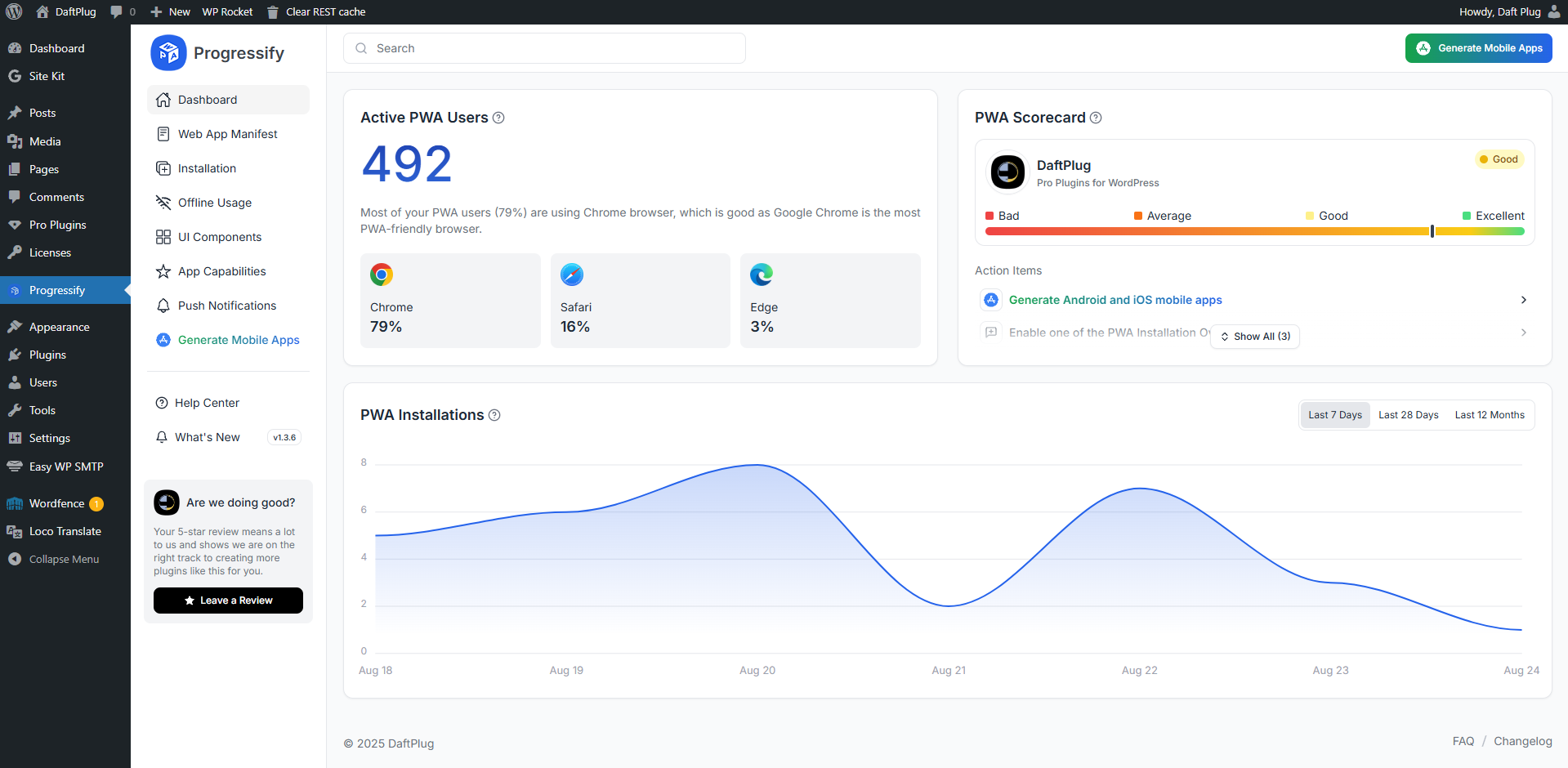
Dashboard – View your PWA performance at a glance, including user stats, browser breakdown, and a PWA readiness score. 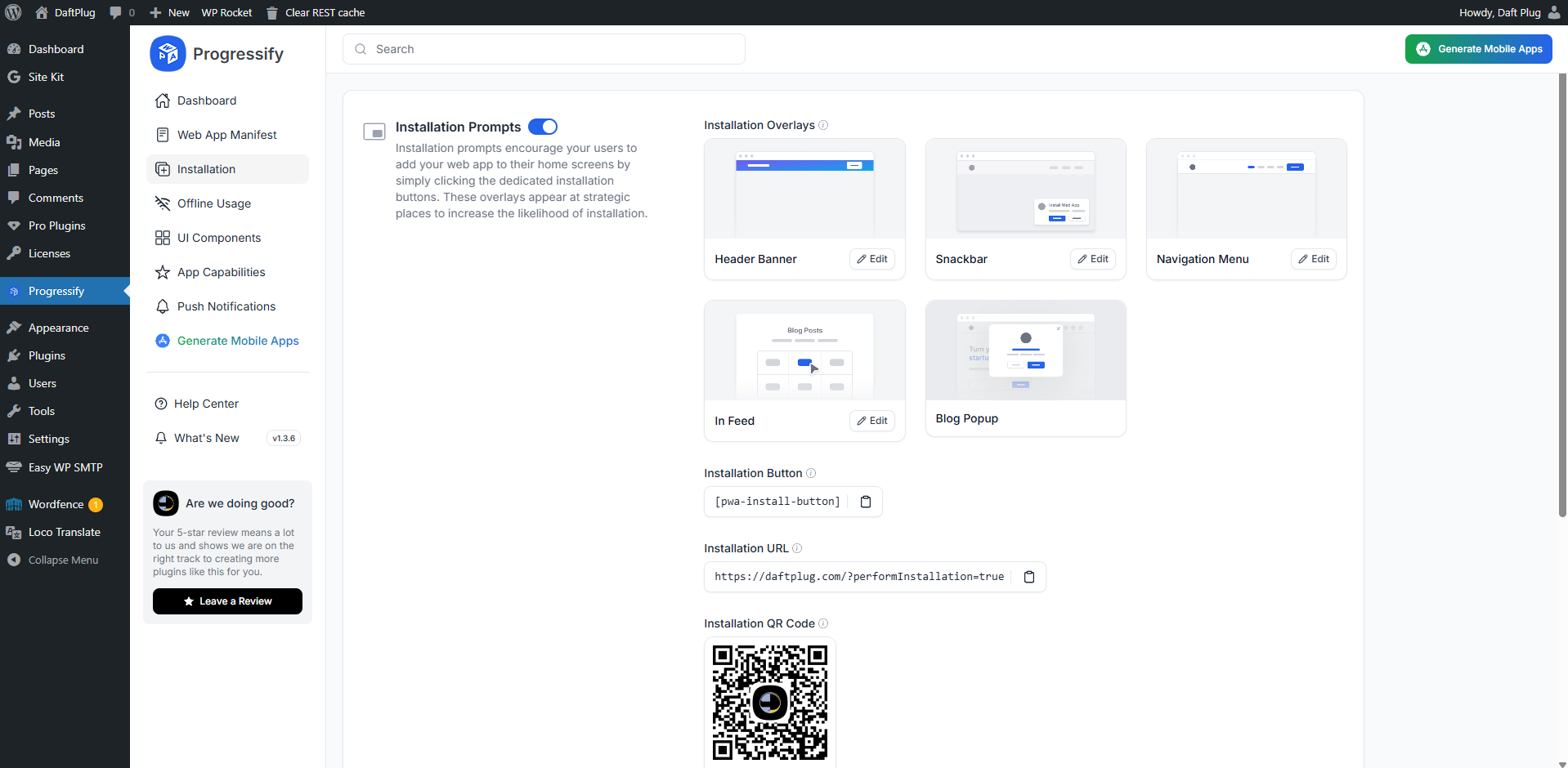
Installation Prompts – Installation features allows displaying prompts that encourage users to add your website to their home screens. 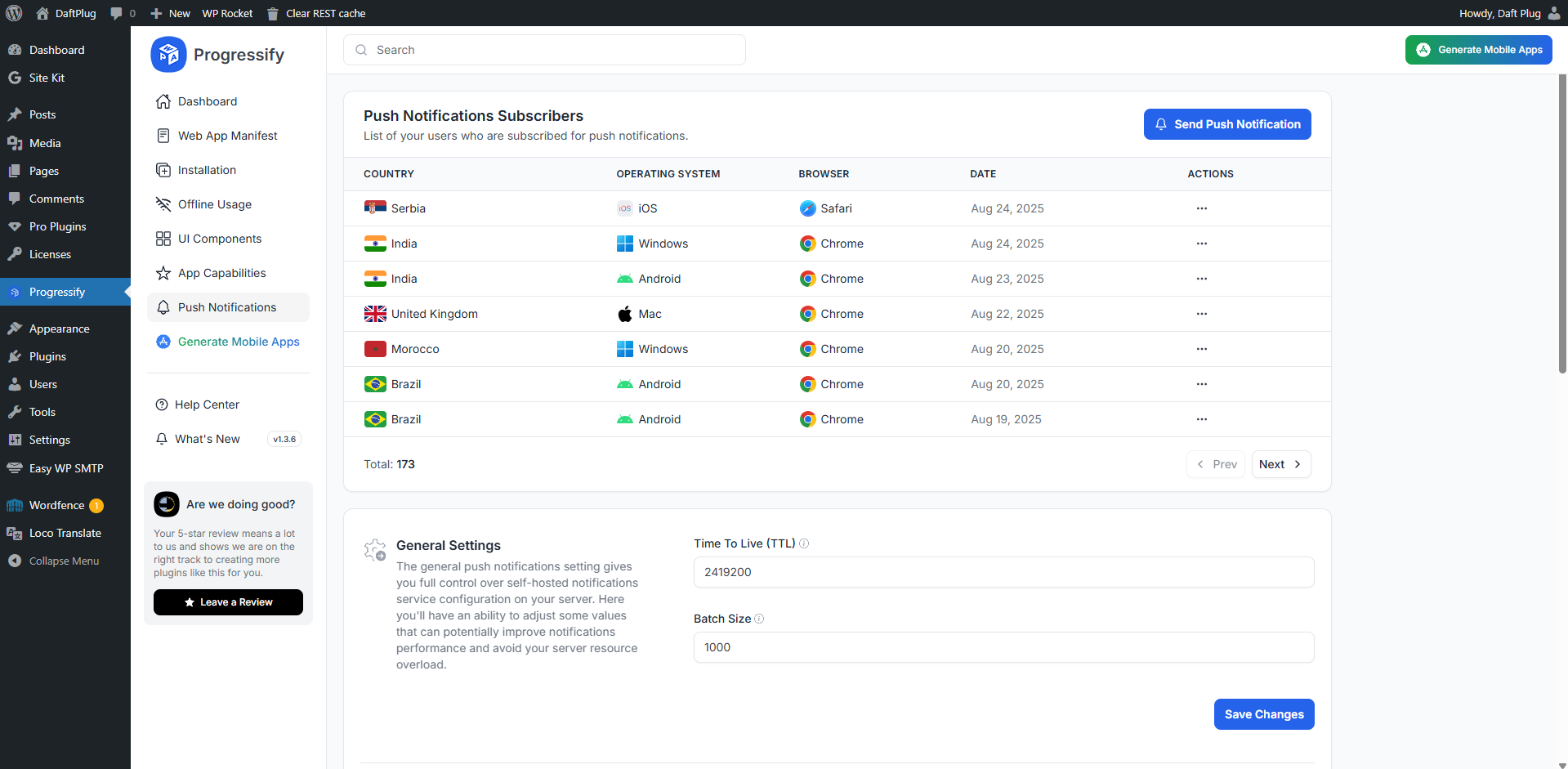
Push Notifications – Send messages directly to users’ devices, providing a powerful tool for engaging users with timely updates, alerts, and personalized content. 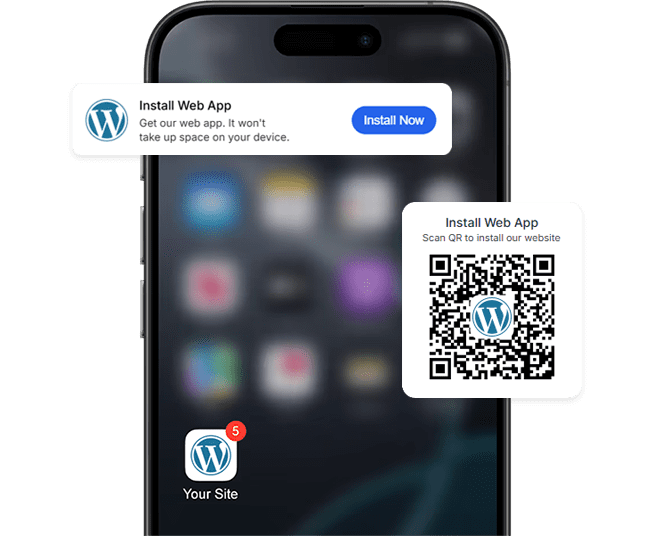
Add To Home Screen – Let users install your site on their home screens in seconds, giving it a true app-like experience. 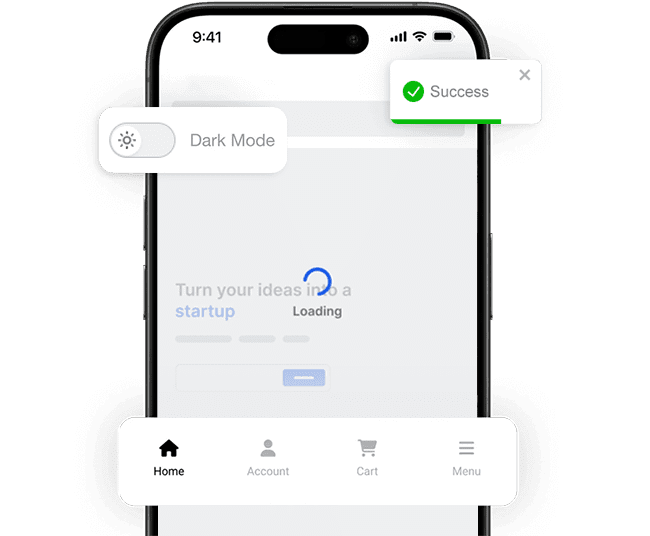
App-like UI Components – Seamlessly integrate features such as loaders, pull-to-refresh, dark mode, navigation tabs, and more.


FAQ
-
What are Progressive Web Apps (PWAs)?
-
Progressive Web Apps (PWAs) are web apps built and enhanced with modern APIs to provide enhanced capabilities while still reaching any web user on any device with a single codebase. They combine the broad reach of web apps with the rich capabilities of platform-specific apps to enhance the user experience.
-
What is the benefit of having a PWA over a native app?
-
PWAs are more cost-effective to develop and maintain than native apps since there’s no need to create separate Android and iOS apps or manage them on app stores. Your website can be installed directly from the browser like an app, without taking up space on users’ devices.
-
Can I have both PWA and iOS and Android apps?
-
Yes! That’s the beauty of having a PWA. With Progressify, you can enhance your website with PWA features for a native app-like experience in browsers and also generate real iOS and Android apps for app store publication, reaching billions of users. iOS and Android apps generated by Progressify don’t require updates, as they reflect your website in real time—any changes you make will automatically appear in the apps.
-
Is Progressify compatible with my theme?
-
Progressify is compatible with any WordPress theme, plugin or any other WordPress configuration, be it standard WordPress website, e-commerce, membership, affiliate, social network, etc. It is a standalone plugin that does not require or depend on anything else to function.
-
Which browsers are supported by Progressify?
-
Most of the PWA functionality is supported by all major browsers, including Google Chrome, Mozilla Firefox, Apple Safari, and Microsoft Edge. Additionally, Progressify is designed to be compatible with all the browsers by adapting PWA features it provides to the browser’s capabilities.
-
Which devices are supported by Progressify?
-
Progressify is compatible with any device that supports modern browsers—including desktops, laptops, tablets, and smartphones. Its PWA functionality ensures a seamless experience across all devices capable of running supported browsers.
Reviews


Contributors & Developers
“Progressify – All-In-One Progressive Web App (PWA) on Autopilot” is open source software. The following people have contributed to this plugin.
Contributors
Translate “Progressify – All-In-One Progressive Web App (PWA) on Autopilot” into your language.
Interested in development?
Browse the code, check out the SVN repository, or subscribe to the development log by RSS.
Changelog
1.0.0
- Initial release.
