
Description
Best SEO plugin for WordPress fully integrated with all page builders and themes!
Now with AI (GPT-5, GPT-4o Mini, GPT-4o, GPT-4, GPT-3.5-Turbo & DeepSeek AI) to automagically generate meta title, description and alternative texts for images!
SEOPress is a powerful WordPress SEO plugin to optimize your SEO, boost your traffic, improve social sharing, build custom HTML and XML Sitemaps, create optimized breadcrumbs, add schemas / Google Structured data types, manage 301 redirections and so much more.
✔ Universal SEO metabox: edit all your SEO from any page builder / theme builder. No more back and forth between your editor and the WordPress administration
✔ No advertising, no footprints, white label, in backend AND frontend
✔ Content analysis to help you write content optimized for search engines with unlimited target keywords
✔ Import your post and term metadatas from other SEO plugins or CSV file in 1 click
✔ Translated into 27 languages (and counting)
✔ Trusted by over 350,000 WordPress websites since 2017
Buy SEOPress PRO: only $49 / year / 1 site
Features | Migrate | PRO | Integrations | Support | White Label | AI
Why SEOPress is the best WordPress SEO plugin?
- Save time: you prefer to work with Excel or Google Spreadsheets? No problem, you can import / export your metadata from CSV files with SEOPress PRO in few clicks!
- Save money: SEOPress PRO is available for $49 / year / 1 site. Go unlimited sites for just $149 / year!
- All in one SEO plugin: comes with all the features you need to optimize the SEO of your WordPress site. No need to install additional extensions to manage redirects, schemas, XML sitemaps… You reduce the risk of conflicts and maintenance costs. You don’t need a special feature? Deactivate it with one click without losing your configuration. Child’s play !
- Easy AND ready to use: you doesn’t need to know SEO or code to use SEOPress. Most of the parameters are automatically set. And thanks to our installation wizard, configuring SEOPress has never been easier. To go further, we provide many free tutorials and ebooks to learn SEO in order to better understand how to position your content on search engines.
SEOPress Free Features
- Installation wizard to quickly setup your site
- Content analysis with unlimited keywords to help you write optimized content for search engines
- Mobile / Desktop Google Preview to see how your post will looks like in Google search results
- Facebook & X (ex-Twitter) Social Preview to see how your post will looks like on social media to increase conversions
- Titles (with dynamic variables: custom fields, terms taxonomie…)
- Meta descriptions (with dynamic variables too)
- Open Graph and X (ex-Twitter) Cards to improve social media sharing (Facebook, LinkedIn, Instagram, X (ex-Twitter), Pinterest, WhatsApp…)
- Google Knowledge Graph
- Google Analytics and Matomo with downloads tracking, custom dimensions, ip anonymization, remarketing, demographics and interest reporting, cross-domain tracking…(GDPR compatibility)
- Microsoft Clarity integration: to capture session recordings, get instant heatmaps and powerful Insights for Free. Know how people interact with your site to improve user experience and conversions
- Custom Canonical URL
- Meta robots (noindex, nofollow, noimageindex, nosnippet)
- Build your custom XML Sitemap to improve search indexing
- Image XML Sitemaps to improve search indexing for Google Images
- Build your custom HTML Sitemap to enhanced navigation for visitors and improve search indexing
- Link your social media accounts to your site
- Redirections in post, pages, custom post types
- Remove /category/ in URLs
- Remove /product-category/ in URLs
- Remove ?replytocom to avoid duplicate content
- Redirect attachment pages to post parent
- Redirect attachment pages to their file URL
- Image SEO: Automatically set the image title / alt / caption / description
- Import / Export settings from site to site.
- Google Indexing API and IndexNow API (Bing / Yandex) to quickly index its content in these search engines
- Import posts and terms metadata from Yoast SEO, All In One SEO, SEO Framework, Rank Math, SEO Ultimate, WP Meta SEO, Premium SEO Pack, Squirrly and many other SEO plugins
- …
Check out all SEOPress Free features here
SEOPress PRO: to go further with your SEO
- Use Artificial Intelligence (GPT-4o, GPT-4 Turbo / Vision and GPT 3.5 Turbo) to generate SEO metadata and alternative texts for image files. Bulk actions supported.
- Site Audit: Detect technical issues that could harm your site’s SEO directly from your WordPress administration.
- Receive SEO alerts to prevent breaking your SEO before it’s too late
- Import / export metadata (titles, open graph, robots…) from / to CSV file
- Video XML Sitemap to improve rankings in video search results. YouTube videos are automatically added.
- Internal linking suggestions
- Inspect URL with Google Search Console: get details about crawling, indexing, mobile compatibility, schemas and more.
- Search Console integration: get insights from your post / page / post type list with clicks, positions, CTR and impressions.
- Google Suggestions in Content Analysis to find the top 10 Google suggestions instantly. This is useful if you want to work with the long tail technique.
- Google Structured Data types (schema.org):
- article
- local business
- service
- how-to
- FAQ
- course
- recipe
- software application
- video
- event
- product
- job
- simple review
- custom schema
- Automatic Schemas with advanced conditions (AND, OR, Post types, taxonomies)
- Breadcrumbs optimized with Schema.org, A11Y ready.
- Google Analytics Stats in Dashboard to quickly see your metrics without leaving your site
- Google Local Business to boost your local store
- Broken link checker (SEOPress BOT): scan all your links in content to find errors (e.g. 404…)
- WooCommerce: Product Global Identifiers type and Product Global Identifiers fields to WooCommerce metabox for product schema (barcode), disable crawling on cart page, checkout page, customer account pages, add OG Price / OG Currency for better sharing and more
- Easy Digital Downloads: add OG Price / OG Currency, remove EDD meta generator
- Custom Breadcrumbs for single post types / term taxonomy
- Google Page Speed Insights to analyse your site performances on Mobile / Desktop + your Core Web Vitals
- Google Enhanced Ecommerce for WooCommerce: measure purchases, singular product view details, additions to and removals from shopping carts
- Edit your robots.txt file from the admin (multisite / multidomain ready)
- Google News Sitemap to get your posts on Google News
- 404 Monitoring: Monitor your 404 errors to improve user experience, performances and increase the crawl budget allocated by Google
- Redirect 404 to homepage/custom url automatically with custom status code (301, 302, 307, 410 or 451)
- Email notifications on 404
- Redirect manager: create unlimited 301, 302, 307, 410 and 451 redirections. Regular expressions supported. Import / export redirections to CSV or htaccess file.
- Import redirections using CSV
- Import redirections from Redirections plugin (via a JSON file)
- Edit your htaccess file from the admin
- Easily customize your RSS feeds
- …
WooCommerce SEO (SEOPress PRO required)
We support WooCommerce and Easy Digital Downloads for e-commerce sites.
- Price and currency meta tags to improve social sharing
- XML sitemaps for products
- Support for WooCommerce product images and WooCommerce image galleries for the XML sitemap
- Centralized way to set noindex meta robots tags on pages like cart, checkout…
- Remove WooCommerce generator meta tag in the source code
- Create manual and/or automatic “product” schemas in JSON-LD to increase visibility in Google search results
- WooCommerce support for our breadcrumbs
- Global dynamic tags to insert in your metas titles / descriptions
- Product Global Identifiers type and Product Global Identifiers fields to WooCommerce metabox for product schema (barcode)
- …
Universal SEO metabox: edit your metadata from any page builder / editor
Elementor + SEOPress: perfect combo!
We provide deep integration with Elementor page builder UI, see below:
SEOPress Insights: Off-site SEO plugin to track your rankings and backlinks in WordPress
- Keyword rank tracker: 52 Google Search locations available
- Track 50 keywords per site daily
- Track your competitors: who ranks first on your keywords
- Monitor and analyze your backlinks weekly
- Google trends to find new and relevant ideas for your content marketing strategy
- Your data accessible for life: export it to a CSV, PDF or Excel file. Sort, order, filter your data right from your WordPress.
- Receive email and Slack alerts for your rankings to easily follow them
Developers will love SEOPress!
- Hundreds of hooks are available to extend SEOPress. Browse them all here!
- Plus we have a REST API to build static websites.
- Finally, WP CLI commands are available.
Screenshots
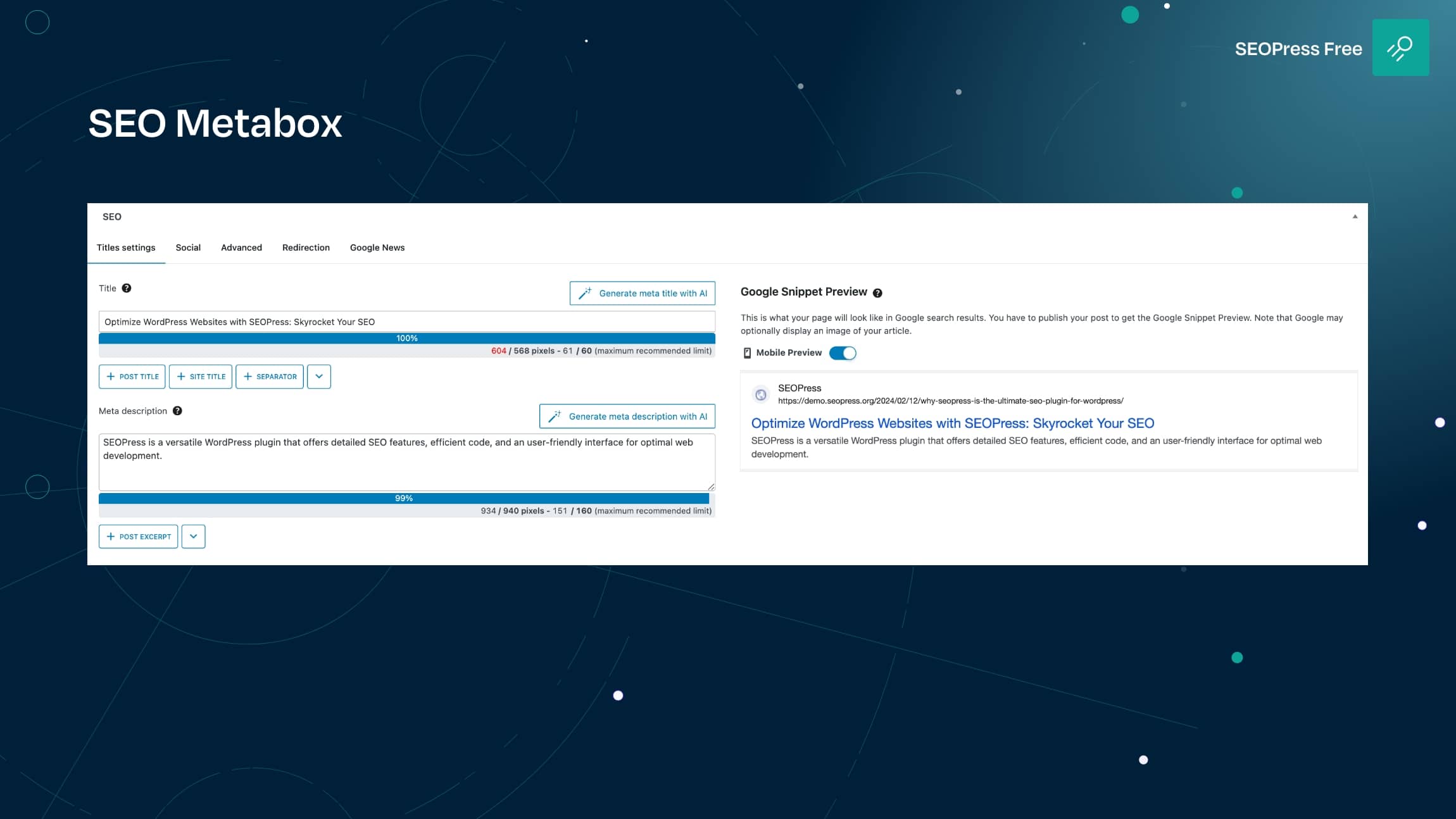
SEOPress metabox 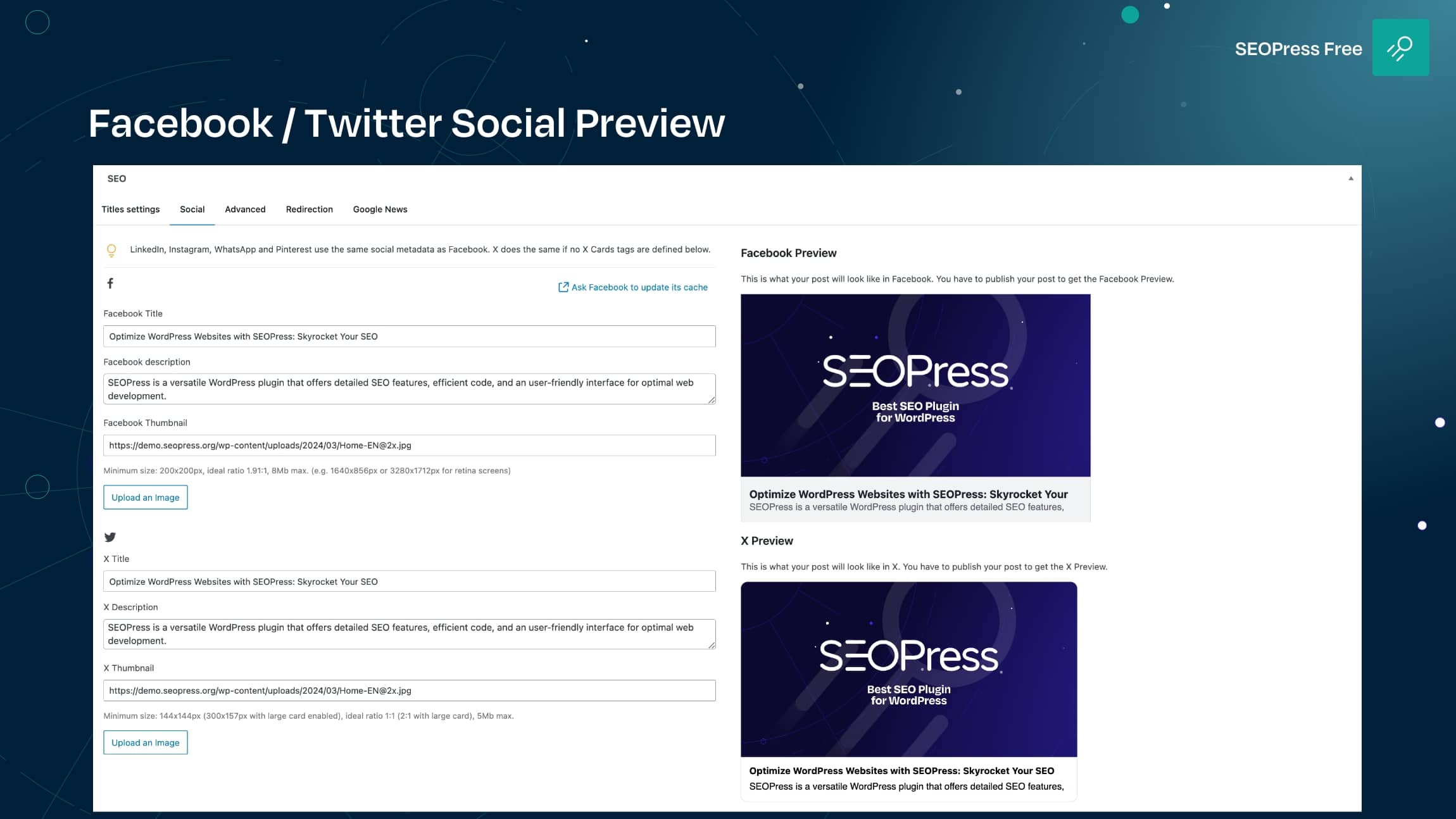
Facebook / X (ex-Twitter) social Preview 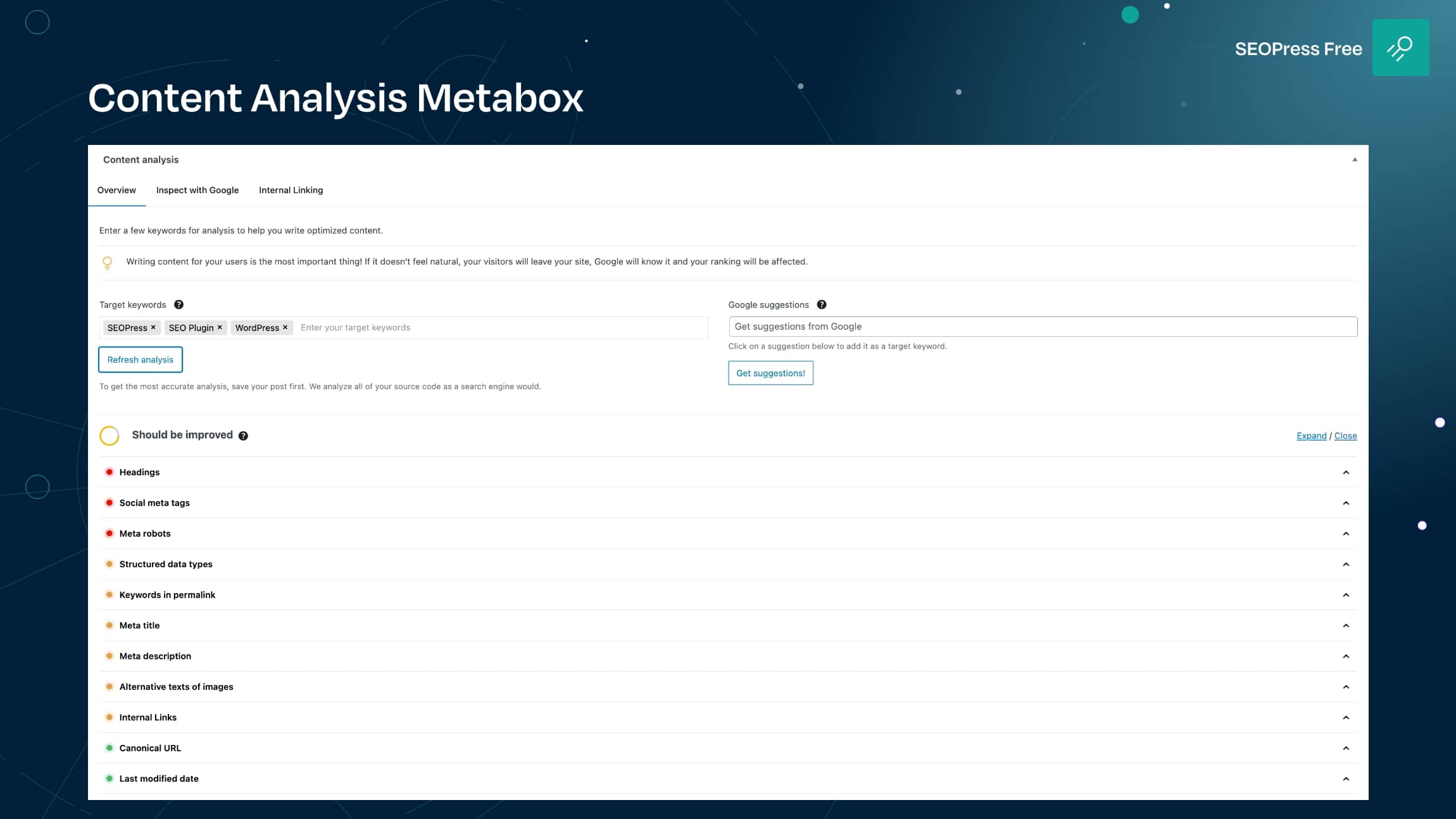
Content analysis metabox 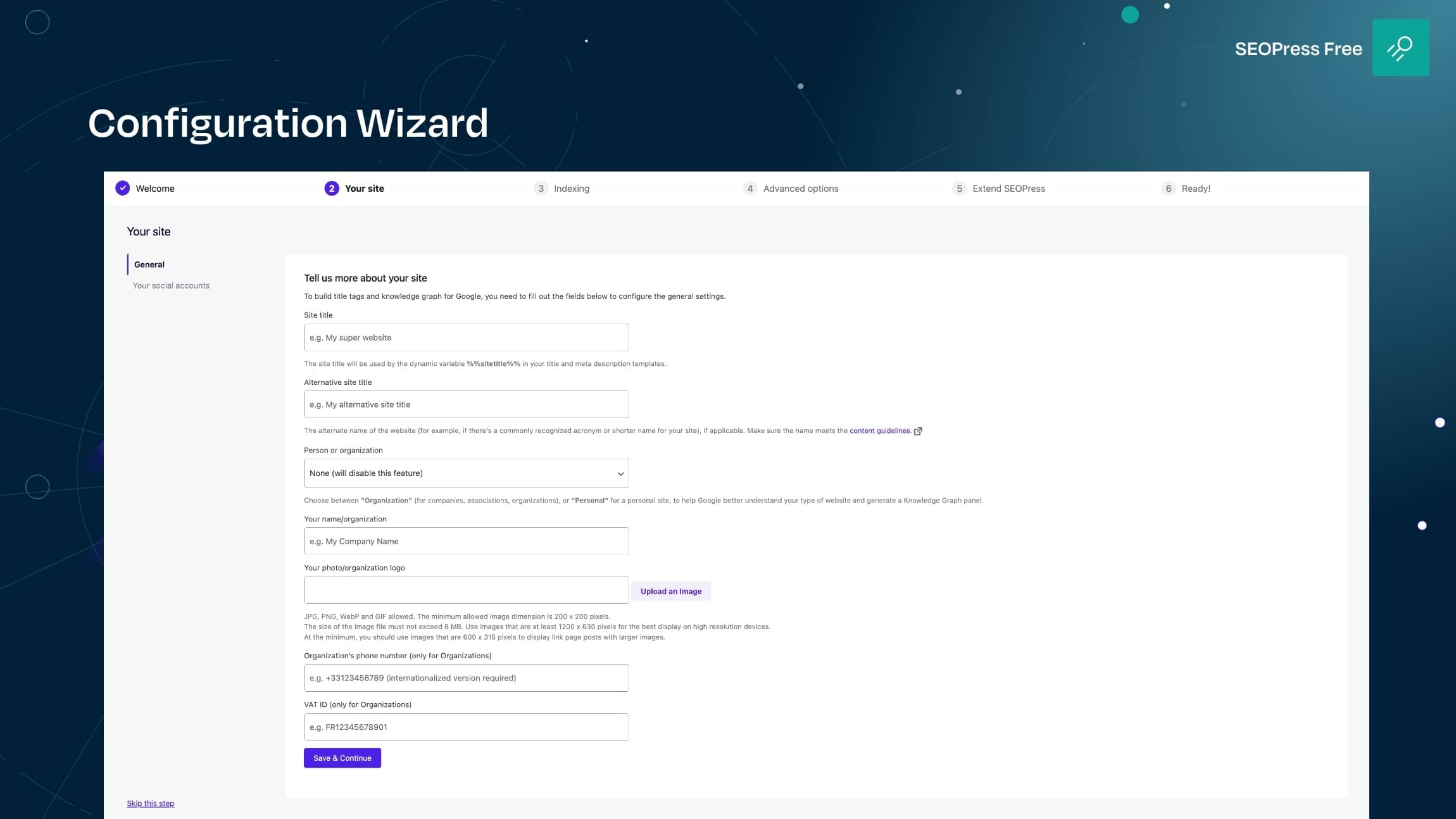
SEOPress Configuration wizard 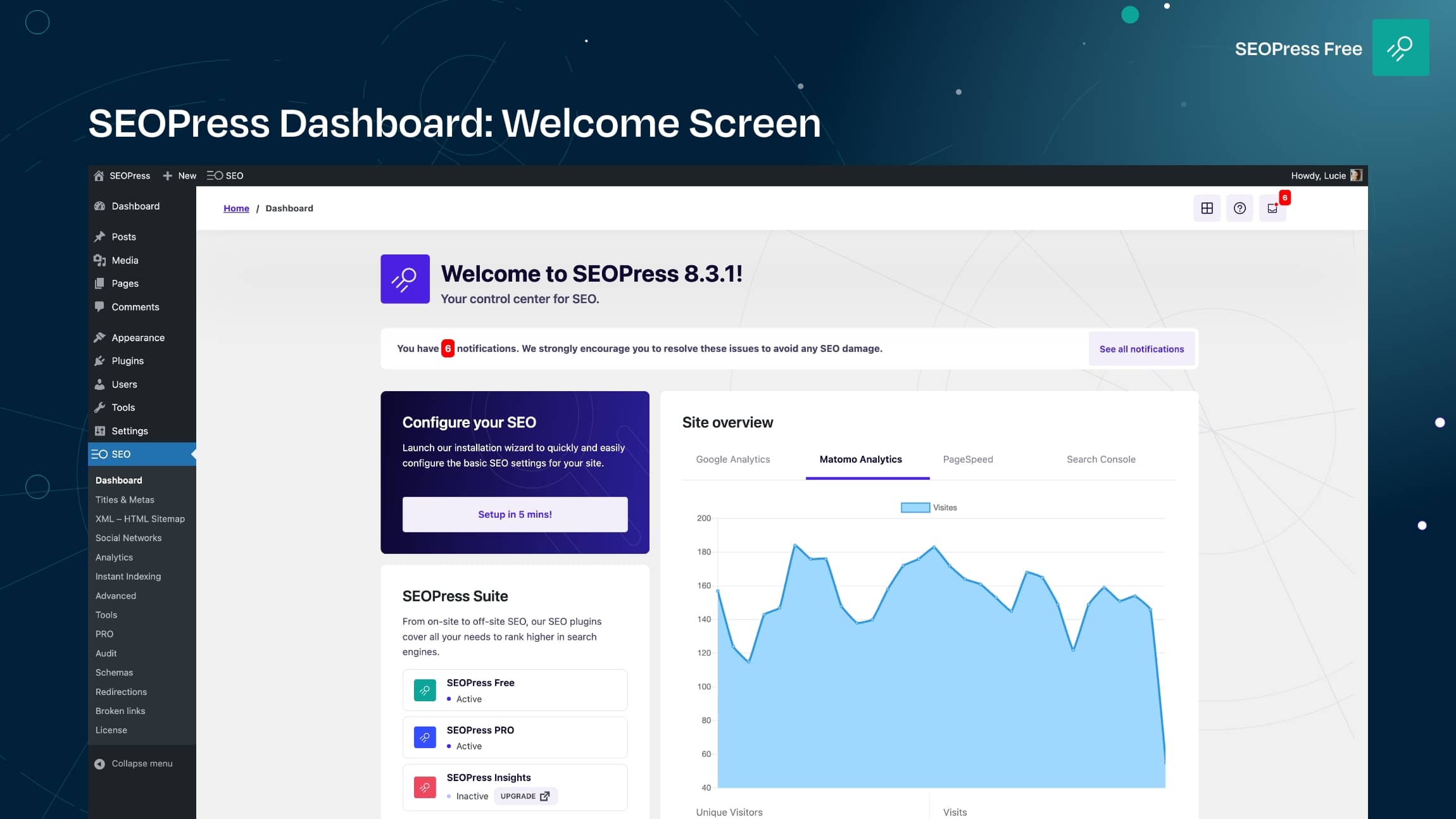
SEOPress Dashboard: welcome screen 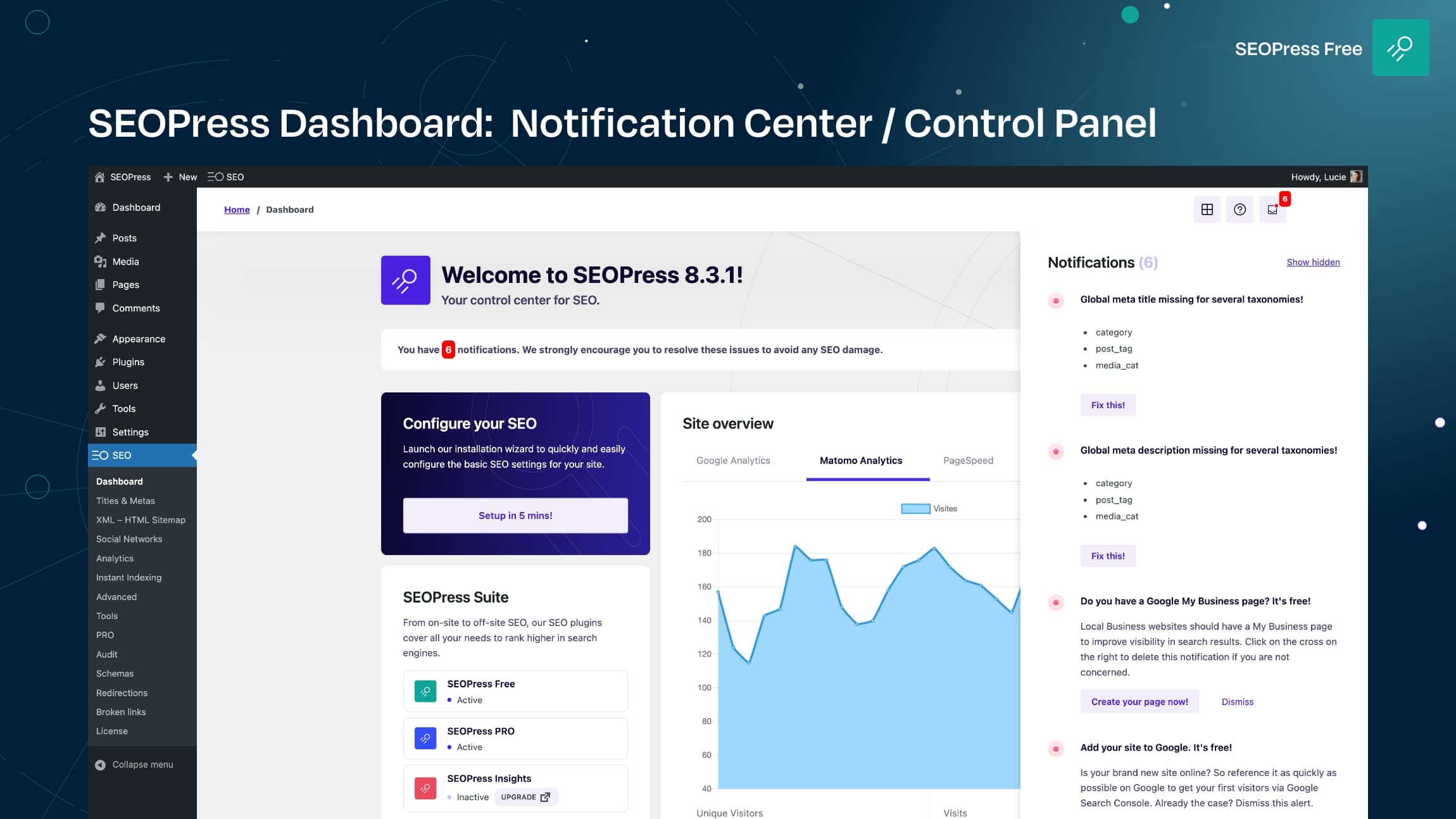
SEOPress Dashboard: notification center / control panel 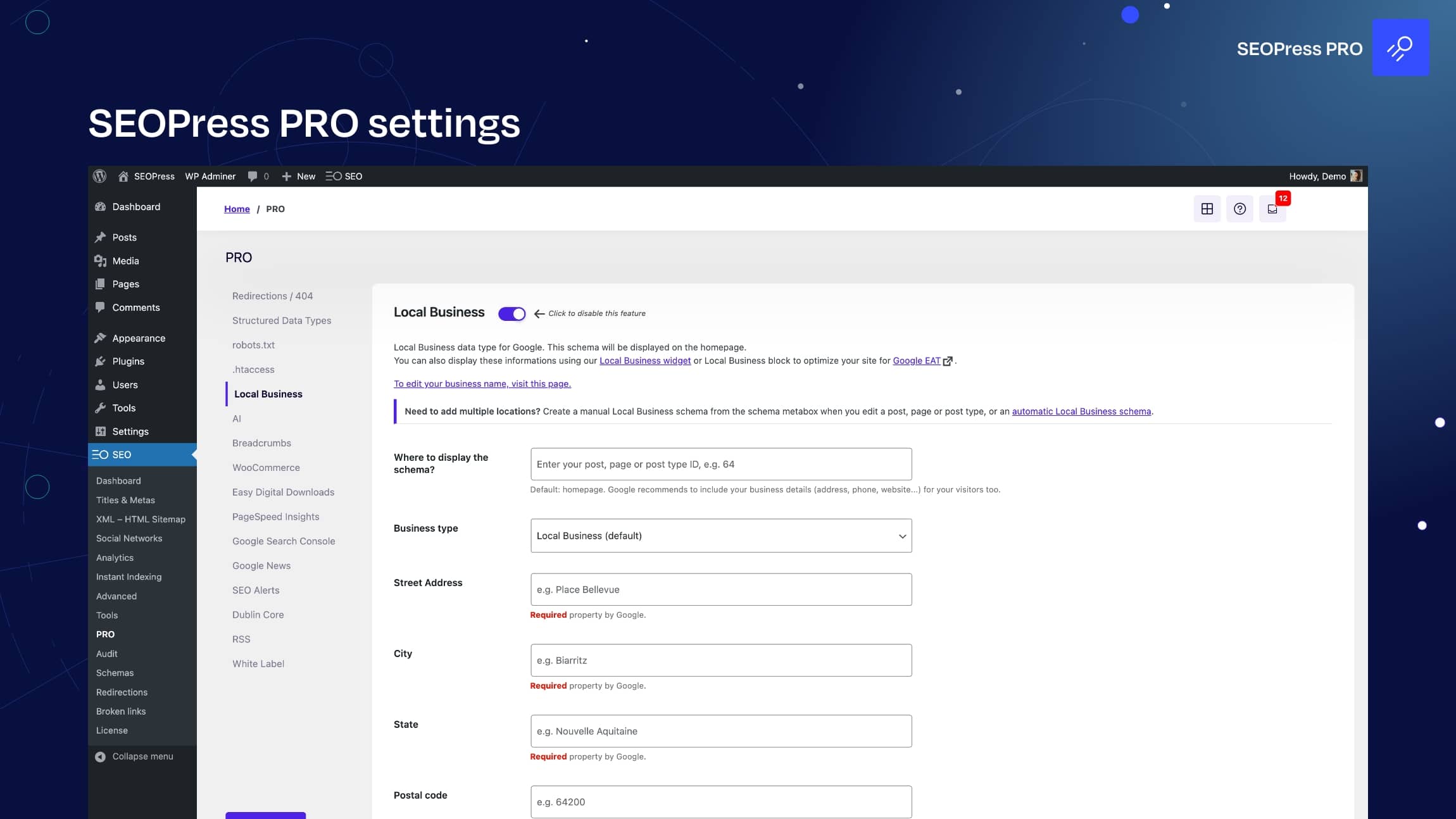
SEOPress PRO settings 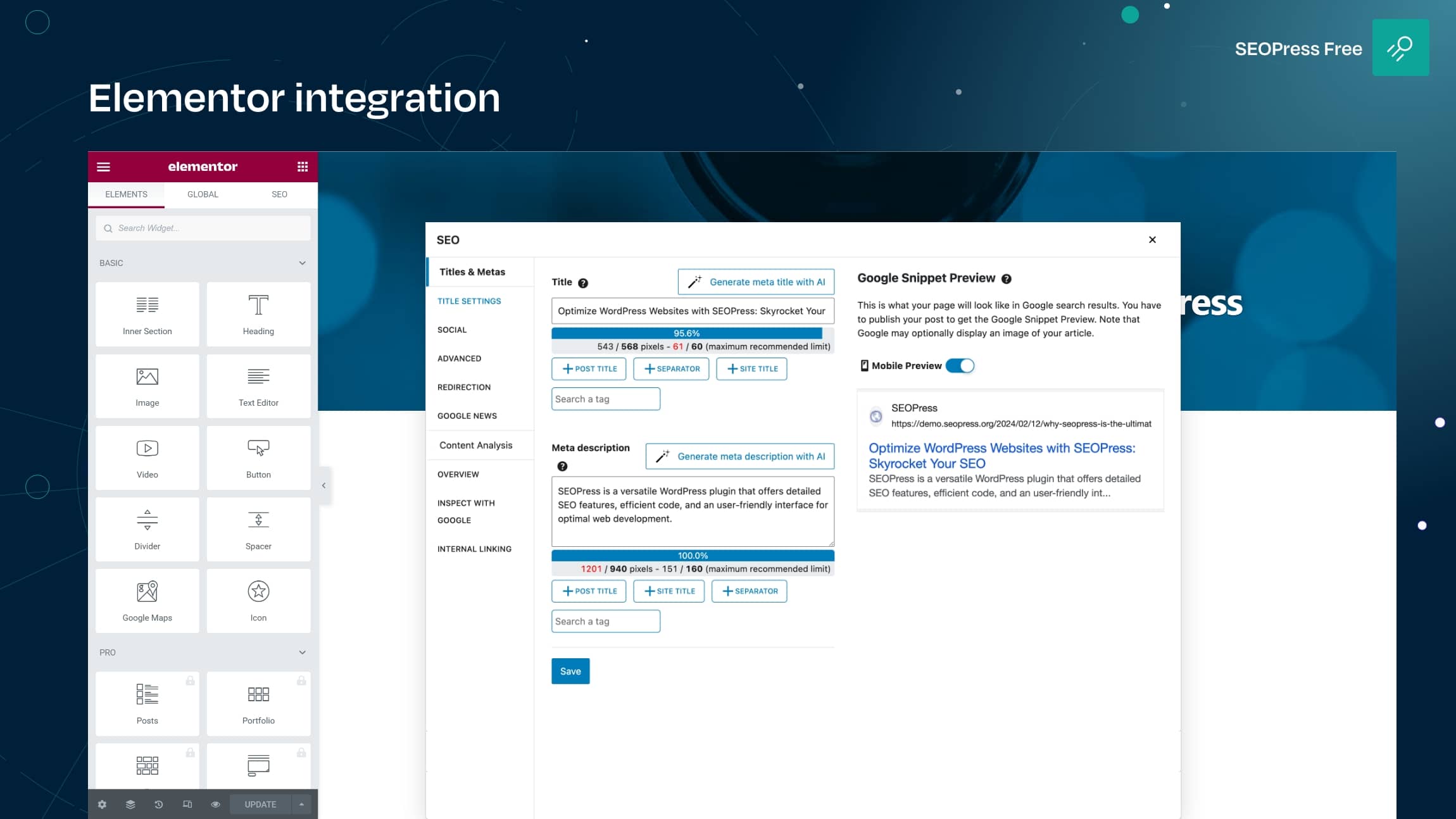
Elementor integration 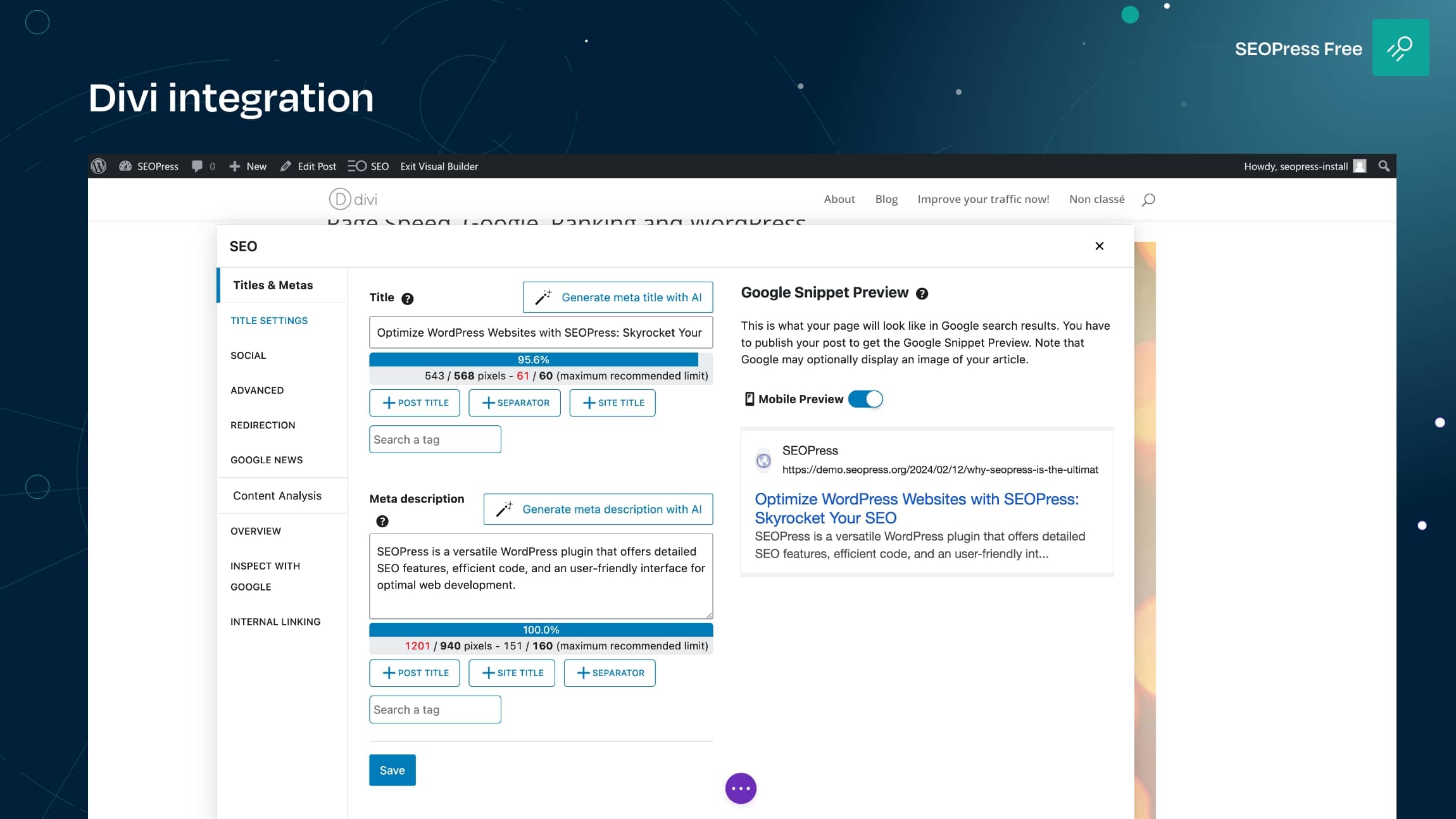
Divi integration 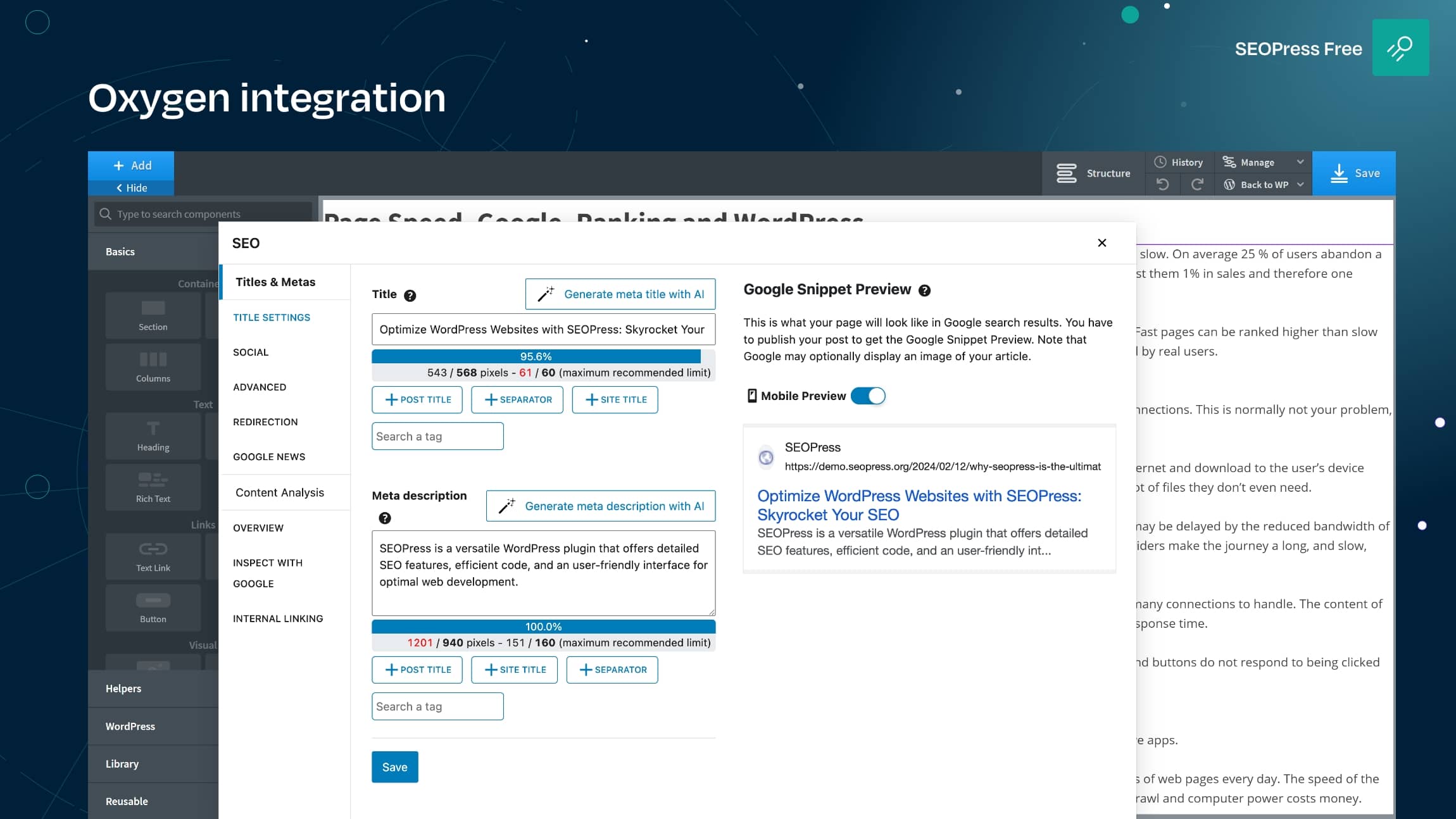
Oxygen integration 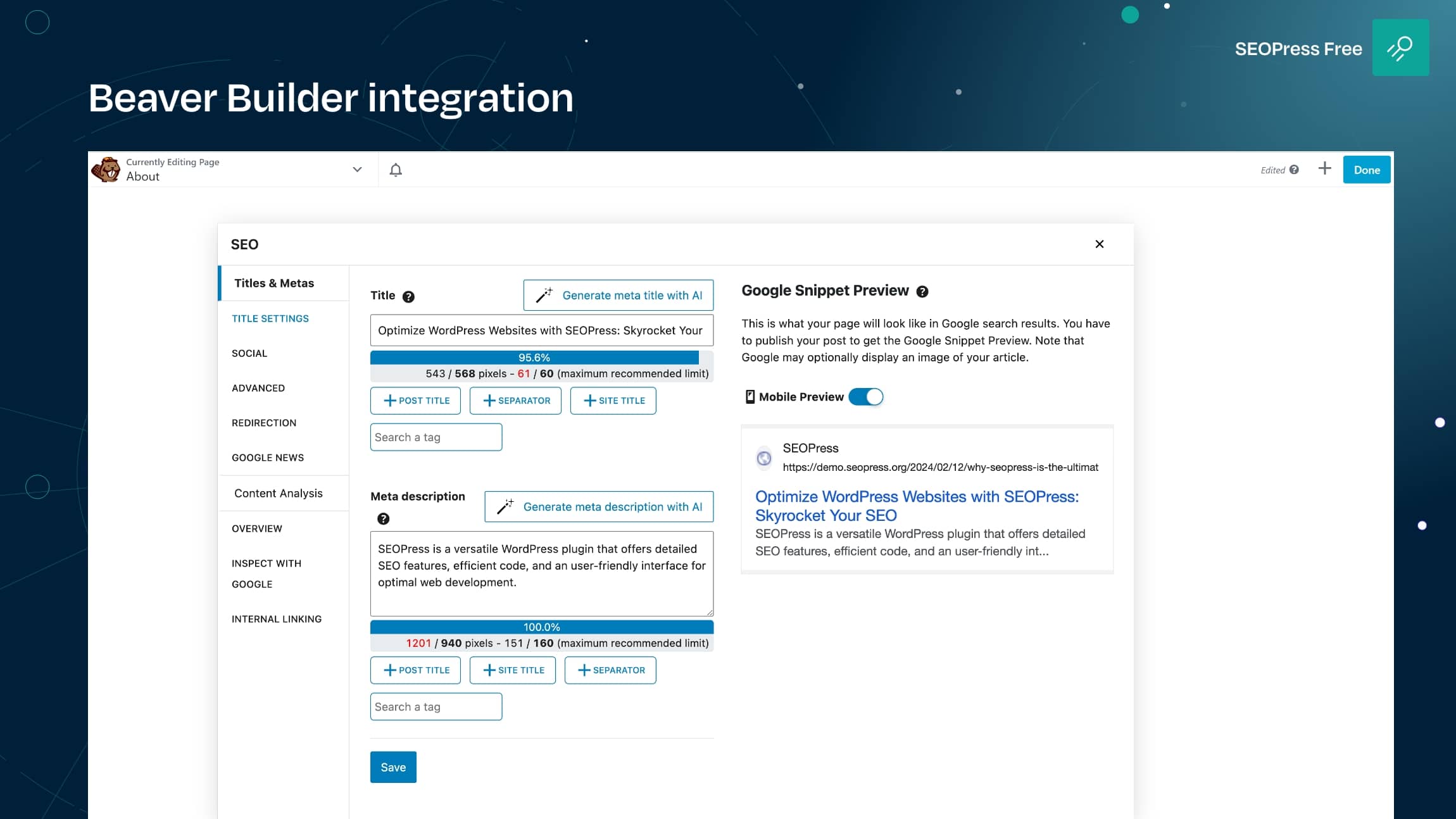
Beaver builder integration 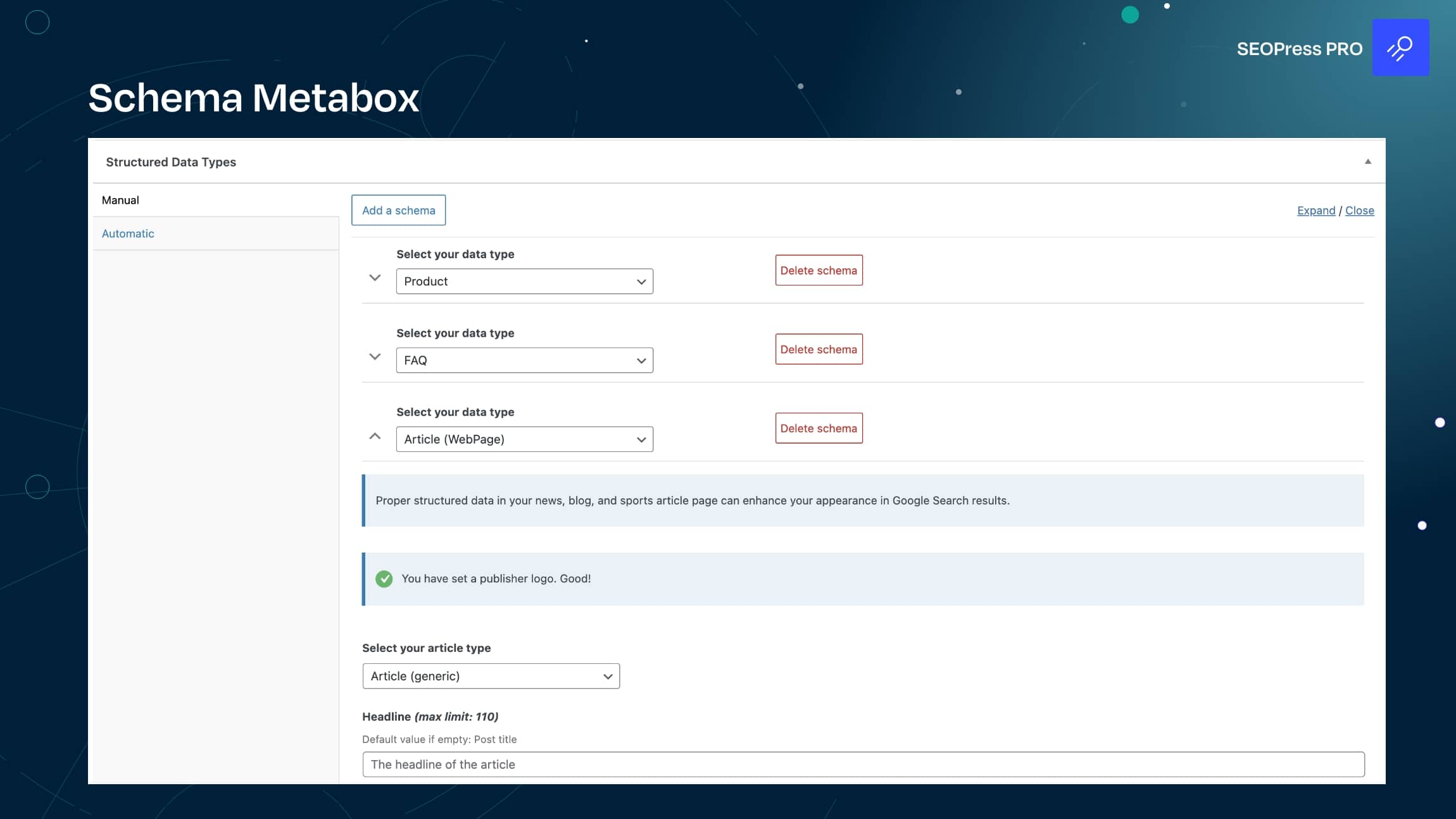
Schema metabox


Blocks
This plugin provides 3 blocks.
- Sitemap Display an HTML sitemap
- FAQ Allows to easily build FAQs
- FAQ (legacy) Allows to easily build FAQs
Installation
- Upload ‘wp-seopress’ to the ‘/wp-content/plugins/’ directory
- Activate the plugin through the ‘Plugins’ menu in WordPress
- Click on SEOPress and apply settings.
FAQ
-
Can I import my post and term metadata, global settings, redirections from other plugins to SEOPress?
-
Yes, with our import tool:
We support these SEO plugins:
– Yoast
– AIOSEO
– RankMath
– The SEO Framework
– Squirrly SEO
– SEO Ultimate
– WP Meta SEO
– Premium SEO Pack
– SiteSEO
– Slim SEO
– SmartCrawl -
Which themes and page builders are supported?
-
All. Period. And with our universal SEO metabox, it’s super easy to edit your SEO right from your favorite editor.
-
How many languages are available for our user interface?
-
🇺🇸 English (UK) (English (UK)) – professional translation
🇫🇷 Français (French (France)) – professional translation
🇪🇸 Español (Spanish (Spain)) – professional translation
🇩🇪 Deutsch (German) – professional translation
🇳🇱 Nederlands (Dutch) – professional translation
🇷🇺 Русский (Russian) – professional translation
🇯🇵 日本語 (Japanese) – professional translation
🇮🇳 हिन्दी (Hindi) – professional translation
🇨🇳 中文 (Chinese (China)) – professional translation
🇧🇷 Português do Brasil (Portuguese (Brazil)) – professional translation
🇵🇱 Polskie (Polish) – professional translation
🇸🇪 Svenska (Swedish) – professional translation
🇮🇹 Italiano (Italian) – professional translation
🇨🇿 Čeština (Czech) – professional translation
🇬🇷 Ελληνικά (Greek)
🇧🇬 Български (Bulgarian)
🇮🇩 Bahasa Indonesia (Indonesian)
🇻🇳 Loki Web (Vietnamese)
🇷🇴 Română (Romanian)
🇰🇷한국인 (Korean)
🇸🇦 العربية (Arabic)
فارسی (Persian)
Türkçe (Turkish)
… -
How to use Google Tag Manager / other scripts with SEOPress?
-
Go to SEO > Analytics > Custom Tracking tab. Paste GTM / custom tracking code to [HEAD] Add an additional tracking code / [BODY] Add an additional tracking code textarea fields. Save changes and clear your cache.
-
Which types of sitemaps support SEOPress?
-
XML sitemaps for search engines: post, page, post type, taxonomies, images and author.
HTML sitemap for accessibility and SEO.
SEOPress PRO supports Google News XML and Video sitemaps.
-
How do I get support?
-
For FREE users: guides, forum on w.org, FAQ, hooks for developers, and videos on our YouTube channel.
For PRO users: support by mail from their customer account. -
Is SEOPress GDPR compliant?
-
Yes! Learn more here about SEOPress and GDPR
-
Is SEOPress compatible with WordPress multisite?
-
Yes!
-
Is white label a free feature?
-
Yes! Learn more here about SEOPress and the White Label feature
-
My XML sitemap returns a 404 error
-
Read this post to solve this issue
-
My XML sitemap returns a blank page
-
Read this post to solve this issue
-
I don’t see the correct title!
-
Your theme is probably using a deprecated function to handle the title. Learn more here
-
Google displays the wrong title / meta description
-
Google does what it wants!
More details on our guide. -
How can I report security bugs?
-
By using our contact form (select Misc as subject), or directly from Patchstack.
-
My question is not listed here!
-
Read our complete FAQ on our site or ask on our support forum.
Reviews


Contributors & Developers
“SEOPress – On-site SEO & Analytics” is open source software. The following people have contributed to this plugin.
Contributors


“SEOPress – On-site SEO & Analytics” has been translated into 26 locales. Thank you to the translators for their contributions.
Translate “SEOPress – On-site SEO & Analytics” into your language.
Interested in development?
Browse the code, check out the SVN repository, or subscribe to the development log by RSS.
Changelog
9.4.1
- FIX Site Audit / Content Analysis refresh issue with universal SEO metabox
- FIX Shipping offers for product schema
- FIX Resolved a fatal error that occurred with Breakdance when using the HTML sitemap
9.4 Read the blog post update
- NEW Add universal metabox icon to the Block Editor
- NEW Tested with WordPress 6.9
- INFO New hook ‘seopress_social_image_size’ to allow user to filter the image size used for Open Graph tags and X Cards (https://www.seopress.org/support/hooks/filter-image-size-used-in-open-graph-and-x-card-tags/)
- INFO Major improvements to user interface translations
- INFO Disable SEO beacon on Elementor library pages
- INFO Improve compatibility with Avada / Fusion Builder
- INFO Added a notice explaining the removal of oEmbed links and its effect on sharing links on LinkedIn
- INFO Minor user experience improvements
- INFO Ongoing improvements to ensure our code remains fully compatible with PHPCS/WPCS standards
- INFO Limit 404 errors to 1,000 posts max automatically
- INFO Help beacon design improved
- FIX Resolved compatibility issue causing duplicate OpenGraph tags with the Pinterest for WooCommerce plugin
- FIX Fixed a compatibility issue with Polylang where translated post type archive links were missing from XML sitemaps
- FIX Automatic flush permalinks for XML sitemaps
- FIX White label / notification counter in admin bar
- FIX Unsupported operand types prev next tags
- FIX Properly encode ampersands in URLs within XML sitemaps
- FIX Google Search Console synchronization
- FIX Multiple issues with the cookie consent banner
- FIX Corrected paths for social image previews
- FIX Offset on null in options-titles-metas.php / options-social.php
- FIX Notices about missing global title and meta description templates
- FIX PHP warning/deprecated offset on null / ID on null / str_replace with null
- FIX Incorrect meta title / desc if “show blog posts on homepage” set
- FIX PHP errors with Rank Math import tool
- FIX Link XML sitemap from robots.txt
- FIX Warning for undefined ‘include’ key
- FIX Arrow direction in overview tab (universal metabox)
- FIX PHP notices about “Trying to get property of non-object” and “Call to a member function on null” in the seopress_404_map_meta_cap function
- FIX Video Sitemap API endpoint now correctly returns an empty array when no videos are found
- FIX Error on post editing with Elementor
- FIX JS error Uncaught TypeError: Cannot read properties of undefined (reading ‘length’)
- FIX Undefined var $final
- FIX MainWP strrpos()
- FIX Uncaught TypeError: call_user_func_array(): Argument #1 ($callback) must be a valid callback, function “seopress_get_dynamic_variables” not found
- FIX Removed duplicate PHP closing tag
- FIX REST API dynamic vars for terms
- FIX Warnings / deprecated on CSV metadata import
- FIX CSS conflicts with jQuery on our metaboxes
- FIX AI keys testing on local setup
- FIX Resolved ERR_TOO_MANY_REDIRECTS issue occurring during CSV import redirects
- FIX Updated the updater to prevent third-party plugins from altering the site URL
- FIX Contributors.txt file
