How to Add Elements to a JavaScript Array?
Last Updated :
23 Jul, 2025
Here are different ways to add elements to an array in JavaScript.
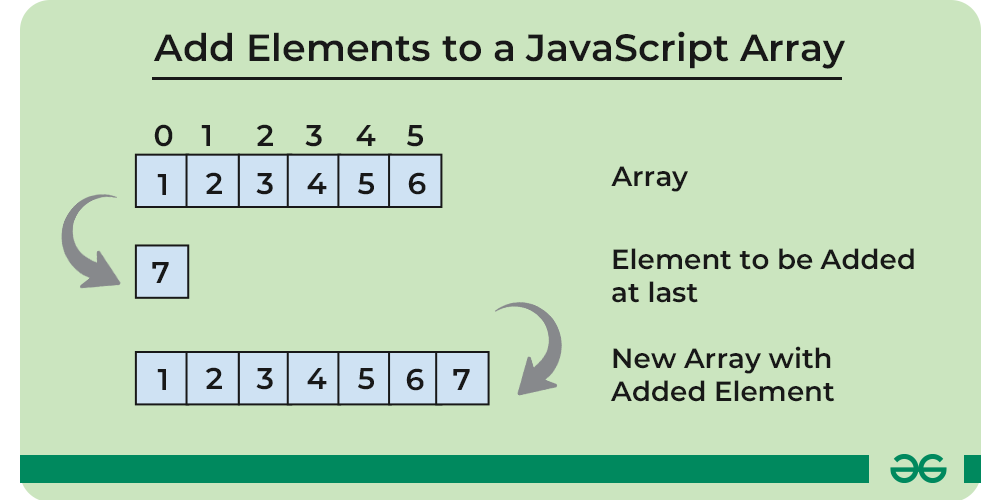
1. Using push() Method
The push() method adds one or more elements to the end of an array and returns the new length of the array.
Syntax
array.push( element1, element2, . . ., elementN );
JavaScript
const arr = [10, 20, 30, 40];

arr.push(50);
console.log("Updated Array: ", arr);

arr.push(60, 70);
console.log("New Updated Array: ", arr);
OutputUpdated Array: [ 10, 20, 30, 40, 50 ]
New Updated Array: [
10, 20, 30, 40,
50, 60, 70
]
2. Using unshift() Method
The unshift() method adds one or more elements to the beginning of an array and returns the new length of the array.
Syntax
array.unshift( element1, element2, . . ., elementN );
JavaScript
const arr = [ 30, 40, 50 ];

arr.unshift(20);
console.log("Updated Array: ", arr);

arr.unshift(10, 5);
console.log("New Updated Array: ", arr);
OutputUpdated Array: [ 20, 30, 40, 50 ]
New Updated Array: [ 10, 5, 20, 30, 40, 50 ]
3. Using splice() Method
The splice() method changes the contents of an array by removing or replacing existing elements and/or adding new elements in place.
Syntax
array.splice( start_index, delete_count, item1, ..., itemN );
JavaScript
const arr = [ 10, 20, 30, 40, 50 ];

arr.splice(3, 0, 32, 35);
console.log("Updated Arrat: ", arr);
OutputUpdated Arrat: [
10, 20, 30, 32,
35, 40, 50
]
4. Using concat() Method
The concat() method is used to merge two or more arrays. It does not change the existing arrays but returns a new array.
Syntax
let newArr = arr1.concat( arr2, arr3, . . ., arrN );
JavaScript
const arr1 = [ 10, 20, 30 ];
const arr2 = [ 40, 50 ];

const arr = arr1.concat(arr2);
console.log("Merged Array: ", arr);
OutputMerged Array: [ 10, 20, 30, 40, 50 ]
5. Using Spread Operator (...)
The spread operator can be used to add elements to an array. It returns a new array after addign some elements.
Syntax
let newArr = [ ...arr, element1, element2, . . ., elementN ];
JavaScript
const arr = [ 10, 20, 30, 40 ];
const newArr = [ ...arr, 50, 60 ];
console.log("Updated Array: ", newArr);
OutputUpdated Array: [ 10, 20, 30, 40, 50, 60 ]
6. Using Index Assignment
As we know the JavaScript arrays are dynamic in nature they do not have the finite length so we can assign a value to any index at any point of time. We can directly assign a value to a specific index to add an element to an array.
JavaScript
const arr = [ 10, 20, 30, 40 ];

arr[4] = 50;
console.log("Updated Array: ", arr);
OutputUpdated Array: [ 10, 20, 30, 40, 50 ]
Explore
JavaScript Basics
Array & String
Function & Object
OOP
Asynchronous JavaScript
Exception Handling
DOM
Advanced Topics