Best SSD for gaming in 2025 – our top picks for speed, capacity, or lower budgets

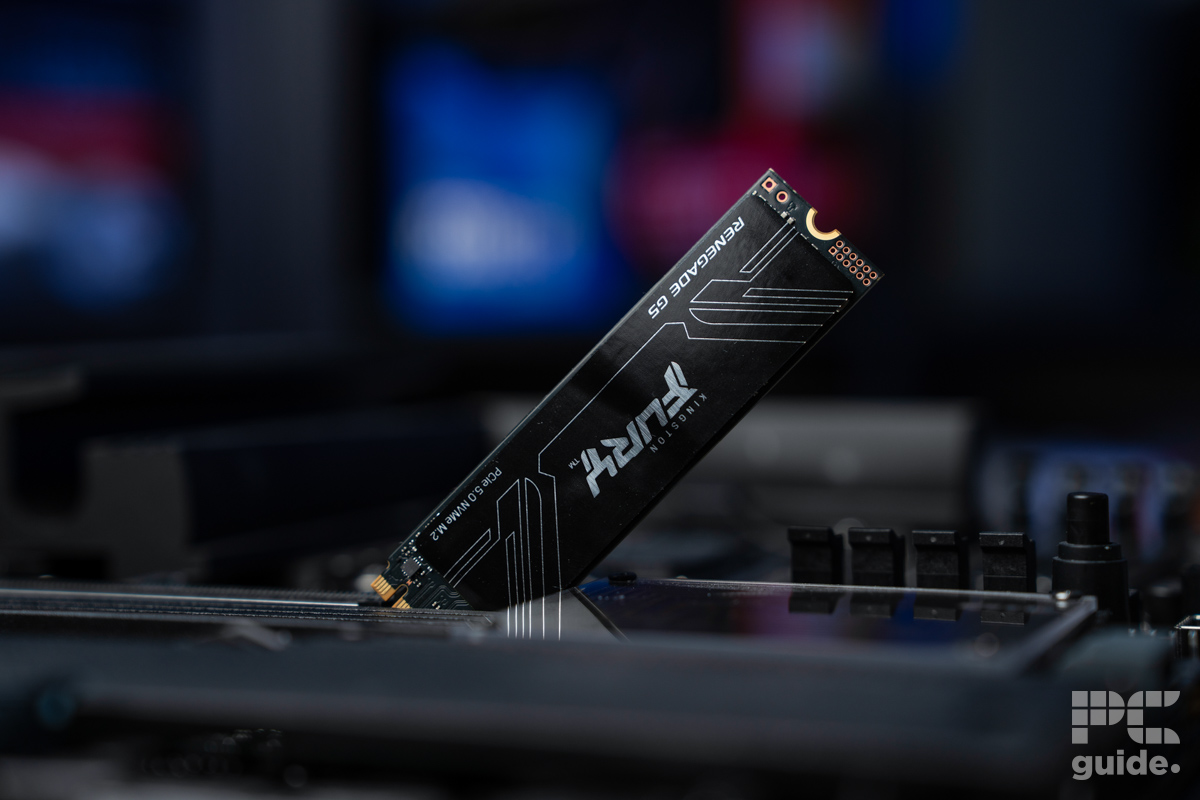
Table of Contents
When it comes to choosing storage for your gaming PC or one of the various consoles that now support it, there are plenty of choices. If you want plenty of speed and a range of capacities, then going for the best SSD is the ideal solution for the job, which is why we’ve compiled a variety for you to pick from.
As the years have passed and technology has progressed, we’ve seen the move away from slower-spinning hard drives to solid-state drives without all those moving parts. This started off with SATA SSDs that were still using a cable to plug into the motherboard, and managed to improve speeds. However, even NVMe SSDs have dropped far enough in price to be considered the top choice.
With even more impressive speeds and capacities for a good value, there’s an incredible amount of choice. Even now, more technologies are being introduced, with the likes of PCIe Gen 5 NVMes and smaller-sized drives to fit a Steam Deck.
So, if you’re after a cheap, portable, or the best choice in general, we have you covered. All of these should still provide you with a greatly improved experience if you’re moving from a slower drive or an excellent option to increase your capacity.
Products at a glance
-
Kingston FURY Renegade G5 2TB
- Capacity: 1/2/4TB
- Interface: PCIe 5.0 x4 NVMe
- Sequential Read Speed: 14,200/14,700/14,800MB/s
- Sequential Write Speed: 11,000/14,000/14,000MB/s
- Random Read Speed: 2,200,000IOPS
- Random Write Speed: 2,150,000/2,200,000/2,200,000IOPS

-

Samsung 990 Pro
- Capacity: 1TB, 2TB, 4TB
- Interface: M.2 2280 PCIe Gen 4
- Sequential Read Speed: Up to 7,450 MB/s
- Sequential Write Speed: Up to 6,900 MB/s
-

Crucial P3 Plus
- Capacity: 500GB, 1TB, 2TB, 4TB
- Interface: M.2 2280 PCIe Gen 4
- Sequential Read Speed: 5000MB/s
- Sequential Write Speed: 4200MB/s
-
-

Corsair MP600 Mini
- Capacity: 1TB, 2TB
- Interface: M.2 2230 PCIe Gen 4
- Sequential Read speed: Up to 7,000MB/s
- Sequential Write speed: Up to 6,200MB/s
-

SAMSUNG 870 EVO
- Capacity: 250GB, 500GB, 1TB, 2TB, 4TB
- Interface: 2.5-inch SATA
- Sequential Read Speed: Up to 560 MB/s
- Sequential Write Speed: Up to 530 MB/s
-

WD_BLACK P40 Game Drive SSD
- Capacity: 1TB, 2TB
- Interface: USB 3.2 Gen 2 x2 (Type-C)
- Sequential Read Speed: 2000MB/s
- Sequential Write Speed: 2000MB/s


How we picked
For this guide, we have looked at several SSDs manufactured by different brands and then shortlisted the ones that we thought were the best. We have picked the SSDs based on features like speeds, storage capacity, heatsink, and more. We have also checked community reviews and purchasing history to see what is popular and tested out options to see what is suitable.
Deals season is here folks, and with it comes a plethora of eye-catching price cuts on some of the industry's most popular tech. Below are some of the best deals you can find right now.
- AMD Ryzen 7 9800X3D Was $479/span> Now $454
- ASUS TUF RTX 5070 Ti Was $999 Now $849
- Samsung Odyssey OLED G6 Was $899 Now $649
- LG G5 65" OLED TV Was $2,996 Now $1,996
- Samsung Odyssey G9 (G95C) Was $1,299 Now $777
- Alienware Area-51 gaming laptop Was $3,499 Now $2,799
- Samsung 77-inch OLED S95F Was $4,297 Now $3,497
*Prices and savings subject to change. Click through to get the current prices.
Plus, we are always adding new products to our list to keep it updated, so you can check back here for more updates. We aim to test these one day in our testing lab, but for now, we’ve used our years of testing and reviewing expertise to select these top options.
Our top picks
- Capacity: 1/2/4TB
- Interface: PCIe 5.0 x4 NVMe
- Sequential Read Speed: 14,200/14,700/14,800MB/s
- Sequential Write Speed: 11,000/14,000/14,000MB/s
- Random Read Speed: 2,200,000IOPS
- Random Write Speed: 2,150,000/2,200,000/2,200,000IOPS
- Endurance: 1/2/4PB
- Controller: SM2508
- NAND: 3D TLC
- MTBF: 2,000,000 hours
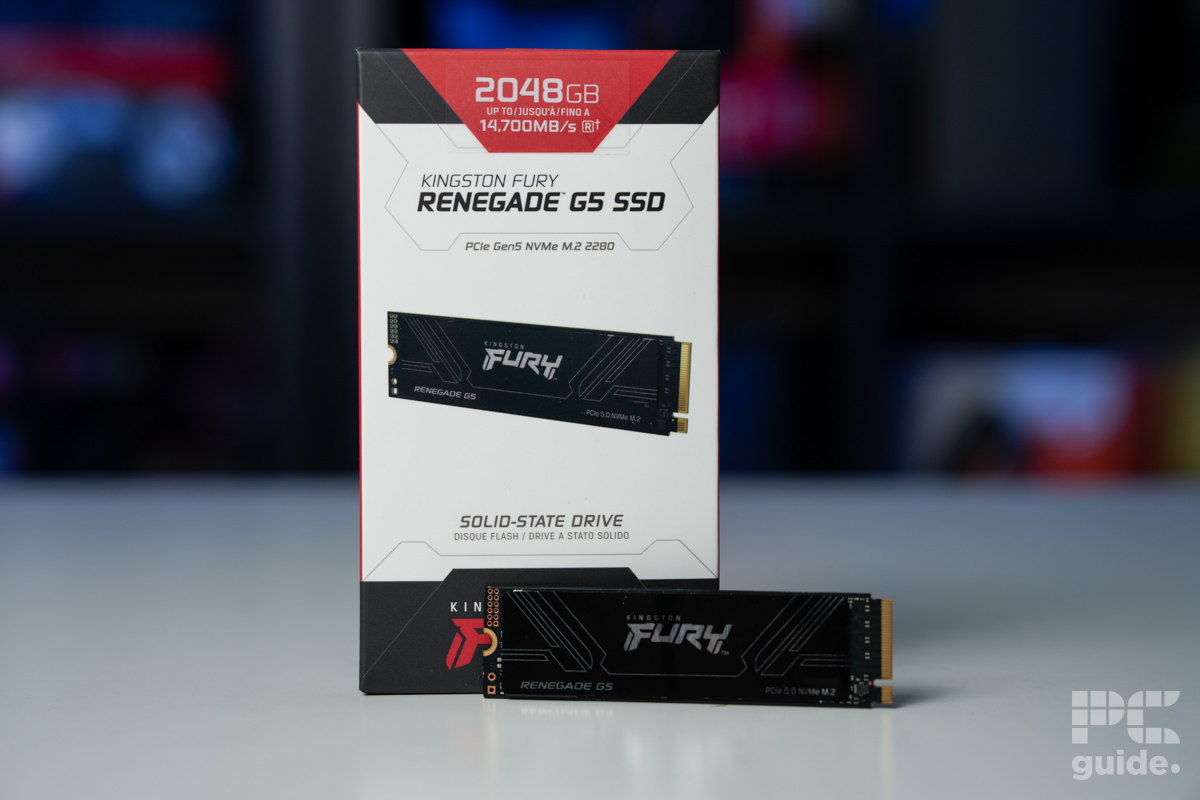
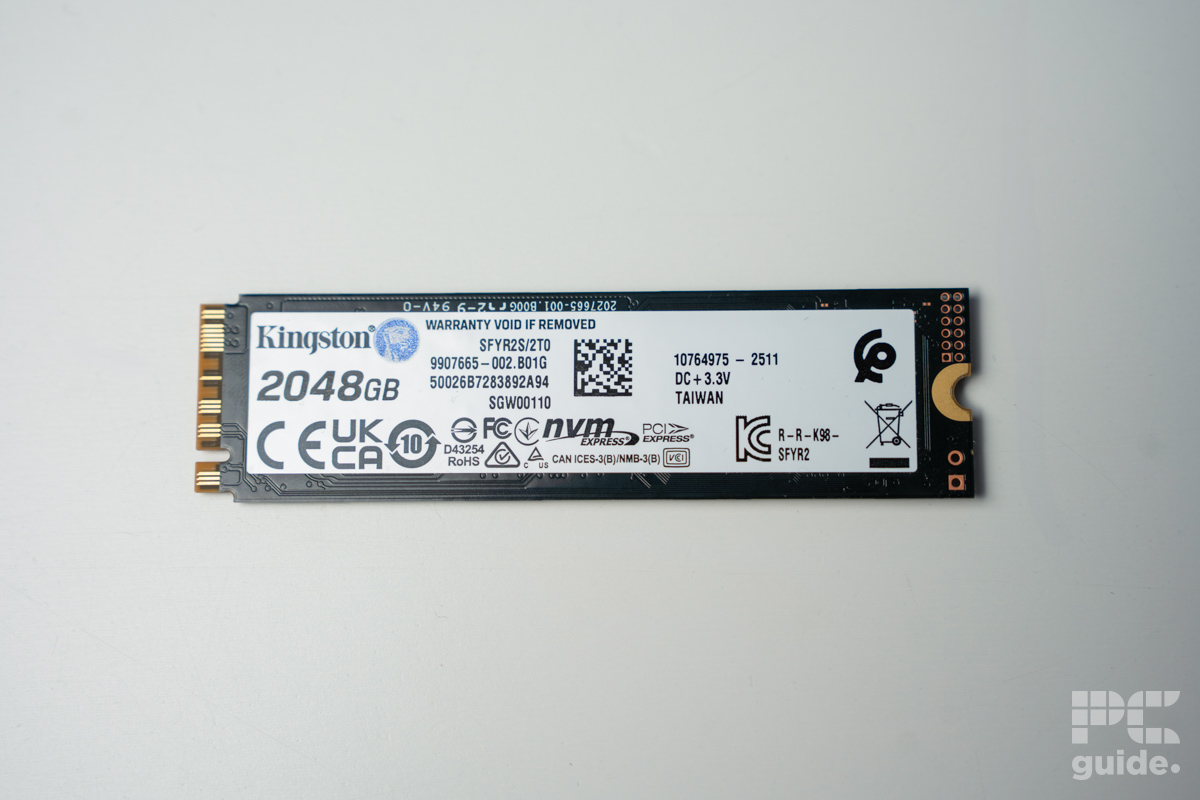
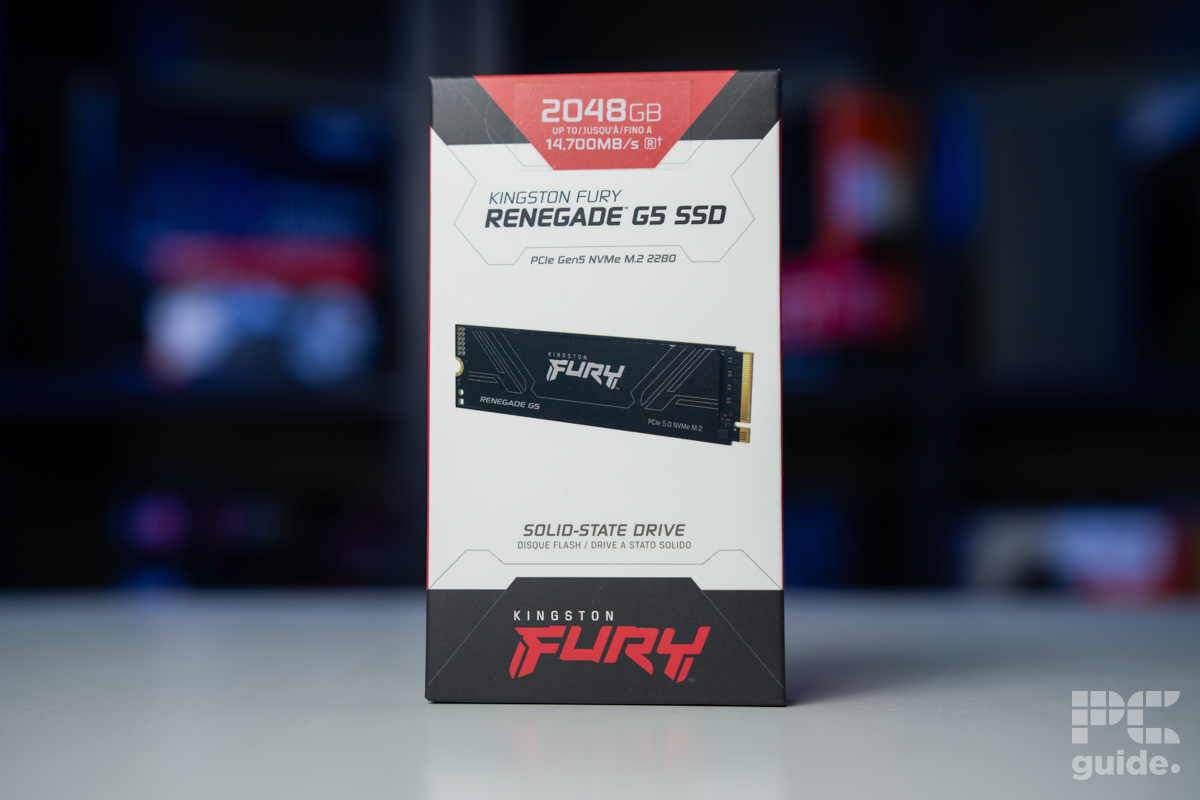
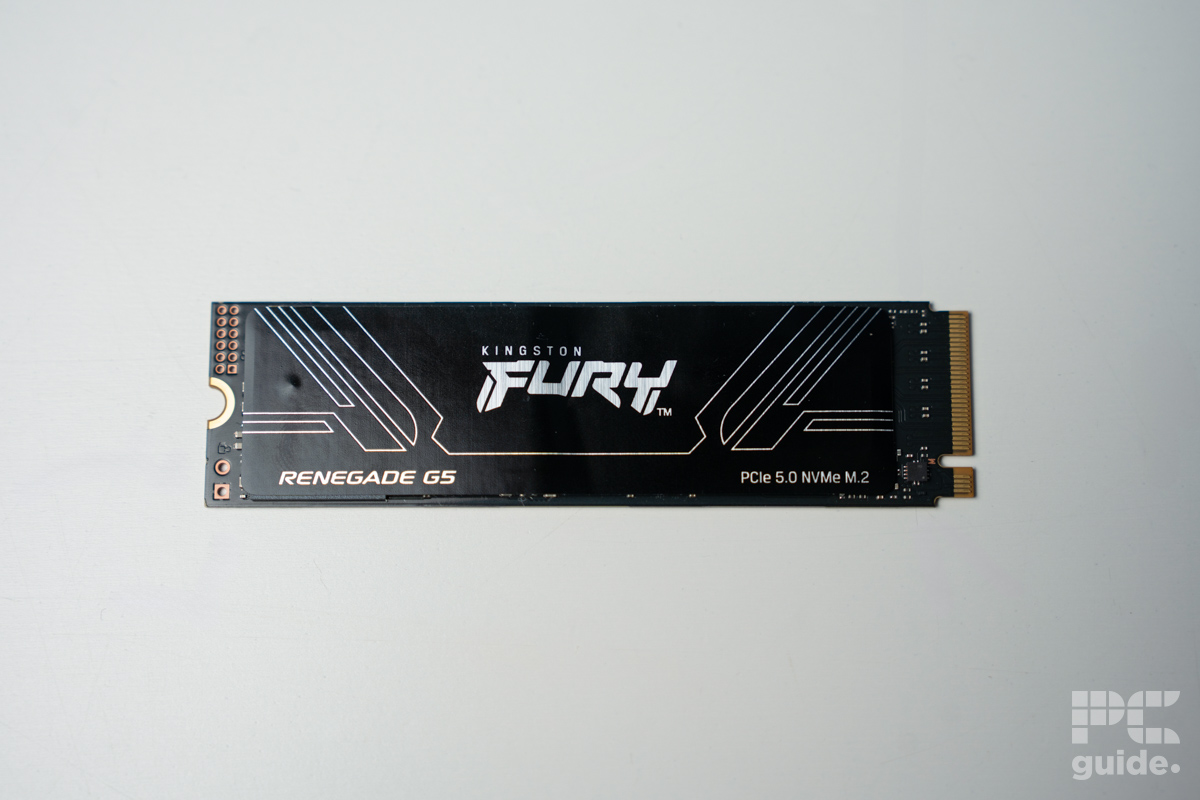
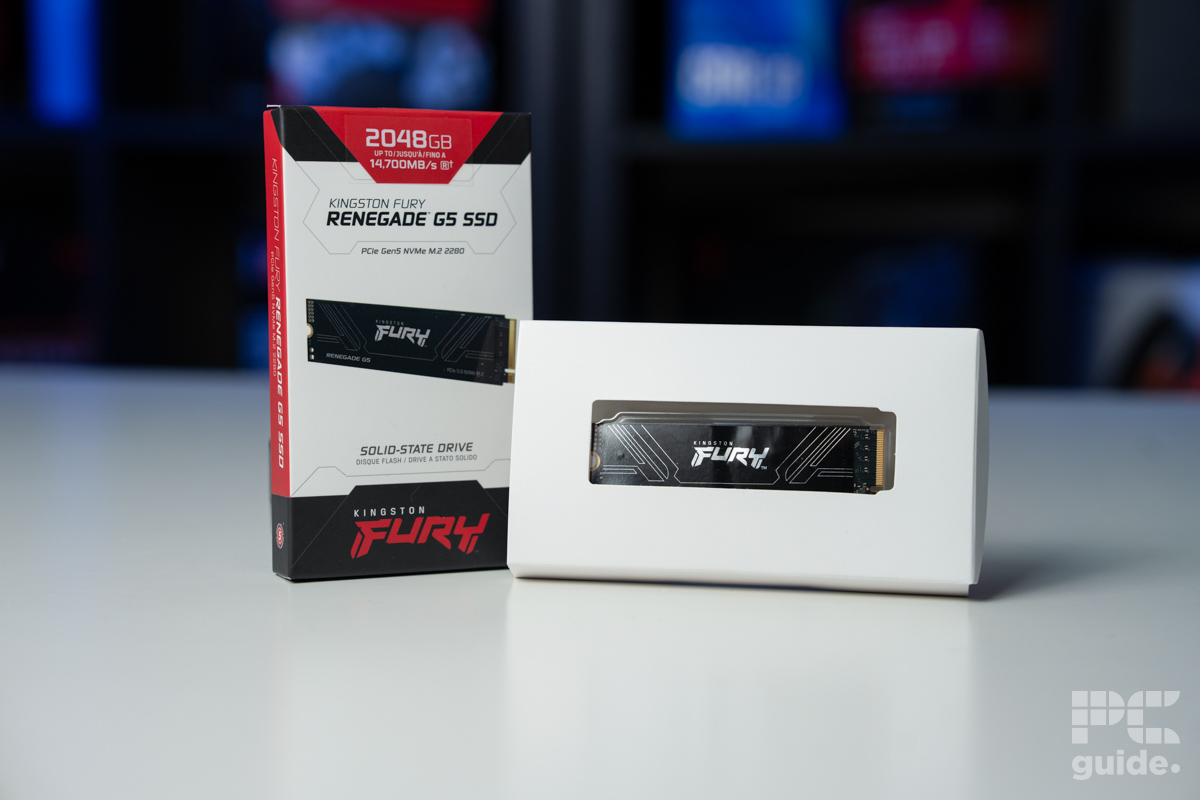
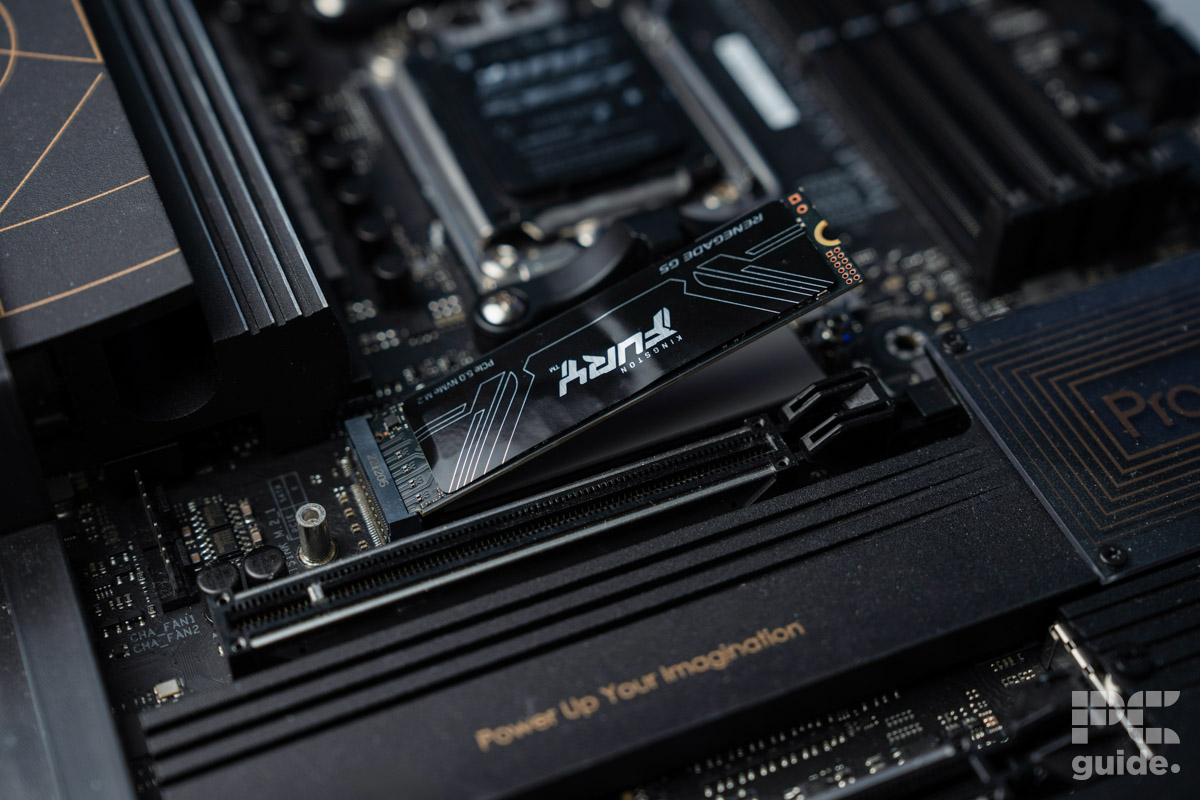
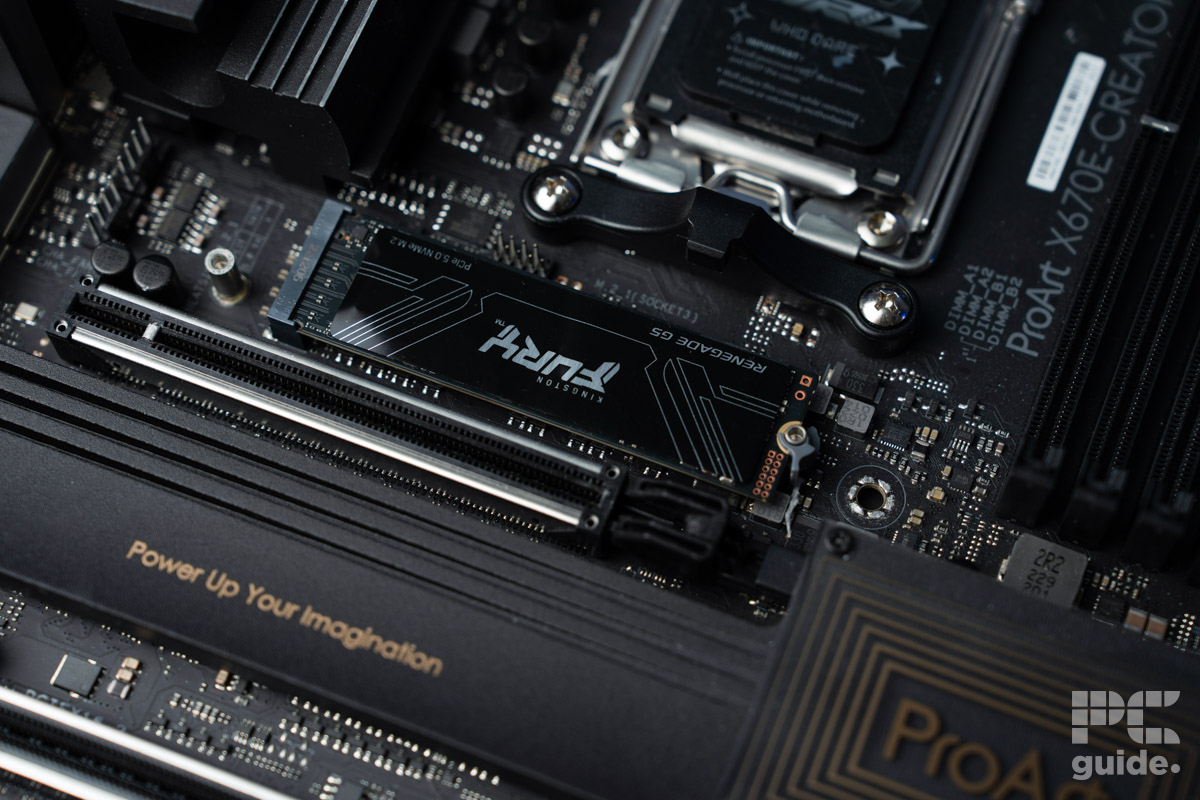
At the top of the lineup for the best SSD for gaming, we have the Kingston Fury Renegade G5. Bringing about the M.2 PCIe Gen 5 spec for the fastest and latest technology for blazingly fast load times. That way, you can ensure you are getting some future-proofing build components and ones that can withstand the tests.
It is equipped with an SM2508 controller and utilizes DDR4 DRAM for the cache. Alongside the 3D TLC NAND flash, it allows for the impressively fast speed it has to offer while also keeping up the performance in the long run. That’s thanks to the buffer that setup creates and doesn’t bottleneck the utility as much, and something budget NVMes without a cache may struggle with.
As we found in our Fury Renegade G5 review, it lives up to the speeds. The sequential speeds manage to reach the advertised ones and beat out the PCIe Gen 4 competition. Although the random speeds do falter much like the rest of the options, it keeps at a very solid pace anyway for great performance.
Even without its own heatsink, the G5 keeps temperatures and performance up in the long run stress tests. That way, it’s a long-term solution, if you can afford it, considering there may be some better-priced options out there.

Kingston FURY Renegade G5 thermals, Image by PC Guide
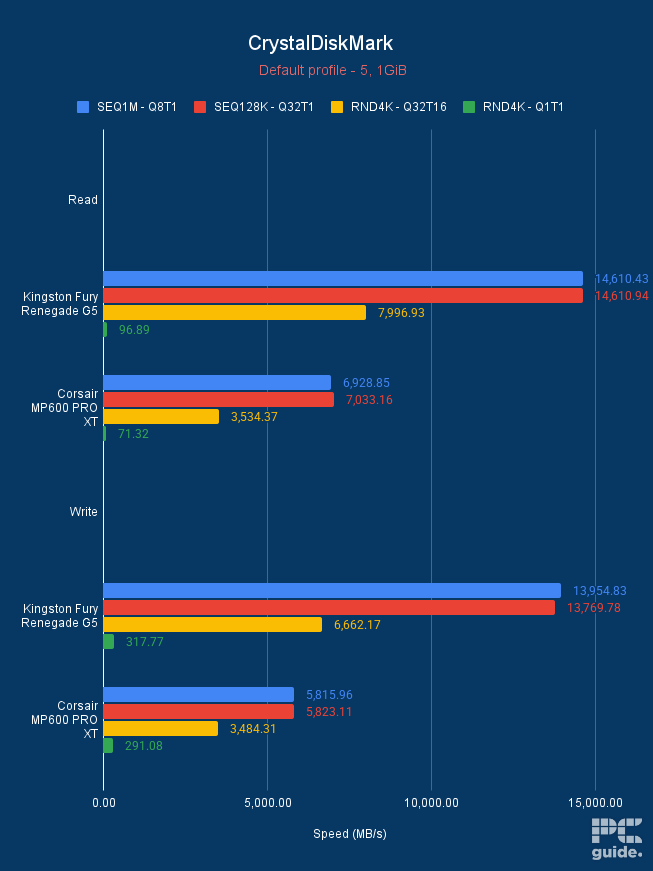
Kingston FURY Renegade G5 CrystalDiskMark default, Image by PC Guide
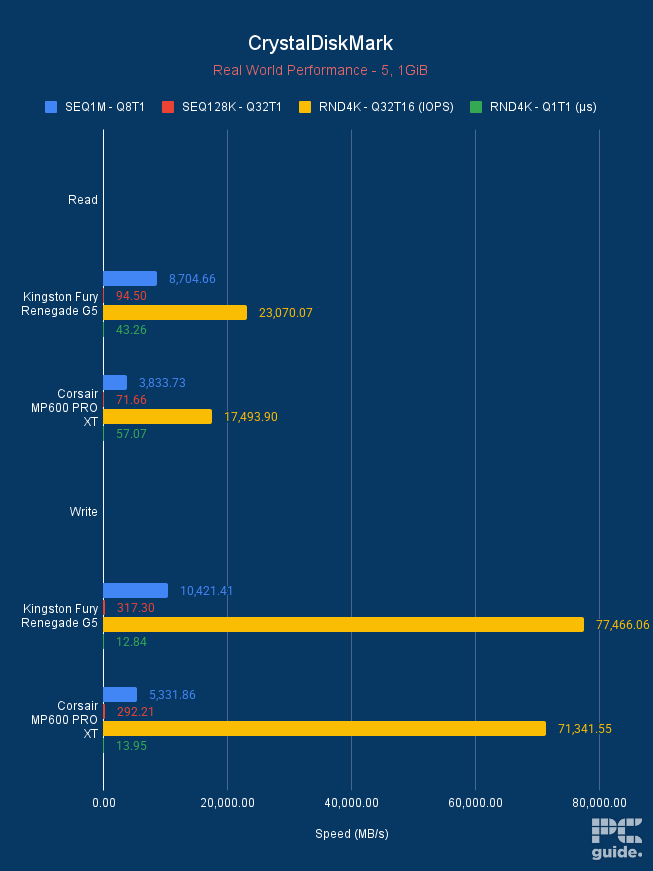
Kingston FURY Renegade G5 CrystalDiskMark real world, Image by PC Guide
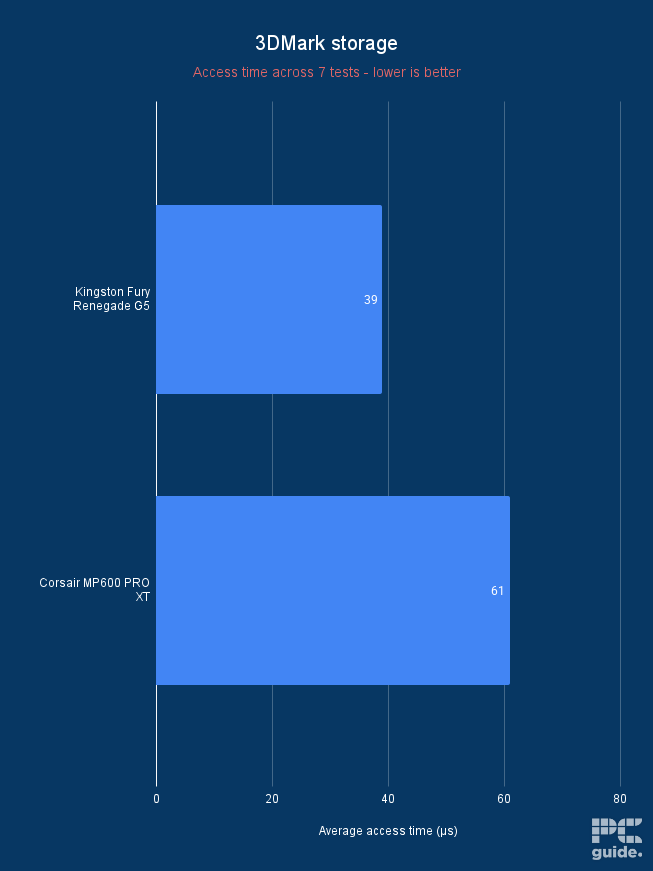
Kingston FURY Renegade G5 3DMark storage avg access time, Image by PC Guide
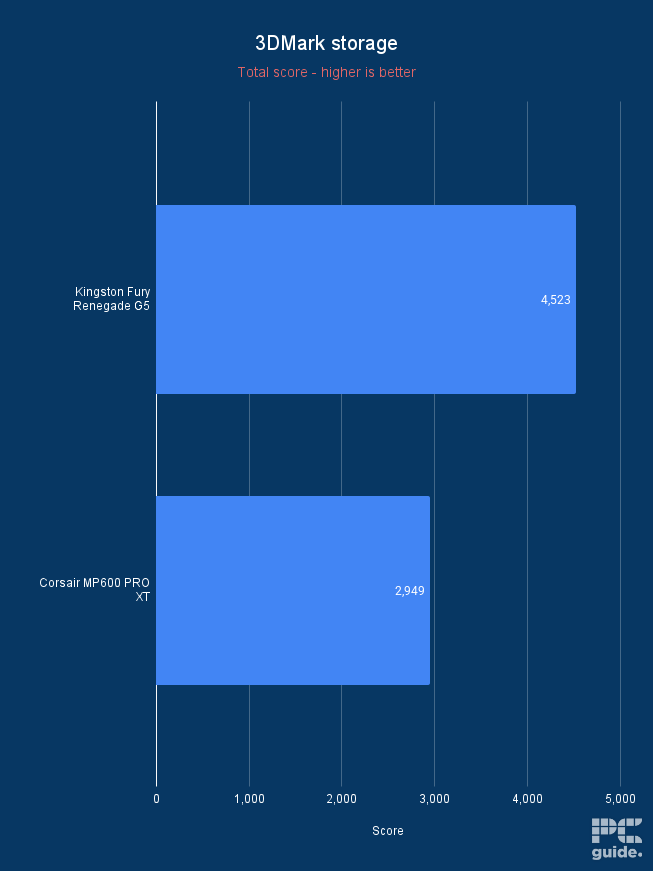
Kingston FURY Renegade G5 3DMark storage total score, Image by PC Guide
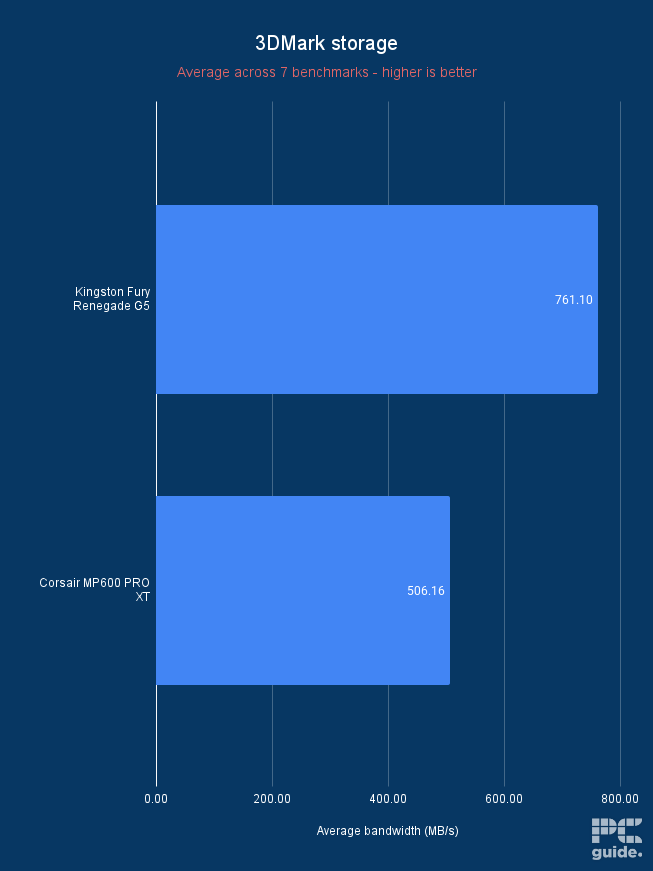
Kingston FURY Renegade G5 3DMark storage avg bandwidth, Image by PC Guide
- Capacity: 1TB, 2TB, 4TB
- Interface: M.2 2280 PCIe Gen 4
- Sequential Read Speed: Up to 7,450 MB/s
- Sequential Write Speed: Up to 6,900 MB/s
If you want a top last-gen NVMe SSD, check out the Samsung 990 PRO drive. To start with, this M.2 drive sports a PCIe Gen 4.0 interface, which should translate into high speeds. Specifically, the SSD offers read and write speeds of up to 7,450 MB/s and 6,900 MB/s, which should translate into faster app launches, quicker loading times, and overall faster performance.
Further, like some of the best NVMe SSDs, this is also quite power-efficient. Samsung claims it uses over 50% less power than its predecessor.
To maintain this performance, the drive is equipped with a nickel-coated controller that promises to deliver thermal control. It also comes with a heatsink version if you want it, but that might be best suited as a PS5 SSD, considering most motherboards these days offer their own implementations instead.
This drive is available in various capacities. With 1, 2, and 4TB versions available, depending on your use case and budget, that is a good range to choose from and ensure you don’t have to get more storage down the line.
- Capacity: 500GB, 1TB, 2TB, 4TB
- Interface: M.2 2280 PCIe Gen 4
- Sequential Read Speed: 5000MB/s
- Sequential Write Speed: 4200MB/s
If you’re looking for a budget SSD with a low price but still plenty of performance, the Crucial P3 Plus is the option to choose from. Still an NVMe SSD on the PCIe Gen 4 standard, it is a great choice for performance. It suggests a sequential read and write speed of 5,000 and 4,200MB/s, respectively.
It is an improvement of 43% compared to the last-generation PCIe 3 SSDs, so it still has a lot to offer. Unfortunately, being a cheaper option, it lacks an onboard cache that is used as a buffer when loading data onto the drive. So, over time, you may find the drive slowing down when doing large tasks. However, for gaming and small changes, it shouldn’t have an impact.
Built with Micron’s advanced 3D NAND, it is a high-quality component that is reliable and provides great performance for flash memory. Crucial also provides solid security with management software, allowing optimizations and updates to provide a longer run time and peace of mind.
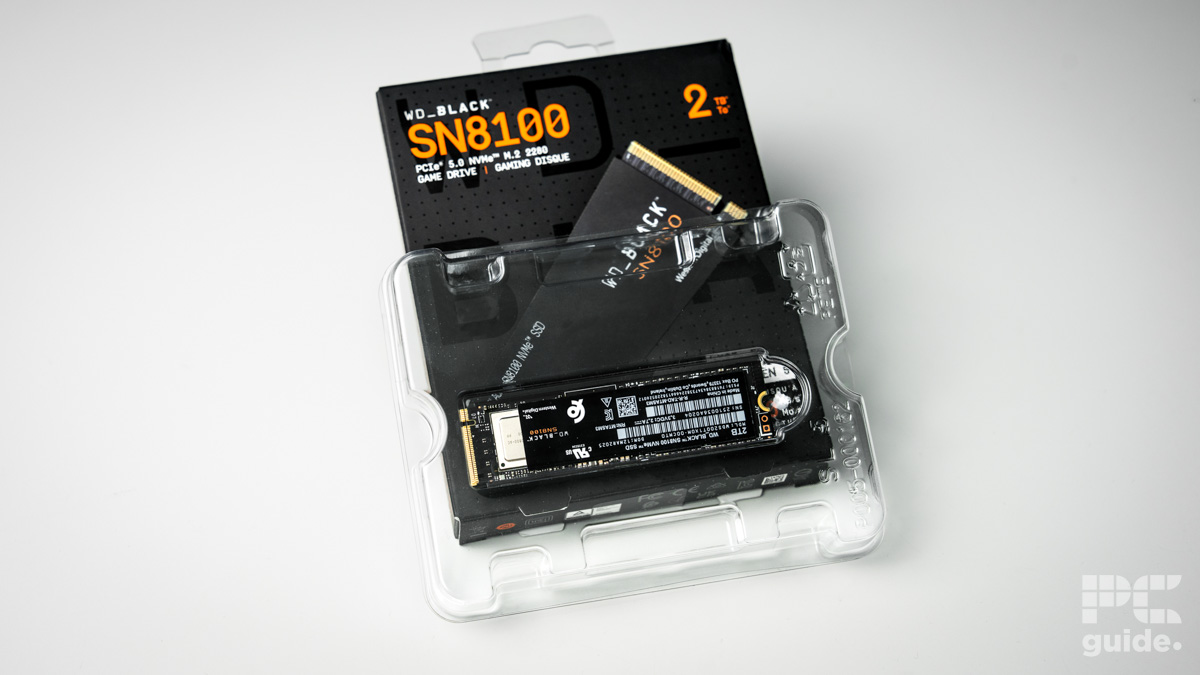
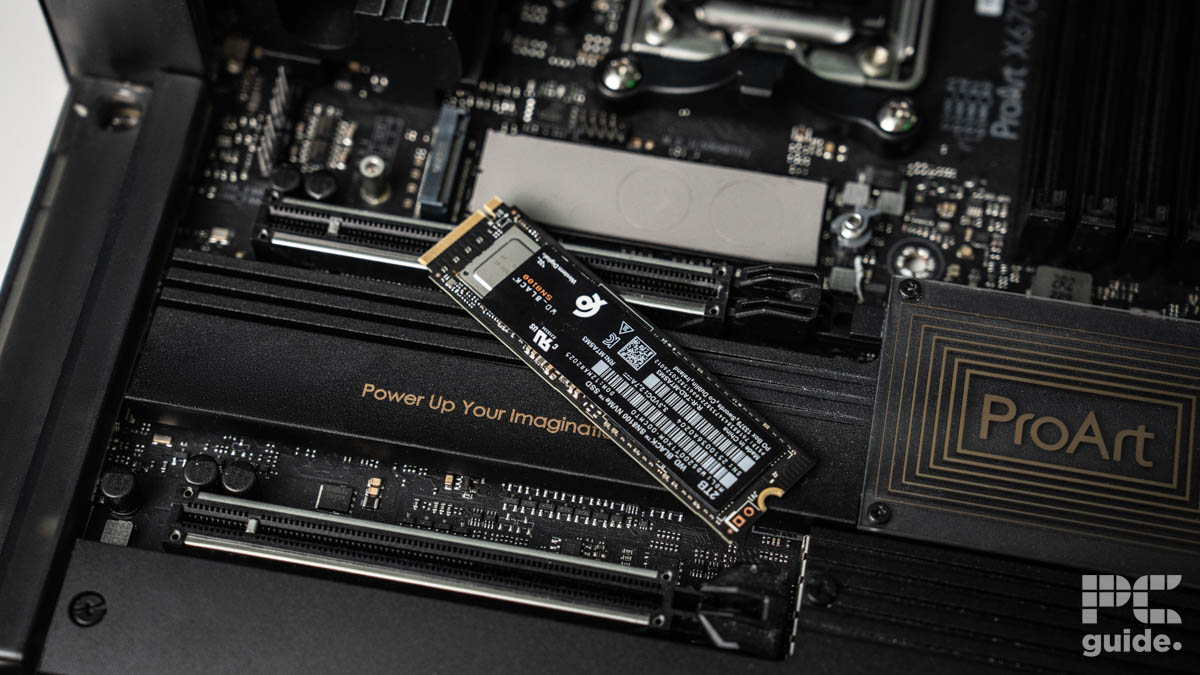
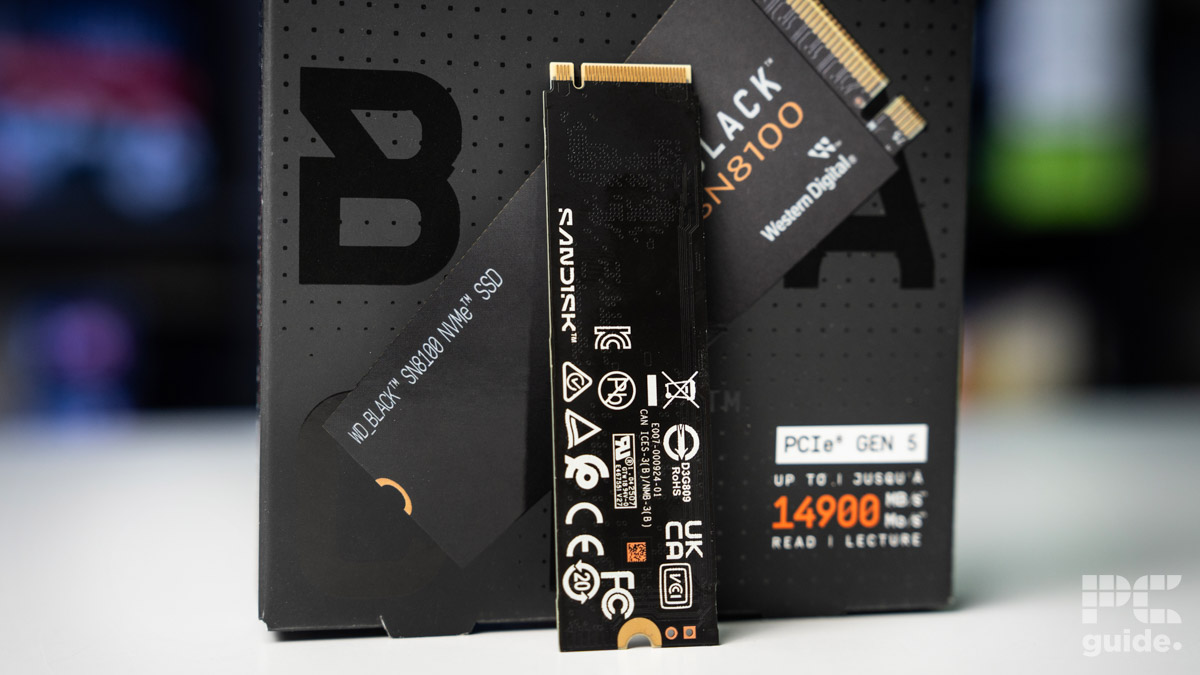
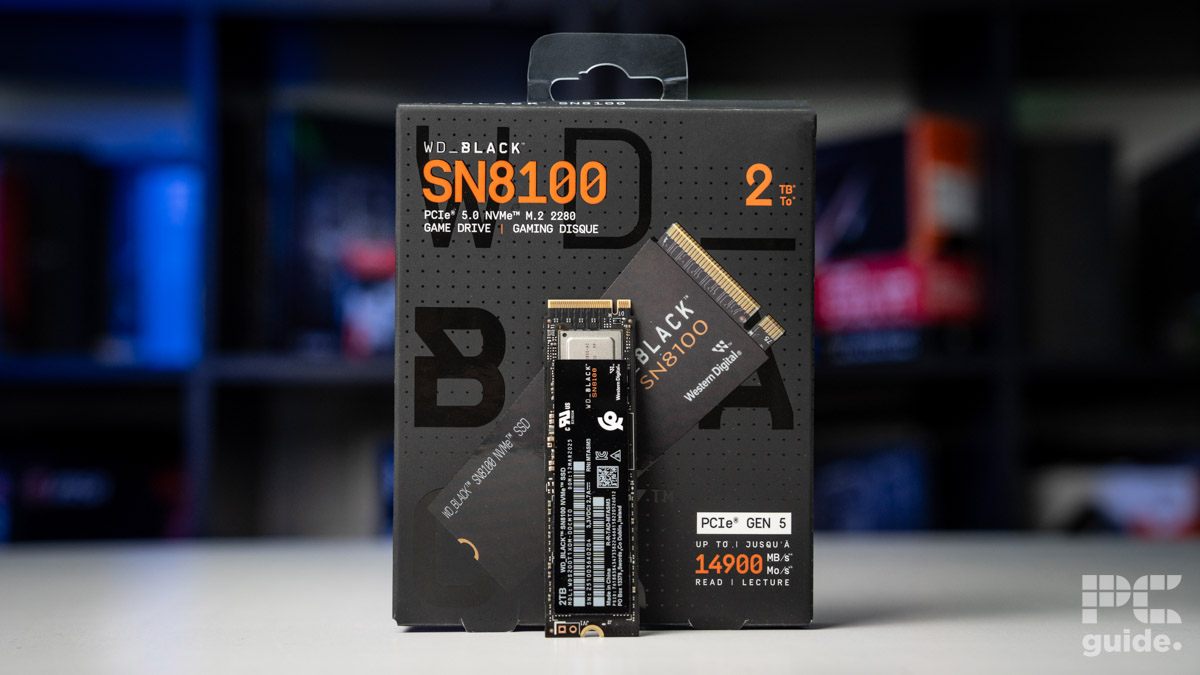
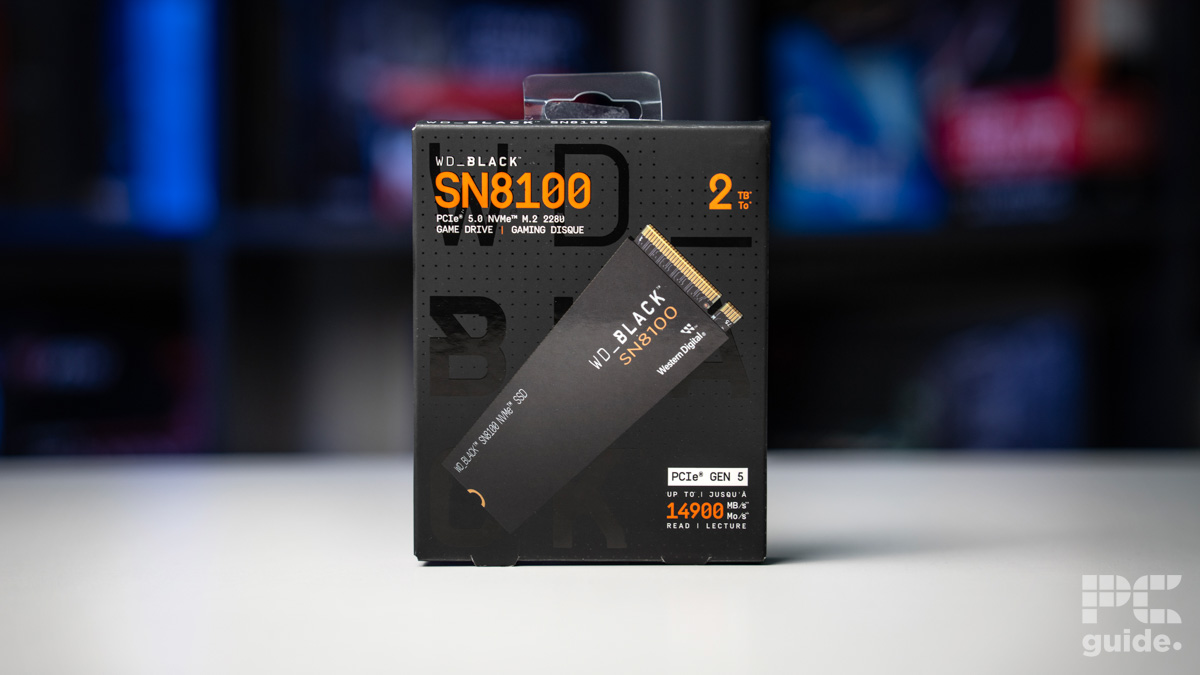
- Capacity: 1/2/4 TB
- Interface: PCIe 5.0 x4 NVMe
- Sequential Read Speed: 14,900MB/s
- Sequential Write Speed: 11,000/14,000/14,000 MB/s
- Random Read Speed: 1.6M/2.3M/2.3M IOPS
- Random Write Speed: 2.4M IOPS
- Endurance: 600/1,200/2,400 TBW
- Controller: Silicon Motion SM2508
- NAND: TLC 3D CBA
- MTBF: 1.75M hours
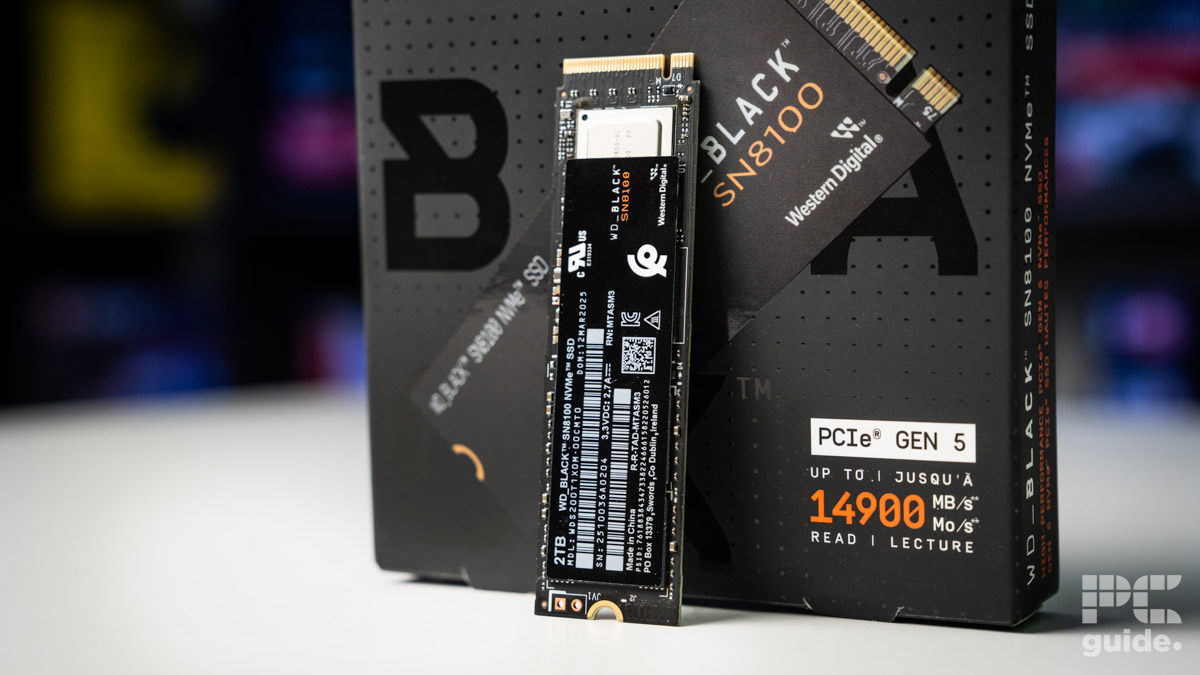
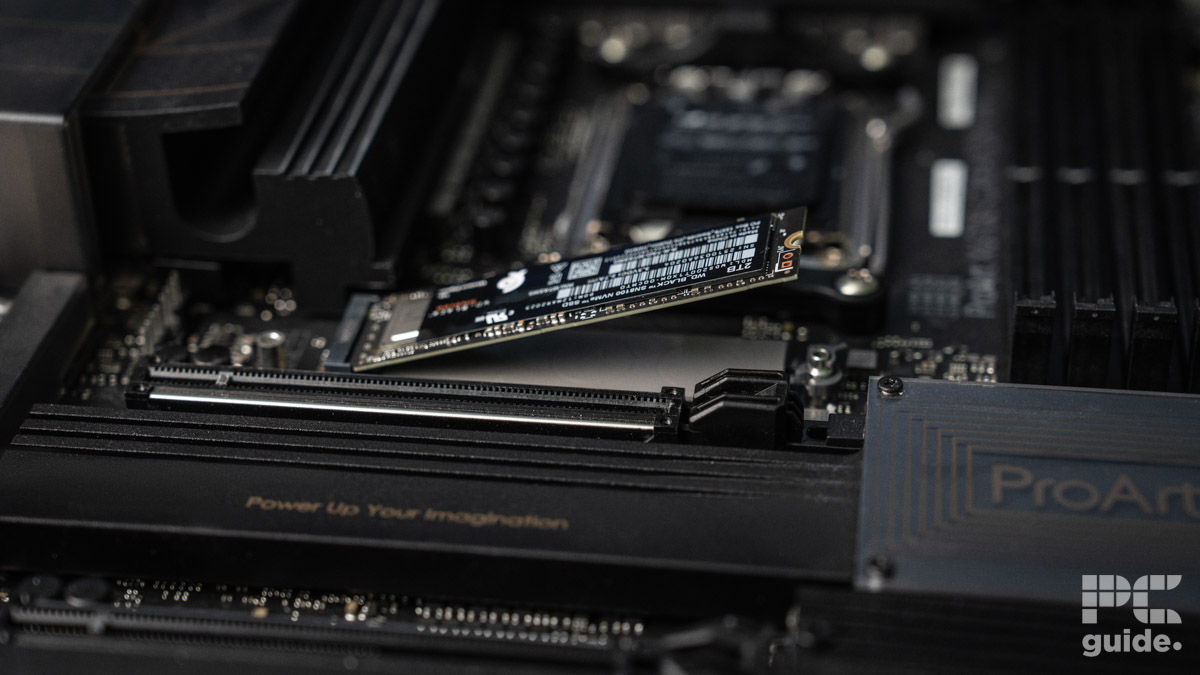
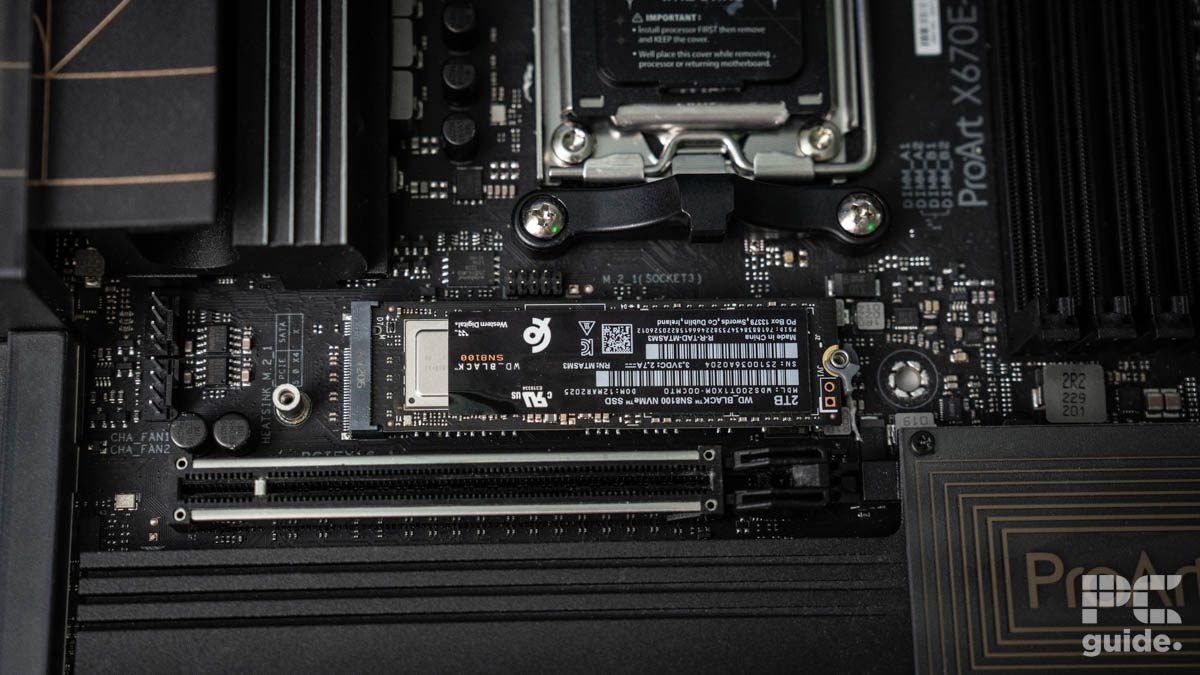
Another pick for a PCIe Gen 5 SSD is the WD_Black SN8100, a drive with plenty of speed and power behind it. Even under the new ownership of Sandisk, the brand’s performance on its drives remains.
Utilizing the Silicon Motion SM2508 controller and paired with TLC 3D CBA flash memory, the SSD brings in a cached SSD with speed over time as part of its design. This is also seen by it being rated for an endurance of 600/1,200/2,400 terrabytes written for the 1/2/4 TB drives, and a mean time between failures of 1.75 million hours. Along with a support and warranty of 5 years, it can last you some time yet.
As for the speeds, the specs suggest a sequential read of 14,900MB/s and a write of 11,000/14,000MB/s (1/2&4TB). As for the random 4K spec, that is rated at 1.6 million IOPS read and 2.4 million IOPS write for the 1TB model, and then 2.3 million IOPS read and 2.4 million IOPS write speeds for the 2 and 4TB models.
Having put the SN8100 through testing in our review, we put the NVMe to the test in a range of tests, checking the speed and thermals of the drive. It very much lives up to the name and speed with the performance it achieves, it does get a bit toasty though, so it’s best to make sure you have a good heatsink and airflow setup. You can check out the results in the graph below.
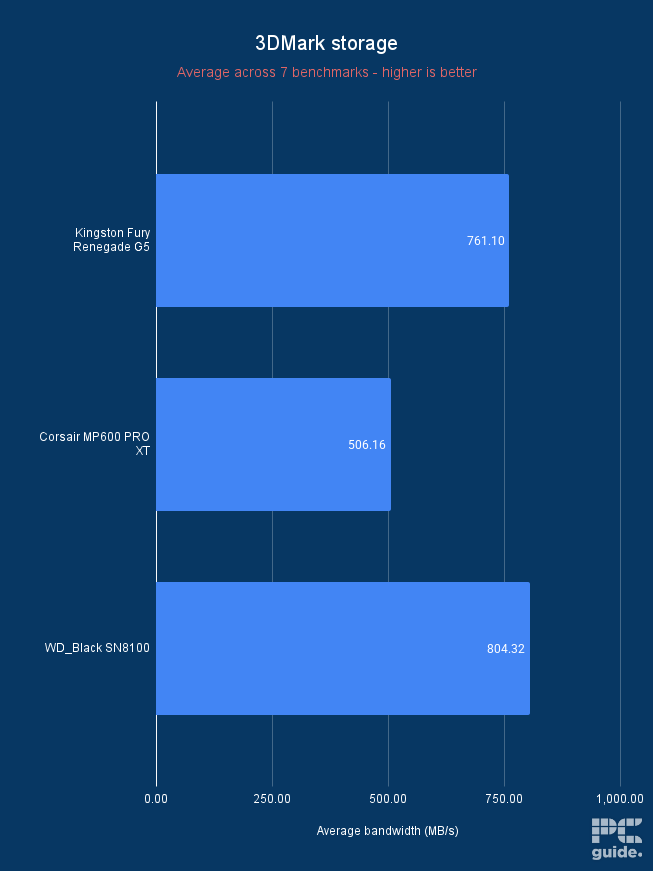
Sandisk WD_Black SN8100 3DMark storage average bandwidth, Image by PC Guide
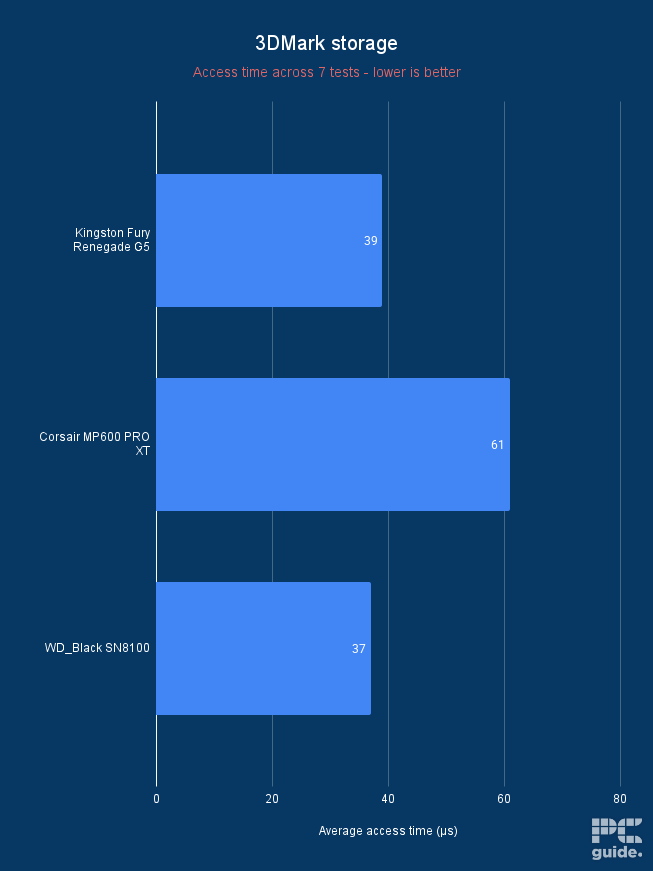
Sandisk WD_Black SN8100 3DMark storage access time, Image by PC Guide
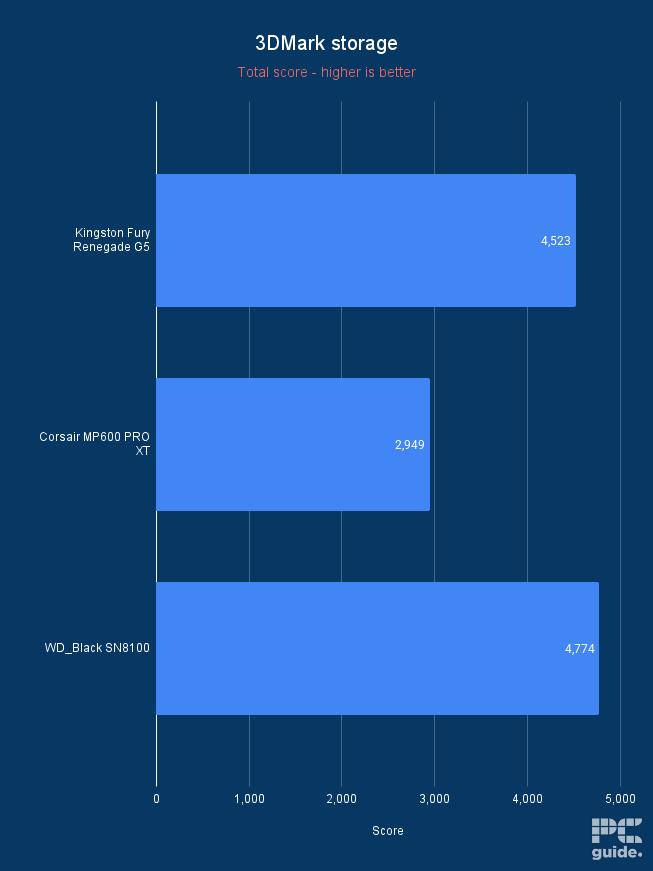
Sandisk WD_Black SN8100 3DMark storage benchmark total score, Image by PC Guide
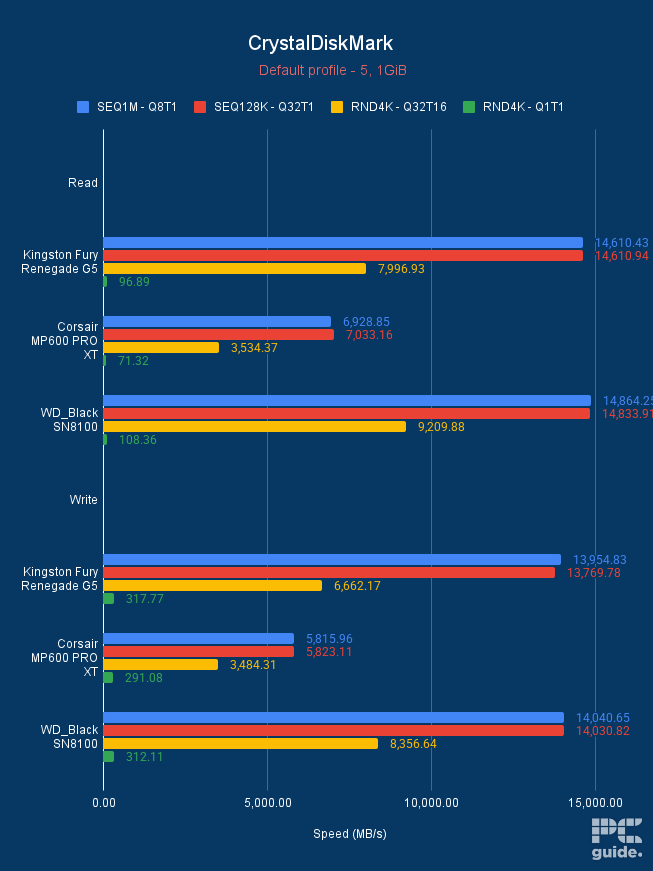
Sandisk WD_Black SN8100 CrystalDiskMark default, Image by PC Guide
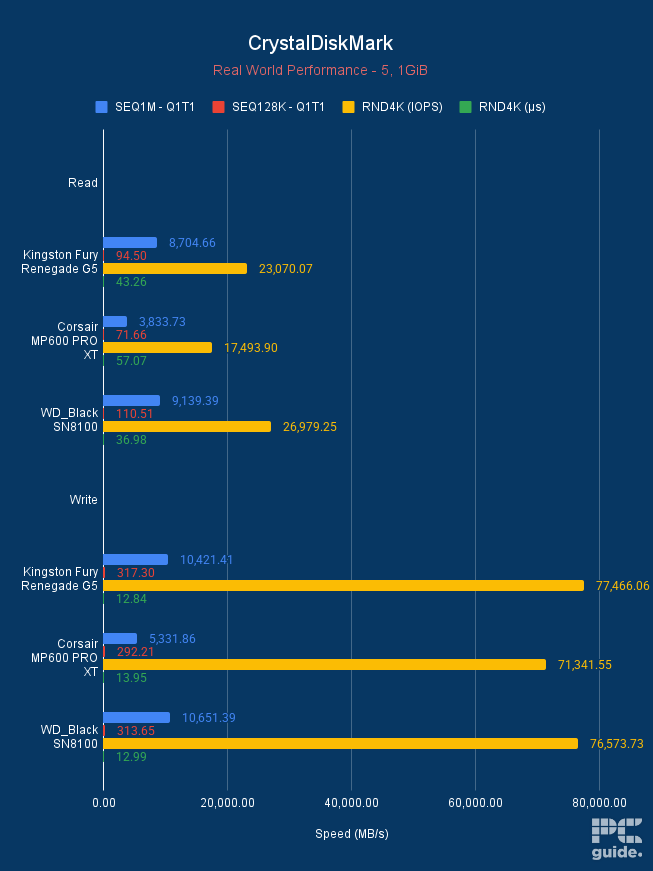
Sandisk WD_Black SN8100 CrystalDiskMark Real World Performance, Image by PC Guide

WD_Black SN8100 SSD Temps and Activity, Image by PCGuide
- Capacity: 1TB, 2TB
- Interface: M.2 2230 PCIe Gen 4
- Sequential Read speed: Up to 7,000MB/s
- Sequential Write speed: Up to 6,200MB/s
Now, if you’re looking to expand out the storage of your Steam Deck or other handheld with the same size requirement, you may need to get a 2230-sized drive. Either upgrading or expanding, it’s a bit more unique to try and get the right sizing and generation for it to be a worthy purchase and installation.
The Corsair MP600 Mini is one of the top options for the job. It offers a Gen 4 drive capable of reaching speeds of up to 7,000MB/s for sequential reads and 6,200MB/s writes. That also comes with some wide compatibility for a variety of devices, as the smaller size means it can fit many more places. It is built with high-density 3D TLC NAND for combining performance and endurance to provide long-term use.
- Capacity: 250GB, 500GB, 1TB, 2TB, 4TB
- Interface: 2.5-inch SATA
- Sequential Read Speed: Up to 560 MB/s
- Sequential Write Speed: Up to 530 MB/s
Instead of just NVMe options, there are SATA options available that connect via cable instead of directly on your motherboard. So, one of the top options to go for is the Samsung 870 Evo, where the 2.5-inch drive comes in capacity options ranging from 250GB all the way to 4TB, giving you plenty of options to pick from.
It doesn’t even come that much cheaper than NVMe’s, considering a 1TB option on sale is available for $89.99, which might not make it an ideal choice. But they still have their place in builds for certain users, so it’s definitely one to consider.
The speed does take a hit by going over the SATA standard, as it has a 560MB/s sequential read and up to 530MB/s write speed. That is around 13x slower than the 990 Pro, but it does have a better compatibility considering it’s much easier to get adapters and cables to work universally than an M.2 drive.
Along with bringing a 5-year warranty and up to 2,400 TBW (Terabytes written), it should last a good amount of time. Upheld by using Samsung Magician on your system, which can monitor the drive health and ensure it’s updated as well, to ensure the best experience with it.
- Capacity: 1TB, 2TB
- Interface: USB 3.2 Gen 2 x2 (Type-C)
- Sequential Read Speed: 2000MB/s
- Sequential Write Speed: 2000MB/s
If you are looking for an external gaming SSD, then we think that the Western Digital P40 SSD might check all the boxes for you.
Now, external drives tend to have slower speeds than internal SSDs, but portable drives compensate for the speeds with flexibility and multi-utility. Much like some of the best external SSDs, this WD drive has a speed of up to 2,000MB/s, which should be sufficient for gamers.
Further, this drive is compatible with PlayStation 5, PlayStation 4, PlayStation 4 Pro, Xbox One, Xbox Series X, and Xbox Series S, which is good news for console users. Plus, this drive also works well with PCs, laptops, and even Macs, with the ability to have a Type-C connection plugged in.
This portable SSD is pocket-sized, lightweight, and rugged in design. It also sports RGB lights, which should appeal to people looking for gamer aesthetics. However, the lights work only with PCs and laptops.
How to pick the best SSD for gaming
Speed
The speed depends on whether you decide to get an external SSD or an internal SSD. Usually, for gaming, the internal drives are more common as they offer higher speeds – you are looking at sequential read and write speeds over 7,000 MB/s.
Meanwhile, external drives mostly have read speeds ranging from 1,000 MB/s to 3,000 MB/s. However, portable SSDs tend to be multipurpose and portable, so the right choice depends on your use case.
Storage
If you have a look at the storage options available, you will find SSDs offering storage from 500MB to 8TB, which is a wide range. Ideally, for gaming or storing massive amounts of data, you should go for 2TB of storage. However, again, this will vary depending on your requirements and how much you want to store all on the same drive.
Heatsinks
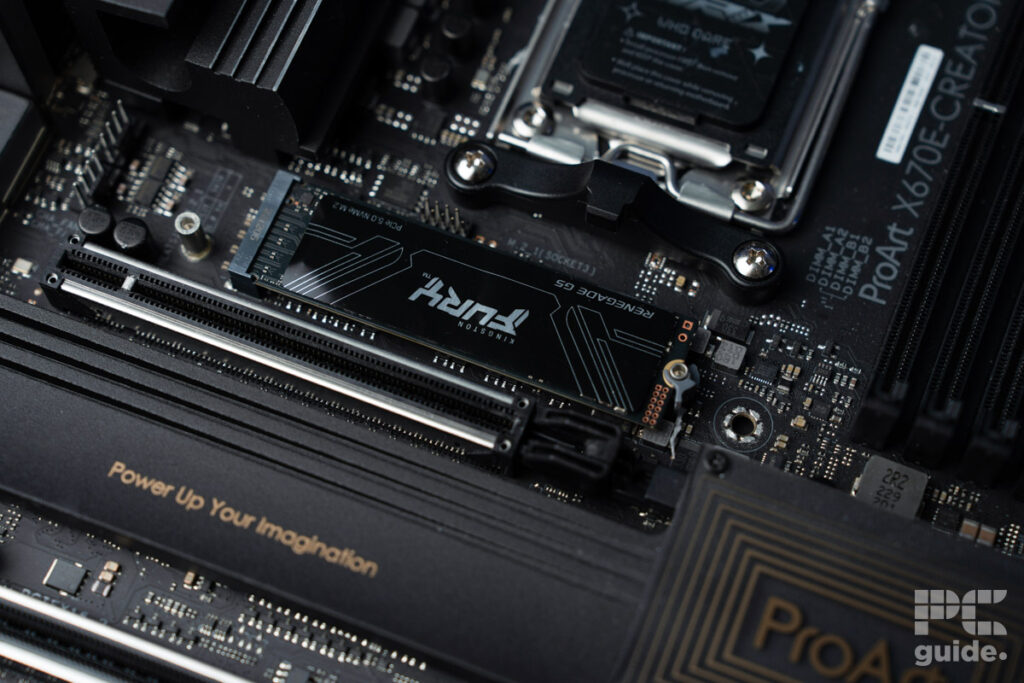
As you are buying this SSD for gaming, which is a resource-intensive task, your SSD will be under a bit of load and will probably heat up. To help maintain optimal temperature and performance, you should look for a heatsink. Most SSDs aimed at gamers will feature a heatsink, so you don’t need to be too worried about it.
But if your motherboard comes with an integrated one, it might be better to save a few bucks and go for an SSD without a heatsink. That way, you can install the drive and keep the aesthetics of the board as well, keeping the looks and performance as they should be.
Connection type and size
Depending on your use case and where you’re putting your SSD, there’s a lot to consider. If you’re going for a handheld drive, you’re likely limited to an M.2 NVMe, where it might just fit a 2230 option. While your standard gaming PC likely has the option for a full-size M.2 and SATA, with the PCIe Gen varying too.
Which SSD is best for gaming?
The best gaming SSD is going to be the fastest one available. Currently, that will be an M.2 NVMe on either PCIe Gen 5 or 4 standard. As those can reach the highest speeds on the x4 slot they sit in, which has a theoretical performance limit of 15GB/s on that standard for Gen 5, and 8GB/s for Gen 4.
So, in our selection, we picked the 990 Pro and Fury Renegade G5 for a Gen 4 and Gen 5 drive, respectively. Those are capable of up to 7,000 and 14,000MB/s speeds and get the best possible chance if put in the right system.
Is SATA or NVMe better for gaming?
An NVMe SSD is better for gaming; the standard can reach much faster speeds compared to a SATA drive. Considering that SATA is limited to 6GB/s on the cable compared to the higher ability of the NVMes. Even then, the likes of the 870 EVO have a speed of 560 and 530MB/s sequential read and write speeds. Compared to the 990 Pro NVMe, which can achieve up to 7,450 and 6,900MB/s instead.
That allows your games to load faster and generally perform better as well, especially when games start implementing DirectStorage more and more to provide seamless scenes.
Is 2TB SSD enough for gaming?
Even though these days games are getting bigger and bigger, a 2TB SSD should be plenty for you. Even if it’s used as one drive with the OS installed, that will still leave well over 1.5TB for your games, files, and applications. You may, at some point, find yourself limited, but for the most part, you’ll be able to install plenty of games on the SSD.
Does a faster SSD increase FPS?
No, a faster SSD won’t directly increase the FPS of games, as it’s not a component that improves that. Instead, it can improve loading times and remove hitches, as faster options speed up how long it takes to get in and make sure the rest of the system can get to what it needs. That way, you can get a perceived speed that is much better, especially when compared to a hard drive.
What is the difference between SSD and NVMe SSD?
SSDs and NVMe vary by the connector they use to plug in, which results in a much faster speed. The NVMe protocol allows the connector to plug in via PCIe, and depending on the generation, can have tens of GB/s speeds. Whereas a SATA is limited to a 6GB/s via the cable.
About the Author
