Lots of features to enhance your customers’ emails
The flexibility of a dedicated mail server combined with the simplicity and power of the cloud
Control Panel: Managing corporate emails is simple and immediate
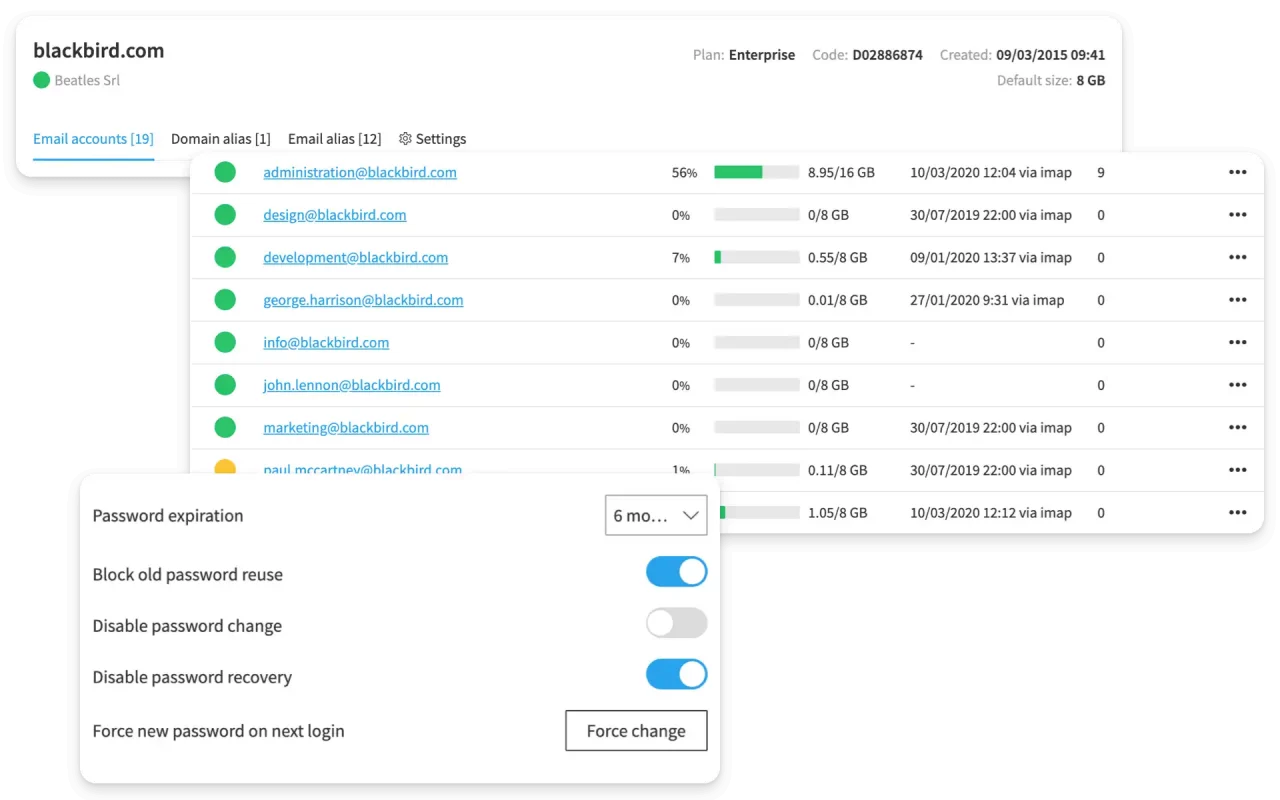
Designed with a focus on resale, the Control Panel allows Qboxmail Reseller Partners to quickly and easily manage all of their customers’ email accounts.
From a single console, you can administer multiple domains, monitor mailboxes, and assign dedicated access via a multi-level structure, which is useful for both your employees and your customers.
The Control Panel has been developed entirely from scratch by the Qboxmail R&D team and does not rely on third-party technology, ensuring control over service delivery.
Centralized management
Manage all your email accounts from a single, intuitive dashboard. Configuration, controls, and monitoring are always at your fingertips.
Multi-level
Centralized administration with multi-level access, configurable permissions, and complete management of users and services.
Imports & migration
Using the import and migration procedures, you can easily transfer all your emails and folders from your old provider to Qboxmail.
Real-Time Log Analysis
Tracemail is a real-time email logs analytics tool, enabling quick and precise identification of the causes behind any anomalies.
API integration
Automate tasks such as email account creation, password management, and access monitoring by integrating your applications with the Control Panel.
Centralized signature
Create, manage and automatically apply personalized professional email signatures for all users in a domain, using directory information and simple variables.
Mailboxes
Large mailboxes up to 100GB of messages. Choose the size starting from 8GB.
POP, IMAP & SMTP
Access emails via standard POP, IMAP and SMTP protocols. For a complete compatibility.
Domains & email aliases
Free creation of alias domains and email aliases. Organize service emails easily, with automatic identity management from Webmail.
Email Security: advanced and custom protection for your users

The Qboxmail Email Security solution is fully integrated and protects your customers’ email accounts from known and emerging threats without the need for external anti-spam gateways, reducing costs and operational complexity.
To ensure effective protection, our technology uses information from commercial lists, OSINT, SDKs, and proprietary data such as logs and DMARC analysis.
All this information is fed into a real-time analysis system which, thanks to machine learning mechanisms, is able to identify and block attacks, malicious messages, and unauthorized access to your customers’ mailboxes.
Antispam
Each email is assigned a score which is the result of a series of evaluations and analysis performed by the system. This score is linked to the content of the message and the presence of the sender’s IP in various less relevant DNSBLs.
Antimalware premium
Protection against ransomware, malware and phishing with third-party vendor-acquired signatures with global visibility into current threats.
Account Takeover Protection
We monitor your account to check for suspected logins or submissions via SMTP, and notify you if someone has access to your email account.
Mail Time Machine
Recover lost or deleted emails with automatic snapshots. Mail Time Machine lets you restore the mailbox quickly and independently.
Automatic backups
Leveraging multiple layers of analysis and security procedures. Email account access is continuously monitored, and automatic alerts are triggered in case of suspicious activity to prevent compromises.
SPF, DKIM & DMARC
Protect your domain and improve your email reputation with SPF, DKIM, and DMARC protocols. By authenticating your messages, they reduce the risk of spoofing.
Whitelist & Blacklist
Change the email filtering system in case of need, deciding whether to allow or reject certain senders.
Security Policy
Define custom rules for sending, receiving, and managing emails. Security policies help maintain security, compliance, and consistency in corporate communications.
Data center
Your email data resides in secure, redundant data centers designed to ensure maximum availability, high performance, and advanced protection against any risk.
Webmail: Tools for working with company emails and calendars

Qboxmail Webmail brings together email, contacts, and calendars in a single professional platform.
Its clear and intuitive interface makes it easy for your customers to organize emails, contacts, and appointments in a single work environment.
It can be customized with your brand, and the multilingual interface is developed independently to ensure security, continuity, and independence from third parties.
Manage your email messages from your computer and smartphone, keeping them synchronized across multiple devices.
Contacts
Address books can be corporate, personal, or shared, with centralized updates and automatic collection of email addresses from your interactions.
Calendar
Calendars, available in personal, shared, or remote modes, help organize appointments and meetings, automatically syncing across all devices compatible with CalDAV and Microsoft ® Exchange ActiveSync.
Zoom Integration
Connect Webmail to your Zoom account to schedule video meetings by selecting Zoom as the event location.
Tasks and reminders
Create and organize tasks with custom deadlines and priorities, and receive automatic reminders to stay on top of your schedule. You can also link tasks to an email or assign them to colleagues.
Sharing folders
Share folders and messages across teams and departments to work in a more coordinated way. This enhances collaboration within the organization.
Multilingual interface
Thanks to the multilingual interface, you can offer Webmail to customers in any market, providing a familiar environment and reducing support requests related to language or everyday use.
Custom filters & rules
Automate your inbox with advanced filters and server-side rules to sort, forward, or label messages without slowing down your email clients.
Multiple identities
Each account can have multiple identities, each with a personalized signature. Select the desired one when composing messages
Email Delivery: Send large volumes of email messages via SMTP
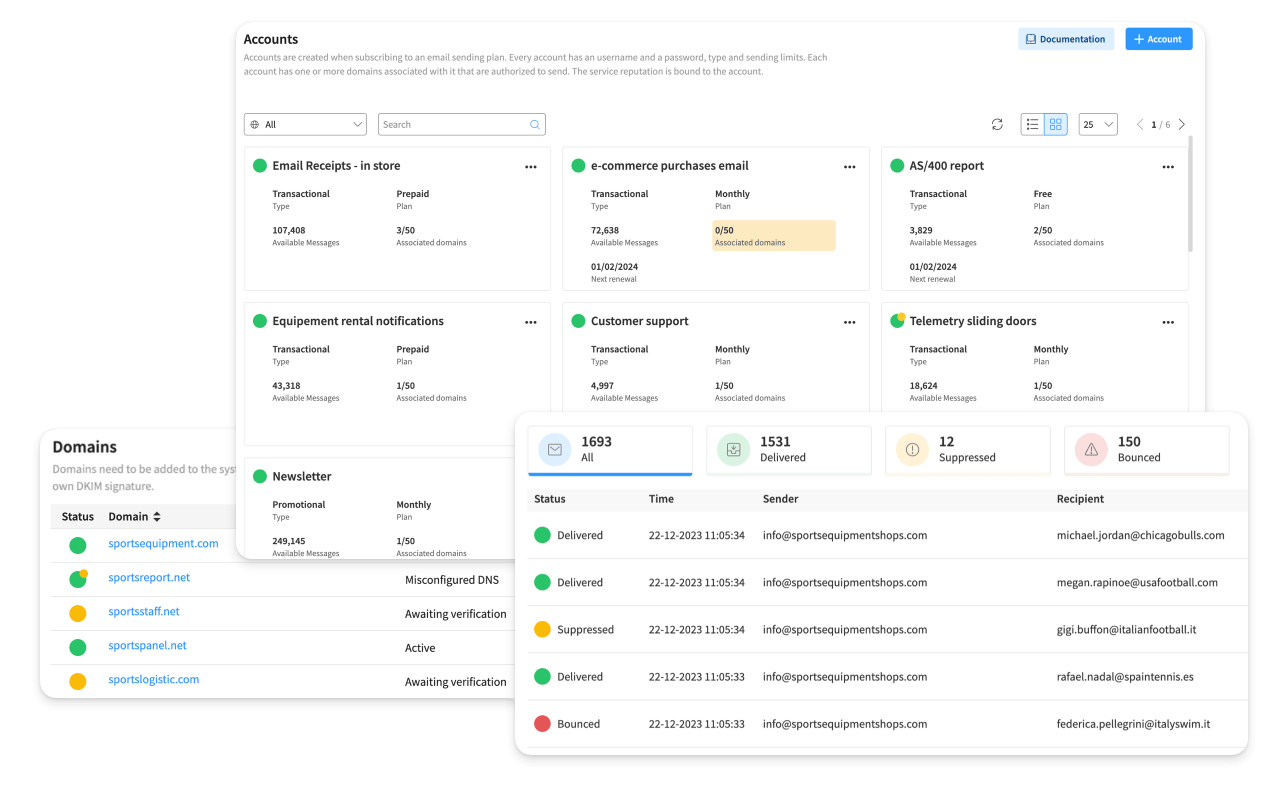
When you send a lot of emails, you can’t leave anything to chance: every message must reach its destination as quickly as possible and without ending up in spam.
With Email Delivery, you have a reliable and secure SMTP engine designed to send both transactional emails (order confirmations, password recovery, invoices) and promotional campaigns and newsletters.
You can continue to use your favorite tools (management, e-commerce, email marketing) while having a robust email delivery infrastructure behind you, guaranteeing you the best possible deliverability.
Vetting
A strict sender verification process ensures access is granted only to qualified customers, protecting the service’s reputation and the security of recipients.
Double DKIM Signature
Emails are signed twice: one signature certifies the Qboxmail infrastructure, while the other independently protects the sender’s reputation.
Sending pool intelligence
Senders are grouped into sending pools with peers of the same reputation and quality, ensuring better performance than a single dedicated IP.
DMARC enforcement
Ensures alignment between SPF, DKIM, and From, complying with mailbox provider policies for enhanced reliability and deliverability.
Analytics & reporting
Access to detailed logs for 30 days, with analysis tools to verify delivery and diagnose any errors.
Extra email messages
Ability to exceed monthly limits with additional messages, ensuring service continuity during peak periods.
Professional technical support
A team of experts by your side for configurations, troubleshooting, and optimizations, ensuring continuity and performance.
Bounce by category
Not all bounces have the same value. Detailed classification of bounces to identify the causes of deliverability issues and optimize sending.
Segmented suppression lists
Automatic differentiation between bounces, complaints, and removal requests to avoid unwanted sends and improve reputation.
Try Qboxmail services for 30 days, it’s free!
Try the Qboxmail Cloud for FREE for 30 days, designed to better manage Corporate Emails. You will discover a service designed to increase the safety and productivity of your company.
