
Your Gateway to PC and Console Gaming
The Xbox app, developed by Microsoft Corporation, serves as a unified hub for players across the Xbox ecosystem. This free application lets users connect, manage, and play their favorite titles on Windows PCs while linking seamlessly with their Xbox console. By centralizing the Game Pass library, store access, and social tools, it enhances convenience and connectivity for gamers who use both platforms.
A Seamless Experience on Windows
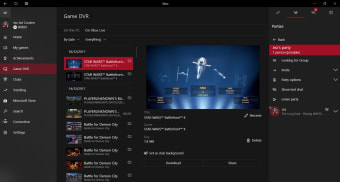
Designed for clarity and accessibility, the Xbox app features a streamlined interface tightly integrated with the Windows environment. Players can browse and install titles from the Game Pass catalog, manage installed games, and track achievements without opening the Microsoft Store separately.Its Remote Play feature enables users to stream games from their console to a PC over a local network, supporting smooth performance up to 1080p and 60 fps under stable conditions.
Engage with the Gaming Community
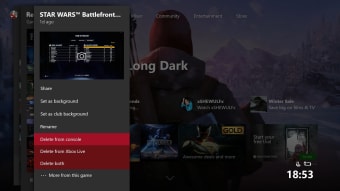
The Xbox app emphasizes social connectivity through Xbox Live integration. Players can chat with friends, share gameplay clips, and view activity feeds directly from the interface. These community features help maintain engagement between PC and console players, fostering a connected experience across devices. The layout remains intuitive, though some users report slower load times or occasional syncing issues during major updates.
A Reliable Gaming Companion
Overall, the Xbox app is a reliable companion for anyone invested in the Microsoft gaming ecosystem. Its Game Pass integration, Remote Play, and social features create a cohesive platform for managing and playing games. While it relies on network stability and Microsoft services to function smoothly, it remains one of the most convenient tools for bridging PC and console gaming.

.png)



















.png)