A collection of handouts, worksheets and other documents to help teach Computer Science and Engineering concepts.
These materials primarily target middle-school students (6th - 8th grade), but most can be used without modification for younger or older students.
General Computer Science
Materials on general computer science topics.

How Computers WorkAn activity for 3 students to act out the various parts of a computer: CPU, ALU/Memory and Display. |

How the Internet WorksAn activity for a group of students to act out the various parts of the internet: websites, routers, nameservers, ISPs and home computers. |
Number Systems - Counting
Materials for teaching binary, octal, decimal and hexadecimal.

Octal countingThese worksheets introduce the students to a non-decimal number system (in this case, octal) by having them count objects in both octal and decimal. |

Octal dotsThis worksheet has the students take an octal number and draw that many dots. After finishing, they count the number of dots in decimal to check their answer. |

Counting in octalIn this simple worksheet, the student counts from 0 to 77 in octal (which corresponds to 0 to 63 in decimal). |

Counting in binaryIn this worksheet, the student counts from 0 to 111111 in binary (which corresponds to 0 to 63 in decimal). |

Counting in HexadecimalIn this worksheet, the student counts from 0 to 63 (but in hexadecimal, so it's really 0 to 4F). |

Number cards (Binary, Octal, Decimal, Hexadecimal)Playing-card sized cards that can be used to compare the different number systems. |
Number Systems - Converting
Materials for teaching converting between binary, octal, decimal and hexadecimal.

Converting from binary to decimalWorksheet showing how to convert from binary to decimal. |

Converting from decimal to binaryWorksheet showing how to convert from decimal to binary. |

Converting from binary to octalWorksheet showing how to convert from binary to octal. |

Converting from binary to hexadecimalWorksheet showing how to convert from binary to hexadecimal. |

Converting between binary and hexadecimalWorksheet to practice converting between binary and hexadecimal. |
Binary Magic Tricks and Puzzles
Magic tricks and puzzles related to binary numbers.

Binary magic trickA set of 6 cards for a simple magic trick where you guess the secret number chosen by a student. Understanding the trick requires knowledge of binary. |

Perfect Card Shuffling (Binary)Knowledge of binary numbers and the ability to perform 'perfect shuffles' can allow you to shuffle the top card down to any desired position in the deck. |

Crossbin puzzles (Binary, Hexadecimal)These are "crossword" puzzles where the clues are in hexadecimal and the answers are binary numbers. When the puzzle is complete, the grid forms a simple black & white image. |
Encoding Data
How data is encoded for computers.

Encode/Decode a text messageWorksheets to encode/decode a text message. |

Decode an ASCII-encoded text messageDecode a text message encoded using ASCII. You'll need to provide an ASCII chart for use with this sheet. |

BMP encodingHow a simple BMP image is encoded. |

Bitmaps (Binary, Hexadecimal)Worksheets to encode black and white images as binary numbers. |
Boolean Logic
(Worksheets AND TeacherNotes) for (Teaching OR Practice OR Homework)

Object PropertiesAssign boolean properties to objects and then use those properties to select a subset of the objects. |

Boolean Logic : NethackReview of basic boolean operations using examples from Nethack. |
||

Venn DiagramsUsing Venn Diagrams to represent the boolean operations. |

Boolean Operations to Venn DiagramsWorksheets for converting boolean expressions into Venn Diagrams. |

Venn Diagrams to Boolean OperationsWorksheets for converting Venn Diagrams into a boolean expression. |
Transistors
Worksheets for use with wooden transistor tiles (free designs available for laser-cutting) to teach how logic gates are built from transistors.

nMOS, pMOS and CMOS Info
|

CMOS Inverter InfoHow an invertor can be built from an nMOS and a pMOS transistor. |
||

CMOS InverterStudents build a inverter (NOT gate) using 1 set of transistor tiles. |

CMOS NANDStudents build a NAND gate using 2 sets of transistor tiles. |

CMOS NORStudents build a NOR gate using 2 sets of transistor tiles. |
|

CMOS Inverter (no tiles)Same as CMOS Inverter but without the tile outlines. |

CMOS NAND (no tiles)Same as CMOS NAND but without the tile outlines. |

CMOS NOR (no tiles)Same as CMOS NOR but without the tile outlines. |
Logic Gates

Gate Symbols |

Logic Gates |

Logic Gates - Test |

Universal Gates - NAND |

Lighten Up |

Lighten Up (Answer Key) |

Equivalent Circuits |

Equivalent Circuits (Answer Key) |
How To Add
How computers perform addition. Some of these worksheets are intended to be used with wooden logic gate tiles (free designs available for laser-cutting).

Single Digit AdditionSingle-digit base-10 addition table. Reminder of what the students learned in elementary school. |

Sum and Carry TablesTraditional base-10 addition table broken into separate sum and carry tables. |
||

Binary Addition TableBinary equivalents for the base-10 addition tables. |

Half AdderConstructing a half-adder using logic gates. |

Full Adder & Ripple CarryBuilding a full adder from 2 half adders (with a ripple carry). |

Full Adder TilesTiles for building a full adder. |
HTML
Support materials for teaching HTML.

HTML TagsThe most basic HTML tags: <b> and <i>. |

Simple HTML DocumentA simple (but complete) HTML document. |

Common HTML TagsA list of common HTML tags. |

FontsTypeface and font characteristics. |

HTML ColorsHow HTML colors are encoded as hexadecimal RGB (red-green-blue) values. |
JavaScript
Materials for learning how to program in JavaScript. Students create a simple platform-jumping game using the <canvas> tag (and a bunch of JavaScript, of course).
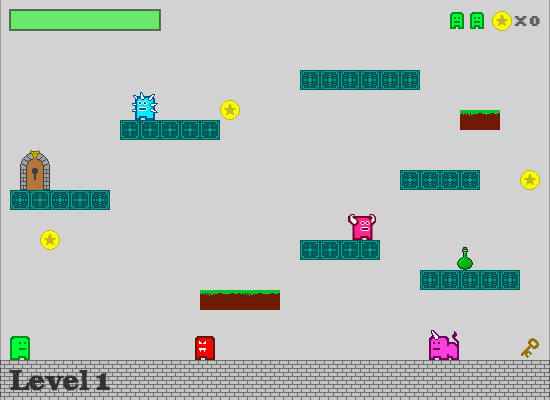
Adventures in JavaScriptAn online "branching path book" that shows you how to write a canvas-based JavaScript game (a classic platform-jumping game) during the course of the adventure. |
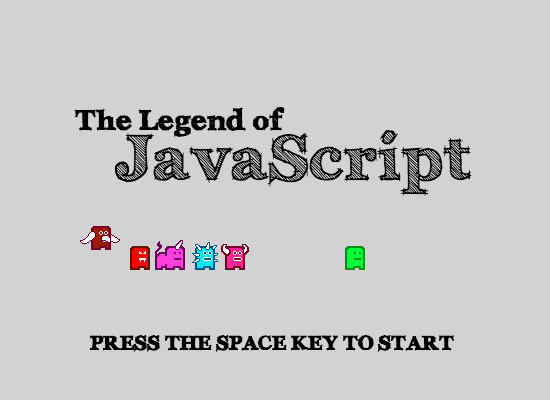
The Legend of JavaScriptThis is a playable version of the game that the students will create in the Adventures in JavaScript activity. |
