Chrome DevRel at Google (CSS + Web UI). @CSSWG Member. Former University Lecturer. PADI Divemaster. Blogs at @bramusblog. You should follow me on Bsky 🦋.
🎉🥳 Good news everyone! The Large, Small and Dynamic viewport units (lv*, sv*, dv*) are coming to Chrome 108!
I2S announcement: groups.google.com/a/chromium.org…
Know those sites that have a fullheight cover card that transitions into a sticky header as you scroll?
With Scroll-Driven Animations, you can do that with just CSS!
header {
animation: shrink;
animation-timeline: scroll();
animation-range: 0 90vh;
}
scroll-driven-animations.style/#card-cover-to…
🔥 CSS Features to start learning, as I expect them to ship in all browsers in 2022:
1. Container Queries
2. Cascade Layers
3. Color Functions
4. Viewport Units
5. :has()
6. Overscroll Behaviour
7. Subgrid
8. Accent Color
9. Media Query Ranges
🎉 Shipping with Chrome 104 (released today) are individual CSS properties to do transforms.
From now on you can transform elements with the translate, rotate, and scale properties. Supported in all browser engines!
🔗 Read the post here: web.dev/css-individual…
Scroll Detection, that’s something you need JS for, right?
Guess again! Thanks to Scroll-Driven Animations you can extract the scroll velocity, allowing you to style elements based on the active scroll direction and scroll speed 🤯
Article with demos: bram.us/2023/10/23/css…
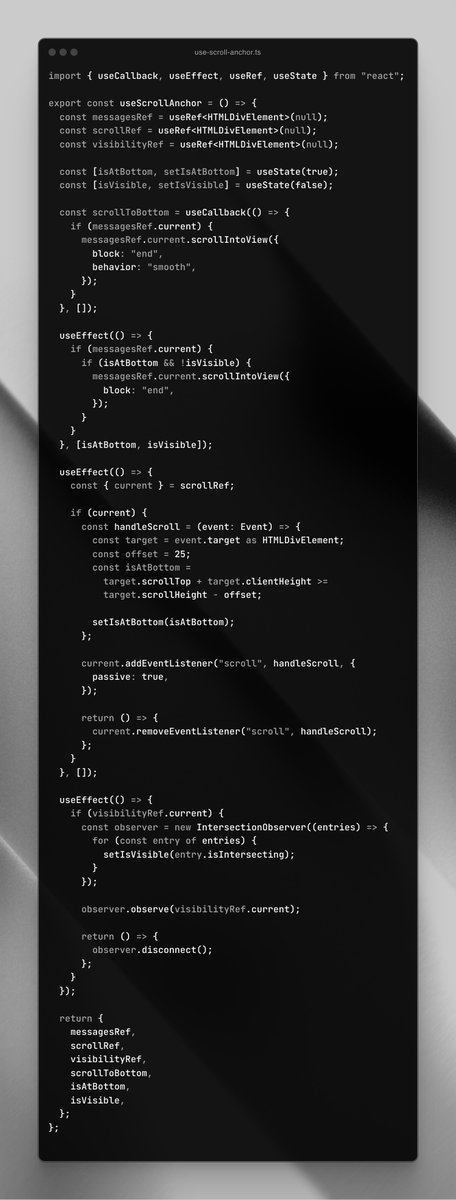
Or use this CSS:
```
.log {
scroll-snap-type: y proximity;
align-content: end;
}
.log::after {
display: block;
content: "";
scroll-snap-align: end;
}
```
“… remains snapped to the bottom …unless the user has scrolled away from that edge” — drafts.csswg.org/css-scroll-sna…
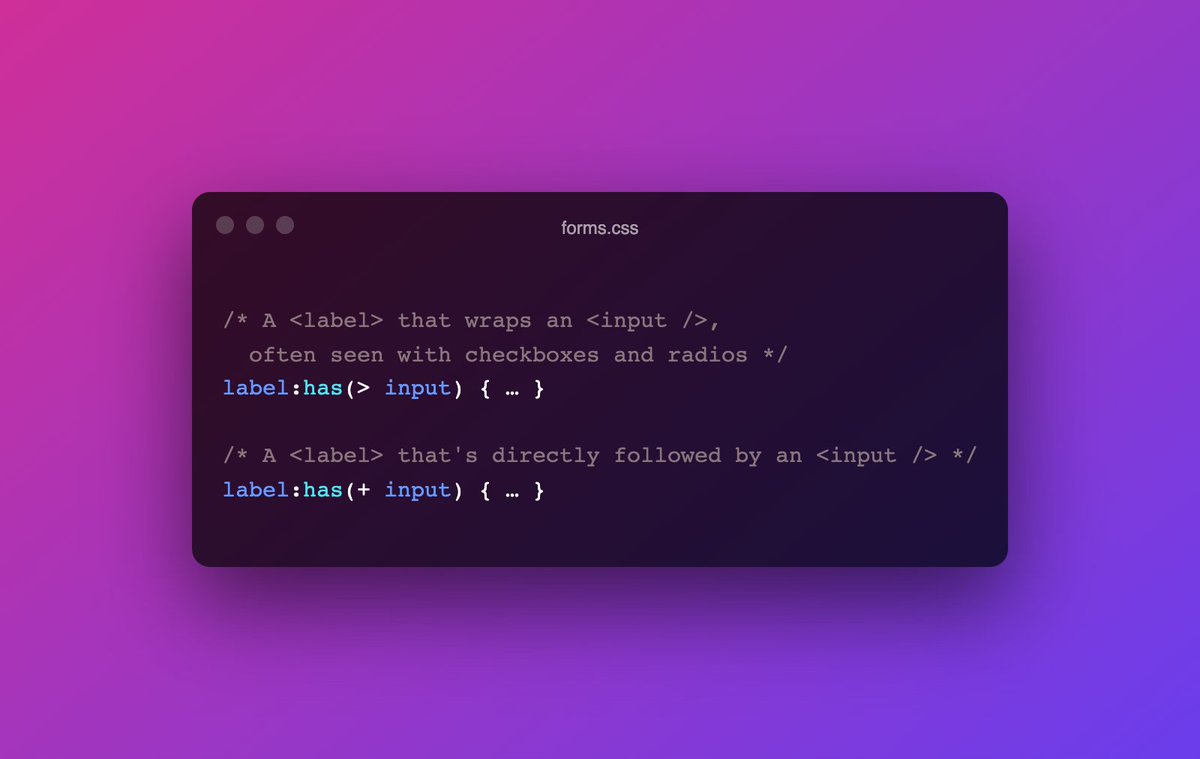
What if I told you, you can show/enable form controls based on the value of a preceding control … using only CSS?
Thanks to the power of :has() we can!
I built a thing last week: it’s a Scroll-Driven View Transition.
Yep, you read that right: the View Transition is controlled by you scrolling! There’s a lot to tell about this one, so let’s take a look …
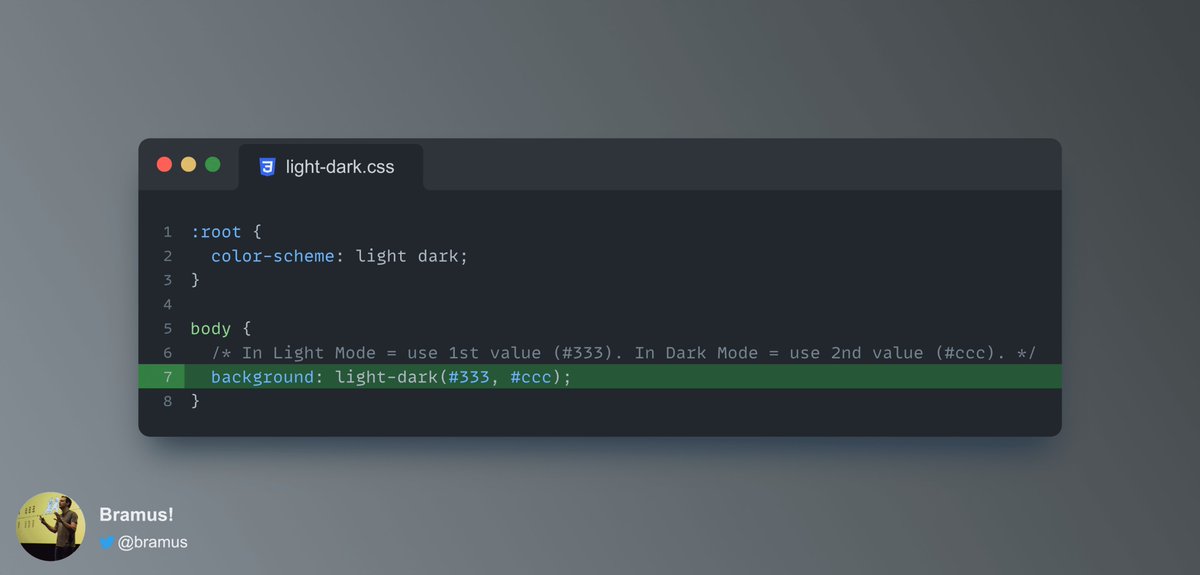
To change a color based on Light Mode or Dark Mode, you’d typically use a `prefers-color-scheme` Media Query.
To make things easier, CSS now comes with a `light-dark()` utility function.
Read brm.us/light-dark to get to know the details.
Browser Support: Firefox 120.
Is that a new demo over at scroll-driven-animations.style/#card-header-s…?
Why yes it is!
It’s a shrinking header that gets a scroll shadow as you scroll down + its contents also get adjusted.
This is all powered by Scroll-Driven Animations, using only CSS 🤩
As of Chrome 131 you have more options to style `<details>` and `<summary>`.
You can now use of the `display` property on these elements, and also use a `::details-content` pseudo-element to style the part that expands and collapses.
developer.chrome.com/blog/styling-d…