
If done correctly, deploying a firewall can greatly improve the security of your network from external threats. That’s why firewalls have become an integral part of network security. However, with the many options available online, it’s difficult to choose the right firewall for your business and its specific needs.
To help you, we’ll go through the different types of firewalls, how they work, and how you’ll benefit. Then, we’ll demystify the important factors to consider as you pick one. Finally, you’ll learn the best practices to set up your firewall for maximum efficacy.
- Understanding firewalls
- What you gain from using firewalls
- What are the different types of firewalls?
- Types of firewalls: Delivery methods
- Factors to consider when choosing a firewall
- Firewall best practices for securing your network
- Final thoughts: Firewall types, benefits, and tips
Key points
- Firewalls are a barrier between your internal network and external threats. Firewalls achieve this by enforcing specific rules about which traffic is allowed and which is denied.
- There are many types of firewalls, including circuit-level gateways, packet filtering, application-level gateways, unified threat management, stateful inspection, and next-generation. Moreover, each type of firewall can be hardware-based or software-based.
- When choosing a firewall for your network, consider your goals, ease of management, VPN functionality, cost, and scalability.
- Firewall best practices include keeping your firewall up to date, implementing the principle of least privilege, monitoring firewall logs, blocking all access by default, and optimizing rules. Use firewalls along with other security measures to strengthen your overall security posture.
Understanding firewalls
A firewall acts as a barrier between an internal network and external threats. It monitors both incoming and outgoing traffic and allows or blocks packets (pieces of data being transferred) based on a predetermined set of security rules.
For instance, you can create a firewall rule that blocks access attempts from public networks. Resultingly, if a hacker tries using any public network to launch a malware attack on your business, your firewall will easily block the attempt.
While firewalls are crucial to network security, they can’t prevent every type of cyber attack. Firewalls are best used in conjunction with other security measures to strengthen your overall security posture.
What you gain from using firewalls
Installing a firewall provides several advantages; consider each of them to learn the true value of a firewall.
- Regulatory compliance: Firewalls help you meet industry standards like the GDPR. For instance, if your company handles payment cards like Visa and American Express, PCI compliance is mandatory — and one of the requirements is installing and maintaining a firewall.
- Prevent unauthorized access: Implementing a firewall is a step toward ensuring that only authorized personnel can access your business’s sensitive information.
- Network privacy: Concealing your IP address with a firewall makes it difficult for hackers to trace your activities online.
- Network segmentation: Firewalls can effectively segment your network. This way, even if an attacker gains access, they’re contained within a fraction of the network. Your IT team will have more time to react.
What are the different types of firewalls?

There is an array of firewall types; each one has its own strengths and weaknesses. Let’s go over them in detail so you can decide which you need.
Circuit-level gateways
This type of firewall operates at the session layer of the Open Systems Interconnection (OSI) model — a network communication framework that consists of seven layers with data transfer functions. Different types of cyberattacks attempt to exploit each layer’s unique properties.
Circuit-level gateways track user sessions and verify connections using Transmission Control Protocol (TCP), a process that establishes a connection between two devices.
The key advantages of this type of firewall are that it’s cost-effective, it hardly impacts system performance, and it’s easy to set up and manage. On the other hand, this firewall doesn’t inspect data packets; as long as the packet has a valid TCP handshake, it can bypass the firewall even if it contains malware.
Circuit-level firewalls are incomplete security mechanisms on their own. They’re handy if you use them alongside other security tools that cover their blind spot.
Packet filtering firewalls
This firewall filters packets based on a predetermined set of rules called access control lists (ACLs). The rules are typically based on criteria such as:
- Source and destination IP addresses.
- Protocols like TCP and User Datagram Protocol (UDP).
- Port numbers.
- Direction (e.g., incoming or outgoing).
If a packet matches the allowed rules, it goes through the firewall; otherwise, it’s blocked. This is the oldest and most basic type of firewall protection. However, its usage has evolved to keep pace with advanced threats.
One key benefit of packet filtering firewalls is they consume minimal resources for their straightforward filtering mechanism. In addition, implementing this firewall is feasible for anyone without specialized knowledge and experience.
The downside is that these firewalls monitor individual packets in isolation, which doesn’t include whether the packet is part of an active session. In other words, only part of the communication process gets monitored, resulting in a limited defense against sophisticated cyberattacks.
Since these firewalls provide a basic foundation of protection to your network systems, use them as one part of a holistic security architecture.
Application-level gateways
Application-level gateways, also called proxy firewalls, operate at the application layer (layer 7) of the OSI model. With this type of firewall installed, an outsider can’t directly access your internal network. Instead, they must use a proxy firewall to establish a connection.
First, the firewall will verify whether or not a request is legitimate. If it is, the proxy firewall will send it to an internal device on behalf of the client. As the internal device fulfills the request (e.g., accesses a website), the proxy firewall conceals that device’s identity and location.
Application-level gateways provide better security compared to basic firewalls. That’s because they employ deep packet inspection (DPI), which involves analyzing both the packet header and the payload. These firewalls also provide comprehensive logging, which helps detect potential threats.
This type of firewall has certain drawbacks that are worth knowing. For one, since application-level gateways scrutinize data packets at a deeper level, their resource usage can affect network performance, so you’ll have to compensate for that. Also, implementing an application-level gateway requires specialized knowledge.
Unified threat management (UTM) firewalls
This firewall combines multiple security features into a single system with intrusion detection systems and antivirus protection. UTM firewalls cater to business owners looking for comprehensive security capabilities on a limited resource budget — typically for small and medium-sized companies.
Stateful inspection firewalls
These firewalls, also called dynamic packet filtering firewalls, operate at the transport and network layers of the OSI model.
Stateful inspection firewalls build and maintain a table to track the state of active connections. The table includes several details about each active connection, such as the source, destination IP addresses, and port numbers.
The firewall compares each incoming packet to the state table to determine whether it’s part of an existing connection. If it isn’t, the packet will undergo specific policy checks and be blocked if it doesn’t meet the requirements. Keep in mind that managing a database of all sessions can require significant memory and processing power.
Since they can monitor activity by connection, stateful inspection firewalls can prevent a wider range of cyber attacks, such as IP spoofing. On the other hand, they have limited ability to defend against application-layer attacks like SQL injection.
Next-generation firewalls (NGFWs)
The majority of traditional firewalls are stateless, meaning they examine packets in isolation and apply preset rules without context. Next-gen firewalls go a step further to provide comprehensive security capabilities; they filter traffic at several layers of the OSI model, unlike many traditional firewalls.
Key NGFW features typically include intrusion prevention systems, deep packet inspection, global threat intelligence, and application awareness (where you can set application-specific rules). And since they consider the context of connections, NGFWs can block a wider range of advanced threats.
Types of firewalls: Delivery methods

Here are three ways you can deploy firewalls to protect your network.
Software firewalls
These types of firewalls operate on individual devices such as laptops, smartphones, and servers. As such, they can only protect one device per installation.
Since it’s software, it won’t take up any physical space like hardware firewalls do. Moreover, they’re easy to set up; many of them will be up and running with just a few clicks. These firewalls are a great option if your network includes many remote devices that travel with users.
It’s worth noting that software firewalls still use the hardware resources (CPU and RAM, for example) of devices they’re installed on, which can affect the device’s performance. Moreover, it can be difficult to gain complete network visibility via software firewalls since each installation is typically limited to its device.
Hardware firewalls
Hardware firewalls are physical devices that provide network security. You won’t need to configure each device individually with this type of firewall; a single hardware firewall can protect the entire network and all devices. Even firewall updates will instantly affect protected devices.
The downside is hardware firewalls tend to be pricier and require skilled staff to set up.
Cloud firewalls
This type of firewall, also known as firewall-as-a-service (FWaaS), encompasses software-based subscriptions. Cloud security subscriptions often come with managed services and customer support, so you get an expert to troubleshoot and block malicious traffic for you.
Taking this work off your plate saves you money in wages and gives you time to focus on your core business.
Cloud-based firewalls come with the advantage of scalability. Since your security is provided by a host, you can ask them to scale up and down as needed. With traditional firewalls, you’d have to purchase and implement any added coverage on your own.
In addition, these firewalls are designed for high availability; their decentralized nature ensures continuous operation, so even if one part fails, the rest will continue to operate. Even if a DDoS attack, for instance, aims to crash your server, cloud firewalls can easily scale up and distribute the attack so that your systems stay accessible.
Cloud firewalls also have some drawbacks. For instance, your security processes won’t be in your direct control; you’ll have to ask a third party to make changes.
Factors to consider when choosing a firewall
As you compare firewall options online, keep the following pointers in mind.
- Cost: Software firewalls are the most affordable option for individual users. If you have many devices in your network, opt for a hardware firewall. Cloud-based firewalls are more cost-effective for equipping an enterprise network with an array of security features.
- Purpose: If you have a small network with non-sensitive data, you can get away with basic firewall protection. If it’s an enterprise network you need to protect, you’ll be better off with comprehensive security capabilities like next-gen firewalls.
- Ease of management: The firewall of your choice should be easy to configure and manage, especially if you lack in-house expertise. Look for a firewall with a user-friendly interface and centralized management capabilities. Liquid Web provides fully managed firewall VPN services, so you can focus on your business while we handle the security.
- Virtual private network (VPN): If you have remote workers, choose a firewall with VPN functionality. VPNs provide encrypted connections to company networks, which protects remote workers from cyber threats like data theft. At Liquid Web, our VPN and firewall solutions can combine to grant you a more robust defense against threats.
- Scalability: If your network is bound to grow over time, pick a scalable solution. For instance, you can opt for a firewall provider that provides clustering and load-balancing features. In a load-balanced configuration, traffic is distributed between two or more firewalls, resulting in a spike-resistant security infrastructure.
Firewall best practices for securing your network
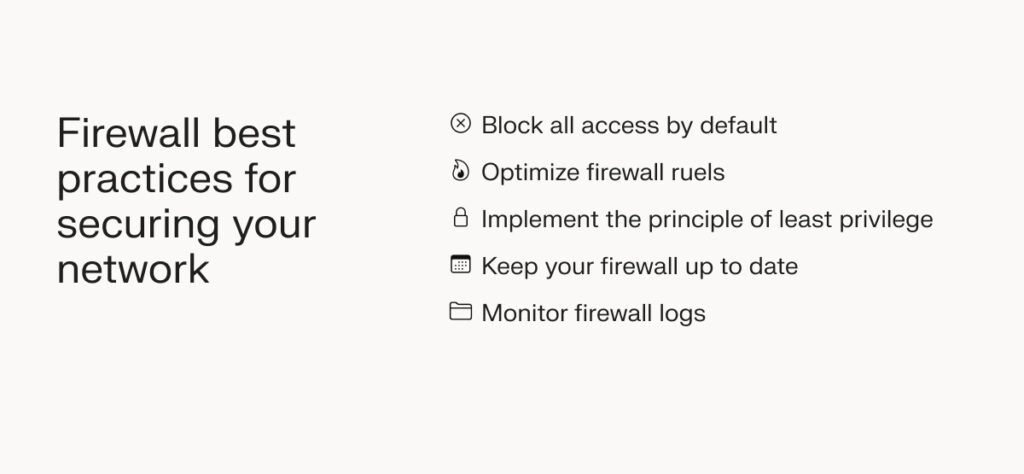
The following firewall best practices will secure your network against potential threats.
Block all access by default
When configuring your firewall, block all access by default. From there, create policies and rules that specify which traffic is allowed to connect to the network.
Optimize firewall rules
To enhance your security posture and improve performance, remove outdated rules, consolidate overlapping rules, and create highly specific rules.
Implement the principle of least privilege
Users should only have access to what they need to perform their jobs; when access is no longer needed, remove it. This reduces the risk of a user error, infiltration, or overstep that could lead to a costly data breach. Implementing the least privilege principle also helps you meet compliance requirements.
Keep your firewall up to date
No matter which types of firewalls you install, apply all software updates promptly; this equips the firewall with security patches for known vulnerabilities and threats. Turning on automatic updates is the best option.
If you use a hardware firewall, don’t forget to look into firmware. Firmware is a program embedded into hardware devices to help them run correctly; in this case, that means maintaining the security and effectiveness of your hardware firewall.
Keep an eye out for firmware updates sent by the firewall manufacturer. They usually release patches as soon as a new vulnerability is identified.
Monitor firewall logs
Reviewing firewall logs on a regular basis will help you identify potential threats and gain a better understanding of your network. Keeping an eye on these logs will also show that your organization follows industry standards.
If possible, use a log analysis tool that automates the process of analyzing the data. These tools include advanced features like real-time monitoring and alerts.
Final thoughts: Firewall types, benefits, and tips
Firewalls play a crucial role in protecting your networks against external threats. By understanding the different types of firewalls and how they function, you can choose one that best suits your organization. If you enjoy fully managed solutions, Liquid Web’s firewall services are your best option. Our hardware firewall includes its own operating system, making it independent of the server it protects; this grants a higher level of protection from external threats. We also offer VPN options with enterprise-level encryption and complete redundancy.
