
By John Gruber

Tahoe Added a Finder Option to Resize Columns to Fit Filenames
Friday, 23 January 2026
The main reason I’m sticking with MacOS 15 Sequoia, refusing to install 26 Tahoe, is that there are so many severe UI regressions in Tahoe. The noisy, distracting, inconsistent icons prefixing menu item commands, ruining the Mac’s signature menu bar system. Indiscriminate transparency that renders so many menus, windows, and sidebars inscrutable and ugly. Windows with childish round corners that are hard to resize. The comically sad app icons. Why choose to suffer?
But the thing that makes the decision to stay on 15 Sequoia a cinch is that I honestly struggle to think of any features in Tahoe that I’m missing out on. What is there to actually like about Tahoe? One small example is Apple’s Journal app. I’ve been using Journal ever since it debuted as an iPhone-only app in iOS 17.2 in December 2023. 785 entries and counting. With the version 26 OSes, Apple created versions of Journal for iPad and Mac (but not Vision Pro). Syncing works great via iCloud too. All things considered, I’d like to have a version of Journal on my main Mac. But I’m fine without it. I’ve been writing entries without a Mac app since 2023, so I’ll continue doing what I’ve been doing, if I want to create or edit a Journal entry from my Mac: using iPhone Mirroring.
That’s it. The Journal app is the one new feature Tahoe offers that I wish I had today. I’m not missing out on the latest version of Safari because Apple makes Safari 26 available for MacOS 15 Sequoia (and even 14 Sonoma). Some years, Apple adds new features to Apple Notes, and to get those features on every device, you need to update every device to that year’s new OS. This year I don’t think there are any features like that. Everything is perfectly cromulent running iOS 26 on my iPhone and iPad, but sticking with MacOS 15 Sequoia on my primary Mac.
But now that we’ve been poking around at column view in the Tahoe Finder, Jeff Johnson has discovered another enticing new feature. On Mac OS 26, the Finder has a new view option (accessed via View → Show View Options) to automatically resize columns to fit the longest visible filename. See Johnson’s post for screenshots of the new option in practice.
Column view is one of the best UI innovations from NeXTStep, and if you think about it, has always been the primary metaphor for browsing hierarchical applications in iOS. It’s a good idea for the desktop that proved foundational for mobile. The iPhone Settings app is column view — one column at a time. It’s a way to organize a multi-screen app in a visual, spatial way even when limited to a 3.5-inch display.
Thanks to Greg’s Browser, a terrific indie app, I’d been using column view on classic Mac OS since 1993, a few years before Apple even bought NeXT, let alone finally shipped Mac OS X (which was when column view first appeared in the Finder). One frustration inherent to column view is that it doesn’t work well with long filenames. It’s a waste of space to resize all columns to a width long enough to accommodate long filenames, but it’s frustrating when a long filename doesn’t fit in a regular-width column.
This new feature in the Tahoe Finder attempts to finally solve this problem. I played around with it this afternoon and it’s ... OK. It feels like an early prototype for what could be a polished feature. For example, it exacerbates some layering bugs in the Finder — if you attempt to rename a file or folder that is partially scrolled under the sidebar, the Tahoe Finder will just draw the rename editing field right on top of the sidebar, even though it belongs to the layer that is scrolled underneath. Here’s what it looks like when I rename a folder named “Example ƒ” to “How is this possible?”:

On MacOS 15, if you attempt to rename an item that is scrolled under the sidebar in column view, the column containing that item snaps into place next to the sidebar, so it’s fully visible. That snapping into place just feels right. The way Tahoe works, where the column doesn’t move and the text editing field for the filename just gets drawn on top of the sidebar, feels gross, like I’m using a computer that is not a Macintosh. Amateur hour.
I wish I could set this new column-resizing option only to grow columns to accommodate long filenames, and never to shrink columns when the visible items all have short filenames. But the way it currently works, it adjusts all columns to the width of the longest visible filename each column is displaying — narrowing some, and widening others. I want most columns to stay at the default width. With this new option enabled, it looks a bit higgledy-piggledy that every column is a different width.
Also, it’s an obvious shortcoming that the feature only adjusts columns to the size of the longest currently visible filename. If you scroll down in a column and get to a filename that is too long to fit, nothing happens. It just doesn’t fit.
Even a future polished version of this column view feature wouldn’t, in and of itself, be enough to tempt me to upgrade to Tahoe. After 30-some years of columns that don’t automatically adjust their widths, I can wait another year. But we don’t yet have a polished version of this feature. The unpolished version of the feature we have today only reiterates my belief that Tahoe is a mistake to be avoided. It’s a good idea though, and there aren’t even many of those in Tahoe. ★
Friday, 23 January 2026
- OmniOutliner 6 ★
-
Ken Case, on The Omni Group blog:
The features noted above already make for a great upgrade. But as I mentioned last year, one of the interesting problems we’ve been pondering is how best to link to documents in native apps. We’ve spent some time refining our solution to that problem, Omni Links, which are now shipping first in OmniOutliner 6. With Omni Links, we can link to content across all our devices, and we can share those links with other people and other apps.
Omni Links support everything we said document links needed to have. Omni Links work across all of Apple’s computing platforms and can be shared with a team. They leverage existing solutions for syncing and sharing documents, such as iCloud Drive or shared Git repositories. They are easy to create, easy to use, and easy to share.
Omni Links also power up Omni Automation, giving scripts and plug-ins a way to reference and update content in linked documents — documents that can be shared across all your team’s devices.
There’s lots more in version 6, including a modernized UI, and many additions to Omni Automation, Omni’s scripting platform that works across both Mac and iOS — including really useful integration with Apple’s on-device Foundation Models, with, of course, comprehensive (and comprehensible) documentation.
It’s Omni Links, though, that strikes me as the most interesting new feature. The two fundamental models for apps are library-based (like Apple Notes) and document-based (like TextEdit). Document-based apps create and open files from the file system. Library-based apps create items in a database, and the location of the database in the file system is an implementation detail the user shouldn’t worry about.
OmniOutliner has always been document-based, and version 6 continues to be. There are advantages and disadvantages to both models, but one of the advantages to library-based apps is that they more easily allow the developer to create custom URL schemes to link to items in the app’s library. Omni Links is an ambitious solution to bring that to document-based apps. Omni Links let you copy URLs that link not just to an OmniOutliner document, but to any specific row within an OmniOutliner document. And you can paste those URLs into any app you want (like, say, Apple Notes or Things, or events in your calendar app). From the perspective of other apps, they’re just URLs that start with
omnioutliner://. They’re not based on anything as simplistic as a file’s pathname. They’re a robust way to link to a unique document, or a specific row within that document. Create an Omni Link on your Mac, and that link will work on your iPhone or iPad too — or vice versa. This is a very complex problem to solve, but Omni Links delivers on the age-old promise of “It just works”, abstracting all the complexity.I’ve been using OmniOutliner for at least two decades now, and Omni Links strikes me as one of the best features they’ve ever added. It’s a way to connect your outlines, and the content within your outlines, to any app that accepts links. The other big change is that OmniOutliner 6 is now a single universal purchase giving you access to the same features on Mac, iPhone, iPad, and Vision.
- Lolgato 1.7 ★
-
Free Mac utility by Zendit Oy:
A macOS app that enhances control over Elgato lights, offering features beyond the standard Elgato Control Center software.
Features:
- Automatically turn lights on and off based on camera activity
- Turn lights off when locking your Mac
- Sync light temperature with macOS Night Shift
Lolgato also lets you set global hotkeys for toggling the lights and changing their brightness.
I’ve had a pair of Elgato Key Lights down at my podcast recording desk for years now. Elgato’s shitty software drove me nuts. Nothing seemed to work so I gave up on controlling my lights from software. I set the color temperature and brightness the way I wanted it (which you have to do via software) and then after that, I just turned them off and on using the physical switches on the lights.
I forget how I discovered Lolgato, but I installed back on November 10. I connected Lolgato to my lights, and set it to turn them on whenever the Mac wakes up, and off whenever the Mac goes to sleep. It has worked perfectly for over two months. Perfect little utility.
- Playing the Percentages ★
-
Dr. Drang:
For weeks — maybe months, time has been hard to judge this past year — Trump has been telling us that he’s worked out deals with pharmaceutical companies to lower their prices by several hundred percent. Commentators and comedians have pointed out that you can’t reduce prices more than 100% and pretty much left it at that, suggesting that Trump’s impossible numbers are due to ignorance.
Don’t get me wrong. Trump’s ignorance is nearly limitless — but only nearly. I’ve always thought that he knew the right way to calculate a price drop; he did it the wrong way so he could quote a bigger number. And that came out in yesterday’s speech.
Trump sophistry + math pedantry = Daring Fireball catnip.
Thursday, 22 January 2026
- MacOS 26 Tahoe Broke Column View in the Finder ★
-
Jeff Johnson:
Finder has four view modes, represented by the four consecutive toolbar icons in the screenshot below, if you can even call that free-floating monstrosity a toolbar anymore: Icons, List, Columns, and Gallery. My preference is columns view, which I’ve been using for as long as I remember, going back to Mac OS X.
At the bottom of each column is a resizing widget that you can use to change the width of the columns. Or rather, you could use it to change the width of the columns. On macOS Tahoe, the horizontal scroller covers the resizing widget and prevents it from being clicked!
I joked last week that it would make more sense if we found out that the team behind redesigning the UI for MacOS 26 Tahoe was hired by Meta not a month ago, but an entire year ago, and secretly sabotaged their work to make the Mac look clownish and amateur. More and more I’m wondering if the joke’s on us and it actually happened that way. It’s like MacOS, once the crown jewel of computer human interface design, has been vandalized.
- Why Walmart Still Doesn’t Support Apple Pay ★
-
Chance Miller, writing at 9to5Mac:
When you use Walmart Pay, it’s incredibly easy for Walmart to build that customer profile on you. When you use Scan and Go, all of that same information is handed over.
When you use Apple Pay or other payment methods, it’s much harder for Walmart (and other retailers) to do this. Apple Pay’s privacy and security protections, like not sharing any information about your actual card with the retailer, makes this type of tracking trickier.
This is why Walmart wants people to use Walmart Pay if they want to pay from their phone. If you check out with Walmart Pay or Scan and Go, everything is linked to your Walmart account. If you had the option to pay with Apple Pay, you’d share a lot less information with Walmart.
Using Walmart Pay gives Walmart more information than a regular credit or debit card transaction does. When you use the same traditional credit card for multiple purchases over time, a retailer like Walmart can build a profile associated with that card number. Charles Duhigg, all the way back in 2012, reported a story for The New York Times about how Target used these profiles — which customers don’t even know about — to statistically determine when women are likely to be pregnant based on purchases like, say, cocoa-butter lotion and vitamin supplements. When you use an in-house payment app like Walmart Pay (or swipe a store’s “loyalty” card at the register), the store doesn’t have to do any guesswork to associate the transaction with your profile. Your Walmart Pay account is your profile.
Using Apple Pay gives a retailer less — or at least no more — identifying information than a traditional card transaction. So if the future is paying via devices, Walmart wants that future to give them more information.
I think the situation with Walmart and Apple Pay is a lot like Netflix and Apple TV integration. Most retailers, even large ones, support Apple Pay. Most streaming services, even large ones, support integration with Apple’s TV app. Walmart doesn’t support Apple Pay because they want to control the customer transaction directly, and they’re big enough, and their customers are loyal enough, that they can resist supporting Apple Pay. Netflix doesn’t support TV app integration because they want to control the customer viewing experience directly, and they’re big enough, and their customers are loyal enough, that they can resist supporting Apple’s TV app.
Amazon — which is also very large, whose customers are also very loyal, and which absolutely loves collecting data — does not support Apple Pay either.
See also: Michael Tsai.
- Trump Administration Shares Doctored Photo of Minnesota Activist After Her Arrest ★
-
Violet Jira, reporting for NOTUS:
The White House communications team posted a digitally altered photo of Nekima Levy Armstrong, a Minnesota social justice activist, on Thursday that makes it appear that she was weeping during her arrest by federal agents.
The image is highly realistic, bearing no watermark or other indicator that the image has been doctored. The change is only apparent when compared to a different version of the same image posted by the Department of Homeland Security earlier in the day.
The White House, which has adopted a combative, flippant tone on its widely viewed social media pages, drew some backlash for the post online. In response, White House deputy communications director Kaelan Dorr called the image a “meme.”
It’s not a meme. It’s propaganda — an altogether false image presented as an actual photograph.
- The Information: ‘With Google Deal, Apple’s Craig Federighi Plots a Cautious Course in AI’ ★
-
Aaron “Homeboy” Tilley and Wayne Ma, reporting for The Information (paywalled, alas, and with a miserly gift-link policy):
But there are also potential risks to making Federighi head of AI. Giving oversight of AI to him reflects Apple’s cautious approach to the technology. He is known at Apple as a penny-pincher who keeps a tight rein on salaries and hesitates to invest in risky projects when the payoff from them isn’t clear, according to people who have worked with him. He tends to scrutinize every detail of his team’s expenses, down to their budgets for bananas and other office snacks, those people said.
Meanwhile, Apple’s rivals are pouring vast amounts of capital into AI, building data centers and paying fortunes to woo AI researchers.
I have no idea what Federighi’s stance is on break-room bananas, but it seems a stretch to think it offers clues to Apple’s strategy on data centers.
For years, lieutenants of Federighi would try to get him on board with AI. He often shot those efforts down, former Apple executives said. For example, he rejected proposals from his team to use AI to dynamically change the iPhone home screen, believing it would disorient users, who are used to knowing where their apps are located, said former Apple employees familiar with the proposal.
Jesus H. Christ, thank god Federighi shot this down. I wouldn’t want good AI rearranging my home screen behind my back, let alone Apple Intelligence as we know it.
- The Information Says Apple Is Working on an AI Wearable Pin ★
-
Wayne Ma and Qianer Liu, reporting for The Information (paywalled, alas):
Apple is developing an AI-powered wearable pin the size of an AirTag that is equipped with multiple cameras, a speaker, microphones and wireless charging, according to people with direct knowledge of the project. The device could be released as early as 2027, they said.
Don’t make the mistake of thinking that because existing AI pins have sucked (and in one notable case, flopped in spectacular fashion), they’re all going to suck. Google Glasses were an embarrassment but glasses are a great form factor. MP3 players used to suck too.
Such a product would position Apple to compete more effectively with OpenAI, which is planning its own AI-powered devices, and Meta Platforms, which is already selling smart glasses that offer access to its AI assistant.
It is very strange to put OpenAI’s upcoming io device(s) in the same sentence as Meta’s glasses, which are a real product you can buy today. None of these things are setting the world on fire though.
- Ternus Now Overseeing Design at Apple, Reports Gurman ★
-
Mark Gurman, reporting at Bloomberg:
Apple Inc. has expanded the job of hardware chief John Ternus to include design work, solidifying his status as a leading contender to eventually succeed Chief Executive Officer Tim Cook.
Cook, who has led Apple since 2011 and turned 65 in November, quietly tapped Ternus to manage the company’s design teams at the end of last year, according to people with knowledge of the matter. That widens Ternus’ role to add one of the company’s most critical functions.
Ternus is now the “executive sponsor” of Apple’s design team, representing the critical function on Apple’s executive team. The move was under-the-radar: on paper, the teams report to Tim Cook despite Ternus’s role.
Here’s to hoping Ternus is as pissed as the rest of us are about MacOS 26 Tahoe.
- Jackass of the Week: Utah State Senate Majority Leader Kirk Cullimore ★
-
Bridger Beal-Cvetko and Daniel Woodruff, reporting for KSL News:
SB138, sponsored by Cullimore, R-Sandy, would make Android, the world’s most popular mobile device operating system, an official state symbol, joining the ranks of the official state cooking pot (the dutch oven), the official state crustacean (the brine shrimp), and the official state mushroom (the porcini).
“Someday, everybody with an iPhone will realize that the technology is better on Android,” Cullimore told reporters during a media availability on Wednesday, the second day of the legislative session.
But, he added, “I’m the only one in my family — all my kids, my wife, they all have iPhones — but I’m holding strong.” [...]
“I don’t expect this to really get out of committee,” he said.
- Taegan Goddard: ‘There’s No Going Back’ ★
-
Taegan Goddard, writing at Political Wire, in a post that pairs perfectly with Om Malik’s re: velocity bestowing authority:
The new Democratic argument isn’t about restoring guardrails. It’s about moving fast — and using power unapologetically — to undo what Trump has done.
New Jersey will inaugurate Mikie Sherrill as governor today, one of the party’s rising stars who steamrolled Republicans in November. She has promised to govern with urgency — leaning on emergency powers, acting decisively, and skipping the old incrementalism. This, she argues, is what voters now expect. She told The New Yorker that if Democrats don’t learn to work at Donald Trump’s pace, “we’re going to get played.”
Rep. Alexandria Ocasio-Cortez is even more explicit: “In order for us to correct the abuses that are happening now, we have to act in the same capacities that Trump has given himself.”
The only way to counter “move fast and break things” is to move fast and fix things.
- Om Malik: ‘Velocity Is the New Authority’ ★
-
Om Malik:
That’s why we get all our information as memes. The meme has become the metastory, the layer where meaning is carried. You don’t need to read the thing; you just need the gist, compressed and passed along in a sentence, an image, or a joke. It has taken the role of the headline. The machine accelerates this dynamic. It demands constant material; stop feeding it and the whole structure shakes. The point of the internet now is mostly to hook attention and push it toward commerce, to keep the engine running. Anyone can get their cut. [...]
We built machines that prize acceleration and then act puzzled that everything feels rushed and slightly manic.
Crackerjack essay. Malik is focused here on the ways we’ve changed media and how those changes to media have changed us — as a society, and as individuals. But I think it explains how the Trump 2.0 administration has been so effective (such that it can be said to be effective). They recognize that velocity is authority and are moving as fast as they can. It’s an adaptation to a new media age.
- ‘Inside Trump’s Head-Spinning Greenland U-Turn’ ★
-
The Wall Street Journal (gift link; News+ link):
When President Trump arrived in the snow-covered Swiss Alps on Wednesday afternoon, European leaders were panicking that his efforts to acquire Greenland would trigger a trans-Atlantic conflagration. By the time the sun set, Trump had backed down.
After a meeting with Rutte on Wednesday, Trump called off promised tariffs on European nations, contending that he had “formed the framework of a future deal” with respect to the largest island in the world. [...] During an hourlong speech at the World Economic Forum, the U.S. president said he wouldn’t deploy the military to take control of Greenland. It was a stark shift in tone for Trump, who just days earlier had declined to rule out using the military to secure ownership of Greenland and posted an image online of the territory with an American flag plastered across it.
No need for panic. Alarm, yes. Panic, no. The TACO theory holds. Stand up to Trump and he’ll chicken out.
- The Scale of ICE Protests in Minnesota ★
-
Margaret Killjoy, in a thread on Bluesky (via Kottke):
I came to Minneapolis to report on what’s going on, and one of the main questions I showed up with is “just what is the scale of the resistance?” After all, we’re all used to the news calling Portland a “war zone” or whatever when it’s just some protests in one part of town. [...]
Half the street corners around here have people — from every walk of life, including republicans — standing guard to watch for suspicious vehicles, which are reported to a robust and entirely decentralized network that tracks ICE vehicles and mobilizes responders.
I have been actively involved in protest movements for 24 years. I have never seen anything approaching this scale. Minneapolis is not accepting what’s happening here. ICE fucking murdered a woman for participating in this, and all that did is bring out more people, from more walks of life.
It’s genuinely a leaderless (or leaderful) movement, decentralized in a way that the state is absolutely unequipped to handle. There are a few basic skills involved, and so people teach each other those skills, and people are collectively refining them.
Apple’s “whatever you say, boss” compliance with the Trump administration’s “demand” back in October that they remove ICEBlock from the App Store — with no legal basis, nor any evidence backing the administration’s claims that the app was being used to put members of the ICE goon squads in danger — is looking more and more like a decision on the wrong side of popular opinion. And, ultimately, on the wrong side of history.
ICEBlock was designed for exactly what these protestors are doing.
Wednesday, 21 January 2026
- Gurman Scoops ‘Campos’, Apple’s Codename for a Chatbot-Based Siri in Next Year’s Version 27 OSes ★
-
Mark Gurman, at Bloomberg (gift link):
Apple Inc. plans to revamp Siri later this year by turning the digital assistant into the company’s first artificial intelligence chatbot, thrusting the iPhone maker into a generative AI race dominated by OpenAI and Google. [...]
The previously promised, non-chatbot update to Siri — retaining the current interface — is planned for iOS 26.4, due in the coming months. The idea behind that upgrade is to add features unveiled in 2024, including the ability to analyze on-screen content and tap into personal data. It also will be better at searching the web.
The chatbot capabilities will come later in the year, according to the people, who asked not to be identified because the plans are private. The company aims to unveil that technology in June at its Worldwide Developers Conference and release it in September.
Campos, which will have both voice- and typing-based modes, will be the primary new addition to Apple’s upcoming operating systems. The company is integrating it into iOS 27 and iPadOS 27, both code-named Rave, as well as macOS 27, internally known as Fizz.
Apple ought to just go back to calling it “iOS” on both iPhone and iPad, because it’s always been the same system fundamentally. If they really do have the same codename, it sure suggests that Apple’s engineering teams see it that way too.
The 180° turn on chatbots is welcome, and I think inevitable. The chat interface is just too useful. One of the most maddening things about Siri is that even when it’s helpful today, even when it gets things right, you can never refer back to previous interactions. I refer back to previous chats in ChatGPT almost every day.
Craig Federighi, senior vice president of software engineering, said in a June interview with Tom’s Guide that releasing a chatbot was never the company’s goal. Apple didn’t want to send users “off into some chat experience in order to get things done,” he said.
I quote this paragraph only to point out that Gurman/Bloomberg could have, but chose not to, link to the interview with Federighi (and Joz) at Tom’s Guide. Every single link in the article goes to another page at bloomberg.com. [Update, next day: As of this morning, Bloomberg’s article now has a link to the interview at Tom’s Guide. Nice.]
The iOS 26.4 update of Siri, the one before the true chatbot, will rely on a Google-developed system internally known as Apple Foundation Models version 10. That software will operate at 1.2 trillion parameters, a measure of AI complexity. Campos, however, will significantly surpass those capabilities. The chatbot will run a higher-end version of the custom Google model, comparable to Gemini 3, that’s known internally as Apple Foundation Models version 11.
In a potential policy shift for Apple, the two partners are discussing hosting the chatbot directly on Google servers running powerful chips known as TPUs, or tensor processing units. The more immediate Siri update, in contrast, will operate on Apple’s own Private Cloud Compute servers, which rely on high-end Mac chips for processing.
A policy shift indeed, if that comes to pass.
- More From The Verge: ‘What a Sony and TCL Partnership Means for the Future of TVs’ ★
-
John Higgins, The Verge (gift link):
As of today, Sony already relies on different manufacturing partners to create its TV lineup. While display panel manufacturers never reveal who they sell panels to, Sony is likely already using panels for its LCD TVs from TCL China Star Optoelectronics Technology (CSOT), in addition to OLED panels from LG Display and Samsung Display. With this deal, a relationship between Sony and TCL CSOT LCD panels is guaranteed (although I doubt this would affect CSOT selling panels to other manufacturers). And with TCL CSOT building a new OLED facility, there’s a potential future in which Sony OLEDs will also get panels from TCL. Although I should point out that we’re not sure yet if the new facility will have the ability to make TV-sized OLED panels, at least to start.
The gist I take from this is that Sony is already dependent upon TCL. I think the mistake Sony made was ever ceding ownership and control over their display technology.
There’s some concern from fans that this could lead to a Sharp, Toshiba, or Pioneer situation where the names are licensed and the TVs produced are a shell of what the brands used to represent. I don’t see this happening with Sony. While the electronics side of the business hasn’t been as strong as in the past, Sony — and Bravia — is still a storied brand. It would take a lot for Sony to completely step aside and allow another company to slap its name on an inferior product. And based on TCL’s growth and technological improvements over the past few years, and the shrinking gap between premium and midrange TVs, I don’t expect Sony TVs will suffer from a partnership with TCL.
I’m heartened by Higgins’s optimism. (And I’ve heard good things already from DF readers who own TCL TVs.)
- Sony’s TV Business Is Being Taken Over by TCL ★
-
Jess Weatherbed, at The Verge:
Sony has announced plans to spin off its TV hardware business, shifting it to a new joint venture with TCL. The two companies have signed a non-binding agreement for Sony’s home entertainment business, with TCL set to hold a 51 percent stake in the new venture and Sony holding 49 percent. [...]
The new company is expected to retain “Sony” and “Bravia” branding for its future products and will handle global operations from product development and design to manufacturing, sales, and logistics for TVs and home audio equipment.
I’ve only ever purchased three main TVs in my life. The first was a 32-inch Sony Trinitron CRT, like this one. Might have even been exactly that model — that sure looks like it. I bought it in 1999 at a Best Buy. One of the last curved Trinitrons ever made. For CRTs I always kind of liked a slight curve — flat CRTs never looked quite right to me. It weighed like 150 pounds and came in a very big box. My now-wife and I had just moved into a fourth-floor walk-up. I remember bringing it home. I’d always wanted a Sony TV, and this one confirmed my lifelong desire to own one. It was great. I introduced my son to video games on that TV.
We replaced it in 2008 with a 50-inch plasma from Pioneer that cost about $2,100. It was only 720p but I’d worked out the math for our then-living room viewing distance, and the math said 1080p wouldn’t make a noticeable difference for a 50-inch screen from our sofa distance. That Pioneer is one of the most beloved purchases I’ve ever made in my life. Just remarkable color. We still have that thing in our guest room. Sony wasn’t even in the running for that purchase. They sold Sony-branded plasma TV for a while but never made their own panels, and as I recall, no one with taste recommended them. What made Sony TVs Sony TVs back in the day was that they made their own CRTs, and they were the best. (All of my favorite CRT computer monitors had Trinitron tubes, as I recall.)
In 2020 we bought our current TV, a 77-inch 4K OLED from LG that cost about $5,000 at the time. I’ll go to my grave believing that plasma looks better than OLED when watching movies in a dark room, but overall, LG’s super-bright OLED looks fantastic. And it’s big as hell, which I love. Sony was at least in the running when I shopped for this, but they didn’t have anything that compared to this LG’s size and quality. It wasn’t a hard decision to rule Sony out. (This history also means I’m likely to go to my grave never having owned a 1080p TV, nor an LCD TV.)
So, I’m sad to see Sony selling control of their TV business to TCL. But I think the writing has been on the wall for decades. Sony TVs haven’t been the Sony TVs of yore for a very long time.
Update: John Siracusa tells me I need to run a retraction — he even used an exclamation mark — on the grounds that Sony Bravia models have won “best TV in the world” awards several years running, including 2025 for the Bravia 8 II. I’m happy to retract, and glad Sony has regained its place at or near the top of the industry in recent years. I hope they stay there.
Monday, 19 January 2026
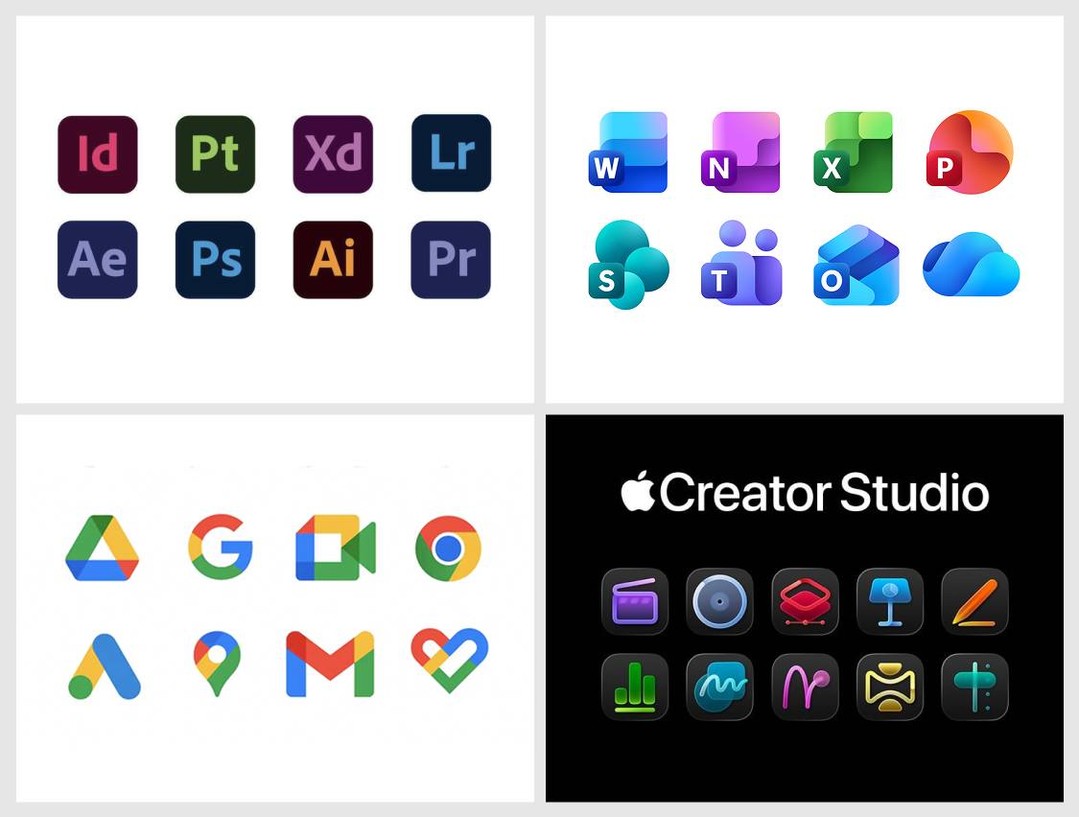
- Basic Apple Guy: Creator Studio Icon History ★
-
Is there anyone who doesn’t find this sad?
- Menu Bar, Title Bar, What’s the Difference? ★
-
From Apple’s iPhone Mirroring documentation, boldface emphasis added:
Click to tap: Click your mouse or trackpad to tap. You can also swipe and scroll in the iPhone Mirroring app, and use your keyboard to type.
Open the App Switcher: Move your pointer to the top of the iPhone Mirroring screen until the menu bar appears, then click
 to open the App Switcher.
Go to the Home Screen: If you’re in an app and want to return to the Home Screen, move your pointer to the top of the iPhone Mirroring screen until the menu bar appears, then click
 .
.
It certainly sounds like these instructions are for users who, sadly, have the menu bar hidden by default. But there are no
or buttons in the menu bar. These buttons are in the iPhone Mirroring window title bar, which is, for all users, hidden by default: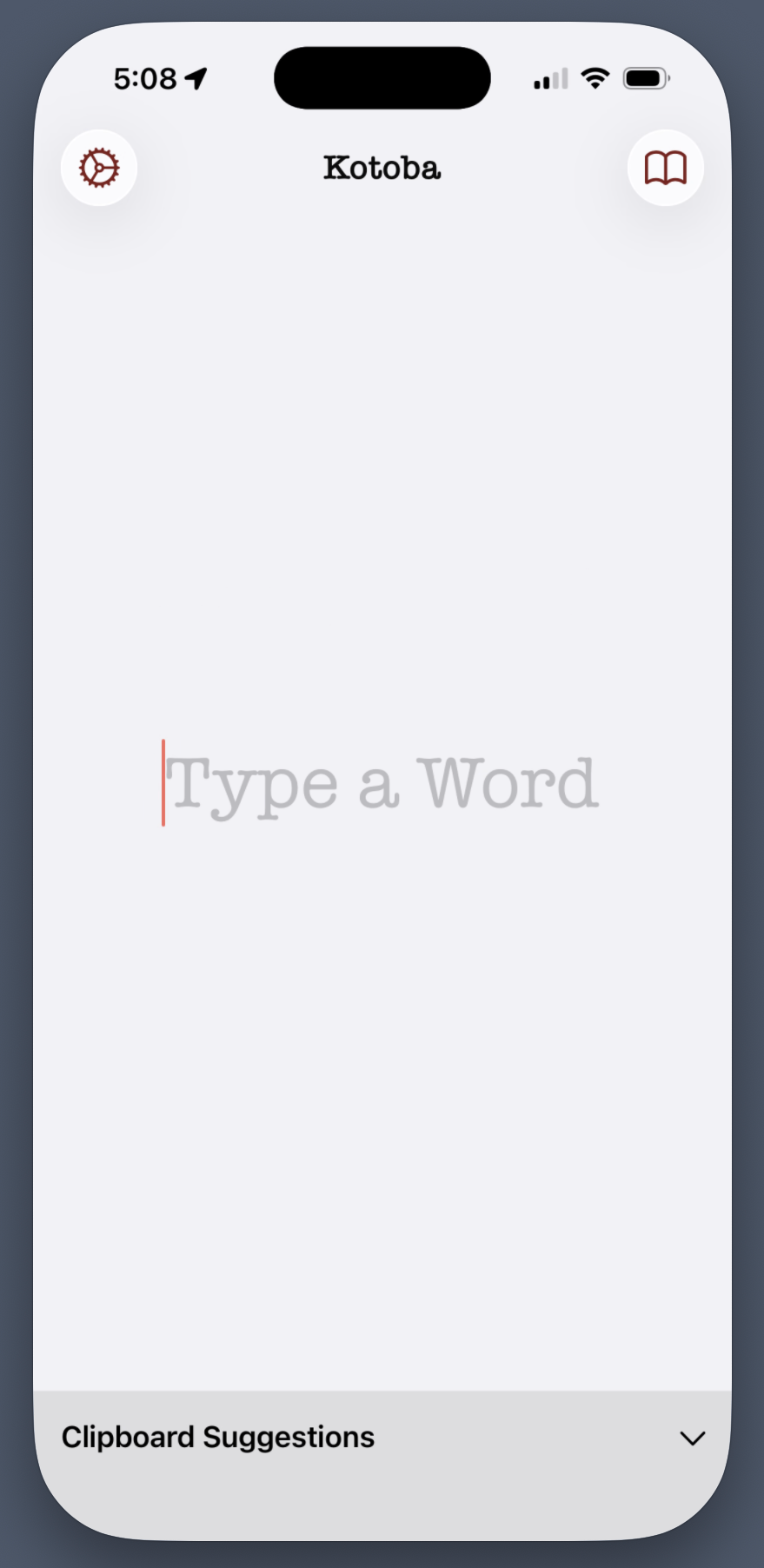
but which presents a proper window title bar when the mouse pointer is hovering in the area where the title bar will appear:
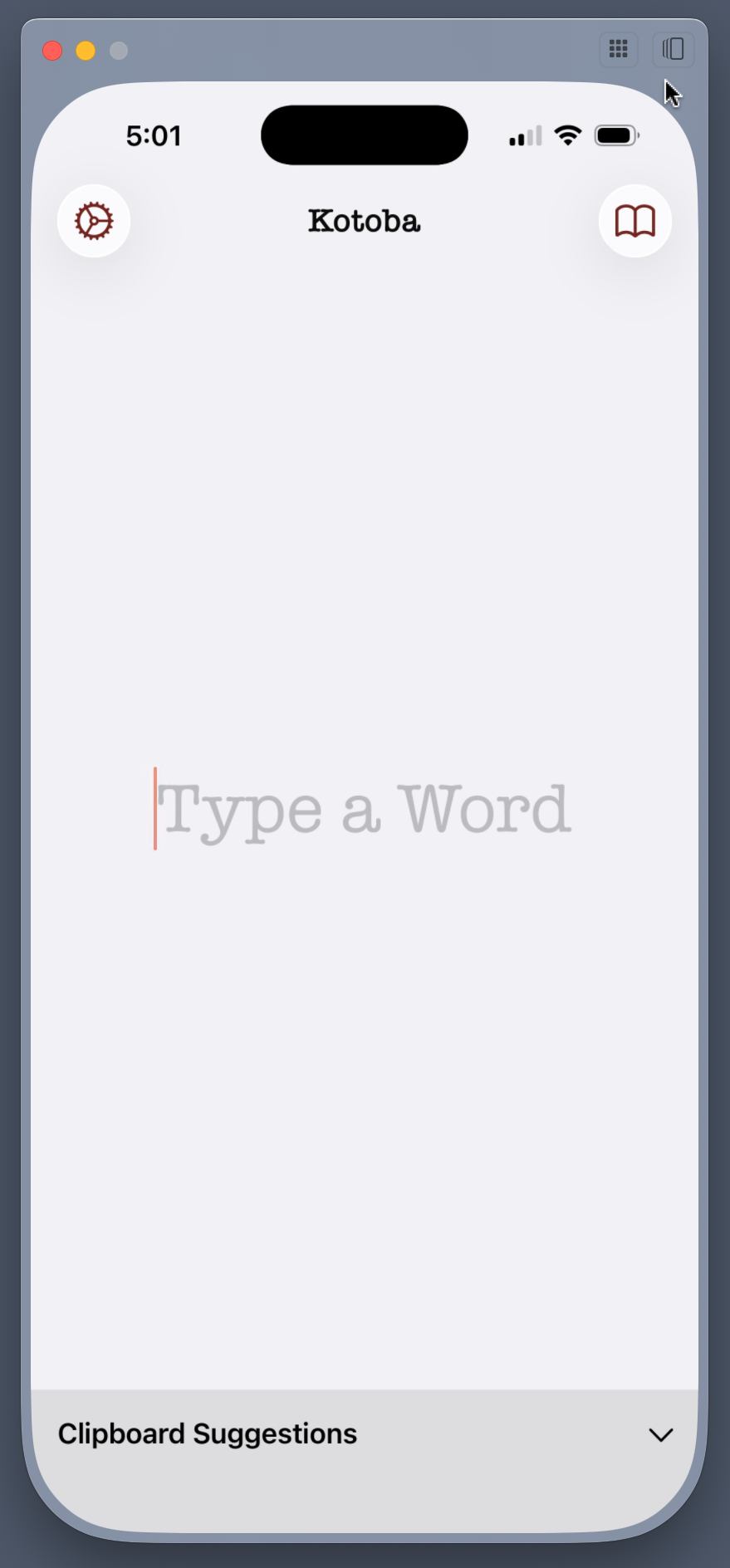
Since I’m feeling generous, I’ll chalk this up to an absentminded mistake on the part of Apple’s documentation team. If I were feeling cynical, I would instead suspect that Apple has so lost the plot on the Mac that they now employ documentation writers and editors who do not understand the difference between the menu bar and window title bars. (It doesn’t help that the iPhone Mirroring window title bar, like so many windows in Apple’s recent Mac apps, doesn’t have a title.)
For what it’s worth, this documentation is the same for both MacOS 15 Sequoia and 26 Tahoe.
- Matthew Butterick on the Copyrightability of Fonts ★
-
Matthew Butterick:
But more importantly, in practical terms — what would be the point? Since 2011, I’ve run a small font business. Not long after I release a font, it will be uploaded to some public pirate-software website. I can’t control that. Like every other kind of digital-media file, anyone who wants to pirate my fonts can do so if sufficiently motivated.
For that reason — and independent of copyright law — my business necessarily runs on something more akin to the honor system. I try to make nice fonts, price my licenses fairly, and thereby make internet strangers enthusiastic about sending me money rather than going to pirate websites. Enough of them do. My business continues. (Indeed, in terms of rational economic choice, I’ve argued that software piracy doesn’t exist.)


Crazy People Do Crazy Things
Monday, 19 January 2026
Donald Trump, in a message (I wouldn’t call it a letter) sent to Norwegian Prime Minister Jonas Gahr Støre, confirmed by several news organizations:
Dear Jonas: Considering your Country decided not to give me the Nobel Peace Prize for having stopped 8 Wars PLUS, I no longer feel an obligation to think purely of Peace, although it will always be predominant, but can now think about what is good and proper for the United States of America. Denmark cannot protect that land from Russia or China, and why do they have a “right of ownership” anyway? There are no written documents, it’s only that a boat landed there hundreds of years ago, but we had boats landing there, also. I have done more for NATO than any other person since its founding, and now, NATO should do something for the United States. The World is not secure unless we have Complete and Total Control of Greenland. Thank you! President DJT
There’s a simple explanation for this. Trump is in cognitive decline and it’s accelerating from age-related dementia. He lives in an imaginary world that is increasingly cleaved from reality. (Norway, it should be pointed out, is not Denmark, the country of which Greenland is a part.)
Trump’s Venezuela operation was brazenly illegal. But it wasn’t crazy. Venezuela was not a U.S. ally. President Nicolas Maduro lost an election but stayed in power. Venezuela was producing military drones for the hostile regime in Iran, a self-declared enemy of the U.S., NATO, and Israel. Venezuela had a burgeoning alliance with China, the U.S.’s primary geopolitical rival.
What Trump is threatening with Greenland is simply bonkers. Greenland is under no threat from China or Russia because it’s part of NATO, and thus — ostensibly — under the full protection of the entire NATO alliance including and especially the United States. If China or Russia attempted to take Greenland it would trigger a world war led by the United States. Compare and contrast with Ukraine and Taiwan. Ukraine, long before Vladimir Putin invaded, was known to be under threat of Russian invasion. Taiwan has long been known to be threatened by China. These threats have been in our geopolitical discourse for decades because the threats were real (and, unfortunately, came to pass in Ukraine).
No one has ever talked about Greenland being under threat of takeover by Russia or China because there is no such threat. It’s no more realistic than Russia taking over Alaska or China taking over Hawaii. It sounds nuts because it is nuts, and the threat only exists in Trump’s disintegrating mind.
Eight of our NATO allies have made clear, through action, not mere words, their intention to defend Greenland. Trump, obviously angry that our ostensible allies won’t just roll over and accede to his madness, is now petulantly turning to his favorite word, tariffs. If that’s “the hard way”, that’s pathetic. Stand up to bullies and they usually fold.
The threat to Greenland, and thus to NATO — and thus, quite literally, to the entire world — is not that Trump authorized an illegal military operation in Venezuela, so he might do it in Greenland too. Again, what the U.S. did in Venezuela was obviously illegal, and probably stupid, but it wasn’t crazy. Breaking up NATO and starting a war with Europe would be batshit crazy. The threat is that Trump is showing us, every day, that he is crazy. Crazy people do crazy things, and crazy cult leaders surround themselves with cultists. The rest of us need to stop sane-washing this. You cannot make sense out of nonsense.
If Trump declares that the U.S. is laying claim to all of the green cheese on the moon — say, to lower the price of dairy groceries — the news media should not respond with fact-finding articles with headlines like “How Much Cheese Is on the Moon?” They should respond with headlines like “How Many Marbles Are Left in Trump’s Dementia-Addled Head?” But threatening to take Greenland by military force is nuttier than laying claim to the moon’s cheese. Laying claim to non-existent green cheese wouldn’t trigger a shooting war that blows apart the most powerful alliance in military history. ★
Monday, 19 January 2026
- Study Concludes That Americans Are the Ones Paying for Tariffs ★
-
Tom Fairless, reporting for The Wall Street Journal (main link is a gift link; here’s a News+ link too):
The German research echoes recent reports by the Budget Lab at Yale and economists at Harvard Business School, finding that only a small fraction of the tariff costs were being borne by foreign producers.
By analyzing $4 trillion of shipments between January 2024 and November 2025, the Kiel Institute researchers found that foreign exporters absorbed only about 4% of the burden of last year’s U.S. tariff increases by lowering their prices, while American consumers and importers absorbed 96%. [...]
Rather than acting as a tax on foreign producers, the tariffs functioned as a consumption tax on Americans, the report said. “There is no such thing as foreigners transferring wealth to the U.S. in the form of tariffs,” said Julian Hinz, an economics professor at Germany’s Bielefeld University who co-authored the study.
This is what economists expected, but it’s always important to measure actual results, no matter how obvious the conclusions seem in advance. But this one feels like we could file it next to “Sun continues to rise in east, set in west.”
- WorkOS Pipes ★
-
My thanks to WorkOS for sponsoring DF last week. Connecting user accounts to third-party APIs always comes with the same plumbing: OAuth flows, token storage, refresh logic, and provider-specific quirks. WorkOS Pipes removes that overhead. Users connect services like GitHub, Slack, Google, Salesforce, and other supported providers through a drop-in widget. Your back end requests a valid access token from the Pipes API when needed, while Pipes handles credential storage and token refresh. That’s it.
Thoughts and Observations Regarding Apple Creator Studio
Saturday, 17 January 2026
Let’s Just Get It Out of the Way and Talk About the New Icons First, but Let’s Also Use the Icons as a Proxy for Talking About the Broader Software Design Problems at Apple
There’s a lot of hate for the new app icons of the entire Creator Studio suite, but while I think the icons are tragically simplistic, I think the hate is misplaced.

The problem isn’t with these icons in and of themselves. The problem is with the rules Apple has imposed for Liquid Glass app icons, along with their own style guidelines for how to comply with those rules. Given Apple’s own self-imposed constraints for how icons must look (with the mandatory squircle) and how Apple has decided its own app icons should look (a look which can best be described as crude), I actually think the icons in the Creator Studio are pretty good, relatively speaking. But that’s like saying one group of kids has pretty good haircuts, relatively speaking, at a summer camp where the rule is that the kids all cut each others’ hair using only fingernail clippers.
The best take on these icons is this zinger from Héliographe:
If you put the Apple icons in reverse it looks like the portfolio of someone getting really really good at icon design.
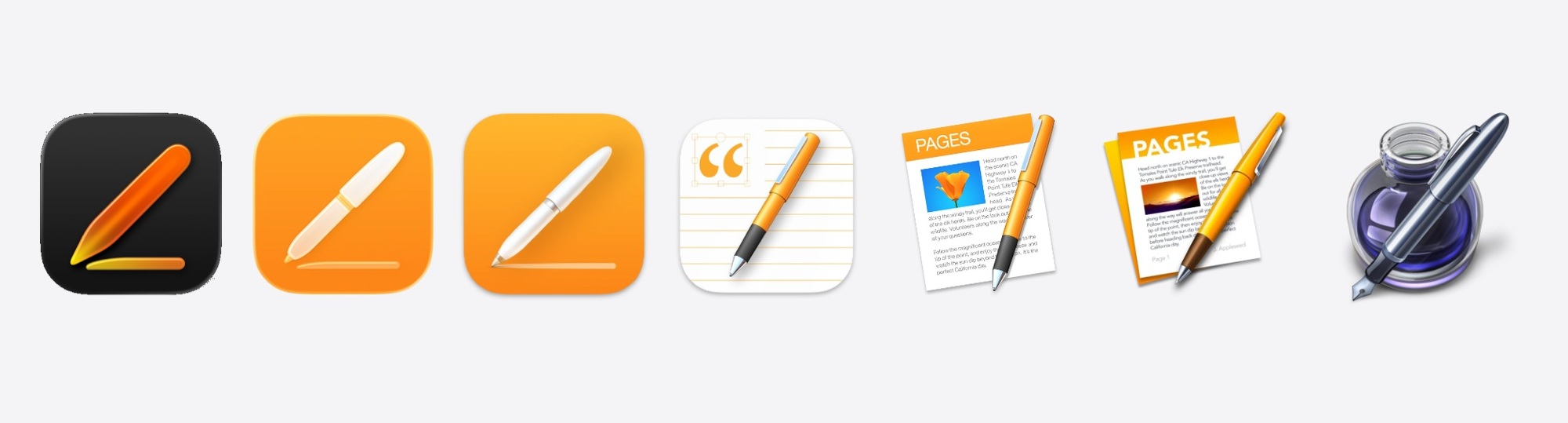
Devastating. Whatever you think of this new 2026 icon for Pages, you can’t seriously argue that it’s much worse — or really all that different — from the previous one. But go back in time and each previous Pages icon had more detail and looked cooler. And then you get back to the original Pages icon and that one clearly belongs in the App Icon Hall of Fame.
At some point in the previous decade, I had a product briefing with Jony Ive where we were discussing some just-announced new device that largely looked like the previous generation of the same device. I honestly don’t remember if it was an iPhone, an Apple Watch, or a MacBook. It doesn’t matter. What Ive told me is that Apple didn’t change things just for the sake of changing them. That Apple was insistent on only changing things if the change made things better. And that this was difficult, at times, because the urge to do something that looks new and different is strong, especially in tech. “New” shows that you’re doing something. “The same” is boring. What’s difficult is embracing the fact that boring can be good, especially if the alternative is different-but-worse, or even just different-but-not-better. You need confidence to ship something new that looks like the old version, because you know it’s still the best design. You need confidence to trust yourself to know the difference between familiarity (which is comforting) and complacency (which is how winners become losers).
Apple’s hardware designs remain incredibly confident. An M5 MacBook Pro looks like an M1 MacBook Pro, and really hasn’t changed much in the last decade other than getting thinner. An iPhone 17 Pro looks a lot like an iPhone 12 Pro and has only evolved in small ways since the iPhone X in 2017. A brand-new Series 11 Apple Watch is very hard to distinguish at a glance from a Series 0 Apple Watch from 2015. This is not a complaint, this is a compliment. These hardware designs do not need to change because they’re excellent. Iconic, dare I say.
This is why Apple’s software UI designs are the target of so much scorn and criticism right now, and Apple’s hardware designs are not.1 Yes, it’s human nature that people love to complain. But Apple’s current work isn’t receiving criticism in anything close to equal measures. Apple’s hardware is hardly the subject of any criticism at all. Not the way it looks, not the way it performs. Apple’s software design, on the other hand, is the subject of withering criticism. It’s not (just) about new features having bad designs. It’s about existing, decades-old features being made so obviously worse. I know a lot of talented UI designers and a lot of insightful UI critics. All of them agree that MacOS’s UI has gotten drastically worse over the last 10 years, in ways that seem so obviously worse that it boggles the mind how it happened.
Take a few minutes and go peruse Stephen Hackett’s extensive MacOS Screenshot Library at 512 Pixels, where he’s assembled copious screenshots from every version of MacOS going back to the Mac OS X Public Beta from October 2000.2 Take a look in particular at MacOS 10.11 El Capitan from 2015, exactly a decade ago. It doesn’t look old compared to MacOS 26 Tahoe. It just looks better, in every single way. I can’t think of one single thing about MacOS 26 that looks better than MacOS 10.11 from 2015, and I can quickly name dozens of things that are obviously worse. We would rejoice if MacOS 27 simply reverted to the UI of MacOS 10.11 from a decade ago, or had evolved as subtly as Mac hardware has over the same decade. The menu bar was better. The contrast between active and inactive windows was better. The standard UI controls looked better. The delineation between application chrome and content was clear, rather than deliberately obfuscated. And, to return to my point regarding Apple Creator Studio, all of the app icons — every goddamn one of them — was better. Many of the Mac app icons from MacOS 10.11 were downright exquisite. And the real heyday for Apple’s application icon design was the decade prior, the 2000s, under Steve Jobs. At the time, in 2015, we thought El Capitan shipped during an era of somewhat lazy icon design from Apple. If only we knew then how good we still had it.
Before you ask, there’s no point wondering why these new Creator Suite icons look like this if Alan Dye and his inner squircle of magazine-designer cowboys left to work at Meta a month ago. I genuinely believe that Dye’s departure and the promotion of longtime Apple UI designer Steve Lemay to replace him will restore some measure of sanity and grace to Apple’s UI direction and style. That can’t happen in one month (let alone a month taken up by major holidays). For now, Creator Studio needs to abide by the guidelines of the OS 26 Liquid Glass world.
Two more zingers. Benjamin Mayo on the new Pixelmator icon (the first new icon since Apple’s acquisition):
the ultimate icon downgrade
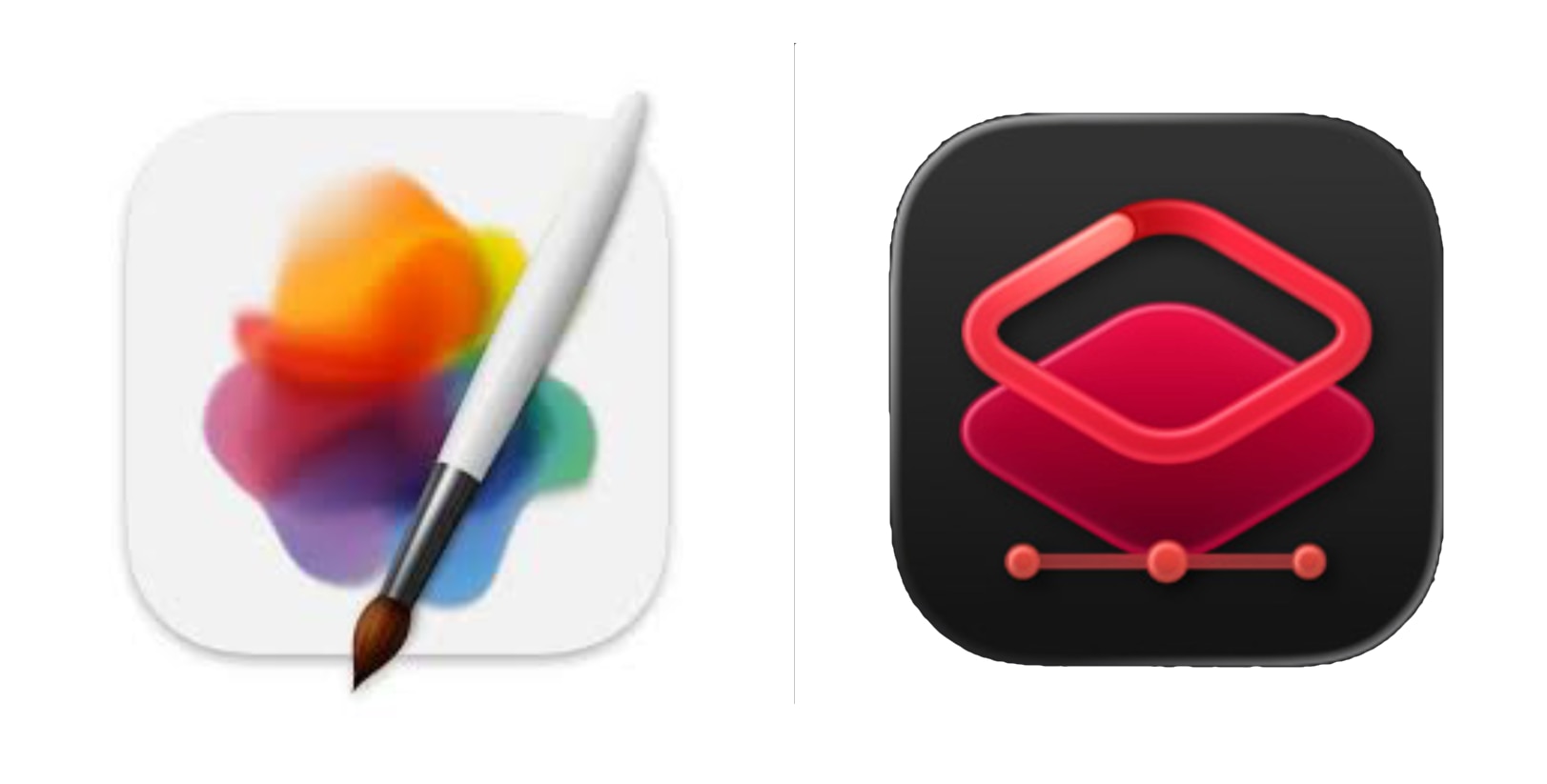
The new Pixelmator icon is the most jarring of the bunch because it hasn’t been on the drip-drip-drip yearslong slide of Apple’s in-house app icons. It just switched in one fell swoop from something that looks like art that one might print, frame, and hang on their wall, to, well, whatever the new one is.
The Boringification of Software
Liquid Glass
I could go on for thousands of words here, too. But let’s cut to the chase for a moment and acknowledge that “Liquid Glass”, as a catch-all term to describe the entirety of the UI changes in Apple’s version 26 OS releases, means a few different things. The most obvious thing it means is the lowercase liquid glass look. Transparency and fluidity. Let’s put that aside.
Liquid Glass also represents — per Apple’s own description when it was introduced by Alan Dye at WWDC — a “content-first” change to layout within an application. The content, in Liquid Glass, should take up as much of the screen, or window, as possible, and the UI of the application should be presented atop the content, not apart from the content. I’ll let Apple speak for itself and present Apple’s own video of the iOS Music app, from the Newsroom article announcing Liquid Glass back at WWDC:
This design ethos may or may not work on iOS. I think it often does. But let’s put that argument aside too. In the desktop context of MacOS, I don’t think this ethos works at all for most apps. It’s a downright disaster in the context of complex productivity apps. Apps should have distinctive chrome. The idea that they shouldn’t, that only “content” matters, and that apps themselves should try to be invisible and indistinctive, is contrary to the idea that apps themselves can be — should be — artistic works. The parts of a window that belong to the app and present the functionality of the app, and the parts of a window that represent content, should be distinct. Like separating the dashboard — sorry, instrument panel — from what you see through the windshield while driving a car. One or two items of primary importance (say, the speedometer and the next step in turn-by-turn directions) are OK to project on the windshield in a heads-up display atop the “content” of the road and world around the vehicle. But it would be disastrous to eliminate the instrument panel and project every control status indicator as HUD elements on the windshield. Either the driver’s view would be overwhelmed by too many HUD elements, making it hard to see the world and to read the dials, or the car designer would have to eliminate many useful controls and indicators entirely. (I know, some electric car makers are doing just that. It sucks.)
If you look through the screenshots Apple has provided of the new versions of the apps in the Creator Studio bundle, most of them haven’t been updated with Liquid Glass at all. They don’t have UI elements that look like liquid glass (transparent and fluid), and they don’t have layouts that seek to remove or obfuscate the application from its content. Final Cut Pro, Logic Pro, Motion: nope. Not a drop of Liquid Glass.
Pixelmator Pro does, however. It seems to embrace Liquid Glass in both senses. I haven’t tried it yet, and it doesn’t ship until January 28, but I strongly suspect I’d prefer if the new Pixelmator Pro looked like the new Final Cut Pro and Logic Pro, with solid, distinct user interface chrome. (Fingers crossed that there’s a setting for this.)
One possible explanation for Pixelmator Pro embracing Liquid Glass, but the other apps not, comes from the fineprint on the Apple Newsroom post announcing the whole Creator Studio suite:
Pixelmator Pro for iPad is compatible with iPad models with the A16, A17 Pro, or M1 chip or later running iPadOS 26 or later. The Apple Creator Studio version of Pixelmator Pro requires macOS 26.
The other apps require only MacOS 15.6 Sequoia and iOS 18.6:
The one-time-purchase versions of Final Cut Pro requires macOS 15.6 or later, Logic Pro requires macOS 15.6 or later, and Pixelmator Pro requires macOS 12.0 or later. MainStage is available for any Mac supported by macOS 15.6 or later. Motion requires macOS 15.6 or later. Compressor requires macOS 15.6 or later and some features require a Mac with Apple silicon.
MacOS 12 Monterey came out in 2021. So I think that means you can one-time purchase and download an older version of Pixelmator, if you’re running an older version of MacOS. But if you’re running MacOS 26 Tahoe, you’ll get the new Liquid-Glassified version of Pixelmator whether you get it as a one-time purchase or through a Creator Studio subscription. I think? Update: That was wrong. It’s a little simpler than that, in that Pixelmator Pro is an outlier from the other apps in Creator Studio. The new version of Pixelmator Pro — version 4.0 — is only available through the Creator Studio subscription, and requires MacOS 26 (and iPadOS 26). The one-time purchase version of Pixelmator Pro is version 3.7.1 — the existing version, last updated two months ago — and that’s the version you get from MacOS 12 through MacOS 26 if you get it via one-time purchase. Pixelmator Pro is the only app in Creator Studio where the new version is exclusively available through the Creator Studio subscription.
The iWork Apps
From the Newsroom announcement:
For more than 20 years, Apple’s visual productivity apps have empowered users to express themselves with beautiful presentations, documents, and spreadsheets using Keynote, Pages, and Numbers. And Freeform has brought endless possibilities for creative brainstorming and visual collaboration.
I’m not sure when Apple stopped referring to these apps, collectively, as iWork, but I guess it’s probably when they stopped selling them and made them free for all users in 2017. (Freeform was launched in 2022, so was never part of “iWork”. But it does feel like a fourth app in the suite.)
With Apple Creator Studio, productivity gets supercharged with all-new features that bring more intelligence and premium content to creators’ fingertips so they can take their projects to the next level. The Content Hub is a new space where users can find curated, high-quality photos, graphics, and illustrations. A subscription also unlocks new premium templates and themes in Keynote, Pages, and Numbers.
In addition to Image Playground, advanced image creation and editing tools let users create high-quality images from text, or transform existing images, using generative models from OpenAI. On-device AI models enable Super Resolution to upscale images while keeping them sharp and detailed, and Auto Crop provides intelligent crop suggestions, helping users find eye-catching compositions for photos.
To help users prepare presentations even more quickly in Keynote, Apple Creator Studio includes access to features in beta, such as the ability to generate a first draft of a presentation from a text outline, or create presenter notes from existing slides. Subscribers can also quickly clean up slides to fix layout and object placement. And in Numbers, subscribers can generate formulas and fill in tables based on pattern recognition with Magic Fill.
I’ll co-sign Jason Snell’s column on this aspect of Creator Studio. I feel like it’s just fine for new document templates and the Content Hub stock image library to be paid features. (See next section.) But I don’t think it makes sense to gate useful new features of these apps behind the Creator Studio subscription. Smarter autofill in Numbers, generating Keynote slides from a text outline, and Super Resolution image upscaling all sound like great features, but they sound like the sort of features all users should be getting in the iWork apps in 2026. Especially from on-device AI models. I could countenance an argument that AI-powered features that are processed on Apple’s Private Cloud Compute servers should require a subscription. But it feels like a rip-off if they’re running on-device.
It’s simpler for Apple to offer one single subscription bundle of “work” apps. But office productivity apps and creative design apps are very different. A word processor and spreadsheet go together. A video editor and audio editor go together. But it seems wrong for someone who just wants the new AI-powered features in Numbers and Keynote to need to pay for a subscription bundle whose value is primarily derived from Final Cut Pro, Logic Pro, Motion, and Pixelmator Pro — apps that many iWork users might never launch.
The Content Hub
Apple describes the Content Hub as “a new space where users can find curated, high-quality photos, graphics, and illustrations.” Stock imagery, basically. From Apple’s Creator Studio FAQ:
What happens to projects and content I created if my subscription ends?
All the projects and content you create with an active subscription to Apple Creator Studio — including any images you generate or add from the Content Hub — remain licensed in the context of your original creation.
What struck me about the Content Hub is its name. Despite only offering “photos, graphics, and illustrations” it is not called the Image Hub. It’s the Content Hub. I asked Apple if this meant it might eventually include other things, like music, video B-roll, and perhaps even fonts licensed from third-party type libraries. I was told — unsurprisingly3 — that they can’t comment on future products and features. But that was said with a smile, which smile at least acknowledged that the name Content Hub leaves the door open to other types of media.
Whither Photomator?
When Apple acquired Pixelmator a little over a year ago, they acquired two ambitious creative professional apps, not one. Pixelmator is an image editor, like Adobe Photoshop (or, from the indie world, Acorn). Photomator is like Adobe Lightroom (or, from the indie world, Darkroom.) We’ve been waiting to see what Apple’s plans were for both apps. With Pixelmator Pro, we now have an answer — a major new update for the Mac (with, as mentioned above, a Liquid Glass UI) and an all-new version now available for iPad.
This week’s announcement of the Creator Studio bundle included no news about the future of Photomator. However, my spidey-sense says this is a case where no news might be good news. At the bottom of Apple’s new product page for Pixelmator Pro is a brief Q&A, which includes these two items:
Where can I get Photomator?
Photomator remains available as a separate purchase from the App Store.
How does Pixelmator Pro compare to Pixelmator Classic for iPad?
Pixelmator Pro for iPad is available as part of an Apple Creator Studio subscription, alongside the Mac version and other pro apps like Final Cut Pro and Logic Pro. It brings all the features that Pixelmator Pro users love on Mac to iPad, including nondestructive editing, AI features, tools for freely transforming layers, and more — all optimized for touch.
Pixelmator Classic for iOS, released in 2014 as a companion app to the now-discontinued Pixelmator Classic for Mac, provides basic image editing features such as cropping, color adjustments, and effects. It remains a functional app but is no longer being updated.
These are very different answers, if you speak Cupertino-ese. Functional but no longer being updated means you should not hold your breath waiting for an updated version of Pixelmator that runs on an iPhone.
When Apple end-of-lifes an app — like they recently did with Clips — they’re clear about it. But when Apple has plans for something but isn’t ready to announce those plans, they’re obtuse about it. If Photomator did not have a future as part of Creator Studio, I think Apple would have used this moment to stop selling the existing version. They’d say that it too remains functional but is no longer being updated. But that’s not what they said.
Apple’s Aperture — a photo library manager and editor for professionals — debuted in October 2005. Adobe released the first public beta of what became Lightroom in January 2006. Lightroom today remains an actively-developed popular app. But Apple ceased development of Aperture in 2014. Times change. In 2014 Apple clearly did not anticipate that a decade later they’d want to take on Adobe’s Creative Suite. Here in 2026, Apple has just launched the first version of that rival to Adobe’s suite. Perhaps the biggest omission4 in this first release of Apple Creator Studio is the lack of a Lightroom rival, which is exactly what Photomator is — and Aperture was. My guess is that Apple and the acquired Pixelmator team are hard at work on a new Creator Studio version of Photomator, including a version for iPad, and it just isn’t finished yet. I’m more unsure whether they’ll keep the Photomator name (which I think is too easily conflated with the Pixelmator name) than whether they’re working on an ambitious update to the app to include in Creator Studio.
I have no little birdie insider information about that, just my own hunch. I just think that if Photomator didn’t have a future, Apple’s statement about it would say so, and they’d stop selling the current version. And the lack of a professional photo library app is a glaring omission in Creator Studio. Apple Photos is an outstanding app, and iCloud Photo Library has in my experience delivered fast dependable syncing across devices for several years now. But an app like Photos, that is necessarily anchored to the needs of very casual users, can’t possibly scale in complexity to meet the needs of professional photographers. And Photos is not fully satisfying for prosumer users like me.
Family Sharing and Student Pricing
The standard subscription for Creator Studio costs $13/month or $130/year, and subscriptions are eligible for sharing with up to five other people in a family sharing group. Apple is also offering Creator Studio education pricing for students and educators for $3/month or $30/year. That’s a nice discount. But, I confirmed with Apple, the education subscription is not eligible for family sharing.
I think Apple’s pricing for Creator Studio is very fair. It’s a decent value for $130/year, a great value with the education discount, and it’s nice that Apple is still offering one-time purchasing, per app, for those who object to software subscriptions (or those who simply know they only want to use one or two of these apps). But the fact that Creator Studio is only available as a separate subscription puts the lie to the “One” in the Apple One subscription bundle. Apple One is a good value, and Creator Studio is a good value, but Apple One is no longer one bundle that includes all of Apple’s subscription offerings. It’s more like Apple Most now. ★
-
This is also, I think, why John Ternus is so heavily rumored to be named Tim Cook’s successor as CEO, and everyone feels cautiously optimistic about that. In the entire 50-year history of the company, Apple has never been on a longer sustained streak of excellent hardware than they are today. No one feels the same way about Apple’s software, services, or marketing. ↩︎
-
If Hackett weren’t so lazy, he’d document the classic Mac system software era too. ↩︎︎
-
Now that I think about it, if Apple’s representative had answered my question by saying something like, “Yes, we’re definitely thinking about other types of media that we could add to the Content Hub in the future, and that’s why we gave it that name,” I would have plotzed. ↩︎︎
-
Another is that Adobe Creative Cloud includes access to Adobe’s entire library of fonts, the biggest type library in the world. But like I wrote above, Apple Creator Studio’s “Content Hub” is an open-ended name. I’d love to see Apple work out licensing deals with a broad assortment of typography houses. ↩︎︎
Friday, 16 January 2026
- Verizon Offers $20 Credit After Daylong Outage ★
-
Verizon, in an announcement on Twitter/X regarding their daylong outage this week:
Yesterday, we did not meet the standard of excellence you expect and that we expect of ourselves. To help provide some relief to those affected, we will give you a $20 account credit that can be easily redeemed by logging into the myVerizon app. You will receive a text message when the credit is available. On average, this covers multiple days of service. Business customers will be contacted directly about their credits.
This credit isn’t meant to make up for what happened. No credit really can. But it’s a way of acknowledging your time and showing that this matters to us.
I got the text message last night (screenshot), and redeemed it this morning. It wasn’t too hard to redeem, partly because I already had the My Verizon app installed and had my account credentials saved.
But you know what would actually be easy, and would actually acknowledge our time and show that this really matters to Verizon? If they just took $20 off every customer’s next bill. Automatic. Just take $20 off next month. If a good restaurant screws up an item you ordered, they apologize and take the item off your bill (and maybe give you a free dessert or something). They don’t give you a code to redeem.
It would also better show that they care if the text message spelled the app “My Verizon”, which is the app’s actual name.
As for how many days of service $20 covers, we pay $329/month for a “5G Do More” family plan for me, my wife, and son. Three phones, three Apple Watches, and two iPads. (I’m the one without a cellular iPad plan, because I so seldom use an iPad.) That’s about $11/day. Verizon only sent us one $20 credit, not three, so that covers roughly two days of service — which is, indeed, multiple days.
MacPaw Pulls the Plug on SetApp Mobile App Marketplace
Friday, 16 January 2026
Tim Hardwick, reporting for MacRumors:
The service will officially cease operating on February 16, 2026. Setapp Mobile launched in open beta in September 2024.
In a support page, MacPaw said Setapp Mobile is being closed because of app marketplaces’ “still-evolving and complex business terms that don’t fit Setapp’s current business model,” suggesting it was not profitable for the company.
For users in the EU who accessed iOS apps through Setapp’s subscription store, those apps will be removed from the platform after the shutdown date. Setapp advises users to back up any important data before then, as the apps will no longer be available once the service ends. Setapp’s separate subscription-based Mac app store will continue to operate as normal.
Steve Troughton-Smith, on Mastodon:
Clear indicator that Apple’s DMA implementation never actually met its obligations under the DMA in the first place. Apple scared developers away from ever signing up to their poison pill Core Technology Fee terms, so alternative app stores simply have no apps to offer.
It’s kind of the same situation as BrowserEngineKit. Apple is going to say that they did all this work and there was no adoption, so that proves the EU was wrong; there’s no demand because customers prefer Apple’s “protections.” The developers will say that Apple designed third-party browsers and marketplaces to fail, or at least didn’t care very much about solving the reported problems; they tried their best in spite of this, but it wasn’t enough. I guess at some point the EU will decide whether it thinks there was malicious compliance.
My take is that none of these things had any chance of success. It’s not the Core Technology Fee in particular that doomed EU app marketplaces to obscurity. It’s the fact that Apple doesn’t think app marketplaces are a good idea, users are not clamoring for them, and the EU just isn’t a big enough market to matter on its own. If the U.S. mandated that Apple allow third-party app marketplaces, that might be enough to generate enough support from developers to matter. Probably not, but maybe. But just the EU, and now Japan? Nope. But that sort of mandate is unlikely to come from the U.S. because there isn’t popular demand for it.
The EU can force Apple to enable things like alternative app marketplaces and browser engines on iOS. They can’t force Apple to make them available outside the EU. Nor can they somehow force Apple to make them popular even within the EU — either with users or developers. It’s just bureaucratic folly. Legislation and regulation based on ideals, not practical reality. The core problem with these mandates from the EU is that they’re not based on demand from users. Users don’t care about third-party browser rendering engines. Users don’t even know what third-party browser rendering engines are. Users, by and large, not only are not asking for third-party app marketplaces for iOS, they in fact prefer the App Store’s role as the exclusive source for third-party software. The mandates from the DMA that Apple most strenuously objects to — and thus complies with the most begrudgingly — are based on the desires of Apple’s competitors (like Meta and Spotify) and web developer advocates who object to closed platforms on ideological grounds, not the popular demands of EU citizens who own iPhones.
Apple is getting away with what some describe as “malicious compliance” because they’re under no popular demand from their actual customers to comply in any other way. If Apple’s DMA compliance features were unpopular, the outcry might force them to adapt in popular ways. But the only things that register as popular or unpopular are things people care about. By and large, iPhone owners do not care about third-party app marketplaces and they care even less about third-party browser engines. Popular demand isn’t going to come about from additional regulatory mandates or pocket-change fines imposed on Apple.
Anyone who does care about these things, and wants to see iOS change to enable them to thrive, should focus their efforts on creating popular demand for them. Good luck with that. ★
Friday, 16 January 2026
- ChatGPT Adds New $8/Month ‘Go’ Tier, Will Soon Introduce Ads ★
-
OpenAI:
With this launch, ChatGPT now offers three subscription tiers globally:
- ChatGPT Go at $8 USD/month
- ChatGPT Plus at $20 USD/month
- ChatGPT Pro at $200 USD/month
And perhaps the bigger news:
We plan to begin testing ads in the free tier and ChatGPT Go in the US soon. Ads support our commitment to making AI accessible to everyone by helping us keep ChatGPT available at free and affordable price points.
Their pricing page has a comparison chart showing the differences in their four consumer tiers (free, Go, Plus, Pro). Screenshot, for posterity. The big difference that will keep me on the $20/month Plus plan for now is that the Go plan doesn’t have access to the Thinking model.
- Emoji Design Convergence Review: 2018–2026 ★
-
Keith Broni, writing at Emojipedia, has a good illustrated survey of how most emoji sets have converged in meaning — almost entirely toward Apple’s designs:
There are several structural reasons why Apple’s designs so often become the gravitational center of emoji convergence.
First, Apple is widely regarded as the “default” emoji design set in the West. This status dates back to 2008, when Apple introduced emoji support on the iPhone years before emoji were formally incorporated into Unicode.
It’s also the case that Apple’s emoji icons are the best, and they’re the most consistent. The only ones Apple has changed the meaning of are ones where the Unicode Consortium has changed or clarified the standard description. The pistol emoji is the exception that proves the rule. Apple, and Apple alone, changed its pistol emoji (🔫) from a realistic firearm to a green plastic squirt gun in 2016. By 2018, all the other major emoji sets had changed their pistols from firearms to plastic toys — almost all of them green squirt guns in particular. (Broni’s post documents this progression year by year.)
One thing that remains interesting to me is that Apple left its emoji style alone when they instituted the great flattening with iOS 7. Apple’s emoji icons are, loosely, in the style of Apple’s application and toolbar icon designs from the Aqua era. People love emoji, and at this point, changing their style to something that felt aligned with the icon designs for Apple’s version 26 OSes would generate outrage. But if Apple were to change its icon style back to this rich 3D textured style, the majority of users wouldn’t object — they’d think it was fun.
Basically, Apple’s emoji style is fun. Apple’s icon style is no-fun. People like having fun.
Wednesday, 14 January 2026
- The Explosive, Immediate, Early Growth of the iPhone ★
-
Matt Richman, back in 2012:
In 2009, Apple sold more iPhones than it did in 2007 and 2008 combined. In 2010, Apple sold more iPhones than it did in 2007, 2008, and 2009 combined. Last year, Apple sold 93.1 million iPhones, slightly more than it did in 2007, 2008, 2009, and 2010 combined. The pattern continued.
I referenced this old post earlier today, attempting to put into context Meta’s “leak” that they’ve got concepts of a plan to ramp Meta Glasses production up to 20 million units per year. It’s easy to forget — or if you’re young enough, to just accept as history — just how astonishing the growth of the iPhone was in its early years. Every year wasn’t just bigger than the previous year — it was bigger than all previous years combined. Year after year. That pattern only ended after Apple had run out of new countries, new carriers, and new customers to introduce it to.
There’s never been a product like it before, and quite possibly never will be again. In January 2007 no one had ever even seen a device like an iPhone. By 2015 or so, almost everyone in the world who could afford one either had an iPhone or they had an Android phone that looked and worked like an iPhone.
- Meta Shutters Three VR Studios ★
-
Karissa Bell, Engadget:
Several of Meta’s VR studios have been affected by the company’s metaverse-focused layoffs. The company has shuttered three of its VR studios, including Armature, Sanzaru and Twisted Pixel. VR fitness app Supernatural will no longer be updated with fresh content.
Employees at Twisted Pixel, which released Marvel’s Deadpool VR in November, and Sanzaru, known for Asgard’s Wrath, posted on social media about the closures. Bloomberg reported that Armature, which brought Resident Evil 4 to Quest back in 2021 has also closed and that the popular VR fitness app Supernatural will no longer get updates.
“Due to recent organizational changes to our Studio, Supernatural will no longer receive new content or feature updates starting today,” the company wrote in an update on Facebook. The app “will remain active” for existing users. [...]
The cuts raise questions about Meta’s commitment to supporting a VR ecosystem it has invested heavily in.
Raises questions, indeed! It was only four years ago that Mark Zuckerberg renamed the company from Facebook to Meta and proclaimed the entire company would now be “metaverse-first”.
A reader told me today that a friend of his who works (well, worked) at one of Meta’s now-shuttered VR studios was vaguely concerned just last weekend because he suspected “about 20 percent” of the company to be laid off. Not him, but probably some people he was required to stack-rank. Turns out he was correct to be worried but his “about 20 percent” guess was off by ... checks with calculator ... about 80 percent. People within Meta who believed Zuckerberg’s public statements have clearly been caught flat-footed by the fact that he’s clearly lost all interest in VR and the so-called metaverse.
The workout app Supernatural is a perfect example. Meta announced their intention to acquire Supernatural in 2021, at the start of their all-in-on-the-metaverse phase, for $400 million. They battled the FTC for approval and it finally went through in February 2023. Now, less than three years later, they’re shutting it down. Devoted Supernatural users are, unsurprisingly, not happy.
It really does raise questions about Meta’s commitment.
- Google Launches Beta of ‘Personal Intelligence’, Connecting Gemini to Google Apps ★
-
Josh Woodward, VP of Gemini and AI Studio, on the Google blog:
The best assistants don’t just know the world; they know you and help you navigate it. Today, we’re answering a top user request: you can now personalize Gemini by connecting Google apps with a single tap. Launching as a beta in the U.S., this marks our next step toward making Gemini more personal, proactive and powerful.
Personal Intelligence securely connects information from apps like Gmail and Google Photos to make Gemini uniquely helpful. If you turn it on, you control exactly which apps to link, and each one supercharges the experience. It connects Gmail, Photos, YouTube and Search in a single tap, and we’ve designed the setup to be simple and secure. [...]
Starting today, access is rolling out over the next week to eligible Google AI Pro and AI Ultra subscribers in the U.S. Once enabled, it works across Web, Android and iOS and with all of the models in the Gemini model picker. We’re starting with this limited group to learn, but we will over time expand to more countries and to the free tier.
In the small print on the Gemini Personal Intelligence product page, they say “In the coming months, and with your permission, Gemini will be able to draw context from even more of your Google apps and services.” Gmail, Photos, YouTube, and Search are obvious services to start with. Calendar, surely, is forthcoming. But a big one for me — an inveterate note-taker — would be my notes app. I’d rather have an AI assistant know everything in my notes app than everything in my email. For Google, I presume, that will be Google Keep (which I consider a serviceable, but overall crummy app that never seems to have gotten much attention).
This is nicely honest, and sets expectations:
We’ve tested this beta version of Personal Intelligence extensively to minimize mistakes, but we haven’t eliminated them. You may encounter inaccurate responses or “over-personalization,” where the model makes connections between unrelated topics. When you see this, please provide feedback by giving the response a “thumbs down.”
Gemini may also struggle with timing or nuance, particularly regarding relationship changes, like divorces, or your various interests. For instance, seeing hundreds of photos of you at a golf course might lead it to assume you love golf. But it misses the nuance: you don’t love golf, but you love your son, and that’s why you’re there. If Gemini gets this wrong, you can just tell it (“I don’t like golf”).
I feel like it’s unlikely a coincidence that Google announced Personal Intelligence a few days after the short joint announcement that Apple is licensing Gemini technology to power the models for Apple Intelligence. What Google is making available today — in beta, to paid personal users only — is basically the feature set that Apple promised back in June 2024 but had to postpone for an entire additional year last March.
- Verizon’s Cell Network Is Down, and AT&T and T-Mobile Are Sassing Them About It ★
-
Jacob Krol, reporting for Techradar:
While Verizon had a good few months, with the last major outage occurring in October 2024, it seems that the popular United States wireless carrier is having some issues. So, if you’re on Verizon and seeing ‘SOS’ in place of network bars, you’re not alone.
Countless users have taken to social platforms like X (formerly Twitter) and Threads to shout issues, but reported problems with Verizon have spiked on Down Detector to over 46,000.
This outage matters, because I’m on Verizon and my phone hasn’t had a signal for two hours.
T-Mobile’s network is keeping our customers connected, and we’ve confirmed that our network is operating normally and as expected. However due to Verizon’s reported outage, our customers may not be able to reach someone with Verizon service at this time.
AT&T, in such a hurry to pile on that their punctuation was slapdash:
Our network? Solid. If you’re experiencing issues, it’s not us.....it’s the other guys. Some things are just out of our hands! - BUT if you’re interested in giving us a try — https://att.com/wireless/free-trial/
Full point awarded to T-Mobile for the better, colder, burn.
Update: Service returned for me around 5pm, but the outage wasn’t completely resolved until 10pm ET. Yikes.
- Bill and Hillary Clinton’s Personal Letter to Rep. James Comer ★
-
The letter speaks for itself, and is very much worth reading in full. I’ll quote only from the conclusion, which rhetorically feels very Bill:
Continue to mislead Americans about what is truly at stake, and you will learn that Americans are better at finding the truth than you are at burying it.
Continue to pursue autopens instead of penning laws Americans need, and you will learn that you are signing away any remaining chance of being on the right side of history.
Continue to abet the dismantling of America, and you will learn that it takes more than a wrecking ball to demolish what Americans have built over 250 years.
The New York Times also published a copy of the legal letter the Clintons’ lawyers (two law firms, actually) sent to Comer. It’s not as good a read as their personal letter.
I’ll just add, revisiting a recent topic, that the legal letter from the Clintons’ lawyers was set in Times New Roman. That’s unremarkable, which is Times New Roman’s calling card. The Clintons’ personal letter, on very nice joint stationery, was set in Courier New, an interesting but disappointing choice. The intention is to evoke the effect of a typewriter — to add a personal touch. The letter is very clearly, from the first word to the last, a personal message from Bill and Hillary Clinton themselves. I suspect they jointly crafted every single word of it themselves. It’s not a short letter, but it’s not long, either. Not a word is wasted. But it would have looked so much better in Courier than Courier New (or, even better, the best version of Courier ever made, Courier Prime). The worst aspect of Courier New is that it’s inexplicably thin and wispy. It looks like it should be called Courier Thin, but there’s no good reason for there to exist a thin variant of Courier. The second worst aspect of Courier New is that a handful of punctuation glyphs are inexplicably not thin, and thus stand out excessively, grating on the eyes. Take note of how the commas and apostrophes appear almost bold in the Clintons’ personal letter. I gripe about Arial more frequently, but Courier New is a worse crime against typography. (Both crimes, of course, were set loose upon the world by Microsoft.)
- Meta, a Completely Trustworthy Company, Leaks That Demand for Ray-Ban Meta Glasses Is Surging ★
-
Daniele Lepido and Antonio Vanuzzo, reporting for Bloomberg (paywalled, alas):
Meta Platforms Inc. and EssilorLuxottica SA are discussing potentially doubling production capacity for AI-powered smart glasses by the end of this year, in a bid to capture growing demand and head off rivals, according to people familiar with the matter.
With sales of Ray-Ban Meta frames taking hold, Facebook-owner Meta has suggested increasing annual capacity to 20 million units or more by the end of 2026, said the people, asking not to be named because the deliberations are private.
20 million units is a real number. But building the capacity for 20 million units isn’t the same as selling 20 million units, and, to my knowledge, actual sales of Meta Glasses are only Bezos Numbers. And for historical context, 20 million units annually would put Meta Glasses somewhere between the second and third years of iPhone sales. If they’re really on pace for 20 million sales per year that’s a real thing. But in 2009 I was seeing a lot of iPhones out and about in the world. I’ve only noticed one guy wearing Meta Ray-Bans in the last few months. That’s personal anecdata, for sure, and it’s possible I’m walking past more people wearing these than I realize because they’re supposed to look like regular Ray-Bans. I don’t think they’re on anything even close to the astounding growth pattern of the early iPhone, but Meta is trying hard to create the perception that they are, and that they’re locking in a first-mover advantage.
And again, leaking that they’re “discussing potentially doubling production capacity” is as different from actually selling 20 million annual units as “going all in” on the metaverse is from laying off another thousand-plus employees from the metaverse division three years later.
Tuesday, 13 January 2026
- Apple Announces Apple Creator Studio (Including Apple’s Take on Pixelmator) ★
-
Apple Newsroom:
Apple today unveiled Apple Creator Studio, a groundbreaking collection of powerful creative apps designed to put studio-grade power into the hands of everyone, building on the essential role Mac, iPad, and iPhone play in the lives of millions of creators around the world. [...]
Apple Creator Studio will be available on the App Store beginning Wednesday, January 28, for $12.99 per month or $129 per year, with a one-month free trial, and includes access to Final Cut Pro, Logic Pro, and Pixelmator Pro on Mac and iPad; Motion, Compressor, and MainStage on Mac; and intelligent features and premium content for Keynote, Pages, Numbers, and later Freeform for iPhone, iPad, and Mac. College students and educators can subscribe for $2.99 per month or $29.99 per year. Alternatively, users can also choose to purchase the Mac versions of Final Cut Pro, Pixelmator Pro, Logic Pro, Motion, Compressor, and MainStage individually as a one-time purchase on the Mac App Store.
One-time purchase pricing, from the footnotes:
One-time-purchase versions of Final Cut Pro ($299.99 U.S.), Logic Pro ($199.99 U.S.), Pixelmator Pro ($49.99 U.S.), Motion ($49.99 U.S.), Compressor ($49.99 U.S.), and MainStage ($29.99 U.S.) are available on the Mac App Store.
I’ll have more to say later today, but my first observation is that with the exception of the new version of Pixelmator, the user interfaces of these apps completely ignore Liquid Glass. That could be a statement from the design teams for these apps, or could be a factor only of version requirements:
Pixelmator Pro for iPad is compatible with iPad models with the A16, A17 Pro, or M1 chip or later running iPadOS 26 or later. The Apple Creator Studio version of Pixelmator Pro requires macOS 26. [...]
The one-time-purchase versions of Final Cut Pro requires macOS 15.6 or later, Logic Pro requires macOS 15.6 or later, and Pixelmator Pro requires macOS 12.0 or later. MainStage is available for any Mac supported by macOS 15.6 or later. Motion requires macOS 15.6 or later. Compressor requires macOS 15.6 or later and some features require a Mac with Apple silicon.
My hope is that the UI shown today for Final Cut Pro, Logic Pro, Motion, and MainStage is a flat-out rejection of Liquid Glass for “serious” apps. My fear is that it’s only a result of their continued support for MacOS 15 Sequoia. (But I think they need to continue supporting MacOS 15 Sequoia because so many pro users are rejecting MacOS 26 Tahoe.)
Monday, 12 January 2026
- Sarah Perez on Core Devices, the Sequel to Pebble ★
-
Sarah Perez, writing at TechCrunch:
“We’ve structured this entire business around being a sustainable, profitable, and hopefully, long-running enterprise, but not a startup,” Migicovsky told TechCrunch on the sidelines of the Consumer Electronics Show in Las Vegas last week. [...]
“I want a companion to my phone, rather than a replacement for my phone. I want it to be more like a Swatch than a Rolex. I want it to be a little bit more fun, casual, playful, and plasticky.” Plus, he added, with the reboot of Pebble, he’s now okay with a watch that doesn’t try to do it all.
“I’m okay with a limited vision and a limited scope of what we’re trying to accomplish,” Migicovsky said.
Under the new company, Core Devices, the team has announced the Pebble Time 2 smartwatch, a round-faced Pebble Round 2, and a $75 AI smart ring, called the Index 01.
What a great profile from Perez. I think she captured the current moment for Core Devices. I personally don’t want their new watches, and I don’t see the appeal (especially ergonomically, given that it needs to be on your index finger) of the Index 01 ring, but I can see why some people might. And I’m delighted to see a small company trying these things. Better to make things a few people might love than to try to make something zillions might like.
- MacOS 26’s Cut Corners ★
-
Here’s an illustrated follow-up regarding the absurdity of MacOS 26’s “looks like they’re rounded off like a child’s toy but actually they’re still rectangles with corners” windows. If you turn on always-visible scroll bars (which you should) and scroll to the bottom, they look like this:
(That’s Safari, which I think is a somewhat popular app.)
It would make more sense if we found out that the team behind redesigning the UI for MacOS 26 Tahoe was hired by Meta a year ago and deliberately sabotaged their work to make the Mac look clownish and amateur.
- Jackass of the Week: Elon Musk ★
-
Elon Musk, in a tweet responding to Google’s announcement of their deal to provide Gemini to Apple for use in Apple Intelligence:
This seems like an unreasonable concentration of power for Google, given that the also have Android and Chrome
I’m sure that if Grok were as popular as Gemini, Musk would turn down a deal with Apple to avoid concentrating “power” in his hands.
- Eddy Cue on Apple’s 2025 Year in Services ★
-
Eddy Cue, in a rare bylined post on Apple Newsroom:
The numbers reflect the incredible enthusiasm of our customers, whether it’s downloading an exciting new app or game, watching the hottest new show with family and friends, listening to their favorite songs, or shopping with peace of mind. The App Store alone saw over 850 million average weekly users globally, with developers earning over $550 billion on our platform since 2008. Apple Pay also made a significant impact by eliminating well over $1 billion in fraud, while generating more than $100 billion in incremental merchant sales globally, and purchases made through Apple Pay significantly outpaced the overall growth in consumer spending levels during the peak holiday shopping period in November and December.
Those are numbers.
Apple TV eclipsed all prior viewership records in December 2025, while Apple Music reached all-time highs in both listenership and new subscribers.
Those are not numbers.
Apple TV’s engagement this past December soared, with total hours viewed up 36 percent compared to the previous year, setting a new record for monthly engagement.
That’s a number, but it’s a Bezos Number.
- Apple, Rather Quietly and With No Details, Announces Partnership With Google to Use Gemini Technology for Apple Foundation Models, and Presumably, the Year-Overdue More Personalized Siri ★
-
CNBC:
The multi-year partnership will lean on Google’s Gemini and cloud technology for future Apple foundational models, according to a joint statement obtained by CNBC’s Jim Cramer.
“After careful evaluation, we determined that Google’s technology provides the most capable foundation for Apple Foundation Models and we’re excited about the innovative new experiences it will unlock for our users,” Apple said in a statement on Monday.
The models will continue to run on Apple devices and the company’s private cloud compute, they added. Apple declined to comment on the terms of the deal. Google referred CNBC to the joint statement.
That’s the whole announcement, at least for now. A statement that, as far as I can see, went only to CNBC (and Jim Cramer specifically, of all people).
There’s slightly more detail in this brief announcement from Google, on, of all places, Twitter/X:
Joint Statement: Apple and Google have entered into a multi-year collaboration under which the next generation of Apple Foundation Models will be based on Google’s Gemini models and cloud technology. These models will help power future Apple Intelligence features, including a more personalized Siri coming this year.
After careful evaluation, Apple determined that Google’s Al [sic] technology provides the most capable foundation for Apple Foundation Models and is excited about the innovative new experiences it will unlock for Apple users. Apple Intelligence will continue to run on Apple devices and Private Cloud Compute, while maintaining Apple’s industry-leading privacy standards.
I suspect more details will be forthcoming from Apple sooner rather than later. But for now, that’s it.
This phrasing, in both Apple’s statement to Cramer and the joint Apple/Google statement released by Google, is, I think subtly telling about how significant this news is: “Google’s AI technology provides the most capable foundation for Apple Foundation Models”. There’s a slight redundancy with foundation appearing twice in the span of four words. Imagine if WebKit had been named “Safari Rendering Engine” — there would be times when one might need to write “the rendering engine is Safari Rendering Engine”, because that’s what it is, and that’s the name. But in this case, it’s a bit incongruous. A foundation is a foundation; it doesn’t have a foundation. So this brief bit of phrasing reveals the obvious, awkward truth that Apple Foundation Models didn’t actually have a foundation.
Also, perhaps some evidence of OCR copy-and-pasting: in the tweet of the joint statement, marked by “[sic]” above, AI is spelled uppercase-A lowercase-L. Update: Same misspelling in the version of the announcement hosted on Google’s own news site.
Why It’s Difficult to Resize Windows on MacOS 26 Dyehoe
Monday, 12 January 2026
Norbert Heger, with a perfectly illustrated post, “The Struggle of Resizing Windows on macOS Tahoe”:
Since upgrading to macOS Tahoe, I’ve noticed that quite often my attempts to resize a window are failing. This never happened to me before in almost 40 years of using computers. So why all of a sudden?
It turns out that my initial click in the window corner instinctively happens in an area where the window doesn’t respond to it. The window expects this click to happen in an area of 19 × 19 pixels, located near the window corner.
If the window had no rounded corners at all, 62% of that area would lie inside the window.
But due to the huge corner radius in Tahoe, most of it — about 75% — now lies outside the window.
Here is Heger’s illustration of the hit target for the invisible resize button on MacOS 26:

It was, I’d argue, a small mistake for Apple to stop putting a visual affordance in the lower right corner of windows to show where to click to resize the window. It was a bigger mistake to change the scroll bars on MacOS to look and work like those on iOS — invisible, except while you’re actually scrolling (by default, that is — savvy Mac users keep them always visible). The removal of the resize indicator happened long ago, in Mac OS X 10.7 Lion, released in July 2011. John Siracusa’s 10.7 review illustrates the before and after. Before (10.6):
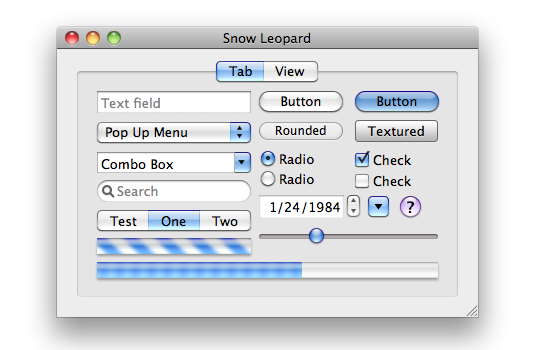
After (10.7):
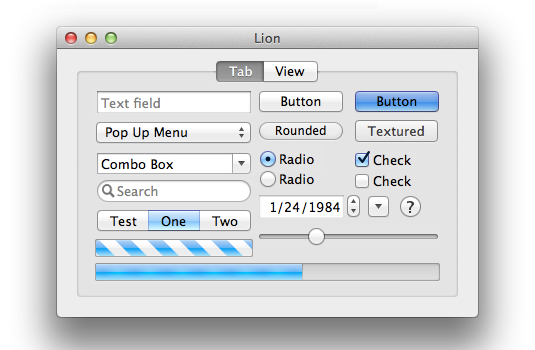
I think everything about the 10.7 Lion GUI looks better than the 10.6 Snow Leopard GUI — except for the omission of the resize affordance in the corner. The visible resize affordance didn’t just tell you where to click to resize the window, it also told you that the window could be resized in the first place. In 10.6 and earlier, a window that could be resized showed you that it could be resized by having an always-visible indicator. Windows that didn’t have that indicator were windows whose size was fixed. From 10.7 through today, the only way to know if a window even can be resized is to move your mouse cursor to the corner and try. (At least by looking for the mouse cursor to change to the double-arrow resize cursor.) The grippy-strip signifier offered contextual information about the window.
I can imagine the thinking at Apple behind this change, 15 years ago. The visible grippy-strip signifier in the lower-right corner isn’t really necessary. All users “know” — so the thinking went — that they can resize windows by clicking and dragging from the corner. And, although in ancient times users could only resize windows by clicking in the affordance in the lower-right corner, by 2011 it had long been the case that users could resize windows in two dimensions starting from any corner, or in one dimension starting from any edge of the window. (But windows on the Mac used to have visible edges of window chrome, too. The Mac’s history is replete with glorious examples of UI clarity and precision.) So why draw the resize affordance in the lower-right corner when you can resize from any corner or window edge? Plus, the space for the lower-right grippy-strip affordance was made by the empty space at the intersection of vertical and horizontal scroll bar channels — and since Apple decided to make scroll bars invisible (by default) in Mac OS X 10.7 in 2011, there was no longer an otherwise unused square space in the corner for the resize affordance to be drawn. (It was sort of like the Free Parking space on a Monopoly board.)
One can argue with the logic behind these changes, 15 years ago. I’ll repeat that I think it was a grave error to make scroll bars invisible by default. I would argue that while the visible grippy-strip isn’t necessary, it’s nice to have. (As noted above, its presence showed you whether a window could be resized.) But there was, clearly, logic behind the decisions Apple made in 2011. They were carefully considered. The new logic was that you no longer look for a grippy-strip to click on to resize a window. You simply click (or hover, waiting for the cursor to change) inside the edge of a window. And of course Apple added a small affordance to the hit target for those edges, such that if you clicked just outside the window, that would count as “close enough” to assume you intended to click on the edge. Most users surely never noticed that. A lot of nice little touches in UI design go unnoticed because they’re nice little touches.
Until MacOS 26, most of the hit target to initiate the resizing of a window was inside the window. Because, of course, right? Even though MacOS (well, Mac OS X) stopped rendering a visible resize grippy-strip 15 years ago, the user could simply imagine that there was still a grippy area inside the lower right corner of every resizable window. It would make no sense whatsoever for the click target to resize a window to be outside the window. Why would anyone expect that? It would work against what our own eyes, and years of experience, are telling us. You pick up a thing to move it or stretch it by grabbing the thing. Not by grabbing next to the thing.
The windows on MacOS 26 Tahoe don’t really have comically large, childish corner radiuses. They just look like they do because some jackasses at Apple — all of whom, I pray, are now at Meta — thought they looked better that way. It’s a straight-up inversion of Steve Jobs’s maxim that design is about how things work, not how they look. I can think of no better example to prove that the new UI in MacOS 26 Tahoe was designed by people who do not understand or care about the most basic fundamental principles of good design.
The good news is, I have a solution. Do not upgrade to MacOS 26 Tahoe. If you have already upgraded, downgrade. Why suffer willingly with a user interface that presents you with absurdities like window resizing affordances that are 75 percent outside the window? ★
Sunday, 11 January 2026
- Statement From Federal Reserve Chair Jerome H. Powell ★
-
Shit’s getting real, folks.
- Copilot Money ★
-
My thanks to Copilot Money for sponsoring last week at DF. Copilot is a personal finance app for the iPhone, iPad, and Mac, and they’ve always deeply believed in the value of embracing the design idioms and technical features of truly native apps for Apple platforms. Apple has noticed, awarding Copilot an App Store Editor’s Choice and featuring Copilot earlier this year on Apple Developer for their use of Swift Charts.
Copilot’s big news this month is they’ve launched a new web app, bringing access to Copilot from any device, anywhere. It’s designed with all the attention to detail — and concern for privacy and security — as their native apps.
Copilot Money brings all your spending, budgets, investments, and net worth into one organized dashboard, with intelligent categorization and insights that help you stay on track without spreadsheets or app-hopping. Designed to feel calm and intuitive, Copilot makes it easy to understand your finances across all your devices.
Copilot first sponsored DF back in 2021. My wife and I started using it then to track our finances, and we haven’t looked back. Copilot Money isn’t just better than anything we’d used before, it absolutely blew everything else away. It’s easy to connect to your financial accounts, and once you do, you don’t need to spend any effort at all to enter transactions. Copilot just tracks it all automatically, and most importantly, presents it to you in clear, intuitive ways. It’s so good. I’m not saying that because they sponsored DF last week — I’m saying that as a happy paying customer for over four years now.
Copilot is offering DF readers two months free with code DARING, plus 26% off your first year for a limited time, available through this link.
- U.S. Senators Ask Cook and Pichai to Remove X and Grok From App Store and Play Store ★
-
U.S. Senators Ron Wyden (D-Oregon), Ed Markey (D-Massachusetts), and Ben Ray Luján (D-New Mexico), in a letter addressed to Tim Cook and Sundar Pichai:
Your app stores’ policies are clear. Google’s terms of service require apps to “prohibit users from creating, uploading, or distributing content that facilitates the exploitation or abuse of children” including prohibiting the “portrayal of children in a manner that could result in the sexual exploitation of children.” Apps that do not are said to be subject to “immediate removal from Google Play” for violations. Similarly, Apple’s terms of service bar apps from including “offensive” or “just plain creepy” content, which under any definition must include nonconsensually-generated sexualized images of children and women. Further, Apple’s terms explicitly bar apps from including content that is “[o]vertly sexual or pornographic material” including material “intended to stimulate erotic rather than aesthetic or emotional feelings.”
Turning a blind eye to X’s egregious behavior would make a mockery of your moderation practices. Indeed, not taking action would undermine your claims in public and in court that your app stores offer a safer user experience than letting users download apps directly to their phones. This principle has been core to your advocacy against legislative reforms to increase app store competition and your defenses to claims that your app stores abuse their market power through their payment systems.
Emphasizing that leaving X and Grok available in the App Store and Play Store directly contradicts Apple and Google’s stated reasons for maintaining control over software distribution is a good pressure point. Do they selectively enforce content moderation based on whims and/or shifting political winds, or rigorously enforce the plain language of their own content guidelines? Which is it? It can’t be both.
‘Fuck You, Make Me’ Without Saying the Words
Saturday, 10 January 2026
Elizabeth Lopatto, writing at The Verge, “Tim Cook and Sundar Pichai Are Cowards”:
Since X’s users started using Grok to undress women and children using deepfake images, I have been waiting for what I assumed would be inevitable: X getting booted from Apple’s and Google’s app stores. The fact that it hasn’t happened yet tells me something serious about Silicon Valley’s leadership: Tim Cook and Sundar Pichai are spineless cowards who are terrified of Elon Musk.
Lopatto’s outrage and righteous anger are justified, but I think mostly misdirected. Apple and Google — and thus, Cook and Pichai, as the men who sit behind the desks where the buck stops at both companies — are culpable. But this is ultimately not about them, and not about Musk. It’s Trump, as president, they fear. Not Musk. And they are correct to fear Trump.
Year one of Trump 2.0 has crystallized what had become — after decades of deliberate restraint after World War II, and even more so after the end of the Cold War — overlooked. The Presidency of the United States bestows upon its officeholder enormous, unparalleled, power. No one was afraid of Trump after he lost to Joe Biden in 2020. The man was convicted of 34 felonies in a cold New York City courtroom in May 2024, a mere 19 months ago. Trump expected and asked for riots outside the courtroom. He got nothing but pathetic support from a handful of kooks. A year earlier, he lost a humiliating sexual assault civil lawsuit to E. Jean Carroll. Trump, just a year and a half ago, was a buffoon getting his mug shot taken. Today he’s arguing that his power is unchecked by anything other than his own sense of morality.
No other president has ever abused (or, if you support him, wielded) the powers of the office like Trump has. The power and influence of Tim Cook and Sundar Pichai, CEOs of two of the top five companies in the world, isn’t merely superseded by Trump’s power and influence as president. Their power and influence are dwarfed by Trump’s. Any credible argument about how they should act must acknowledge that profound imbalance.
Lopatto, in her closing:
I never want to hear any moral grandstanding from these boys ever again. The next time Tim Cook says “privacy is a human right,” the only possible response is to laugh in his face. I mean, Apple and Google are fine distributing an app that has created an undressed image Grok made of Renee Nicole Good, the mother who was shot by ICE in Minneapolis. How do you plan to defend getting rid of the ICEBlock app while allowing X to generate degrading images of a woman ICE killed? Can Apple and Google even identify their values beyond their commitment to “shareholder value”? What’s your fucking endgame here, guys?
The profound power imbalance here is frustrating. But also terrifying. It’s folly to think these CEOs should steer their companies into direct confrontation with Trump. It would do no ultimate good for Apple or Google to burn themselves to the ground in protest. These men aren’t beholden to shareholders, per se. They’re doing their duty to institutions they’ve devoted their lives to. Companies that are worth preserving and protecting. Perhaps not in your estimation, but certainly from theirs.
But abject obsequiousness — which more and more seems the path Cook and Pichai are choosing — is no more justifiable a response than corporate suicide. The situation is not binary: acquiescence or war. There is a broad middle ground, founded on principle.
Disney’s response to the Jimmy Kimmel controversy a few months ago shows the way. Defend the company’s principles while simultaneously defending the company from Trump’s demented wrath. You can take the position of “Fuck you, make me” without ever saying those words. Objection is not confrontation. Do the right thing and enforce the App Store and Play Store guidelines, and remove X and Grok from the stores. Make Musk object. Make the Trump administration object. Make them defend the indefensible — in public. Make clear why the apps were removed from the app stores and force Musk — and Trump, if he chooses — to argue that those things are A-OK by them. In court.
The judicious path for Apple and Google (and every other U.S. company) may well be to obey the law, even when the law is being actively corrupted. But the correct path is not to obey in advance. Stand behind the law while the law still exists on your side. Disney resisted Trump’s preposterous demand that they fire Jimmy Kimmel without lasting controversy, simply by standing firm in their conviction. Apple and Google could certainly do the same regarding apps that are being used to generate CSAM and deepfake harassment, regardless if the apps are part of the private fiefdom of Trump’s ally Elon Musk. It’s wise for Cook and Pichai to pick their battles. This one, I think, is worth picking. This is a moment when the App Store and Play Store can stand firmly on the side of longstanding and correct societal norms. ★


