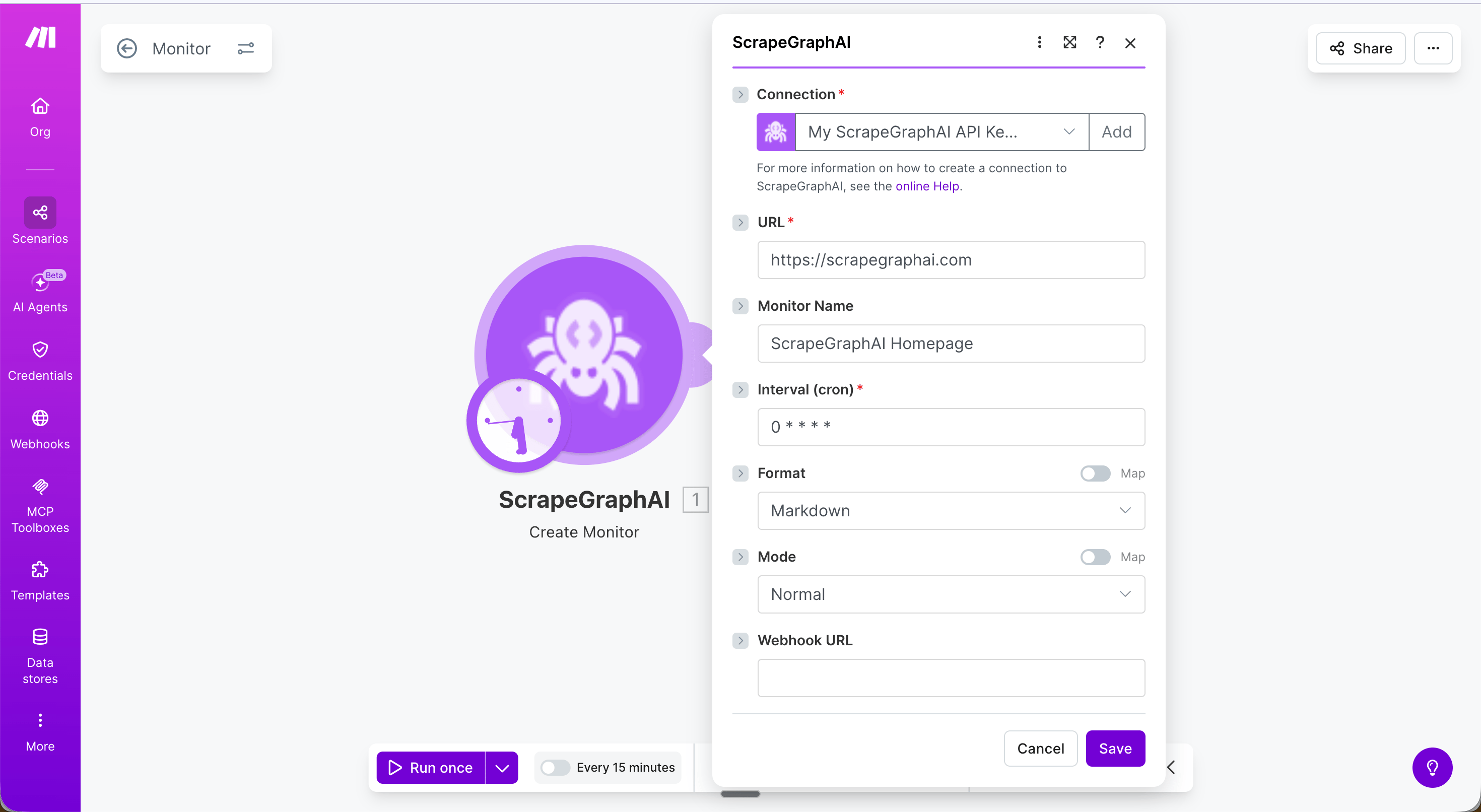
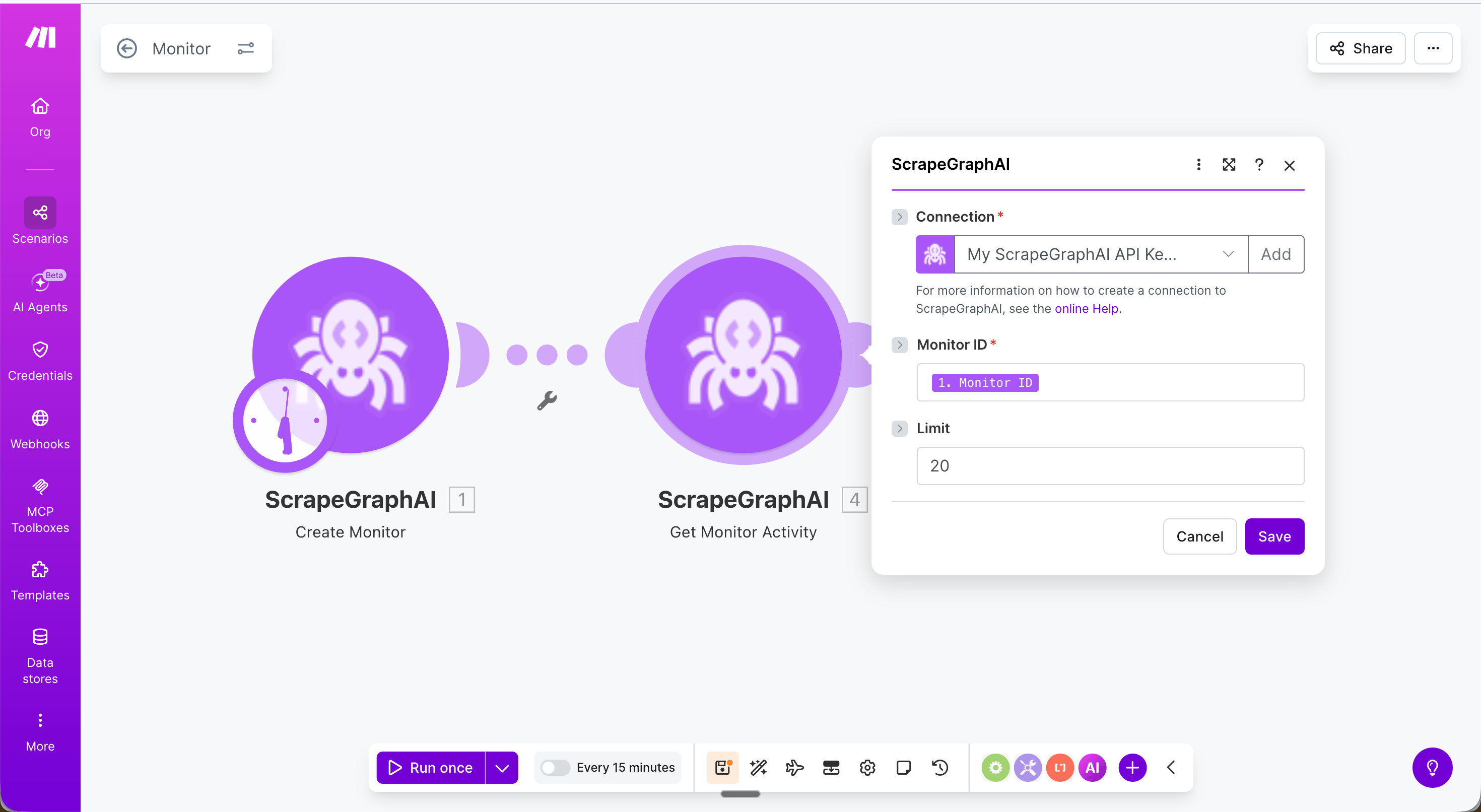
The ScrapeGraphAI app for Make.com lets you connect any automation scenario to ScrapeGraph’s v2 API — no code required. Fetch pages, extract structured data with an AI prompt, run web searches, kick off multi-page crawls, and schedule monitors, all as native Make modules.
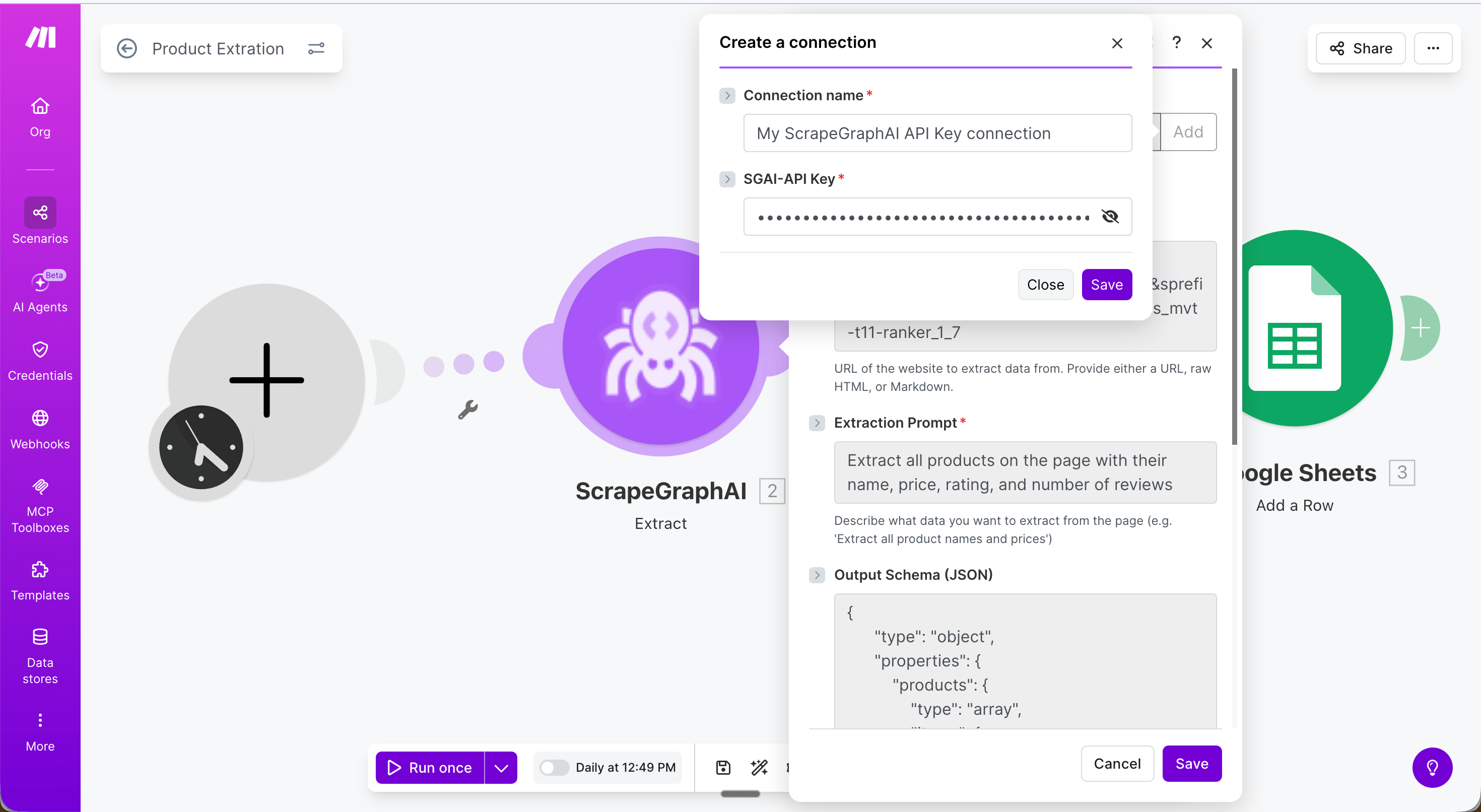
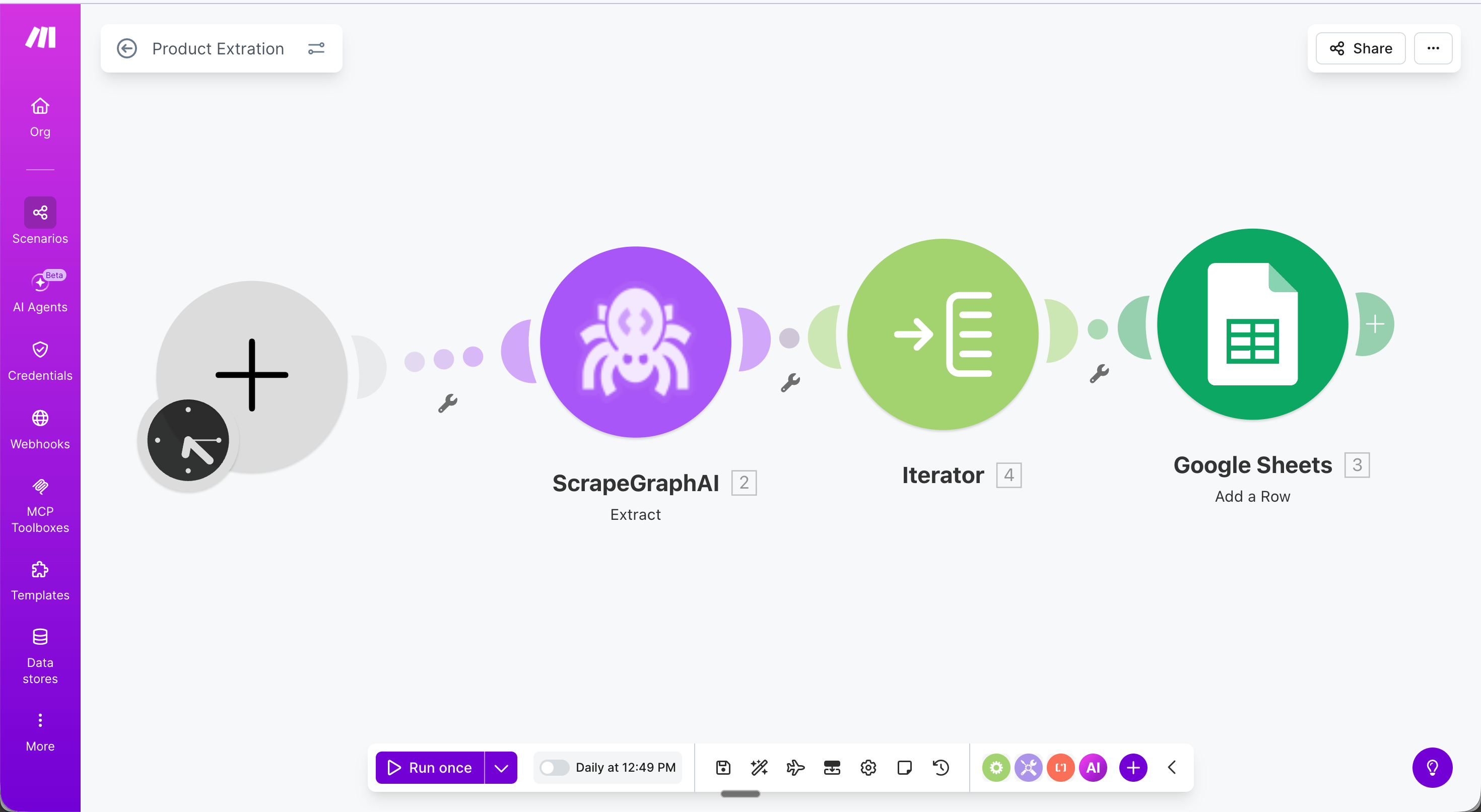
This scenario runs daily, extracts all products from an Amazon search page, and saves each one as a row in Google Sheets — no code required.Full scenario flow:
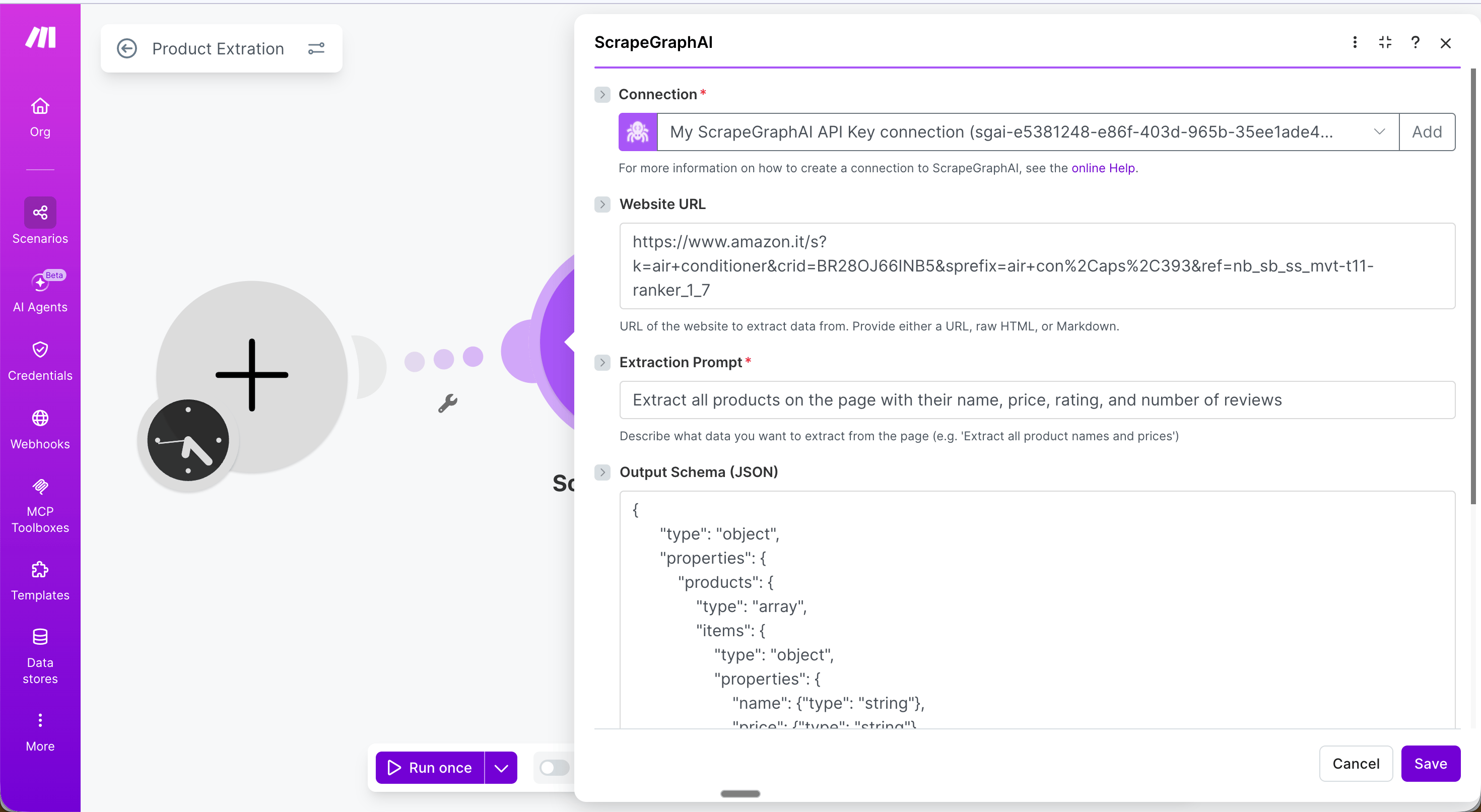
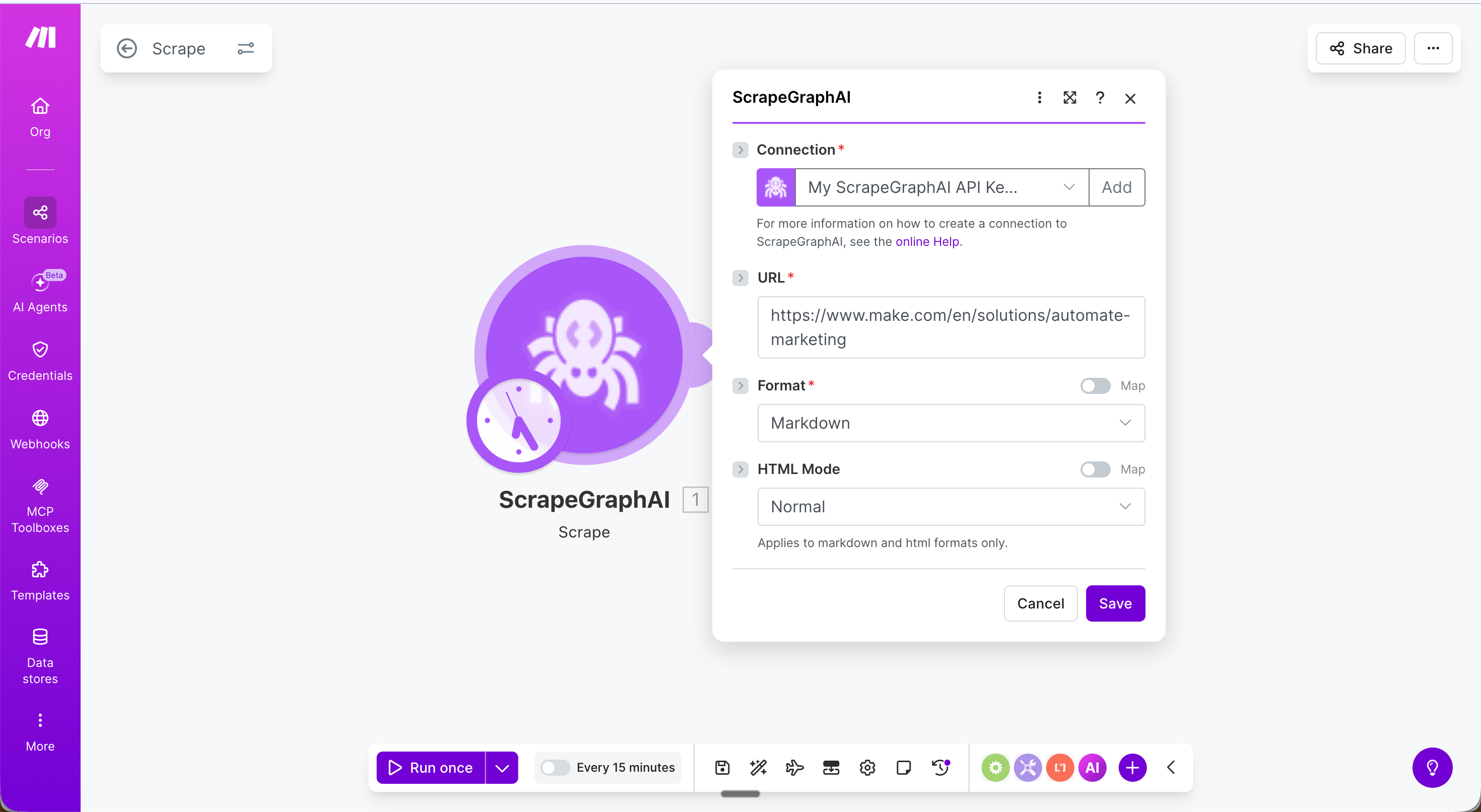
Step 1 — Schedule trigger: Set the scenario to run daily (or any interval).Step 2 — Extract module: Configure with your target URL, an extraction prompt, and an output schema.
URL: The product listing page to extract from
Extraction Prompt: Extract all products on the page with their name, price, rating, and number of reviews
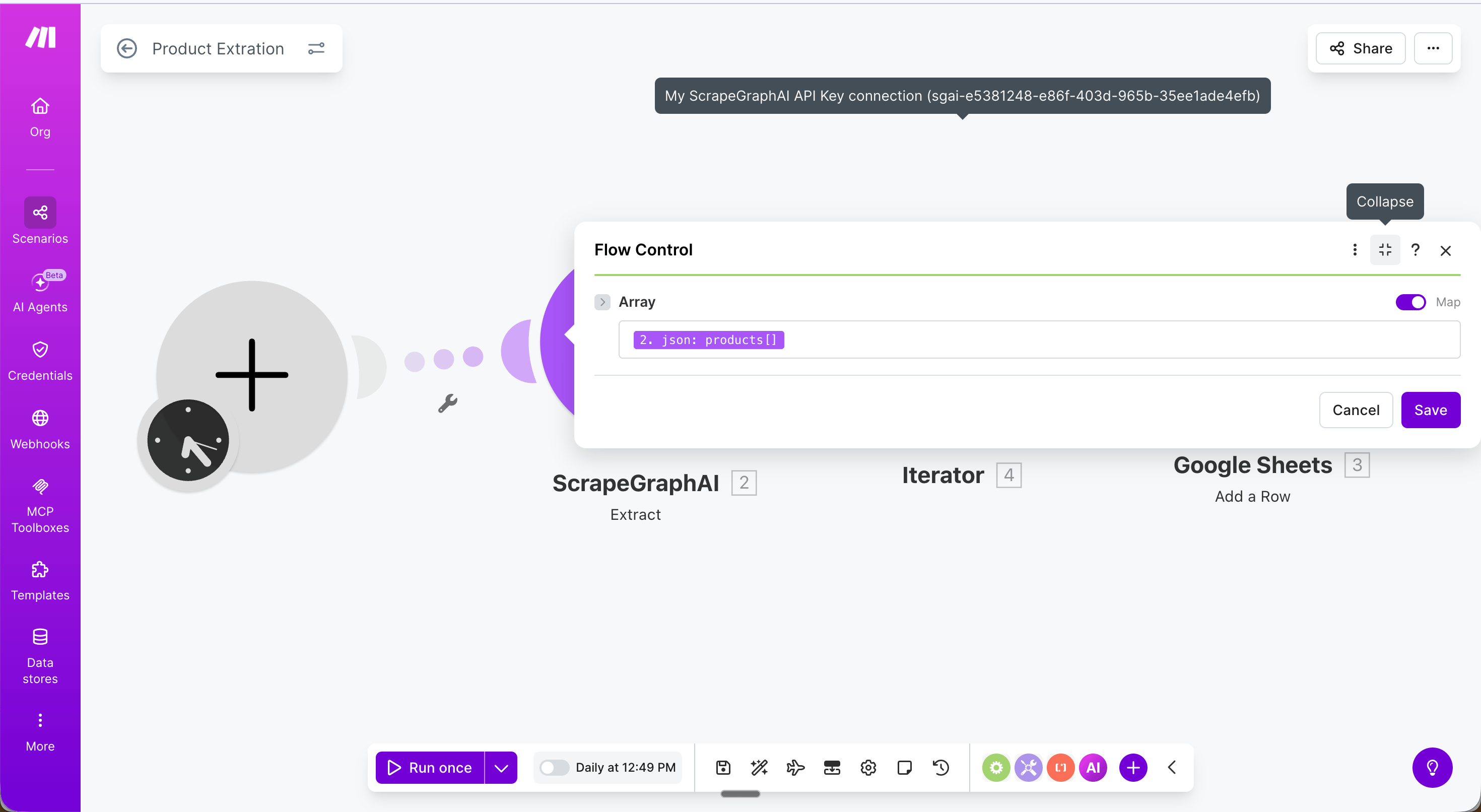
Step 3 — Iterator: Add a Flow Control → Iterator module and set the Array field to {{2.json.products}}. This loops through each product and passes it to the next module one at a time.
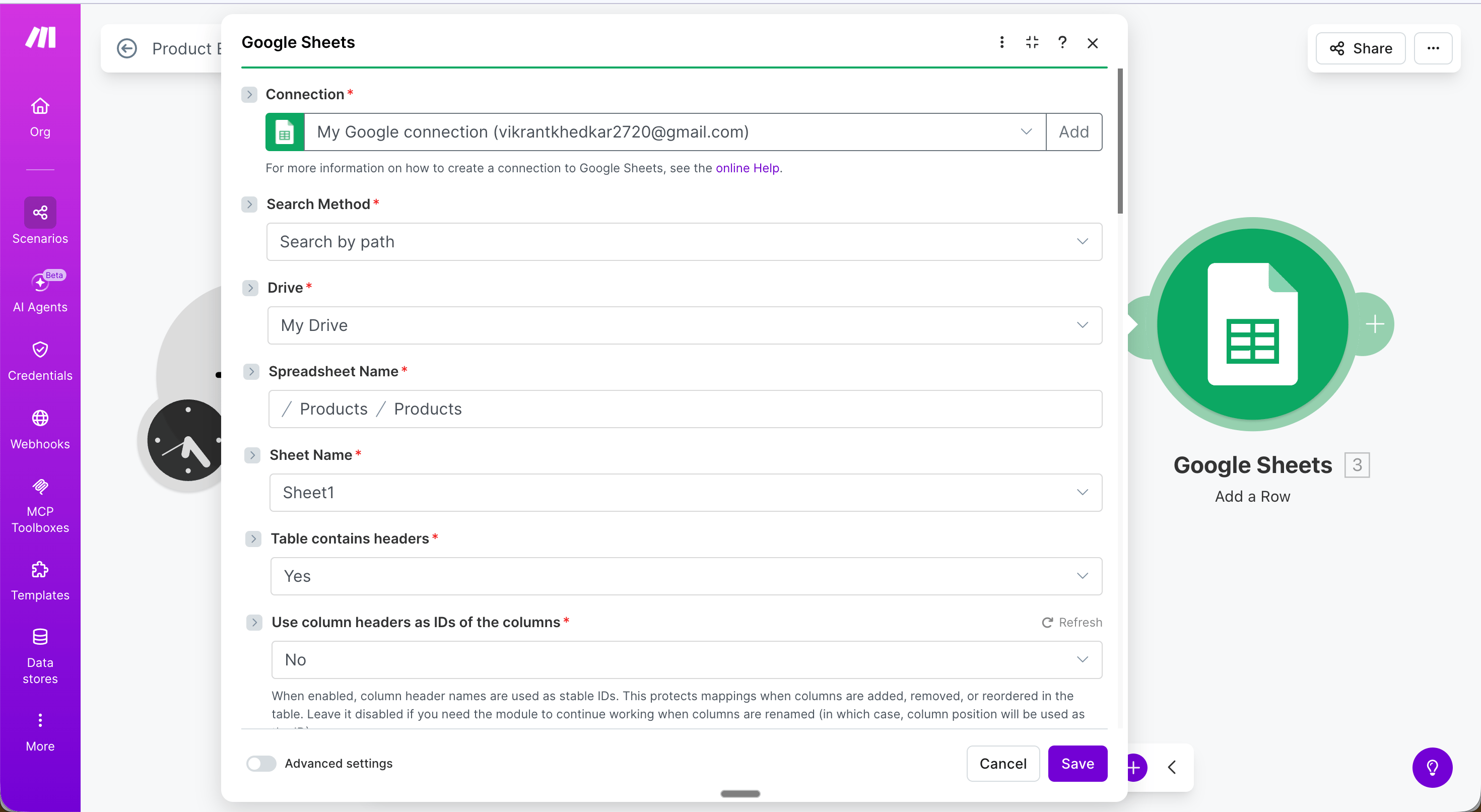
Step 4 — Google Sheets: Add a Row: Map each field from the Iterator output:
Name → {{value.name}}
Price → {{value.price}}
Rating → {{value.rating}}
Reviews → {{value.reviews}}
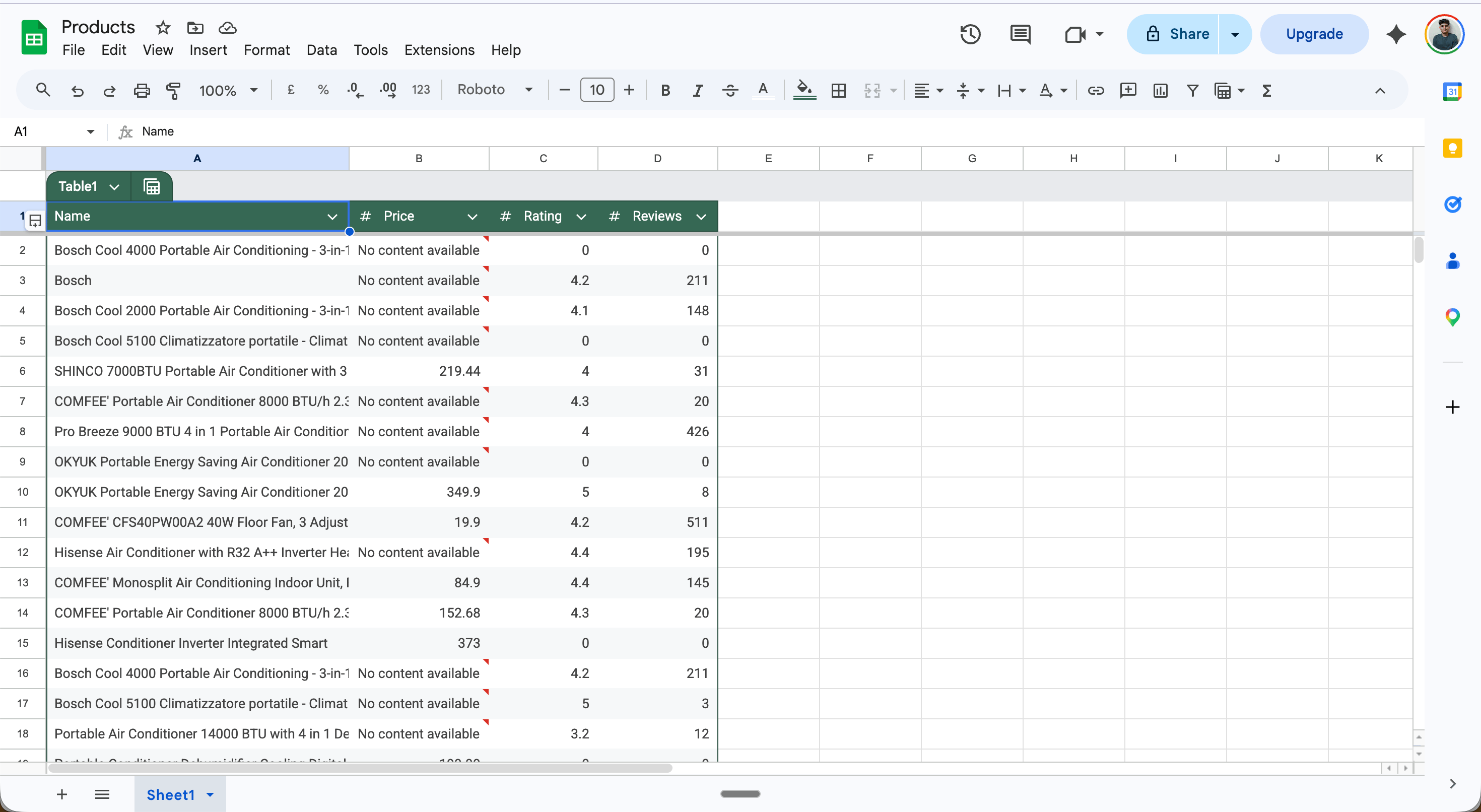
Result: Every product on the page is saved as a separate row.
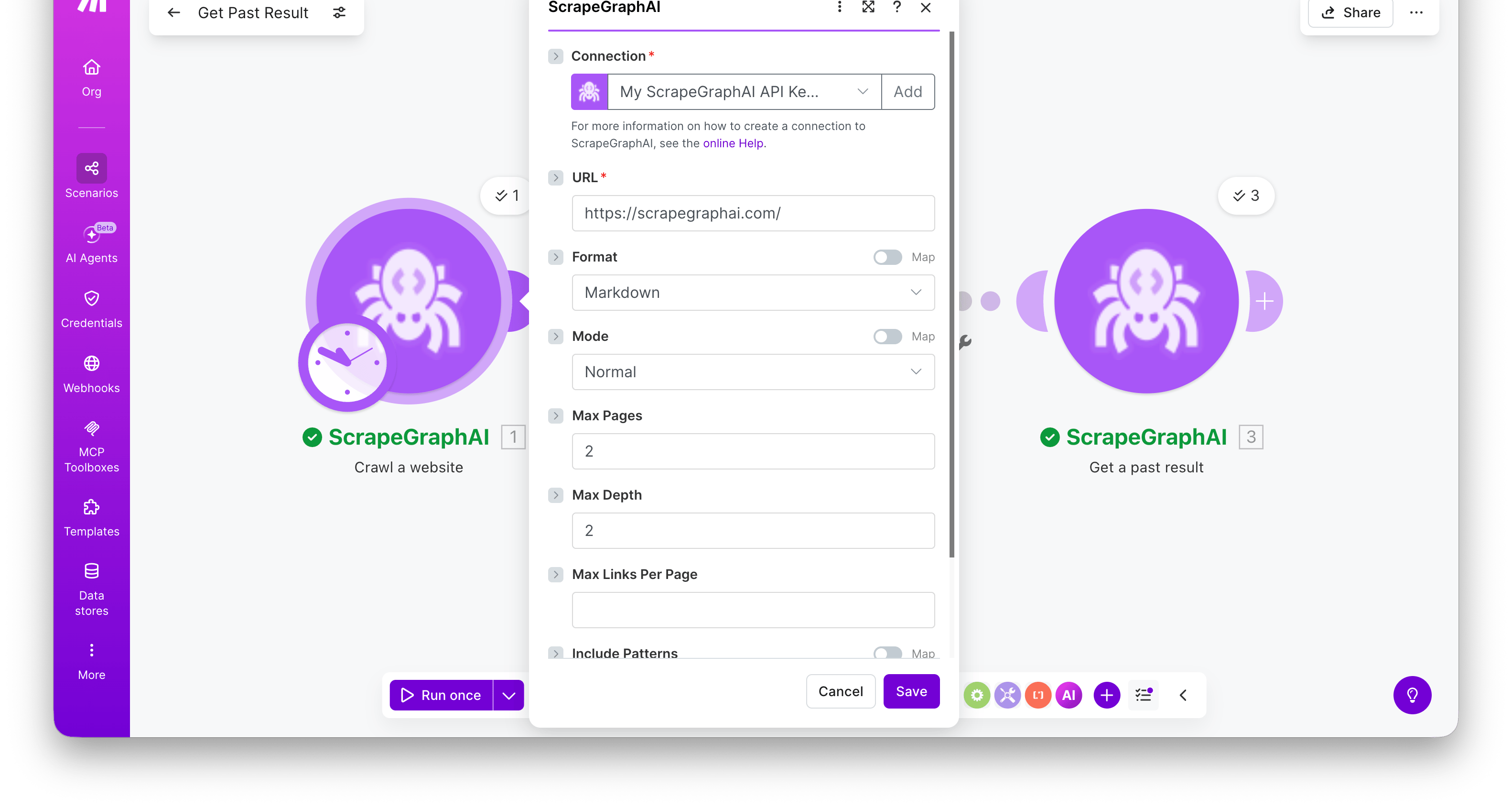
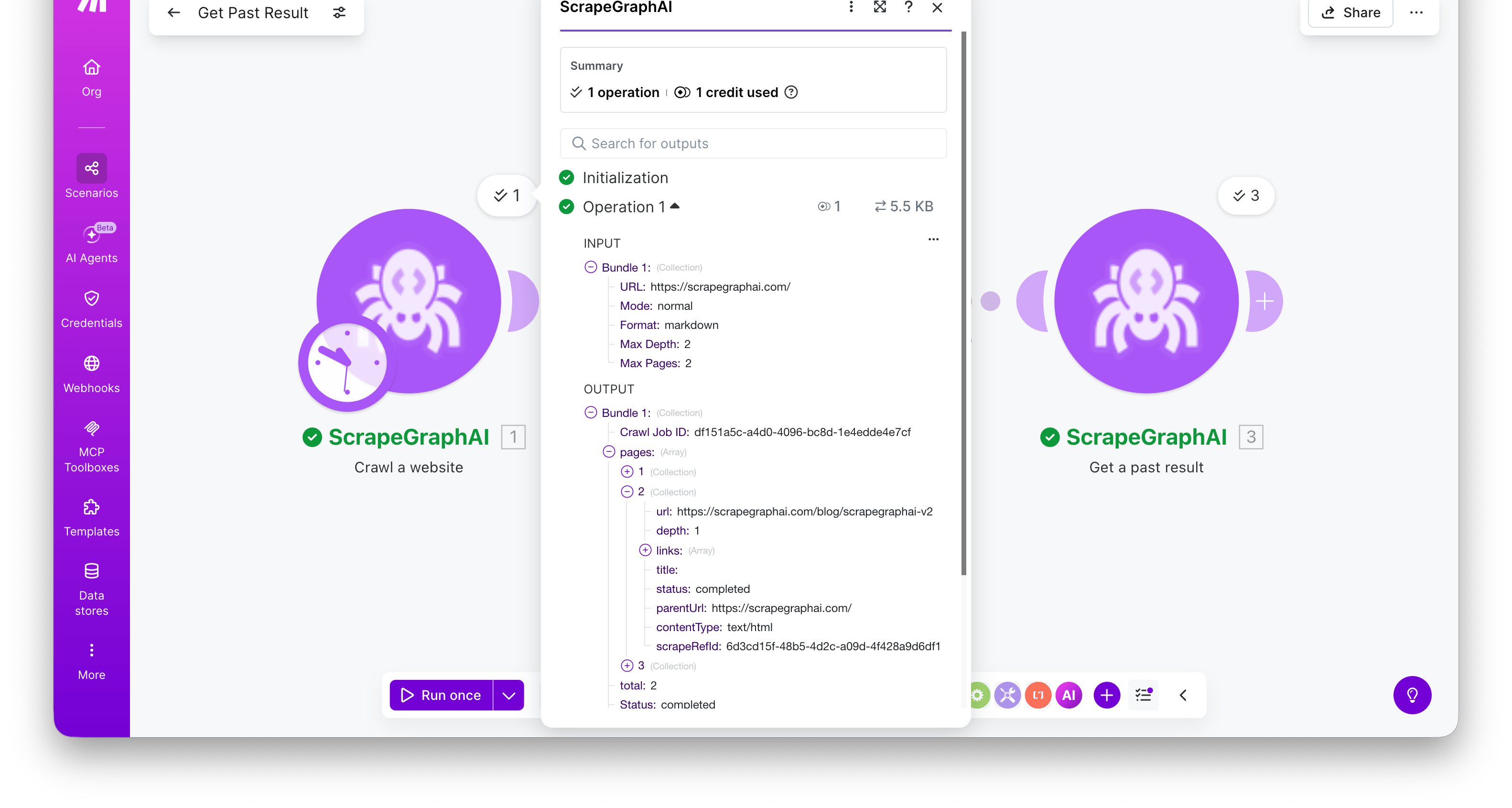
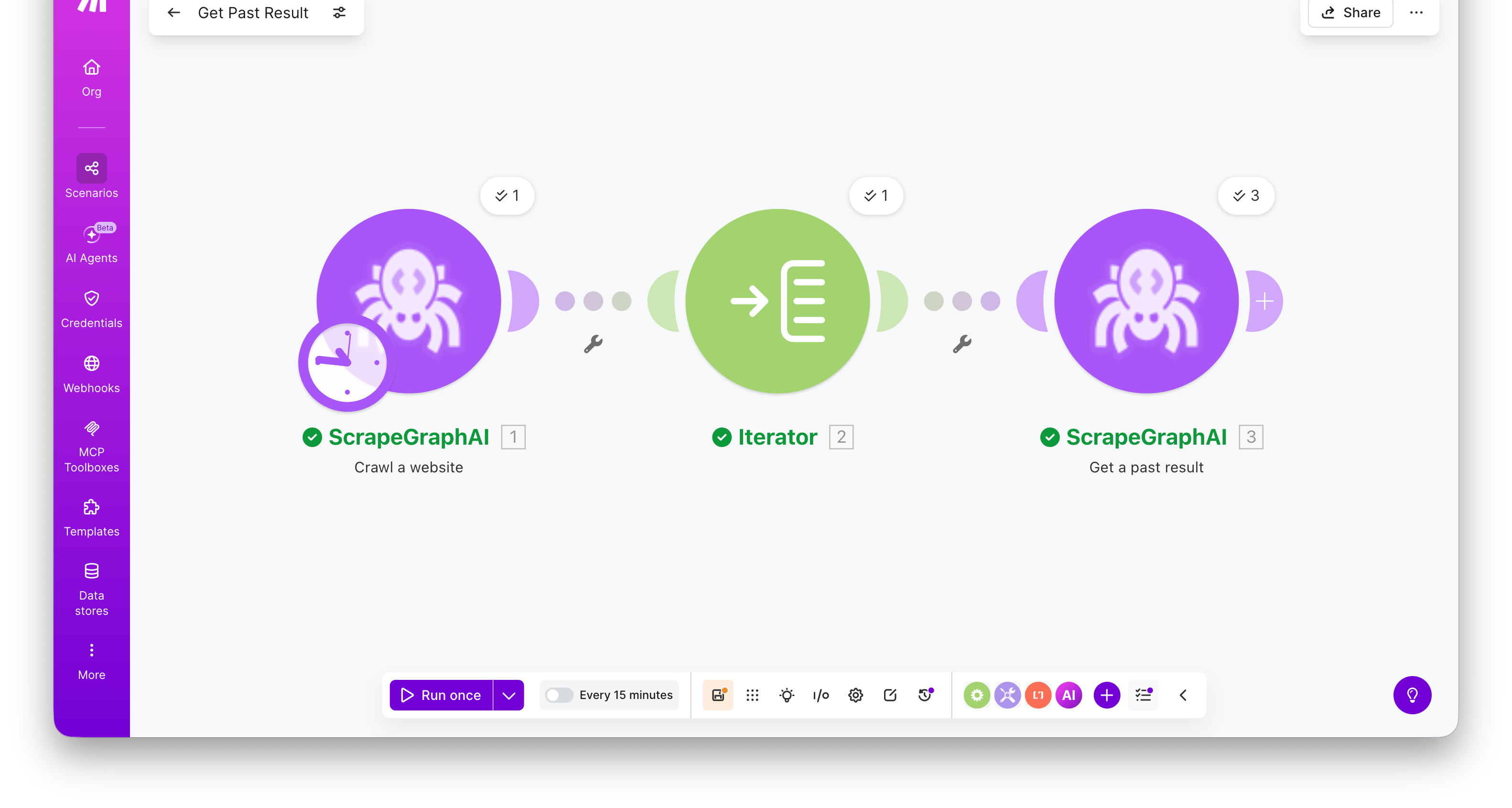
Start a multi-page crawl from an entry URL. The module polls internally and returns the completed crawl in a single bundle — a pages array with one entry per crawled page, each carrying a scrapeRefId you can pass to Get a past result to fetch its full content.
Field
Description
URL
Entry point for the crawl
Format
Output format per page (markdown / HTML / JSON / screenshot / links / images / summary / branding)
HTML Mode / JSON Prompt / Screenshot dimensions
Format-specific sub-fields, surface based on the chosen Format
Max Pages
Cap on total pages crawled (1–1000). Default 50.
Max Depth
How many link levels deep to traverse. Default 2.
Max Links Per Page
Maximum links to follow per page. Default 10.
Allow External Links
Whether to follow links to other domains. Off by default — same-origin only.
Include / Exclude Patterns
URL glob patterns, e.g. /blog/*
Content Types
Optional MIME-type filter (HTML, PDF, Word, Excel, …). Leave empty for all.
The bundle includes the Crawl Job ID, a Status of completed, and a pages[] array. Each page has url, depth, title, contentType, status, and scrapeRefId.
Crawls can take a while on large sites. The module waits for completion before emitting its bundle — for very large crawls (hundreds of pages), increase your scenario’s execution timeout in Scenario settings.
Fetch a stored job result by its ID. Most useful for retrieving the full content of a crawled page using the scrapeRefId from Crawl a website.
Field
Description
Entry ID
A job ID or scrapeRefId from a crawl page
Returns the full stored entry — result (the original response payload), metadata (content type and other run details), params (the inputs the job was run with), service, status, and createdAt.
Combine Crawl a website → Iterator → Get a past result to crawl a site and retrieve the full markdown / HTML / extracted JSON for every page in one scenario. Map the iterator’s scrapeRefId into the Entry ID field — the module runs once per crawled page.
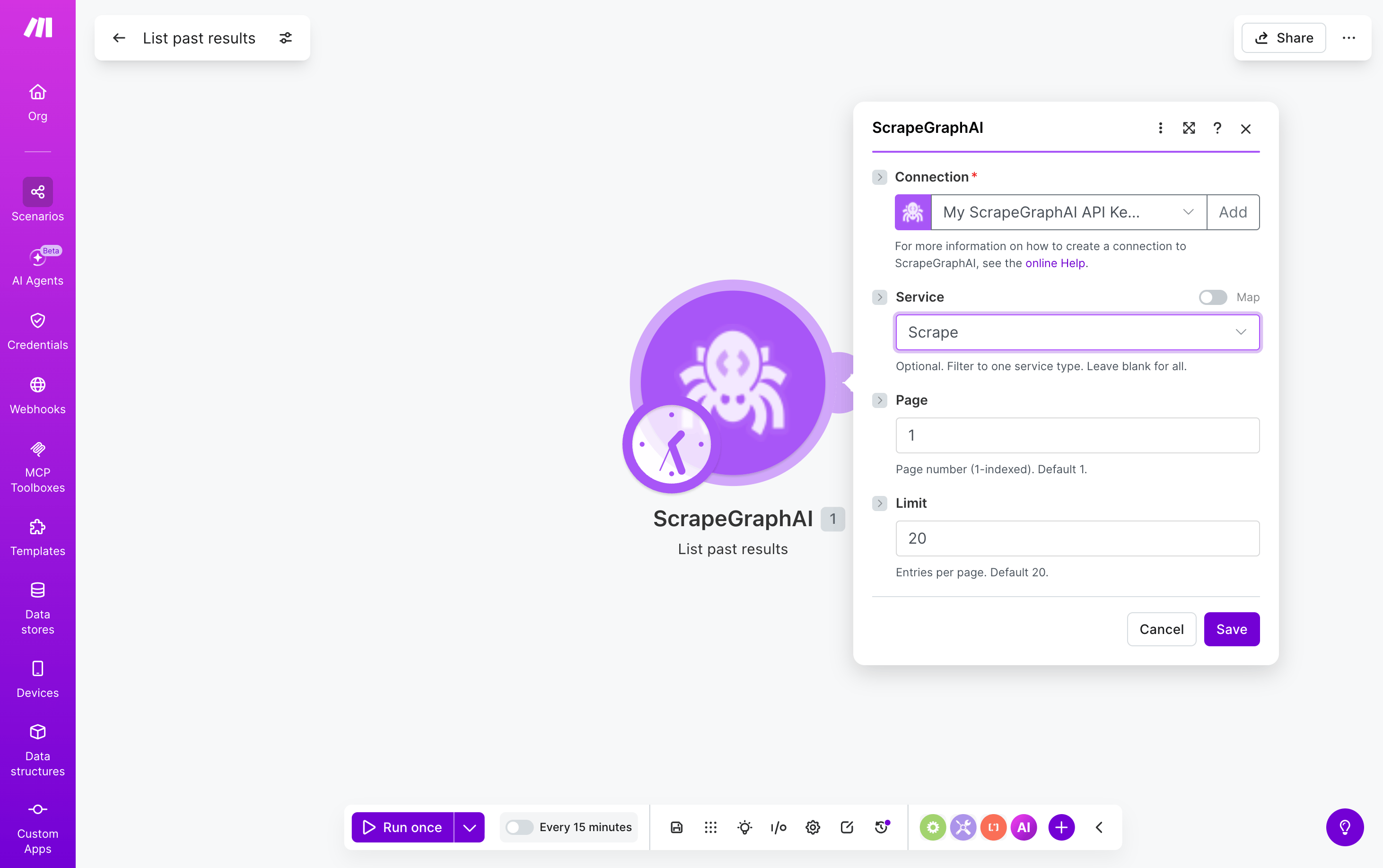
Browse recent ScrapeGraphAI jobs filtered by service type. Search-style module — emits one bundle per entry, ready to fan out into downstream modules.
Field
Description
Service
Optional. Filter to one service: Scrape, Extract, Search, Crawl, Monitor, Schema. Leave blank for all.
Page
Page number, 1-indexed (default 1)
Limit
Entries per page, 1–100 (default 20)
Each emitted bundle has id, service, status, url, createdAt, and other run metadata. Pipe a bundle’s id into Get a past result to retrieve the full stored payload.
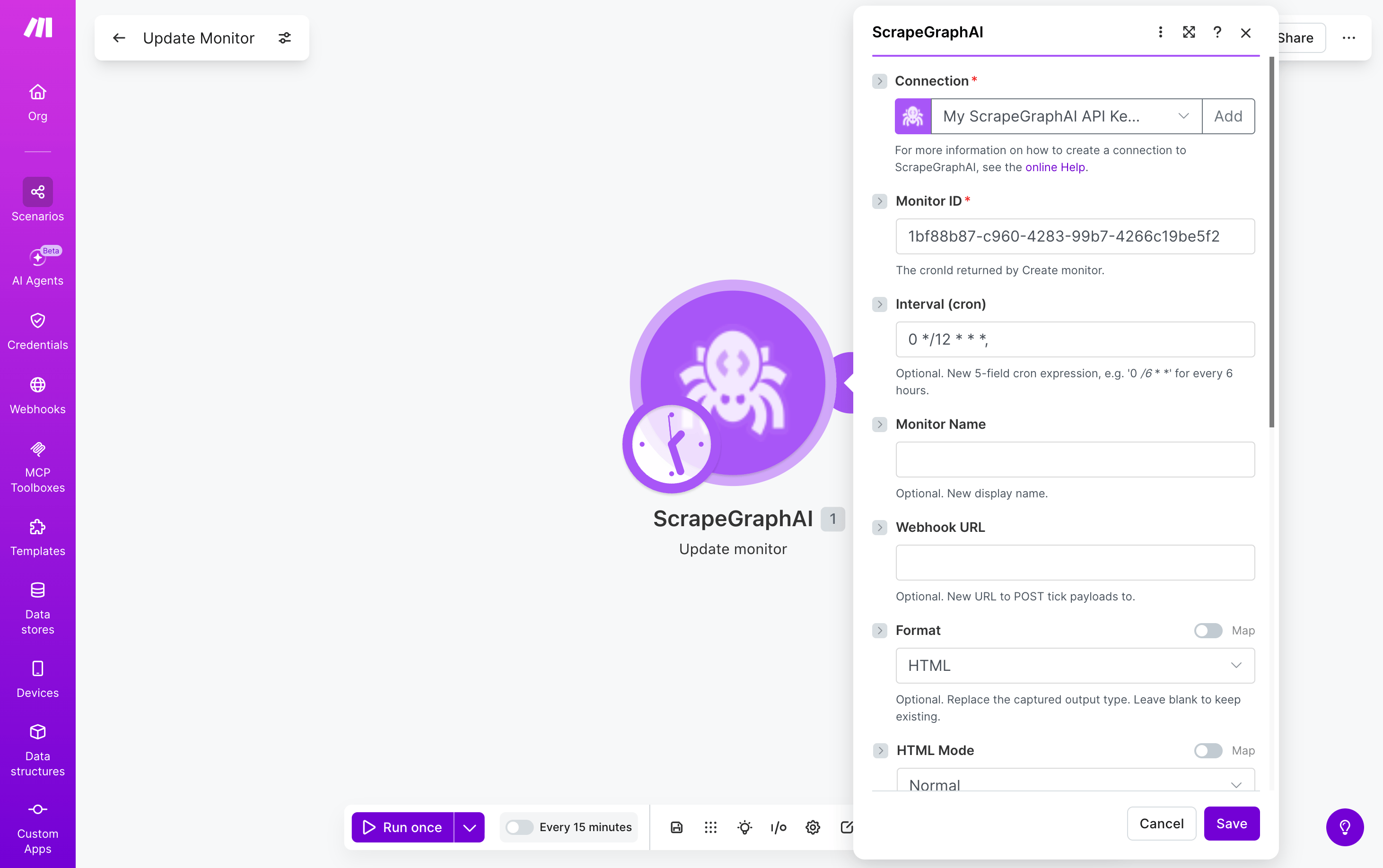
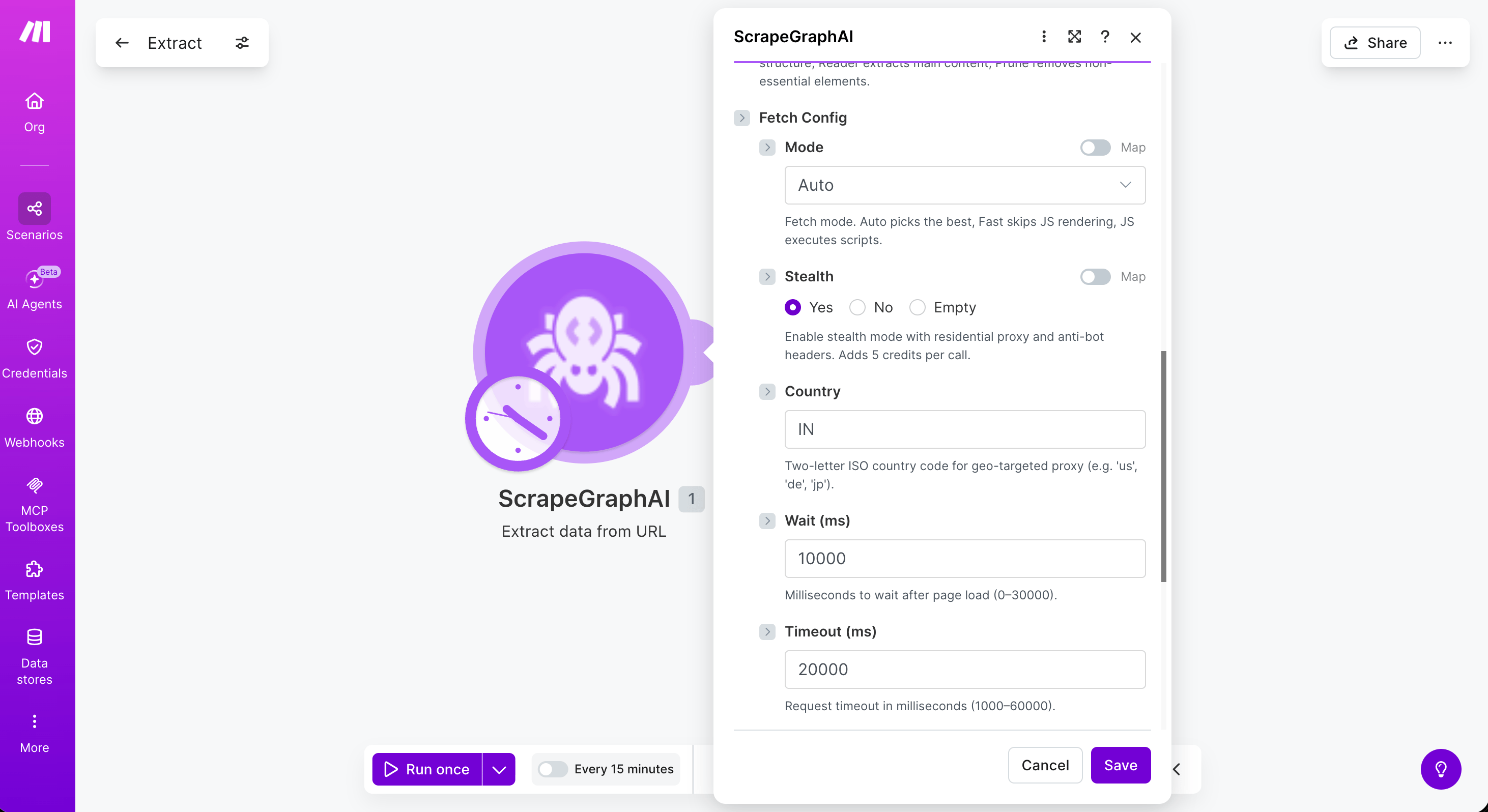
Five modules — Scrape a URL, Extract data from URL, Search web, Crawl a website, and Create monitor — accept an optional Fetch Config collection that controls how each page is fetched. Leave it empty to use defaults.
Field
Description
Mode
Fetch mode — Auto (default), Fast (skips JS rendering), or JS (executes scripts)
Stealth
Residential proxy + anti-bot headers. Adds 5 credits per call
Country
Two-letter ISO country code for geo-targeted proxy (e.g. us, de, jp)
Wait (ms)
Milliseconds to wait after page load (0–30000)
Timeout (ms)
Request timeout in milliseconds (1000–60000)
Scrolls
Number of page scrolls to trigger lazy-loaded content (0–100)
Headers (JSON)
Custom HTTP headers as a JSON object string, e.g. {"User-Agent": "..."}
Cookies (JSON)
Cookies as a JSON object string, e.g. {"session": "abc123"}
Reach for Stealth + Mode = JS + Wait = 2000–5000 when a site blocks bots or only renders content after JavaScript runs. Combine with Country to bypass region-locked pages.