RSS in your pocket, literally.
I made PocketRSS because my Kobo Libra did not have an RSS newsreader, however, it did have a pocket section (Under the latest version of NickelOS, it's located onMore -> My Articles)
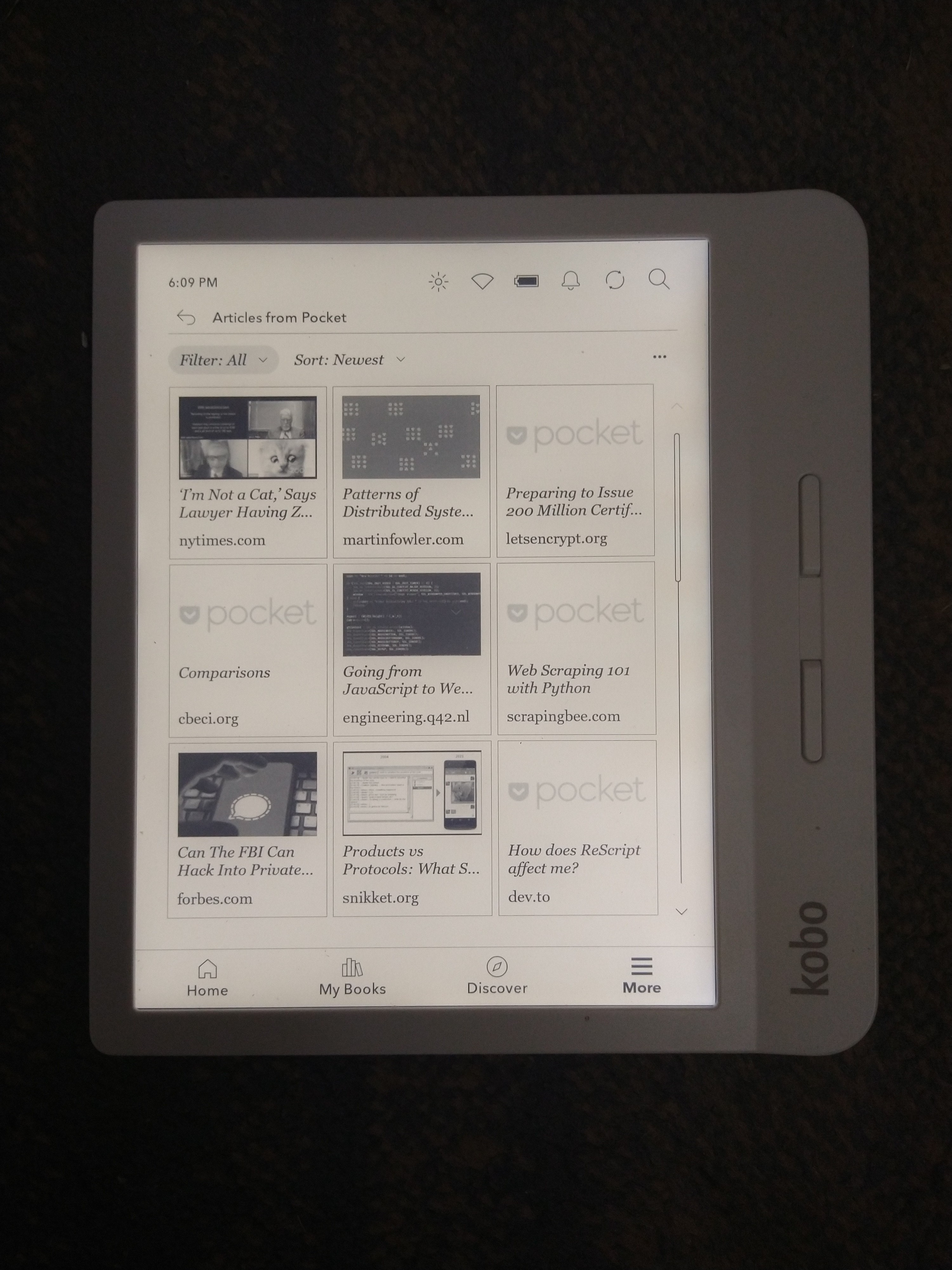
Due to Pocket only allowing OAuth 2.0 instead of Personal API Keys, it's a bit more complicated.
- Create a new app. You will need to give it the following permissions:
- Application Name: [Anything you want]
- Application Description: [Anything you want]
- Permissions:
- Add
- Platforms:
- Web
- I accept the Terms of Service: Yes.
- Place your "Consumer Key" in your .env file as
POCKET_CONSUMER_KEY - Place your domain name (or IP address) that pocketrss is running on as
DOMAINin your.envfile.
After steps 3 and 4, your .env file should look like this:
DOMAIN=domain.tld
POCKET_CONSUMER_KEY=wqh83y2-wi7777uqo3fy1orp2eru3o88- Start the server and visit
/getoAuthToken. It will redirect you to a page like this: - Set
POCKET_OAUTH_TOKENin your.envfile to the API token it gives you.
At the end of this, your .env file should something like this:
DOMAIN=domain.tld
POCKET_CONSUMER_KEY=wqh83y2-wi7777uqo3fy1orp2eru3o88
POCKET_OAUTH_TOKEN=7uyet1-92i8-2huew-jihqu-28eu2Here is the config.js but commented to show it how it works:
module.exports = {
  feeds: [
    // Array of atom/rss URLs
    "https://jakewharton.com/atom.xml",
    "https://web.dev/feed.xml"
  ],
  // every n ms will the feeds will be fetched. To get minutes, take min * 60000 to get milliseconds. Seconds is sec * 1000.
  interval: 900000,
  // the port that pocketrss will be listening.
  port: 3000
};
(also, sorry for the spaghetti code, I'm lazy)
