
Aprašymas
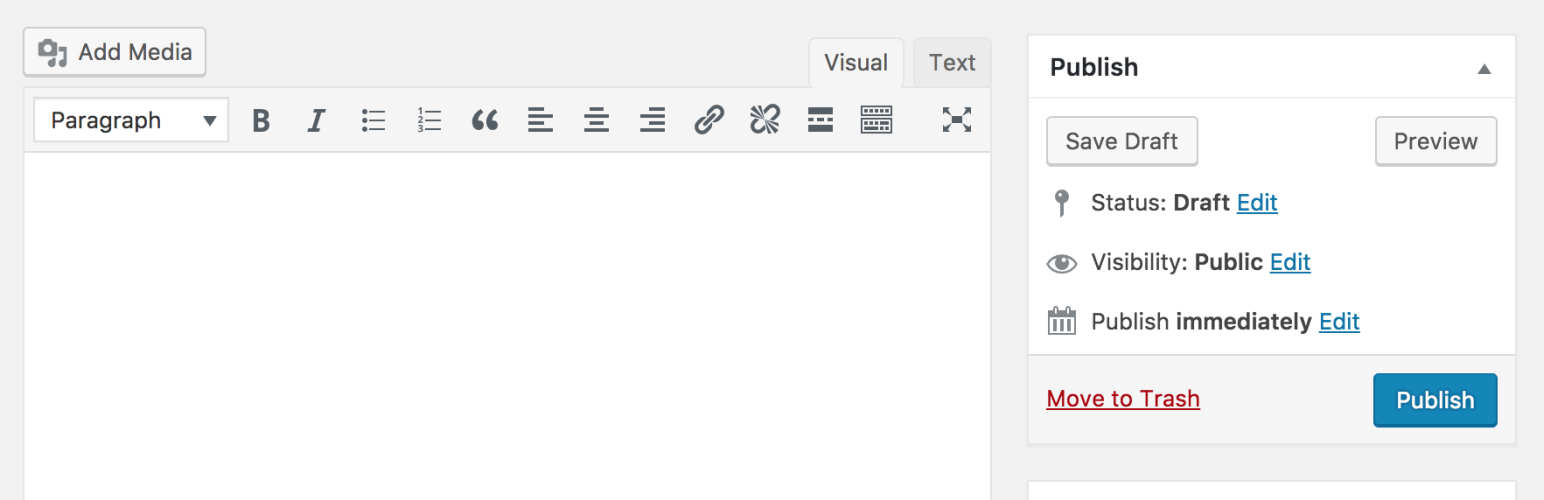
Klasikinis redaktorius yra oficialus įskiepis, kurį palaiko WordPress komanda, šis įskiepis sugrąžina senajį įrašo redagavimo ekrano vaizdą bei galimybę naudoti kitus įskiepius, kurie priklauso nuo senojo redaktoriaus.
Classic Editor is an official WordPress plugin, and will be fully supported and maintained until 2024, or as long as is necessary.
Įskiepis suteikia tokias galimybes:
- Administratoriai gali nustatyti numatytąjį redaktorių visiems vartotojams.
- Administratoriai gali leisti vartotojams pasirinkti norimą redaktorių.
- Kai įjungtas toks leidimas, vartotojai gali pasirinkti, kurį redaktorių nori naudoti kiekvienam atskiram įrašui.
- Kiekvienas įrašas redaguojant atsidaro su tuo redaktoriumi, kuris pastarajį kartą buvo jam naudotas, nepriklausomai, kuris vartotojas tai darė. Tai padeda išlaikyti vientisą turinio redagavimo aplinką.
Be paminėtų galimybių, Klasikinis redaktorius turi kelis filtrus kurie leidžia kitiems įskiepiams naudoti jo nustatymus, redaktoriaus pasirinkimą įrašui ar įrašo tipui.
By default, this plugin hides all functionality available in the new block editor („Gutenberg”).
Ekrano nuotraukos
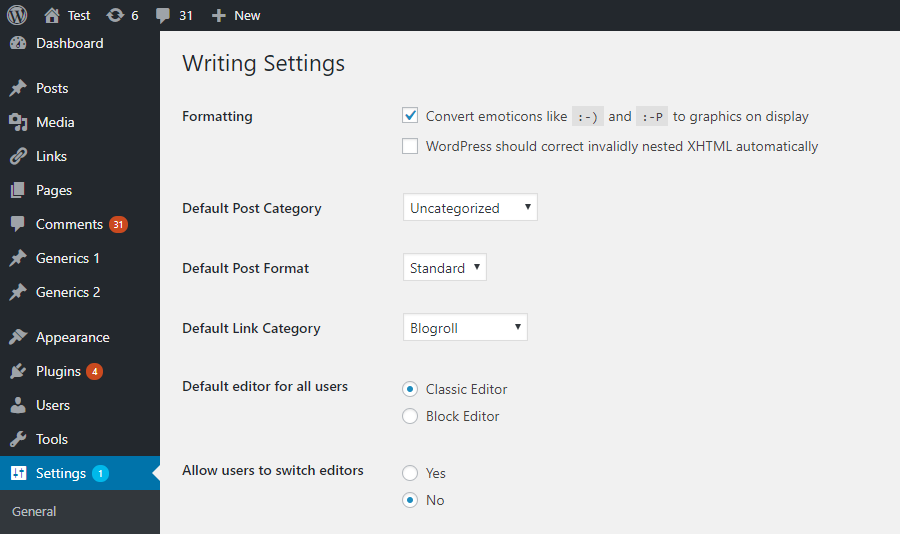
Nustatymai Administratoriui Skydelio skiltyje Nustatymai -> Rašymas. 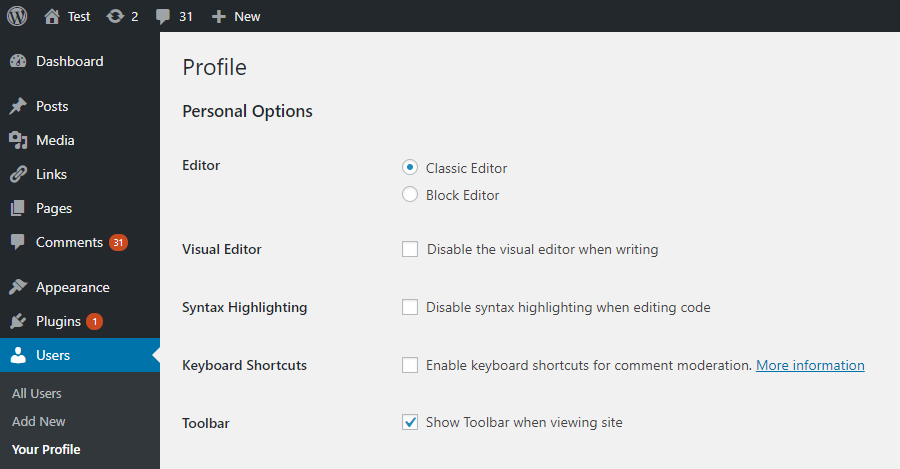
Vartotojo nustatymai jo profilyje. Matomi tik tada, kai vartotojams leidžiama pasirinkti norimą redaktorių. 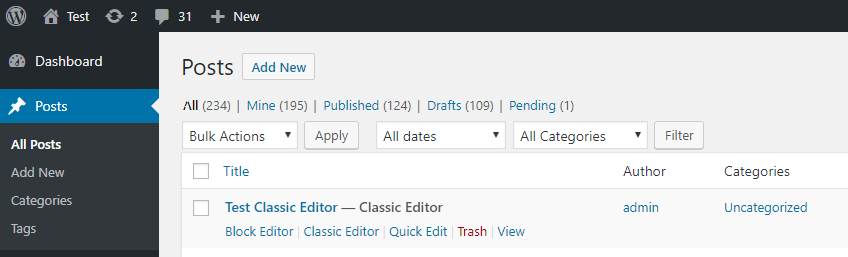
Nuorodos redaktorių pasirinkimui įrašų / puslapių sąrašuose. Matomos tik tada, kai vartotojams leidžiama pasirinkti norimą redaktorių. 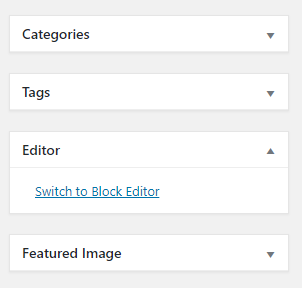
Link to switch to the block editor while editing a post in the classic editor. Visible when the users are allowed to switch editors. 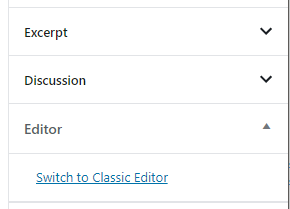
Link to switch to the classic editor while editing a post in the block editor. Visible when the users are allowed to switch editors. 
Tinklo nustatymai numatytajam redaktoriui parinkti bei suteikti galimybę tinklalapių administratoriams jį pakeisti. 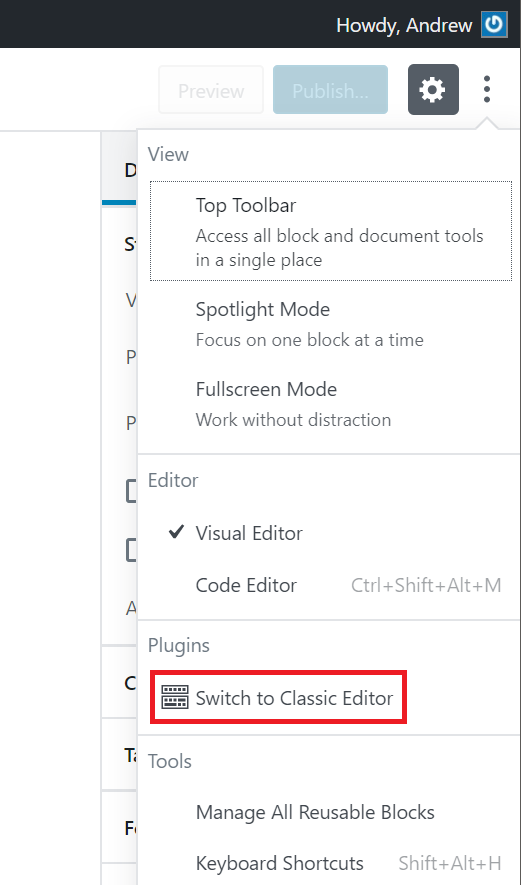
The „Switch to classic editor” link.


DUK
-
Numatytieji nustatymai
-
When activated and when using a classic (non-block) theme, this plugin will restore the previous („classic”) WordPress editor and hide the new block editor („Gutenberg”).
These settings can be changed at the Settings => Writing screen. -
Numatytieji nustatymai multitinklalapiui
-
Yra du variantai:
- When network-activated and when using a classic (non-block) theme, this plugin will set the classic editor as default and prevent site administrators and users from changing editors.
The settings can be changed and default network-wide editor can be selected on the Network Settings screen. - Kai Klasikinis redaktorius nėra įjungtas visam tinklui, kiekvieno tinklo tinklalapio administratorius gali pats įjungti šį įskiepį ir parinkti nustatymus savo vartotojams.
- When network-activated and when using a classic (non-block) theme, this plugin will set the classic editor as default and prevent site administrators and users from changing editors.
-
Cannot find the „Switch to classic editor” link
-
It is in the main block editor menu, see this screenshot.
-
Does this work with full site editing and block themes?
-
No, as block themes rely on blocks. See Block themes article for more information.
Atsiliepimai


Programuotojai ir komandos nariai
“Classic Editor (Klasikinis redaktorius)” yra atviro kodo programa. Prie jos sukūrimo prisidėję žmonės surašyti toliau.
Autoriai


Įskiepis “Classic Editor (Klasikinis redaktorius)” išverstas į 74 kalbas. Dėkojame vertėjams už jų darbą.
Išverskite “Classic Editor (Klasikinis redaktorius)” į savo kalbą.
Domina programavimas?
Peržiūrėkite kodą, naršykite SVN repozitorijoje, arba užsiprenumeruokite kodo pakeitimų žurnalą per RSS.
Pakeitimų istorija
1.6.7
- Fixed loading of script translations when post.js is replaced in WordPress 6.7.1.
1.6.6
- Added fix for selecting/deselecting multiple unwanted categories in WordPress 6.7.1 when clicking on a category checkbox on the old Edit Post screen.
1.6.5
- Added fix for Safari 18 negative horizontal margin on floats.
1.6.4
- Added support for administrators to choose the default editor for other users.
1.6.3
- Added some WPCS fixes, props NicktheGeek on GitHub.
- Updated „Tested up to” in the readme and removed it from classic-editor.php. This should fix false positive errors in security plugins in the future.
1.6.2
- Fixed bug that was preventing saving of the last used editor.
1.6.1
- Fixed a warning on the block editor based widgets screen.
- Fixed use of a deprecated filter.
1.6
- Updated for WordPress 5.5.
- Fixed minor issues with calling deprecated functions, needlessly registering uninstall hook, and capitalization of some strings.
1.5
- Updated for WordPress 5.2 and Gutenberg 5.3.
- Enhanced and fixed the „open posts in the last editor used to edit them” logic.
- Fixed adding post state so it can easily be accessed from other plugins.
1.4
- On network installations removed the restriction for only network activation.
- Added support for network administrators to choose the default network-wide editor.
- Fixed the settings link in the warning on network About screen.
- Properly added the „Switch to classic editor” menu item to the block editor menu.
1.3
- Fixed removal of the „Try Gutenberg” dashboard widget.
- Fixed condition for displaying of the after upgrade notice on the „What’s New” screen. Shown when the classic editor is selected and users cannot switch editors.
1.2
- Fixed switching editors from the Add New (post) screen before a draft post is saved.
- Fixed typo that was appending the edit URL to the
classic-editorquery var. - Changed detecting of WordPress 5.0 to not use version check. Fixes a bug when testing 5.1-alpha.
- Changed the default value of the option to allow users to switch editors to false.
- Added disabling of the Gutenberg plugin and lowered the required WordPress version to 4.9.
- Added
classic_editor_network_default_settingsfilter.
1.1
Fixed a bug where it may attempt to load the block editor for post types that do not support editor when users are allowed to switch editors.
1.0
- Updated for WordPress 5.0.
- Changed all „Gutenberg” names/references to „block editor”.
- Refreshed the settings UI.
- Removed disabling of the Gutenberg plugin. This was added for testing in WordPress 4.9. Users who want to continue following the development of Gutenberg in WordPress 5.0 and beyond will not need another plugin to disable it.
- Added support for per-user settings of default editor.
- Added support for admins to set the default editor for the site.
- Added support for admins to allow users to change their default editor.
- Added support for network admins to prevent site admins from changing the default settings.
- Added support to store the last editor used for each post and open it next time. Enabled when users can choose default editor.
- Added „post editor state” in the listing of posts on the Posts screen. Shows the editor that will be opened for the post. Enabled when users can choose default editor.
- Added
classic_editor_enabled_editors_for_postandclassic_editor_enabled_editors_for_post_typefilters. Can be used by other plugins to control or override the editor used for a particular post of post type. - Added
classic_editor_plugin_settingsfilter. Can be used by other plugins to override the settings and disable the settings UI.
0.5
- Updated for Gutenberg 4.1 and WordPress 5.0-beta1.
- Removed some functionality that now exists in Gutenberg.
- Fixed redirecting back to the classic editor after looking at post revisions.
0.4
- Fixed removing of the „Try Gutenberg” call-out when the Gutenberg plugin is not activated.
- Fixed to always show the settings and the settings link in the plugins list table.
- Updated the readme text.
0.3
- Updated the option from a checkbox to couple of radio buttons, seems clearer. Thanks to @designsimply for the label text suggestions.
- Some general updates and cleanup.
0.2
- Update for Gutenberg 1.9.
- Remove warning and automatic deactivation when Gutenberg is not active.
0.1
Initial release.
