
تفصیل
Add custom JavaScript to your site from a professional editor in the WordPress admin.
TC Custom JavaScript‘s still in early stage. If you have any troubles when using it, or any ideas to improve its features to fit with your work, please do not hesitate to contact us.
اسکرین شاٹس

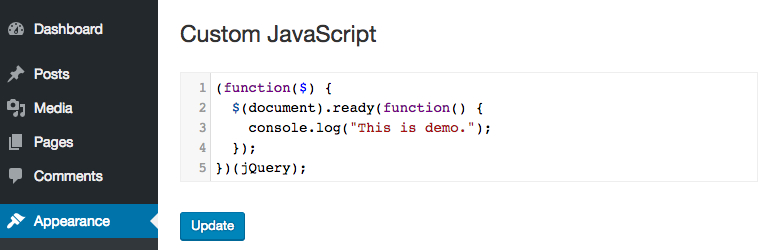
The back end editor

انسٹالیشن
- Upload WR PageBuilder to the /wp-content/plugins/ directory
- Activate the plugin through the ‘Plugins’ menu in WordPress
جائزے


شراکت دار اور ڈیویلپرز
“TC Custom JavaScript” اوپن سورس سافٹ ویئر ہے۔ مندرجہ ذیل لوگوں نے اس پلگ ان میں حصہ لیا:
شراکت دار
“TC Custom JavaScript” کا اپنی زبان میں ترجمہ کریں۔
ڈویلپمینٹ میں دلچسپی ہے؟
کوڈ براؤز کریں، ایس این وی ریپوزیٹری کو چیک کریں یا ڈویلپمینٹ لاگ کو سبسکرائب کریں بذریعہ آر ایس ایس۔
چینج لاگ
1.2.3
Fix bug with PHP 8
1.2.2
Update security checking
1.2.1
Fix bug adding slashes
1.2.0
Fix security issues.
1.1.1
Fix bug clear code.
1.1.0
Editor automatically resize to fit its content.
1.0.4
Fixed bug related to single-line comments.
1.0.3
Fixed bug related to Magic Quotes of PHP 5.3 or lower.
1.0.0
The first version.
