Amp is the frontier coding agent for your terminal and editor.
- Multi-Model: Claude Opus 4.7, GPT-5.4, fast models—Amp uses them all, for what each model is best at.
- Opinionated: You're always using the good parts of Amp. If we don't use and love a feature, we kill it.
- On the Frontier: Amp goes where the models take it. No backcompat, no legacy features.
- Threads: You can save and share your interactions with Amp. You wouldn't code without version control, would you?
Amp has 3 agent modes:
-
smart: unconstrained state-of-the-art model use (Claude Opus 4.7, GPT-5.5, and more) -
rush: fast and efficient, for narrowly defined tasks (Claude Haiku 4.5) -
deep: deep reasoning with GPT-5.5 for extended thinking on complex problems
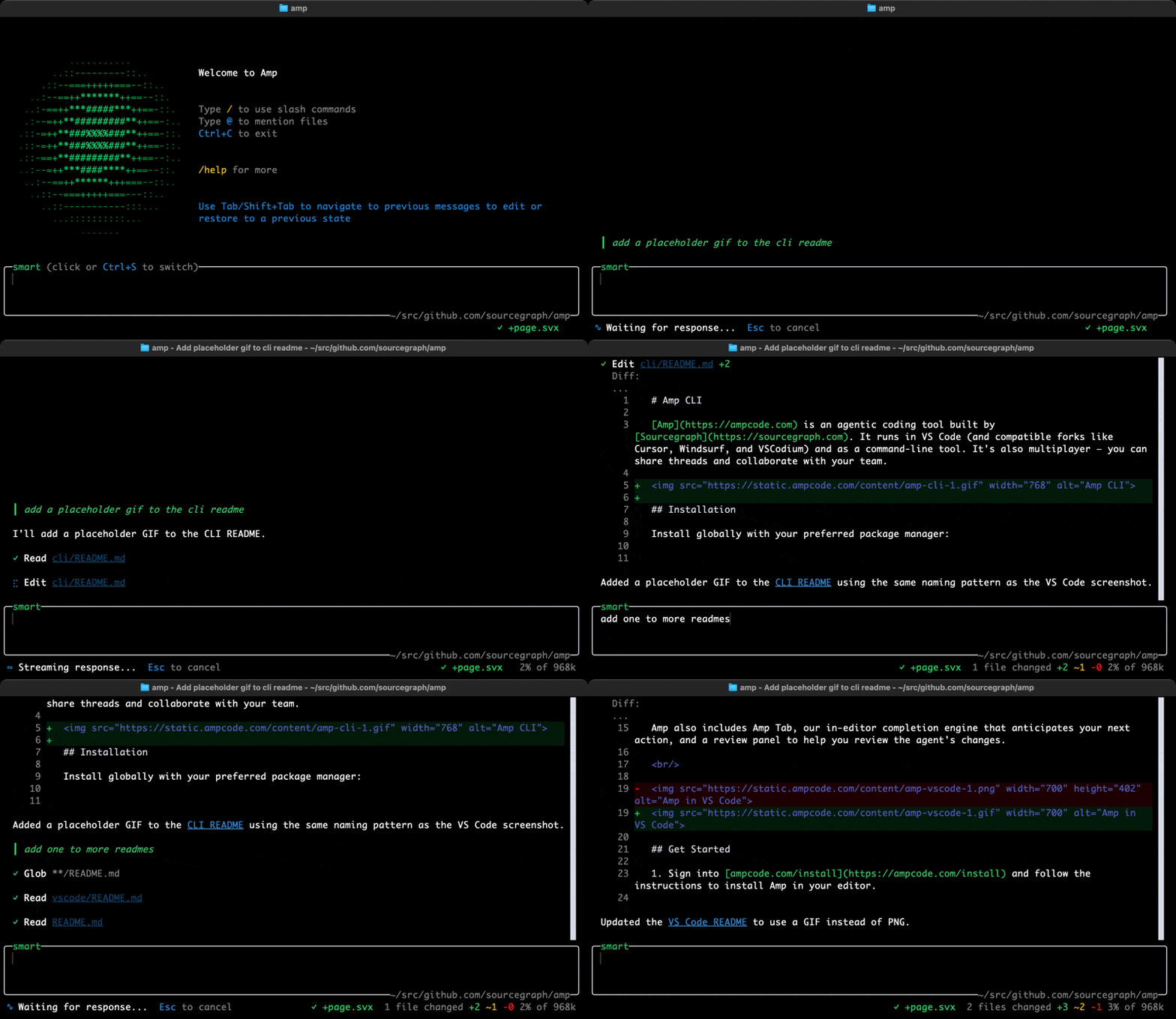
- Sign into ampcode.com/install and follow the instructions to install the Amp CLI.
- Run
ampand ask Amp to do something in your codebase.
See the Amp Owner's Manual for more information, and see ampcode.com/news for what we've recently shipped.
We recommend using our install script for macOS, Linux and WSL. It supports auto-updating and fast launch via Bun:
curl -fsSL https://ampcode.com/install.sh | bashIf necessary, you can install via npm instead:
npm install -g @sourcegraph/amp@latest
# or
yarn global add @sourcegraph/amp@latest
Or run without installing:
npx -y @sourcegraph/amp@latestAfter installation, run amp.
For non-interactive environments (e.g. scripts, CI/CD pipelines), set your API key in the AMP_API_KEY environment variable.
See amp --help and the Amp CLI documentation for more information.
For help and feedback: mention @AmpCode on X, or email amp-devs@ampcode.com. You can also join our Amp Insiders community.
For account and billing help, contact amp-devs@ampcode.com.
Binary Distribution (Experimental)
Pre-compiled binaries for platforms without Node.js/Bun. Version must match npm for update checks.
# Build all platforms
LATEST_VERSION=$(npm view @sourcegraph/amp version)
AMP_BUILD_VERSION="$LATEST_VERSION" ./scripts/build-all-binaries.sh

# Test
./scripts/test-binary-release.sh
See scripts: build-all-binaries.sh, upload-binaries.sh, test-binary-release.sh
