
Backup Simply With File Cloning
Clonezilla is a free backup and recovery utility which partitions a disk and then uses an imaging and cloning approach to create file copies that will be able to be recovered in the event of a catastrophic failure. It is similar in functionality to a programme like Norton's Ghost.
Professional-Level Cloning
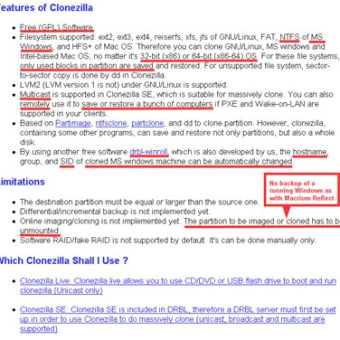
Although Clonezilla Live is designed for single machine backup and restore functions – making it ideal for one-off users – the server edition (SE) version of the programme is suited to wide deployment, perhaps in an office environment. SE is capable of cloning over 40 computer terminals simultaneously and, when used with high-end hardware that was capable of 42-node clusters, it has been recorded at restoring at rates of about 8 GB per minute over a multicast. All sorts of file systems are supported by Clonezilla including – but not limited to - NTFS of MS Windows, HFS+ of Mac OS, various GNU/Linux file management systems, VMFS5 of VMWare ESX and NetBSD. AES-256 encryption is also offered which secures data access whilst making storage and transfer safe. Finally, it is worth mentioning that single image restoration to multiple local devices is another handy function that is also supported.
The Clone Ranger?
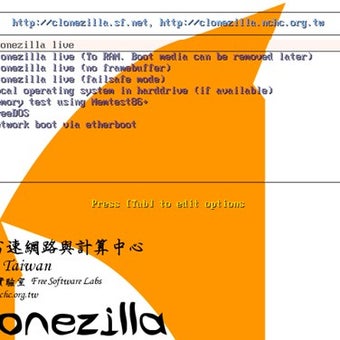
With a range of functions, Clonezilla is handy for complete system backups and for stand-alone PCs. In terms of hardware, all that is needed is a CD/DVD drive, a USB port, a PXE or hard drive to provide a boot device.



.png)