

描述
AJAX realtime comment system with custom comment form and fields. Designed to supercharge WordPress native comments. Super fast and responsive with dozens of features. This is the best alternative to Disqus and Jetpack Comments, if you want to keep your comments in your database.
wpDiscuz version 7 is a revolutionary perspective on the commenting world! This plugin changes your website commenting experience and provides you with new user engagement features. It’s totally improved with brand new innovative features bringing live to your website.
- wpDiscuz Demo: https://wpdiscuz.com/
- Support Forum: https://wpdiscuz.com/community/
- wpDiscuz GDPR: https://wpdiscuz.com/gdpr/
- wpDiscuz Addons: https://wpdiscuz.com/addons/
- wpDiscuz演示: https://wpdiscuz.com/demo/
- wpDiscuz插件包:https://gvectors.com/product/wpdiscuz-addons-bundle/
评论-wpDiscuz功能:
- Three nice and modern comment layouts
- 带来最快的评论体验(提升核心)。
- Adds interactive comment box on posts and other content types
- Inline commenting and feedback. Commenting on post content.
- Live Notification with real-time updating Comment Bubble.
- Social Commenting with lots of Social login options
- Post Rating. Allows to rate posts directly on rating stars.
- 可以允许/不允许对帖子和其他内容类型进行评论
- Responsive comments form and comment threads design
- Clean, simple and easy user interface and user experience
- Comment list sorting by newest, oldest and most voted comments
- Anonymous comments ( name and email can be set as not required )
- Full integration with Social Network Login plugins (Facebook, Twitter…)
- Multi-level (nested) comment threads, with maximum levels depth setting option
- Allows to create a new discussion thread and reply to existing comment
- Ajax button “Load More Comments” instead of simple comments pagination
- Lazy load wpDiscuz comments on scrolling
- Different comment date formats, reflects WordPress date format settings
- Logged in users and guests can edit their comments (time-frame can be limited by admin)
- Automatic URLs to link conversion in comment texts
- Automatic image source URLs to image (HTML) conversion in comment texts
- Long comment text breaking function (“Read more” button)
- Multiple line-breaks (limited by WordPress comment filter)
- Comment author notification options with special checkboxes on comment form
- Subscription activation via additional “Confirm Subscription” email
- Ability to add comment system on attachment pages if it’s allowed by WordPress
- Fast and easy comment form with ajax validation and data submitting
- Fully integrated and compatible with WordPress
- Uses WordPress Comment system with all managing functions and features
- Secure and Anti-Spam features will not allow spammers to comment
- Comment voting with positive and negative result
- Smart voting system with tracking by logged-in user and cookies
- Quick Tags on comment form textarea
- Custom Comment Forms with custom fields
- Rating shortcode for posts via comment custom field [wpdrating] with a lot of attributes
- Option to overwrite comment template and style
- 不同背景下突出显示自上次访问以来的新评论
- 当评论被审核时通知评论作者
- 仅显示带有查看回复(X)按钮的父级评论
- 按角色控制评论者(允许/限制访问网站评论区)
- 设置在首页加载时加载所有评论
- 内置Gravatar缓存
- 置顶评论
- 关闭评论贴子(禁用回复)
- 订阅用户/用户关注
- Built-in comment and comment author caching system
组件
- | wpDiscuz – 包
- | wpDiscuz – Emoticons
- | wpDiscuz – User Notifications
- | wpDiscuz – Media Uploader
- | wpDiscuz – Embeds
- | wpDiscuz – Comment Author Info
- | wpDiscuz – Google ReCaptcha
- | wpDiscuz – myCRED Integration
- | wpDiscuz – Widgets
- | wpDiscuz – Front-end Moderation
- | wpDiscuz – Subscription Manager
- | wpDiscuz – Comment Search
- | wpDiscuz – Comment Report and Flagging
- | wpDiscuz – Ads Manager
- | wpDiscuz – User & Comment Mentioning
- | wpDiscuz – Advanced Likers
- | wpDiscuz – 在线用户
- | wpDiscuz – Private Comments
- | wpDiscuz – Syntax Highlighter
- | Comments Censure PRO
Integration Add-ons
屏幕截图

wpDiscuz Comments Three Layouts | Screenshot #1 
wpDiscuz Comments Form | Screenshot #2 
wpDiscuz Comments View | Screenshot #3 
wpDiscuz Comments on Mobile and Notebook | Screenshot #4 
wpDiscuz Inline Comment Form | Screenshot #5 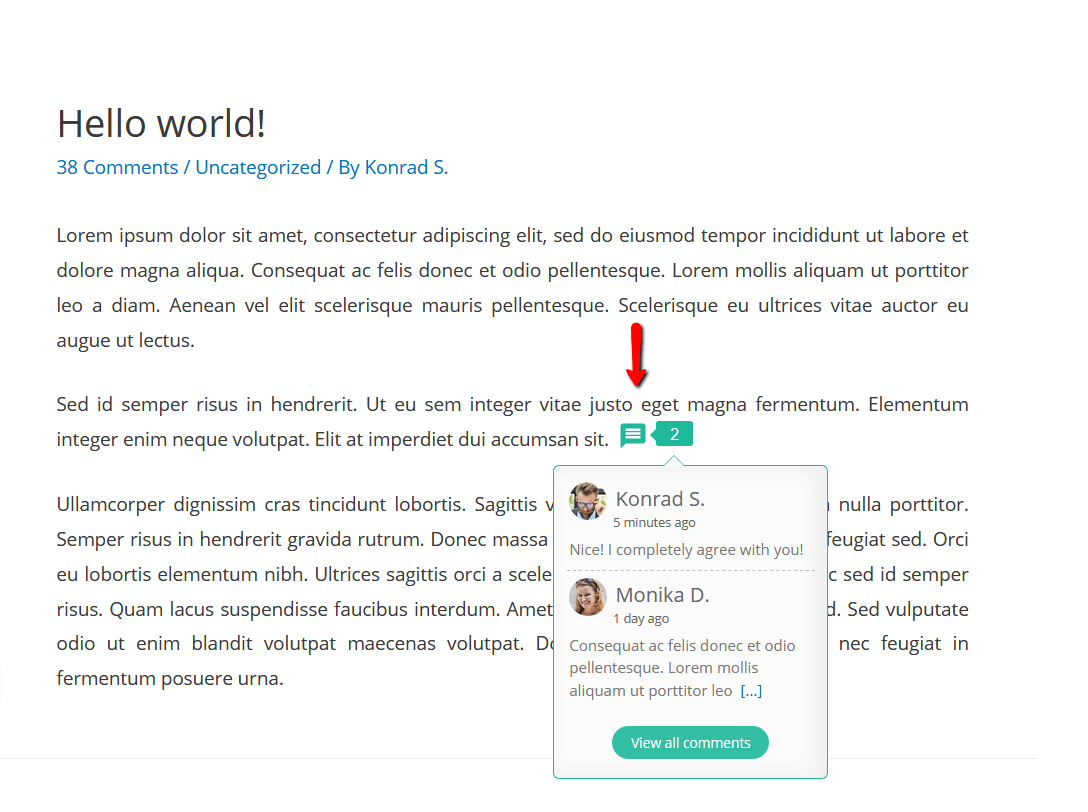
wpDiscuz Inline Comments | Screenshot #6 
wpDiscuz Post Rating and Comment Rating | Screenshot #7 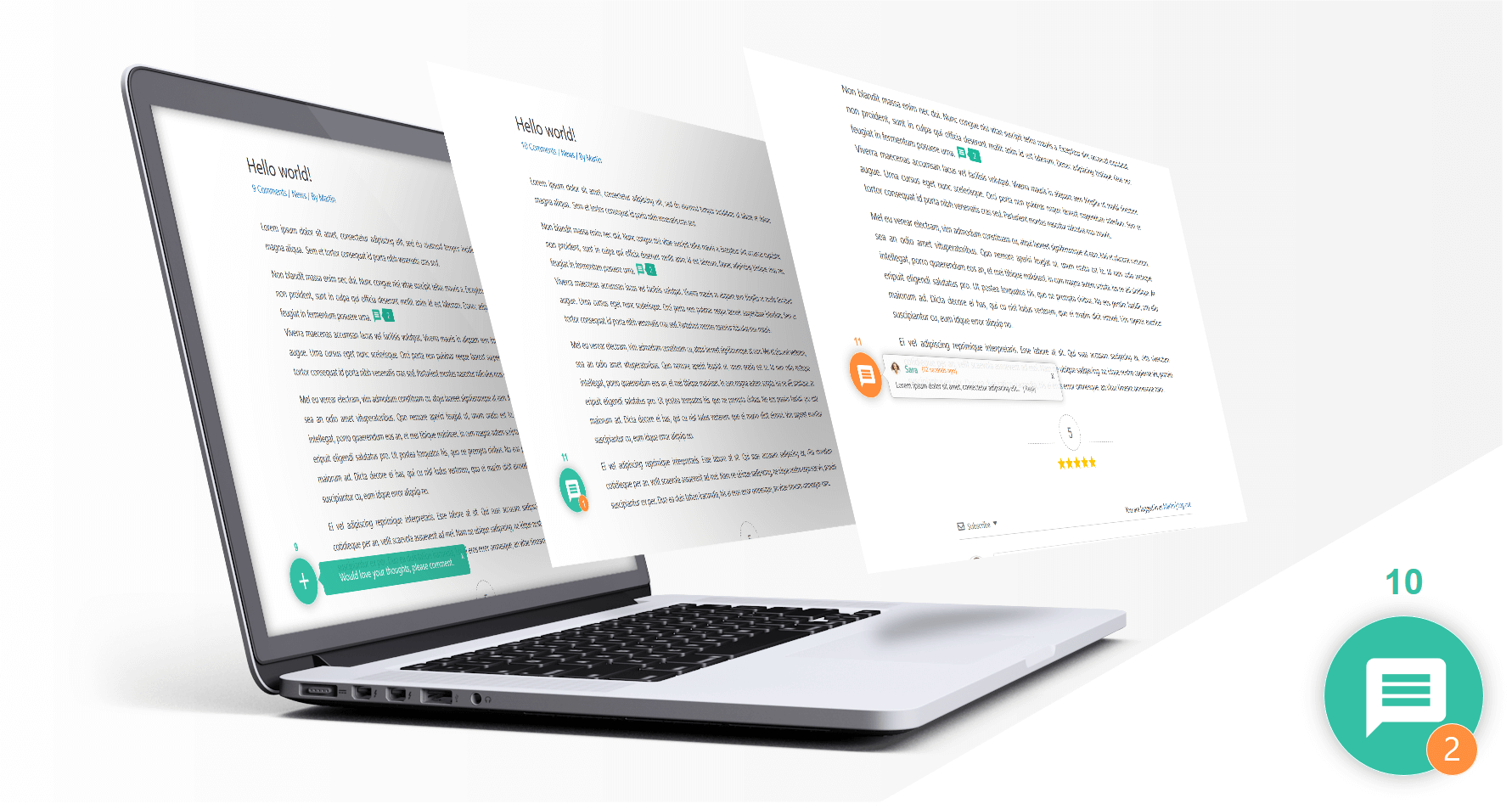
wpDiscuz Live Notification with Comment Bubble| Screenshot #8 
wpDiscuz Social Login and Commenting| Screenshot #9 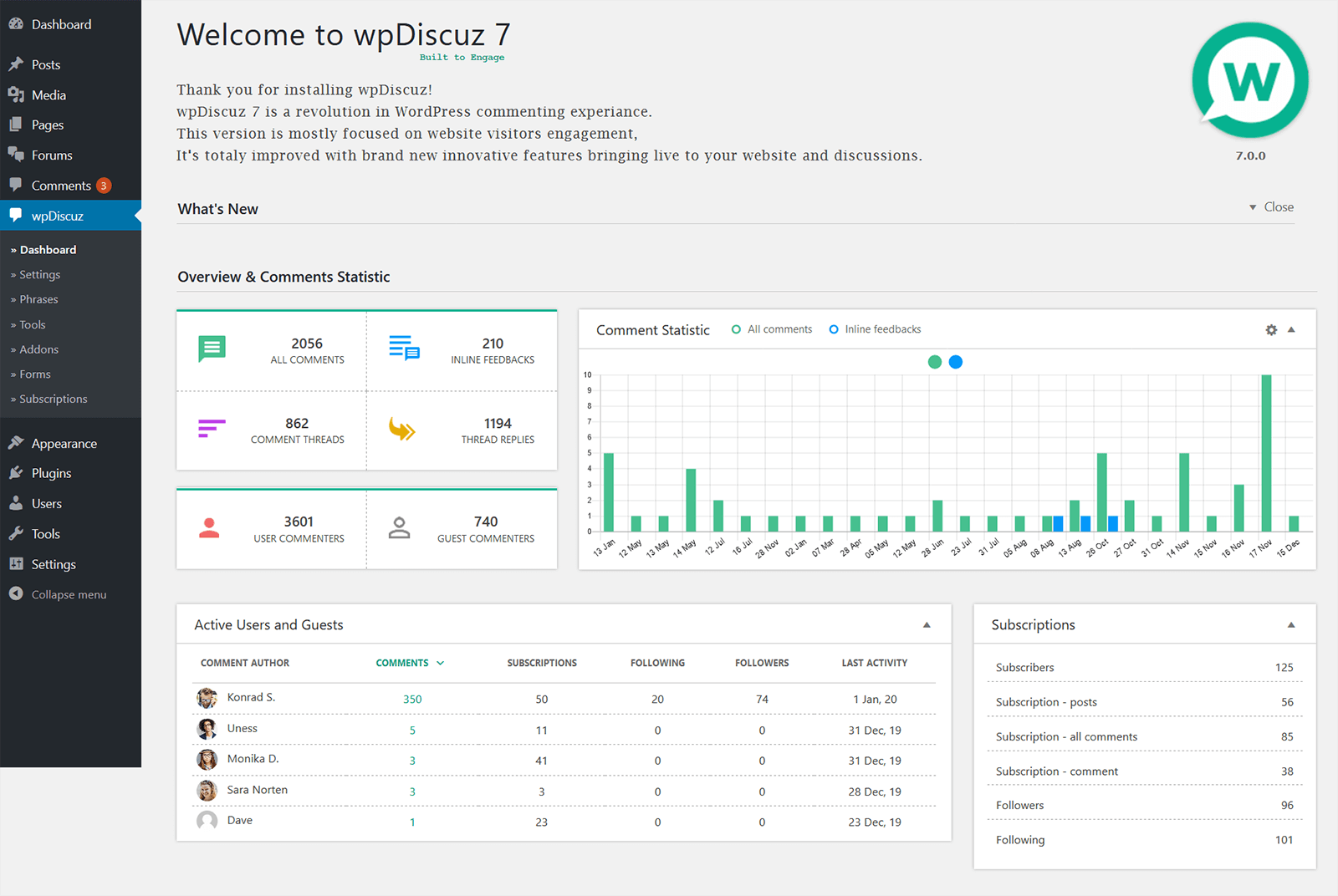
wpDiscuz Comment Statistic | Screenshot #10 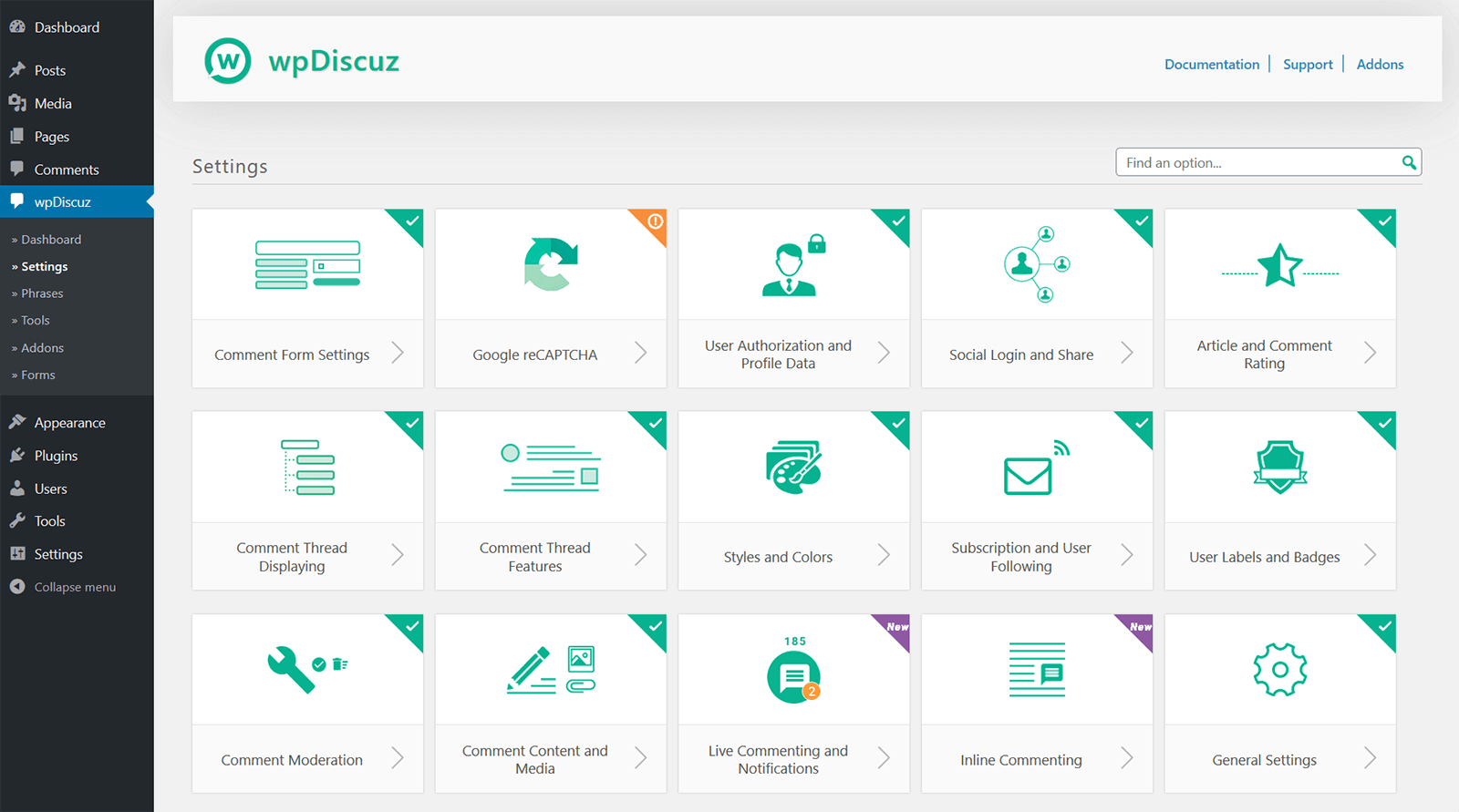
wpDiscuz Settings | Screenshot #11 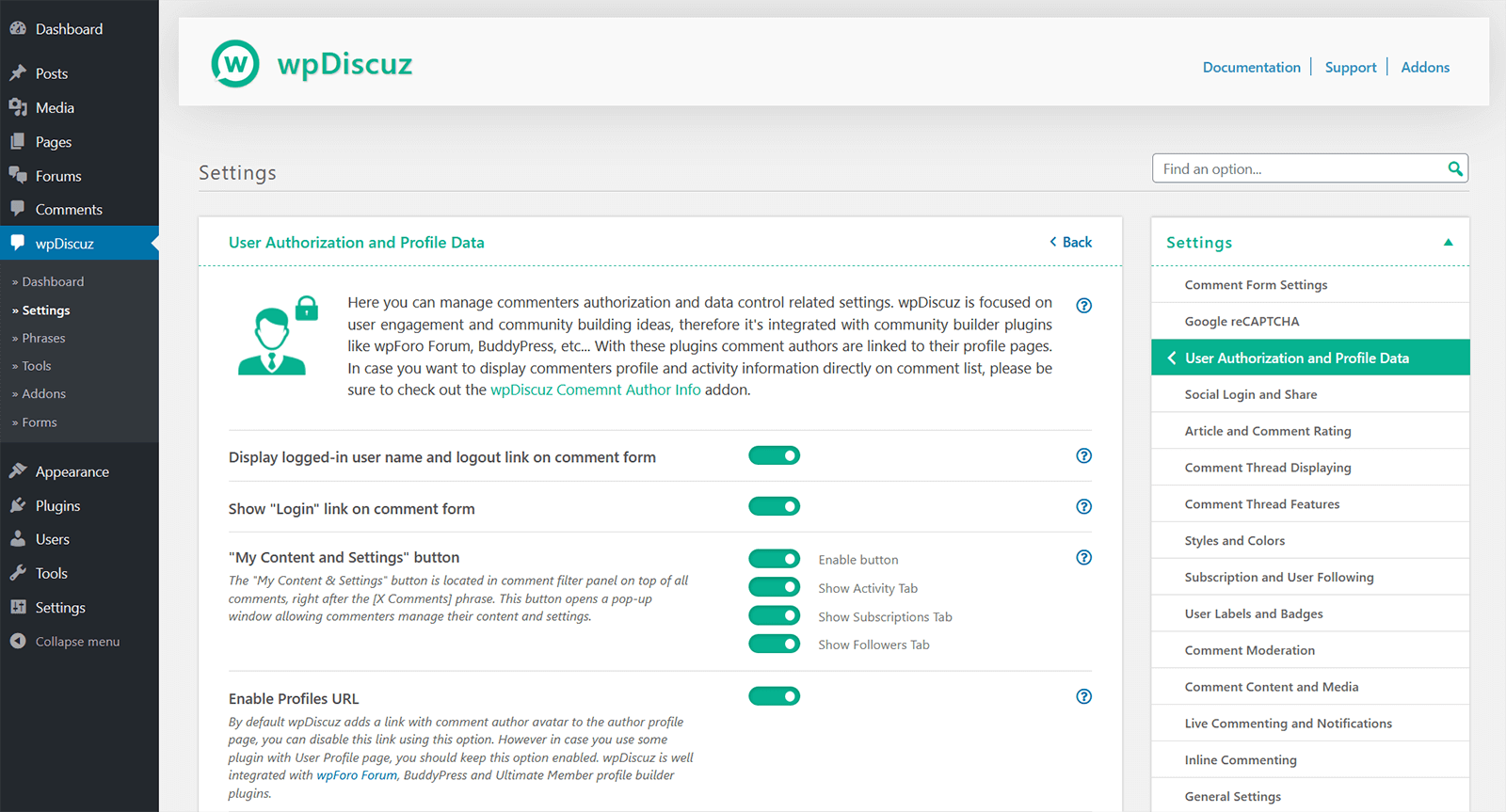
wpDiscuz Single Settings Page | Screenshot #12


区块
该插件提供了 1 个区块.
- Comments – wpDiscuz Example block scaffolded with Create Block tool.
安装
Note
IMPORTANT: If you have a Cache Plugin, please delete all caches after wpDiscuz update.
Installation
- Upload plugin folder to the ‘/wp-content/plugins/’ directory,
- 通过 WordPress 的“插件”菜单以激活本插件。
After installing and activating the plugin, click on Comments menu item in the left sidebar in your website admin panel.
Update to wpDiscuz 7 versions
Please read the documentation:
https://wpdiscuz.com/docs/wpdiscuz-7/plugin-installation/update-to-wpdiscuz-7/
常见问题
IMPORTANT
- If you have a Cache Plugin, please delete all caches after wpDiscuz update.
- If wpDiscuz comment form is missing please read this support topic:
- wpDiscuz comment form is missing
-
Comments – wpDiscuz Settings
-
Basic configuration suits for most of cases, but if you want to configure 评论- wpDiscuz deeper, click on » Settings sub menu item which is under wpDiscuz menu item and change the settings as you want.
-
Comments – wpDiscuz Phrases
-
评论- wpDiscuz has phrases for frontend, for those who want customize texts and messages without using .po/.mo files, but still you can use .po/.mo translation files with combination of 评论- wpDiscuz phrases. You just need to enable “Use Plugin .PO/.MO files” setting in 评论- wpDiscuz » Settings page
-
Comments – wpDiscuz Documentation
-
Here you can find more detailed answers for your questions – https://wpdiscuz.com/docs/
-
Support Forum
-
For deeper support please visit our Support Forum
-
Does this plugin fully replace the current comment system?
-
Yes! 评论- wpDiscuz changes default comment system to a new interactive system.
-
What will happen to old comments?
-
Nothing will be lost! 评论- wpDiscuz will show all old comments.
-
Where comments are stored?
-
评论- wpDiscuz uses the default WordPress comment storage system, all comments are on your database and all comments are manageable in Dashboard > Comments admin page.
-
Will my comments be lost if I install this plugin, and then remove it?
-
评论- wpDiscuz doesn’t affect any data. You can install and uninstall whenever you want without any worries.
评价


贡献者及开发者


更新日志
IMPORTANT!
Please don’t forget delete all caches and purge CDN after the update.
Comments – wpDiscuz v7.6.46 – 09.02.2026
- Added: A new filter hook “wpdiscuz_is_update_nonce_with_ajax” to control nonce ajax requests for guests
Comments – wpDiscuz v7.6.45 – 19.01.2026
- Added: A new filter hook “wpdiscuz_validate_nonce_for_guests” to control wpdGetNonce ajax requests for guest users
Comments – wpDiscuz v7.6.44 – 15.01.2026
- Security: Fixed IDOR vulnerability in AJAX actions (CVE-2025-68997)
- Security: Added post access authorization check to voteOnComment – uses $comment->comment_post_ID from database, not user-supplied postId (prevents parameter manipulation bypass)
- Security: Added server-side rate limiting to AJAX actions (vote 20/min, rate 10/min, follow 15/min, subscribe 10/min)
- Security: Rate limiting on voteOnComment, userRate, followUser, addSubscription
- Security: Enhanced client fingerprinting (IP + User-Agent + Accept-Language)
- Security: Rate limiting executes before nonce validation for maximum protection
- Security: Object validation – verifies comment exists and is approved before processing
- Security: Post status validation – blocks access to private/password-protected posts for unauthorized users
Comments – wpDiscuz v7.6.43 – 12.01.2026
- Fixed: Insecure Direct Object References (IDOR) vulnerability
Comments – wpDiscuz v7.6.42 – 23.12.2025
- Fixed: An issue with inline commenting in Elementor
Comments – wpDiscuz v7.6.41 – 22.12.2025
- Updated: Added gutenberg toolbar button for inline feedback shortcode generation
Comments – wpDiscuz v7.6.40 – 09.12.2025
- Fixed: Disqus login vulnerability
