-
-
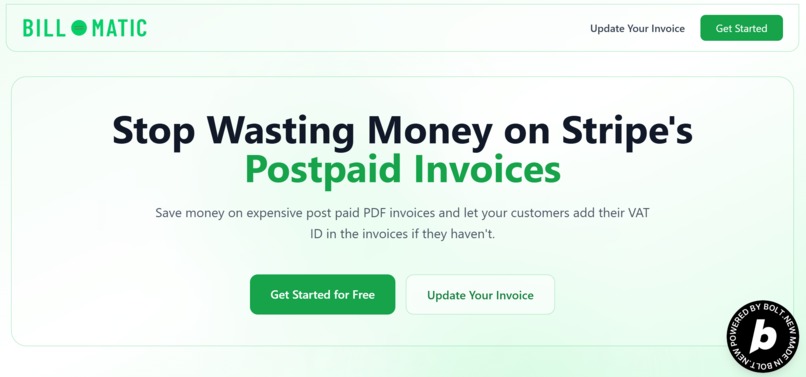
Hero section of the website.
-
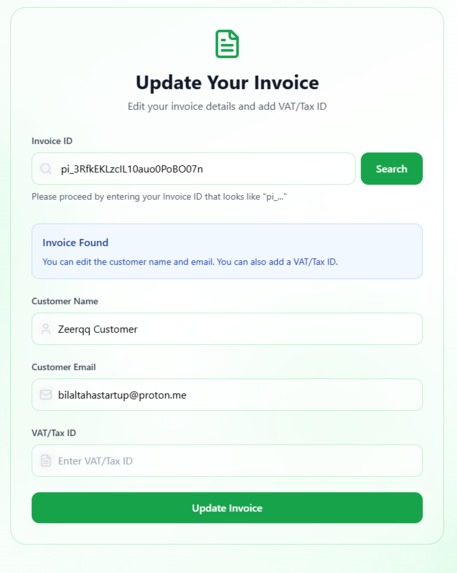
This is when the end customer searches with Invocie ID, this card shows the information and abikity to edit that.
-
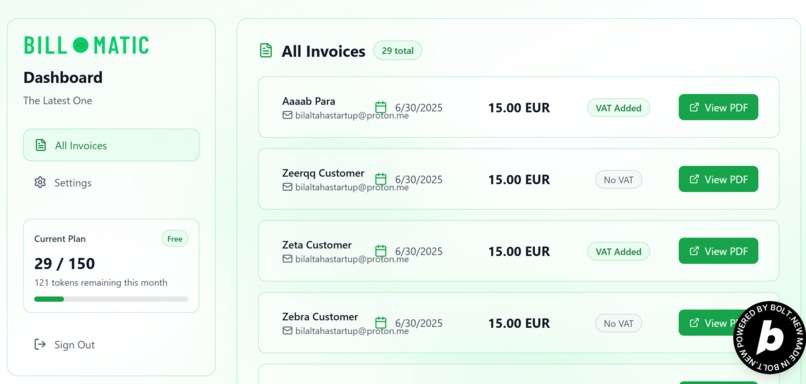
The "All Invoices" tab which shows the invoices that are sent to the costomers related to that specific merchant.
-
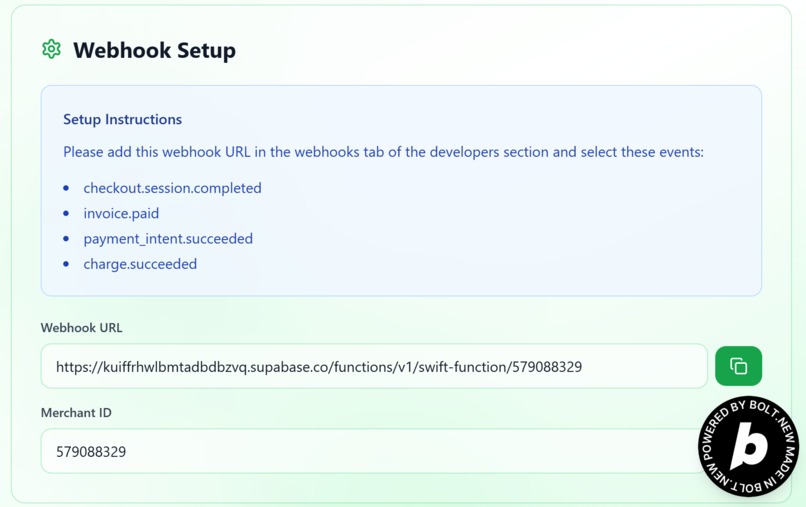
This is the image from the "Settings" tab, which shows the Webhook URL and the Merchant ID for that Merchant.
-
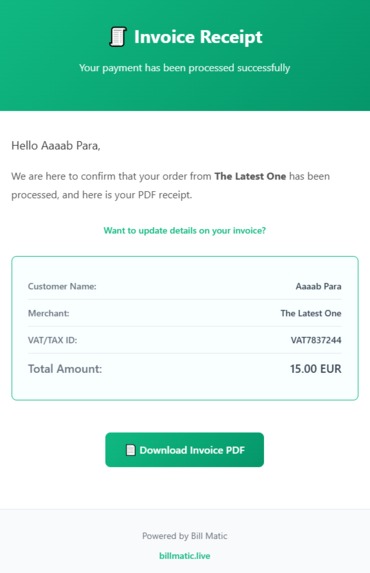
This is the image of the invoice email that the customer receives.
-
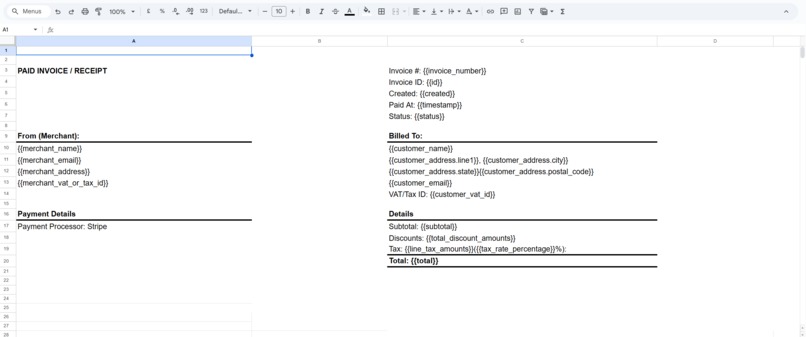
This is the Google Sheet Template which includes the placeholders, Google Apps Script uses this template for modifiction purposes.
-
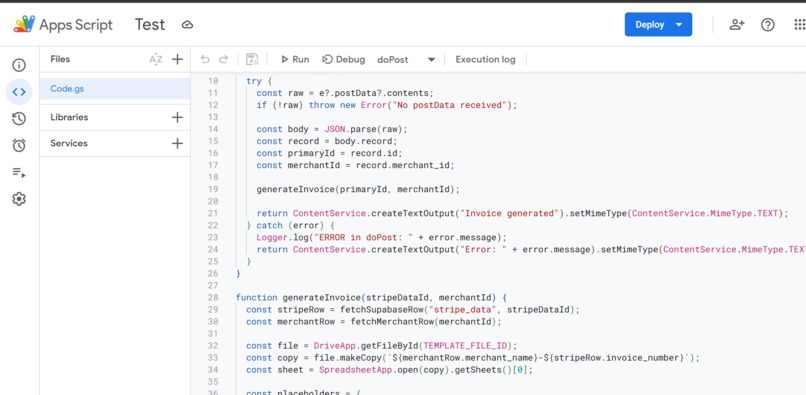
This image shows a small amount of code of Google Apps Script.
-
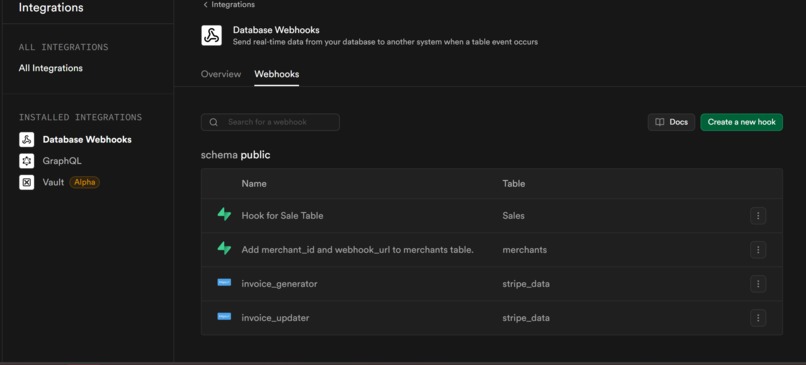
These are the webhooks in Supabase, some are used for triggering edge fucntions while some are used for data transfer outside.
-
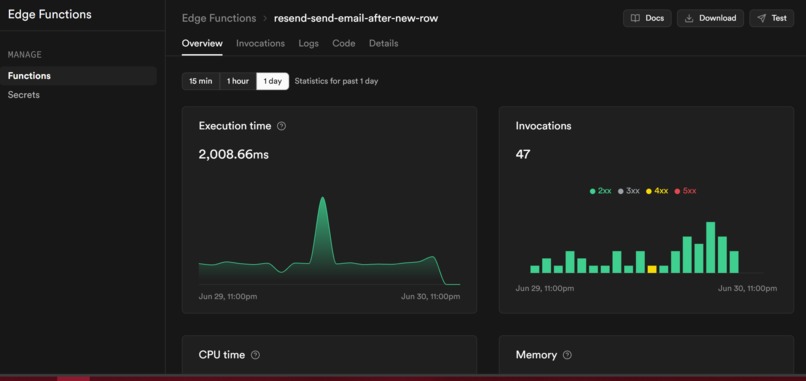
This is edge fucntion which is responsible for sending emails by triggering Resend.


Details for testing purposes are present at the bottom.
Inspiration
I saw a huge cost burden for businesses using Stripe's post-payment invoicing. At 0.4% capped at $2 per PDF invoice, merchants with decent sales volume were wasting thousands of dollars annually. The was just not making sense. I saw this gap and realized there had to be a better way. Why should merchants pay premium fees for something that could be automated easily? That's what inspired me to build Bill Matic that too in One-Shot Competition.
What it does
BillMatic connects with your Stripe account via a custom webhook. Once set up, it automatically creates and sends clean PDF invoices for every sale. It even solves a big pain point for European users—letting customers add VAT or tax IDs after the invoice is generated, something Stripe doesn’t support.
How we built it
The architecture depends heavaily on the Web App, Supabase and Google Apps Script , Supabase with multiple edge functions handling real-time triggers throughout the invoice generation pipeline. I built 4-5 specialized edge functions that activate instantly when data flows through our system - for example, when a complete sales record with PDF invoice link hits our sales table, it automatically triggers our email delivery system through Resend. Google Apps Script plays a crucial role, handling spreadsheet duplication, proper naming conventions, sharing permissions, and PDF generation with downloadable links that feed back to our Supabase tables. Bolt.new was quite helpfulin bringing this vision to life - I provided an extensive 6-7 page prompt single prompt detailing the entire system architecture, and Bolt delivered exceptionally, creating the complete UI, user authentication, Supabase integration, and all the complex workflows seamlessly includeing the dashboard infrastructure, instantly communicating with Supabase and giving fast and seamless experience.
Challenges we ran into
Edge functions didn’t always behave as expected, and email delays were tricky at first since the domain was new. Syncing Supabase, Apps Script, and Resend took a lot of fine-tuning. But Bolt.new helped iron out most issues quickly, even with the complex integrations.
Accomplishments that we're proud of
What really stands out is how Bolt.new brought my entire prompt to life—from UI to dashboard to invoice update page. Aceiveing this in a single prompt was likely unbeliveable i myself thought at first that its not possible in one prompt but I did it. The way Supabase and Google Apps Script now work together automatically is something that would’ve taken months manually. And it all runs smoothly.
What we learned
You don’t need a big team or months of coding to build something real. If you deeply understand the problem and plan carefully, tools like Bolt.new and Supabase can help you ship fast. The key is solving an actual pain point—and building exactly what users need.
What's next for Bill Matic
The product is around 80–90% cheaper than Stripe. The product works, the cost savings are real, and the market is huge. I plan to take this product to the next level and make it viral. I think there’s potential here for early users, maybe even funding. BillMatic is just getting started.
For testing Purpose
For testing purposes, login into the https://billmatic.live and use this email address "taha@billmatic.live", password: "123456", if you want to test through my stripe test product, here is its link: https://buy.stripe.com/test_fZu5kE995dED3iv1pTbZe01 Webhook Url of merchant is already connected to my stripe webhooks section in test mode, so all you need is to test the purchase and look into the dashboard for sale invocie which will appear wihtin a minute or you can add that merchant account's webhook URL to your stripe account also, but keep it in the test mode.
Built With
- bolt.new
- claude
- cloudinary
- google-apps-script
- google-sheets
- resend
- supabase


Log in or sign up for Devpost to join the conversation.