-
-
Chronology Logo, made in paint.net.
-
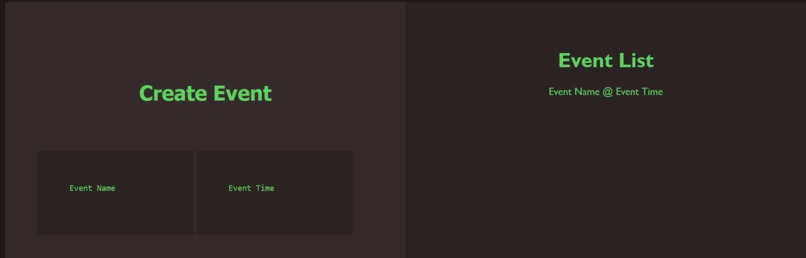
A screenshot of the event list.
-
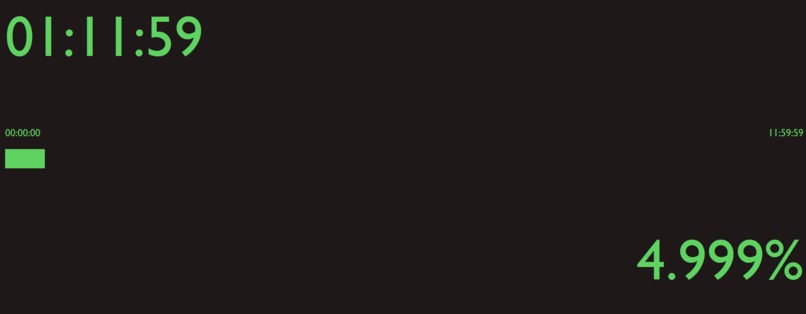
A screenshot of the clock and progress bar.
-
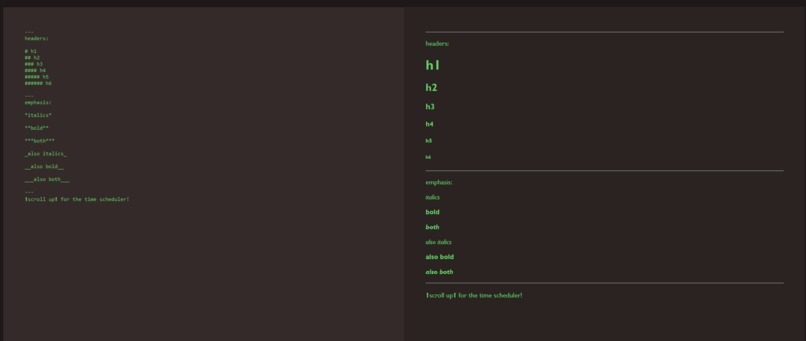
A screenshot of the markdown editor.
-

Chronology's colour palette.


Inspiration
I've needed a daily schedule maker that was cleaner to use than the calendar app Windows comes with, and I thought that some of the other features, like the daily progress bar, served as a nice reminder of how easily time passes. It's really a productivity tool for myself that I turned into a hackathon project.
What it does
There are three main components to this project. An event maker on the top to create events that you will be doing throughout the day, a progress bar showing how much of the day has passed that also displays the current time and the percentage it is filled, and a markdown text editor for longer notes that might be necessary. The events have two fields that are customizable, being the event name and the time it happens.
How we built it
I used JavaScript, HTML, and CSS to build this web app. I also used paint.net for creating the graphic such as the logo.
Challenges we ran into
I had never used JavaScript before (or done much web development, to be honest), so this was a steep learning experience for me. Ran into a host of technical issues along the way, but I'm quite proud of how this turned out.
Accomplishments that we're proud of
The existence of this entire project, and the fact that it's in a working state, is a pretty big accomplishment for me. I had almost no experience with JS after all, so most of this had to be built with (very helpful) JavaScript documentation provided by Mozilla.
What we learned
Quite a bit about JavaScript and web development in general, along with HTML and CSS.
What's next for Chronology
Just improving on the features that already exist, and maybe adding some new ones like a calendar.
Sources/Templates Used
- Clock image on logo comes from openclipart.com


Log in or sign up for Devpost to join the conversation.