-
-
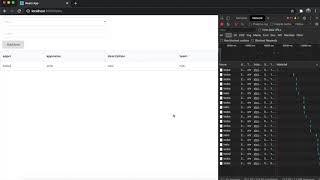
The application

Inspiration
I often use dynamodb tables for my applications, however the editor in AWS looks old-fashioned and is hard to use. So, I decided to make a way to collaborate on and edit DynamoDB tables with simplicity!
What it does
After you create a dynamodb table, simply specify to api that connects to the dynamodb table and the columns you want to use in the code (specifics are on github). Then, you and others can collaborate on, edit, create, delete, and find items on the dynamodb table easily.
- To delete or edit an item, click the item in the table
- To create an item, click create at the top
- To find an item, specify the a key of the item and the first few letters of the value and only those items would be displayed in the table
- Any edits you or another person makes can be found when you reload the page
How I built it
The front end is built with react and redux, and I used create-react-app to do so. AWS API gateway is used to connect with the backend, which uses DynamoDB, Lambda, and S3. That was built with serverless. Since the application is serverless, it is very reliable, fast, and easy to package, so collaboration would be easy.
Challenges I ran into
Getting the values from the dynamodb table and iterating over them to display them in a table was difficult and took some time.
Accomplishments that I'm proud of
I used API Gateway to connect front end and back end to make a serverless project!
What I learned
I learned how to modify dynamodb tables using code
What's next for Easy Tables
I plan to add more functionality like cognito and imago hosting, so that my project will be used by others and possibly companies.


Log in or sign up for Devpost to join the conversation.