-
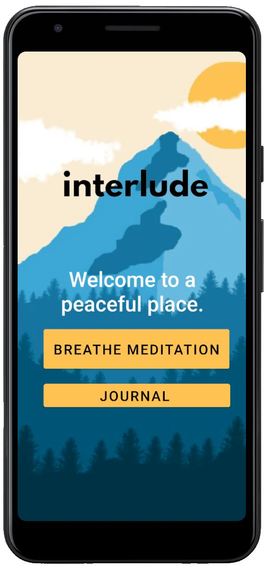
interlude Home Page - There are two options, one is to go to Breathe Meditation, and the other is to go to Journal.
-
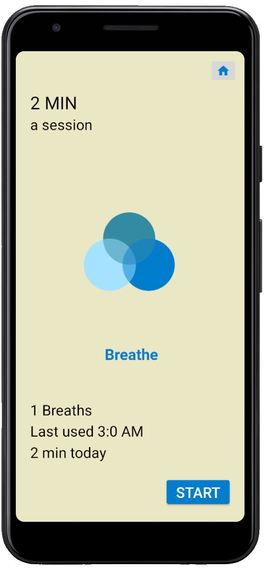
interlude Breathe Meditation - This is the intial UI when Breathe Meditation is opened.
-
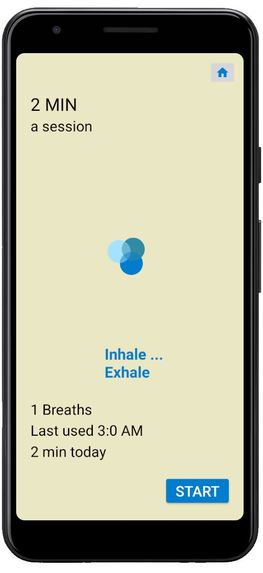
interlude Breathe Meditation - Once start is clicked the animation starts moving, it both rotates and goes in and out.
-
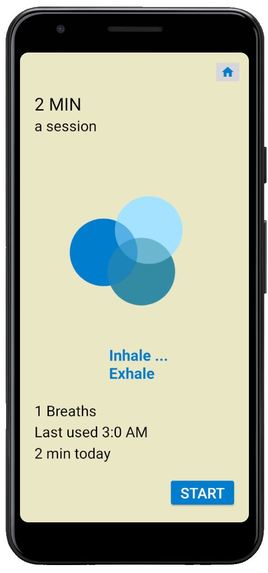
interlude Breathe Meditation - Picture of it rotating and getting bigger.
-
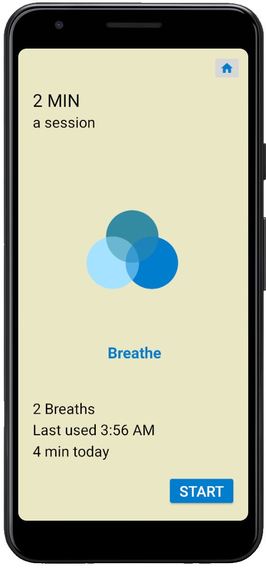
interlude Breathe Meditation - Information Updates once 2 minute is complete and page refreshes.


Inspiration
We've always enjoyed mindfulness breathing and journaling and they've been part of our self-care routines. We wanted to create an app about something that we are passionate about!
What it does
The app allows you to journal your thoughts as well as to practice mindfulness breathing.
How we built it
We built the app with Android Studios using Java for the backend and XML for the frontend. We also used Photoshop to design all of our graphics and drawings.
Challenges we ran into
We struggled with time management. We wanted to complete the Journal feature of the app and so many other features but unfortunately ran out of time.
Accomplishments that we're proud of
We are really proud of the UI of the app and the breath meditation animation!
What we learned
We are very new to Android Studios, hence, we learned so many new things! Some things we learned include how to switch between scenes, how to use XML + the different layouts to choose from, and how to create cool animations!
What's next for interlude
Along with completing the Journal feature and fully making it customizable, we would like to add a night mode feature that changes the graphics and UI to nighttime. We would also like to add relaxing audio to our app!


Log in or sign up for Devpost to join the conversation.