-
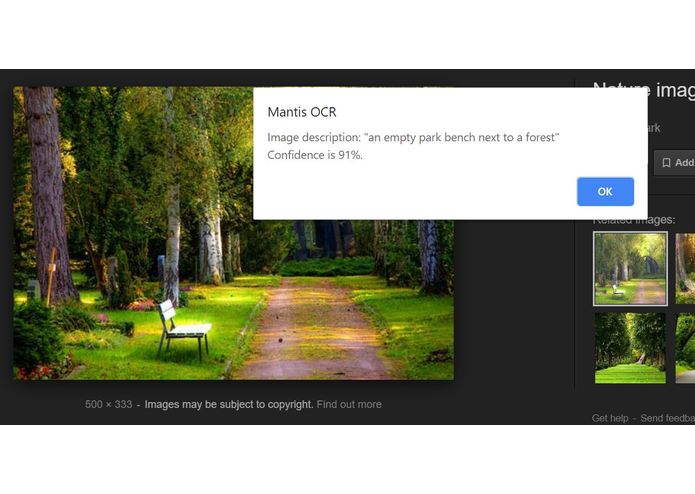
Using the image description tool

mantis-ocr
A Chrome web extension that uses Microsoft Azure's computer vision API to help people who are visually impaired use images on the internet. This extension does two main things:
- read the text in an image -- this is done using Microsoft Azure's OCR API
- offer a brief description of what's in the image
Note that instead of audio, it will return a popup containing plaintext. Almost all computers have some version of Narrator (Windows), which can read plaintext. The intention is for this narration software to be used to read the plaintext in the popup. We made this decision because people have different preferences for voice speed and sound.
There is software out there that does similar things, but it either requires downloading the image first or only works on mobile. With Mantis OCR, the only thing you have to download is the extension, and, while intended for Windows, it should work across anything with Chrome and some sort of narration tool. It's designed to be as simple as possible and fit into software that most people already have.
Getting Started
Setup (during testing/dev phase)
- Go to chrome://extensions and select developer mode.
- Select "Load unpacked". When prompted, choose this directory.
- You're all set!
Usage
Simply right-click on an image and select Mantis OCR from the menu that pops up. This will open a submenu with two options: "Read the image text" and "Get the image content". Select the one you want and a popup with either the text or brief description will appear momentarily.


Log in or sign up for Devpost to join the conversation.